ADHD Time Management Tools: We Tested The Best 6


If you have ADHD, you might find that organizing, planning your day, and focusing can be overwhelming and frustrating. It might even make you feel stuck sometimes.
But here’s the thing: You are not the problem; you’re not broken or in need of fixing.
If you’ve been diagnosed with ADHD, or even if you just suspect you might think differently, this blog post is for you. These tools could be your first step towards meaningful and lasting change.
Why Time Management Feels Impossible With ADHD (And What You Can Do About It)
If you’ve ever looked up and realized three hours just vanished—or you’re staring at your to-do list, wondering how everyone else manages life—you’re not alone.
ADHD time blindness is real. So is the overwhelm that comes from juggling impulsivity, distractions, and executive dysfunction. The typical productivity advice? Often built for neurotypicals. But that doesn’t mean you’re out of luck.
This guide is made for ADHD brains: practical, flexible, and based on what actually works in the wild. We’ve curated ADHD time management tools that are:
- Simple enough to use when you’re overwhelmed
- Visual enough to fight time blindness
- Flexible enough to fit your weird schedule
- Smart enough to gently pull you back when you wander
Whether you’re a professional, student, creator, or a master procrastinator—we’ve got tools that can help you take back your time.
Though I work at Saner.ai, reviewed below under the same criteria as every other tool.
What Makes a Time Management Tool ADHD-Friendly?
ADHD brains aren’t “lazy” - they just need a different kind of approach. Here’s what to look for in a tool that actually helps:
Visual Time Awareness
- Countdown timers
- Visual blocks of time
- Pomodoro or structured sprints
Low Friction and Fast Start
- No 5-minute setup rituals
- Clean, clutter-free interfaces
Smart Reminders
- Gentle nudges, not stress bombs
- Recurring reminders with flexibility
Customizable and Flexible
- Works for chaotic days and productive sprints
- Let's you switch formats (lists, calendars, timers)
Dopamine Triggers
- Satisfying checkboxes
- Gamification or visual feedback
Syncs With Real Life
- Mobile, desktop, and browser options
- Integrates with your calendar, email, or brain dump notes
6 Best ADHD Time Management Tools by Category
Daily Planning Tools for ADHD
If you constantly forget what you planned—or never get around to planning—these tools help you start the day with intention.
| Tool | Platform | Why It's Great |
|---|---|---|
| Saner.AI | Web | Combines daily planning with thought organization; made by and for ADHDers |
| Sunsama | Web, macOS, iOS | Builds daily plans with task prioritization and calendar view |
| Structured | iOS, Android | Visual daily timeline that’s easy to scan and satisfying to check off |
| Things 3 | macOS, iOS | Clean and focused interface; helps prioritize tasks daily |
Saner.AI
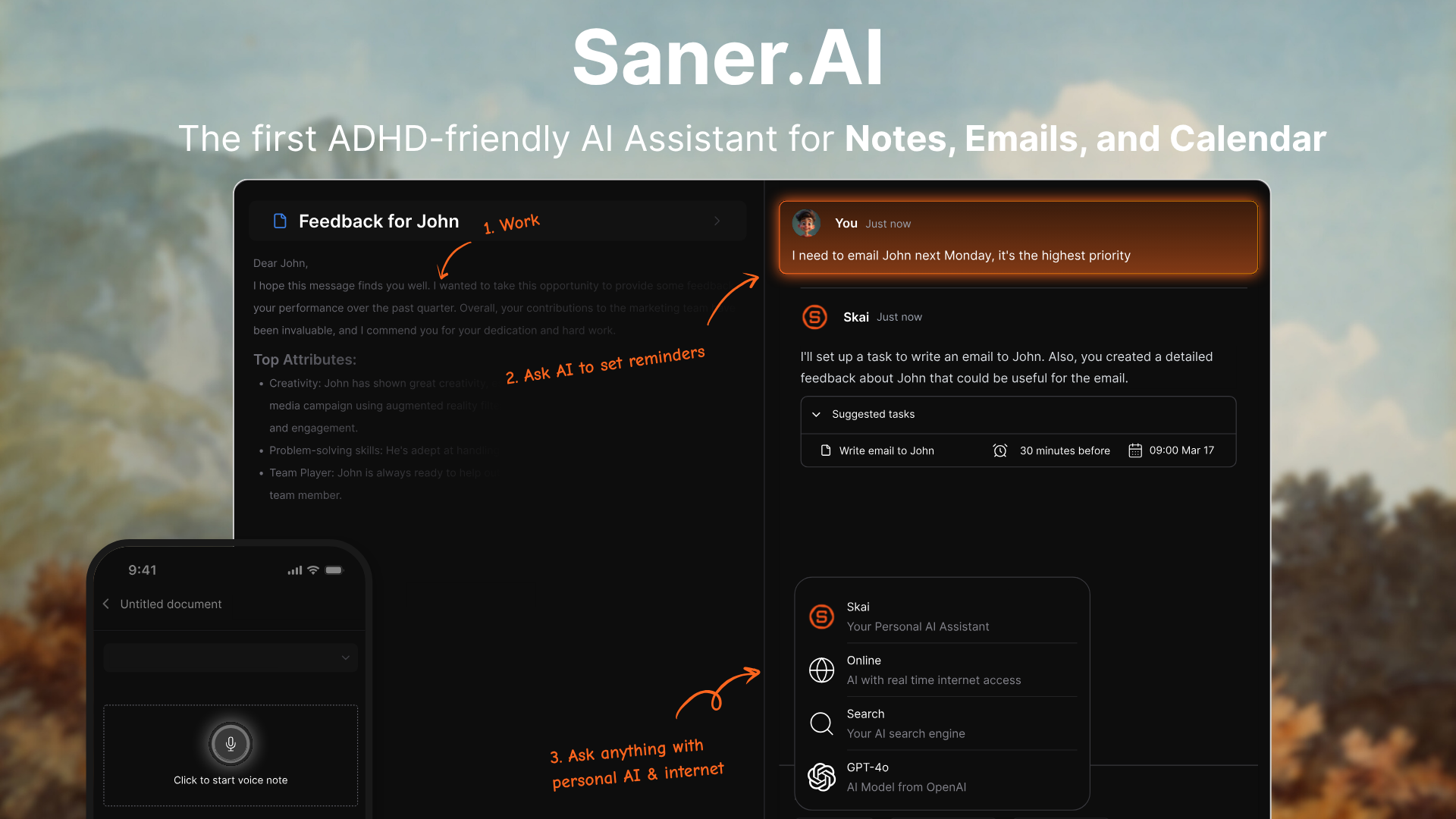
- What it does: A personal AI for notes, emails, tasks, and calendar
- Pros: Simple to use; helps you stay organized without manual input. The AI automatically plans your day
- Cons: Need internet to use it.
- Who it's for: ADHDers who need a flexible, thinking-friendly planning space.
Sunsama
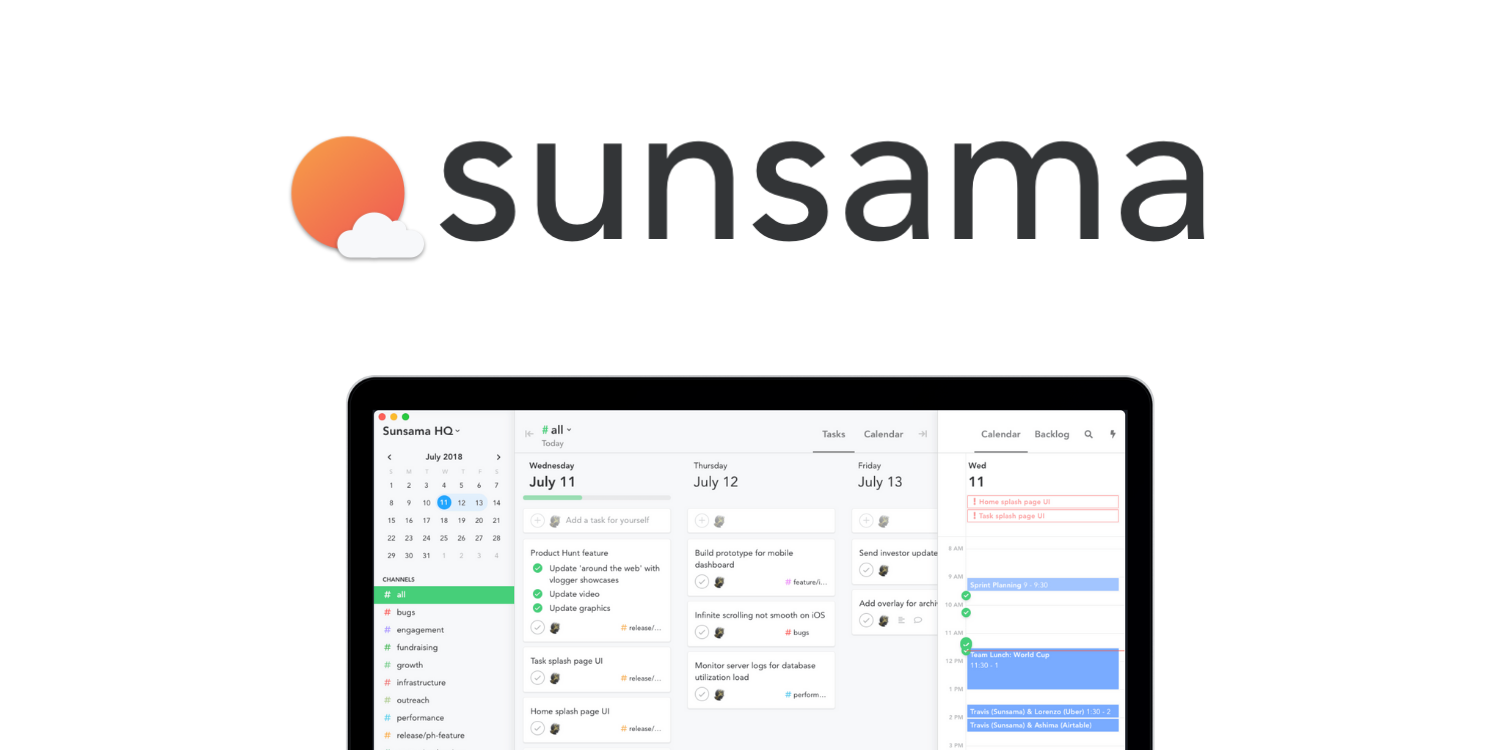
- What it does: Helps you plan your day by dragging tasks into a calendar view.
- Pros: Clean interface; encourages intentional daily planning.
- Cons: Subscription required; may be too structured for some.
- Who it's for: Professionals who want calm, focused planning without chaos.
Structured
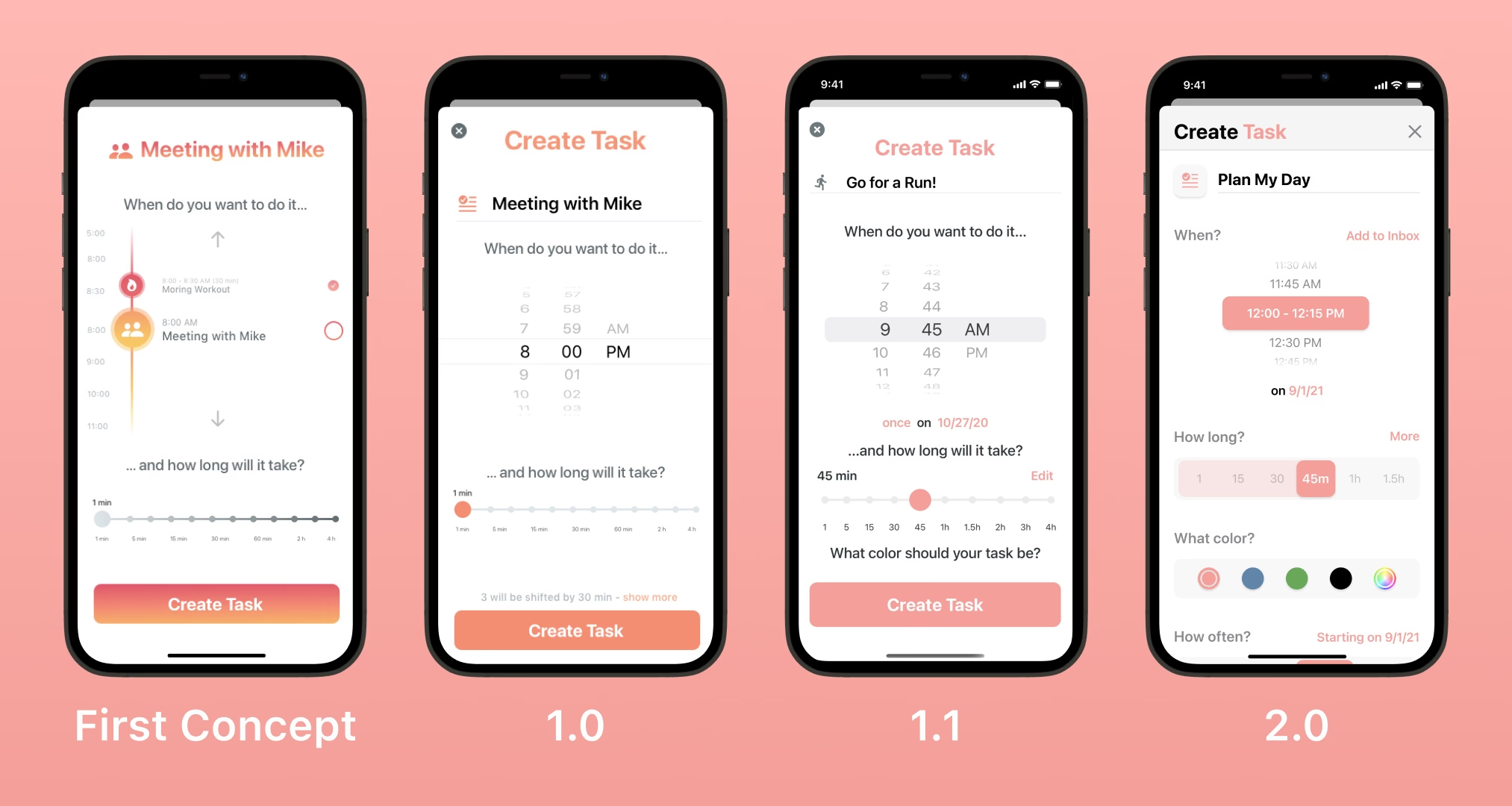
- What it does: Shows your day as a visual timeline with color blocks.
- Pros: Beautiful UI; quick to add tasks; easy to scan.
- Cons: Limited customization; Android version still maturing.
- Who it's for: Visual thinkers who want an easy daily routine planner.
Things3

- What it does: A sleek to-do app with powerful scheduling and tagging.
- Pros: Minimalist; quick entry; very Apple-friendly.
- Cons: Apple only; no web version.
- Who it's for: Mac/iOS users who want a simple but powerful task manager.
Time Blocking Tools for ADHD
Time blocking helps reduce decision fatigue and build rhythm in your day, especially when paired with reminders.
| Tool | Platform | Why It's Great |
|---|---|---|
| Saner.AI | Web | Lets you plan time blocks alongside your notes and context |
| Motion | Web, iOS, Android | AI auto-schedules your tasks into available time slots |
| Google Calendar | Web, iOS, Android | Simple and visual; great when color-coded for ADHD clarity |
| Skedpal | Web, iOS | Smart scheduler that adapts as your plans shift |
Motion
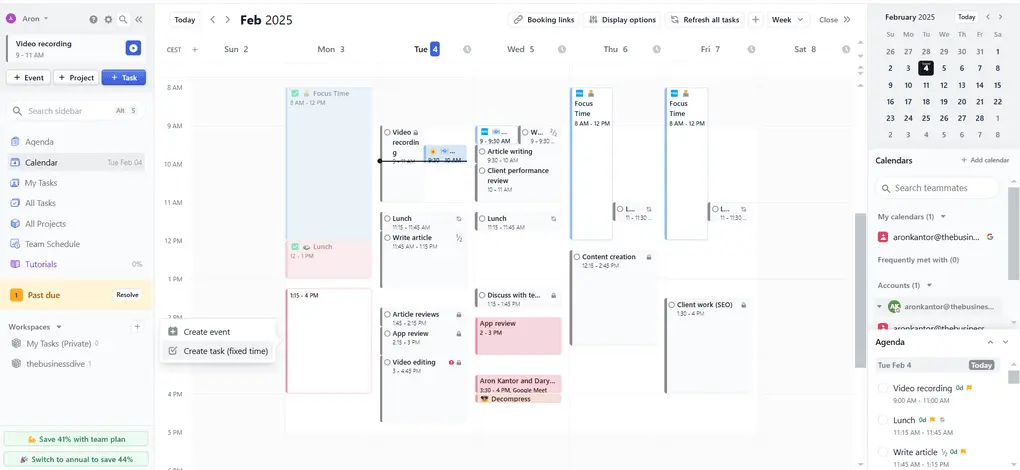
- What it does: Uses AI to schedule your tasks and meetings automatically.
- Pros: Reduces decision fatigue; adapts to delays.
- Cons: Expensive; cluttered UI
- Who it's for: Busy teams
Google Calendar
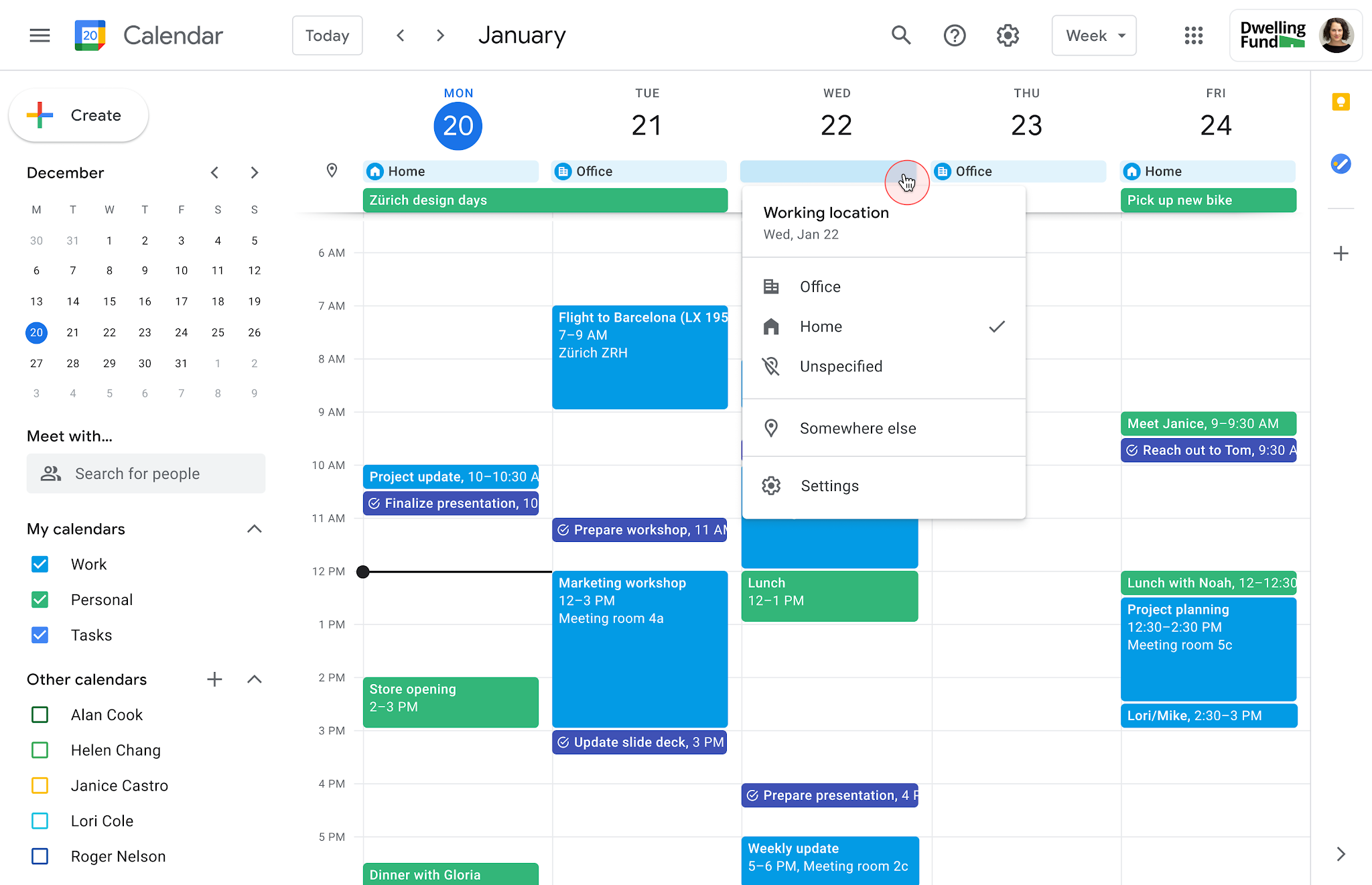
- What it does: Classic calendar with visual time slots and color coding.
- Pros: Free; integrates with everything.
- Cons: Not ADHD-specific; needs setup to be useful.
- Who it's for: Anyone who needs a reliable digital calendar with structure.
Skedpal
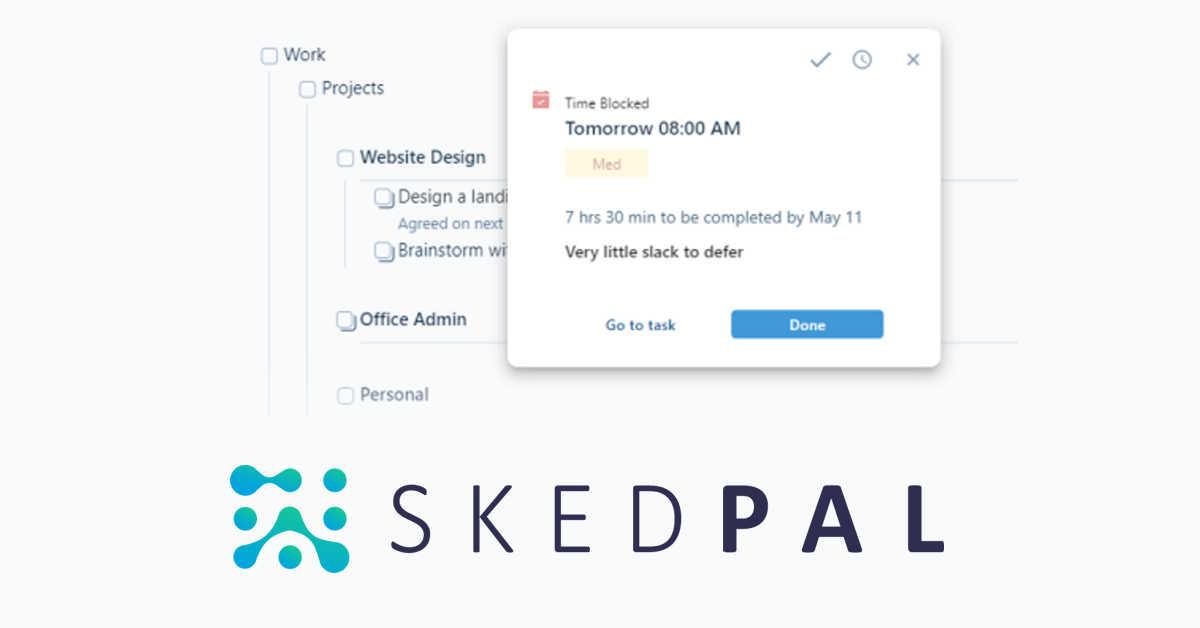
- What it does: Learns your habits and reschedules your day intelligently.
- Pros: Smart adaptation; adjusts to how you work.
- Cons: Steep learning curve; not always intuitive.
- Who it's for: Tech-savvy planners who want flexible automation.
III. Conclusion
Managing your time is a skill that everyone needs to learn - no one starts out knowing how to do it. Finding the right tools can really help.
It’s about building systems that work with your brain, not against it.
Start with one tool. Keep what works. Drop what doesn’t. And remember: ADHD doesn’t mean broken - it means you need a better toolkit.
With the right tools, your focus, energy, and creativity can shine through.
ADHD Time Management Tools – FAQ
1. What are ADHD Time Management Tools?
ADHD Time Management Tools are apps, planners, or AI assistants designed to help people with ADHD stay on track, reduce distractions, and manage their time without getting overwhelmed. These tools often simplify tasks like:
- Prioritizing what to do next
- Setting reminders that actually work
- Visualizing your day in a non-chaotic way
Instead of traditional to-do lists, many ADHD tools now use smart calendars, voice input, and visual task boards to reduce mental clutter.
2. How do ADHD Time Management Tools help?
People with ADHD often struggle with executive function - things like planning, organizing, and remembering tasks. Good ADHD-friendly tools compensate for this by:
- Breaking big tasks into smaller steps
- Sending nudges right when you’re likely to forget
- Helping you refocus when you’ve drifted
Some AI-powered tools, like Saner.AI, even understand your messy notes and remind you what matters, without relying on dozens of manual steps.
3. What should I look for in an ADHD Time Management Tool?
Look for tools that reduce, not add to, your mental load. The best ADHD time management tools, like Saner.AI, share these traits:
- Minimal setup
- Gentle reminders, not annoying alerts
- Visual time-blocking or daily planners
- AI that helps prioritize and follow through
- Integration with your calendar and notes
4. Are there free ADHD Time Management Tools?
Yes - some great tools offer free plans that are ADHD-friendly:
- Saner.AI – Free plan includes natural language reminders, calendar sync, and smart note retrieval
- Notion – Free with templates for task boards and time-blocking (manual setup required)
- TickTick – Free task manager with Pomodoro timer
- Google Calendar – Visual schedule, but needs pairing with reminders or blocks
If you’re just starting, pick one tool that feels lightweight and easy.
5. What's the best ADHD Time Management Tool for adults?
For adults juggling work, family, and personal goals, tools like Saner.AI stand out. It:
- Turns voice or messy notes into reminders
- Suggests what to do next based on context
- Organizes tasks, calendar, and notes in one view
- Helps you follow through, not just plan
Unlike generic planners, Saner adapts to ADHD brains that thrive with low-friction workflows.
6. Do ADHD time management apps actually work?
Yes, but only if they match your brain’s rhythm. The most effective ADHD tools don’t just store tasks; they:
- Help you start
- Keep you focused
- Reduce your need to remember everything yourself
Think of them as scaffolding for your brain, not more things to manage. AI-based tools like Saner.AI even understand what you meant, not just what you typed.
7. Can ADHD tools help with time blindness?
Absolutely. Time blindness is a common ADHD challenge - losing track of time or underestimating how long things take.
The right tools:
- Show your day visually (time blocking)
- Send reminders before transitions
- Break up long work sessions into chunks
Apps like Saner.AI and Motion use smart scheduling to help you “see” your time clearly and use it more intentionally.
8. What’s the difference between regular time management tools and ADHD-specific ones?
Regular tools expect you to manage them. ADHD time management tools work immediately without you having to lift a finger
Traditional tools = rigid systems, lots of manual work
ADHD-friendly tools = adaptive, supportive, low-stress
They don’t just store tasks. They help you remember, prioritize, and start.
Tools like Saner.AI even pull tasks out of your notes and calendar, so you don’t have to build a system from scratch.
9. Are there ADHD time management tools that use AI?
Yes, and they’re game-changing for neurodivergent minds. AI tools like:
- Saner.AI – Converts your thoughts into tasks, finds your notes fast, and plans your day without rigid systems
- Motion – Auto-schedules tasks based on urgency and calendar
- Reclaim – Uses AI to block time for focus, breaks, and habits
These tools understand more context and help reduce decision fatigue—a huge win if you struggle with overwhelm.
10. What’s the best ADHD Time Management Tool for work?
Work requires more than just remembering tasks - it’s about context, follow-through, and juggling priorities. Saner.AI is especially helpful for:
- Managing multiple projects without chaos
- Turning meeting notes into next steps
- Surfacing the right thing at the right time
It keeps everything in one calm workspace, so your brain doesn’t have to jump between five tabs.

Manage time effortlessly with ADHD