AI Blogger: How to blog better with this 1 tool


Everyone who blogs knows the struggle.
You open a document to finish a blog post. The example you wanted is somewhere in your notes. A useful quote is buried in an interview transcript, and the client's latest feedback is in an email you haven't opened since Tuesday.
By the time you've gathered everything, your writing session is half over.
Choosing the best AI blogger app means looking at where your work actually gets stuck. Generating paragraphs might help. So might having an assistant that can find your research and turn a vague deadline into a manageable writing plan.
Quick answer: What is the best AI blogger app?
For bloggers who need help using their own research and keeping writing projects moving, we recommend Saner.AI. Its documented features include searching across saved information, synthesizing selected sources with citations, editing alongside AI, and breaking work into smaller tasks. You can see the workflow in Saner.AI's official guide..
Here's a quick comparison based on published capabilities, rather than a hands-on performance ranking:
App | Best fit in this guide | Relevant capabilities | What to evaluate |
|---|---|---|---|
Research-heavy bloggers managing scattered information | Source-based answers with citations, AI-assisted editing, task breakdown and daily planning | Whether it retrieves your material accurately and fits your publishing process | |
Marketing teams prioritizing brand consistency | Brand-voice support and content workflows built around marketing material | Whether its brand controls match your team's editorial requirements | |
Bloggers prioritizing search optimization | Content Editor, optimization guidance and AI article generation | Whether its recommendations improve the article for readers |
This is a Saner.AI guide, so our recommendation reflects its focus on knowledge management and planning. It isn't a claim that one app produces the best writing for everyone.
How Saner.AI fits a blogging workflow
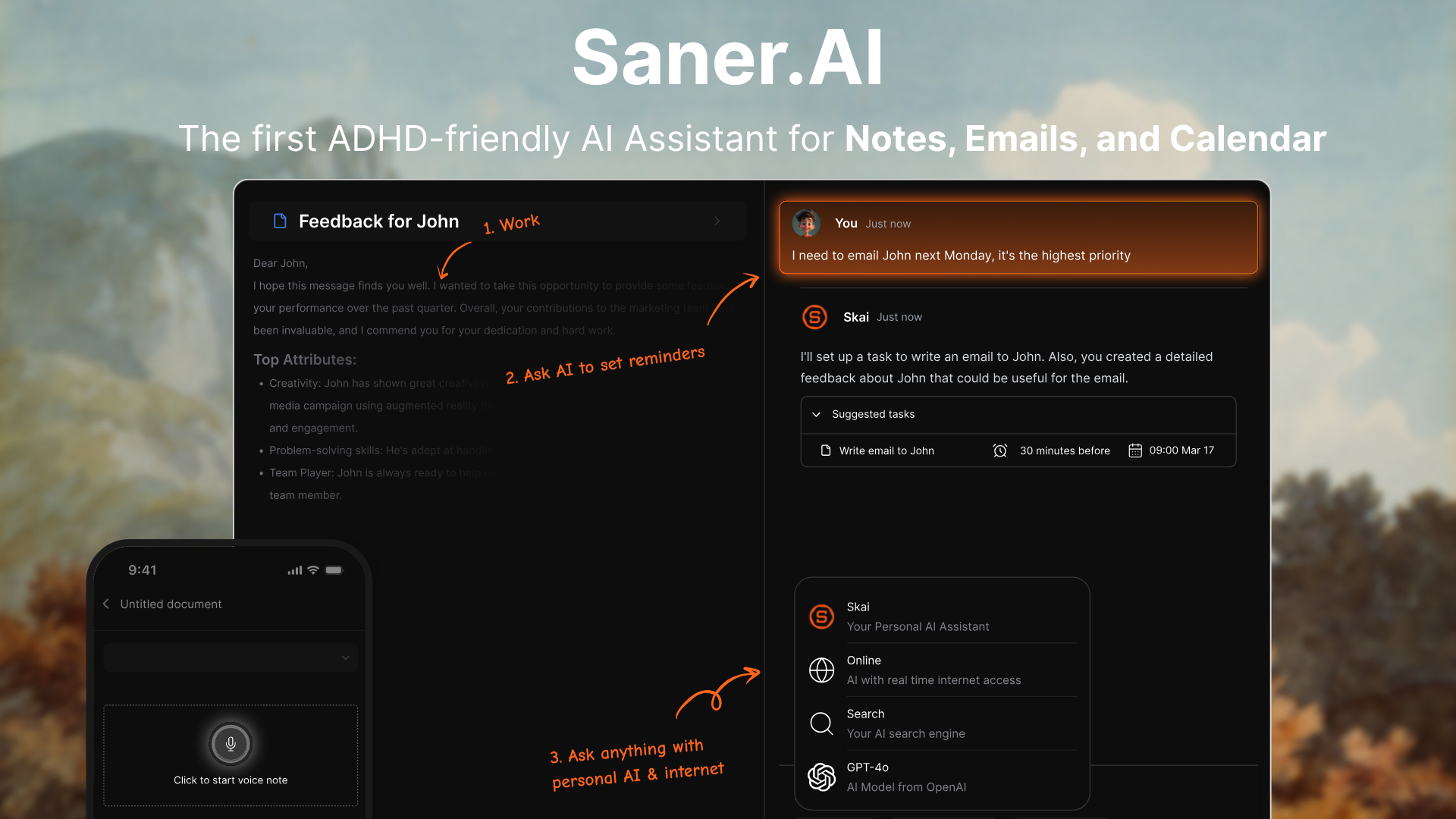
Saner.AI describes itself as an AI personal assistant for notes, email and tasks. For bloggers, those capabilities can support the work from an initial idea through editorial review.
- Capture an idea without organizing it perfectly
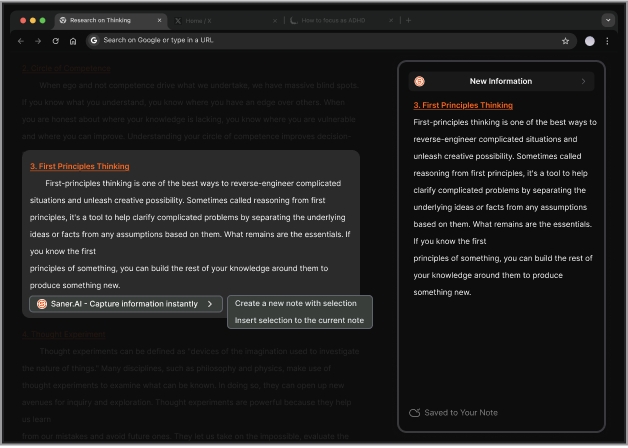
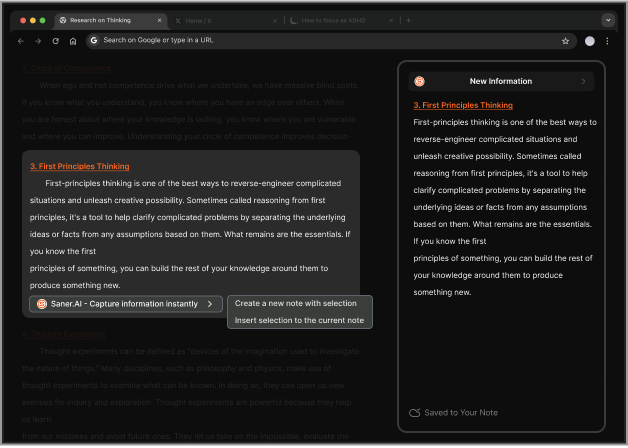
Saner.AI supports typed notes, voice-to-text capture and a Chrome extension for collecting information while browsing, according to its product documentation.
You could record an observation after a client call:
"Possible post: customers keep asking about advanced features before they've completed setup. Explore whether our onboarding explains the first useful outcome clearly enough."
Save the thought while it is specific. You can decide later whether it deserves a full article.
When collecting external research, keep the original URL and publication date with the note. That makes the eventual fact-check easier.
- Find relevant material through a question
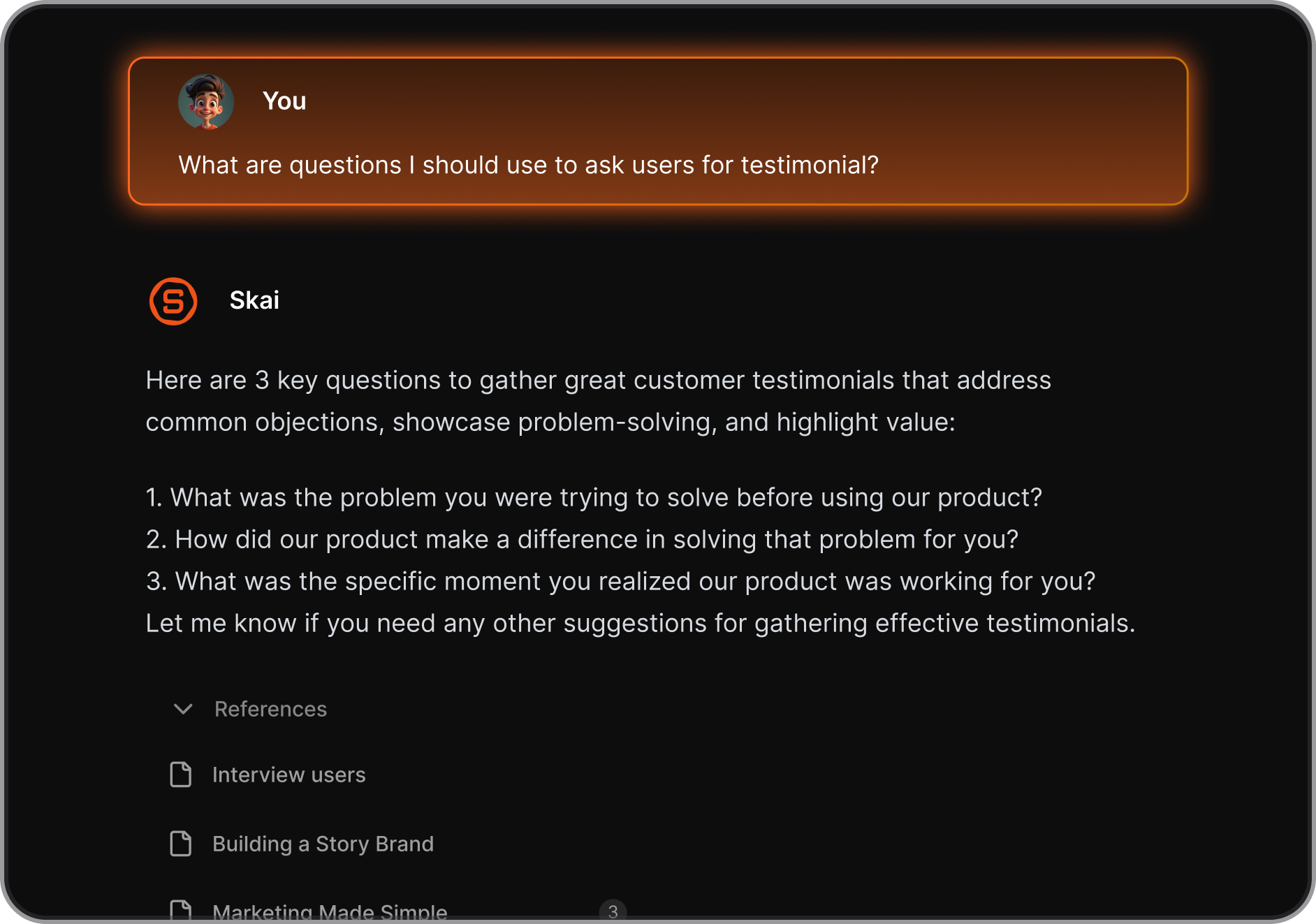
Saner.AI's guide documents searching across notes and connected information, with the option to restrict a query to selected notes or folders. It also describes citations that point back to the source material.
A blogger could ask:
"What recurring onboarding questions appear in these selected interview notes? Show the source for each finding."
Use a defined source selection when you need to keep projects separate. Then open the cited notes to check the answer against what the interviewees actually said.
A citation gives you somewhere to verify a claim. It doesn't make verification unnecessary.
- Build a draft from your research
The same guide explains how to convert an AI response into an editable note and open an AI panel alongside it. That panel supports further questions and internet searches while you work.
- Keep editorial tasks close to the draft
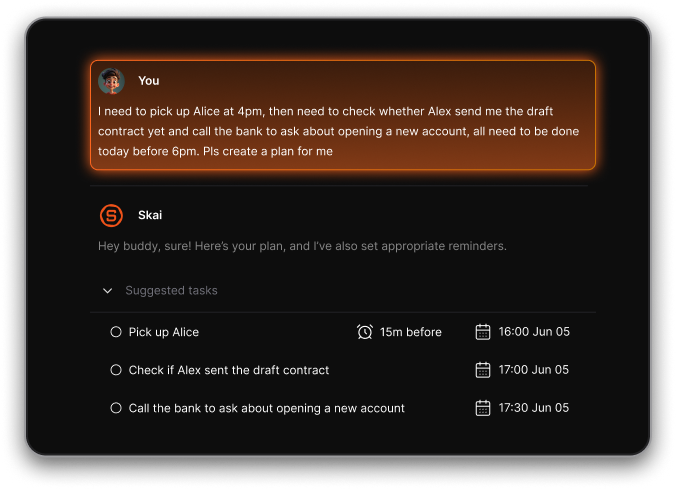
Saner.AI documents AI-assisted task breakdown, prioritization and daily planning. It also supports identifying tasks from a brain dump and reviewing AI-suggested actions before accepting them.
Why planning features may matter for bloggers with ADHD
Some bloggers need substantial support with organizing work and finishing large projects.
For people managing these challenges, NIMH offers straightforward advice:
"Break large tasks into smaller, more manageable steps."
Source: NIMH, "Attention-Deficit/Hyperactivity Disorder: What You Need to Know".
Saner.AI's task-breakdown and note-retrieval features provide ways to implement that kind of workflow. The medical sources above do not establish that Saner.AI treats ADHD or improves its symptoms. An AI productivity app should not replace professional assessment or treatment.
A realistic writing session with Saner.AI
Here's an illustrative workflow using Saner.AI's documented features:
- Select the notes relevant to that article.
- Ask Skai to identify the recurring questions and cite the supporting material.
- Check those citations and choose the angle you want to develop.
- Convert the useful response into an editable note.
- Draft alongside the AI panel, adding your own analysis.
- Create tasks for unresolved facts and editorial review.
Your research may still reveal that the original angle doesn't hold up. That's useful information to discover before publishing.
The aim is to make the supporting material and remaining work easier to inspect.
What you should still handle yourself
Keep a clear review process, whichever AI blogger app you choose.
Before publishing:
- Open the original source behind every statistic.
- Check quotations against the exact wording and context.
- Remove examples the AI invented or label them as hypothetical.
- Add relevant experience you can personally stand behind.
- Confirm that the article answers the reader's question.
- Review the final page in your publishing platform.
For health-related content, arrange qualified review when the article offers medical guidance. The NIMH recommendations quoted above concern ADHD management; they are not endorsements of a blogging tool.
How to get started without moving your whole writing system
Start with one unfinished post.
Create a free Saner.AI account and add the material needed for that article. Use a few relevant notes rather than importing your entire archive immediately.
Then test two things:
- Can you retrieve a useful piece of evidence without remembering its exact wording?
- Can you turn the remaining work into tasks you'll actually use?
Saner.AI currently lists a free plan with 100 notes and 30 AI messages per month. Paid plans have higher limits. Its pricing page also distinguishes included personal AI usage from external models, which require separate payment or your own API key.
Check the official pricing page for current billing options and allowances.

Stay on top of your work and life effortlessly
Frequently asked questions
Can Saner.AI help write a complete blog post?
Its documented AI-writing and editable-note features can support drafting and revision. You can also search your research alongside the draft. You'll still need to direct the article and review it before publication. Source: Saner.AI guide.
Is Saner.AI useful if I don't have ADHD?
Yes. Saner.AI's product FAQ explicitly says people without ADHD can use it. Evaluate it based on whether you need its information-retrieval and planning capabilities.
Will an AI blogger app improve my Google rankings?
Don't choose an app on that assumption. The writing experiment cited above measured task time and output quality, not search rankings. SEO tools such as Surfer offer optimization guidance, but a feature list isn't evidence of the results your site will achieve.
How should I decide whether Saner.AI is right for me?
Use it on a real draft that has stalled. Check the accuracy of its source retrieval and whether its planning features help you complete the next step.
Stay on top of your work and life effortlessly