AI for Slack: How Saner.AI Improves Your Productivity


Ever feel like Slack is where productivity goes to die?
One moment you're deep in focus. Then: ping - another thread. Ping - another message. Ping - another “quick question” that eats 20 minutes. Tasks get buried. Knowledge disappears. And you’re left wondering what actually matters.
But Slack doesn’t have to be a digital attention trap. With the right AI tools, you can get Slack into your second brain and manage it more easily.
In this guide, we’ll break down how AI for Slack is evolving in 2025, the key features to look for, and why tools like Saner.AI go beyond summaries to help you get real work done.
What Is AI for Slack?
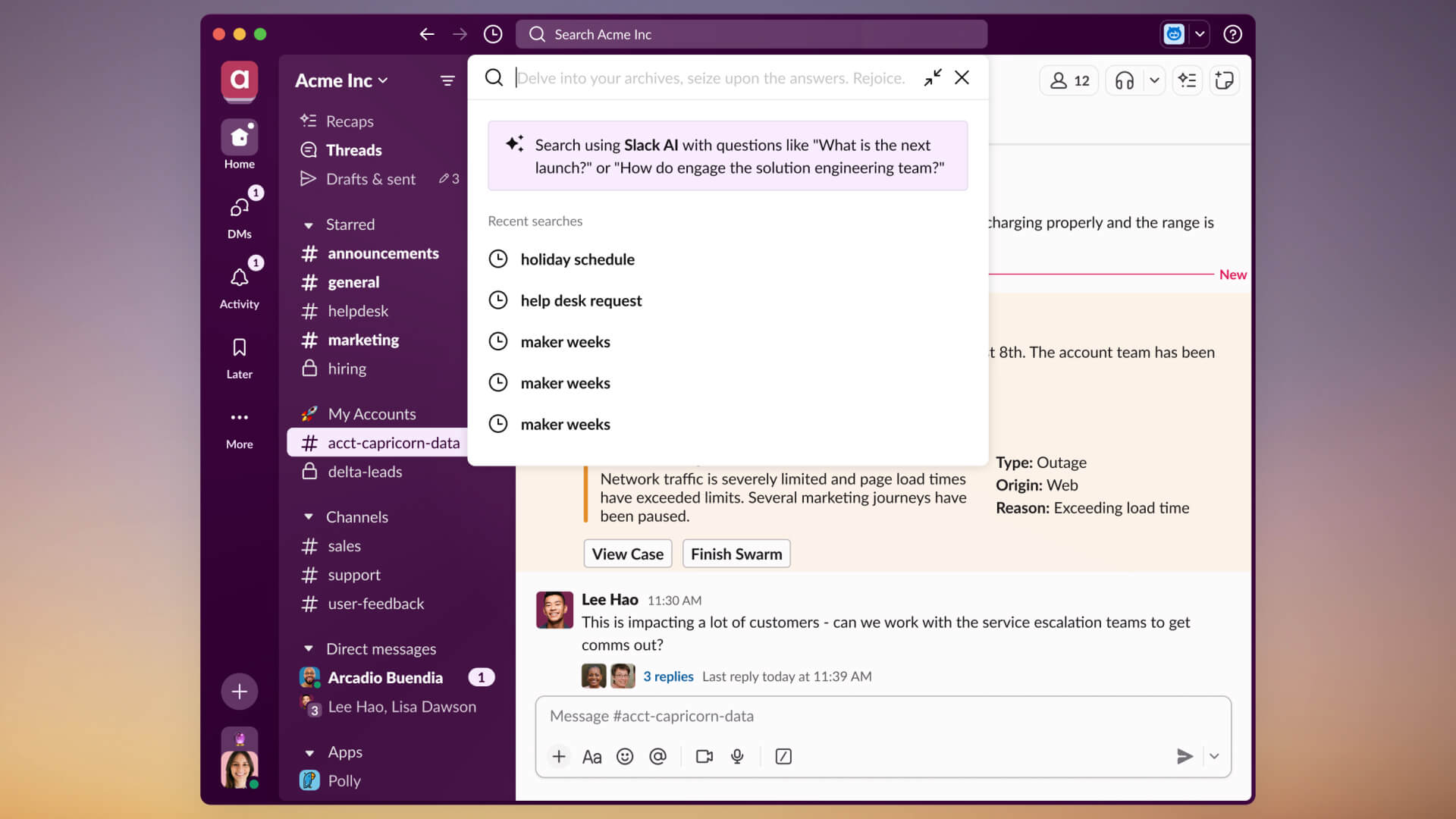
AI for Slack refers to intelligent assistants and integrations that help you automate tasks, search across tools, summarize threads, and stay on top of priorities - all within Slack.
These AI tools can:
- Summarize conversations and unread threads
- Search your workspace using natural language
- Convert chats into action items
- Surface relevant info at the right moment
- Reduce context switching by integrating your other work tools
The goal? Spend less time digging. Spend more time doing.
Why Use AI in Slack?
Let’s break it down: Common Slack Problems AI Can Fix
- Notification Overload: AI can triage, summarize, or even silence what’s not urgent.
- Information Loss: That one important thing someone said? AI can remember and remind you at the right time.
- No Action Taken: Threads = talk. AI = “Here’s the 3 tasks from that convo.”
- Context Switching: Instead of hopping to Google Docs or Notion, just ask AI right inside Slack.
Why Other AI for Slack Matters Now
Slack was built for real-time communication. But now, it’s also where teams drown.
Between scattered threads, endless pings, and remote/hybrid setups, Slack has become both a blessing and a bottleneck.
Add to that the ADHD-like chaos of juggling threads, emails, and notes - and you’ve got a recipe for mental overload.
-> Enter AI: not as a gimmick, but as a calm, proactive assistant built into the chaos.
Saner.AI – A Smart, ADHD-Friendly AI for Slack
Saner.AI is a next-generation AI assistant designed to help you do more of what matters, without getting overwhelmed by the noise.
And now, it works directly in Slack.
What Saner.AI Does with Slack
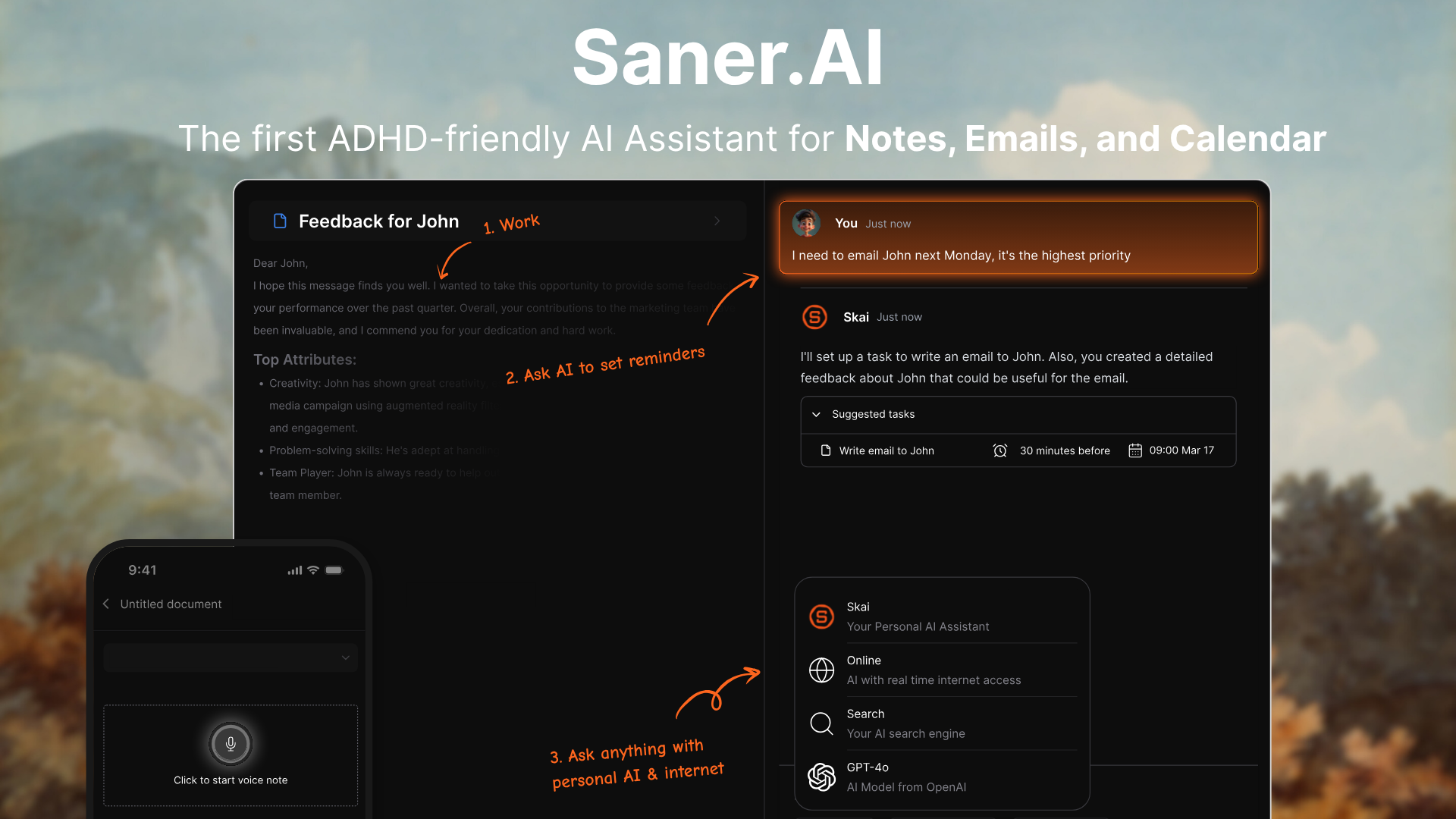
- Understands your chats and identifies tasks
- Let you search across Slack, notes, emails, and docs
- Creates reminders or summaries on demand
- Proactively surfaces important info in conversations (like a meeting you forgot was scheduled)
Key Features Inside Slack
- Chat-to-Task Conversion: Rant about your workload → Saner turns it into tasks with deadlines.
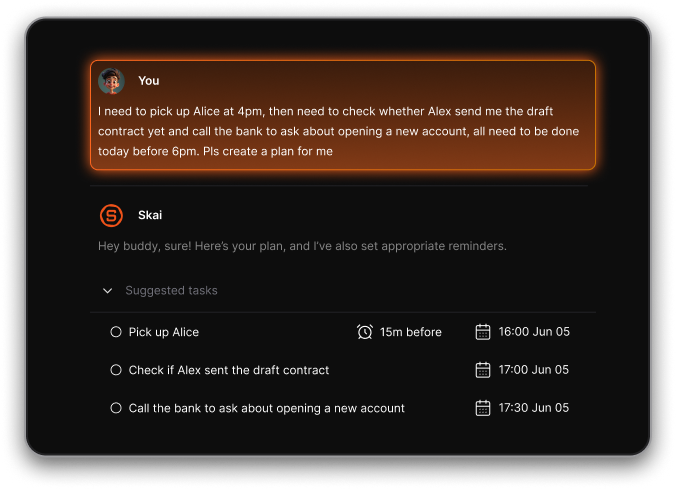
- Unified Search: “Find last week’s sales meeting notes”—even if they’re buried in your Slack threads
- Smart Prioritization: AI suggests what matters most today and when to tackle it.
- Insight Surfacing: Saner proactively shows relevant notes or tasks while you’re chatting.
What I Like
- No more jumping between tabs - just ask AI to get information across Slack, Emails, Notes, Calendars...
- Actually helps ADHD-prone folks turn thoughts into action
- Setup takes under 5 minutes
- Proactive - not just reactive
Who It’s Best For
- Founders who use Slack
- ADHD professionals who need structure without friction
- Managers juggling 10+ threads per day
- Remote teams that use Slack as their HQ
Saner.AI vs Slack AI: Which One Works Best in Slack?
If you're deciding between Slack’s native AI features and a more connected productivity assistant like Saner.AI, here’s a clear comparison:
| Feature | Saner.AI | Slack AI |
|---|---|---|
| Purpose | AI productivity assistant for managing tasks, notes, and context across tools | AI layer built into Slack for summaries and search |
| Search Scope | Unified search across Slack, Gmail, Google Docs, calendar, and notes | Only searches Slack conversations |
| Task Management | Converts chats into tasks with reminders and priorities | No native task creation |
| Thread Summaries | Yes, just chat AI to summarize everything | Yes — built-in thread and channel summarization |
| Proactivity | Surfaces relevant info from docs, emails, notes in Slack chats | Only responds to queries or triggers in Slack |
| Designed for ADHD & Overwhelm | Yes — proactive, calm, clarity-first UX | No — designed for general enterprise messaging use |
| Integration with Other Tools | Deep integration with email, docs, calendar, task apps | Limited to Slack and Salesforce ecosystem |
| Best For | Professionals who want clarity across their digital workspace | Slack power users who want faster catch-up inside Slack |
How to Get Started With Saner.AI in Slack
Getting Saner up and running takes minutes.
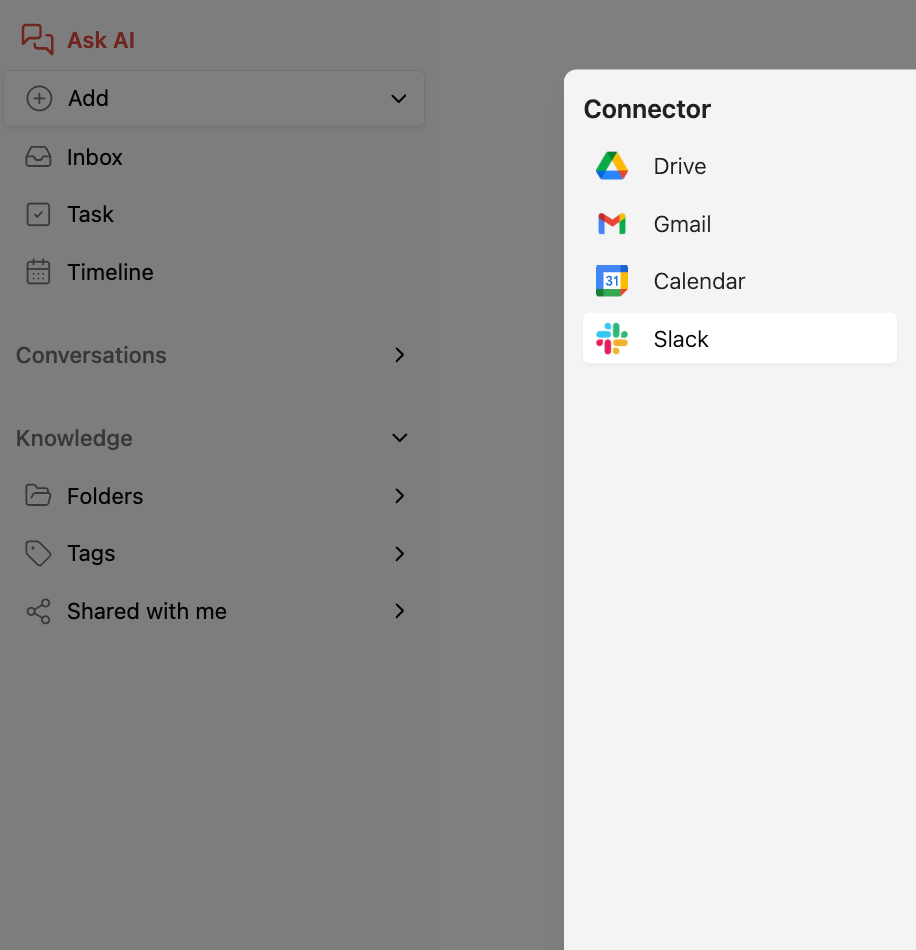
Step-by-Step
- Sign up at saner.ai
- Connect Slack during onboarding
- Start asking AI right away
Example Prompts
- “Remind me about client feedback shared in Slack next Monday”
- “Summarize this thread into 3 action items”
- “Find last week’s sales notes mentioned by Alex”
You don’t need to change how you use Slack - just type like a human.
The Future of AI for Slack
We’re heading toward:
- Personal GPTs inside every workspace
- Cross-app memory (Slack + Docs + Calendar)
- Proactive assistants that nudge you before things fall through the cracks
In short: less mental overhead, more meaningful work.
Slack + AI isn’t about replacing humans—it’s about letting humans focus.
Conclusion: Turn Slack Chaos Into Clarity
Slack should be a team brain, not a black hole.
AI tools like Saner.AI help you go from:
- “What did we decide?”
- “Where’s that doc?”
- “Did I miss something?”
To: “Already done.”
Whether you’re leading a team, running a company, or just trying to stay on top of Slack without losing your mind, AI for Slack is the next step.
Ready to try AI for Slack?
Saner.AI brings peace of mind to your workday - right where you work.

Stay on top of your Slack effortlessly
FAQ: AI for Slack – Saner.AI for Slack: Everything You Need to Know
1. What is Saner.AI for Slack?
Saner.AI for Slack is your AI-powered sidekick. It connects your messages, notes, calendar, and tasks so you can turn chat chaos into clear action.
Forget juggling tabs. Just type:
- “Remind me to follow up with Sarah next week”
- “Turn this thread into a task list”
- “What did I say about the Q4 strategy in Slack?”
Saner.AI makes Slack smarter by helping you plan, search, and execute - all in one conversation.
2. What can AI for Slack actually do?
Saner.AI for Slack goes beyond smart replies. It gives you:
- 🧠 Task extraction from chat – Creates tasks from your messages
- 🔍 Natural language search – Find notes or docs without exact wording
- 🗓️ Smart scheduling – Suggests meeting times or task reminders
- 📝 Meeting prep – Pulls key notes before your next sync
- ✍️ Writing help – Drafts updates, recaps, and follow-ups
It’s like having an executive assistant, but it lives in Slack.
3. Why use Saner.AI for Slack instead of other AI tools?
Most Slack bots are reactive. Saner.AI is proactive:
- Understands context across Slack, notes, email, and calendar
- Surfaces relevant info without you needing to search
- Converts messy conversations into followable tasks with reminders
- Helps reduce context switching and burnout
If Slack is where your day starts, Saner keeps it on track.
4. Can Saner.AI for Slack help me plan my day?
Yes - and it’s one of the most loved features.
Saner.AI reviews your:
- Current tasks
- Upcoming meetings
- Slack conversations
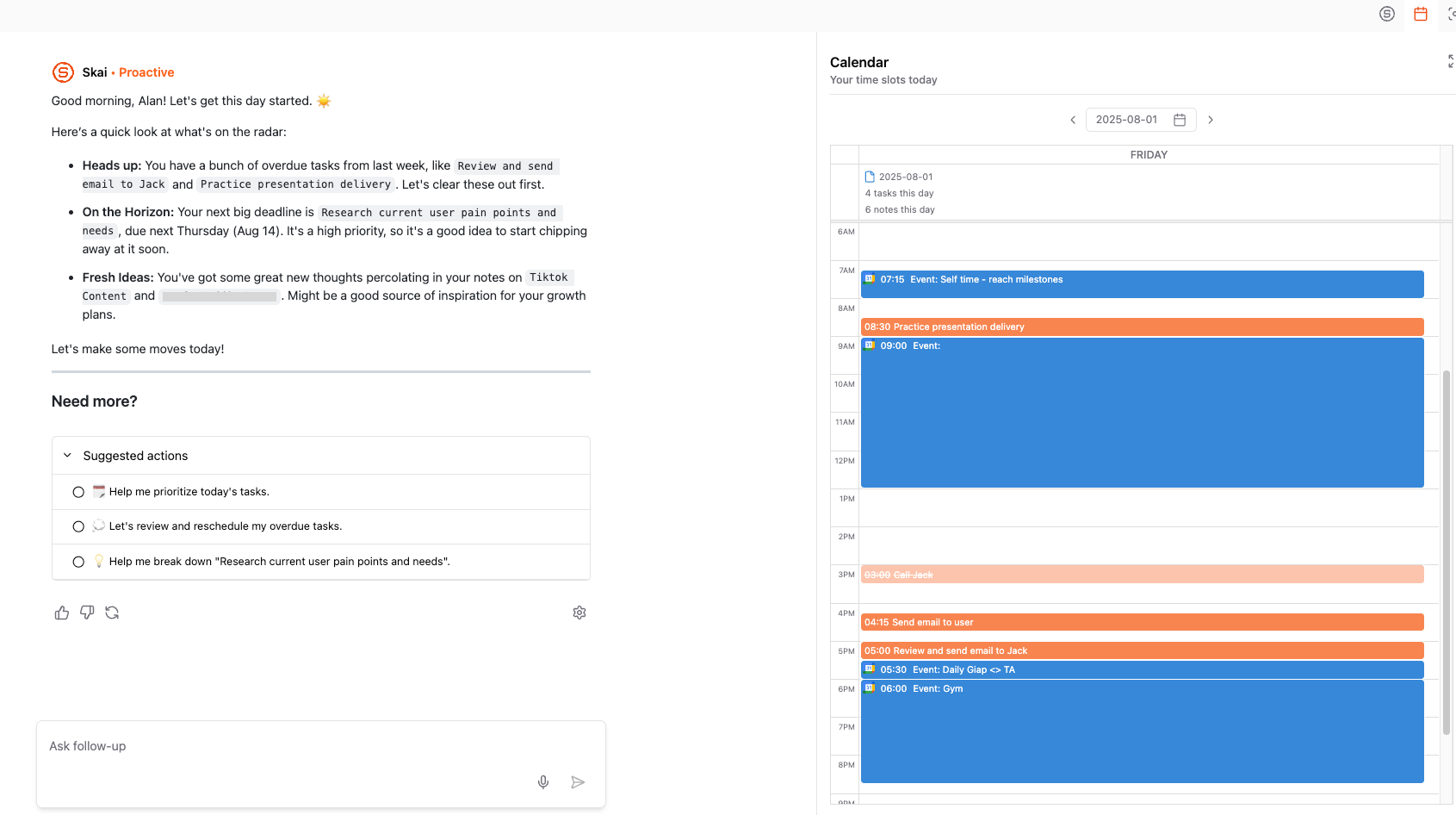
Then suggests a realistic, focused daily plan - without you needing to organize it manually.
5. Is Saner.AI for Slack good for ADHD or easily distracted users?
Absolutely. Saner.AI was designed with ADHD-friendly workflows in mind.
It helps by:
- Reducing information overload in Slack
- Turning brain dumps into clear, manageable actions
- Reminding you at the right time without requiring manual setup
- Keeping everything searchable - even old Slack convos
No more forgetting follow-ups or losing track of decisions.
6. How do I get started with Saner.AI for Slack?
Super easy. Just:
- Connect your Slack into Saner.AI
- Connect your calendar and notes (optional)
- Start chatting with the AI assistant in any Slack channel or DM
Try things like:
- “Summarize this thread”
- “Add this to my to-do list”
- “What’s pending from yesterday’s meeting?”
7. How does Saner.AI for Slack help managers?
If you're managing people and projects, Saner.AI helps you:
- Auto-capture action items during team discussions
- Pull up relevant notes before 1:1s
- Get summaries of long message threads
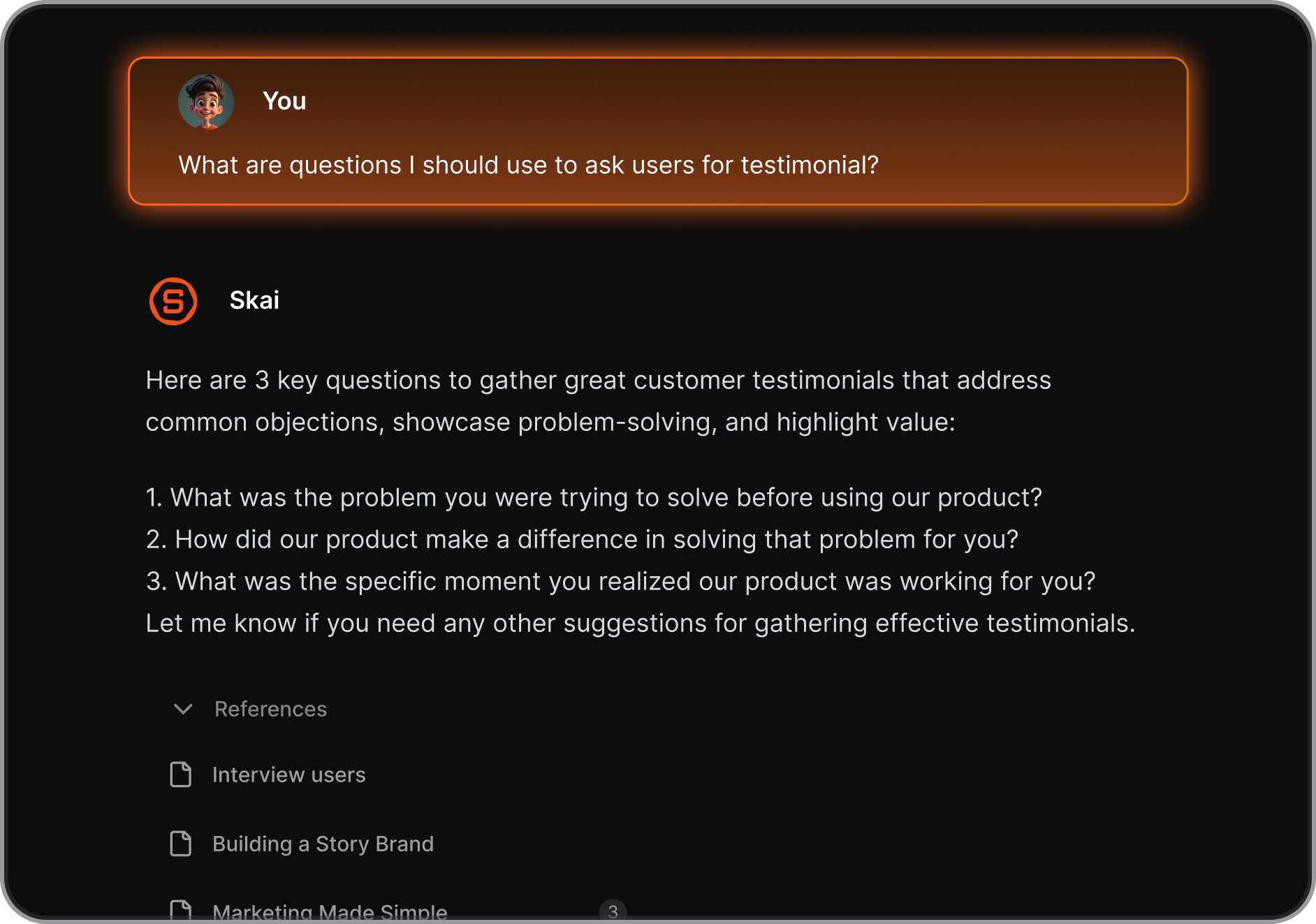
- Stay on top of follow-ups without more manual tracking
It takes the mental load off so you can focus on leading.
8. How does Saner.AI help during meetings?
Before meetings:
- 🗂️ Pulls related notes, decisions, and action items
- 📝 Summarizes past convos and Slack threads
After meetings:
- 📌 Turns your notes or rants into tasks
- 📤 Sends follow-up reminders automatically
You stay organized without doing extra admin work.
9. Can Saner.AI auto-schedule tasks or reminders?
Yes. Based on your context, Saner.AI can:
- Suggest the best time for deep work
- Create task deadlines based on message urgency
- Schedule follow-ups after Slack conversations
You say the what; it handles the when.
10. Is Saner.AI for Slack free?
Yes. There’s a free plan for everyone.
Paid plans unlock larger history and priority support.
11. Who should use Saner.AI for Slack?
Great for:
- 🧑💼 Entrepreneurs juggling clients, tasks, and ideas
- 🧠 ADHD-prone professionals who need fewer tabs and more reminders
- 🧑💻 Managers needing context and follow-ups at their fingertips
- 🧑🚀 Executives who want clarity and command without the clutter
If your Slack is full of things to remember, Saner.AI is built to remember them for you.
12. What makes Saner.AI better than other Slack tools?
Unlike basic Slack bots that only answer, Saner.AI acts:
- Connects with your knowledge base and calendar
- Understands what matters - and when to remind you
- Automatically tags and files notes
- Synthesizes insights from messy convos
Slack becomes your command center, not your stress inbox.
13. Does Saner.AI for Slack support voice input?
Yes - voice-to-task input is supported via its mobile interface.
Just say it, and it’ll turn your thoughts into to-dos.
15. Final takeaway: What is the best AI assistant for Slack?
If you're looking for a Slack AI that helps you turn messages into tasks, search across apps, and reduce overwhelm, Saner.AI is a top choice.
Saner.AI transforms Slack into an intelligent workspace. It:
- Keeps you focused
- Helps you follow through
- Pulls knowledge from across your tools
- Gives clarity in the middle of chaos
That’s not just AI for Slack. That’s peace of mind at work.