Best AI apps for ADHD Overwhelm: Here are the top 5.

When my ADHD brain hits critical overload, trying to use a traditional productivity system feels like being handed a 500-page instruction manual while my house is on fire.
I don't need an app that asks me to fill out project tags, assign priority, or manually construct perfect time-blocking grids when the entire problem of ADHD overwhelm is that your executive function is offline.
The best single AI app for ADHD overwhelm in 2026 isn't just a to-do list; it acts as a cognitive buffer. It needs to take raw, messy, paralyzing brain dumps and instantly turn them into one doable action, without making you choose a dozen organizing options along the way.
I've evaluated the leading platforms to see which single AI tool truly rescues a neurodivergent mind from task paralysis and decision fatigue.
Quick guide: What are the best AI apps for ADHD overwhelm?
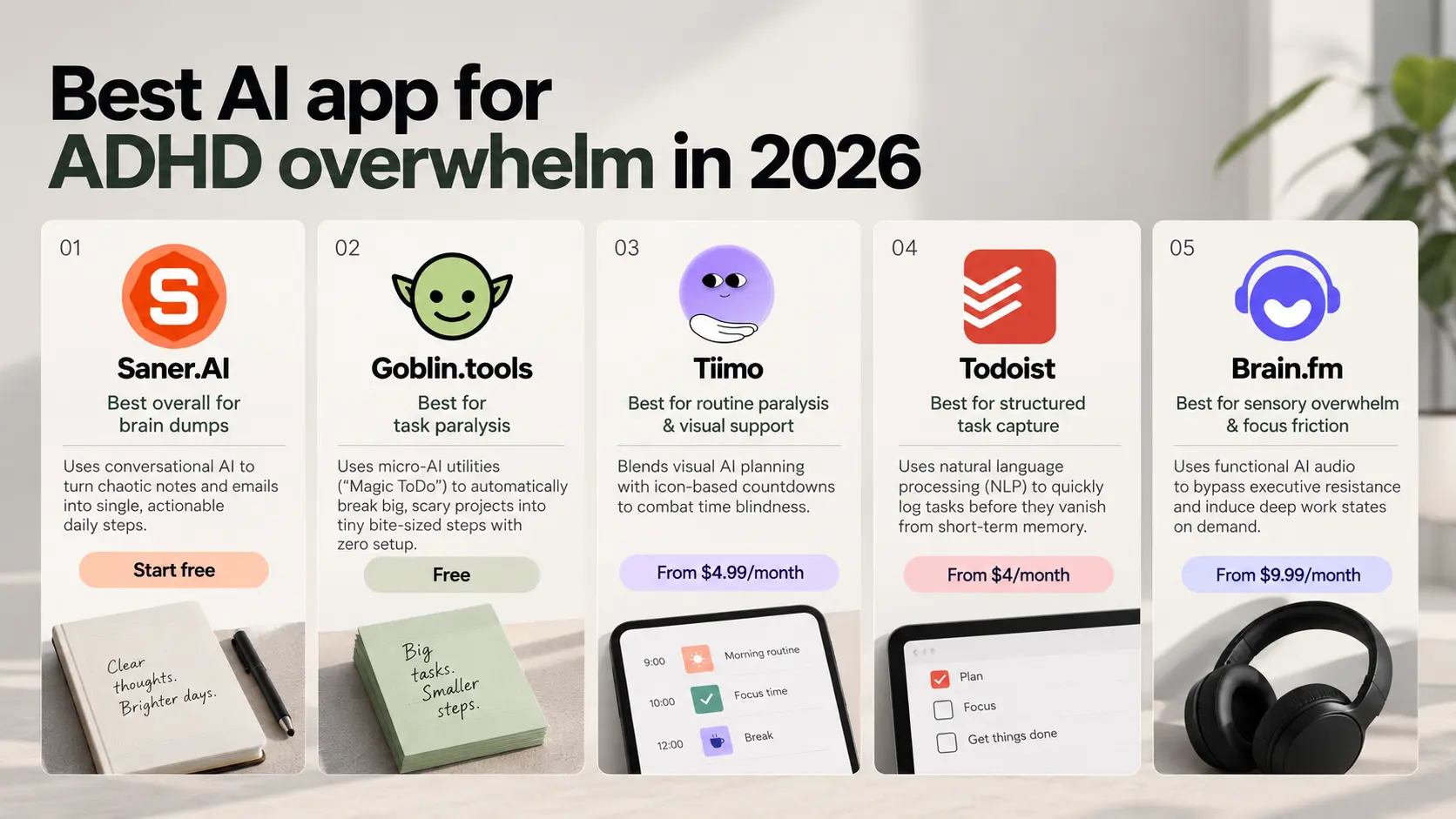
2. Goblin.tools: Best for task paralysis—uses micro-AI utilities to automatically break big projects into tiny bite-sized steps
3. Tiimo: Best for routine paralysis & visual support—blends visual planning with icon-based countdowns to combat time blindness.
4. Todoist: Best for structured task capture—uses natural language processing to quickly log tasks
5. Brain.fm: Best for sensory overwhelm & focus friction—uses functional AI audio to bypass executive resistance
How we evaluated the best AI apps for ADHD overwhelm
Overcoming overwhelm requires software that actively lowers your cognitive load. We tested each tool against the real-world friction points of an ADHD burnout state:
- Cognitive Offloading (Zero Setup): Can you unload an overwhelming thought instantly without categorizing, filing, or tagging it first?
- Deconstruction Power: Does the AI automatically break down intimidating "mountains" into actionable, low-dopamine-cost subtasks?
- Frictionless Interaction: Can it accept natural voice or messy text inputs and figure out what needs to happen on its own?
- Visual & Sensory Relief: Is the interface calm and non-punitive, preventing the shame spiral caused by overdue red flags?
- Time-Blindness Mitigation: Does it provide immediate, tangible cues (visual progress bars, audio neural-entrainment) to shift you out of "waiting mode"?
What are the best single AI apps for ADHD overwhelm in 2026?
Best AI apps fo ADHD overwhelm are Saner.AI, Goblin.tools, Todoist, Tiimo and Brain.fm
Comparison table - best AI app for ADHD Overwhelm
| Tool | What it is | Core overwhelm it solves | Price (2026) | Standalone verdict |
|---|---|---|---|---|
| Goblin.tools | Free web toolkit of single-purpose AI tools (Magic ToDo, Estimator, Judge, Chef, etc.) | Task initiation — the freeze before starting | Free, no paid tier | Great the moment you're stuck; weakest as a full system since it has no persistent scheduling or reminders |
| Saner.AI | All-in-one AI second brain — notes, tasks, email, calendar unified with proactive AI (Skai) | Cognitive overload from scattered info across too many apps | Free tier (30 AI messages/mo, 100 notes); paid beyond that | Most complete standalone pick — closest to "one app replaces five" |
| Tiimo | Visual timeline planner with countdown timers and transition nudges | Time blindness — feeling time pass, not just knowing the clock | $7.99/mo or $79.99/yr | Excellent for daily structure alone, but thin if you also need notes or task capture beyond today |
| Todoist | Task manager with natural language capture, Today view, and shared projects | Task pile-up and "am I forgetting something" — plus doubles as team/family coordination | Free; Pro ~$5/mo annual ($60/yr); Business ~$8/user/mo | Solid standalone if your overwhelm is volume of tasks, not time-blindness or scattered notes; not ADHD-specific by design but adopted heavily by the community anyway |
| Brain.fm | Functional focus audio using patented rhythmic modulation | The inability to enter a focus state — silence feels too empty, lyrics compete for attention | ~$7–$14.99/mo or up to $99.99/yr | The one true outlier — solves a completely different problem (sensory, not organizational), so it never competes with the other four |
1) Saner.AI
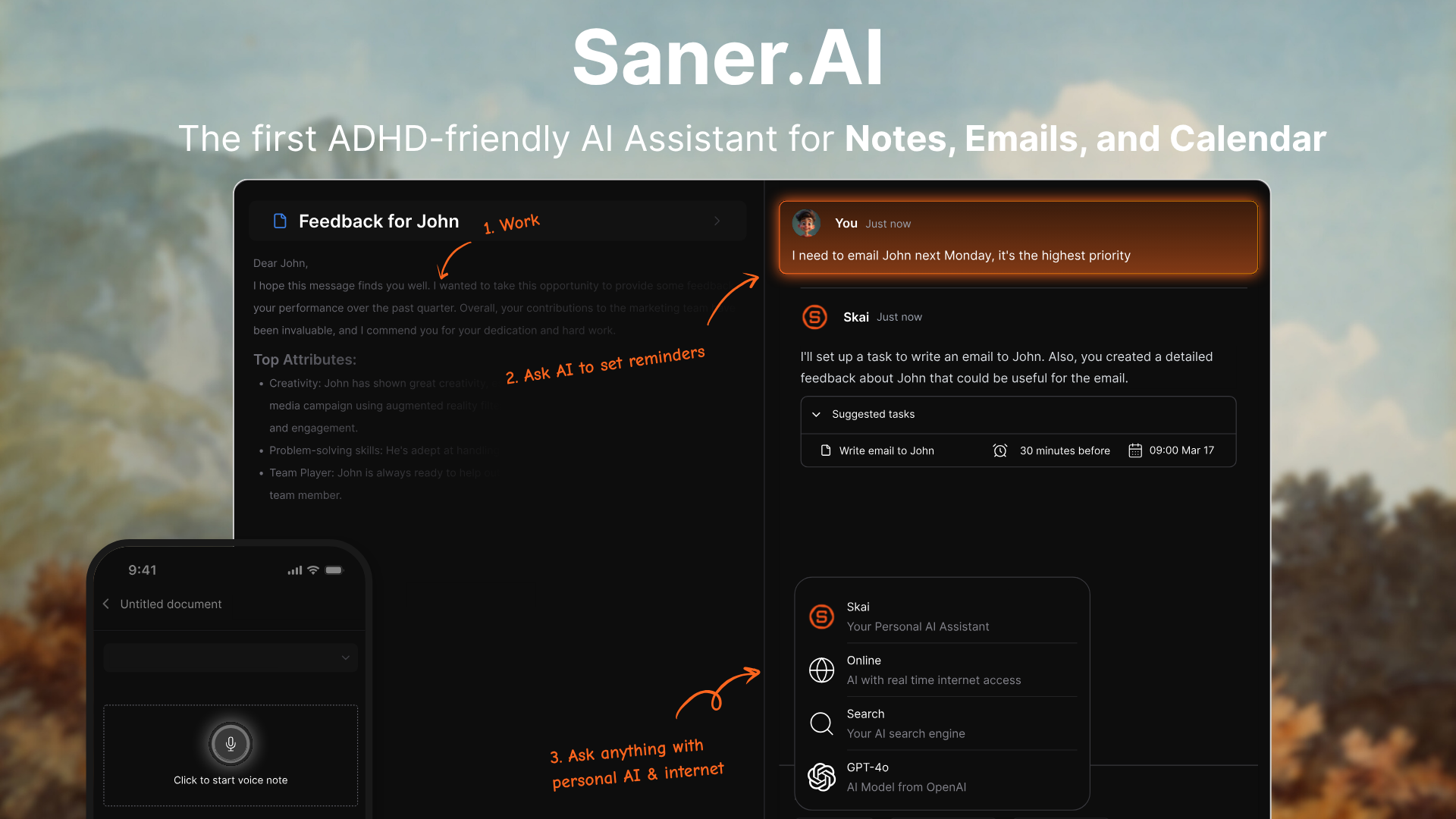
Saner AI is an all-in-one personal assistant built to remove administrative friction for neurodivergent minds. Instead of forcing you to build rigid databases, file folders, or tags, it acts as a low-friction inbox that captures thoughts, voice dumps, emails, and tasks into a unified schedule.
Key feature
- Automatic note organization
I tested this by dumping unformatted daily thoughts into the inbox, and Saner AI instantly analyzed the text to generate tags and link it to related topics.
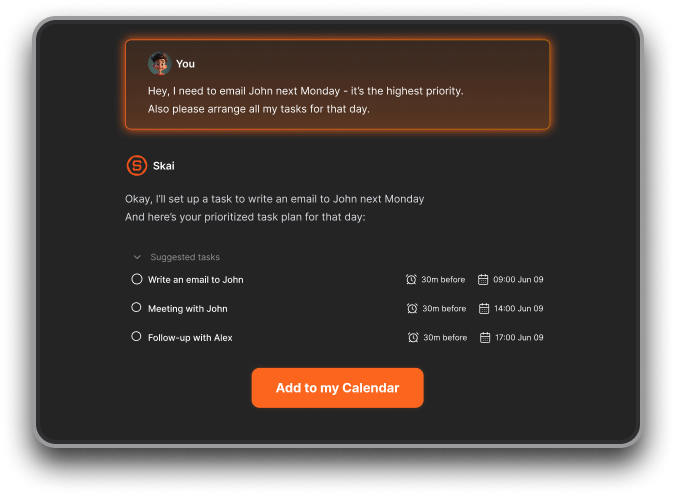
- Natural language semantic search
I used the search bar to recall vaguely remembered project ideas using plain phrasing rather than exact keywords, which brought up the exact entry immediately.
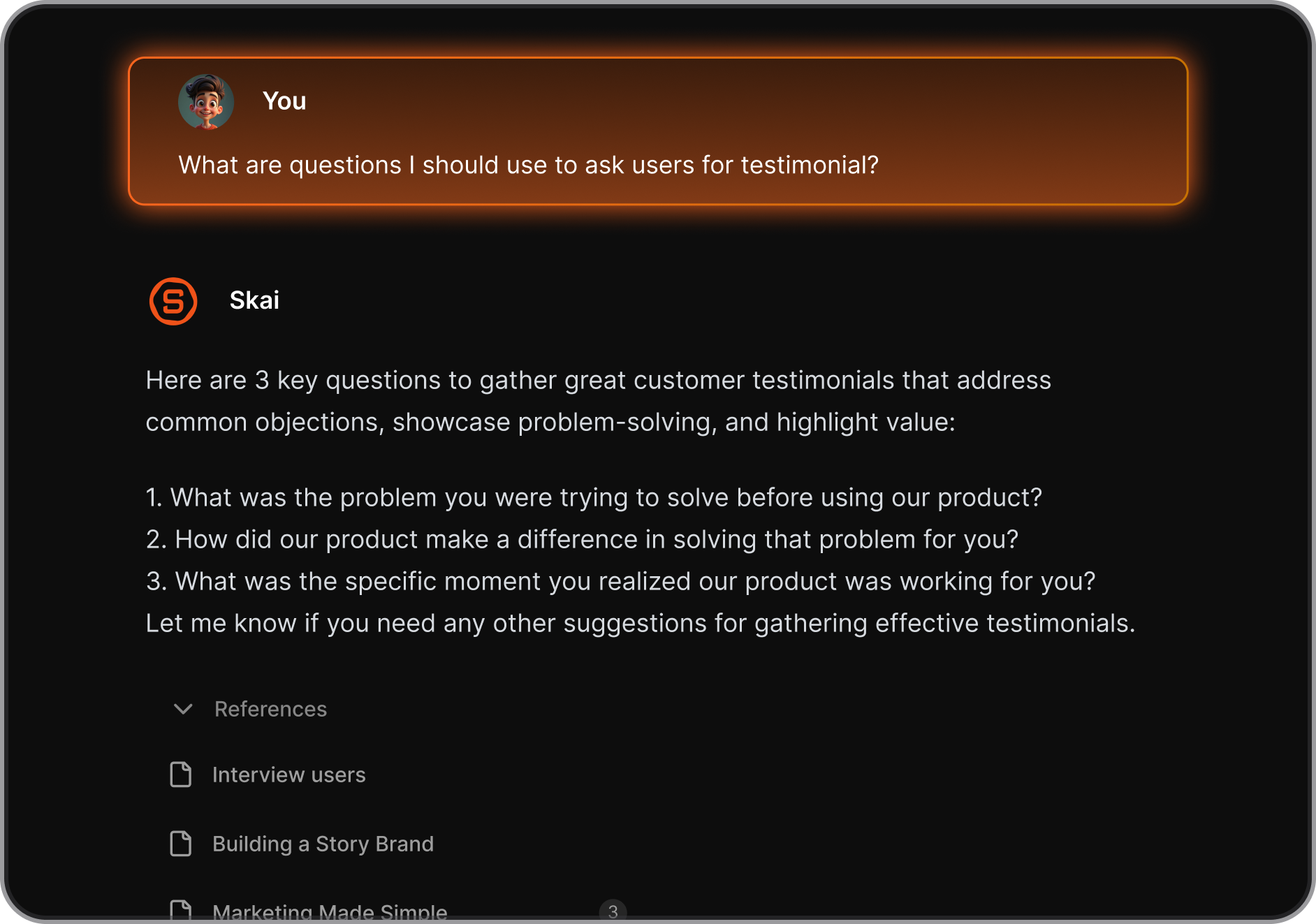
- Smart task extraction
I recorded a rambling audio note containing several mixed commitments, and the tool pulled out the actionable tasks into a side panel connected to the original file.
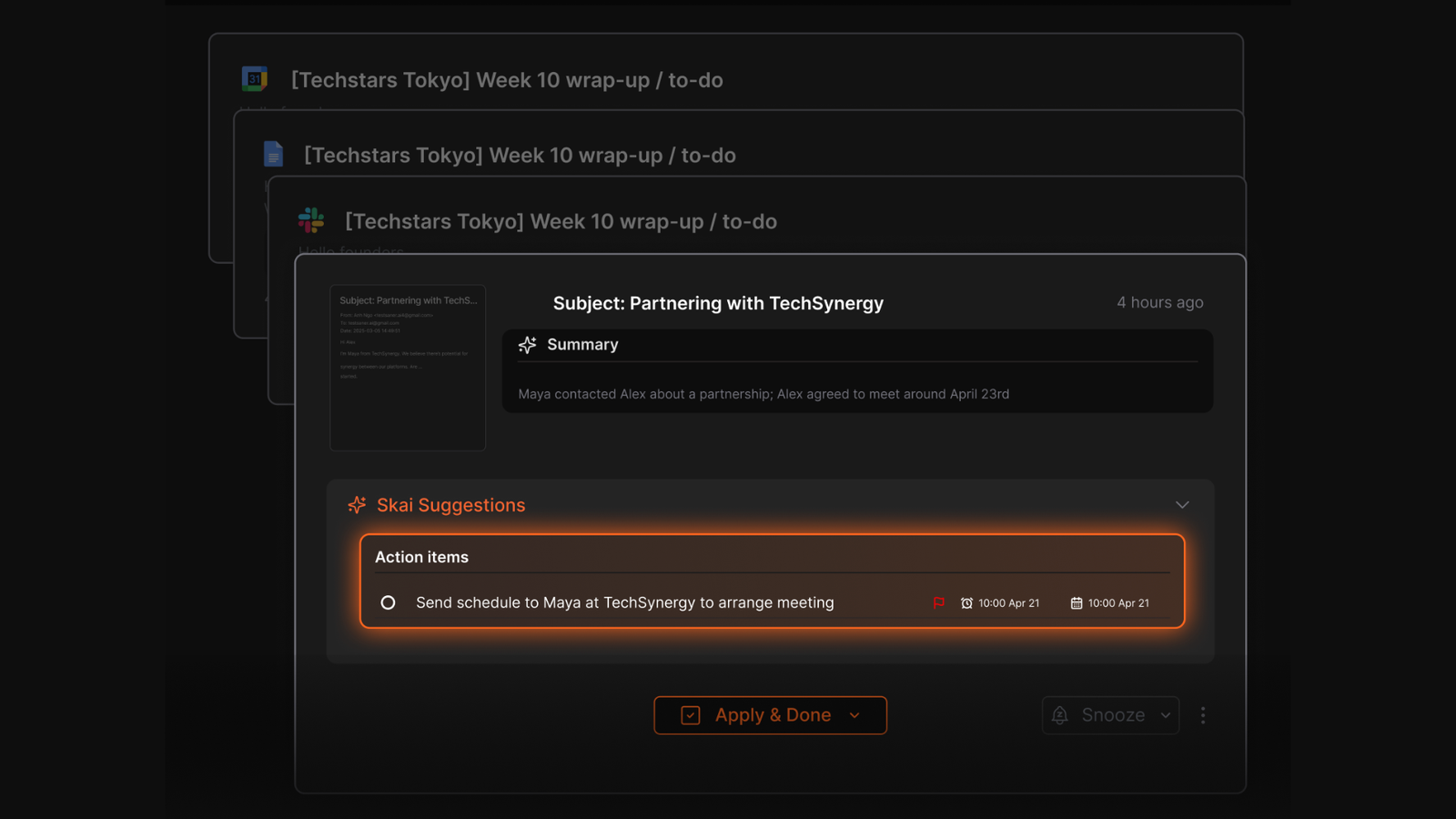
- Cross-app integration hub
I connected my Google Calendar, Gmail, and browser extension to pull active schedules and web clips into a single focused screen.
Pros and cons
- I can dump unstructured audio or text into the inbox without feeling guilty about where to file it.
- I appreciate how simple and uncluttered the interface feels when I am trying to focus on a single task.
- I feel it is helpful that natural language search finds old documents
- Having my calendar items and notes on a single screen limits constant context switching.
Who is it best for: Saner AI is best for individuals with ADHD, solo entrepreneurs, and researchers who get overwhelmed by manual filing systems, complex database setups, or switching between multiple note and task management apps.
Pricing table
- Free
- Starter: $8/month (yearly)
- Standard: $16/month (yearly)
What people say
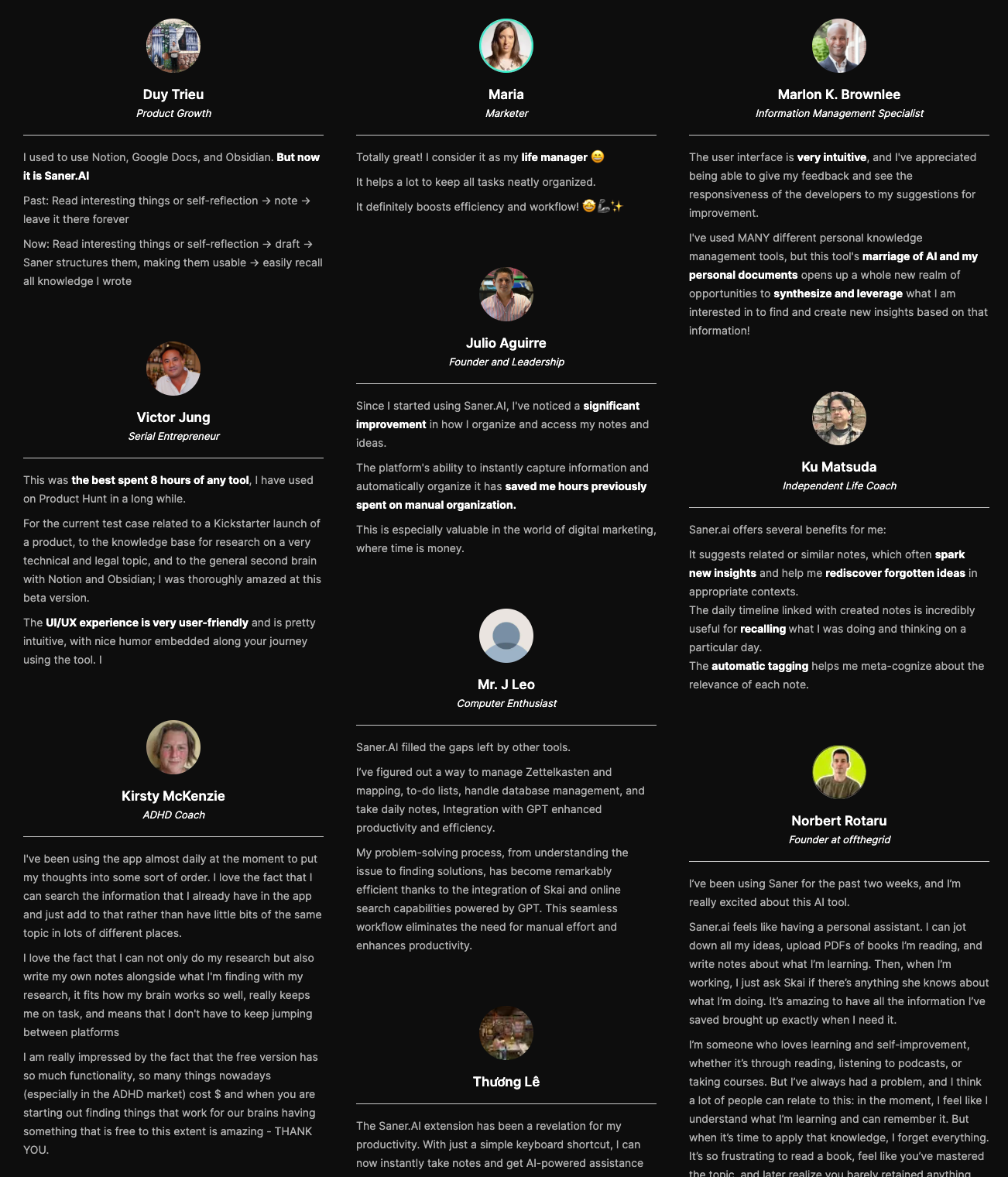
Users highlight how much mental energy the tool saves by eliminating the need to organize notes manually
How to get started
- Step 1: Open the web app to access it
- Step 2: Talk to the AI to get everything started

Stay on top of your work and life effortlessly
2) Todoist
Todoist can prevent executive dysfunction from spiraling. It captures loose thoughts instantly before working memory drops them, converting messy brain dumps into clean, structured lists.
What it does well
- Low Visual Friction: The clean, uncluttered interface keeps cognitive overload low compared to dense project management platforms.
- Ubiquitous Capture: It runs natively across iOS, Android, browser extensions, and smartwatches.
"You can quickly capture something while out and know it will still be there later... it stops a surprising amount of forgotten admin." — Verified Reviewer
- Filtered 'Today' View: The default Today view hides your global backlog, letting you focus strictly on what needs attention right now.
- Natural Language Add: You can type "Pay electric bill every 1st Friday p1" and Todoist extracts the due date, recurring schedule, and high priority
What it doesn't do well
- Does Not Force Execution: Todoist holds your tasks, but it won't help you start them when task initiation paralysis hits.
- Paywalled Features: Essential ADHD tools like location-based reminders, rich notifications, and full calendar views require the paid Pro plan.
- Over-Customization Trap: Building dozens of color-coded projects and nested labels feels productive, but it often becomes a form of structured procrastination.
"Too much customization can become overwhelming... building the setup feels productive, but it's often avoidance wearing a clever costume." — Verified Reviewer
Who it's for: Anyone dealing with ADHD who needs a fast, zero-friction "second brain" to record tasks instantly before they disappear.
3) Goblin.tools
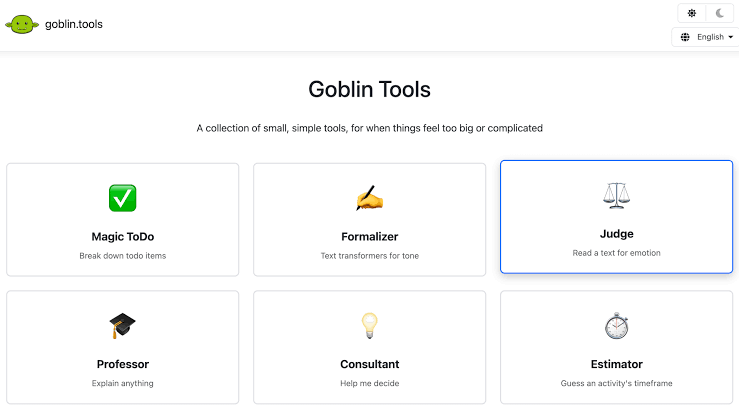
Goblin.tools breaks vague tasks into bite-sized actions, rewrites your emails, and estimates time without asking you to maintain a complex system.
What it does well:
- Truly free online option: The web app costs nothing to use, making it an accessible utility without a subscription commitment.
- Zero-friction web access: You open the site and immediately start typing. There are no login screens, tutorials, or setups to derail your focus.
- The Formalizer for communication anxiety: Converts raw, hasty, or emotional thoughts into clear, professional text so you do not spend an hour overthinking an email response.
- Magic ToDo for task paralysis: The core task-breaker uses a "spiciness" slider to split big, terrifying goals into absurdly manageable micro-steps.
What it doesn't do well:
- Unstable mobile companion apps: While the web version is solid, the paid mobile apps regularly suffer from crashing bugs.
"The app is now crashing for me every time I open it... I'm hoping that this is just a one off thing because this app is a necessity for me." — Apple App Store Review
- Session instability on browser close: Closing the tab wipes out your breakdown unless you manually copy it somewhere else.
- No long-term tracking or schedules: It gives you a checklist, but it will not run your day or schedule your calendar.
Who it's actually for: Anyone with ADHD experiencing severe task paralysis who needs a quick, zero-friction tool to break down steps without managing an entire system.
4) Tiimo
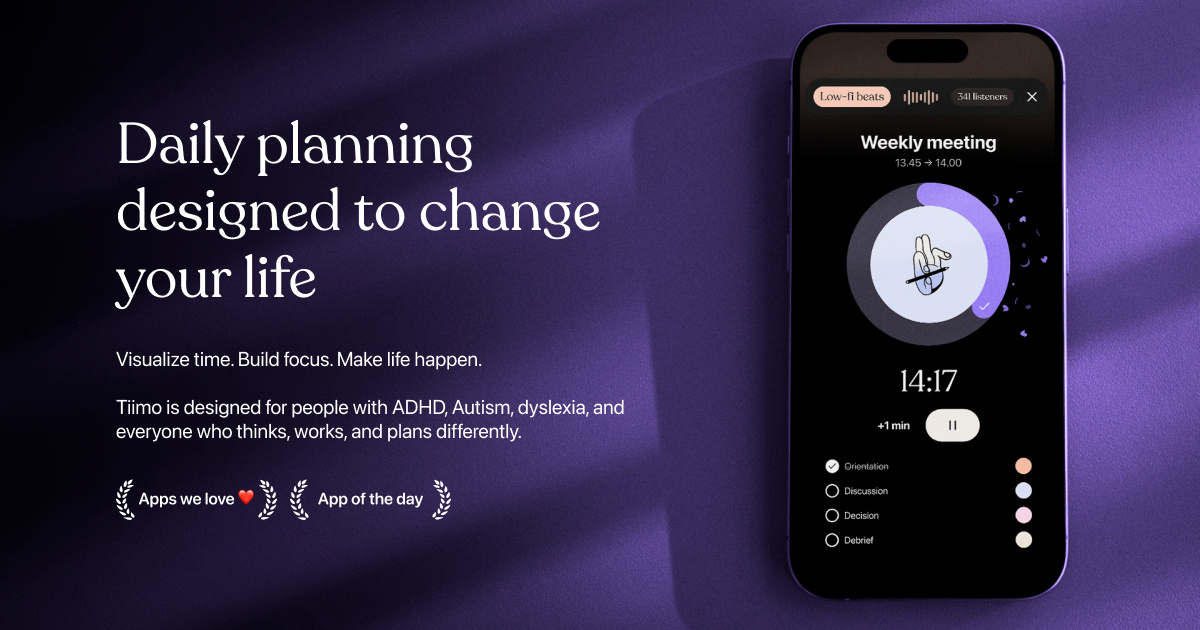
Tiimo transforms your day into a visual roadmap by using color-coded timelines, flexible icons, and gentle sensory-friendly prompts to guide you through tasks without triggering executive dysfunction paralysis.
What it does well:
- Visual timeline and time agnosia support: Tiimo turns hidden hours into a clear, continuous timeline, making time feel concrete rather than abstract.
- AI task breakdown: The built-in AI parser chops vague projects into immediate, manageable micro-actions so you do not freeze up before starting. "
- Guilt-free dynamic scheduling: If you miss a block or fall behind, the app lets you rebuild your afternoon without shaming notifications or penalty streaks.
- Sensory-friendly design: Low-stimulation visuals, pastel color schemes, and custom iconography keep the interface readable when your brain wants minimal friction.
What it doesn't do well:
- Limited platform availability: The web app is basic compared to mobile, and native Android support was quietly dropped in late 2025.
- Can invite over-customization: Setting up the perfect color schemes, icons, and custom routines can accidentally turn into a multi-hour procrastination project.
- Not built for heavy team project management: It handles personal routines brilliantly, but lacks real-time collaboration tools for team delegation.
Who it's for: Visual thinkers and neurodivergent users looking for a single AI app for ADHD overwhelm that makes daily scheduling feel low-stress and clear.
5) Brain.fm
Brain.fm quiets the brain chatter without adding to your daily task fatigue. It skips the usual list-making and scheduling demands, relying on background audio designed by neuroscientists to pull scattered minds directly into a steady workflow.
What it does well:
- Science-backed sound design: The app uses acoustic modulations tested with brain scans to lock in focus, rather than just streaming generic background beats.
"Brain.fm takes that feeling and supercharges it—it gets me into the zone like nothing else I've heard." —G2
- Zero decision fatigue setup: You press play on an intent like focus or relax and let the app handle the track choices, bypassing the playlist-scrolling trap entirely.
- Custom neural effect settings: Users can tune the intensity of the audio patterns, tweaking the background stimulation until it hits the sweet spot for an unruly, easily distracted mind.
What it doesn't do well:
- No task management tools: It won't track your to-do lists, set alarms, or remind you what you should actually be working on.
- Requires continuous subscription: You have to pay an ongoing monthly or annual fee just to keep access to the music library.
- Can feel repetitive over time: If you stay in one sound category for weeks, the underlying rhythmic patterns start feeling familiar.
Who it's actually for: People looking for the best single AI app for ADHD overwhelm who need instant focus support without wrestling with another complicated workspace or planner.
Conclusion
If you want one tool that pulls you out of a tailspin, pick the app that addresses your specific flavor of overwhelm.
- Saner.AI works best if your main issue is scattered notes, buried emails, and a messy brain.
- Todoist gives you simple, straightforward task tracking without extra complexity.
- Tiimo helps structure your time visually if calendars stress you out.
- Goblin.tools breaks down terrifying projects into micro-steps when executive dysfunction hits hard.
- Brain.fm shuts off background noise and grounds your focus.
You do not need a complicated stack of five different subscriptions running at once. Picking a single app and sticking with it is often enough to find your footing. That said, combining two tools—like pairing Brain.fm for focus audio alongside a solid task manager—can cover your bases without adding extra friction.
Stay on top of your work and life effortlessly
👉 You may like this post on how to improve Productivity for adults with ADHD
Frequently Asked Questions
Do I really only need one app to manage ADHD overwhelm?
Yes, for most people, picking a single tool works far better than building a complex tech stack. The trap many of us fall into is spending hours setting up three different platforms, getting overwhelmed by the upkeep, and abandoning all of them a week later. Starting with one central hub keeps your friction low.
What if one single app does not cover all my needs?
That is normal. While having a primary tool keeps you grounded, combining two specialized tools can work really well if they do different jobs. For example, pairing a central brain app with a dedicated soundscape tool gives you structure without cluttering your workflow.
How does Saner.AI help specifically with ADHD paralysis?
When your brain freezes because a task feels too big or your notes are a giant mess, Saner.AI acts as an assistant that organizes things for you. You can dump raw thoughts, voice memos, or long text into it, and its AI breaks them down into clear, actionable steps so you do not have to stare at a blank page and figure out where to start.
How is Saner.AI different from traditional apps like Todoist?
Todoist is a solid, classic task manager, but it relies on you to manually organize, label, and schedule every single item. If you miss a few days, the overdue notifications build up and create immediate guilt. Saner.AI focuses on low-friction capture and uses AI to automatically connect your tasks, notes, and calendar events so you do not have to maintain the system yourself.
When should someone choose Tiimo over other options?
Tiimo is built for visual thinkers who struggle with time blindness. It maps out your day using visual timelines, icons, and color-coded routines. If your main struggle is knowing what time it is or transitioning between daily routines, Tiimo is usually a better fit than a text-heavy note app.
What makes Goblin.tools unique for breaking down tasks?
Goblin.tools is a simple, free collection of mini-tools designed to take the emotion out of overwhelming projects. Its "Magic To-Do" feature lets you paste in a huge chore, like "clean the garage," and uses a "spiciness" slider to instantly chop it up into tiny, manageable steps. It does one job and does it without any setup required.
Can sound apps like Brain.fm actually help with focus?
They do, especially if background noise or sudden silence distracts you. Brain.fm uses functional music engineered to steer your brainwaves into a focus state without drawing your attention away with lyrics or unpredictable beat drops. It is great to play in the background while working inside your primary planner or note app.
What is a good multi-app combination if I want a hybrid setup?
A simple two-app combination works best:
- Use Saner.AI as your main workspace to dump notes, track ideas, and keep your schedule clear.
- Use Brain.fm for audio focus when you need to sit down and do deep work.
- Alternatively, use Goblin.tools on the side to quickly break down a terrifying task before pasting the steps into Saner.AI.
Why do I keep switching apps every few weeks?
Novelty gives your brain a quick hit of dopamine, which is why a new tool feels amazing for the first five days. Once the novelty fades and manual maintenance sets in, the app starts feeling like a chore. Choosing tools with minimal setup and automated features helps break that cycle.
How do I start using Saner.AI without feeling overwhelmed on day one?
Skip the complex setups. Download it, use the voice capture or quick-notes feature to offload whatever is currently sitting in your head, and let the AI group your thoughts. Treat it like an extra brain drawer rather than a strict system you have to manage perfectly.
Stay on top of your work and life effortlessly