Goblin.tools Alternatives: Here are the best 5 apps in 2026

When I first discovered Goblin.tools, it felt like a total revelation for my neurodivergent brain. A tool that could take a vague, paralyzing obligation like "clean the apartment" and chop it into micro-steps using AI. But the gap with Goblin.tools becomes apparent once you try to build a repeatable daily routine around it: it gives you broken-down steps, but leaves you stranded when it comes to time tracking, schedule integration, and managing your ongoing notes.
The right alternative in 2026 bridges that gap. Instead of forcing you to copy and paste micro-tasks out of a single-purpose utility, modern productivity apps for ADHD build task breakdown, visual timers, and daily planning directly into your permanent system.
We evaluated the top platforms to see which tools replace the single-function magic of Goblin.tools while giving your neurodivergent workflow a long-term home.
Quick guide: What are the best Goblin.tools alternatives?
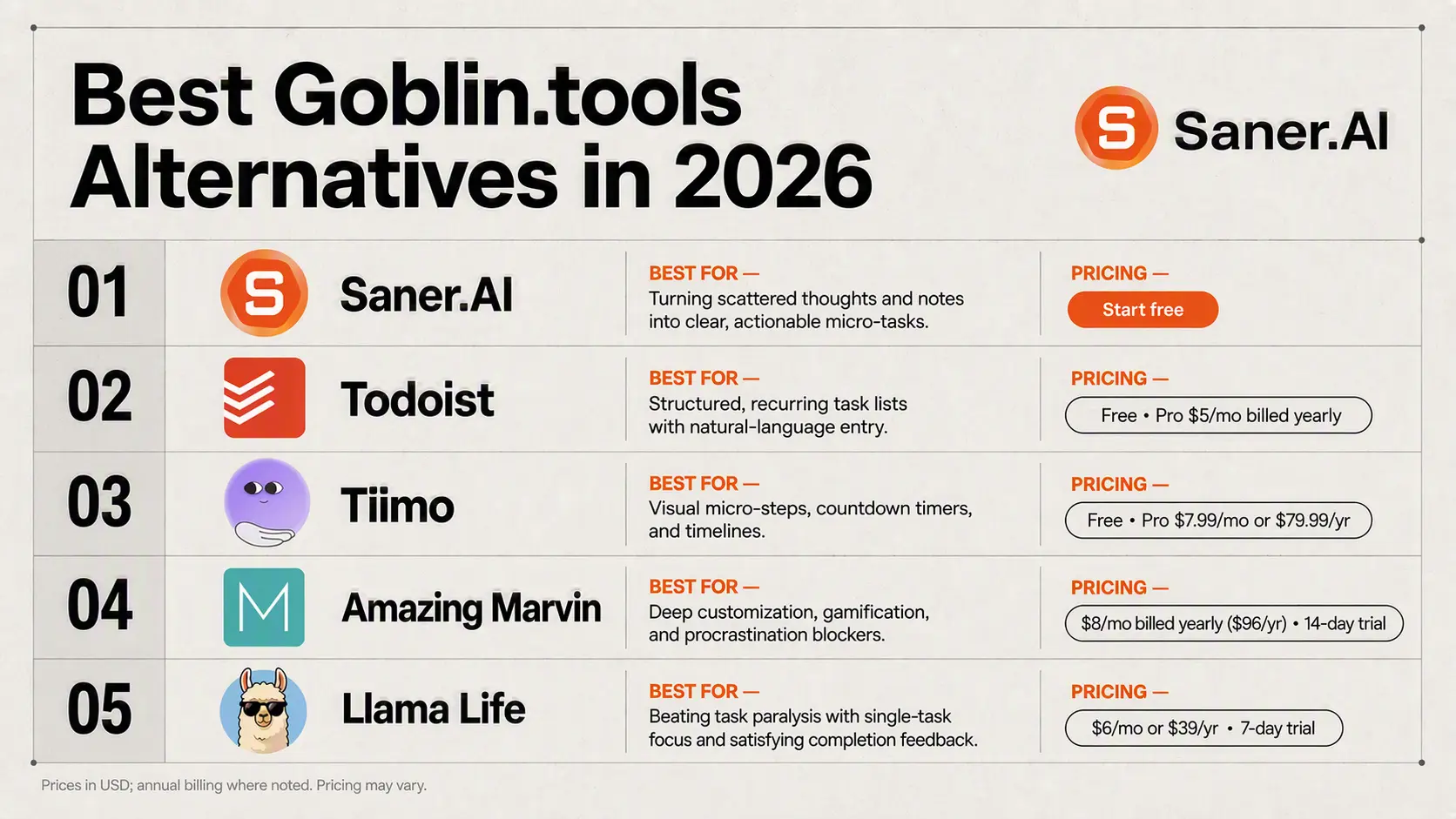
2. Todoist: Best for building structured, recurring task lists with natural language entry.
3. Tiimo: Best for visual processors who need micro-steps displayed alongside countdown timers and visual timelines.
4. Amazing Marvin: Best for deep customization, allowing you to turn on specific "strategies" like gamification or procrastination blockers.
5. Llama Life: Best for combating task paralysis with single-task focus modes and satisfying completion feedback.
What is a Goblin.tools alternative?
Goblin.tools gained massive popularity by offering single-purpose AI utilities - like the famous "Magic ToDo" - to combat executive dysfunction. A true alternative takes those core neurodivergent-friendly capabilities (task breakdown, tone checks, time estimation) and embeds them directly into a fully functioning workflow tool.
Instead of just telling you how to break a task down, these alternatives help you organize when to execute, keep you focused during the process, and adapt when executive fatigue sets in.
How we chose these alternatives
We evaluated each platform based on the friction points neurodivergent minds encounter when trying to initiate and complete work:
- Task Decomposition: How effortlessly can the app break down large, intimidating goals into manageable, non-overwhelming steps?
- Frictionless Capture: Can you input messy, raw thoughts without needing to manually categorize everything first?
- Focus & Initiation Support: Does it include features like visual countdown timers, single-task views, or focus modes to overcome task paralysis?
- System Integration: Does it serve as a complete hub for your day, avoiding the need to switch back and forth between isolated utility tools?
- Neurodivergent-Friendly Design: Is the UI calm and non-judgmental, avoiding rigid streak mechanics that trigger productivity guilt?
What are the best Goblin.tools alternatives in 2026?
Best Goblin.tools alternatives are Saner.AI, Todoist, Llama Life, Tiimo, and Amazing Marvin
1) Amazing Marvin
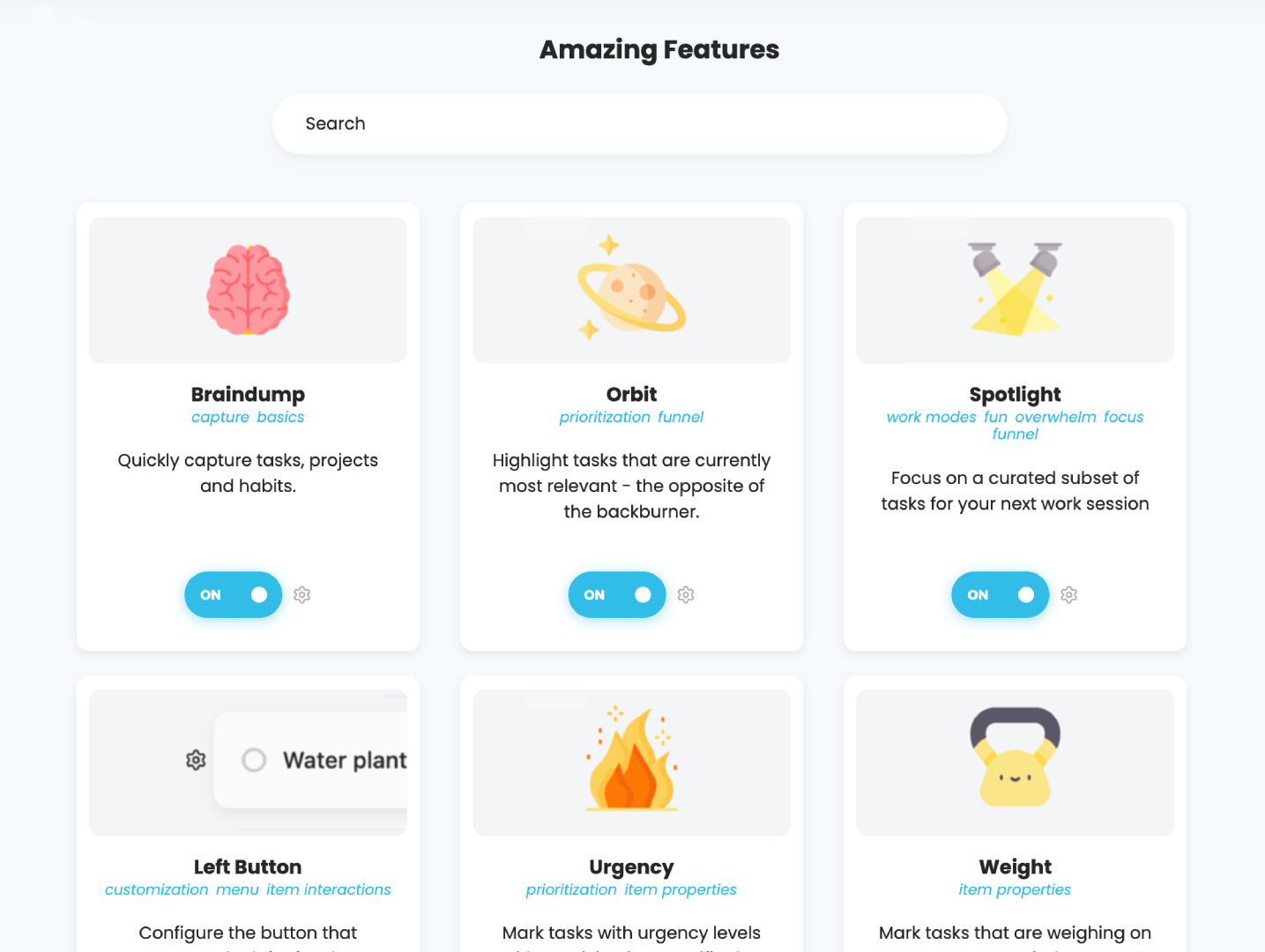
Amazing Marvin takes a psychological approach to task management, giving you a sandbox to build a productivity setup that actually fits your brain instead of forcing you into a rigid process. It works well as a Goblin.tools alternative thanks to its Procrastination Wizard, a built-in workflow feature that helps you analyze why you are avoiding a specific task and breaks it down into small, non-threatening steps.
What it does well
- Procrastination and breakdown tools: The Procrastination Wizard and Super Focus mode act as active guardrails when you get stuck, walking you through task paralysis without needing an external AI generator.
- Extreme customization: You get access to over 100 optional strategies—like Pomodoro timers, time blocking, and reward points—that you can turn on or off depending on what you need that week.
- Designed for neurodivergent workflows: The whole platform leans into behavioral science, making it popular with people managing ADHD or chronic overwhelm.
- Flexible task dates: You can set separate start dates, soft targets, and hard due dates for a single task so your daily list stays manageable.
What it doesn't do well
- Steep setup curve: Having dozens of toggles can feel like a project in itself during your first week.
- No generative AI: Unlike Goblin.tools, it doesn't auto-generate steps using text models; its breakdown system relies on structured prompts and manual rules.
- Clunky mobile experience: The phone apps lag behind the desktop version in speed and usability.
- Solo-only platform: There are no features for sharing projects or assigning work to team members.
Who it's actually for
- People with ADHD or task paralysis who want a highly customizable planner with built-in behavioral strategies to help them get started on hard tasks.
2) Saner AI
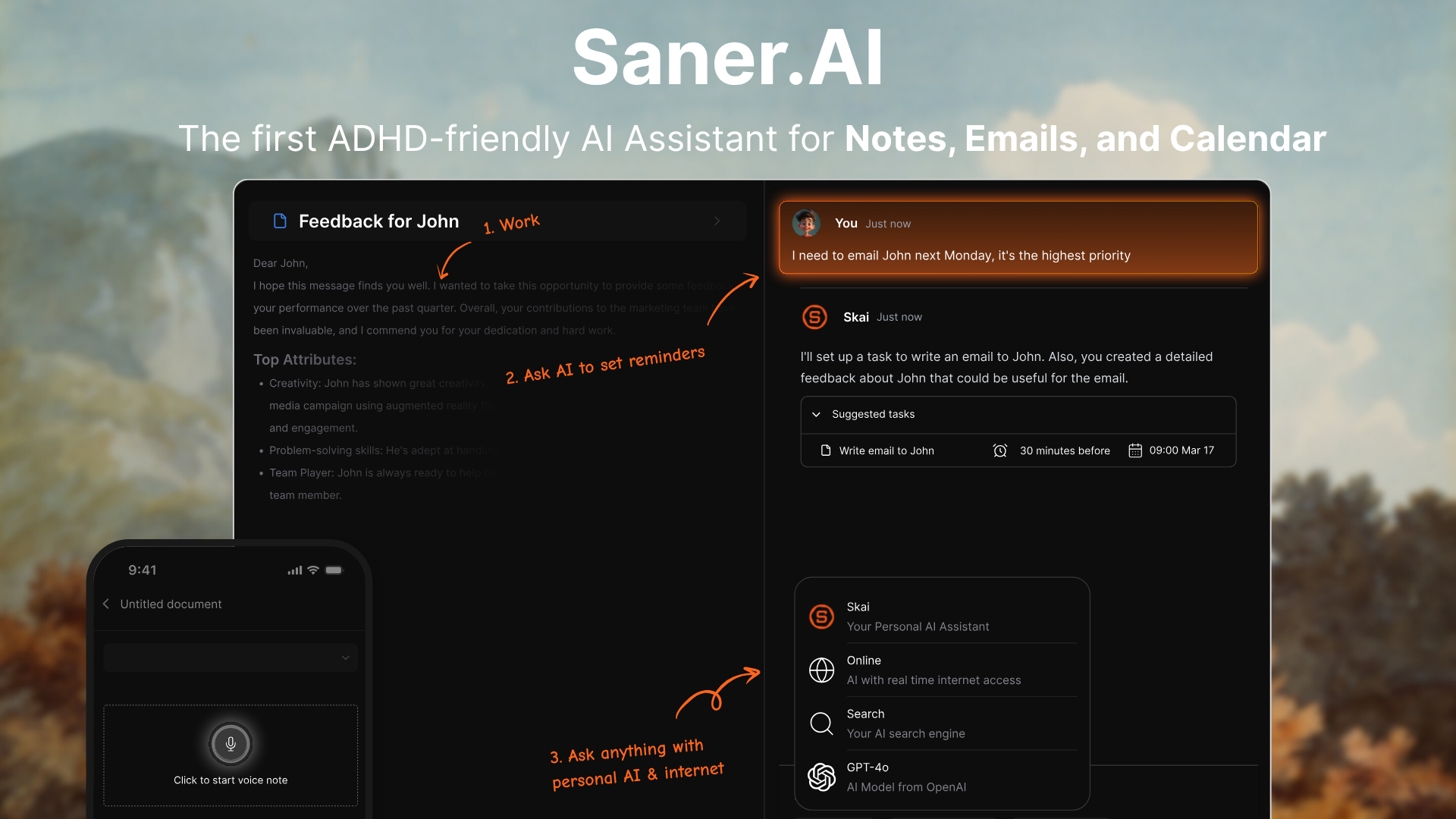
Saner AI is an all-in-one executive assistant built specifically for neurodivergent brains and people with ADHD. While tools like Goblin.tools offer isolated micro-utilities (like breaking down tasks or gauging tone), Saner AI acts as a central hub that unifies scattered notes, tasks, emails, and calendar schedules into a single dashboard. Saner.AI is also a sponsor of Goblin.tools
Features breakdown
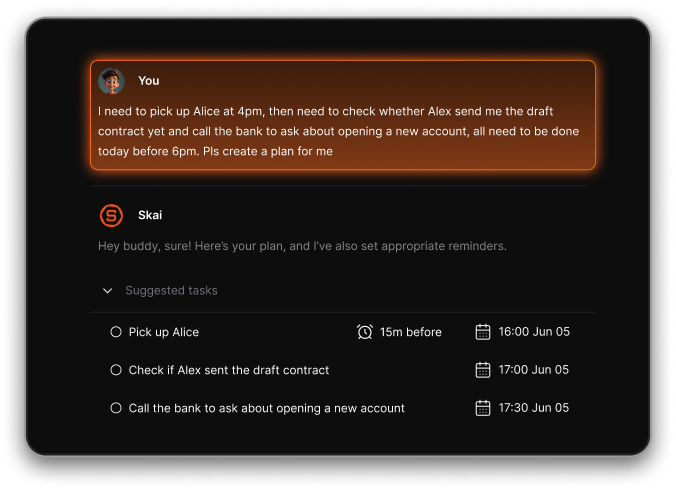
- Automatic task breakdown and smart inbox
Instead of manually creating complex project trees, you can type or record a vague thought, and the app splits it into small, manageable action steps. I tried dumping a chaotic weekly brain dump into the smart inbox, and it automatically extracted actual tasks without requiring me to organize tags or folders.
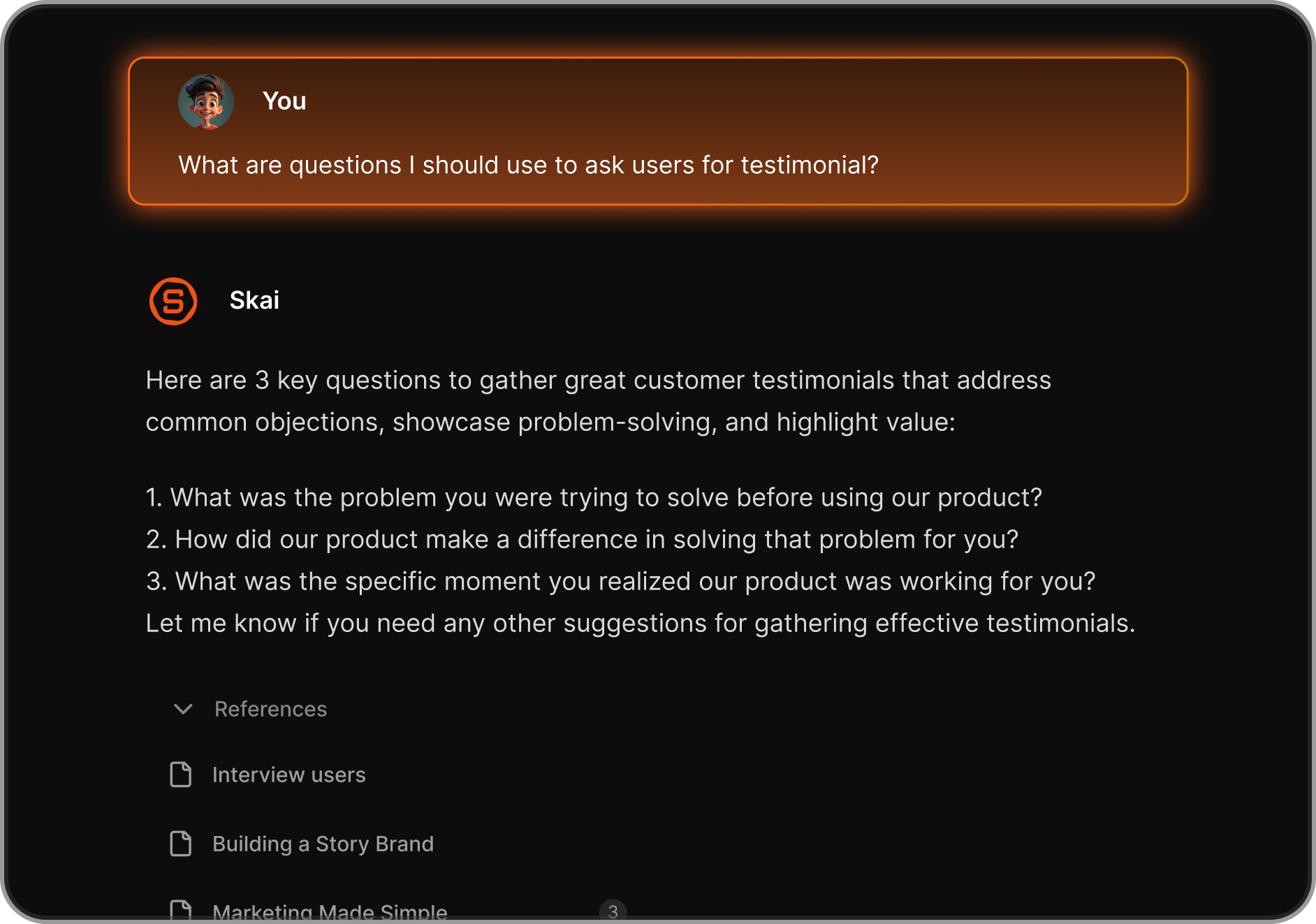
- Skai personal AI assistant
The built-in assistant lets you search across all your uploaded documents, notes, and connected accounts using plain conversation. I used the assistant to ask what project items were due, and it picked out details across my notes without me having to open multiple tabs.
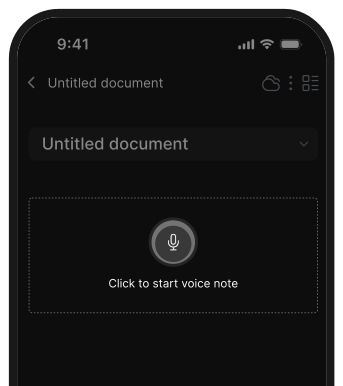
- Voice capture and quick entry
The app features instant voice note recording with automated transcription, alongside a universal keyboard shortcut for capturing ideas mid-workflow. I found this useful when walking or doing administrative tasks, as it transcribed my spoken thoughts cleanly.
Pros
- I can dump raw text without spending hours setting up tags, folders, or complex databases.
- I appreciate having my notes, tasks, and calendar events integrated into one space to prevent context switching.
- The voice transcription handles fast-talking thoughts and turns them into actual to-do lists.
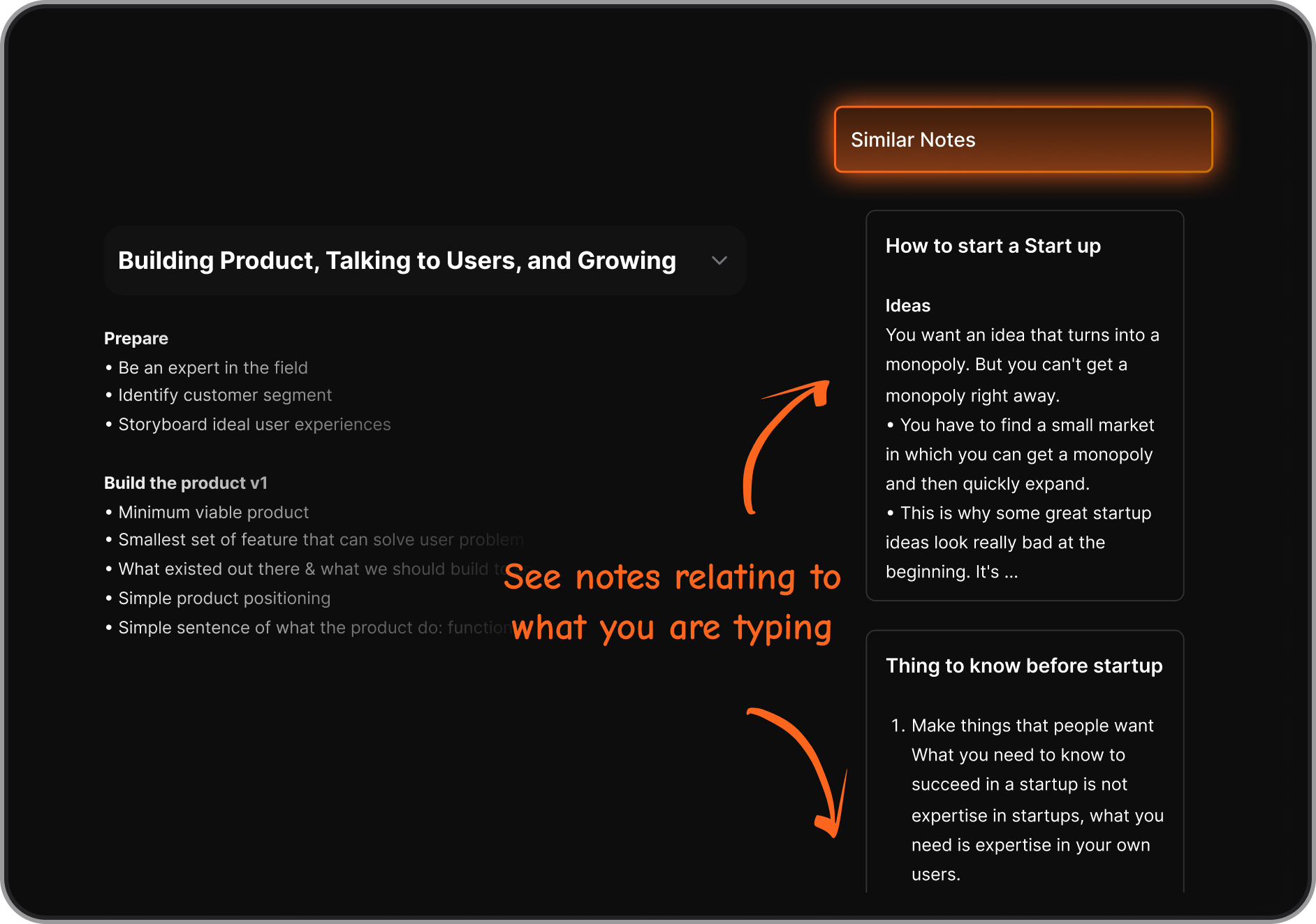
- I like using the universal search chat to recall old notes instead of searching manually through files.
Cons
- The mobile app can occasionally lag when syncing heavy batches of imports.
Who is it best for
- Saner AI is best for neurodivergent users, knowledge workers, and entrepreneurs with ADHD who need a more comprehensive Goblin.tools alternative—one that not only breaks down overwhelming tasks but also manages notes, emails, and daily schedules in one distraction-free environment.
Pricing table
| Plan | Price (USD) | Core features |
| Free | $0/mo | 30 AI messages/mo, 100MB storage, basic capture, and mobile access. |
| Starter | $8/mo (billed yearly) | 30 AI messages/day, 5GB storage, and email forwarding features. |
| Standard | $16/mo (billed yearly) | 100 AI requests/day, 100GB storage, full calendar integrations. |
What people say
Users highlight the clean UI and how effectively the AI handles scattered thoughts without requiring manual organization.
"The UI/UX experience is very user-friendly and is pretty intuitive... for the knowledge base for research... I was thoroughly amazed." — Verified Review
How to get started
- Step 1: Head to the Saner AI site or download the mobile app, then set up your account.
- Step 2: Open the Smart Inbox and type or voice-record a raw brain dump of your current tasks.
- Step 3: Ask the Skai AI assistant to extract your action steps and map them directly into your schedule.
3) Todoist
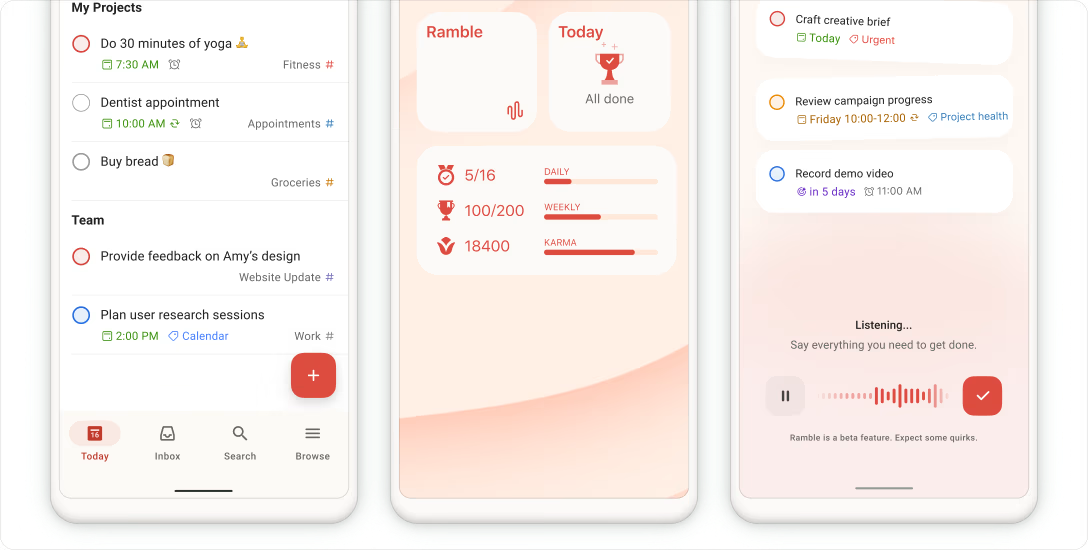
It takes chaotic, unstructured thoughts or complex projects and auto-generates structured subtask action items, recurring schedules, and clear priority levels.
What it does well:
- Instant subtask decomposition: The Task Assist feature mimics Goblin.tools Magic To-Do by generating actionable steps for complex goals.
- Natural language entry: Typing dates, priorities, and recurring rules directly into the task name saves considerable typing time.
- Cross-platform sync: The web, desktop, and mobile applications sync fast without losing task context.
- Voice-to-task capture: The native Ramble feature interprets spoken audio rambles and extracts structured action items.
What it doesn't do well:
- Restrictive free tier: Features like Task Assist AI, custom task reminders, and calendar views sit behind a paid subscription.
- No tone or emotional tools: Unlike Goblin.tools, Todoist lacks specialized tools for adjusting message tone or estimating task effort.
- Limited project management depth: Todoist handles straightforward task tracking well, but lacks complex dependency tracking or Gantt charts.
Who it's actually for: Individuals who want a polished, everyday task manager that can break down complex ideas into manageable subtasks.
4) Tiimo
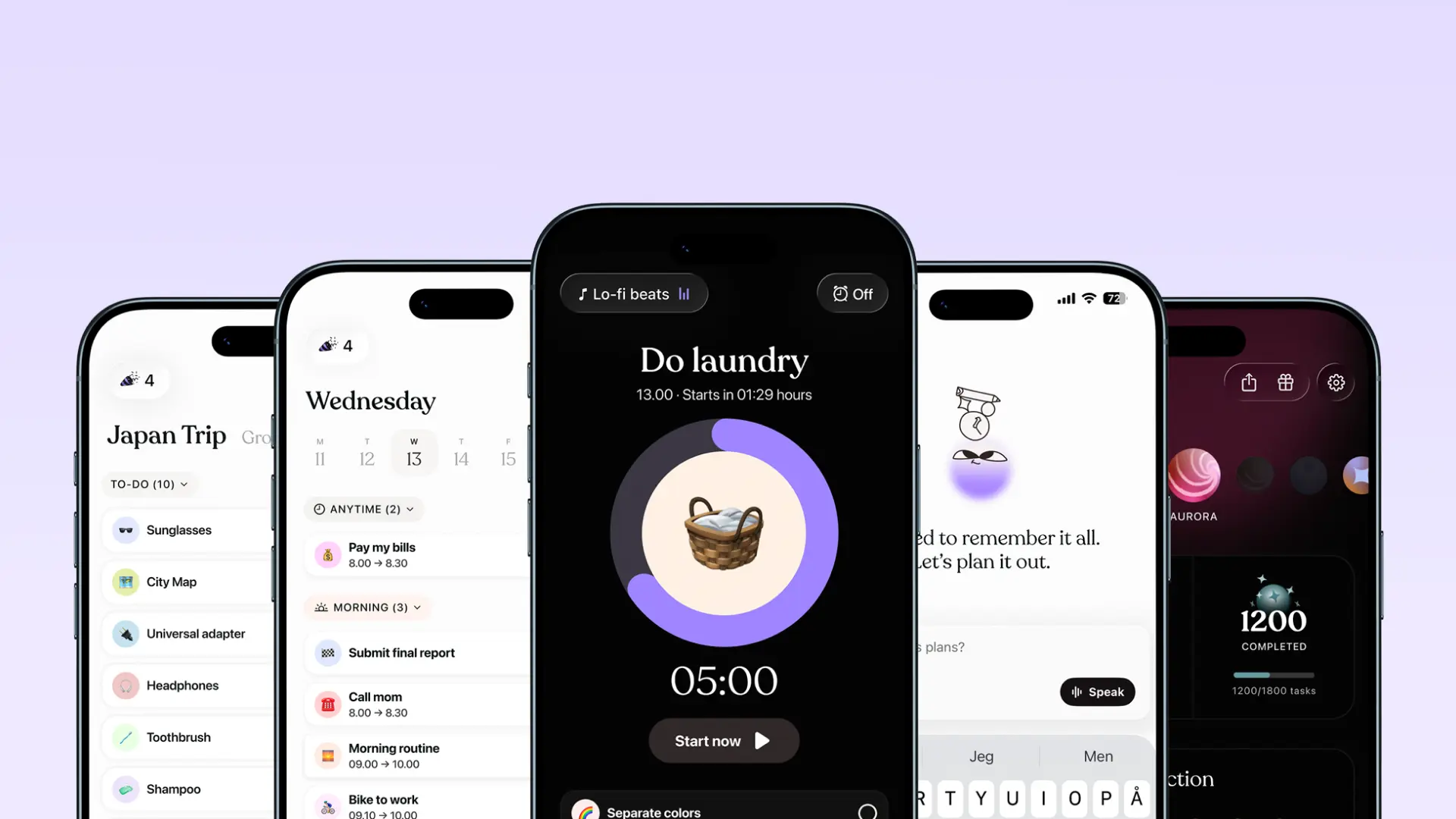
Transform schedule chaos into structured visual routines. Map out day-to-day blocks with distinct colors, progress rings, and flexible time buckets to reduce executive function load.
What it does well:
- Flexible task buckets: Tiimo lets you group actions into morning, afternoon, or evening buckets without assigning exact clock times, easing the pressure when your day strays off track.
- Visual timeline tracking: Features color-coded blocks, custom icons, and visual progress rings so you can see time pass, making activity transitions smoother.
- AI checklist generator: Automatically breaks massive, overwhelming projects down into bite-sized micro-tasks.
What it doesn't do well:
- Rigid time-block edits: Reordering untimed tasks or adjusting schedules block by block can feel clunky if you drop behind.
- Paywalled web access: The standard free plan locks usage to mobile devices; desktop planning demands a paid subscription.
- Setup heavy: Setting up your daily routines and customizing your icons initially takes a good bit of effort.
Who it's actually for: Visual thinkers and neurodivergent adults looking for a Goblin.tools alternative that replaces text-heavy lists with visual daily structure.
5) Llama Life
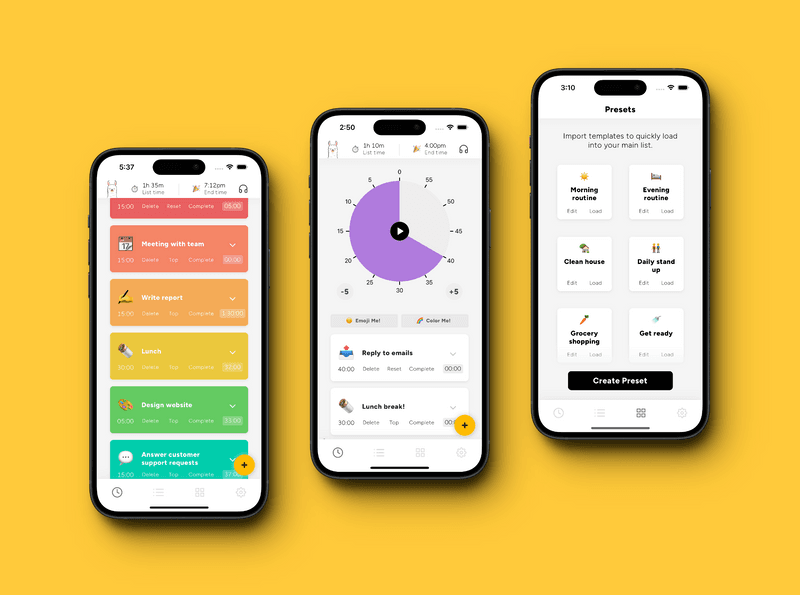
Llama Life is one of the best Goblin.tools alternatives for managing executive dysfunction because it turns static to-do lists into active, timed focus sessions. Its native "Break-it-down" feature serves as a direct equivalent to Goblin.tools’ Magic To-Do, using AI to automatically break overwhelming projects into manageable, timeboxed steps with estimated durations.
What it does well:
- Timeboxing and visual time tracking: Pairs an active countdown timer with every task, helping combat time blindness by clearly displaying the total list duration and dynamic end time.
- Structured micro-steps via AI: Instantly converts large, daunting tasks into bite-sized actions so you can build momentum without feeling paralyzed.
- Preset lists for routines: Allows users to build and load reusable templates for recurring daily or weekly workflows.
- Sensory and focus customization: Features customizable background soundscapes, subtle interval chimes, color themes, and confetti celebrations to keep engagement high.
What it doesn't do well:
- Limited tone and communication tools: Unlike Goblin.tools, Llama Life does not include features for adjusting emotional tone in text (like the Formalizer) or analyzing social cues.
- Requires a paid subscription: Offers only a 7-day trial before requiring a monthly or annual paid plan, unlike completely free tools.
- Focuses on immediate execution over long-term planning: Built strictly for managing today's workload rather than acting as a full-fledged project archive or heavy calendar manager.
Who it's actually for: Individuals with ADHD or neurodivergent task paralysis who need an engaging, timeboxed workspace to break down and execute daily to-dos one single task at a time.
Final thoughts
Finding the right productivity tool for neurodivergent brains usually comes down to trial and error. What works for someone with time blindness might completely overwhelm a person who needs low-friction text capture.
- Todoist stays the reliable option if you want quick capture and straightforward project lists.
- Tiimo handles visual scheduling and daily routines when you need time made concrete.
- Amazing Marvin gives you granular control over every aspect of your system if you like building custom workflows.
- Llama Life keeps focus locked on a single task queue with custom timeboxing.
If you are tired of switching between separate apps for notes, calendar, and task lists, Saner.AI brings everything into one quiet space. Its AI handles the tagging, sorting, and breaking down of messy thoughts so you can skip the system maintenance and just get things done. You can try the free version to see if it fits your flow before committing.

Stay on top of your work and life effortlessly
FAQ - Goblin.tools alternatives
1) Why do people look for alternatives to Goblin.tools?
Goblin.tools is fantastic for breaking down overwhelming tasks or tweaking tone on short emails. However, it isn't designed to manage your whole life. People usually start looking elsewhere when they need recurring reminders, proper task scheduling, clean calendar syncs, or a central place to store and organize messy notes alongside their to-dos.
2) What makes a good Goblin.tools alternative for neurodivergent brains?
It comes down to low cognitive friction. Great alternatives reduce decision fatigue rather than adding to it. They typically offer flexible layouts, instant visual feedback, clear time estimation, and smart assistance that helps you organize information without forcing you into strict, rigid systems.
3) Which alternative is best if I just need a simple, reliable to-do list?
Todoist is usually the safest bet for straightforward task tracking. It lets you quickly throw tasks into an inbox using everyday language (like "pay electricity bill next Tuesday") and clear them out as you go. It lacks the deep breakdown AI features of Goblin.tools, but it keeps your daily workload clean and organized.
4) How does Tiimo compare to Goblin.tools?
Tiimo focuses heavily on visual planning and daily routines. While Goblin.tools breaks individual tasks into smaller steps, Tiimo helps you map out your actual day using color-coded timelines, visual timers, and routine blocks. It works well if you struggle with time blindness and need help pacing yourself through a busy day.
5) What is Llama Life best used for?
Llama Life focuses almost entirely on task execution and focus. Instead of dumping a giant list in front of you, it encourages you to work on one timed item at a time with a clear countdown and soft chime. It pairs nicely with tools that handle task generation, acting as the final engine that gets you to actually finish the work.
6) Can Saner.AI help with both task breakdown and note organization?
Saner.AI handles both under one roof.
Instead of using separate tools to break down tasks, keep notes, and organize your day, Saner.AI acts as a connected assistant. You can dump messy thoughts, quick voice notes, or large projects into it, and its AI organizes them, surfaces context when you need it, and translates big ideas into realistic, actionable steps.
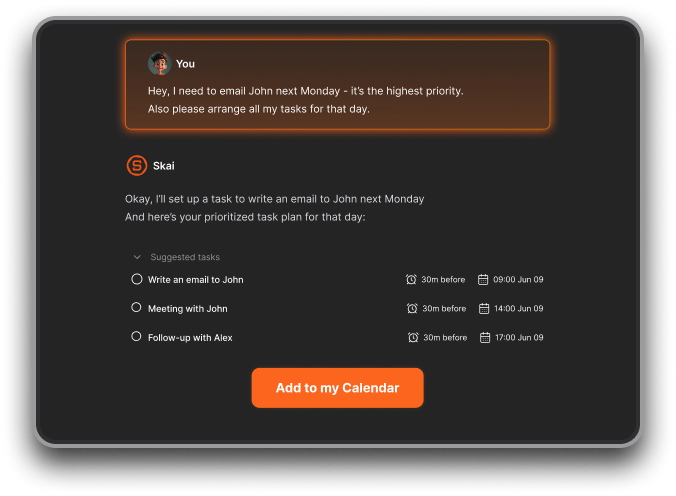
8) Which app is best if I struggle with starting large projects?
If you freeze up at the start of a project, you need a tool that eliminates the "blank page" problem. Goblin.tools handles basic step-by-step breakdowns, while apps like Saner.AI go a step further by connecting those project steps directly to your notes and schedule, making the entry point feel far less intimidating.
9) Are any of these alternatives completely free like Goblin.tools?
Goblin.tools remains rare in offering its core web features completely free. Most alternatives, including Todoist, Tiimo, and Saner.AI, operate on a freemium model. They give you access to core features for free, but reserve advanced features like unlimited AI processing, deep integrations, or advanced visual customization for paid tiers.
10) How do I choose the right tool for my workflow?
Look at where your workflow usually breaks down:
- If you forget daily tasks, start with Todoist.
- If time blindness is your main barrier, try Tiimo or Llama Life.
- If you love tweaking systems and building custom setups, try Amazing Marvin.
- If you are overwhelmed by scattered notes, chaotic thoughts, and complex planning, Saner.AI offers a balanced balance of AI assistance and clear structure.
Stay on top of your work and life effortlessly