We Tested 15 AI Voice Assistants. Here Are The 7 Best Apps

Remember when voice assistants were just glorified alarm clocks?
“Hey Siri, set a timer.”
“Alexa, play some lo-fi beats.”
That was cute - but recent voice assistants? They’re practically your second brain, enabling you to interact with artificial intelligence using your voice - to ask questions, complete tasks, or even manage your entire day.
Whether you’re walking to your next meeting, cooking dinner, or AI voice assistants now help you do everything from writing emails and managing tasks to calming your anxiety.
In this guide, we’ll break down the best AI voice assistants based on real-world functionality, accuracy, and what they’re actually useful for.
What Is an AI Voice Assistant?
An AI voice assistant is a tool that enables you to interact with artificial intelligence using your voice - to ask questions, complete tasks, or even manage your entire workflow.
How We Chose These AIs
I ran all seven assistants through the same forty real requests over six weeks. Some of these tools live on a phone, some on a speaker, some only in an app, so "fair comparison" meant testing each one on whatever device it's actually built for, not forcing all seven into one format they weren't designed for.
- Setup and onboarding: how long from install to something useful, and how much of that time was spent fighting permissions and account linking instead of talking to the thing.
- Understanding natural, imperfect speech: does it handle a sentence with an "um," a change of direction mid-thought, or background noise
- Task completion depth: does it just answer, or can it actually do the thing, send the text, add the reminder, pull the file?
- Memory and context retention: does it remember what you said five minutes ago in the same conversation, and does anything carry over to next time.
- Does it survive a bad, distracted day: this is the one most reviews skip.
- Price versus what you actually get: not what the pricing page implies, but what you get for the amount you're actually billed.
What Are The Best AI Voice Assistants in 2026?
The Best AI Voice Assistants in 2026 are: ChatGPT, Saner.AI, Siri, Claude, Alexa, Grok and Bixby
1. ChatGPT

ChatGPT Voice is a conversational AI assistant. It's the closest thing on this list to talking with a person: it interrupts you less than it used to, picks up on tone, and can glance at a map or the weather mid-conversation without you tapping anything.
Pros
- It holds context across a real conversation instead of resetting every exchange, so I can correct myself mid-sentence without starting over.
- It reduces awkward pauses now.
Cons
- It's still not a great Siri or Alexa replacement for basic phone tasks like routines.
- Voice conversations still count against your usage limits on the free tier, so heavy daily use eventually nudges you toward Plus.
Pricing
- Free: Advanced Voice Mode included, with usage caps
- Plus, $20/month: higher limits, faster responses, memory across sessions
Suitable for
- Best for: anyone who wants one voice assistant that can actually reason through a problem, not just fetch a fact.
How to Get Started
Open the ChatGPT app, tap the voice icon in the chat box, and just start talking. It works from the free tier immediately, no setup needed. The one thing to know going in: it hasn't fully replaced typing for anything you need saved or edited, since transcripts live in your chat history rather than a task list.
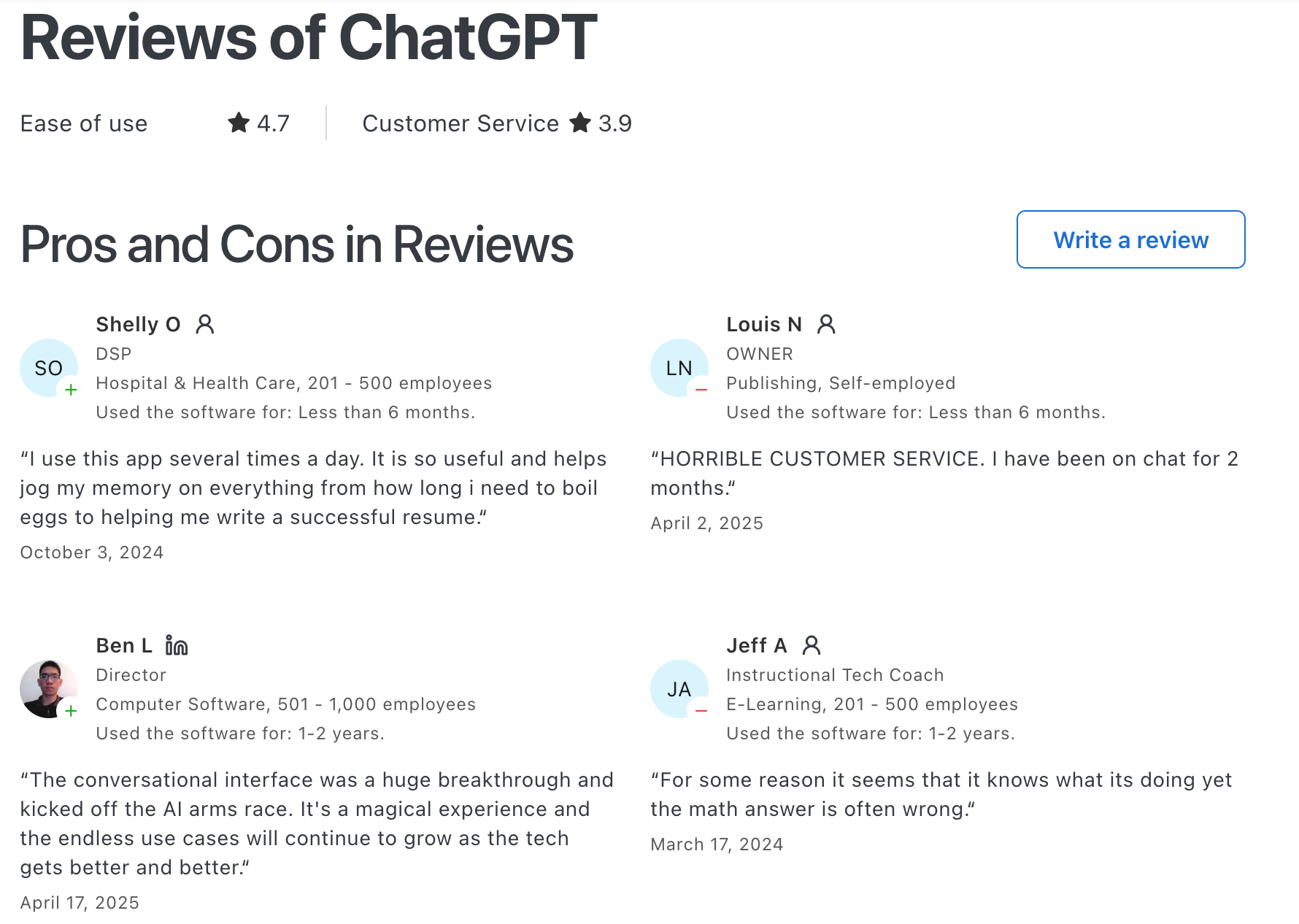
ChatGPT Reviews (source)
2. Saner.AI
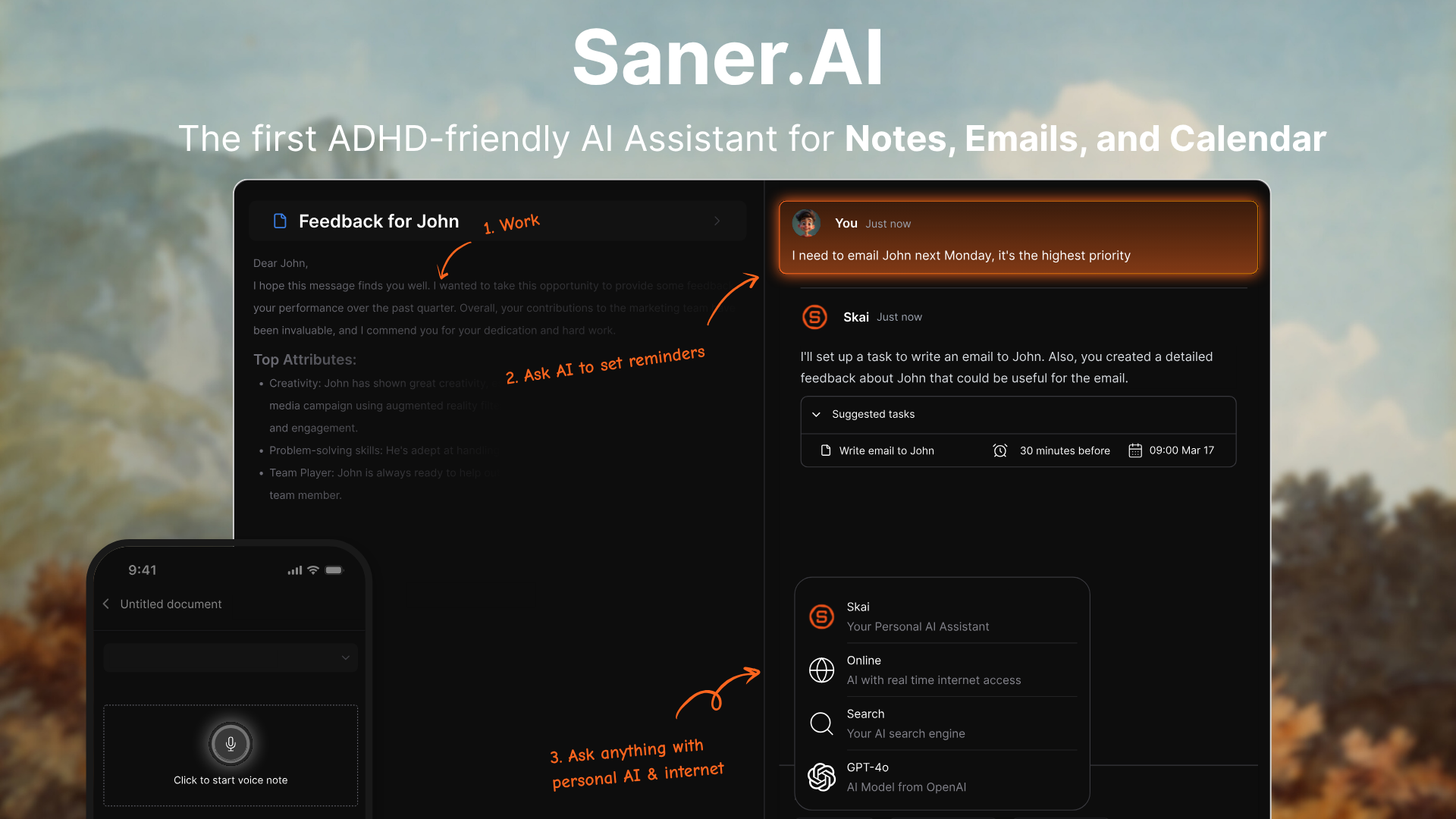
Saner.ai is a personal AI assistant built to help you stay focused and in control of your day. Unlike traditional voice assistants like Siri or Alexa, Saner goes beyond simple commands - it helps you think, plan, and act across your notes, tasks, emails, and calendar through natural conversation.
Key features
- Voice assistant for work: You can talk to Saner naturally - ask it to plan your day, find what you said last week, or pull up tasks from your emails.
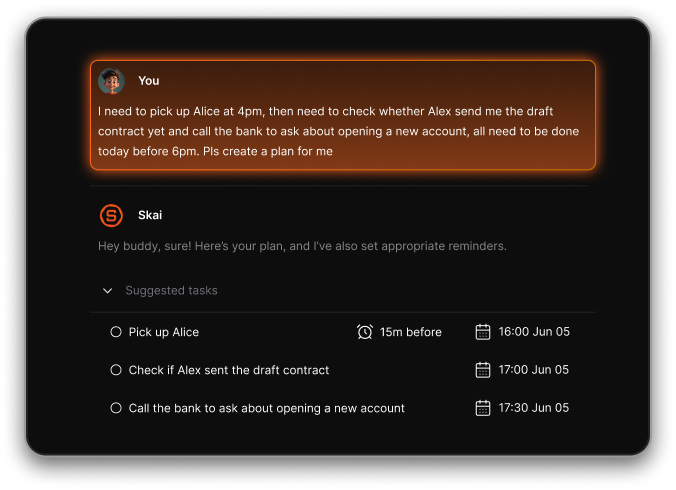
- Unified workspace: Connects your notes, tasks, emails, and calendar in one intelligent hub.
- Smart daily plan: Every morning, Saner shows you a prioritized plan with quick wins, overdue tasks, and focus reminders.
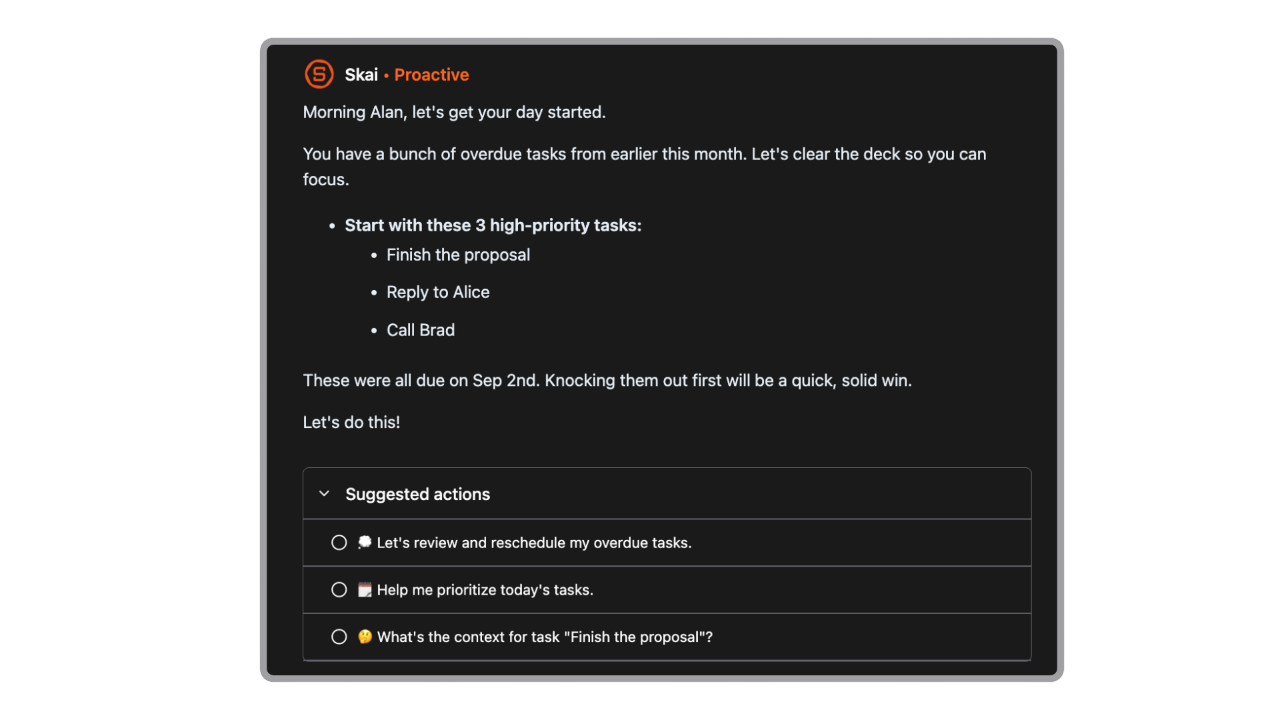
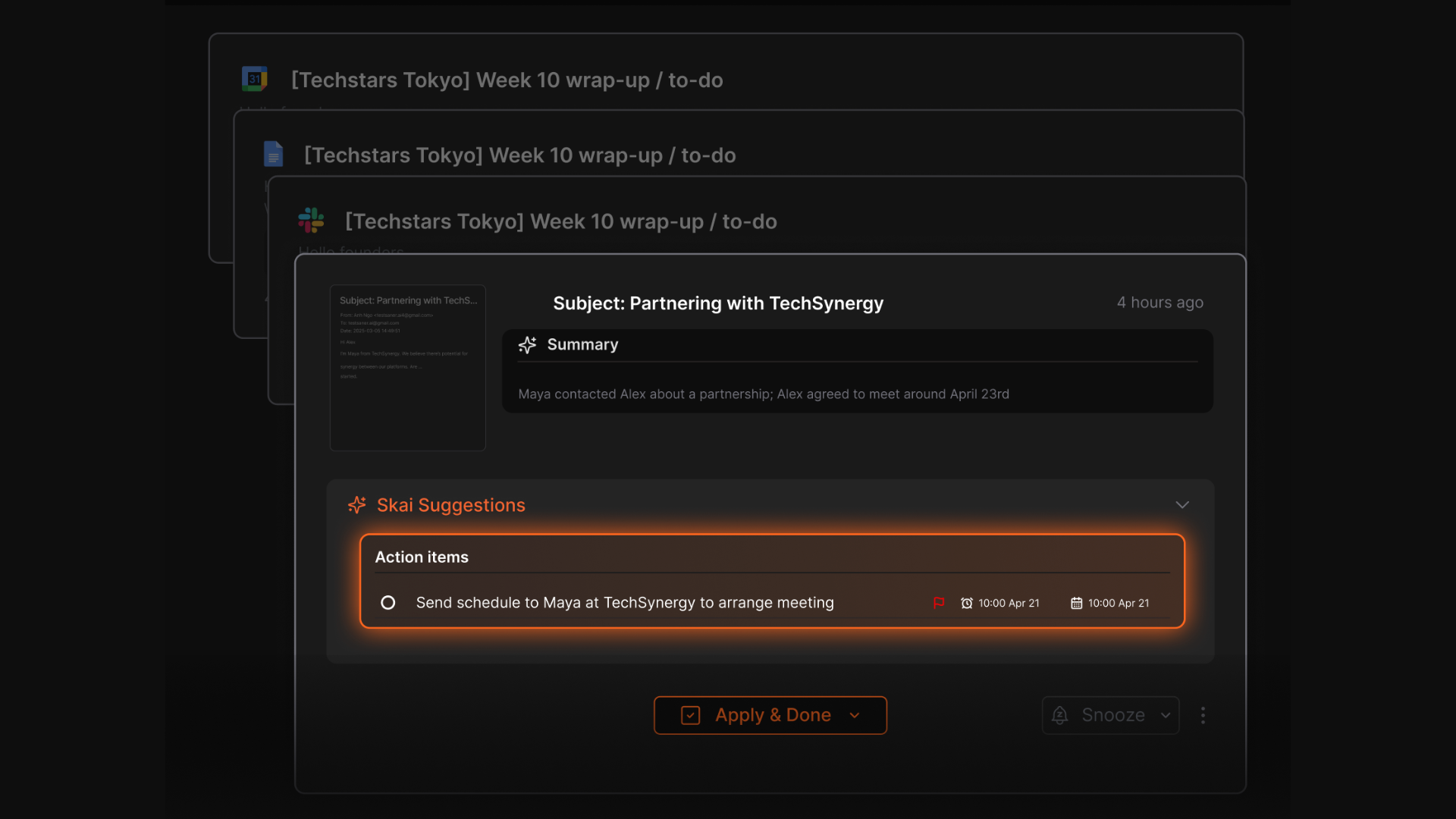
- Task extraction: Detects action items from notes or emails automatically and turns them into tasks.
What I liked
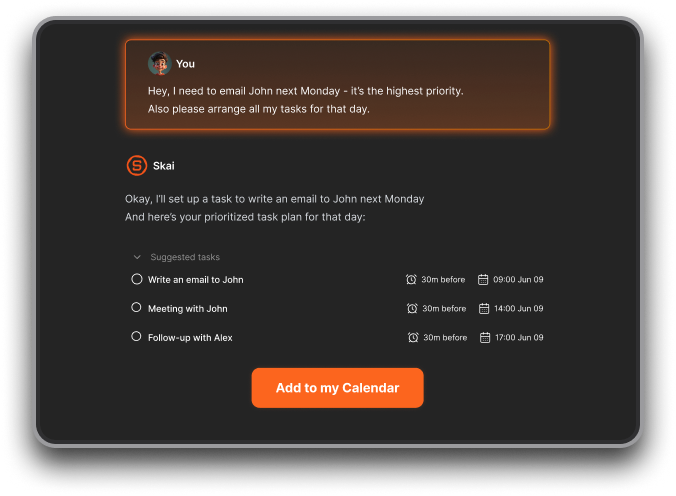
- I love how you can just talk to it - say “Move my unfinished tasks from yesterday to today” or “What should I prioritize now?” and it instantly updates your plan.
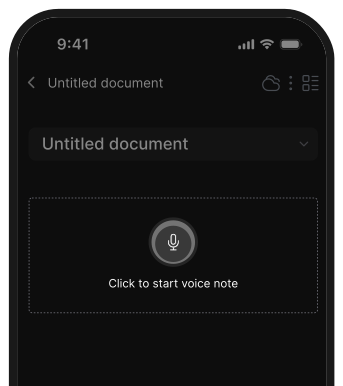
- I can just talk to the app to save notes, ask AI
Cons
- Requires internet access for full functionality
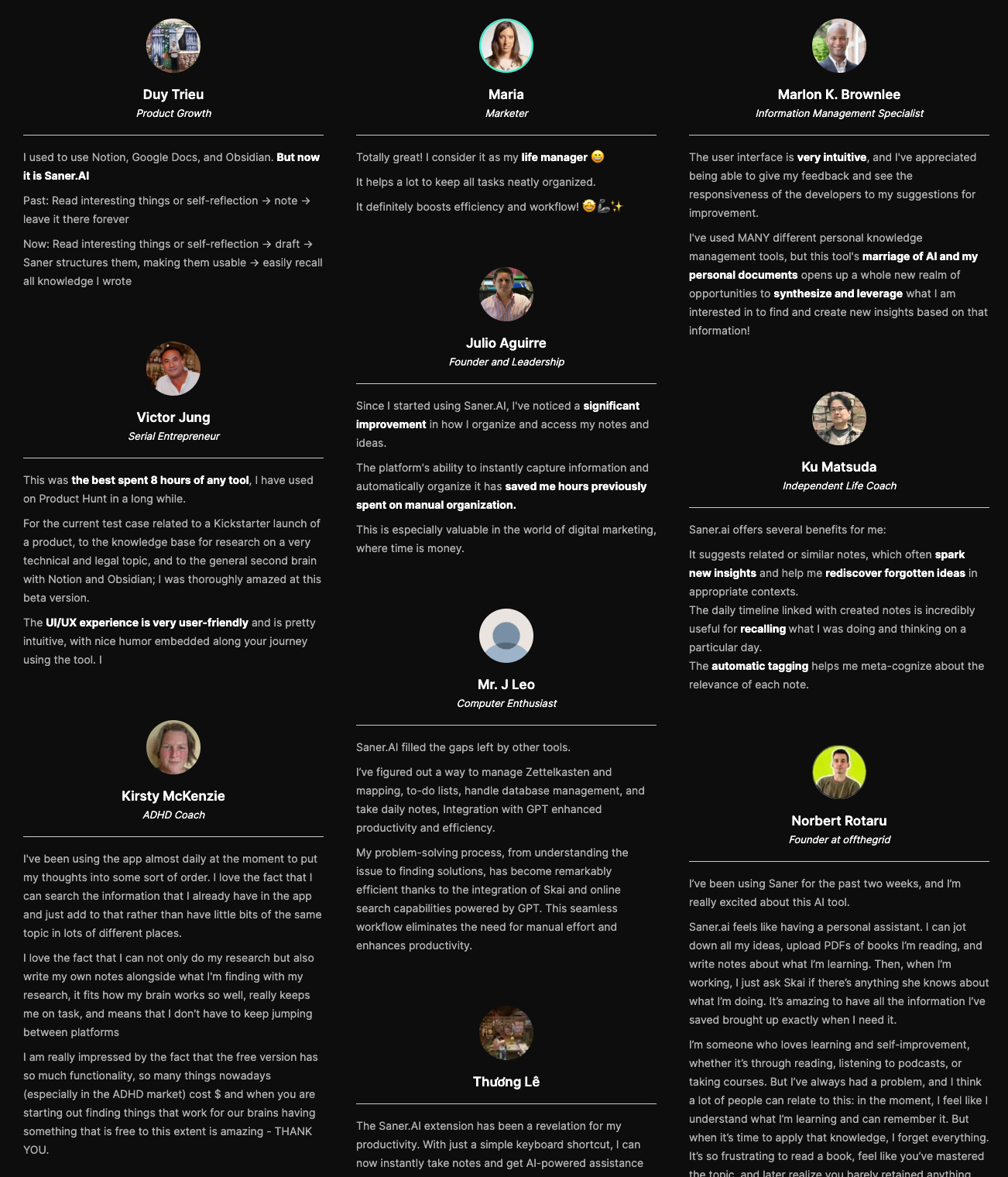
Saner.AI Reviews
Pricing
- Free
- Starter: Monthly at $8/month (yearly)
- Standard: Monthly at $16/month (yearly)
Who is it suitable for?
- Entrepreneurs, researchers, and directors juggling many ideas, tasks, and meetings.
- ADHDers and neurodivergent users who prefer simplicity and less context switching.
- Busy professionals who want to plan and organize their day by simply talking to an AI.
How to start using it?
- Go to saner.ai and sign up for a free account.
- Connect your notes, calendar, and email accounts.
- Start talking to Saner

Work more efficient with your AI Voice Assistant
3. Alexa
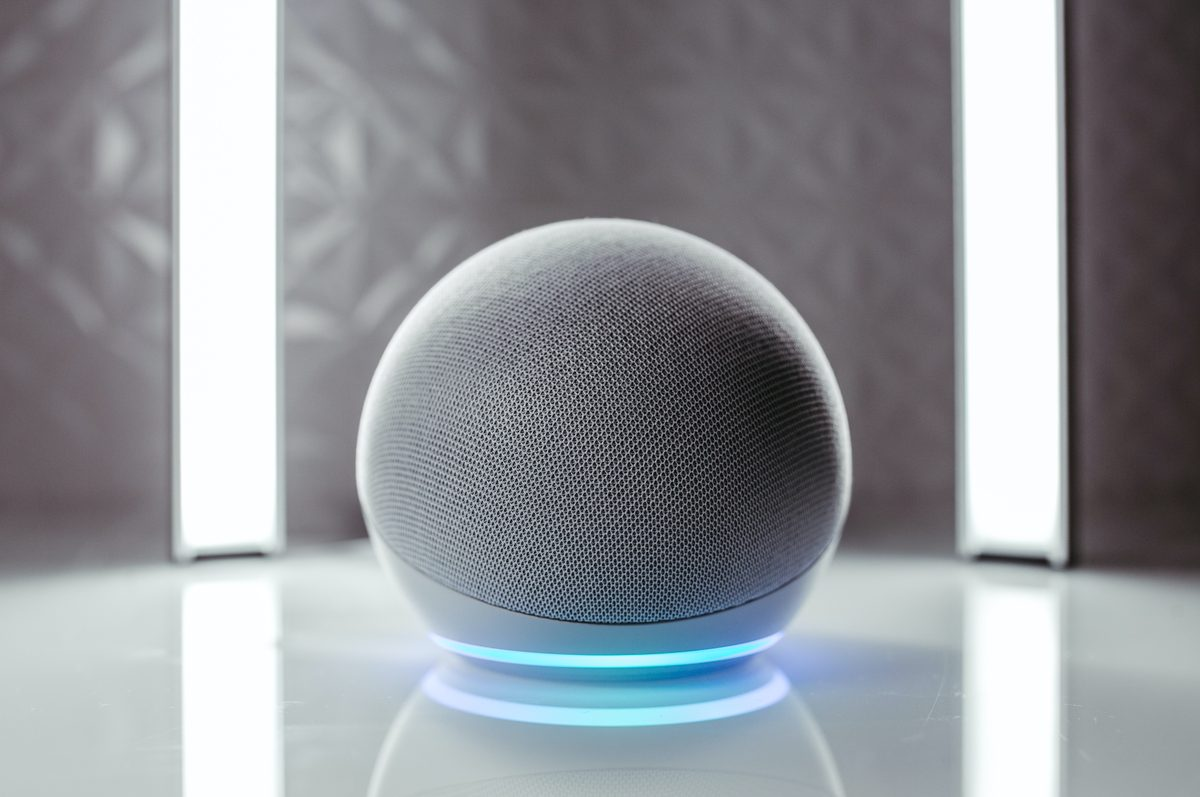
Alexa is Amazon’s AI voice assistant, now upgraded to the new Alexa+, powered by generative AI. It still does what Alexa has always done - control your smart home, play music, answer questions - but now it’s far more conversational, proactive, and capable of handling multi-step tasks.
Key features
- Generative conversation: Alexa+ can hold natural, flowing conversations that remember context and allow topic changes without repeating yourself.
- Agentic task execution: Instead of just responding, it can do things like book restaurants, order groceries, or arrange appointments.
- Smarter home automation: Learns your patterns and can automatically trigger routines (e.g., turning off lights when you leave).
What I liked
- The conversational AI feels much more natural than older versions
- The agentic “do things for you” ability saves real time
- Great integration across Amazon’s hardware and services - Prime, Ring, Fire TV, and Echo devices work seamlessly.
What I disliked
- Still early in rollout — Alexa+ occasionally gives inaccurate or repetitive responses.
- Limited to newer Echo Show models (8, 10, 15, and 21); older devices won’t support the upgrade.
- Heavy cloud dependence
- It's just a voice assistant; there's no workspace to work on
Pricing
- Alexa+ is free for Amazon Prime members
- For non-Prime users, Alexa+ costs around $19.99/month
Suitable for
- People using Echo, Ring, or Fire devices who want a smarter home assistant
- Prime users who can access Alexa+ without paying extra
How to start
- Open your Alexa app and check if your Echo device is eligible for Alexa+ early access
- Opt in and update your device firmware
Alexa reviews (source)
4. Claude
Claude's Voice Mode is newer and more limited than ChatGPT's, using a turn-based design that waits for you to finish speaking before it responds, rather than a full-duplex mode that listens while it talks. What it lacks in slickness it makes up for in judgment: Anthropic upgraded Voice Mode in mid-2026 to run on its stronger Sonnet and Opus models instead of only the fast, lightweight Haiku, specifically so voice conversations could handle deeper reasoning, not just quick back-and-forth.
Pros
- The reasoning quality carries over into voice. Asking it to think through a real decision out loud gets a more careful answer than a quick Q&A assistant would give.
- Switching models mid-conversation, from a fast one to a deeper one, without restarting the chat, is a rare feature nobody else on this list offers.
Cons
- The turn-based design means it can't be interrupted the way ChatGPT can, which feels stilted if you're used to jumping in mid-response.
- It's had real complaints about cutting off sentences mid-reply
Pricing
- Free: Haiku and Sonnet access, one connected app
- Pro, $20/month: adds Opus, multiple simultaneous app connections
Suitable for
- Best for: anyone using voice to think through writing, prep for a hard conversation, or reason about a real problem rather than just fetch an answer.
How to Get Started
Tap the microphone icon in the Claude mobile app. If you're on a paid plan, connect Google Calendar and Gmail in settings first so voice mode can actually reference your real schedule instead of talking in the abstract.
5. Bixby
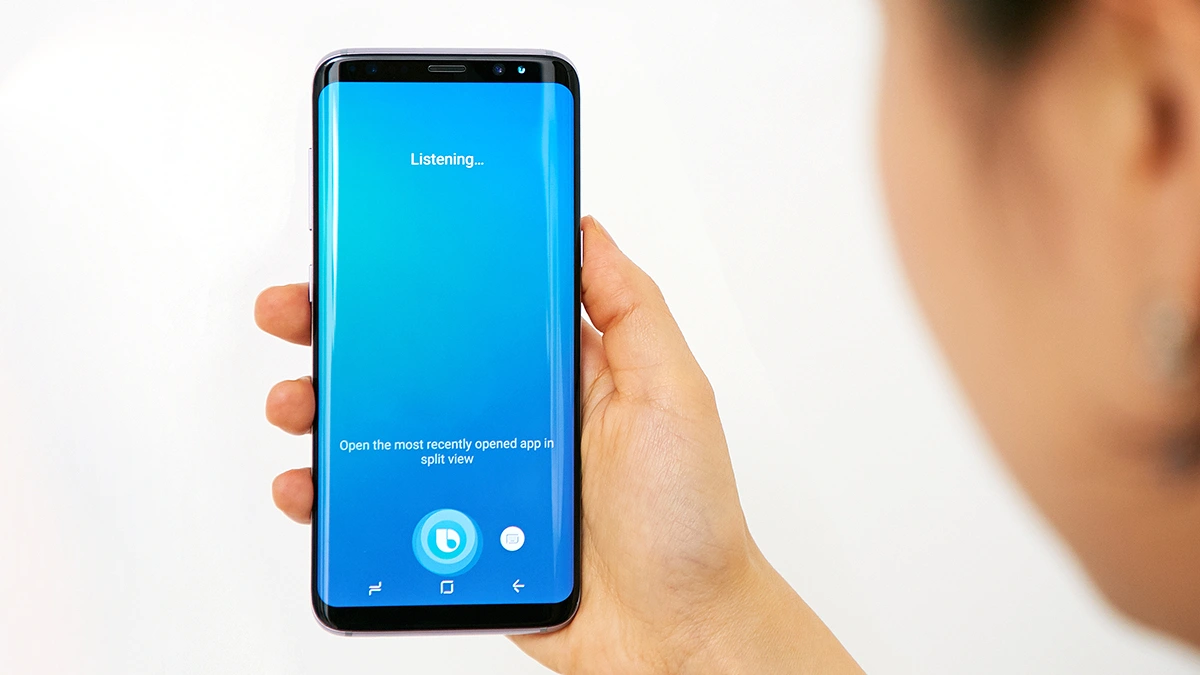
Bixby is Samsung’s native AI voice assistant that helps you control your phone, TV, and smart home devices through voice or text. Designed for Samsung’s ecosystem, it lets you launch apps, automate routines, and even use generative AI on newer TVs. It’s ideal for users who live inside the Samsung ecosystem
Key features
- Device Control: Manage calls, messages, settings, and apps with simple voice commands.
- Quick Commands & Routines: Combine multiple actions into one phrase — say “Movie time” and it can dim lights, open Netflix, and switch TV inputs.
- Bixby Vision: Identify objects, translate text, and scan QR codes using your camera.
What I liked
- Deep integration across Samsung devices — it feels seamless if you already use Galaxy phones, TVs, or appliances.
- The Quick Commands feature is genuinely useful for chaining multiple tasks into one simple voice cue.
- You don’t need a separate subscription
What I disliked
- Still behind Google Assistant or Alexa in general knowledge and third-party integrations.
- The new AI features are limited to 2025 models
- Cannot manage your tasks, notes yet
Pricing
- Free to use on Samsung devices.
Suitable for
- Users are deeply invested in Samsung’s ecosystem (Galaxy phones, TVs, SmartThings).
- People who want voice control for device settings and home automation.
How to start
- Open Settings → Bixby / Voice Assistant on your Samsung device and enable it.
- Set up language preferences and permissions.
Bixby reviews (source)
6. Grok
Grok is an AI voice assistant with attitude, built by Elon Musk’s xAI team.
Unlike traditional assistants that play it safe, Grok combines real-time internet access with a witty, sometimes rebellious personality. It’s designed to answer questions with humor, pull live data from X (formerly Twitter), and even talk back to you in voice mode
Key features
- Real-Time Knowledge: Accesses current web and X data to stay updated with live events and trending information
- Voice Mode: Lets you talk to Grok and hear replies in real time, adding a conversational edge to your interactions
- Image and Video Generation: Includes “Grok Imagine,” which turns text into short videos or animated visuals
What I liked
- It’s fast and connected - Grok can access the latest web info instead of relying on outdated datasets
- The voice interaction feels fun and human-like, not robotic or overly polite
What I disliked
- The voice still sounds a bit mechanical compared to ChatGPT or Gemini
- Its edgy personality can occasionally produce off-tone or controversial answers
- Many voice and media features are locked behind paid plans
Pricing
- Free plan with message and generation limits
- X Premium plan at around $8/month for basic Grok access
- Premium+ plan at about $16/month for extended features
Suitable for
- People who want a voice assistant with personality and humor
- Users who rely on live web or social data
How to start
- Create or log into an X account
- Subscribe to Premium+, SuperGrok, or higher to unlock voice mode
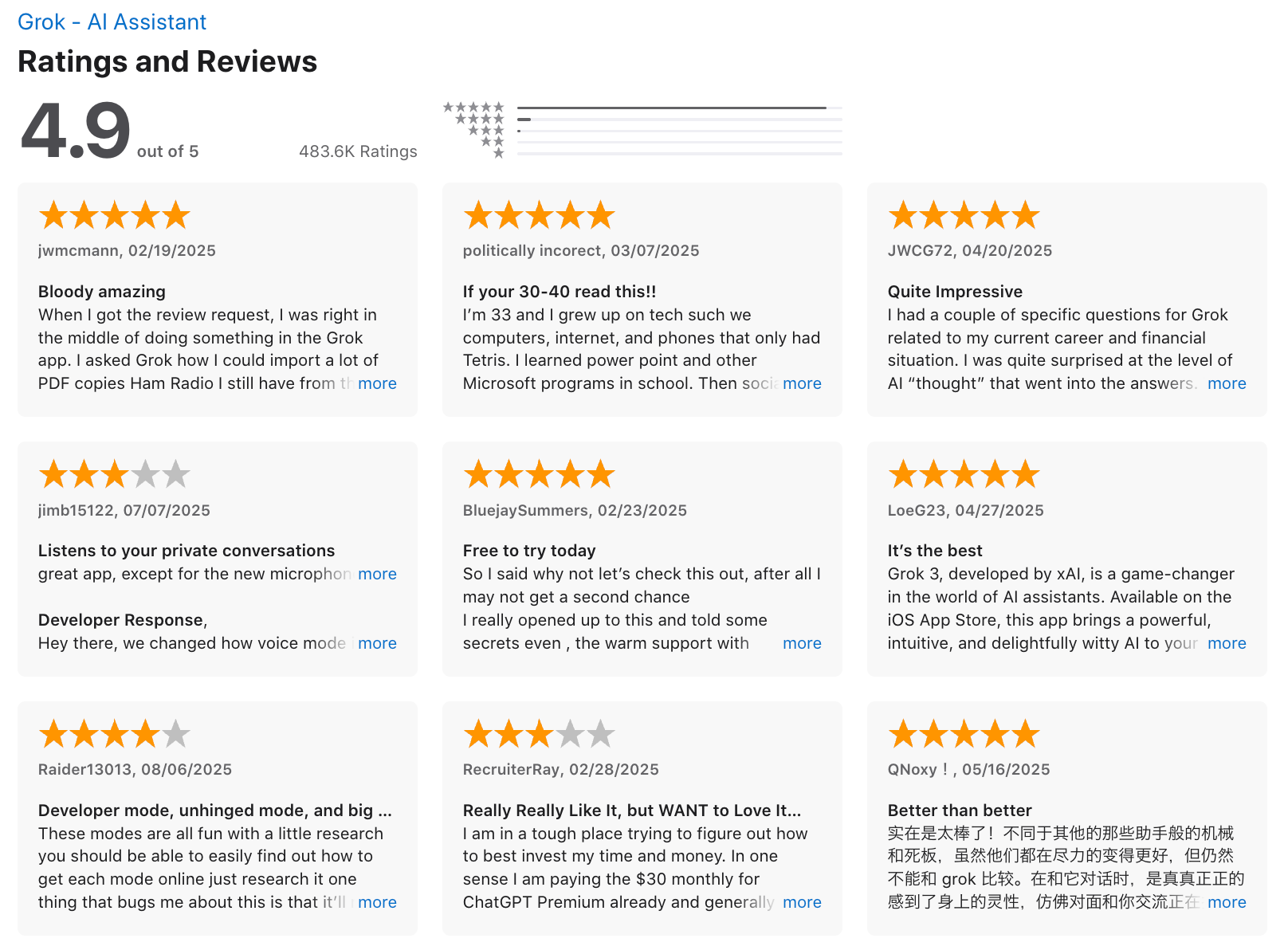
Grok review (source)
7. Apple Siri
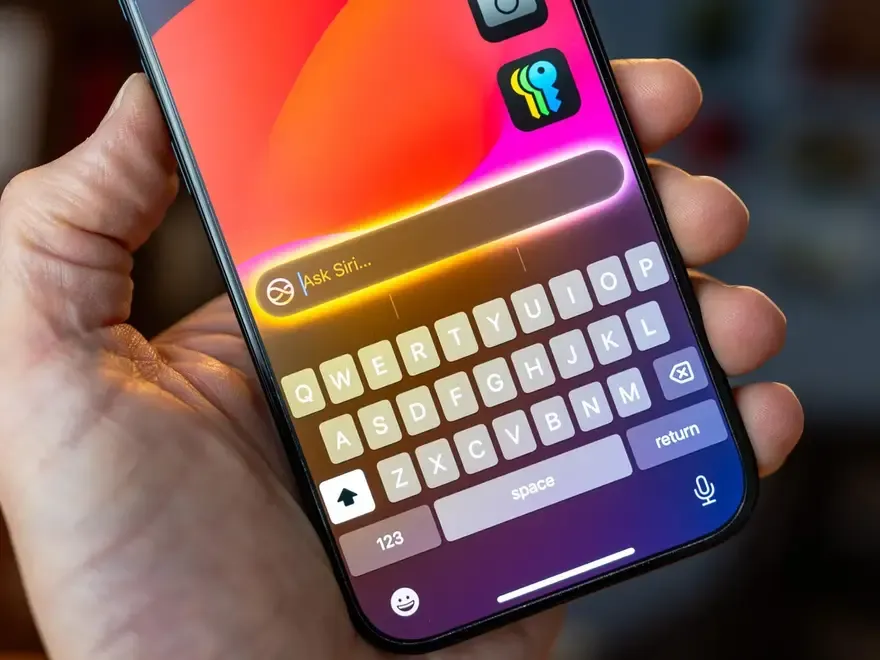
Siri spent two years as the industry's punchline while Apple delayed its "more personalized" overhaul, and it showed: a recent YouGov satisfaction poll put Siri dead last among major AI assistants for user sentiment. That's finally starting to change.
At WWDC 2026, Apple unveiled a rebuilt Siri, partly powered by Google's Gemini under the hood, with a standalone Siri app and the ability to hold a real back-and-forth like you'd get from ChatGPT, rolling out through the rest of the year. Until that fully lands on your device, today's Siri is still what it's always been: reliable for calls, texts, timers, and HomeKit, and frustrating for anything more open-ended.
Key features
- Device Control: Toggle settings, set alarms, open apps, and adjust preferences with voice commands.
- Messaging & Calls: Send texts, make calls, and dictate notes or emails hands-free.
- Search & Information: Ask about weather, definitions, calculations, or quick facts.
- App Integration: Connects with supported third-party apps via Siri Shortcuts for automation.
What I liked
- It's the fastest way to control anything Apple, from HomeKit lights to CarPlay, with zero setup and no app to open.
- The 2026 rebuild finally gives it conversation history and a real chat-style interface, a first for Siri.
What I disliked
- Lacks real conversational memory; can’t handle multi-step or complex requests well.
- Heavily tied to the Apple ecosystem
- No major update yet for the new Apple Intelligence features; most are still in beta or delayed.
Pricing
- Free and included with every Apple device.
- No premium plan or upgrade required.
Suitable for
- Apple users who want a simple, reliable voice assistant for everyday use.
- People who prioritize privacy and prefer on-device processing.
How to start
- Open Settings → Siri & Search and enable “Listen for ‘Hey Siri’” or side button activation.
- Follow the on-screen steps to train Siri to your voice.
Apple Siri reviews
Conclusion
AI voice assistants have gone from novelty to necessity. Whether you're asking for a quick reminder, brainstorming your next big move, or offloading your mental clutter into tasks, there’s now an AI assistant built for you.
- Some help you think (ChatGPT Voice).
- Some help you do (Saner.AI).
- And some just turn your lights off (we see you, Alexa).
The best AI voice assistant isn’t the smartest one on paper - it’s the one that fits seamlessly into your workflow, understands your context, and lets you get more done with less friction.
Because the real power of voice isn’t in talking - it’s in not having to think about what comes next.
Stay on top of your work with the top AI Voice Assistant
FAQ: Best AI Voice Assistants
1. What is an AI Voice Assistant?
An AI voice assistant is a smart, conversational tool that helps you get things done using your voice.
You can ask it to schedule meetings, summarize notes, write emails, or even manage your daily plan - without typing a thing.
Modern AI voice assistants go beyond simple commands like “set a reminder.” They actually understand context, memory, and intent.
The best AI voice assistants - like Saner.AI, ChatGPT, Siri, Pi, Alexa, Grok, and Bixby - can analyze information, plan tasks, and respond naturally across your devices.
2. What can AI Voice Assistants do?
Today’s assistants are more than just voice bots - they’re full-fledged productivity partners.
Here’s what the best ones can do:
- Understand context – Continue a conversation without repeating details
- Multitask – Create to-dos, send emails, or plan meetings hands-free
- Summarize and recall – Retrieve key points from notes, documents, or past conversations
- Personalized planning – Suggest what to focus on next based on your priorities
- Cross-device sync – Work seamlessly across phones, laptops, and smart speakers
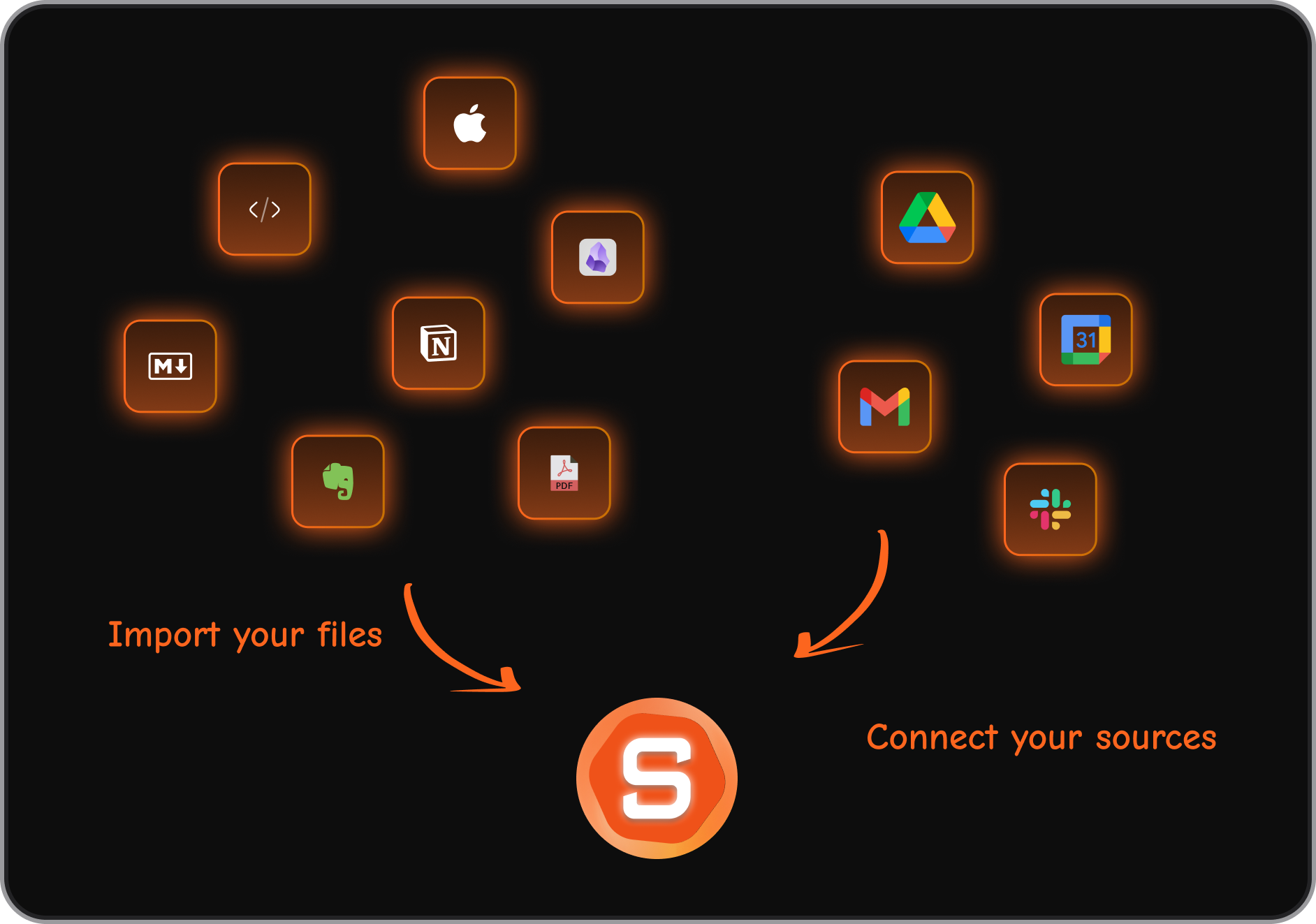
Tools like Saner.AI even merge your notes, emails, and tasks into one conversational workspace.
3. Which are the best AI Voice Assistants right now?
Here’s a quick overview of the top picks:
- Saner.AI - A personal AI assistant that connects your notes, emails, and calendar. You can talk to it naturally to organize your day or recall information.
- ChatGPT Voice – Ideal for brainstorming, creative writing, and research conversations.
- Siri – Great for Apple users who want deep system integration and quick voice control.
- Pi – Focused on emotional support and natural, empathetic dialogue.
- Alexa – Best for smart home automation and hands-free routines.
- Grok – Geared toward real-time information and witty conversational tone.
- Bixby – Best for Samsung users who want smart device control and voice shortcuts.
4. What is the best AI Voice Assistant for productivity?
If you want a voice assistant that goes beyond answering questions, Saner.AI stands out.
It doesn’t just talk - it helps you follow through. You can say:
- “Remind me to send the report after my meeting.”
- “What did I promise in yesterday’s call?”
- “Plan my day around my deadlines.”
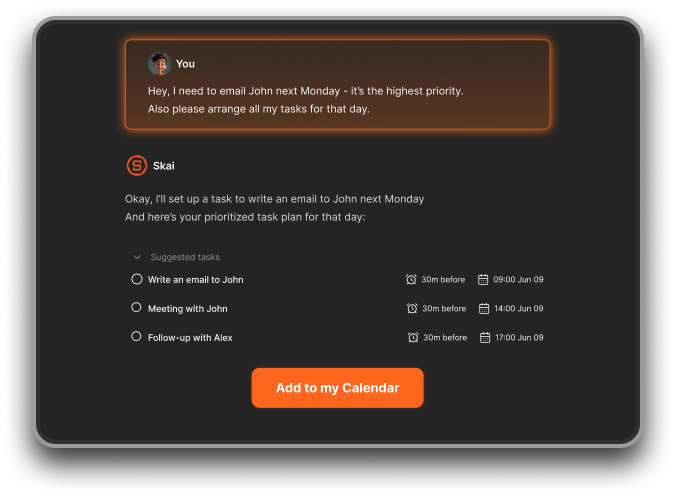
Saner turns your spoken words into tasks, connects them to your calendar, and helps you prioritize automatically.
5. Which AI Voice Assistant is best for iPhone users?
- Siri is still the go-to for Apple users - it’s tightly integrated with iOS, shortcuts, and native apps.
- However, if you want smarter, conversational capabilities, ChatGPT Voice and Saner.AI’s voice input offer a more natural experience and deeper task understanding.
6. Which AI Voice Assistant works best for Android users?
- Bixby is native to Samsung devices and offers deep integration, while Alexa and ChatGPT Voice run smoothly across Android.
- For a productivity-focused workflow, Saner.AI offers AI-driven task management that syncs with Google Calendar and email.
7. What’s the most human-like AI Voice Assistant?
- Pi AI and ChatGPT Voice lead in natural, empathetic conversations.
They understand tone, emotional nuance, and context - making them feel more like talking to a person than a robot. - Saner.AI, while focused on productivity, balances warmth and function - it remembers your past notes, tasks, and preferences in natural conversation.
8. Are there free AI Voice Assistants?
Yes, most top tools offer free tiers:
- Saner.AI – Free plan with AI task reminders, natural voice input, and daily summaries
- ChatGPT – Free access with GPT-3.5 voice
- Pi – Fully free for personal conversations
- Siri, Alexa, Bixby – Free and built into devices
- Grok – Available via X Premium+ subscription
9. Can AI Voice Assistants understand different languages and accents?
Yes. Modern assistants are multilingual and accent-aware.
Siri, Alexa, and Bixby support dozens of languages natively, while ChatGPT Voice and Saner.AI handle multilingual input with high accuracy using contextual understanding.
10. Which AI Voice Assistant is best for entrepreneurs or busy professionals?
Saner.AI is built for fast-moving people juggling multiple priorities.
It helps you brain-dump ideas, organize follow-ups, and turn chaos into structure - just by talking.
You can say:
“Summarize my investor notes and remind me to follow up next week.”
And Saner does the rest.
11. Which AI Voice Assistant is best for managing your smart home?
If your goal is automation, Alexa and Bixby are top picks.
They integrate with lights, thermostats, speakers, and appliances.
Say “Goodnight,” and your assistant can lock the doors, turn off lights, and lower the AC.
12. Which AI Voice Assistant is most private or secure?
Privacy varies by ecosystem:
- Saner.AI focuses on secure, private data handling
- ChatGPT allows you to control conversation history and data sharing.
- Siri, Bixby, and Alexa use cloud-based processing but now offer improved privacy controls in settings.
13. Can AI Voice Assistants help with ADHD or focus issues?
Yes. Voice input helps ADHD users reduce friction between thought and action.
Saner.AI is particularly effective - it turns your spontaneous ideas into reminders, plans, or tasks instantly.
Instead of juggling 10 apps, you just talk, and it organizes your thoughts for you.
14. Do AI Voice Assistants integrate with calendars and notes?
Most modern assistants do:
- Saner.AI – Deeply integrates notes, emails, and calendar in one place.
- Siri and Bixby – Sync with native calendars and reminders.
- ChatGPT Voice – Can connect to external apps via plug-ins or extensions.
15. How do I choose the best AI Voice Assistant for me?
It depends on your goal:
- For productivity and focus → Saner.AI
- For natural, emotional conversation → Pi
- For smart home automation → Alexa or Bixby
- For writing and creativity → ChatGPT
- For everyday convenience → Siri
- For real-time information → Grok
Start with one that matches your main pain point - then explore integrations as your needs grow.
Stay on top of your work and life