A guide to a low-effort morning routine for ADHD


You pick up your phone to check the time. An email catches your attention. Somewhere between reading it and looking for a clean shirt, breakfast disappears from the plan.
Now you're late, and the morning routine you saved last night includes twenty minutes of journaling.
A useful ADHD morning routine needs room for days like this. It should cover your essentials, involve few decisions, and give you somewhere to resume when you get distracted.
The quick answer: What is a good morning routine for ADHD people?
Start with a short, visible one. Try building your morning around these actions:
- Follow a short checklist for getting washed and dressed.
- Have an easy breakfast available, and follow your prescribed medication instructions if applicable.
- Check your first fixed commitment and when you need to leave or log on.
- Choose one specific action to begin next.
Prepare one thing beforehand if you can, such as putting your keys in your bag. Keep optional activities off the essential checklist.
The sequence below is a practical suggestion, not a clinically tested ADHD treatment. It draws on guidance that supports daily structure and environmental adjustments.
Why mornings can be difficult with ADHD?

Getting ready contains a surprising amount of planning. You have to remember what matters today while moving between tasks and keeping an eye on the clock.
The National Institute of Mental Health lists poor time management, disorganization, distractibility, and trouble remembering daily tasks among the difficulties adults with ADHD may experience.
Sleep deserves attention, too
In a 2021 study of 252 adult patients with ADHD, 44.4% met diagnostic criteria for insomnia disorder. That figure describes the study's clinical sample, so it shouldn't be treated as the rate for every adult with ADHD.
It does make sleep worth considering when mornings are persistently difficult. If you regularly struggle to fall asleep or wake feeling exhausted, bring that up with a healthcare professional.
For people taking ADHD medication, NICE recommends monitoring changes in sleep patterns, for example with a sleep diary, and having treatment adjusted accordingly. Medication changes should be discussed with your prescriber.
How to build a low-effort ADHD morning routine
1. Decide what really needs to happen
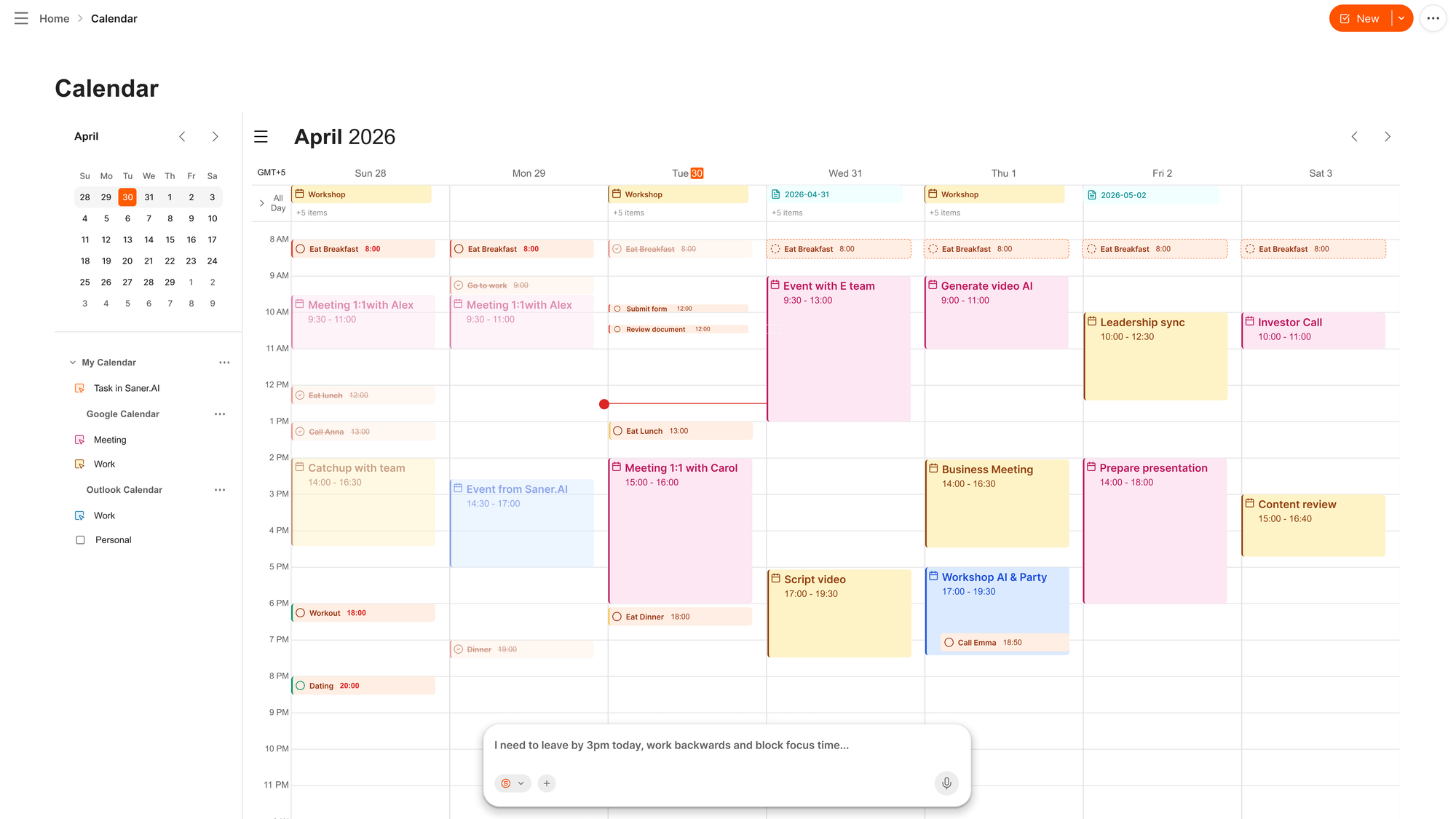
Write down what you need before your first commitment. Leave aspirational habits for later.
Your essential list might include:
- Bathroom, teeth, and getting dressed.
- Breakfast.
- Medication at the prescribed time, if applicable.
- Collecting what you need and leaving.
Someone working from home may need a different ending. A parent may need to include school preparation. Give those responsibilities actual space rather than squeezing them into an already full aesthetic routine.
Use concrete wording. "Get ready" leaves a lot to figure out. "Put on the clothes on the chair" gives you an action you can follow immediately.
2. Make one preparation that removes a recurring problem

An elaborate evening routine can become another task you avoid. Start with the thing that most often delays you.
For example:
Where the morning gets stuck | A preparation to try |
|---|---|
You can't find your keys | Give them a fixed spot beside your bag |
Choosing clothes takes too long | Leave out an outfit when you change in the evening |
Breakfast requires too much effort | Keep a familiar, easy option available |
You forget what an early meeting needs | Save the relevant document link with the meeting note |
These are practical applications of changing your environment. You don't need to reorganize your entire home to try one change.
3. Put the next step where you'll see it

Choose a place for your checklist that you already look at during the morning.
That might be the bathroom mirror or a note beside the kettle. If opening your phone often leads elsewhere, use paper for the getting-ready steps.
Try action-based reminders:
- "Start getting dressed."
- "Pack lunch from the fridge."
- "Put shoes on."
- "Leave for the bus."
Use only the reminders that help. If you dismiss the same alert every morning, change its timing or wording before adding more.
4. Give the routine an end time

If you need to leave at 8:20, that is the useful deadline for your morning checklist. "Be productive by nine" leaves much more room for interpretation.
Allow time for the parts you usually overlook, such as finding shoes or walking to the station. On a few ordinary mornings, check how long getting ready actually takes. Use those observations to adjust your plan.
You can also set a stopping rule:
"When the leaving alarm sounds, I stop optional chores and collect my bag."
For remote work, the equivalent might be closing household tasks and opening the document needed for your first work session.
5. Choose a small first action for work or study
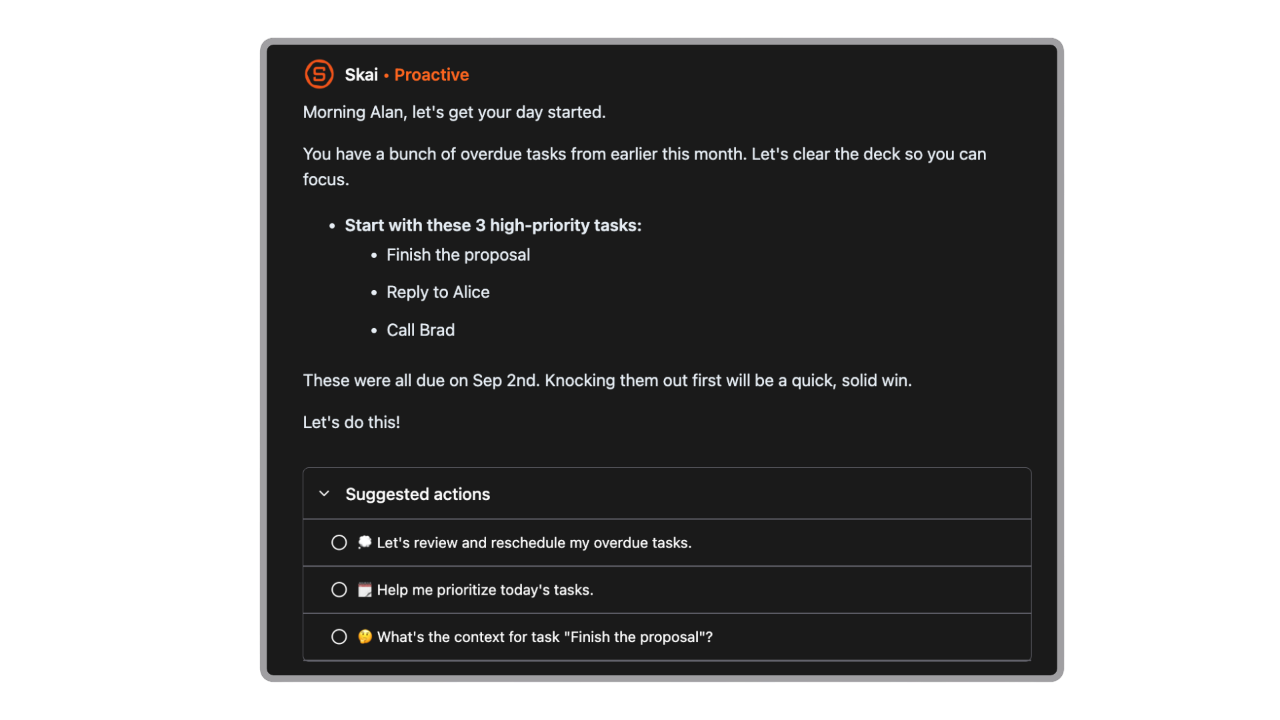
Keep morning planning brief enough that it doesn't consume the time you meant to use. Look at your fixed commitments, then choose a first action with a clear beginning.
For example:
- "Open the proposal and write the opening paragraph."
- "Read the assignment instructions and highlight the due date."
- "Find the figures needed for the morning meeting."
- "Reply to the message asking me to confirm a date."
Save larger planning decisions for a time when you have room to make them.
A sample morning routine you can adapt
Part of the morning | What to do | Approximate time |
|---|---|---|
Get ready | Bathroom, teeth, and the clothes already chosen | 15–25 minutes |
Eat | Have an easy breakfast; follow medication instructions if applicable | 10–15 minutes |
Check today | Confirm the first commitment and any essential preparation | 2–5 minutes |
Leave | Collect belongings and head out | Allow a realistic buffer |
If you need longer, give yourself longer. Showers, caregiving, and accessibility needs can change the timing considerably.
For breakfast, choose something you can reliably prepare and eat. Yogurt with oats or toast with a topping may be workable options.
Optional chores can wait. If you'll be late, communicate that when it's safe to do so rather than trying to recover the time by rushing dangerously.
How Saner.AI can help with the morning planning
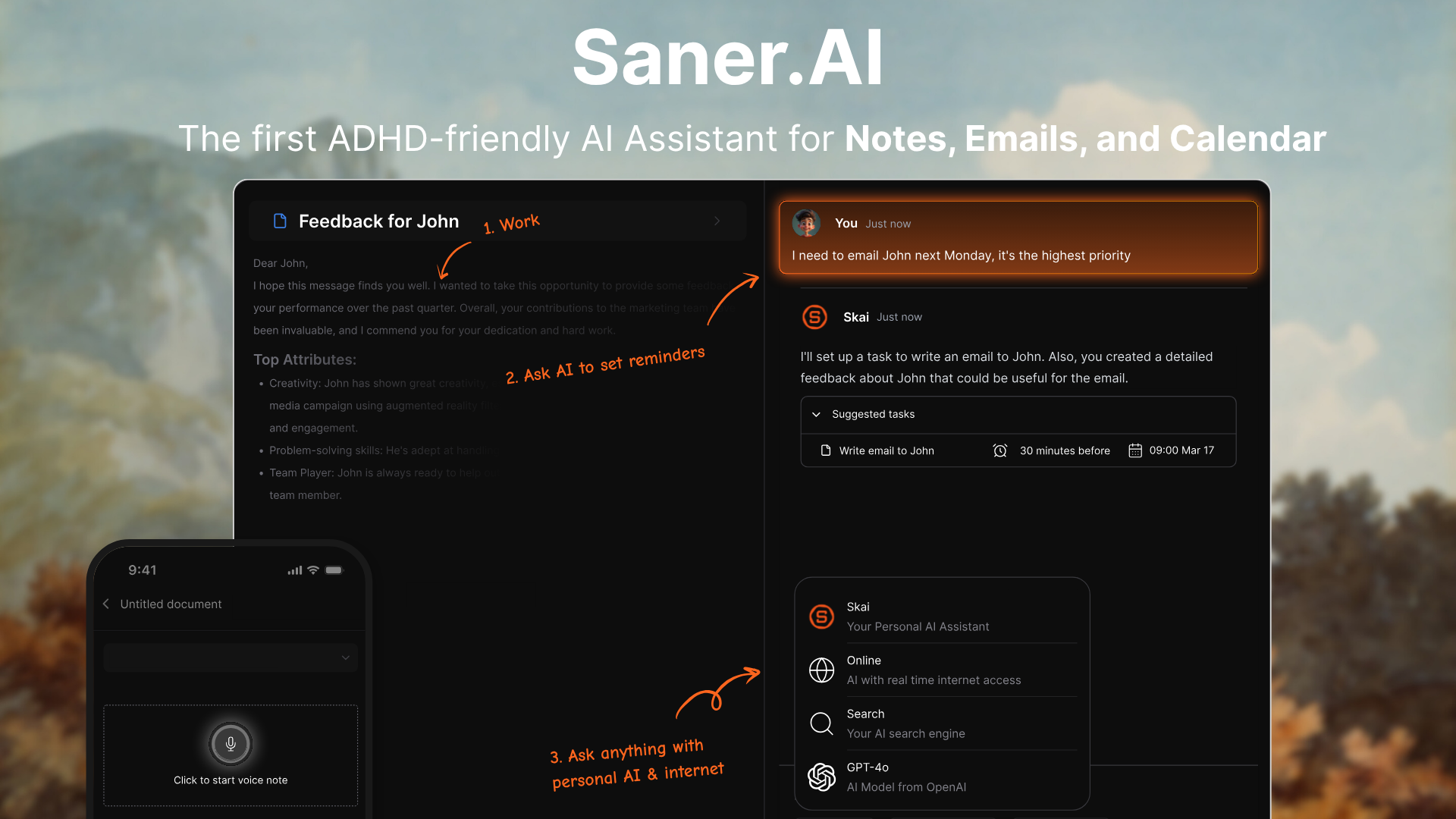
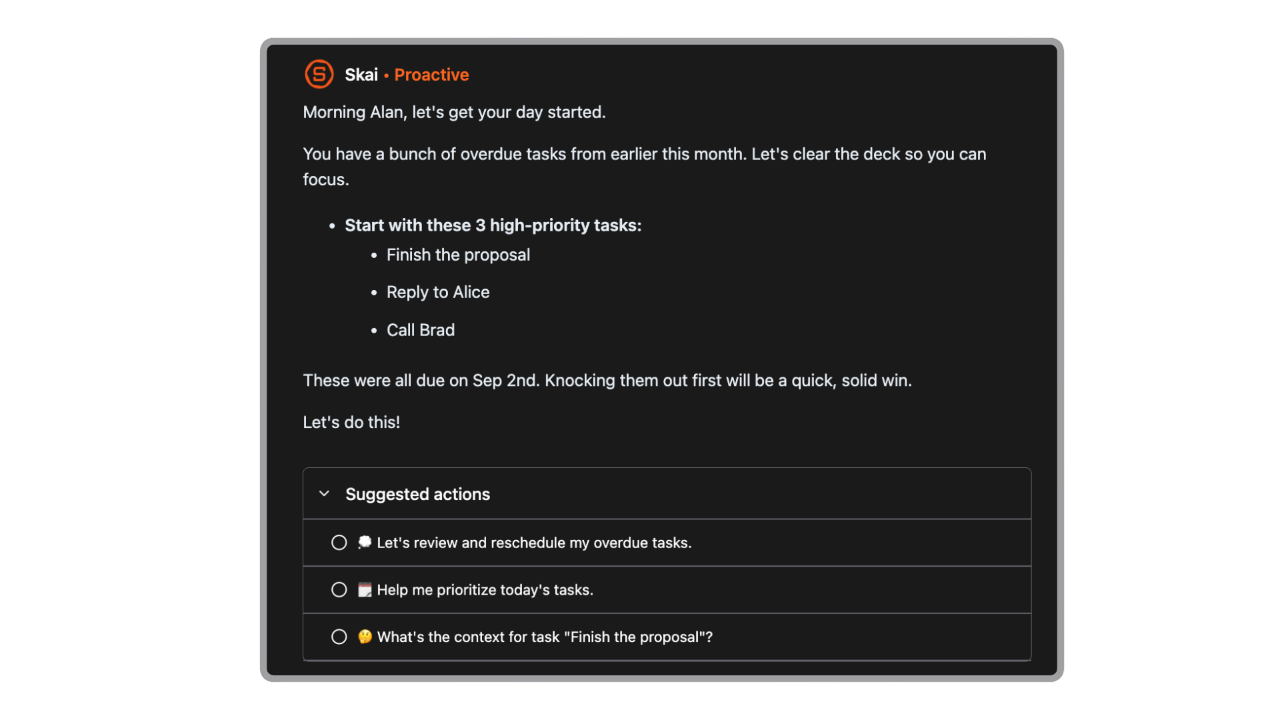
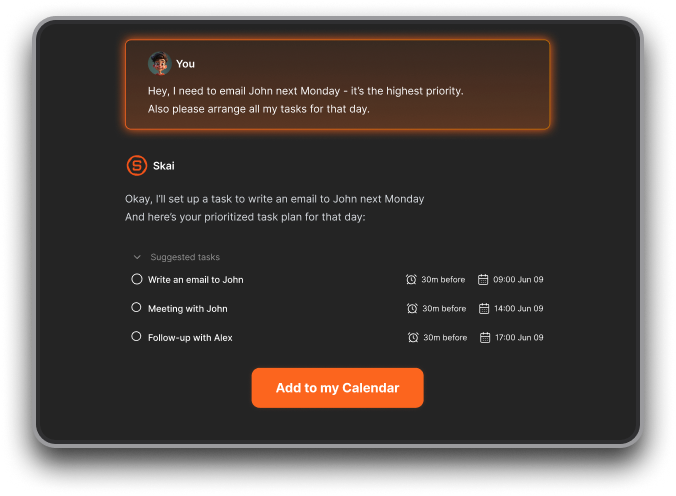
Saner.AI brings notes, emails, and tasks into one workspace. Its assistant, Skai, supports turning brain dumps into plans, prioritizing tasks, and scheduling.
- Capture the things you remember while getting ready
Suppose you remember an invoice while making breakfast. Opening your accounting software may be more than you want to take on at that moment. Saner.AI supports quick text and voice capture, so you can save the thought for planning:
"I need to send the invoice today. I also need to check whether the client confirmed Friday's meeting."
You can then ask Skai to turn that note into tasks when you're ready.
- Turn a crowded task list into a smaller morning plan
Try:
"I have 40 minutes before my first meeting. Using my saved tasks, suggest one useful thing I can finish in that time. Leave ten minutes for meeting preparation."
Include constraints that matter. An assistant can't account for school drop-off or travel time unless that information is available to it.
- Find the note you need for the first meeting
If you've saved the relevant material, Saner.AI lets you ask questions across your notes and files without needing to remember the exact wording.

- Break an oversized task into a starting point
"Break 'prepare the client presentation' into small actions. Show me only the first action and the material I need."
You can use that output as the final item in your morning routine: open the relevant material and begin the first step.
What to change when the routine stops working?
If you keep ignoring the checklist
Check where it lives. A list buried in an app requires you to remember to open it. Move it somewhere visible, and remove items you consistently skip because they aren't essential.
If your phone keeps taking over
Try keeping the physical getting-ready routine offline. Open Saner.AI or your calendar at one planned checkpoint, once you're dressed and ready to review the day.
If the routine has become too long
Look for habits that quietly became requirements. A morning walk may be something you enjoy, but it doesn't have to sit on the same essential checklist as leaving for work.
Keep optional activities in a separate note.
Frequently asked questions
How long should an ADHD morning routine be?
Allow enough time for your actual responsibilities, using your own mornings as a guide. There isn't one duration established by the sources in this article.
Start by shortening the list of required activities. Then adjust the time available to match what remains.
Do I need to wake up earlier?
You can first try reducing optional steps and preparing the item that most often holds you up.
If waking earlier would mean regularly getting less sleep, address that tradeoff before adding an earlier alarm. Persistent sleep problems deserve a conversation with a healthcare professional.
Can a routine replace ADHD treatment?
A routine can provide structure, but it shouldn't be presented as a substitute for individualized care. NIMH identifies medication and psychotherapy, including cognitive behavioral therapy, as common treatments for adult ADHD.
If daily difficulties remain significant, discuss them with your clinician.
What's the easiest way to start tomorrow?
Write down the essentials for your first commitment and put the list somewhere visible. Prepare the one item you most often have to search for.
If deciding what to work on is the difficult part, try Saner.AI with a single request:
"Here's what I need to do tomorrow. Help me choose a realistic first task, and keep the morning plan short."

Stay on top of your work and life effortlessly
👉 You may like this post on how to improve Productivity for adults with ADHD