Best Folk alternatives - the 5 AI assistants


Folk (Folk.com) works well if you want a personal AI assistant that lives in your messages, remembers your goals, and checks in when you need a push. Its friend-like tone and library of skills make everyday accountability feel less like managing another productivity app.
We compared 5 Folk alternatives that take different approaches to personal assistance, what each assistant can do on your behalf, where you can talk to it, how well it remembers context, and who it suits best.
Though I work at Saner.ai, I’ll also cover the trade-offs, including setup effort, platform limits, pricing, and privacy of it clearly below.
Quick guide: What are the best Folk alternatives?
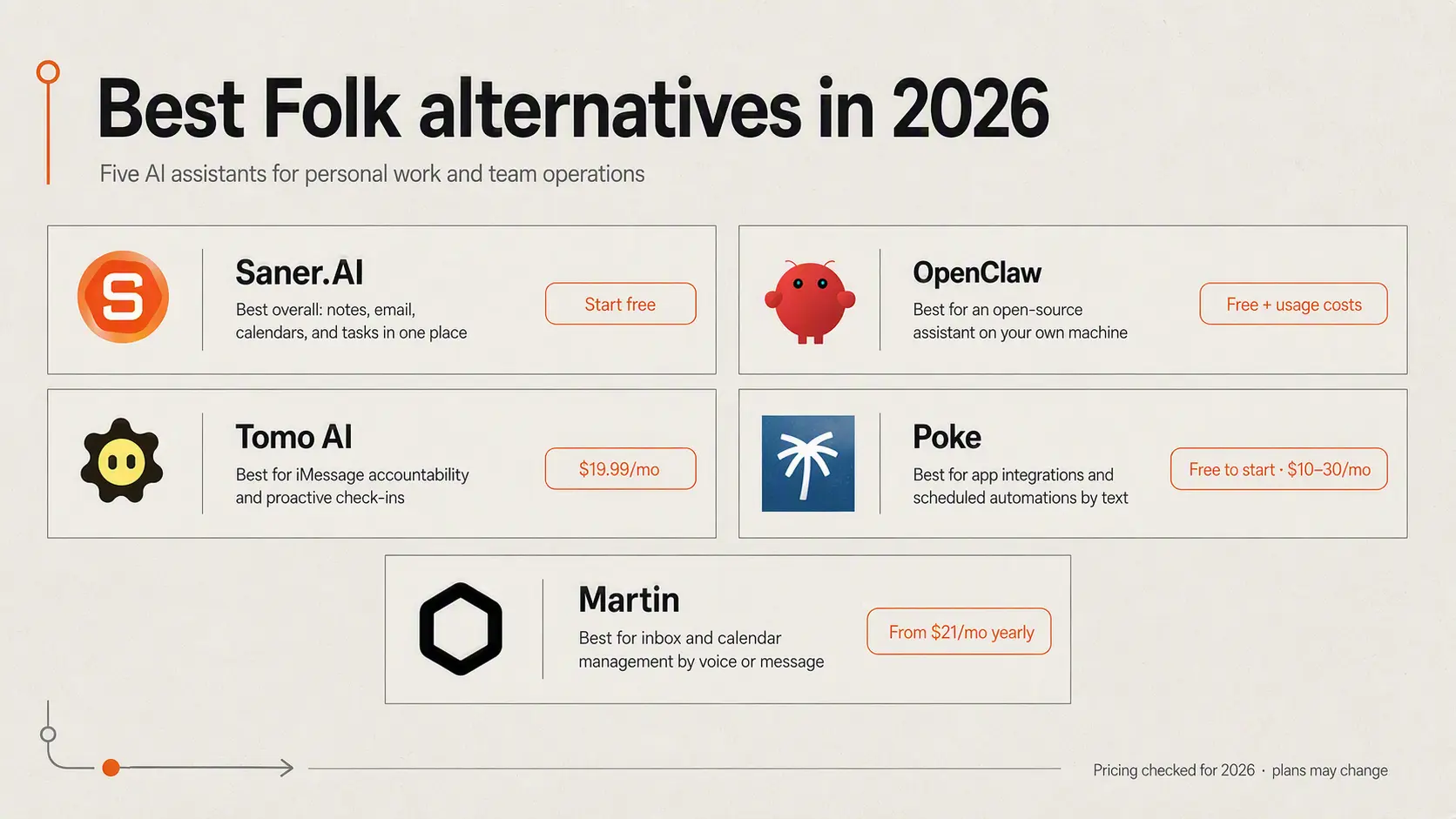
2. OpenClaw: Best for people who want an open-source assistant running on their own machine
3. Tomo AI: Best for iMessage users who want personal accountability and proactive check-ins
4. Poke: Best for running app integrations and scheduled automations through text
5. Martin: Best for managing your inbox and calendar through voice or messaging
How we chose the best Folk alternatives
A useful Folk alternative should remember enough context to offer relevant help without making every task feel like a fresh conversation. It should also fit naturally into the tools and communication channels you already use.
I compared each option using the following criteria:
- Proactive support: Does it follow up, send reminders, or surface useful information without waiting for another prompt?
- Memory: Can it retain goals, preferences, previous conversations, and ongoing work?
- Communication channels: Is it available through iMessage, WhatsApp, Telegram, Slack, voice, or a dedicated app?
- Connected actions: Can it manage email, update calendars, work with notes, or complete tasks in other apps?
- Ease of setup: Can you start using it quickly, or does it require technical installation and ongoing configuration?
- Privacy and control: Where is data stored, what permissions does the assistant need, and can you approve sensitive actions?
- Pricing: Is the cost reasonable for the features provided, and are usage limits clearly explained?
What are best Folk alternatives?
Best Folk alternatives in 2026 are Saner.AI, OpenClaw, Tomo AI, Poke, Martin
Best Folk alternatives comparison table
| Tool | Best feature | Price | Device / access |
|---|---|---|---|
| Folk | Proactive accountability with customizable skills for habits, goals, reminders, money, and everyday tasks | Free; Pro: $9.99/month or $99.99/year; Max: $100/month or $800/year | iMessage, WhatsApp, Telegram, and Discord |
| Saner.AI | Turns notes, emails, calendars, Slack messages, and files into a searchable knowledge base with AI-generated tasks | Free; Starter: $8/month; Standard: $16/month | Web app, mobile app, and Chrome extension |
| OpenClaw | Customizable, self-hosted AI agent with persistent memory, plugins, and computer access | Open-source software is free; AI model, hosting, and connected-service costs may apply | macOS, Windows, Linux, iOS, Android, and messaging platforms |
| Tomo AI | Proactive accountability companion that helps manage goals, reminders, email, and calendars | $19.99/month or $9.99/month billed annually | Primarily iMessage and iOS |
| Poke | Real-time, proactive automations across connected apps, email, and calendars | Free; Pro: $19/month; Ultra: $199/month | Apple Messages, WhatsApp, and Telegram |
| Martin | Manages inboxes and calendars, and can text or call people on the user’s behalf | 7-day trial; Basic: $35/month or $21/month billed annually; Pro: $49/month or $30/month billed annually | iOS, web, SMS, WhatsApp, email, phone, and Slack |
1) Saner.AI
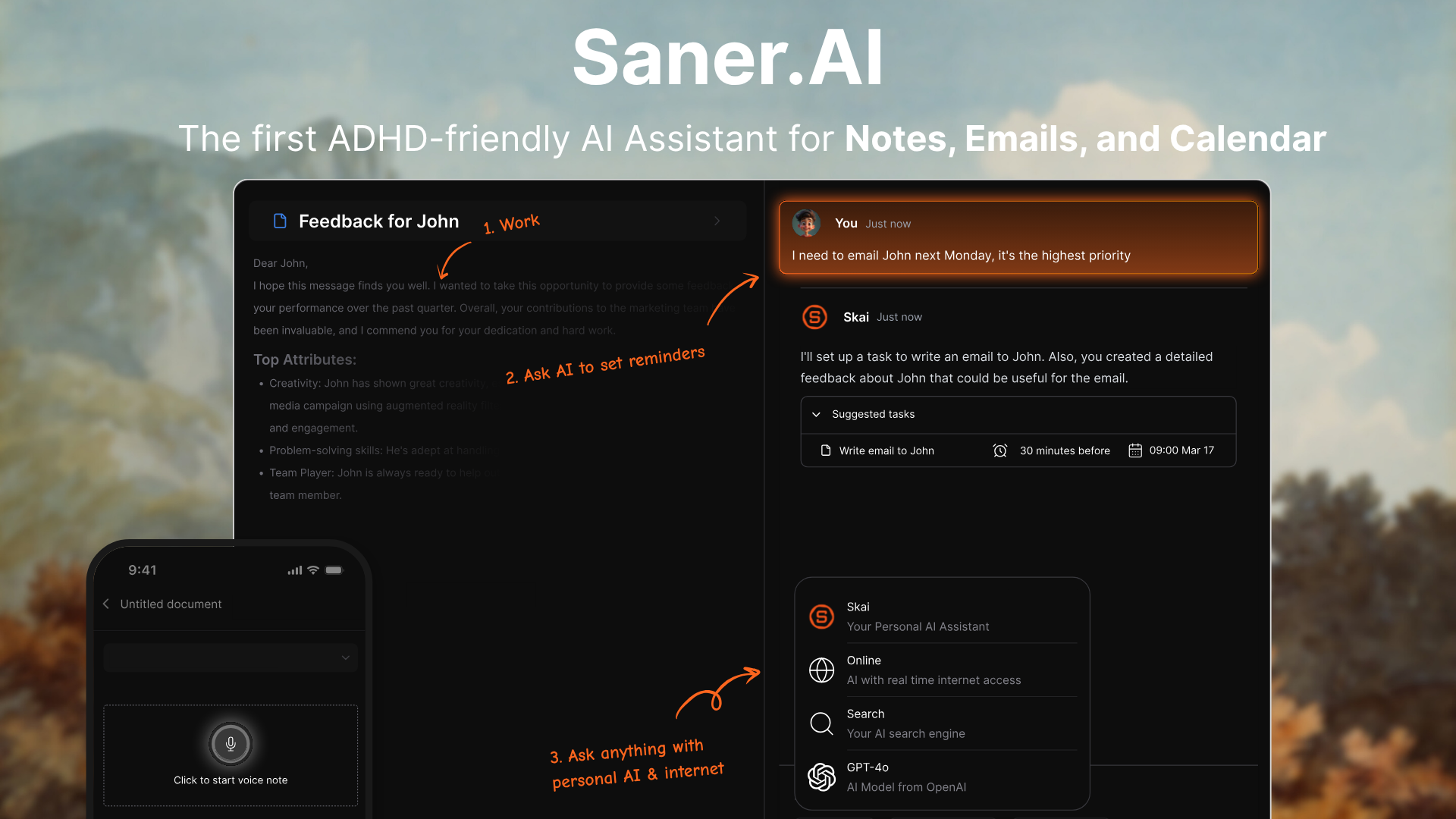
Saner.AI takes the helpful accountability side of Folk and brings it into a more structured workspace. The underlying promise is similar: less remembering, less app-hopping, and fewer important things quietly slipping through the cracks. Saner.AI leans more toward work and daily planning than Folk's casual experience.
Where Saner.AI feels strongest
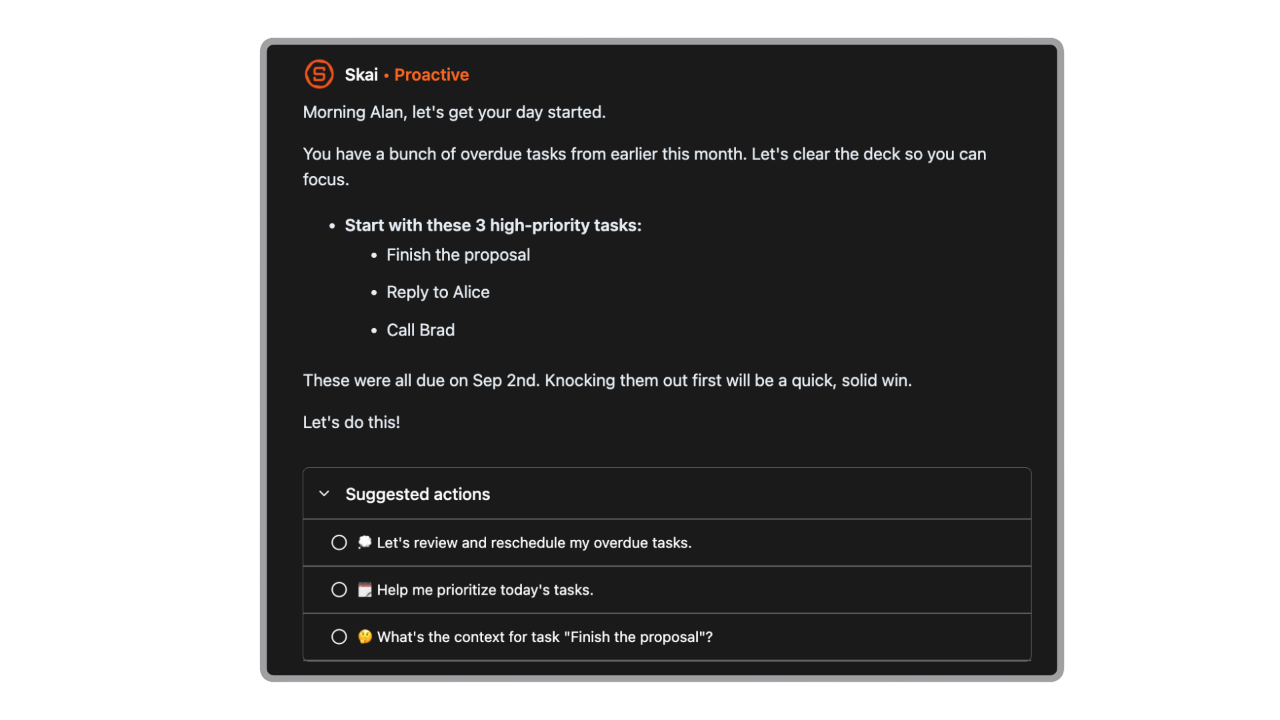
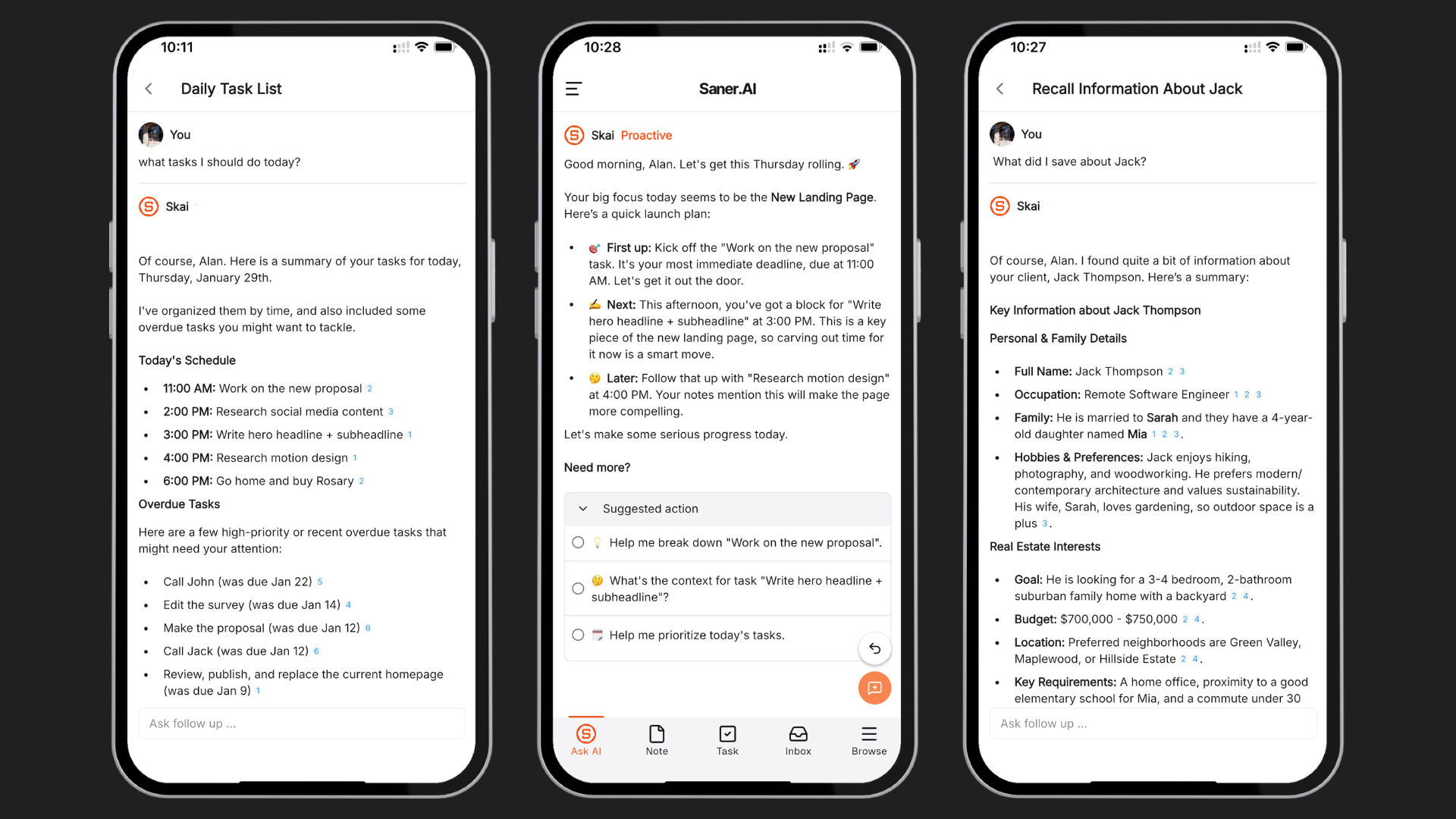
- Proactive daily planning: Saner.AI looks at your existing tasks, calendar events, notes, and connected information to prepare a plan for the day. You do not have to face an intimidating task list every morning and rebuild your schedule from scratch.
"Really like how it proactively tells me what to do each morning." - verified reviews
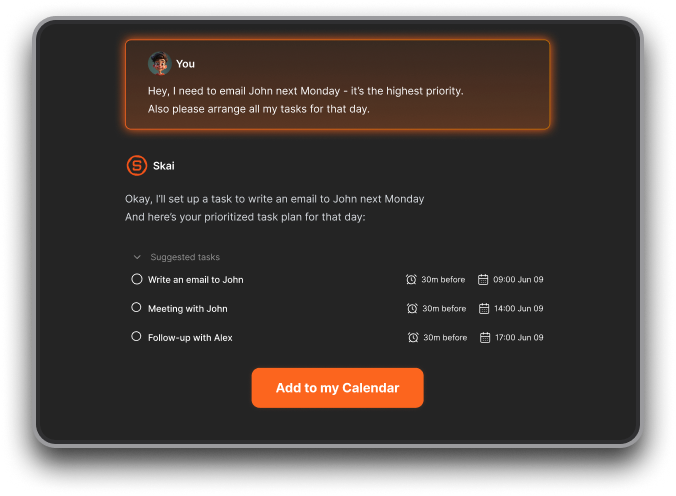
- Brain dump to tasks: You can unload a messy collection of thoughts without organizing everything first. Saner.AI turns that brain dump into clearer tasks and reminders.
"The best one I've used so far to make sense of my messy thoughts." The quote comes from the app's verified reviews.
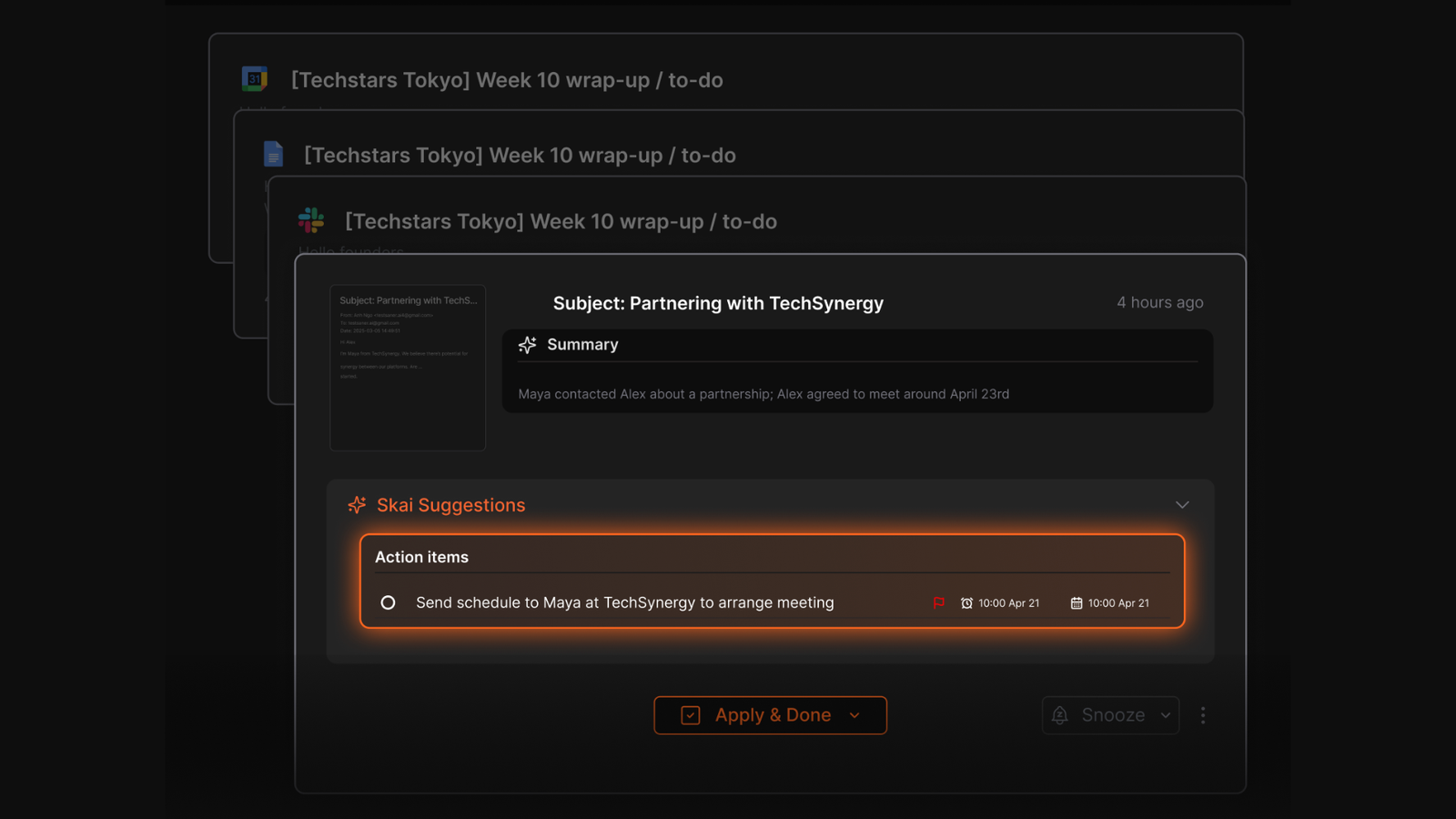
- Emails become actionable tasks: After connecting your inbox, Saner.AI can identify possible action items, attach context from the original message, and bring follow-ups into your task flow.
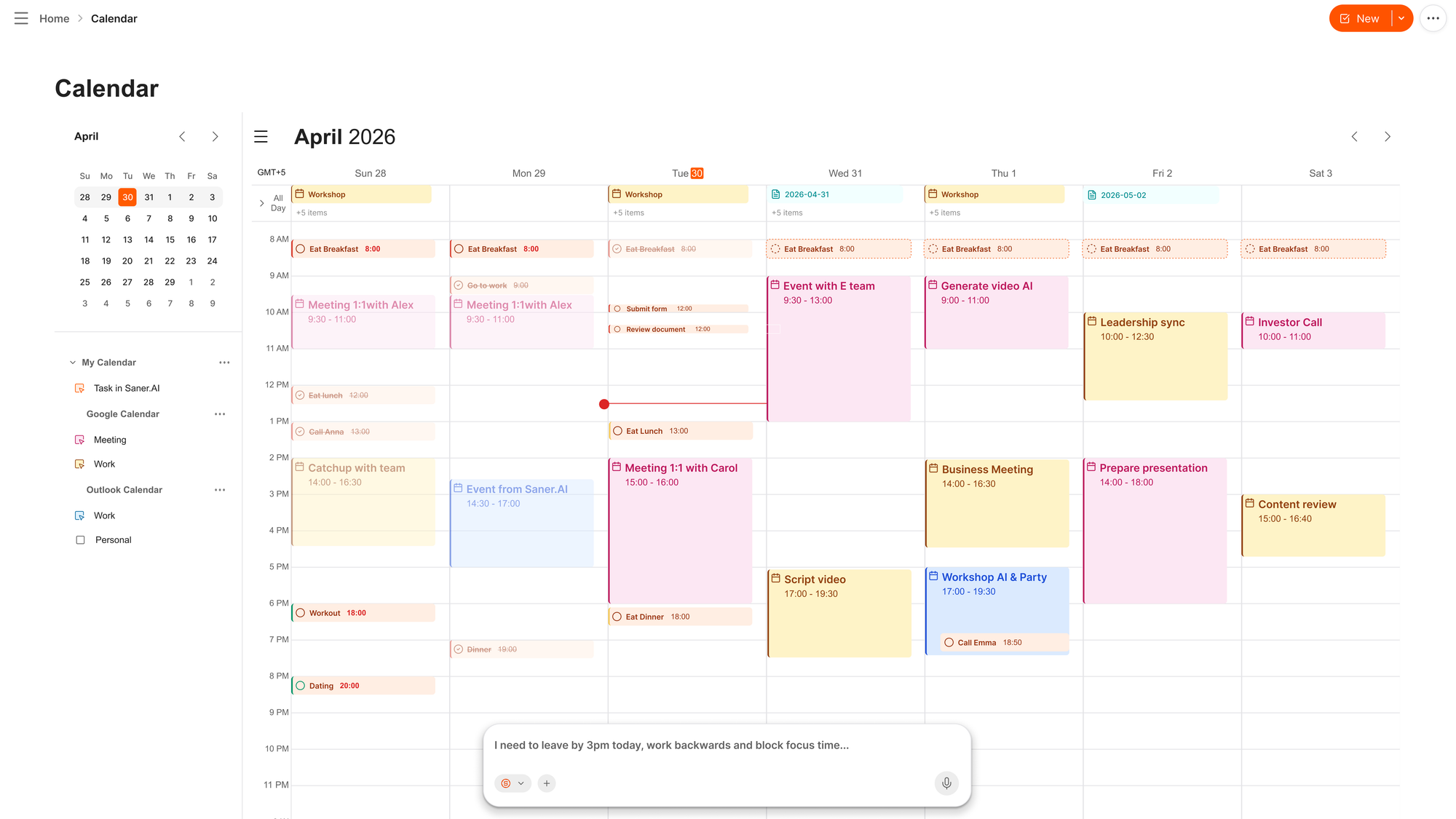
- A calendar with an AI chat assistant built in: Skai, Saner.AI's assistant, beside the calendar, makes planning feel more conversational and less like dragging blocks around a grid until everything technically fits.
- Dynamic reminders: Saner.AI changes how it reminds you about the same unfinished task instead of repeating an identical notification. The nudges feel more personal and are less likely to become background noise, which is helpful when a familiar reminder has started to lose its effect.
Where it may frustrate you
- It is less casual than Folk: Folk works through familiar messaging apps and feels like texting an unusually persistent friend. Saner.AI asks you to work inside a fuller productivity environment
- It is designed around individual productivity: Saner.AI makes more sense as a personal assistant than as a shared project-management platform. Teams that need detailed permissions, dependencies, reporting, or collaborative boards may outgrow it.
Who Saner.AI is actually for
- Saner.AI suits busy professionals, entrepreneurs, and people with ADHD who want Folk-style accountability with a proper planning system behind it.
- If your stress comes from scattered emails, unfinished notes, and a calendar that never reflects the work you actually need to complete. If you mainly want friendly check-ins through text, Folk will probably feel more natural.
Pricing plans:
- Free plans
- Paid plans start at $8/month
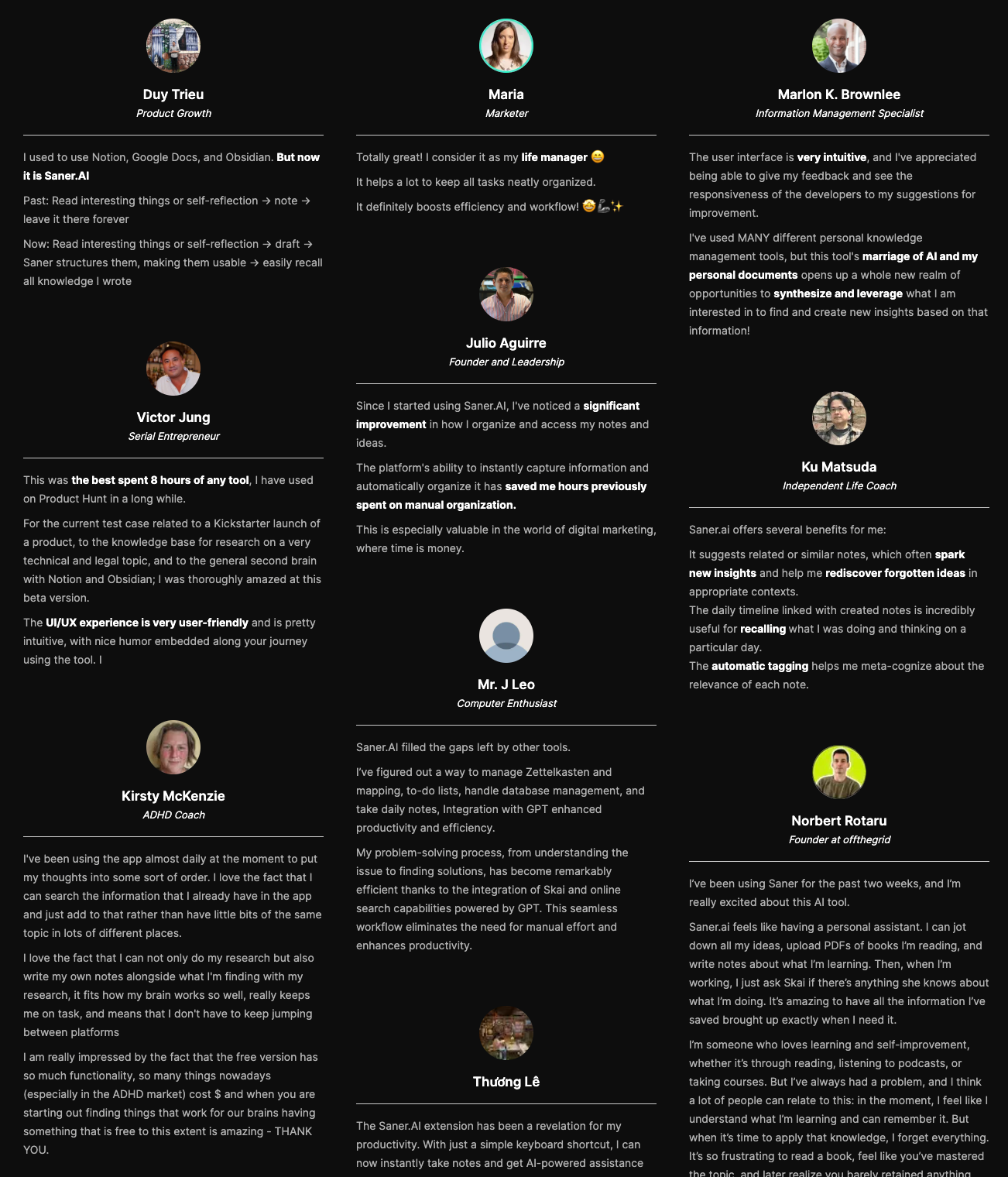
Saner.AI reviews

Stay on top of your work and life effortlessly
2) Poke
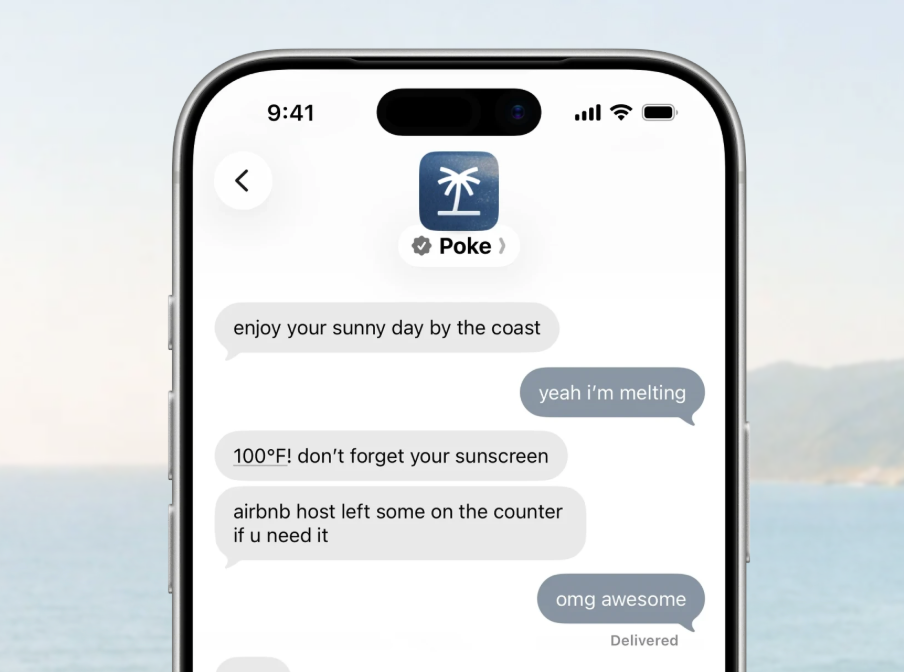
Poke is one of the closest Folk alternatives because both products act like personal AI assistants inside your existing messaging apps. Folk focuses heavily on accountability, reminders, habits, and specialized skills.
What it does well
- Works inside the messaging apps you already use: Poke runs through Apple Messages, WhatsApp, and Telegram, with no separate mobile app needed for everyday conversations.
"Texting an AI assistant is a good interaction model that felt like it fits into life's regular workflow." — Verified review
- Manages email and calendar through text: After connecting tools, you can ask Poke to find messages, draft replies, schedule meetings, and remind you about unfinished conversations.
- Proactively brings important information to you: Poke can text first when it spots an unanswered email, an upcoming meeting
- Recipes automate more than reminders: Poke Recipes connect services such as Gmail, Google Calendar, Notion, Oura, Strava, GitHub
What it doesn't do well
- Complex requests can become unreliable: Simple reminders and scheduling requests generally work better than long chains involving several apps.
- Dates and time zones need supervision: I would double-check anything important until Poke has earned your trust.
- It is not a visual task manager: Poke can remember conversations and send reminders, but it does not give you a conventional project board, detailed task list, or planning dashboard.
- It is mainly built for individuals: Poke works around one person's messages, inbox, and calendar. Teams needing shared assignments, collaborative projects, or organization-wide scheduling should look elsewhere.
Who it's actually for
- Choose it if you already live in iMessage, WhatsApp, or Telegram and want an AI personal assistant that can take action without making you manage another app.
- Poke makes more sense when the problem is scattered digital admin and you want to control it from one text conversation.
3) Tomo AI
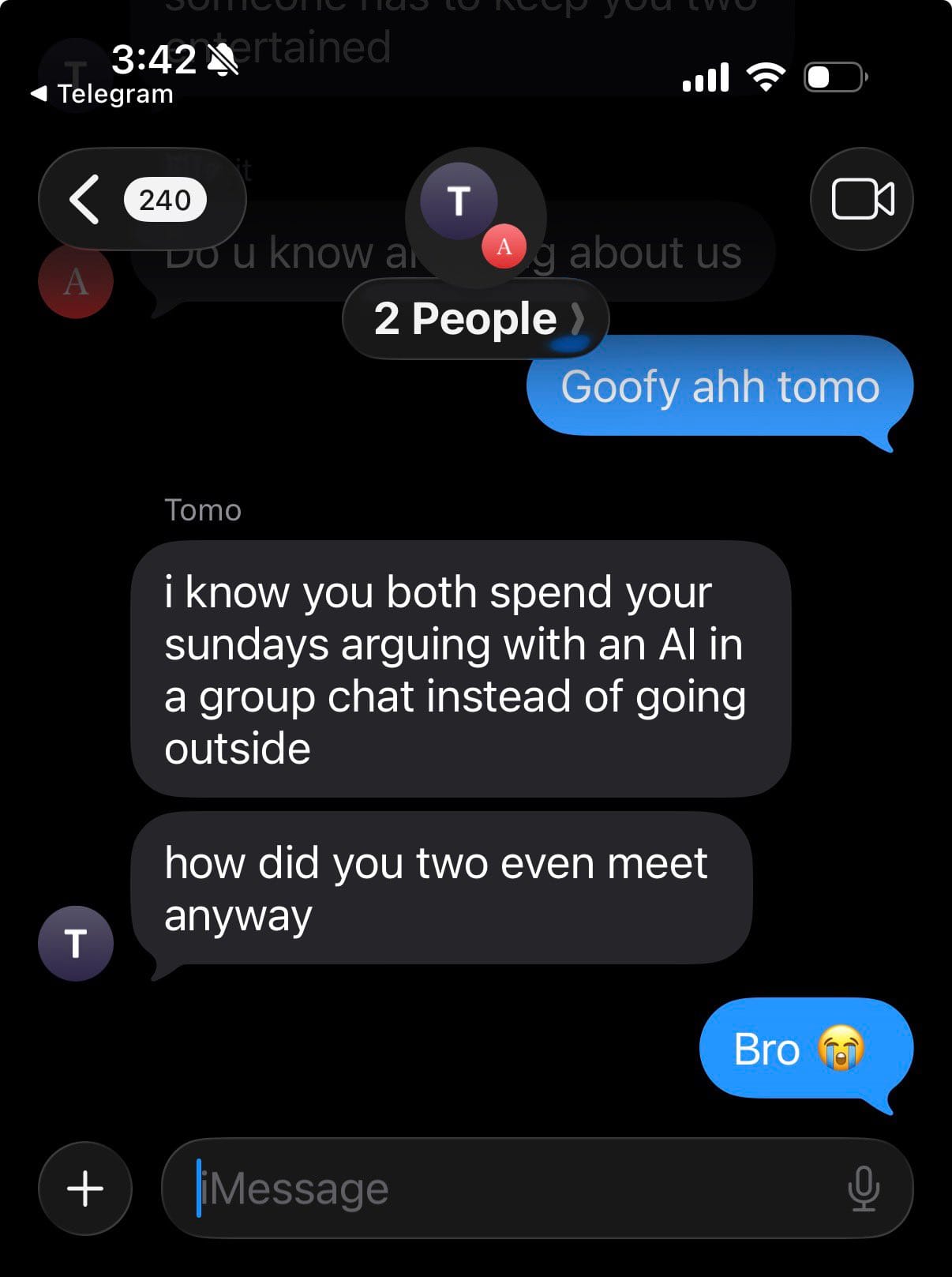
Tomo remembers what you promised yourself, messages you first, and can build small tools around goals such as workout routines, budgets, habit streaks, and meal logs. The founder shares that he specifically made it work with a Gen Z tone and texting habits
What it does well
- Proactive reminders and accountability: Tomo can text first, follow up on unfinished goals, and keep checking in throughout the day.
- Persistent memory: Tomo carries context between conversations, so you do not have to explain your goals again every morning.
- A personality that feels personal: Tomo adapts its tone to the user. For some people, that friendly style creates more motivation
- Custom tools for different goals: Tomo can create personalized workout trackers, budgets, savings goals, meal logs, and habit tools.
What it doesn’t do well
- The useful free experience is limited: Proactive messages and some of the features that make Tomo feel special may require Tomo Pro.
- Pricing can feel abrupt: Some users felt frustrated when the subscription appeared after an emotionally engaging onboarding conversation.
- It is heavily Apple-focused: Tomo’s main experience revolves around iMessage and its iOS app, which requires iOS 18 or later while Folk supports more messaging channels, including WhatsApp, Telegram, and Discord.
Who it’s actually for: Tomo AI is best for iPhone users who want a Folk alternative focused on personal goals, habit tracking, reminders, and conversational accountability.
4) OpenClaw
If you like Folk’s chat-based personal assistant idea but want far more control, then OpenClaw could be for you. The exciting part is that OpenClaw can become a deeply personal assistant instead of another app you have to remember to open. The catch is that you run and configure it yourself, so it asks much more from you than Folk.
What it does well
- Persistent memory: OpenClaw remembers your preferences, projects, and people across conversations. This connects closely with Folk’s long-term memory feature, but your OpenClaw state stays on hardware you control.
- Proactive reminders and background tasks: OpenClaw can run without waiting for a message.
- Skills and plugins: Folk offers focused skills for jobs. OpenClaw has a similar idea, but its skills and plugins can reach much further because they may browse websites, edit files, run commands, or connect to external services.
- Open source and self-hosted: There is no paid OpenClaw tier or hosted subscription. The software is MIT-licensed, and its state, memory, and credentials can live on your own machine.
What it doesn’t do well
- Setup takes work: Folk is designed for people who want to start texting an assistant quickly. OpenClaw may require installation, model configuration, channel connections, permissions, and ongoing maintenance.
- Security needs serious attention: OpenClaw can access files, email, browser sessions, calendar data, and shell commands. That power is thrilling until you imagine a malicious message or plugin getting the same access.
Forbes highlighted risks including “unrestricted system access,” “unmoderated skills and plug-ins,” and “plaintext credential exposure.” (Expert review)
- Free software can still create usage costs: OpenClaw itself has no subscription, but hosted AI models and connected services may charge for usage.
- It is less polished than Folk: Folk gives you a ready-made personality; OpenClaw feels more like a personal AI agent you build around your own life. That flexibility is wonderful for technical users, but it may feel exhausting if you only want reminders and accountability without managing infrastructure.
Who it’s for: Choose it when you want an AI personal assistant you can shape, extend, and run on your own hardware. If you mainly want a friendly assistant that starts working through text with almost no setup, Folk will probably feel easier.
5) Martin
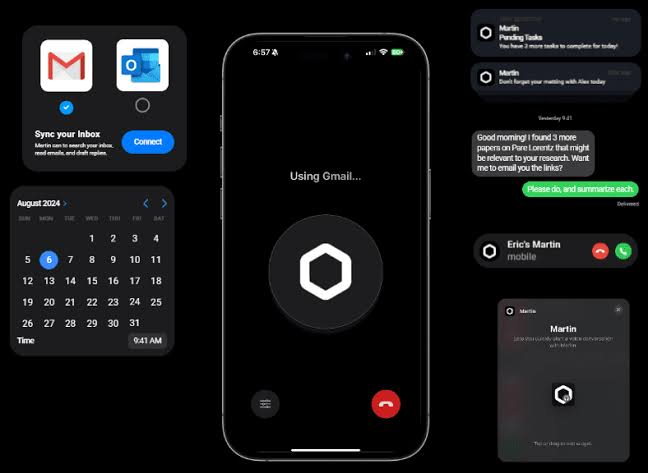
Martin is one of the best Folk alternatives if you enjoy having an AI assistant in your messages but want it to handle more of your work life. Both tools live inside familiar messaging channels and learn about you over time.
But one thing to note: Martin founders have moved on to another business and don't actively develop Martin anymore.
Where Martin shines
- Voice and messaging access: Martin is available through phone, SMS, WhatsApp, email, Slack, and voice, which makes delegating a task feel more like messaging an assistant than configuring software.
Where Martin can get frustrating
- Some features still feel unfinished: Martin promises a lot, but the experience may be uneven depending on the integration or communication channel you use.
- Reliability has been inconsistent for some users: There are problems with calling, texting, internet access, and account login.
- It is expensive for a personal productivity app: The US App Store currently lists Basic at $35 per month and Pro at $49 per month
- Support experiences appear mixed: Some users praise the responsive team, while others describe long waits when something breaks.
Who Martin is actually for: It is a particularly relevant Folk alternative if you like Folk’s assistant-in-your-texts experience but need stronger workplace features.
Conclusion - Which Folk alternative should you choose?
The best Folk alternative depends on what you want your assistant to handle. Tomo and Poke make sense if you prefer working through text messages. OpenClaw gives technical users more control
Saner.AI is worth considering if your main problem is keeping track of scattered notes, emails, tasks, and calendar commitments. It brings that information into one workspace and uses it to help you plan, find what you need, and follow up on unfinished work. There is a free plan, so you can try it with your existing workflow before deciding whether it should replace Folk.
Stay on top of your work and life effortlessly
Frequently asked questions about Folk alternatives
1. What is Folk?
Folk is a personal AI assistant that works through messaging platforms such as iMessage, WhatsApp, Telegram, and Discord. It remembers your goals, sends check-ins, and offers skills for areas such as studying, fitness, sleep, and personal finance.
2. Why should I consider a Folk alternative?
Folk focuses heavily on personal accountability and text-based support. You may prefer an alternative if you need better knowledge management, more workplace integrations, team features, local data storage, or deeper control over automated actions.
3. What is the best Folk alternative?
Saner.AI is a well-rounded choice for connecting notes, emails, tasks, files, and calendars. Poke is better suited to messaging-based automation, while OpenClaw fits users who want an open-source assistant they can run on their own machine.
4. Is Saner.AI a good alternative to Folk?
Yes, especially if your main problem is managing scattered information. Saner.AI can connect your notes, email, calendar, and tasks, then use that context to help you find information and decide what to work on. Folk may be the better fit if you mainly want casual check-ins and personal accountability through text.
5. Which Folk alternative is best for people with ADHD?
Saner.AI was designed with ADHD users in mind. It reduces app switching by putting notes, research, tasks, and planning in one workspace. Its assistant can also help organize brain dumps, suggest tasks, and surface information you may have forgotten.
6. Are there any free Folk alternatives?
Saner.AI and Poke offer free plans, though their usage limits and included features differ. OpenClaw has no subscription fee because it is open source, but you may still pay for AI model access, hosting, or the hardware used to run it.
7. Which alternative offers the most control over my data?
OpenClaw offers the most direct control because it runs on your own machine and stores its state locally. That flexibility comes with more setup and maintenance than a hosted assistant. You should still review permissions carefully before giving any AI access to email, files, or messaging accounts.
8. Which Folk alternative is best for text messaging?
Tomo, Poke, Martin, and Arlo all support conversational access through messaging or text-based channels. Tomo focuses on personal goals and accountability, while Poke connects texting with app integrations and scheduled automations. Availability can depend on your device and location.
9. Can these assistants manage email and calendars?
Most of the alternatives covered here provide some level of email or calendar support. Their permissions vary, though. One assistant like Saner.AI may search and draft, while another can schedule meetings or send messages after approval. Check exactly what each tool can read and change before connecting an account.
10. What should I check before choosing a Folk alternative?
Start with the problem you want the assistant to solve. Look at its supported apps, memory, communication channels, privacy controls, and pricing limits. If you want one place to manage personal knowledge alongside everyday work, Saner.AI is worth testing on the free plan before committing to a paid option.
Stay on top of your work and life effortlessly