TickTick Alternatives: We tested the best 10 [2026 Updated]


The best TickTick alternatives in 2026 are tools that go beyond simple to-do lists and offer smarter planning, automation, or AI-assisted task management.
In this guide, you’ll learn:
- Why users look for TickTick alternative apps
- How to choose the right to-do list app alternative
- A clear comparison of the best task manager alternatives to TickTick
- Which tool fits your workflow best
If you like TickTick but feel limited by manual planning and rigid task structures. This list is for you!
I work at Saner.ai, and it's on this list. I tested it like everything else and didn't skip its flaws.
Quick guide: What are the best TickTick alternatives?
2. Todoist: For straightforward personal task management
3. Asana: For teams coordinating projects and deadlines
4. Trello: For people who prefer visual boards
5. Things: For Apple users who want a focused personal task manager
6. Microsoft To Do: For simple lists that fit into a Microsoft workflow
7. Akiflow: For planning tasks directly on a calendar
8. Notion: For keeping tasks alongside notes and documents
9. Any.do: For everyday lists and shared household planning
10. ClickUp: For teams that need detailed project workflows
What is TickTick?
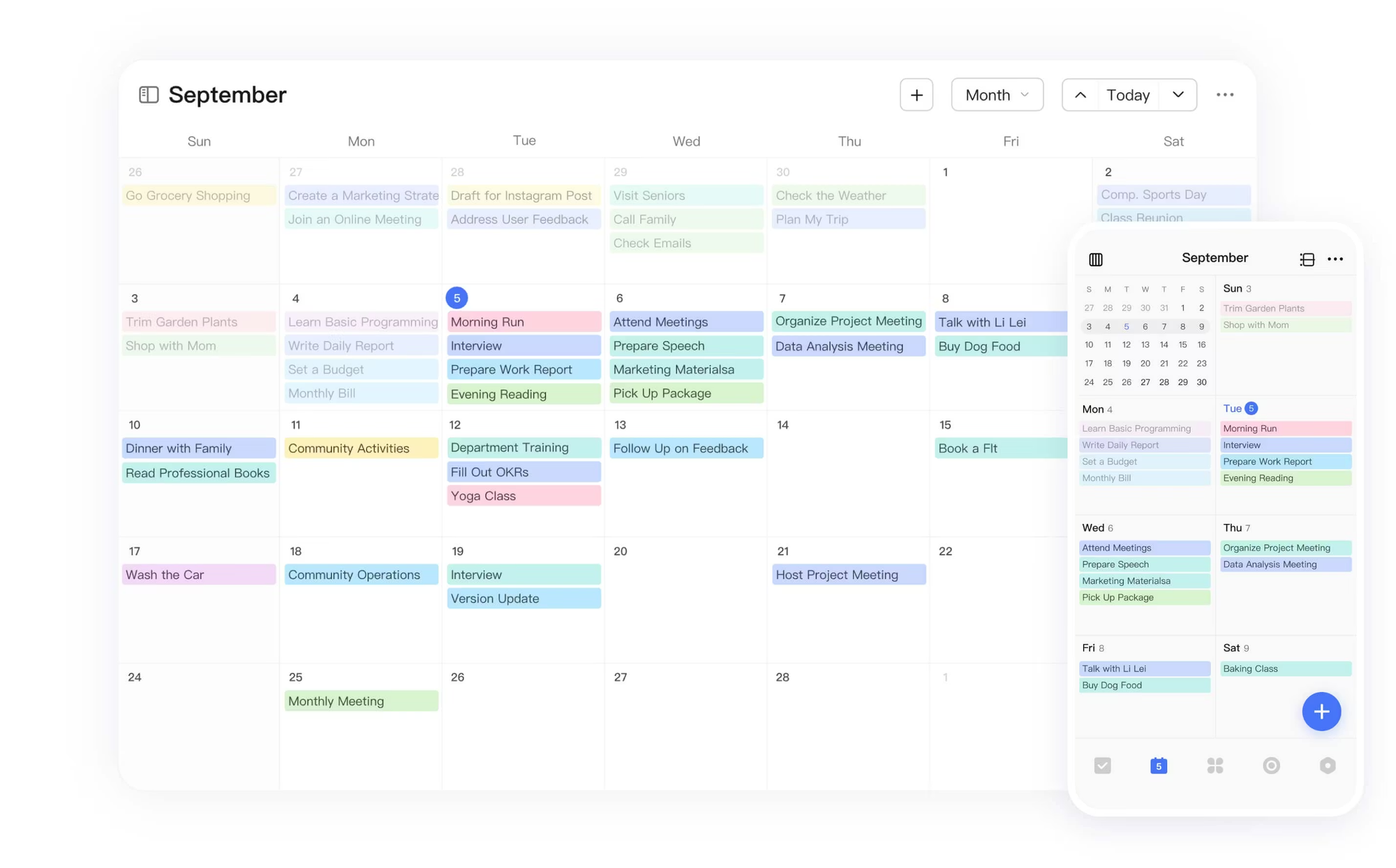
TickTick is a popular to-do list and habit-tracking app known for its clean UI, cross-platform support, and flexible task views (lists, calendar, Kanban).
What to look for in TickTick Alternatives?
You can consider these factors:
- Task prioritization: Look, we're not octopuses - we can't do eight things at once. Your app should help you figure out what actually needs doing now vs what can wait.
- Task Reminders: We have too many things on our plate; there should be someone (or some app) that actively reminds us what to do.
- Automation to solve: Because life's too short to manually copy-paste the same task every week.
- Connect with your knowledge: Cause, be honest, the context switching between notes and the to-do list app is insane. This problem should not exist in the first place.
- Great integrations: Because your tasks are probably scattered across 17 different apps, and you need something that can gather them all, fast.
- Fast customer support: Be real, no one wants to solve a support ticket to become yet another task on their list.
What are best TickTick alternativeves?
Best TickTick alternatives are Saner.AI, Todoist, Asana, Trello, Things, Microsoft To Do, Akiflow, Notion, Anydo, ClickUp
1. Saner.AI
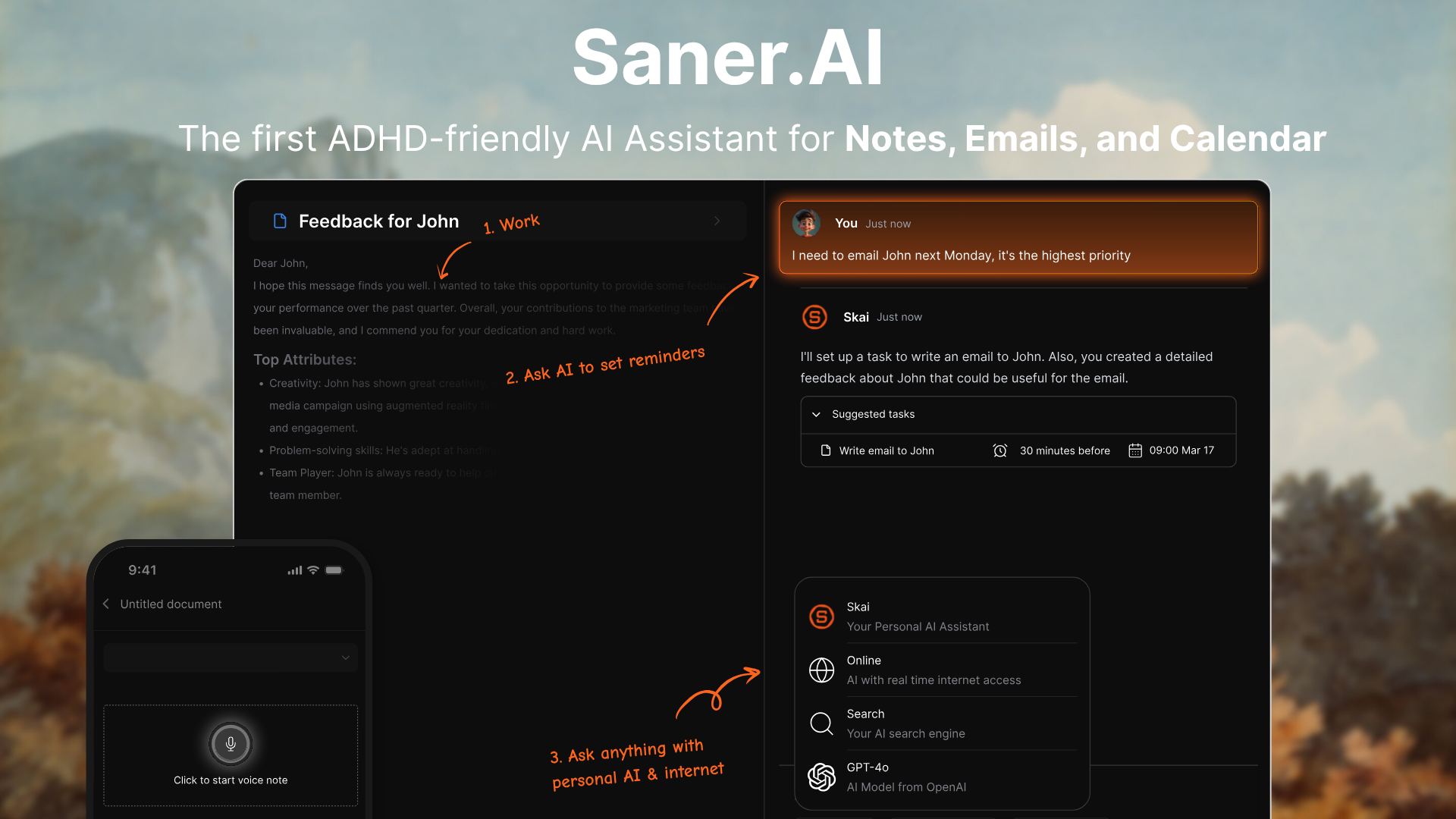
Saner.AI is an AI personal assistants that turns scattered notes, emails, and ideas into organized tasks and schedules your day automatically. It’s built to reduce mental friction - especially for neurodivergent workflows.
Key features
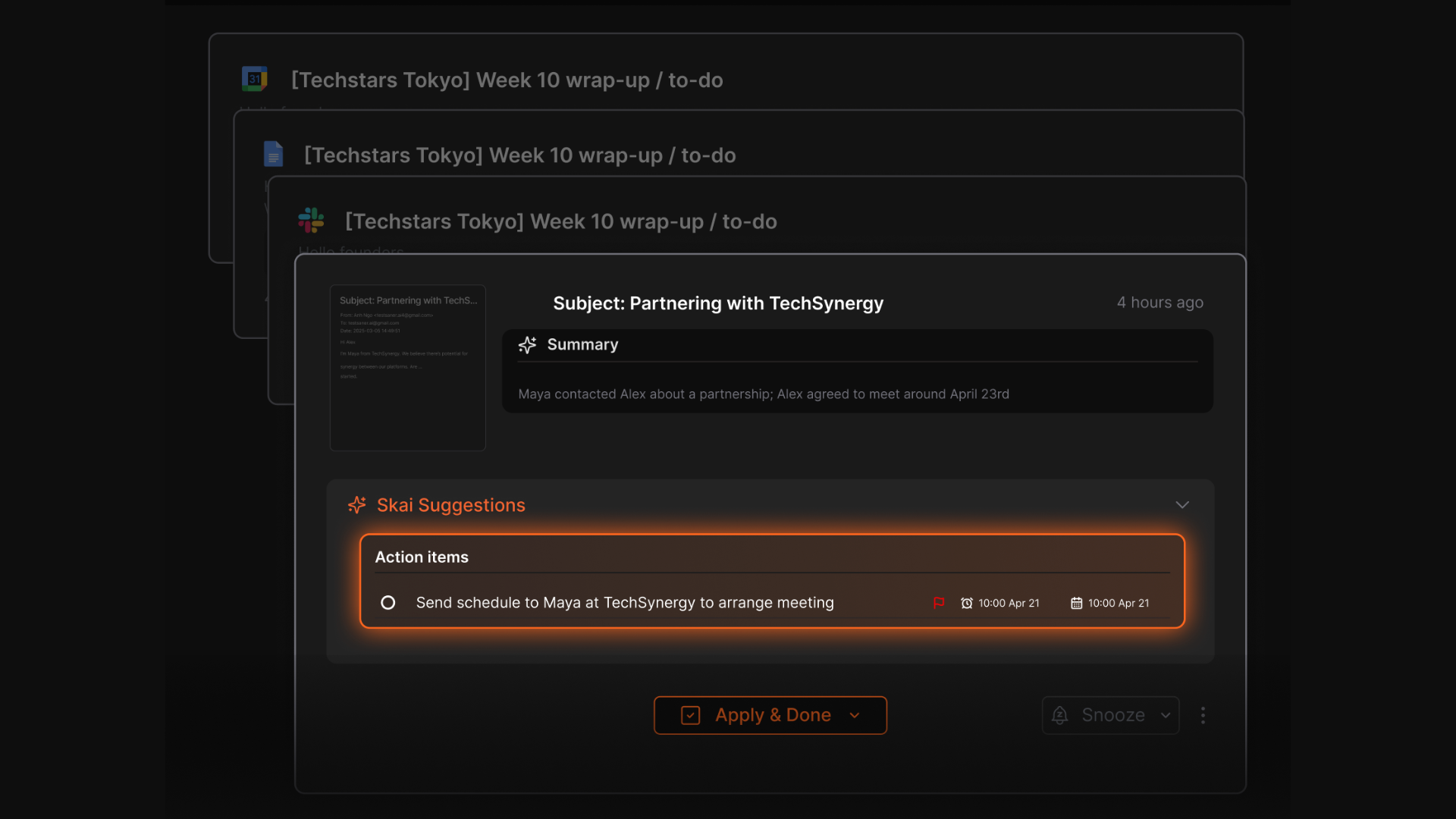
- Universal Inbox: Extracts tasks, events, and reminders from emails, Slack, Notion, files, and notes automatically
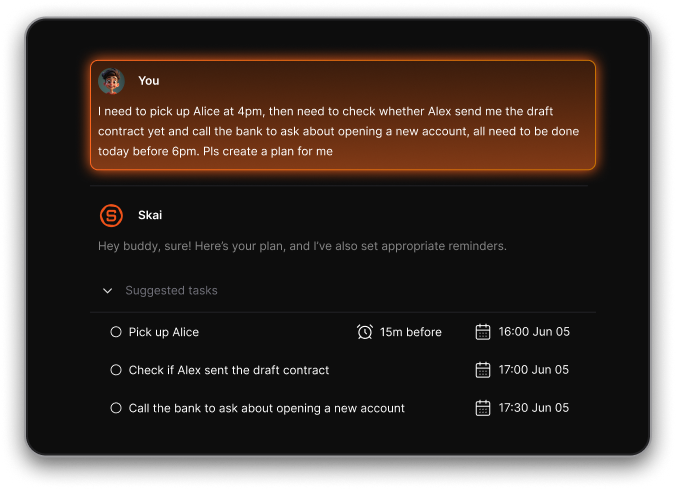
- Natural‑Language Planning: Turns plain text like “Submit report by Friday” into scheduled tasks
- AI‑Recommended Priorities: Suggests what to focus on first, based on everything you’ve captured
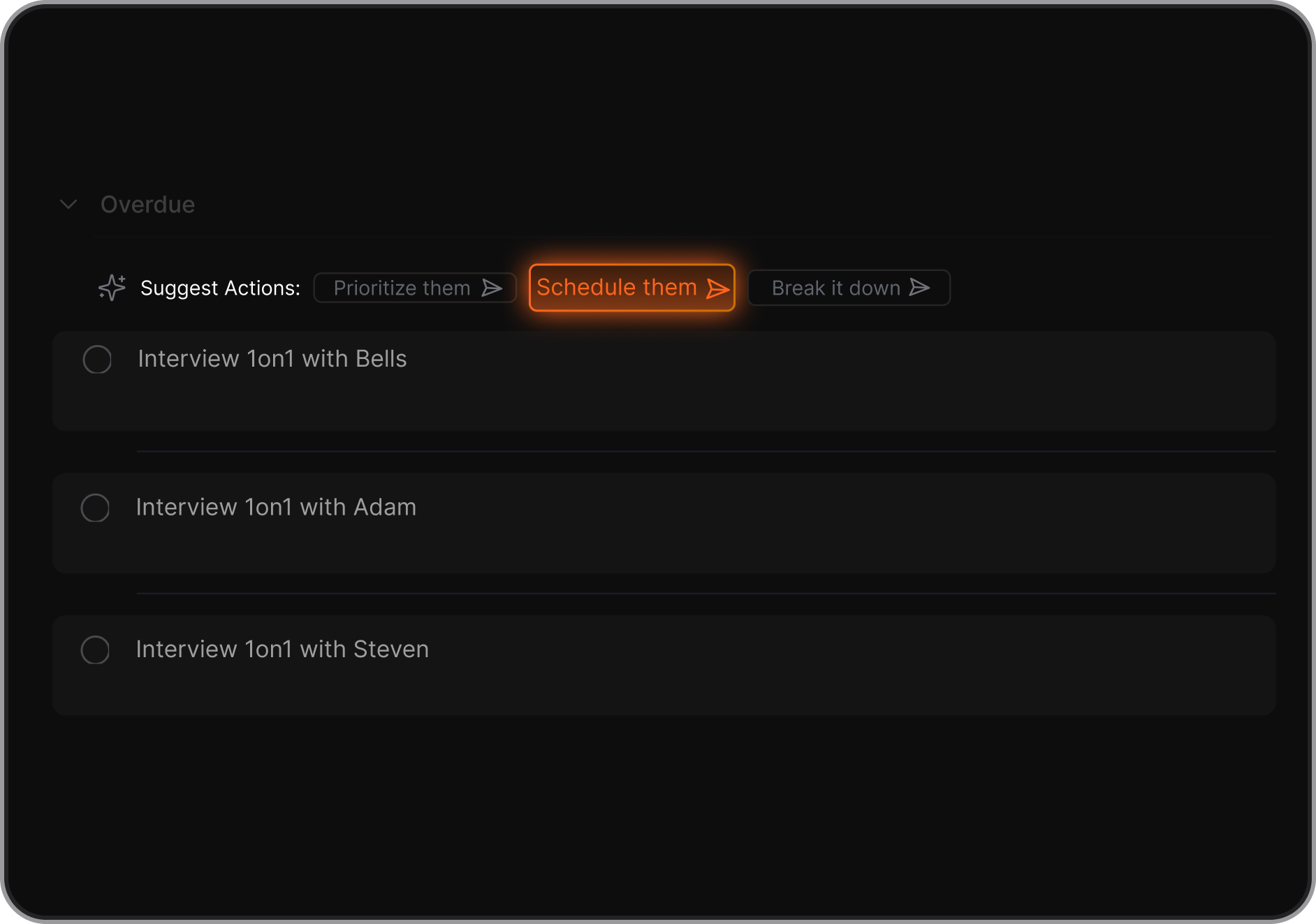
- Smart Day Planner: Converts brain dumps into a structured agenda with work blocks and reminders
- Single Workspace: Brings together tasks, notes, meetings, and files in one place
What I liked
- Brain dumps and messy notes are transformed into prioritized to‑dos automatically
- The daily planner actively proposes what you should work on based on urgency, deadlines, and availability
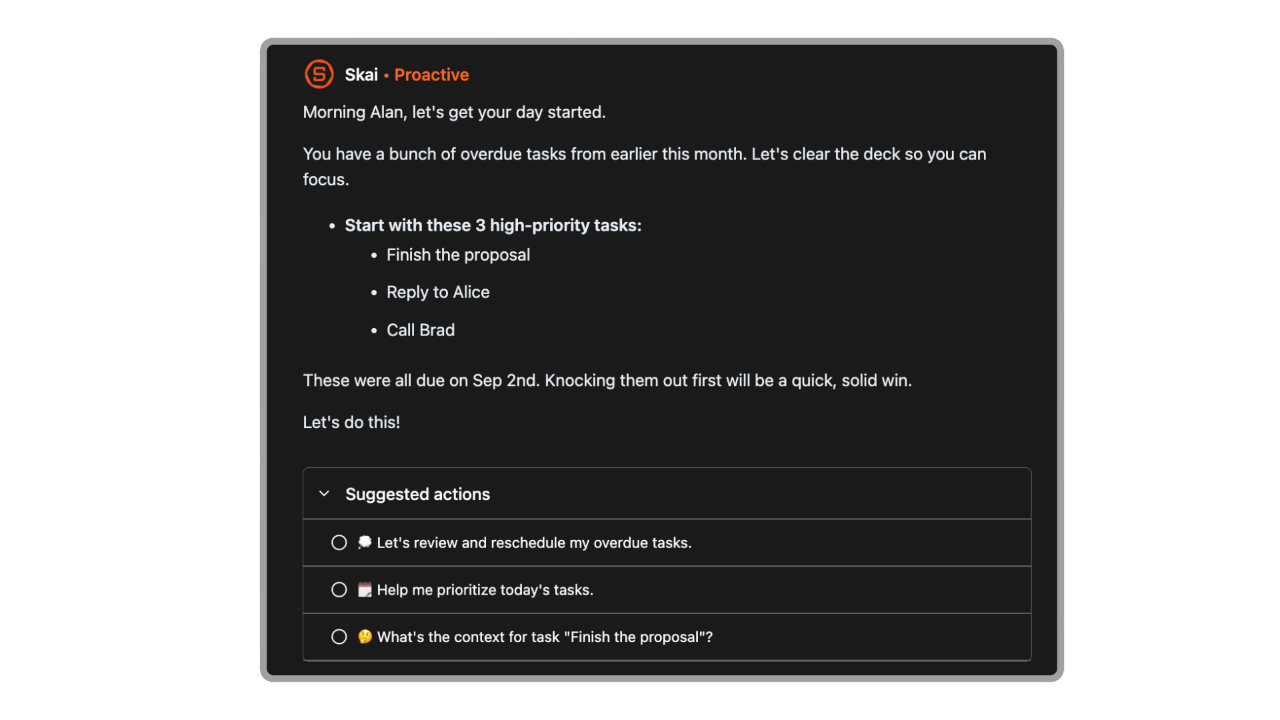
- Effortless capture - tasks and ideas can be saved instantly without switching apps
Cons
- Not ideal for large teams or project timelines - no Gantt charts or complex task dependencies.
Pricing
- Free
- Starter: Monthly at $8/month (yearly)
- Standard: Monthly at $16/month (yearly)
Who is it suitable for?
- Professionals, ADHDers, and knowledge workers who want an AI assistant to capture and organize information from multiple sources into an actionable daily plan.
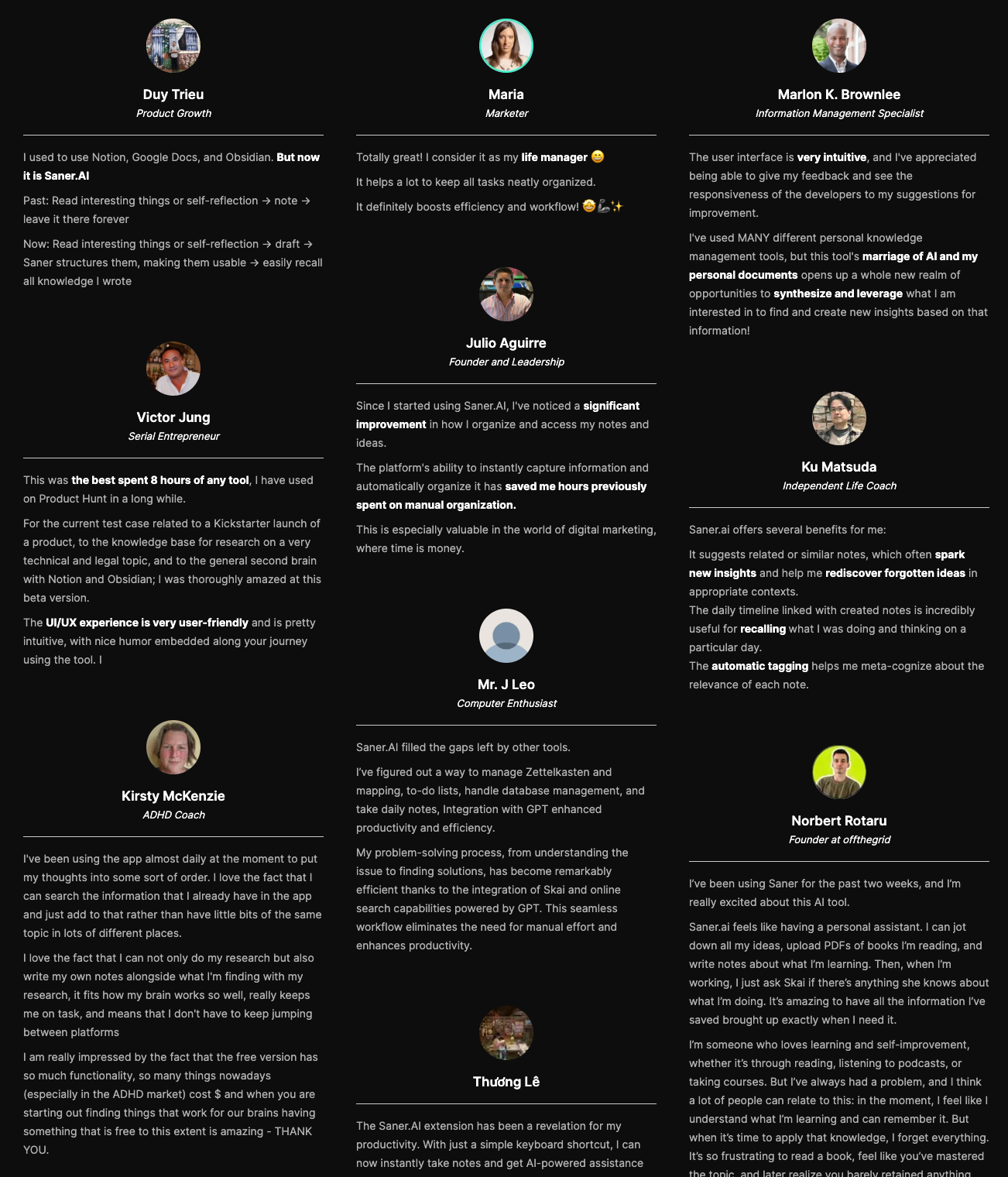
Saner.AI review
How to start using it?
- Just go to saner.ai, sign up, connect your calendar or email, and start chatting with your assistant. You can add notes, brain dumps, or documents - and chat with AI to start

Stay on top of your work and life with the top TickTick alternative
2. Todoist
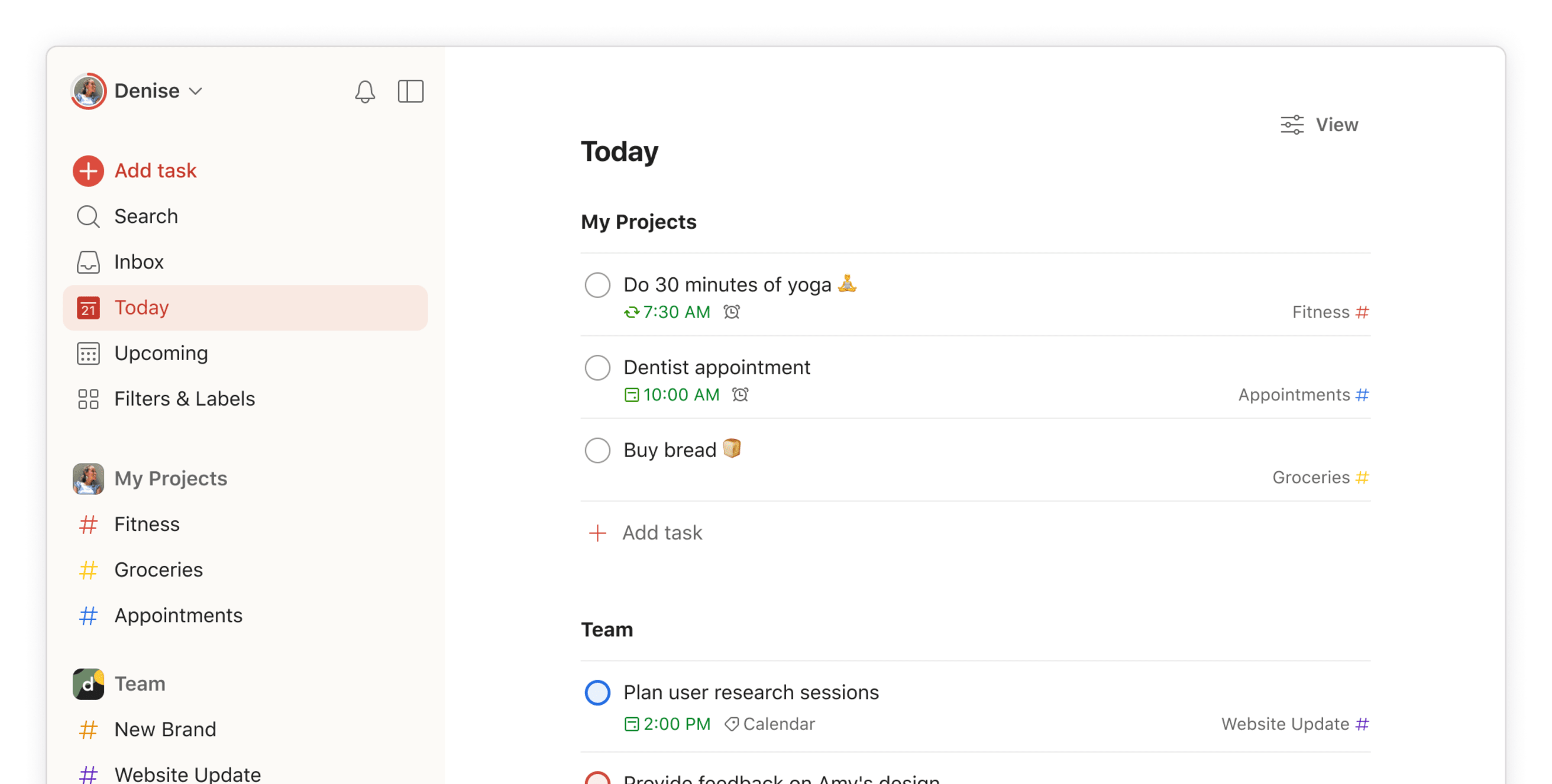
Todoist is a functional to-do list app focusing on simplicity. Its features include recurring due dates, task labels, priorities, and mobile apps for all devices.
Key feature
- You can type things like “Submit report every Friday at 5pm” and Todoist automatically sets the date, time, and recurrence.
- Tasks can be grouped into projects, split into sections, tagged with labels, and ranked by priority.
- Works smoothly on iOS, Android, web, and desktop, with integrations for Google Calendar, Gmail, Slack, and more.
Pros:
- 85 integrations (you can build custom ones through API)
- Large template library
- Natural language processing
- File and product sharing across 10+ platforms
Cons:
- Doesn’t allow multiple assignees on a single task compared to other best alternative tools
- Limited view types: for example, there is no calendar view
- Some business users may find its features limiting
Pricing:
- Free
- Paid plan starts at $5/month
Suitable for:
- Users looking for a flexible task management tool with advanced features.
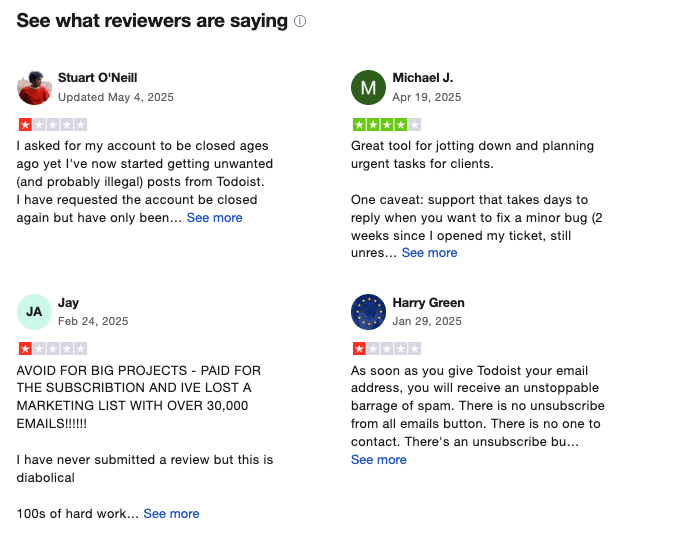
Todoist Reviews (source)
Getting Started:
- Sign up on the Todoist website or download the app from your device's app store.
3. Asana

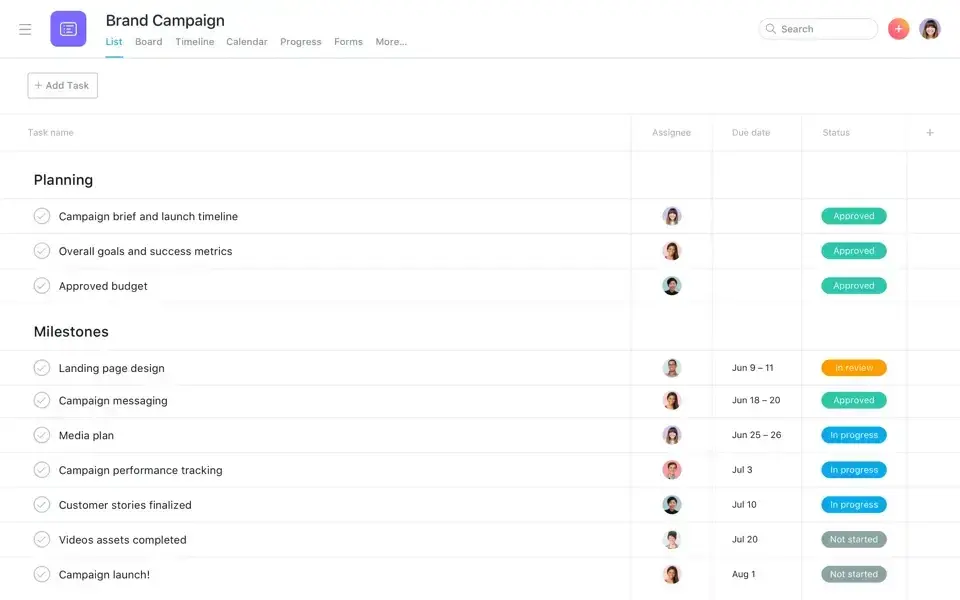
Asana is a work management platform designed to help teams plan, track, and manage tasks and projects collaboratively. It focuses on structured project workflows rather than simple personal to-do lists.
Key feature
- Tasks live inside projects and can be viewed as lists, boards, timelines, or calendars.
- Each task has a clear owner, due date, and status.
- You can create rules to auto-assign tasks, update statuses, or move tasks between sections.
- Comments, mentions, and activity logs keep discussions tied directly to tasks.
Pros:
- Excellent for team collaboration
- Various project visualization options (boards, lists, timelines)
- Integrates with many third-party apps
Cons:
- Can be overwhelming for new users due to its complexity
- Premium features can be pricey
Pricing:
- Basic plan
- Starter plan: $8.5 per user per month, billed annually.
- Advanced plan: $19.21 per month per user, billed annually.
Suitable for:
- Teams and organizations needing robust project management capabilities.
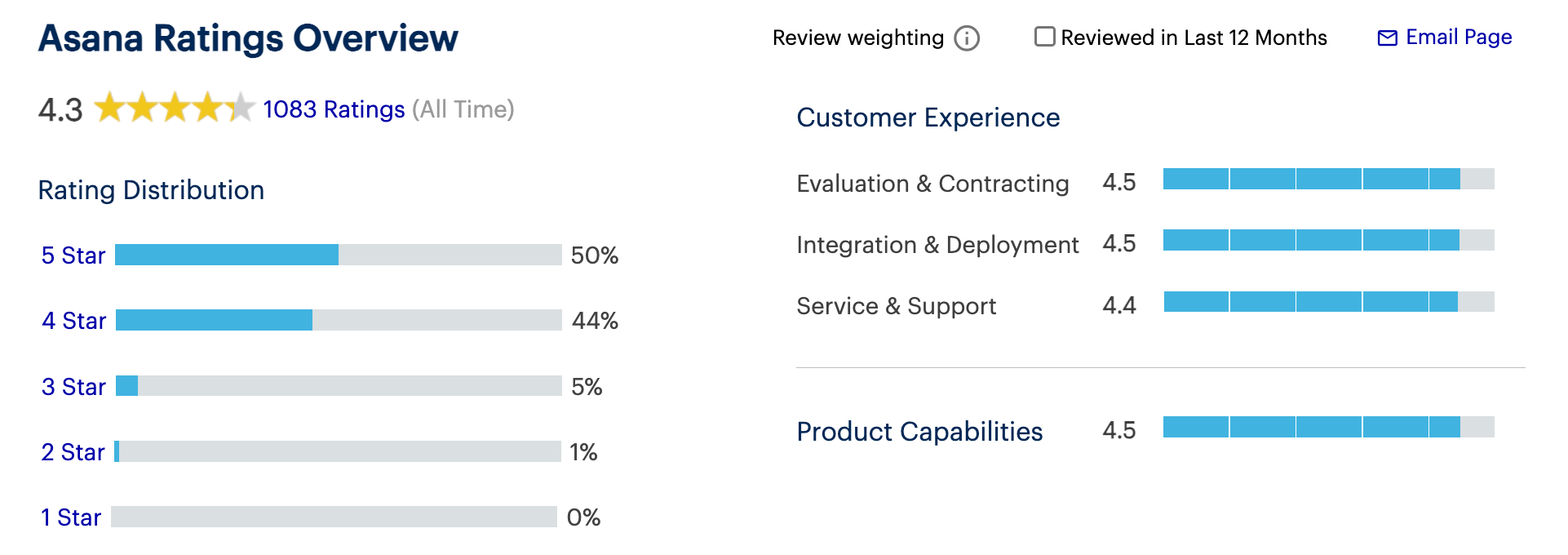
Asana Reviews (source)
Getting Started:
- Create an account on Asana's website and set up your first project.
4. Any.do
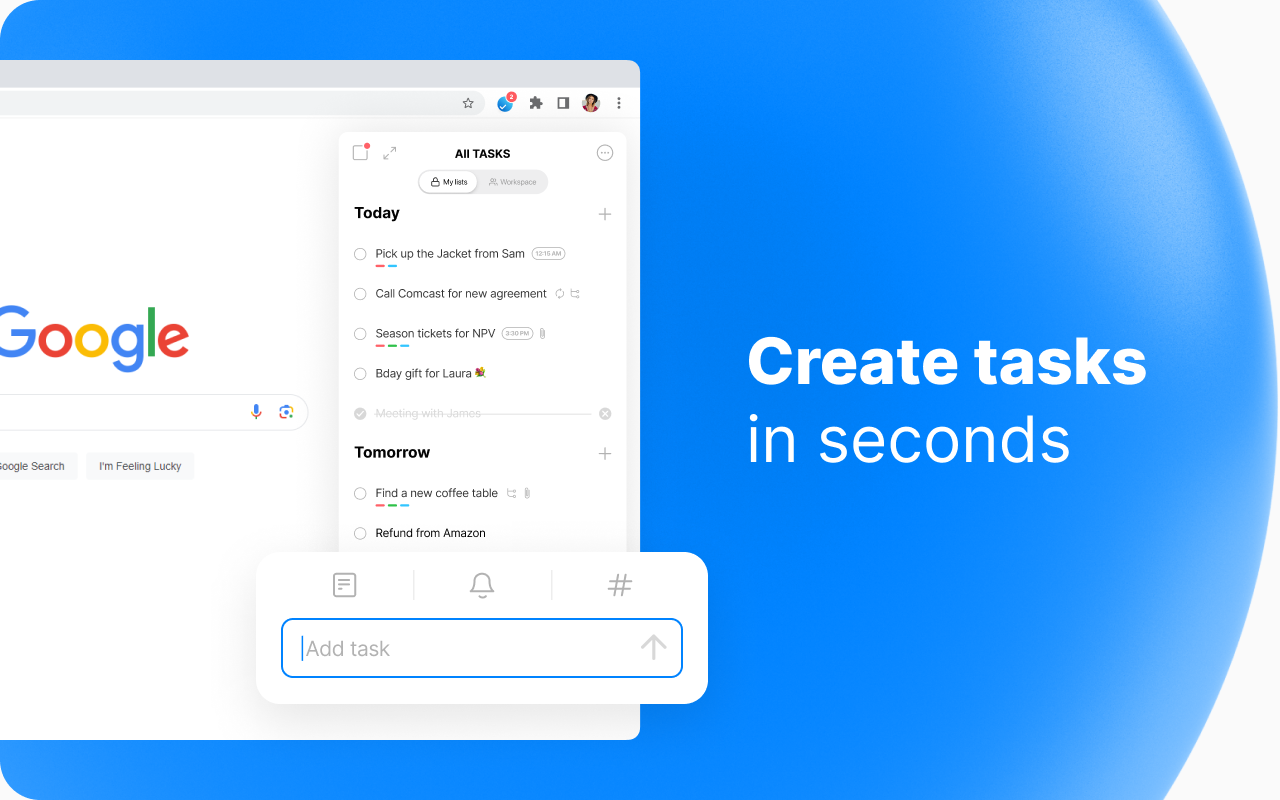
Any.do is a sleek task and calendar app that helps you organize your life across devices. With cross-platform sync, and strong mobile integration, it’s a popular choice for personal, family, and light team task management.
Key features
- Cross‑platform support: iOS, Android, web, macOS, Windows, smart assistants like Alexa and Google Home
- Daily Planner (Any.do Moment): Schedule tasks, routines, and goals in a focused view
- Recurring reminders, subtasks, labels, and location-based notifications
What I liked:
- Sleek, intuitive interface that’s easy to pick up and pleasant to use
- Daily Planner mode makes prioritizing tasks simple without feeling overwhelmed
What I disliked:
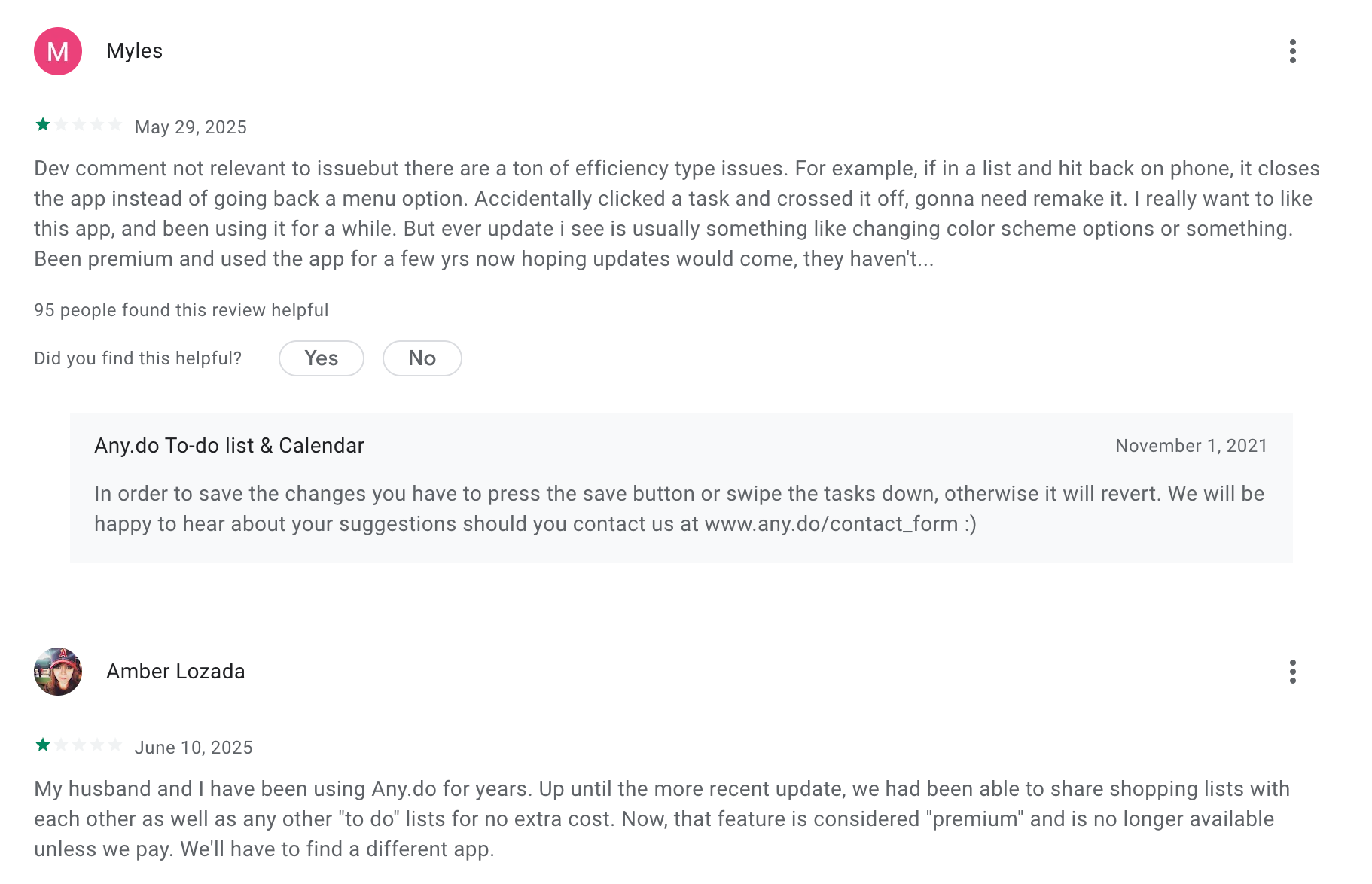
- Free plan feels limited compared to competitors - many features are locked behind Premium
- Support responsiveness isn’t rated as highly as TickTick’s
- Lacks advanced project views like kanban boards or timelines
- Lack AI Assistant like Saner.AI
Pricing:
- Free plan
- Paid plans start at $5/month
Suitable for:
- Individuals, families, and light teams who want a clean, cross-platform to-do app with excellent mobile and voice support, but don’t need advanced project management views.
Any.do reviews (source)
How to start:
- Download Any.do on your device, sign up for the free plan, and explore premium features with the free trial to see if it fits your workflow.
5. Trello
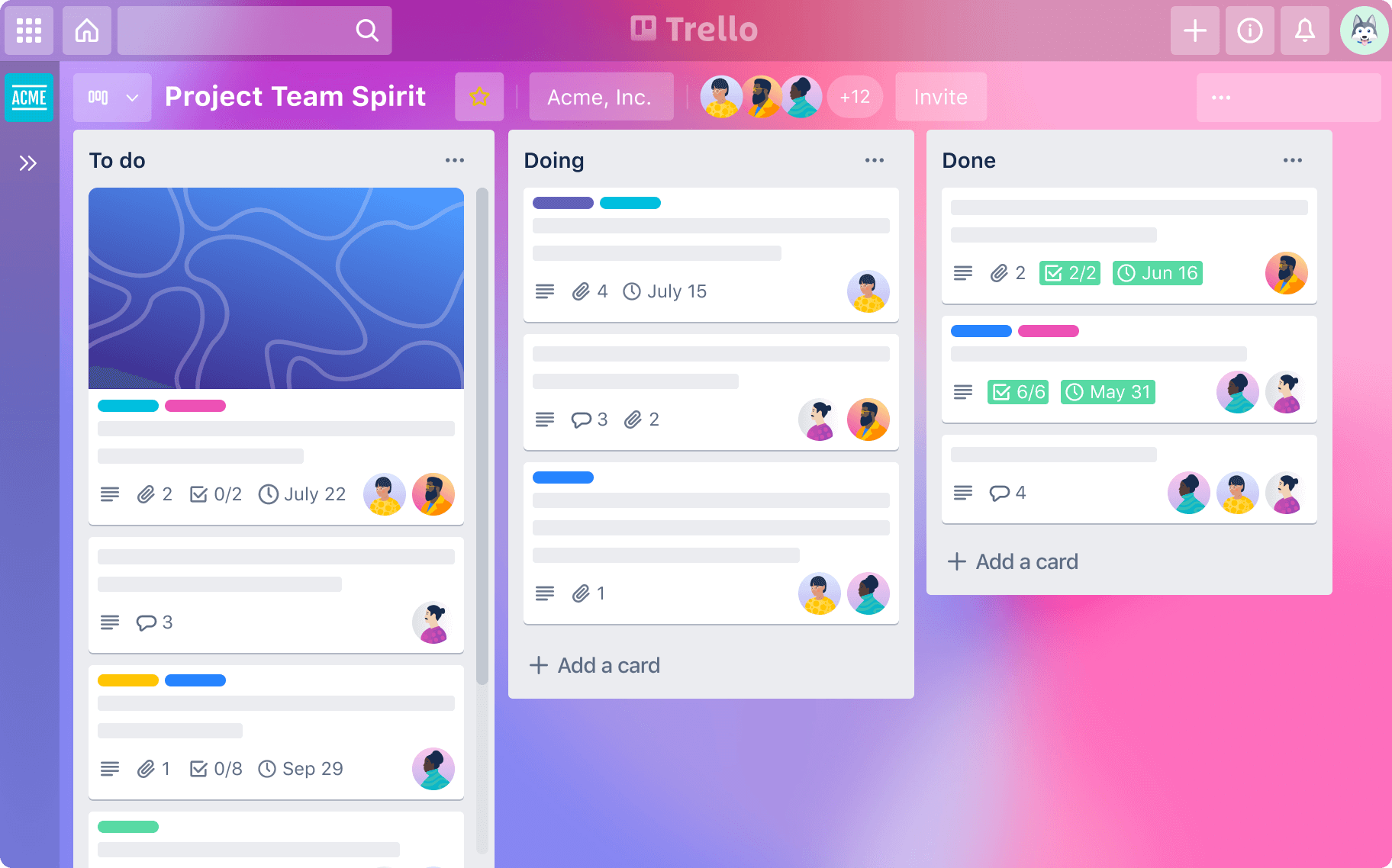
Trello is a visual, Kanban‑style task and project organizer from Atlassian, known for its flexibility and team collaboration. It organizes work through boards, lists, and cards, making it ideal for people who think in stages or workflows rather than simple lists.
Key features
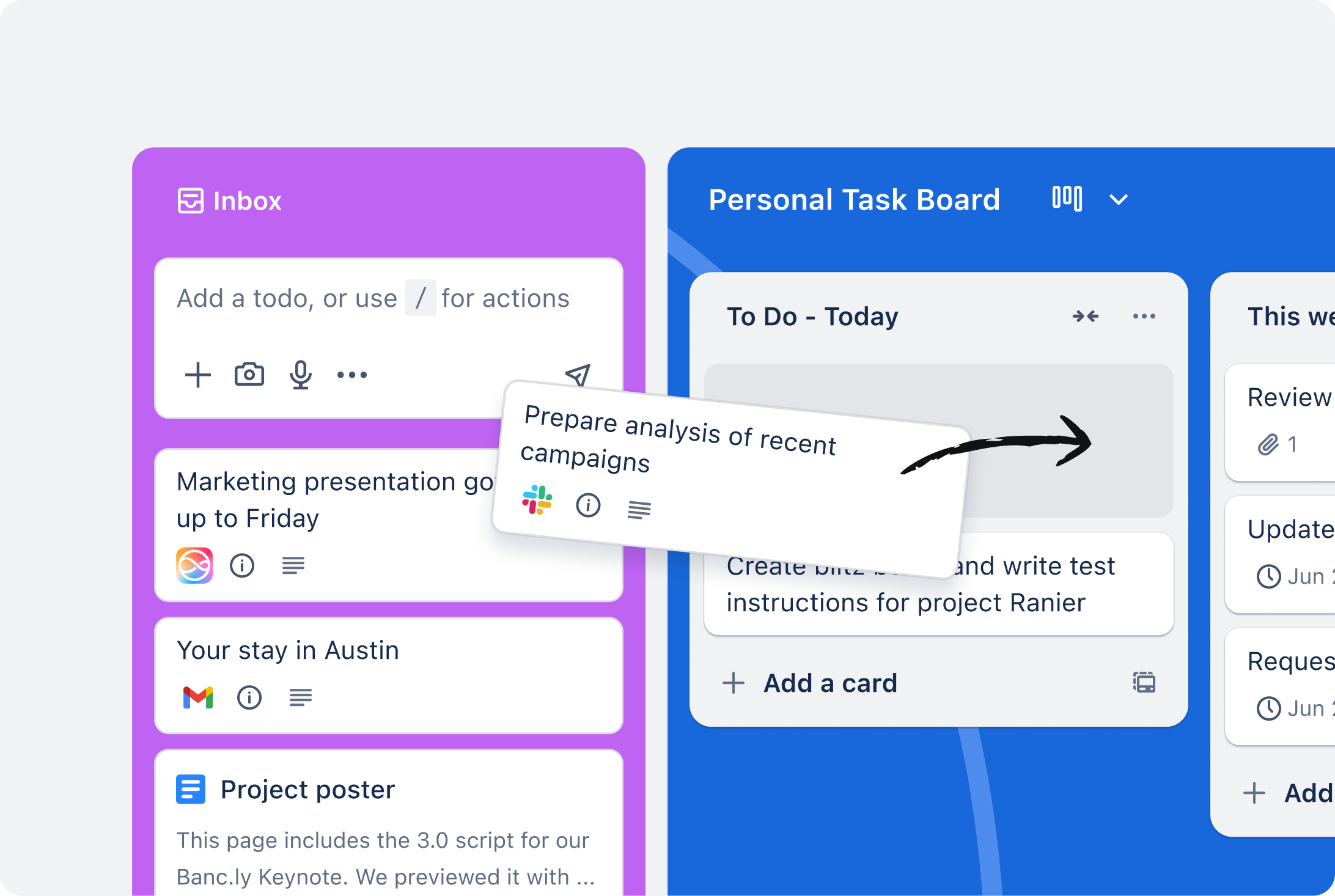
- Kanban boards: Drag tasks (cards) across lists like To Do → In Progress → Done
- Automations (Butler): Create rules, buttons, and triggers to automate repetitive work
- Accessibility: Color‑blind friendly mode with patterned labels
What I liked
- Visual, flow‑oriented planning that feels natural for tracking projects
- Power‑Ups and integrations expand flexibility for both individuals and teams
What I disliked
- Not designed for traditional to‑do list management - lacks built‑in timers and habit tracking
- No native time blocking - requires calendar Power‑Up for scheduling
- Don't have an AI Assistant that you can chat to
- Best for project planning, less so for daily personal productivity
Pricing
- Free plan
- Paid plans: From 5$/month
Suitable for
- Visual thinkers, small teams, and anyone who prefers a Kanban board to manage projects, delegate tasks, and capture action items from multiple sources.
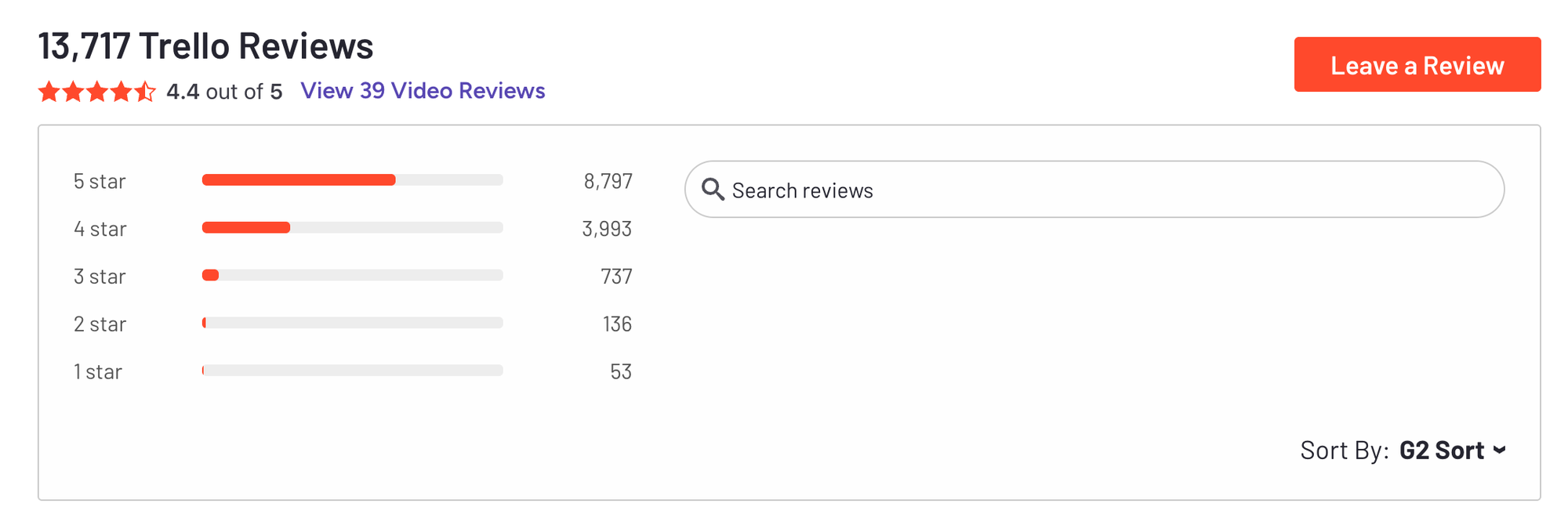
Trello reviews (source)
How to start
- Go to trello.com, sign up for a free account, create your first board, and try moving a card from Ideas to Done.
6. Microsoft To Do
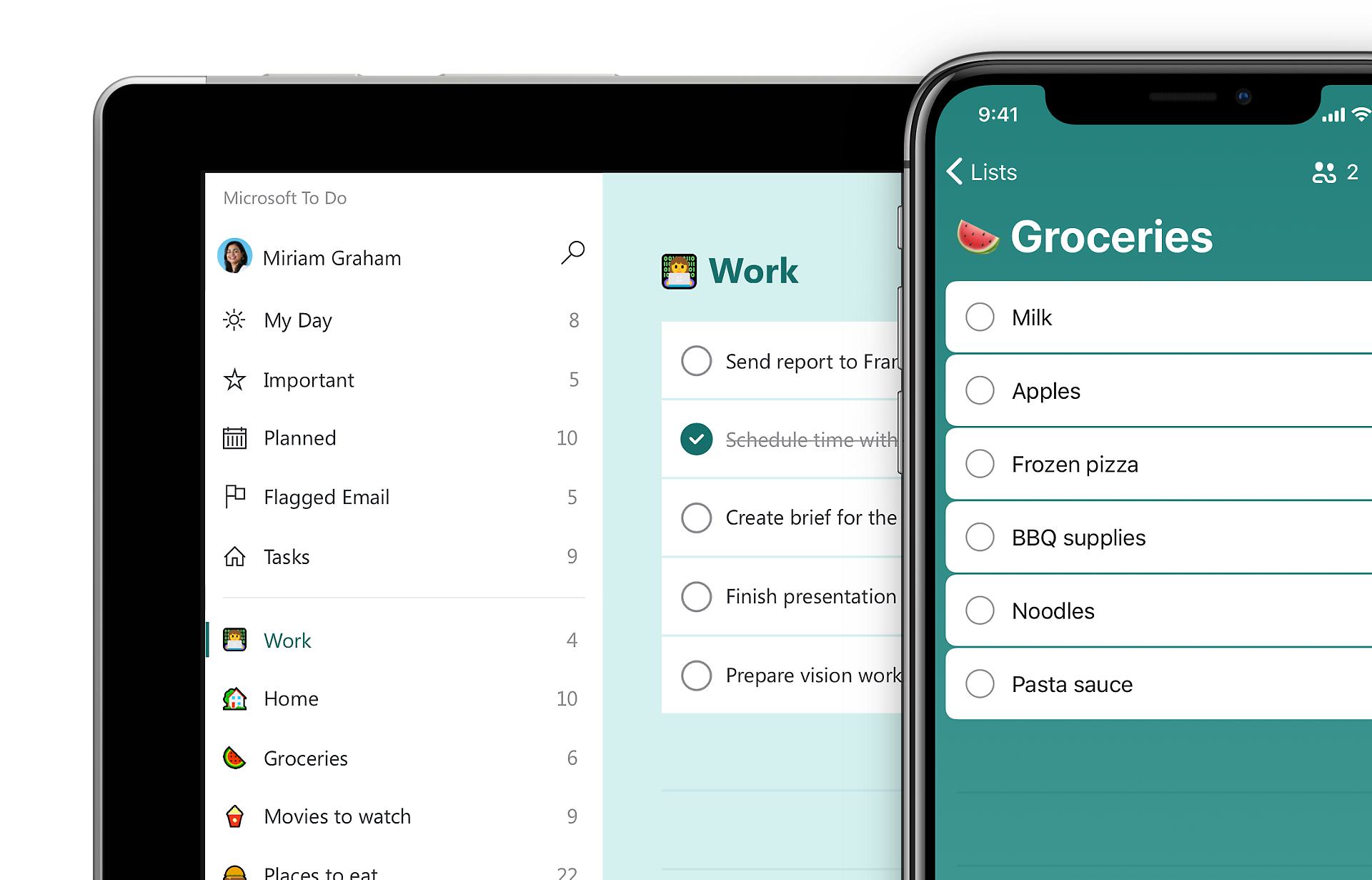
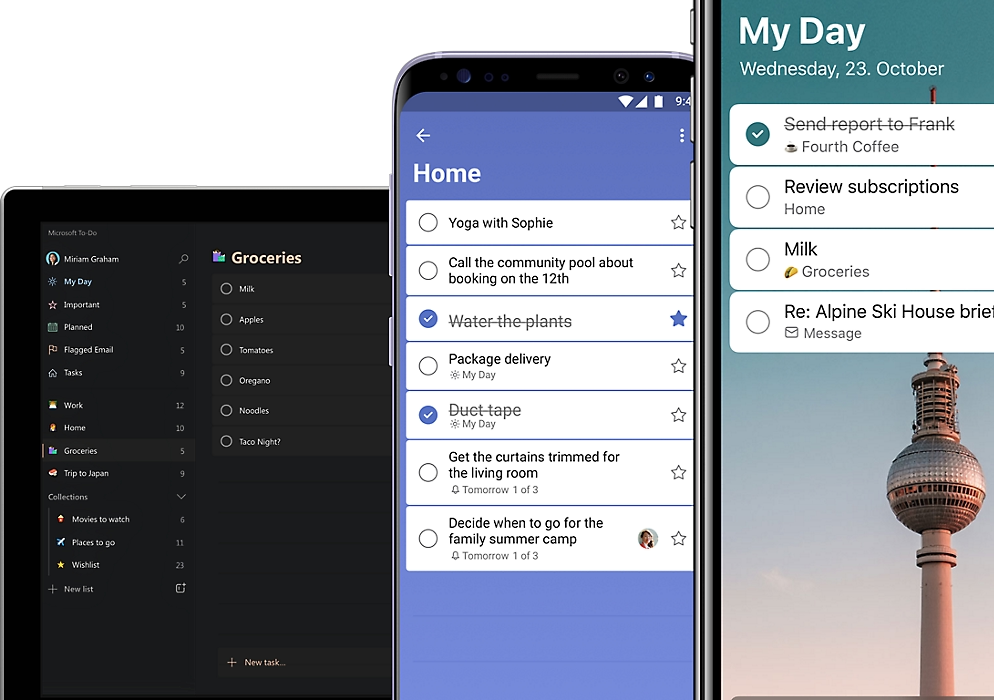
Microsoft To Do is a clean, no‑fuss task manager that fits seamlessly into the Microsoft 365 ecosystem. It’s built for people who want a simple, reliable way to keep track of tasks - especially if they already live in Outlook or Microsoft Teams.
Key features
- My Day planning to focus on daily priorities
- Recurring tasks and custom reminders
- Outlook and Microsoft 365 sync for flagged emails and tasks
- Cross‑platform apps for Windows, Mac, iOS, and Android
What I liked:
- Completely free with all core features included
- Perfect for Outlook and Microsoft 365 users
- Clean, uncluttered interface that’s easy to learn and use
What I disliked:
- Lacks advanced features like habit tracking, Pomodoro timer, and detailed productivity stats
- Limited integrations - mainly works within Microsoft tools
- No AI Helpers to make planning easier
- No built‑in calendar view beyond Outlook integration
Pricing:
- Free for all features. No premium tier.
Suitable for:
- Microsoft 365 users and anyone who wants a free, straightforward to‑do list app that just works.
- Not ideal for people who want deep analytics, multiple calendar integrations, or advanced productivity tools.
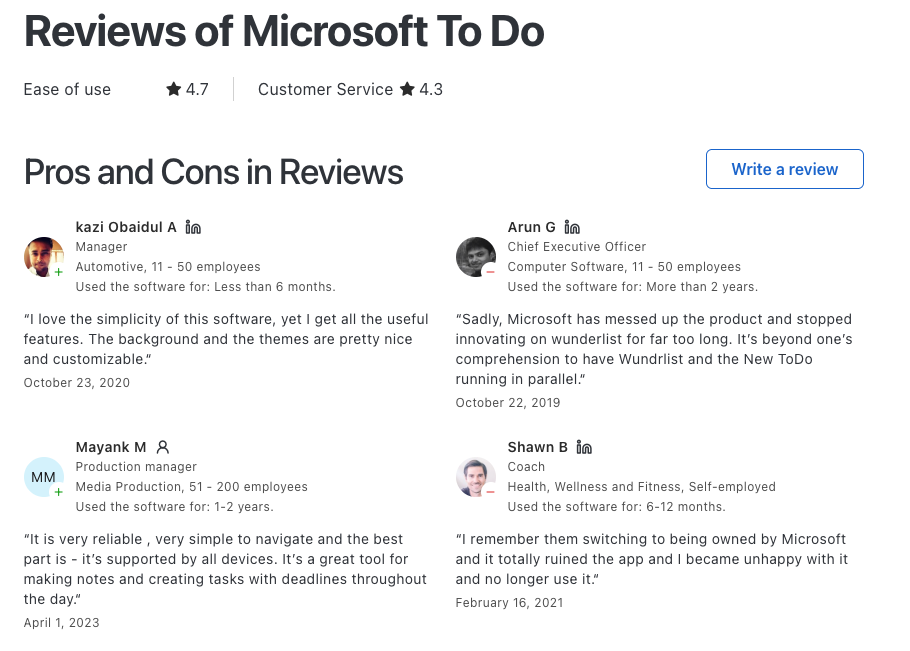
Microsoft To Do Reviews (source)
How to start:
- Download Microsoft To Do from your app store or use the web version, sign in with your Microsoft account, and start adding tasks or syncing with Outlook.
7. ClickUp
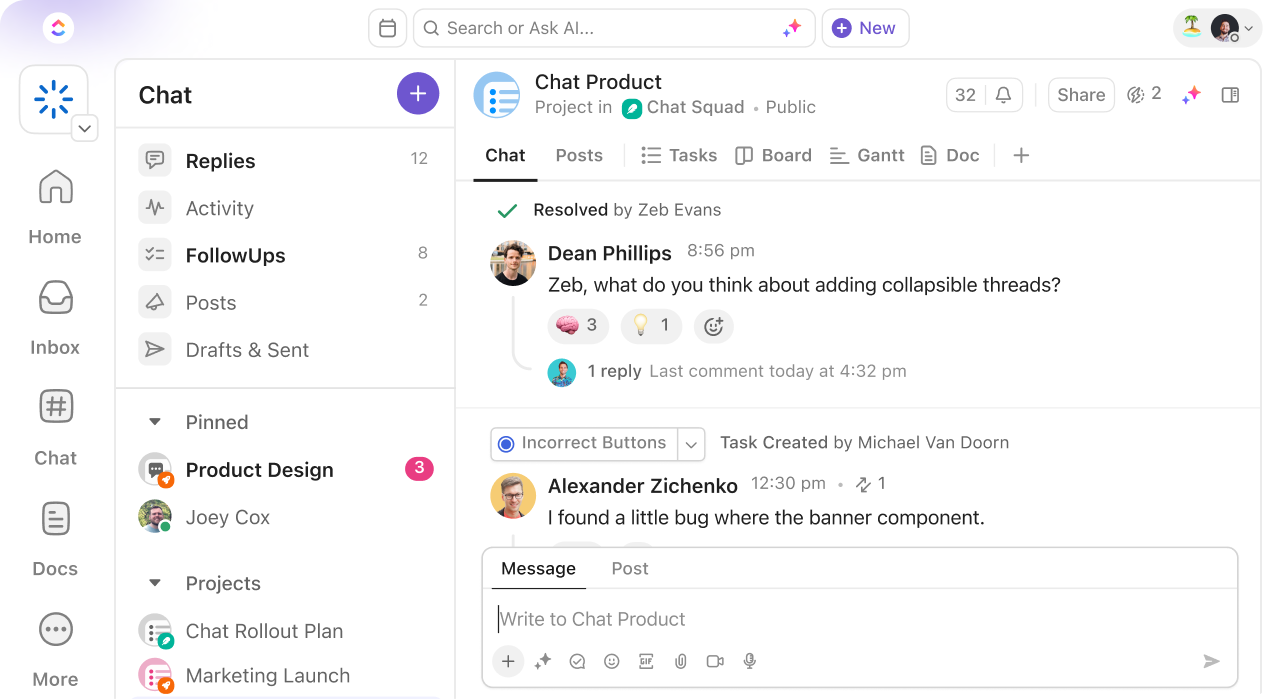
ClickUp is an all-in-one productivity and project management platform built to replace multiple work tools in one system. ClickUp is designed for teams that want control over how work is organized.
Key features
- Tasks can include statuses, priorities, custom fields, dependencies, and multiple assignees.
- You can switch between list, board, calendar, Gantt, and timeline views.
- ClickUp lets you write docs, track goals, and build dashboards without leaving the app.
- Automations can update tasks, statuses, or assignees automatically.
- Integrates with tools like Slack, Google Calendar, and GitHub.
Pros:
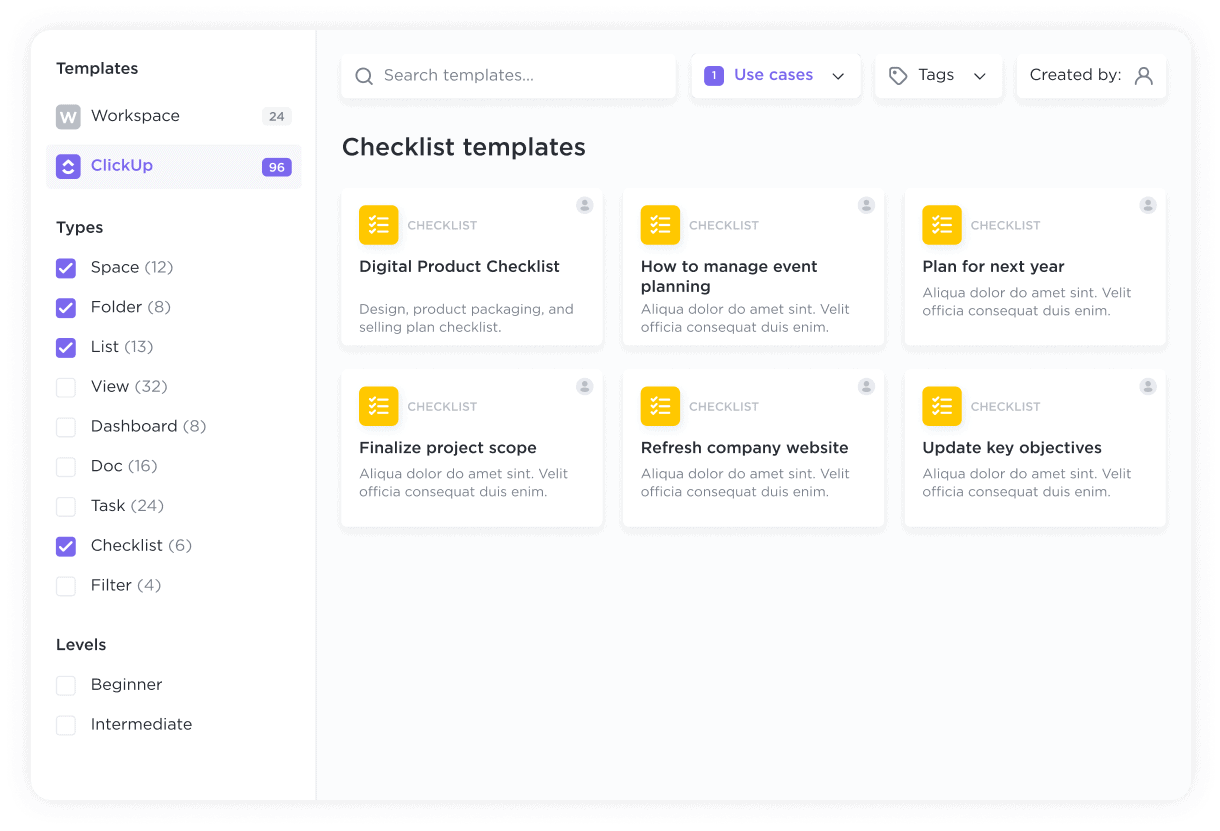
- Highly customizable with numerous features
- Integrates with over 1,000 apps
- AI task management capabilities
Cons:
- Steeper learning curve due to extensive features
- Can feel overwhelming for new users
Pricing:
- Free plan available
- Unlimited plan: $10/month
- Business plan: $19/month
Suitable for:
- Teams looking for a comprehensive project management solution.
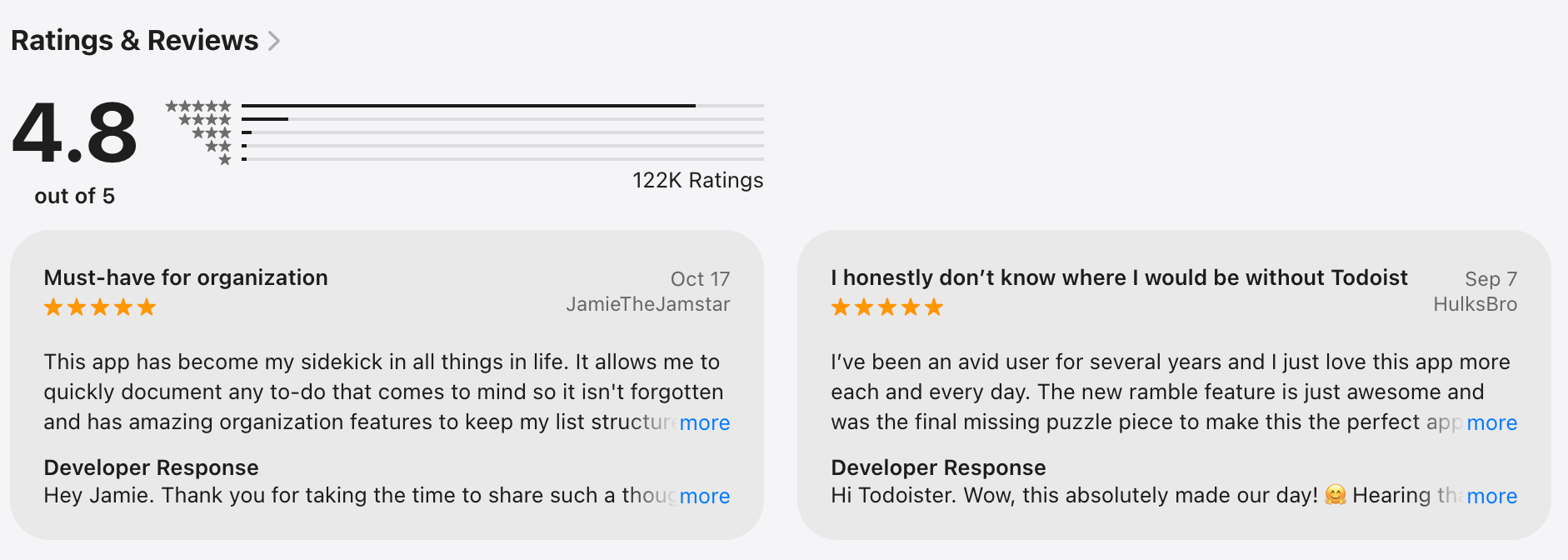
ClickUp reviews (source)
Getting Started:
- Register on ClickUp’s website or download the mobile app to start organizing tasks.
8. Things3

Things 3 is a premium task manager built specifically for Apple users. It focuses on helping you plan your day and manage personal tasks with clarity and minimal friction. It’s designed for calm, intentional productivity instead of speed or scale.
Key features
- Inbox, Projects, and Areas for intuitive organization
- Today, This Evening, Upcoming, Anytime, and Someday views to prioritize tasks
- Quick Entry and system‑wide “Add to Things” for lightning‑fast task capture
- Calendar integration to see events alongside to‑dos
- Automation via tags, filters, Shortcuts, and Things URLs
What I liked
- Beautiful, distraction‑free interface that feels native on Apple devices
- One‑time purchase
- Fast task capture with Quick Entry and keyboard shortcuts
What I disliked
- No web or Android version - limited to the Apple ecosystem
- Lacks collaboration or shared lists for teams and families
- Don't have an AI assistant chatbot to manage tasks more easily
Pricing
- No free plan or trial available
- Mac: $49.99 one‑time purchase
- iPhone/iPad/Vision: $9.99–$29.99 each, one‑time purchase
Suitable for
- Apple‑centric individuals who value elegant design, fast performance, and personal productivity without subscriptions.
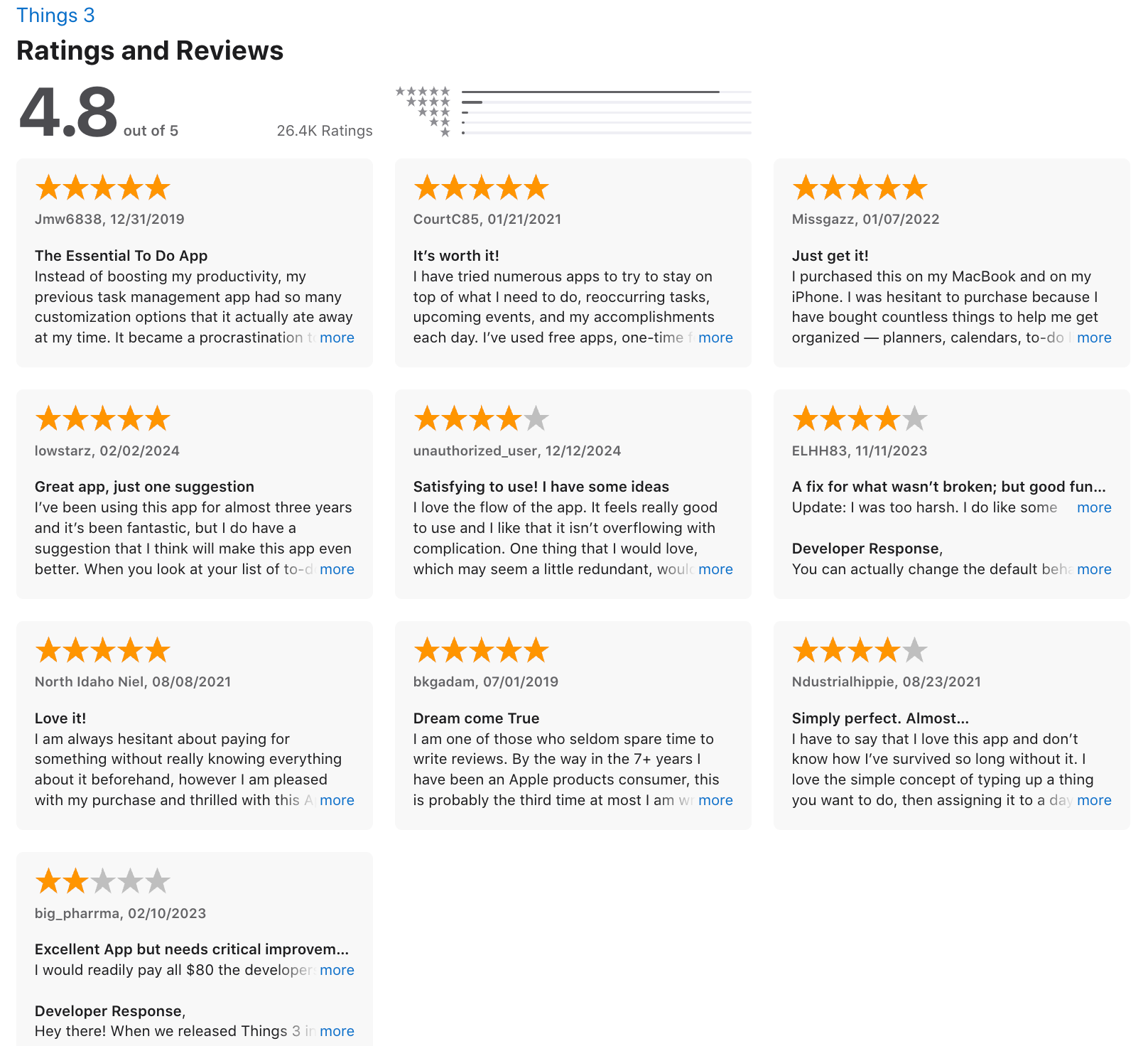
Things 3 review (source)
How to start
- Download Things 3 for each Apple device you own, set up a free Things Cloud account for syncing, and start organizing tasks using Projects, Areas, and tags.
9. Akiflow
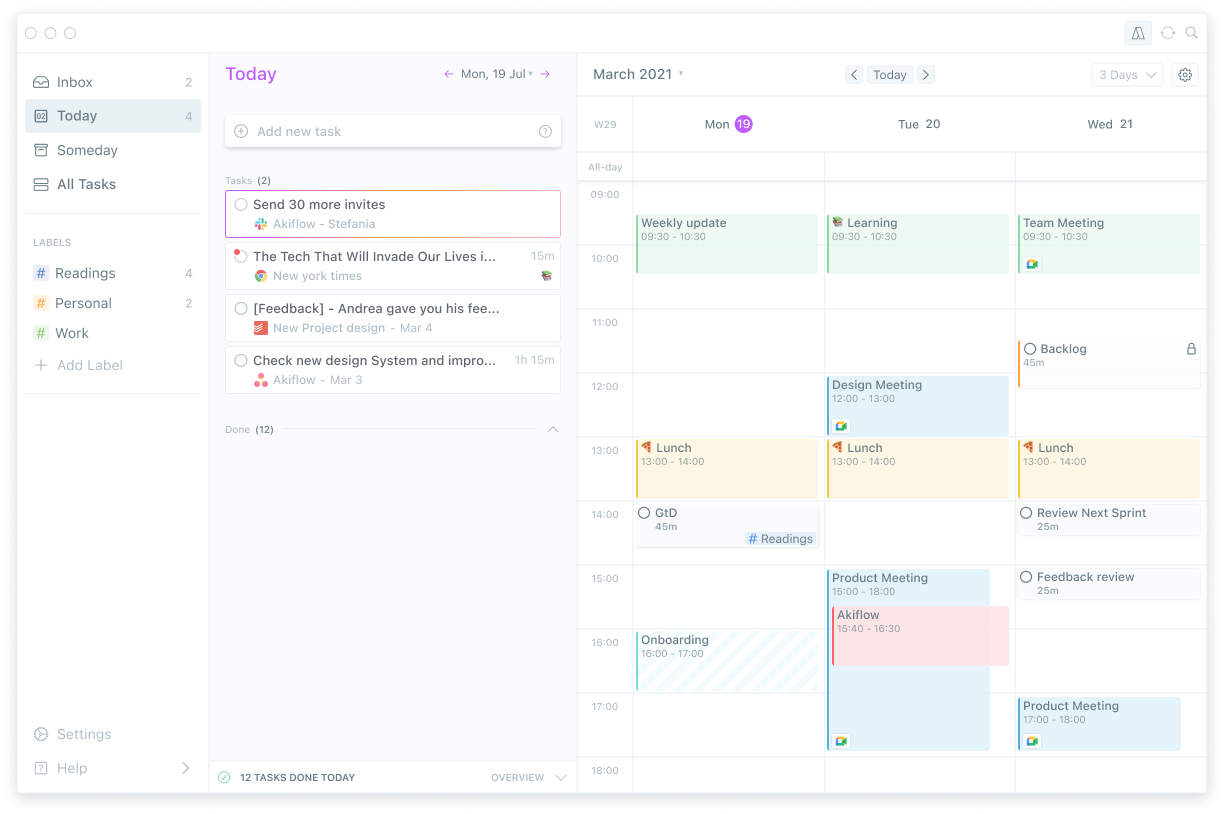
Akiflow is a productivity app focused on turning tasks into a structured daily plan. It combines task management with calendar blocking, helping you decide when work actually gets done.
Key features
- Tasks can be dragged directly into your calendar to create time blocks.
- Akiflow pulls tasks from tools like Todoist, Notion, Slack, and email.
- The app encourages a daily review flow where you prioritize and schedule tasks for the day.
- Shortcuts and command-based actions make it fast for power users.
Pros:
- Akiflow helps you move from “what to do” to “when to do it.”
- Seeing tasks inside your calendar prevents overcommitting.
- Reduces context switching by pulling everything into one place.
Cons:
- Can be complex for users who don't need a full-featured daily planner
Pricing:
- Free trial available
- Paid plan: $34/month
Suitable for
- Individuals and teams who want a comprehensive task management and time-blocking solution.
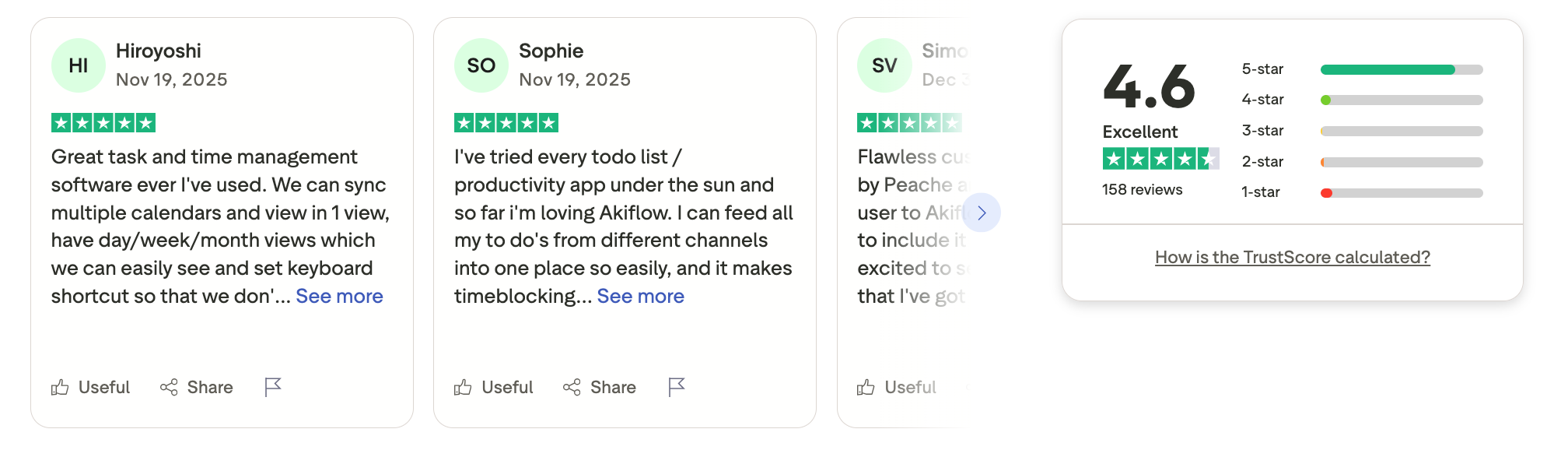
Akiflow reviews (source)
How to start
- Sign up on Akiflow website and connect apps to your space
10. Notion

Notion is an all-in-one workspace that combines notes, tasks, databases, and collaboration in a single tool. Instead of a traditional to-do list app, it lets you build your own task system using pages and databases.
Key features
- Tasks are typically managed in databases with custom properties like status, priority, due date, and owner.
- Tasks can live alongside meeting notes, SOPs, and long-form content. Everything stays connected in one workspace.
- The same task database can be viewed in different ways depending on how you want to work.
- Teams can comment, assign tasks, and collaborate in real time.
Pros:
- All-in-one workspace for notes, tasks, and databases
- Highly customizable layouts
- Excellent collaboration features
Cons:
- Requires setup time to tailor it as a task manager
- Can be complex for new users
Pricing:
- Free plan available
- Premium plan starts at $8/month, with Notion AI
Suitable for:
- Users wanting a versatile productivity platform that can adapt to various needs.
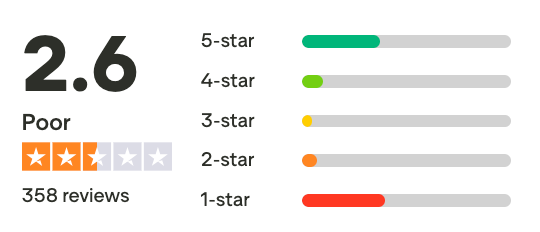
Notion Reviews (source)
Getting Started:
- Sign up on Notion's website and explore templates or create your own workspace.
Final thoughts
There’s no single best app among TickTick alternatives - because productivity looks different for everyone.
Our recommendation:
- ✨ Try 2–3 TickTick alternatives from different categories (simple to-do, planner, AI assistant)
- 🧪 Use them in real life - daily planning, messy notes, overdue tasks
- 🧠 Notice how you feel, not just how many tasks you complete
👇 If you want an AI task manager that feels calm, proactive, and human, start with Saner.AI.
Stay on top of your life with the best TickTick alternative
FAQs: TickTick Alternatives
1. Why are people looking for TickTick alternatives?
Many users outgrow TickTick when their workload becomes more complex. Common reasons include:
- Too many lists, tags, and views to maintain
- Limited intelligence around priorities
- Manual planning that feels like extra work
2. Are there AI-powered TickTick alternatives?
Yes. A new category of AI-first task managers is emerging.
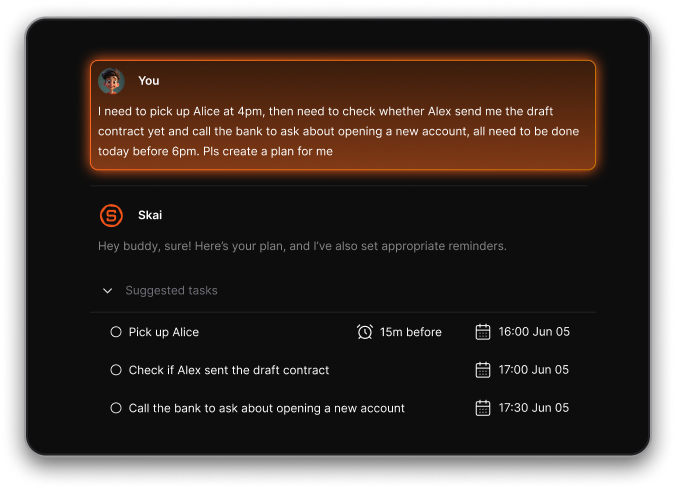
Saner.AI is a leading example. Instead of managing tasks manually, you:
- Write naturally
- Let AI turn thoughts into tasks
- Get reminders based on context, not rigid rules
3. How is Saner.AI different from TickTick?
TickTick is a structured task manager. Saner.AI is a thinking partner.
Key differences:
- TickTick requires you to organize tasks
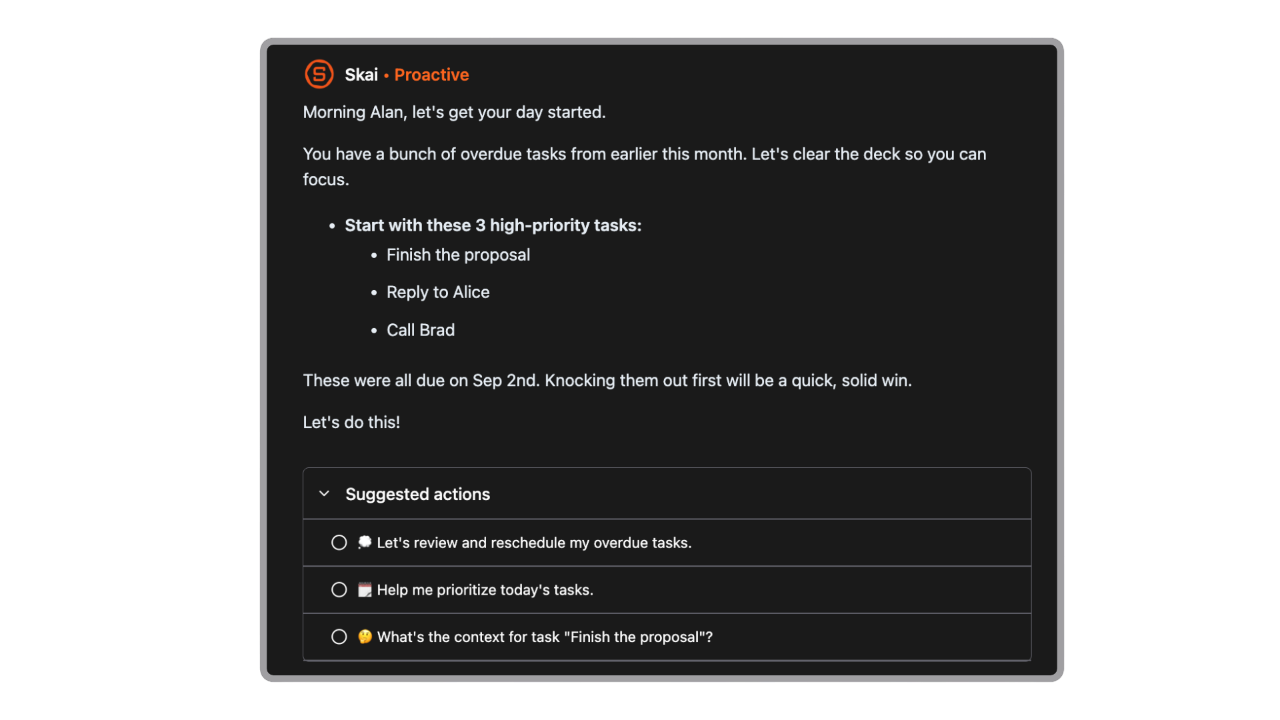
- Saner.AI organizes for you
- TickTick shows lists
- Saner.AI surfaces what matters now
4. Is Saner.AI a good TickTick alternative for ADHD users?
Yes. Many ADHD users struggle with tools that require constant upkeep.
Saner.AI helps by:
- Reducing context switching
- Allowing unstructured brain dumps
- Surfacing tasks automatically at the right time
That’s why it’s often recommended when searching for TickTick alternatives for ADHD.
5. Are there simple TickTick alternatives without AI?
Yes, but they still rely on manual input.
Popular non-AI options include:
- Todoist - clean, rule-based task management
- Microsoft To Do - lightweight and free
- Things3 - great UX for Apple users
These work well if you enjoy structured lists and daily reviews.
6. Which TickTick alternatives are best for teamwork?
TickTick is primarily for individuals. Teams often need more visibility.
Common team-focused alternatives:
- Asana
- ClickUp
- Trello
7. Is Notion a good replacement for TickTick?
Notion is flexible, but not purpose-built for tasks.
Pros:
- Custom workflows
- Notes + tasks in one place
Cons:
- High setup effort
- Easy to over-engineer
Many users leave Notion when they want less maintenance and more clarity.
8. How does Saner.AI compare to Akiflow?
Saner.AI differs by:
- Requiring less daily setup
- Handling incomplete or vague inputs
- Acting proactively instead of relying on strict routines
If Akiflow feels like “too much system,” Saner often feels lighter.
9. Is Any.do a good TickTick alternative?
Any.do is a close functional cousin to TickTick.
It’s suitable if you want:
- Simple lists
- Cross-platform access
- Minimal learning curve
However, it doesn’t solve prioritization or mental overload.
10. What’s the best TickTick alternative for busy professionals?
Busy professionals usually need fewer tools, not more features.
Saner.AI works well because it:
- Connects tasks, notes, and calendar
- Helps you decide what matters today
- Reduces daily planning friction
It’s built for follow-through, not just task storage.
11. Are there free TickTick alternatives worth trying?
Yes. Many tools offer free plans.
Examples:
- Saner.AI - free tier for AI-assisted task capture
- Todoist - free with basic features
- Microsoft To Do - fully free
Free plans are a good way to test fit before committing.
12. What’s the easiest TickTick alternative to start with?
The easiest alternative is one that requires no setup.
Saner.AI is often the fastest to adopt:
- Open it
- Write what’s on your mind
- Let it organize for you
No folders, tags, or workflows required.
Stay on top of your work with the best TickTick Alternative