We Tested +55 AI Productivity Tools. Here Are The 10 Best Apps in 2026

AI Productivity Tools: We Reviewed and Ranked the 10 Best Apps in 2026
TL;DR: Best AI Productivity Apps in 2026 (By Use Case)
2. NotebookLM – Research-focused AI that summarizes and connects documents
3. ChatGPT – Versatile writing, reasoning, and brainstorming AI
4. Superhuman – Lightning-fast, AI-powered email inbox
5. Reclaim.ai – AI Calendar that automates bookings
6. Wispr Flow – Voice-to-text across any app
7. Napkin.ai – Turn ideas into visual storytelling
8. Manus.im – Early-stage AI agent that completes tasks for you
9. Granola – AI Note Taker without bots
10. Grammarly AI – Writing polish with tone, grammar tools
When here are way too many tools out there. Some claim to be your “AI Assistant” others promise to write, organize, or plan for you. Which ones actually deliver?
This post breaks it all down.
Whether you're a solo founder, a busy professional, or someone who just wants to get more done without burning out, this guide covers the best AI productivity tools in 2026 - ranked by real use cases like task management, note-taking, writing, calendar planning, and more.
Let’s dive in.
What Are AI Productivity Tools?
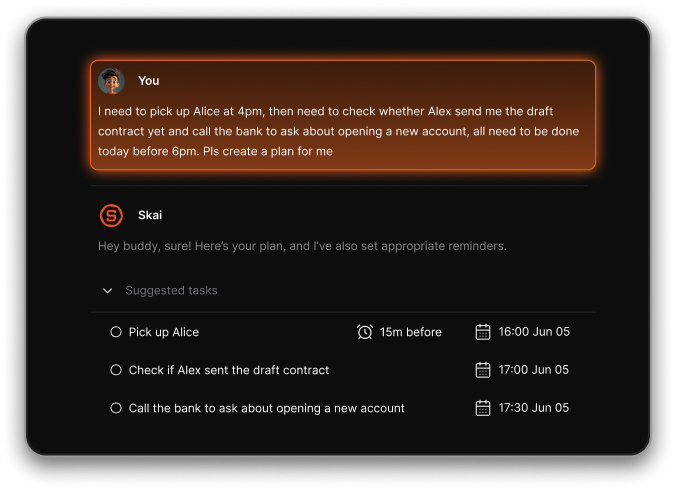
AI productivity tools are apps that use artificial intelligence to help you do your work faster, smarter, or with less effort. They don’t just store your tasks and notes - they understand them.
How did we test these tools?
We compared the tools based on the work they help you get done and how much effort it takes to use them:
- Primary use: Does the tool solve a clear problem?
- Ease of use: Can you get value from it without spending hours setting up a new system?
- Fit with existing work: Can you use it alongside the apps and documents you already rely on?
- Quality of output: How much checking or editing does the AI’s work need?
- Practical value: Does it save time on a task you do often enough to justify using another app?
What are the Best AI Productivity Tools?
The Best AI Productivity Tools in 2026 are: Saner.AI, ChatGPT, Reclaim, Manus, NotebookLM, Superhuman, WisprFlow, Napkin, Grammarly.
Comparison Table - AI Productivity Tools in 2026
| Tool | What It Does | Best For | Key Strengths | Limitations | Pricing & Access |
|---|---|---|---|---|---|
| Saner.AI | Personal AI assistant for notes, tasks, email | knowledge professionals, ADHD | Auto-organizes inputs, semantic search, Chat to manage tasks, emails | Still maturing | Freemium |
| NotebookLM | AI-powered research notebook & Q&A assistant | Researchers, students, content creators | Rich media overviews, mind maps, offline mobile support | Focused on document interaction (not workflow) | Free on Google account |
| ChatGPT (GPT‑5o + Agents) | General-purpose AI assistant & agent executor | Knowledge work: writing, coding, errands | Strong reasoning, tool integrations, autonomous agent mode | Manual integration needed, agent in Pro tier only | Free + Pro/Plus/Team (~$20+/user/mo) |
| Superhuman | AI‑native email client | High-volume email users & teams | Lightning-fast UI, AI summaries/drafts, productivity gains | Expensive; limited to Gmail/Outlook | $30/month; acquired by Grammarly in 2025 |
| Wispr Flow | Voice-to-text AI dictation across apps | Multilingual professionals, writers, execs | Realtime formatting and tone editing, cross-app support | Large system footprint, high CPU load | 15$/month |
| Napkin.ai | Text-to-visual storytelling (infographics) | Creatives, content teams, designers | Converts text into visuals and charts quickly | Limited brand alignment, no API yet | Free tier; $9–22/month plans |
| Manus.im | Autonomous AI agent executing tasks | Executives, ops teams, complex workflows | Proactive task execution (emails, scheduling, analysis) | Still evolving | 20$/month |
| Reclaim.ai | AI-driven calendar scheduling and time blocking | Busy professionals managing time and habits | Auto-reschedules tasks if conflicts, protects focus time | Requires good calendar habits | Free; paid from ~$10/month/business |
| Granola | AI meeting note taker | People with back to back meetings | Without bots | Quite expensive | 18$/month |
| Grammarly (AI features) | Writing clarity, tone suggestions, ideation GPT | Professionals who write daily | Grammar/tone feedback, new AI brainstorming modes | Focused on writing—not workflows | Free; Premium ~$12/month |
1. Saner.AI - AI Personal Assistant
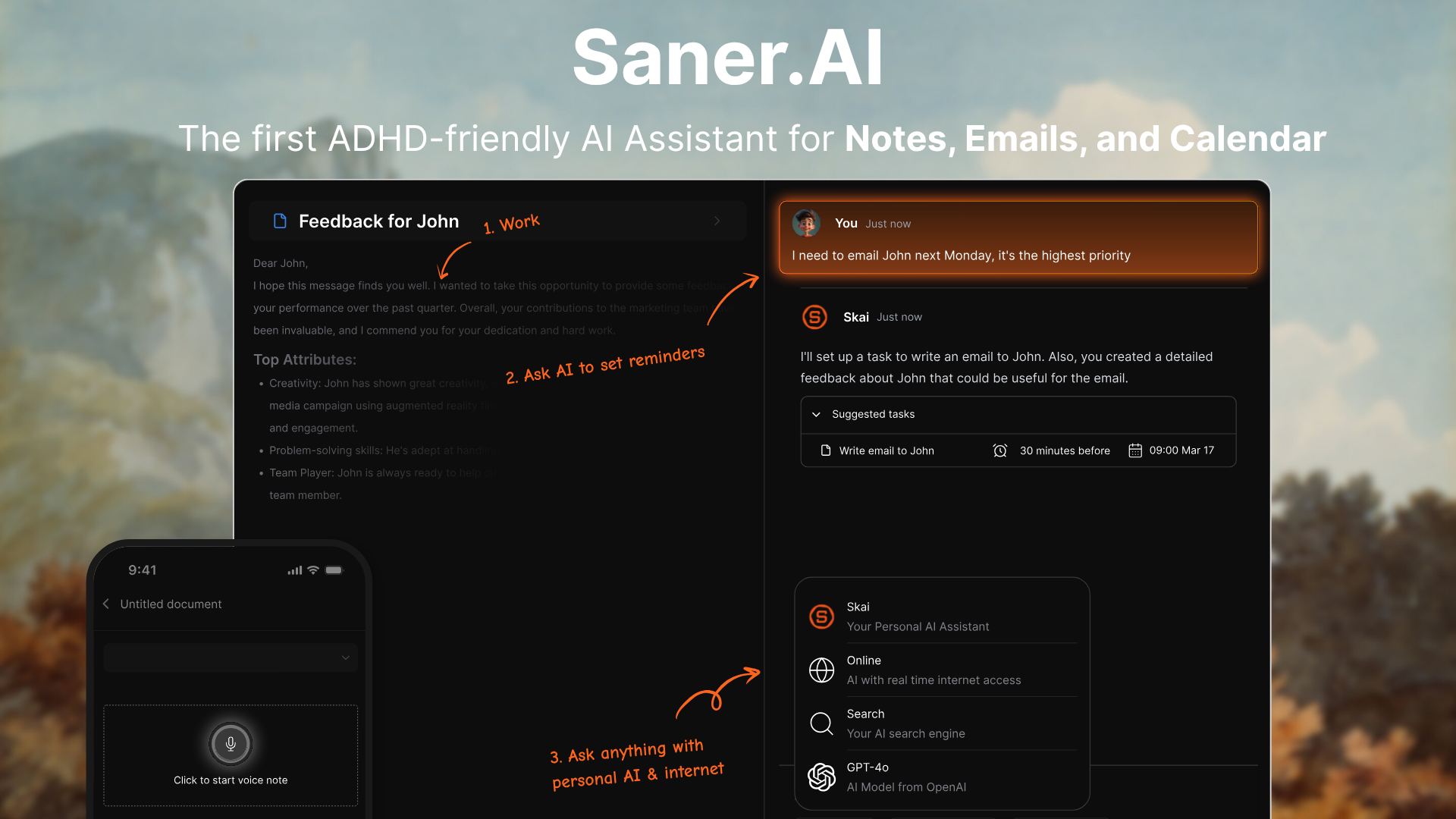
Saner.AI is an ADHD-friendly AI productivity tool that allows you to dump your thoughts or connect your inbox, and the assistant handles the rest.
Key features
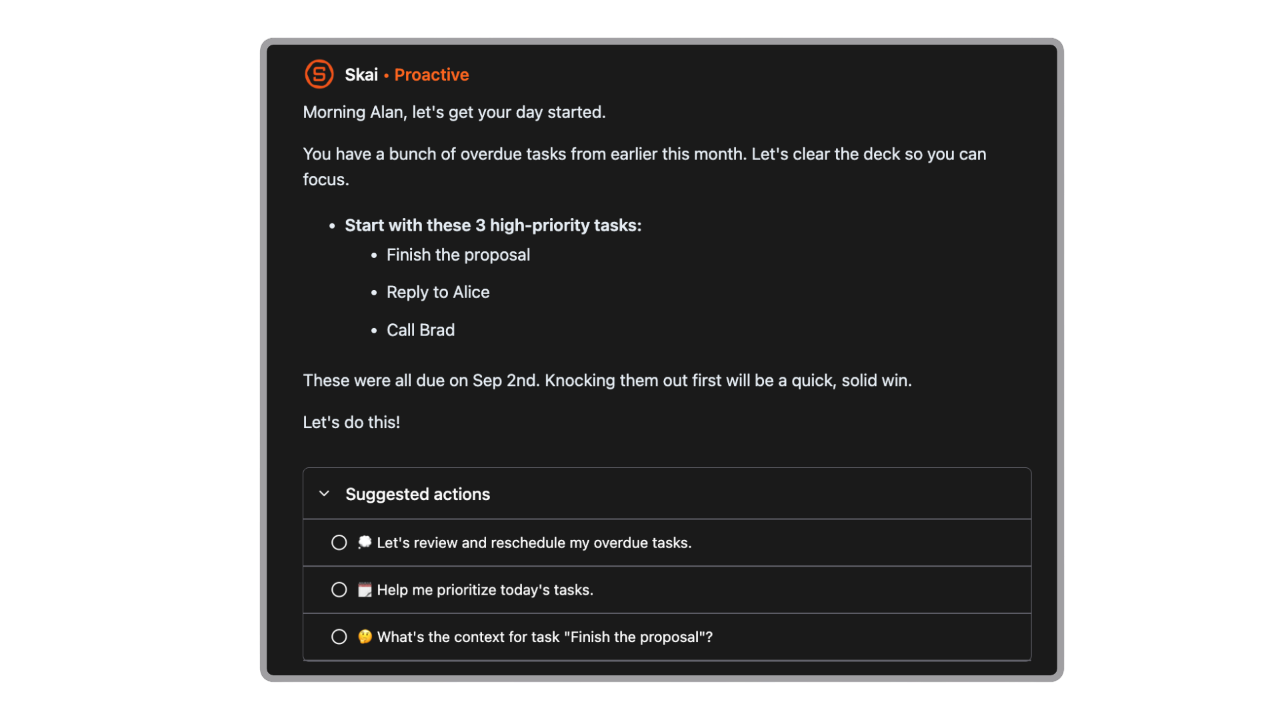
- Proactive Daily Planner: Every morning, Saner scans your inbox, notes, tasks, and calendar to propose an optimal plan for your day
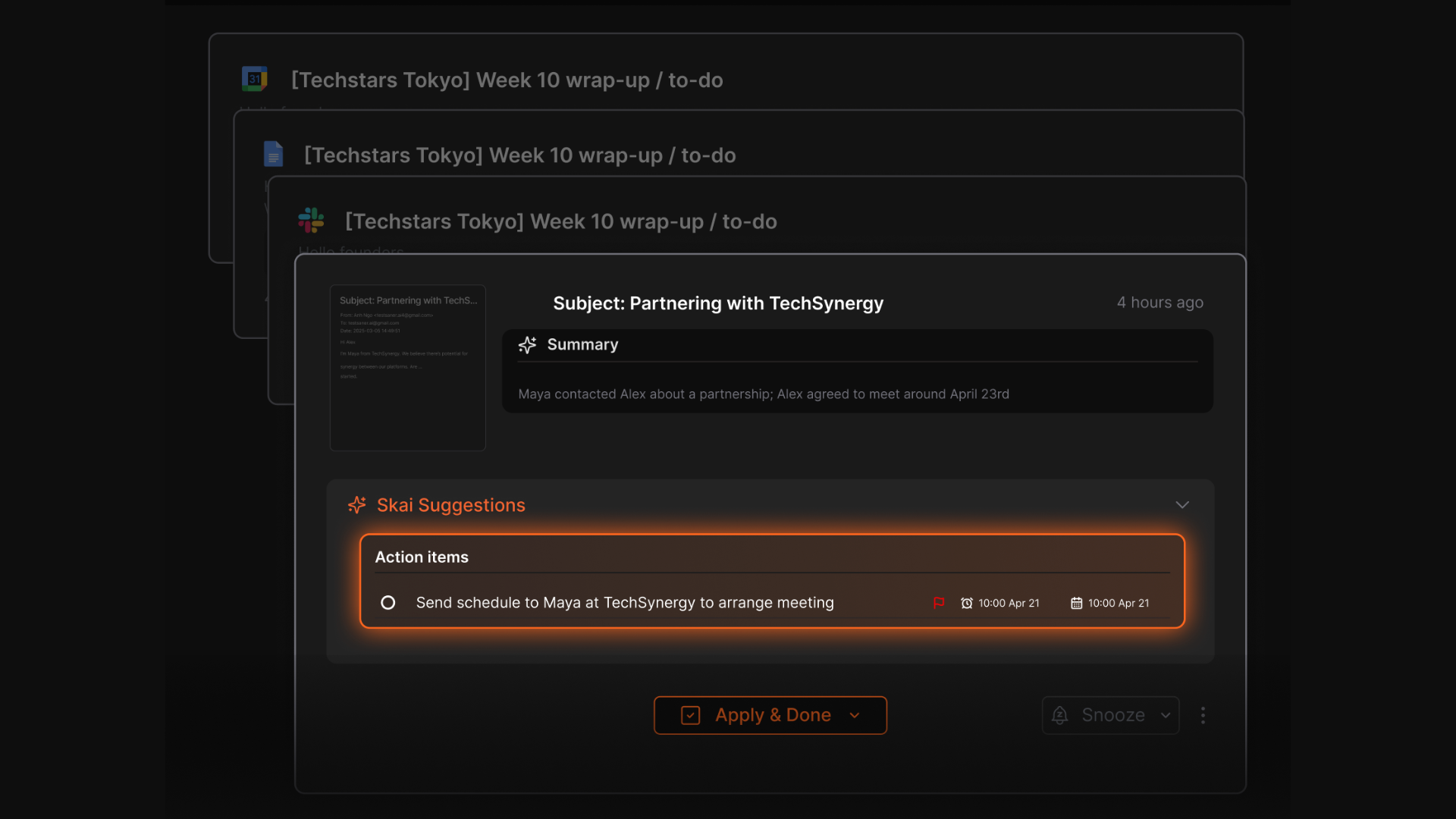
- AI Task Assistant: Detects follow-ups from emails and notes, turns them into tasks or reminders with one click
- Chat-Based Control: You can say things like “Move my writing session to 4 pm tomorrow” and it updates your calendar
- Natural Language Search: Summarizes and retrieves anything you’ve written, emailed, or saved - instantly
- Unified Workspace: Combines notes, todos, emails, and calendar into one place
- Mobile Access: Native apps on iOS and Android keep everything in sync on the go
What I liked
- Works like a real assistant - you can just rant or brain-dump, and it turns that into structured, trackable actions
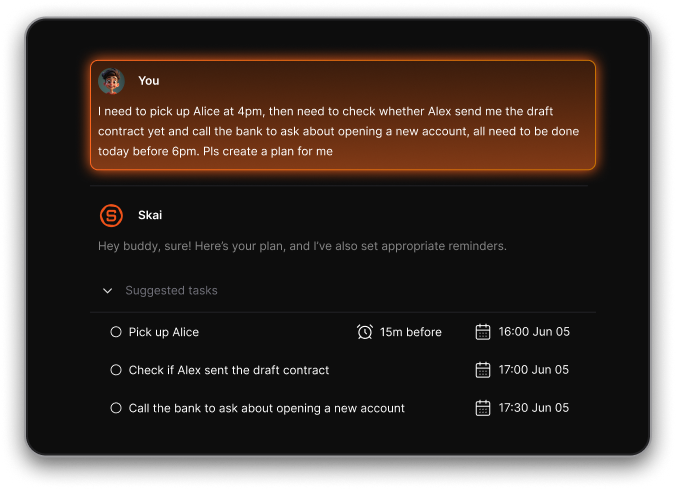
- The daily planner isn’t just static - it actively proposes what you should work on based on urgency, deadlines, and availability
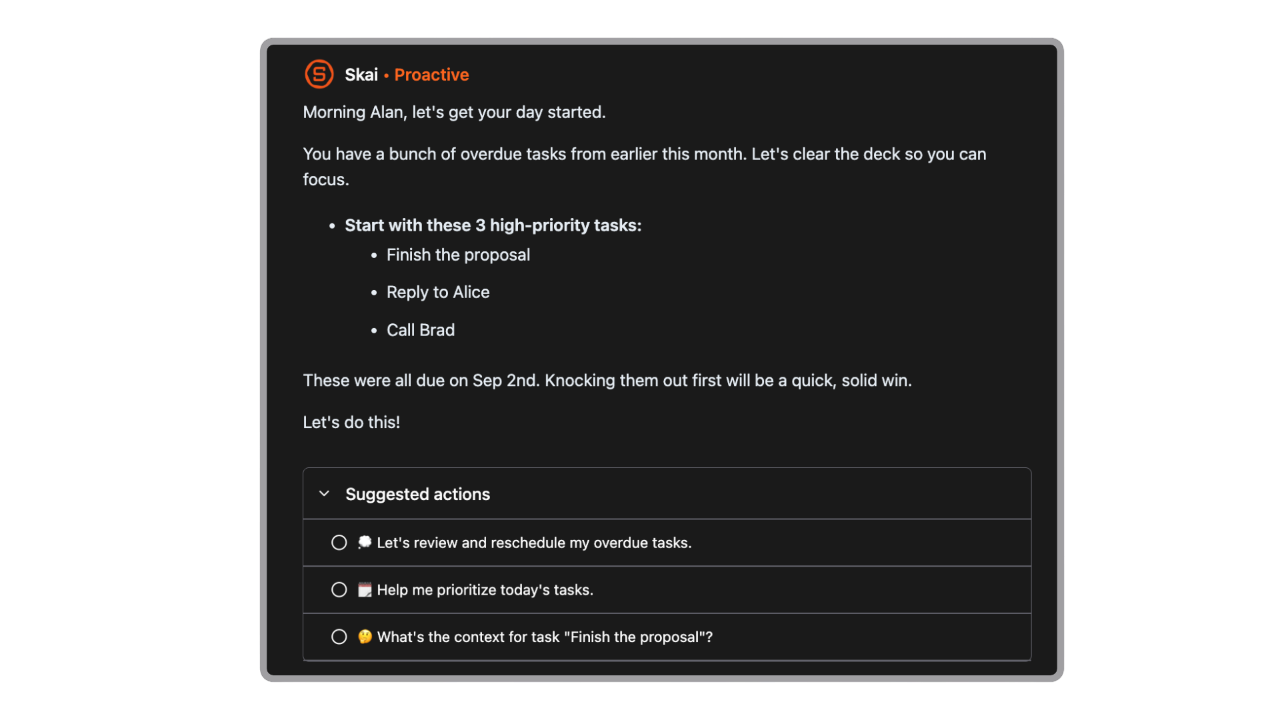
- You don’t need to toggle between five different apps - Saner keeps notes, tasks, and scheduling all in one view
Cons
- Not ideal for large teams or project timelines - no Gantt charts or complex task dependencies.
Pricing
- Free
- Starter: Monthly at $8/month, Annually at $6/month (with early user discount)
- Standard: Monthly at $16/month, Annually at $12/month (with early user discount)
Who is it suitable for?
- Knowledge workers, entrepreneurs, creatives, and anyone managing lots of mental tabs
- People with ADHD or executive function challenges who need help turning chaos into clarity
- Busy professionals who want AI to help plan their day, manage their inbox, and organize their brain - all in one tool
Saner.AI review
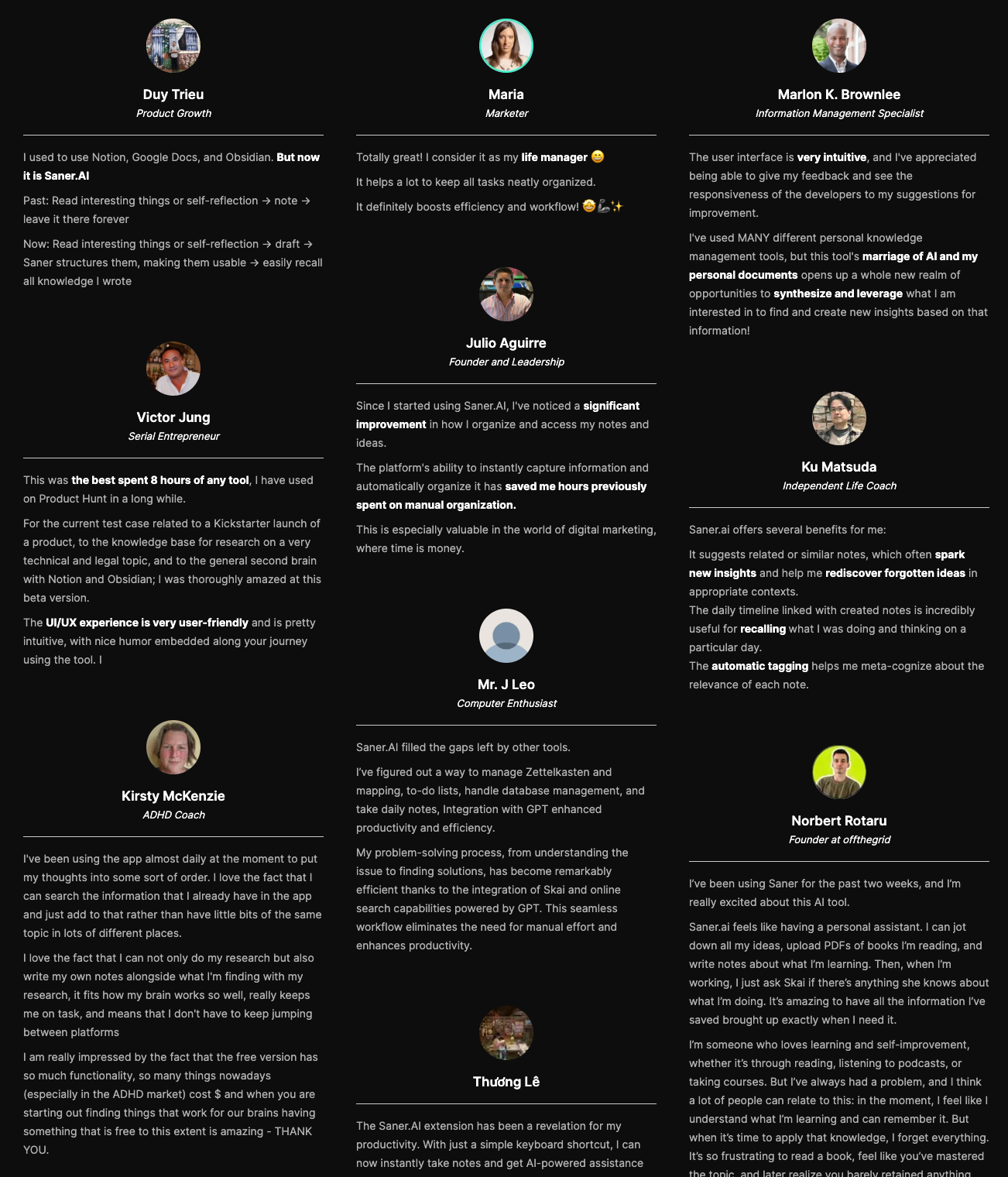
How to start using it?
- Just go to saner.ai, sign up, connect your calendar or email, and start chatting with your assistant.
- You can add notes, brain dumps, or documents - and chat with AI to start

The AI Productivity Tool that works with you
2. ChatGPT - General AI

ChatGPT is a conversational AI assistant that helps you research, write, plan, and get things done through natural conversation.
Key features
- Multimodal input: Understands text, images, audio, and video
- ChatGPT Agent: Can perform tasks like filling forms, navigating sites, booking appointments
- Custom GPTs: Build your own AI workflows with no coding using the GPT builder
- Enterprise-grade privacy & admin controls (on Team & Enterprise plans)
What I liked
- It’s fast, smart, and great at simplifying complex tasks like writing code or creating content outlines
- The Agent mode is helpful
- You can create your own GPTs tailored to your workflow
What I disliked
- Conversations aren’t private by default - so you need to be careful with sensitive information
- The Agent still needs manual approval for each step, and it occasionally breaks mid-task
- You only get access to the full feature set (Agent, custom GPTs, plugins) with a paid plan
Pricing
- Free plan with GPT-4o mini
- Plus plan at $20/month with GPT-4o, custom GPTs, Agent access
- Pro plan at $200/month with enhanced model access and reliability
Suitable for
- Professionals, researchers, and businesses who want a powerful AI to help with writing, analysis, planning, automation, and real-world task execution. It’s also a great tool for developers building their own GPT workflows.
How to start
- Go to chat.openai.com, sign up for a free account, and start chatting..
ChatGPT Review (source)
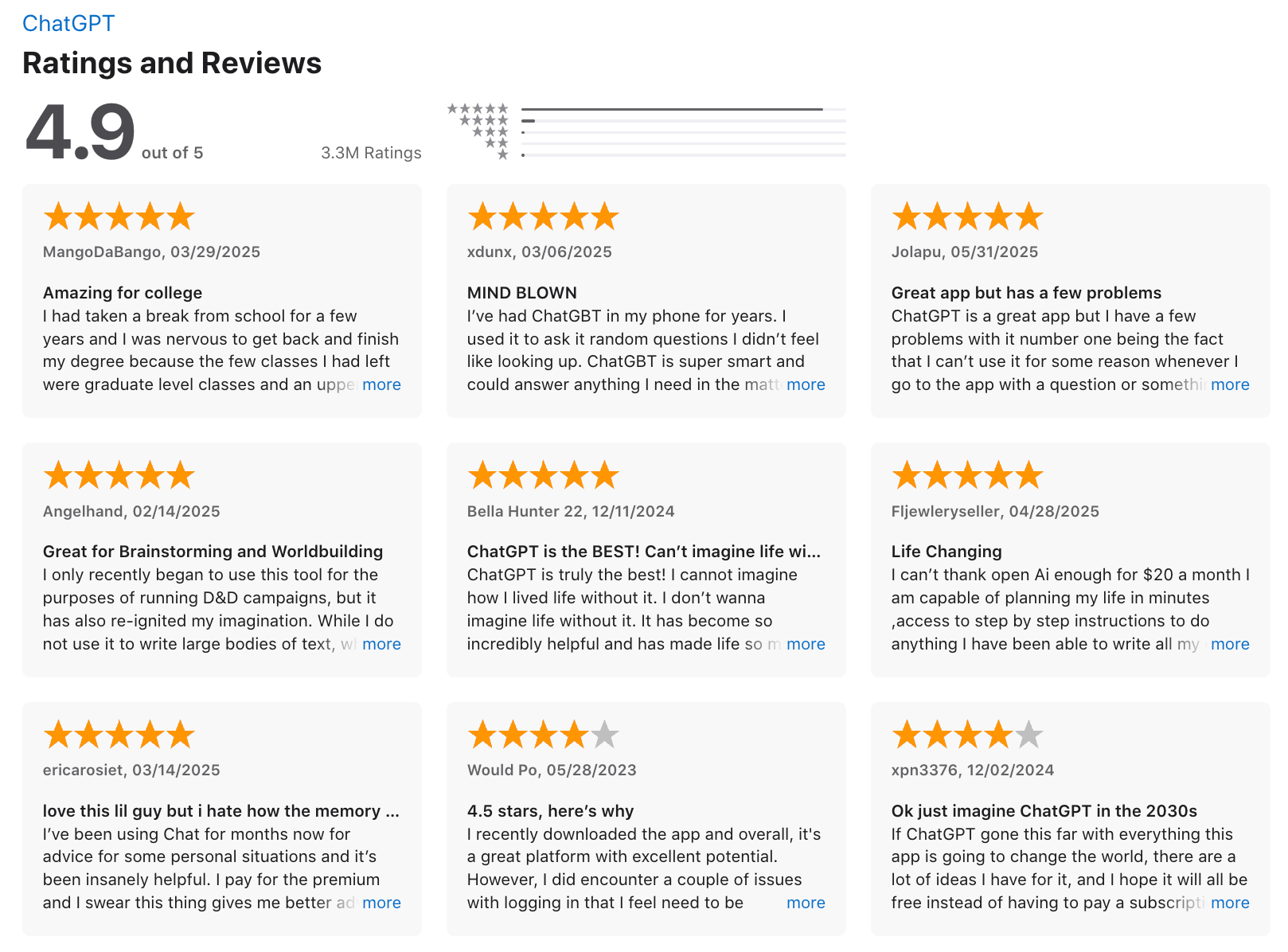
3. Reclaim - AI Calendar
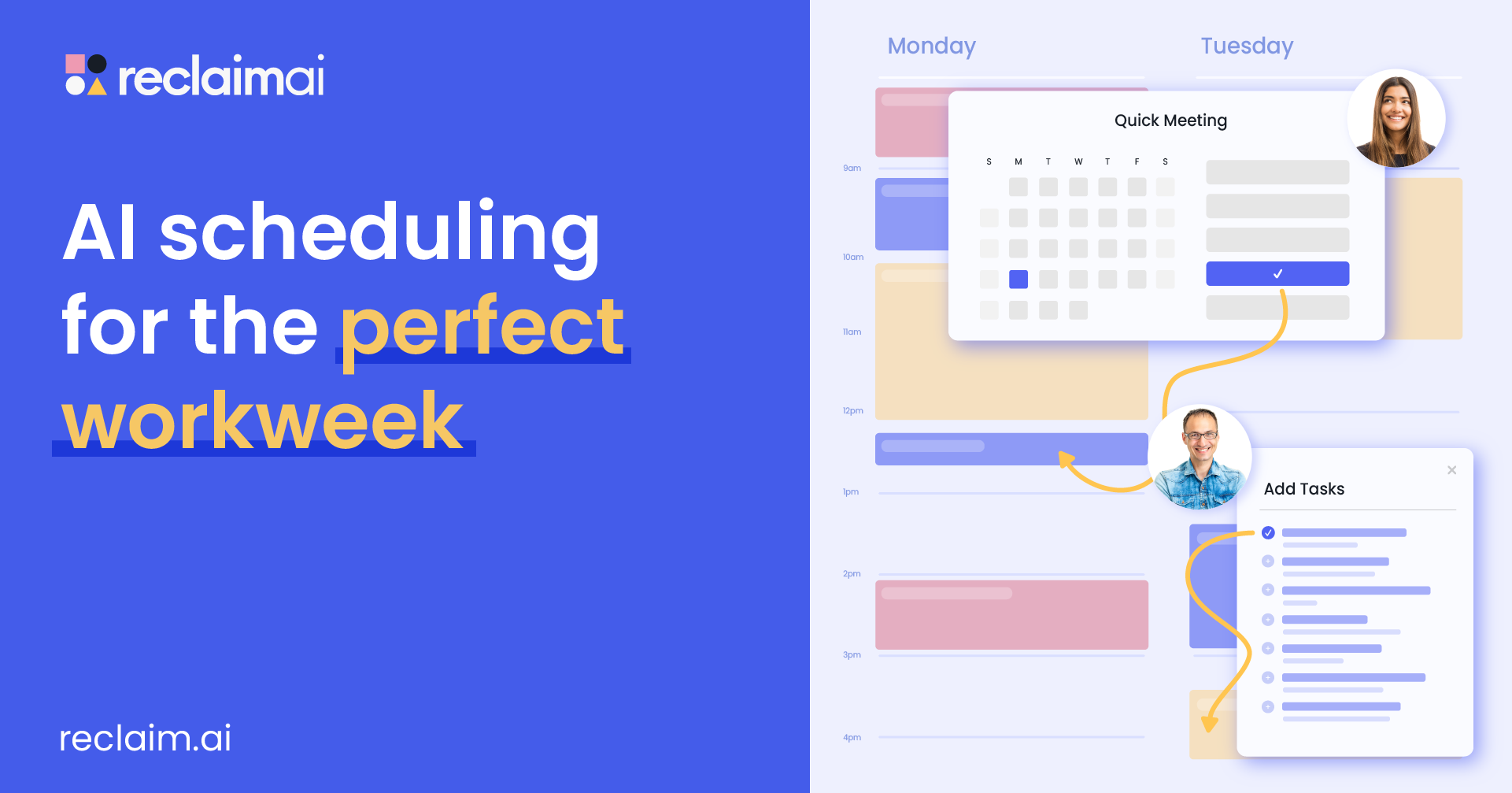
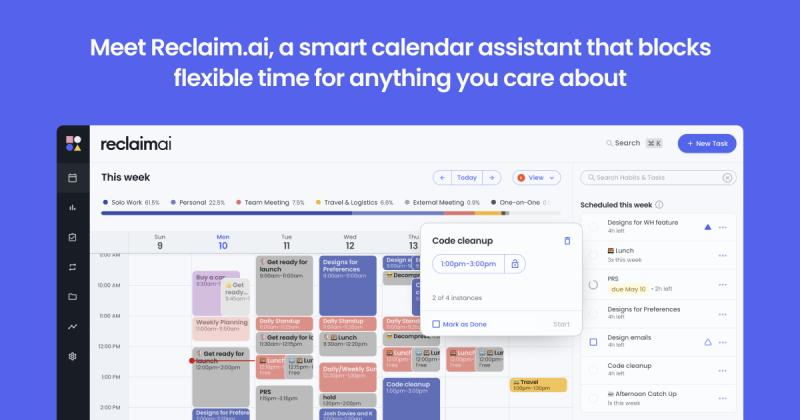
Reclaim.ai dynamically reschedules your priorities around last-minute changes, protecting what matters most.
Key features
- Smart Time Blocking: Automatically defends time for tasks, deep work, and routines, based on your weekly goals
- Smart Meetings: Finds the best time for 1:1s or group meetings without endless back-and-forth
- Habit Scheduling: Recurring routines like workouts or learning sessions are auto-scheduled flexibly
- Time Analytics: Tracks meeting load, focus time, and balance
What I liked
- It does a great job of protecting Focus Time without me needing to micro-manage my week
- I like how flexible the recurring Habits are - it finds time for my routines without me thinking about it
What I disliked
- There’s still no mobile app, which feels like a miss for managing schedules on the go
- It’s not a full project management tool - no Kanban boards, timelines, or task dependencies
- If you want a conversational chatbot-style assistant, Reclaim isn’t built that way
Pricing
- Free Lite plan available
- Starter plan from $10/user/month
- Business plan from $15/user/month
Suitable for:
- Professionals and teams looking to automate their scheduling, protect focus time, and escape the chaos of back-to-back meetings.
How to start:
- Go to reclaim.ai, connect your calendar, and set your focus and habit goals. It works instantly with Google Calendar.
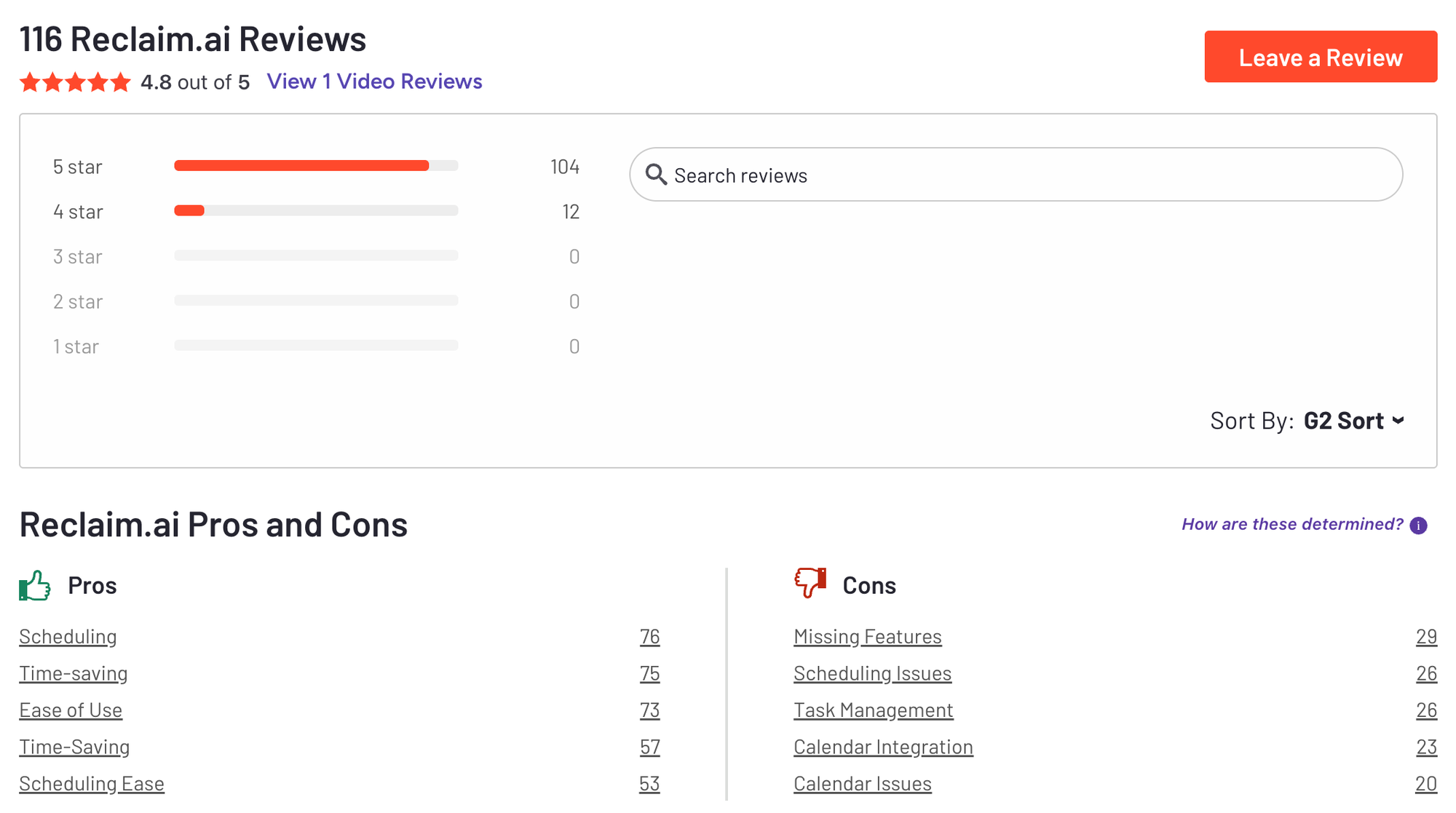
Reclaim.AI Reviews (source)
4. Manus - AI Agent
Manus AI is a fully autonomous productivity agent designed to turn your ideas into outcomes. It handles multi-step workflows in the background like building websites, generating reports, or creating presentations, all from a simple prompt.
Key features
- Multi-modal Capabilities: Works with text, code, visuals, and even video as part of a complete workflow
- Deep Tool Integration: Interfaces with browsers, command-line tools, IDEs, databases, and more
- Adaptive Memory: Learns your preferences over time and optimizes how it handles tasks
What I liked
- It finishes projects from start to end
- Can generate anything from dashboards to playable games from a single prompt
- Learns and improves based on how you work
What I disliked
- Privacy and data transparency are unclear, especially with its Chinese backing
- Not always reliable - some tasks can loop or stall in complex workflows
- Slower execution when visual generation or web publishing is involved
Pricing
- 20$/month
Suitable for
- Professionals and teams who want an AI that does, not just chats. Great for those building presentations, reports, websites, or internal tools from just an idea
How to start
- Go to manus.im and start chatting with the AI
5. NotebookLM - AI Q&A
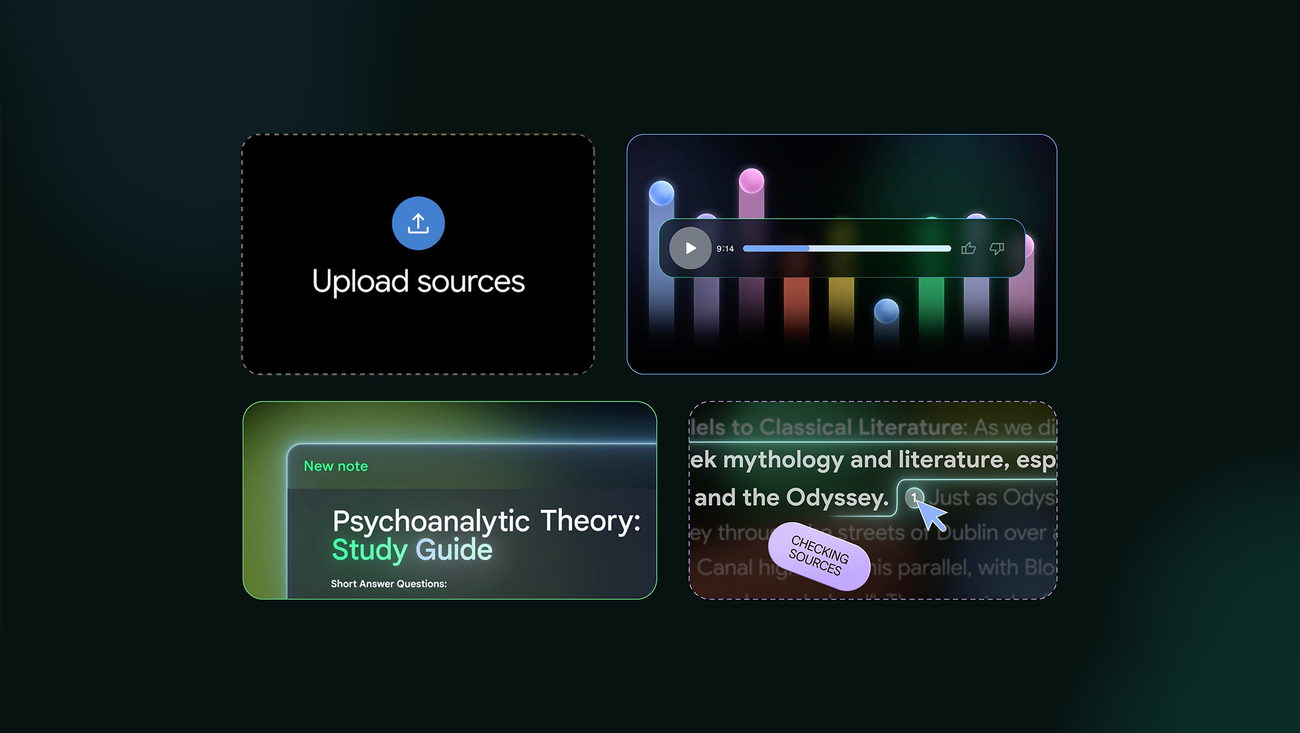
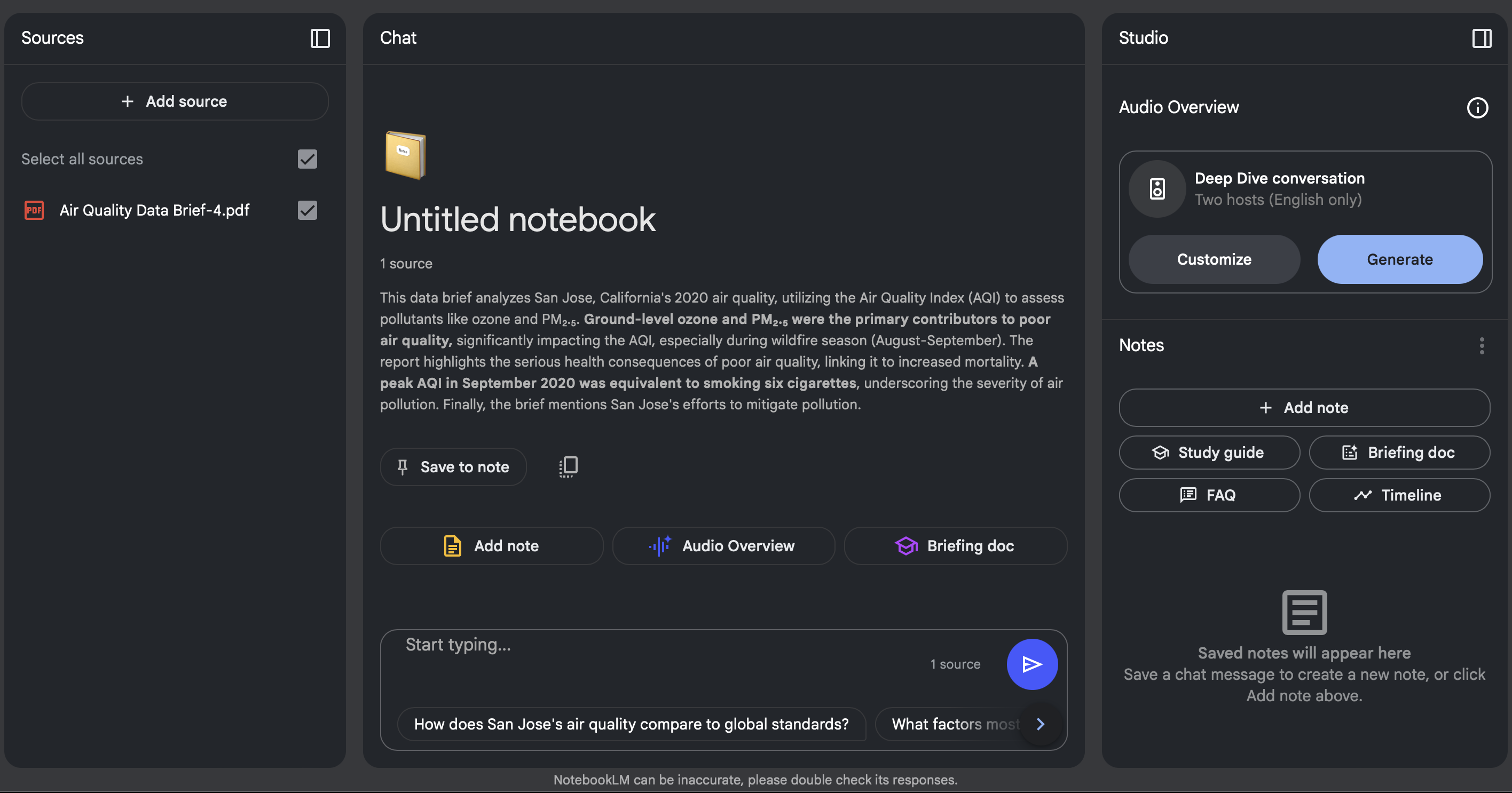
NotebookLM is an AI research notebook that helps you digest information faster by turning your documents into interactive outputs. All responses are grounded in your uploaded sources, so you can trust the answers and verify them easily.
Key features
- Source-grounded Q&A: Ask questions about your own files and get accurate answers with citations
- Audio overviews: Turns your documents into podcast-style discussions between two AI hosts
- Video overviews: Creates narrated slideshows based on your content, complete with voice, visuals, and key takeaways
What I liked:
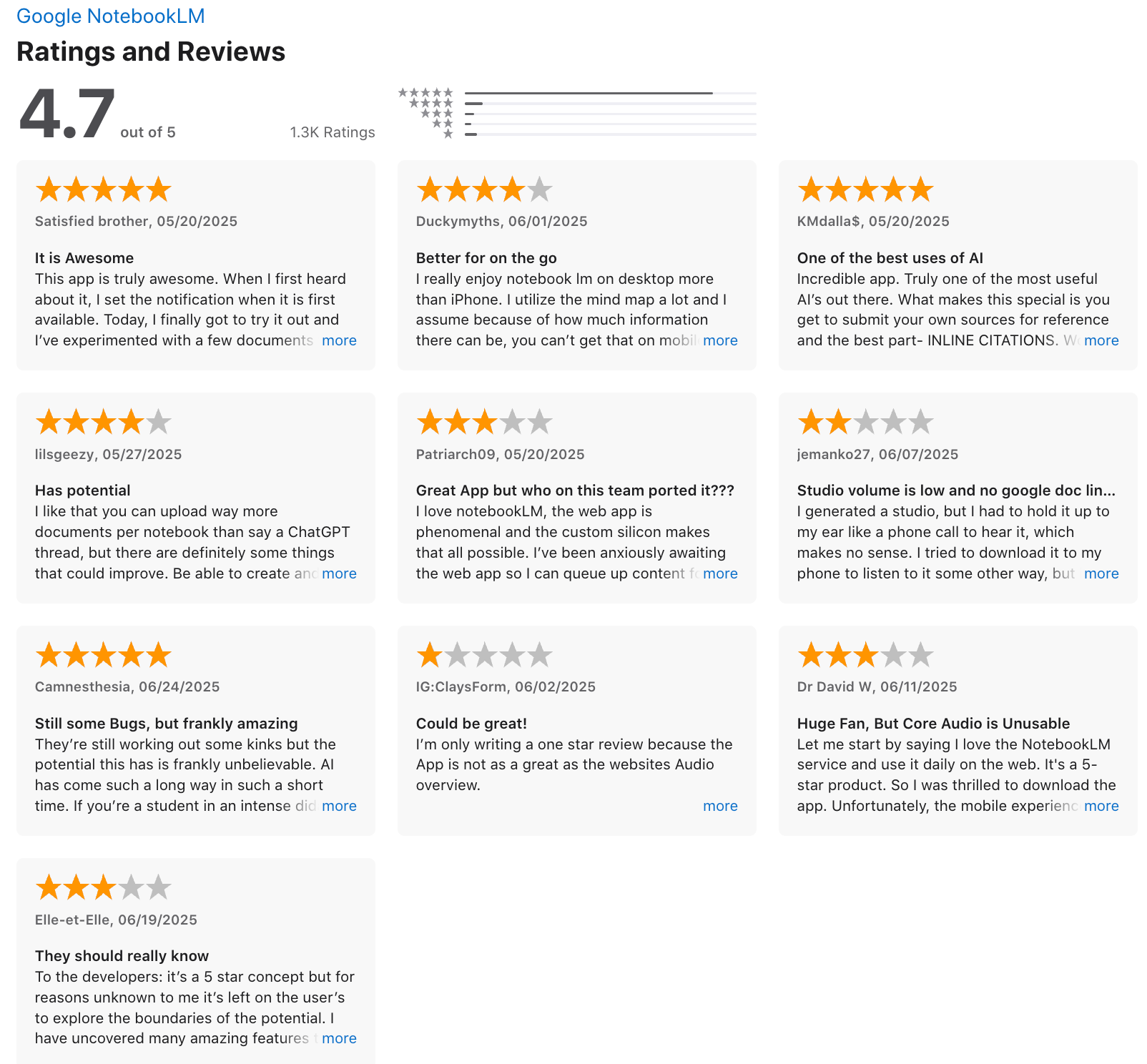
- You can turn complex documents into podcasts or narrated explainers
- Everything is sourced directly from your files, so you can trust the answers and double-check them
- The ability to switch between formats (chat, podcast, slideshow, mind map) makes it feel flexible and intuitive
What I disliked:
- Edits to Google Docs and Slides aren’t auto-synced - you have to re-upload or manually refresh them
- There’s no public API, so you can’t integrate it into your workflow or automation tools yet
- Some features still feel experimental and require a bit of trial and error
- Cannot manage your tasks, calendar here
Pricing:
- Free tier available with access to core features and reasonable source limits
- Premium plans (via Google One AI Premium or Workspace) unlock more uploads, longer documents, and advanced export formats
Suitable for:
- Students, researchers, educators, content creators, and teams looking to turn dense information into dynamic, digestible formats
How to start:
- Just go to notebooklm.google, sign in with your Google account, upload a few documents, and start asking questions or generating overviews in Studio.
NotebookLM review (source)
6. Grammarly - AI Writing Assistant
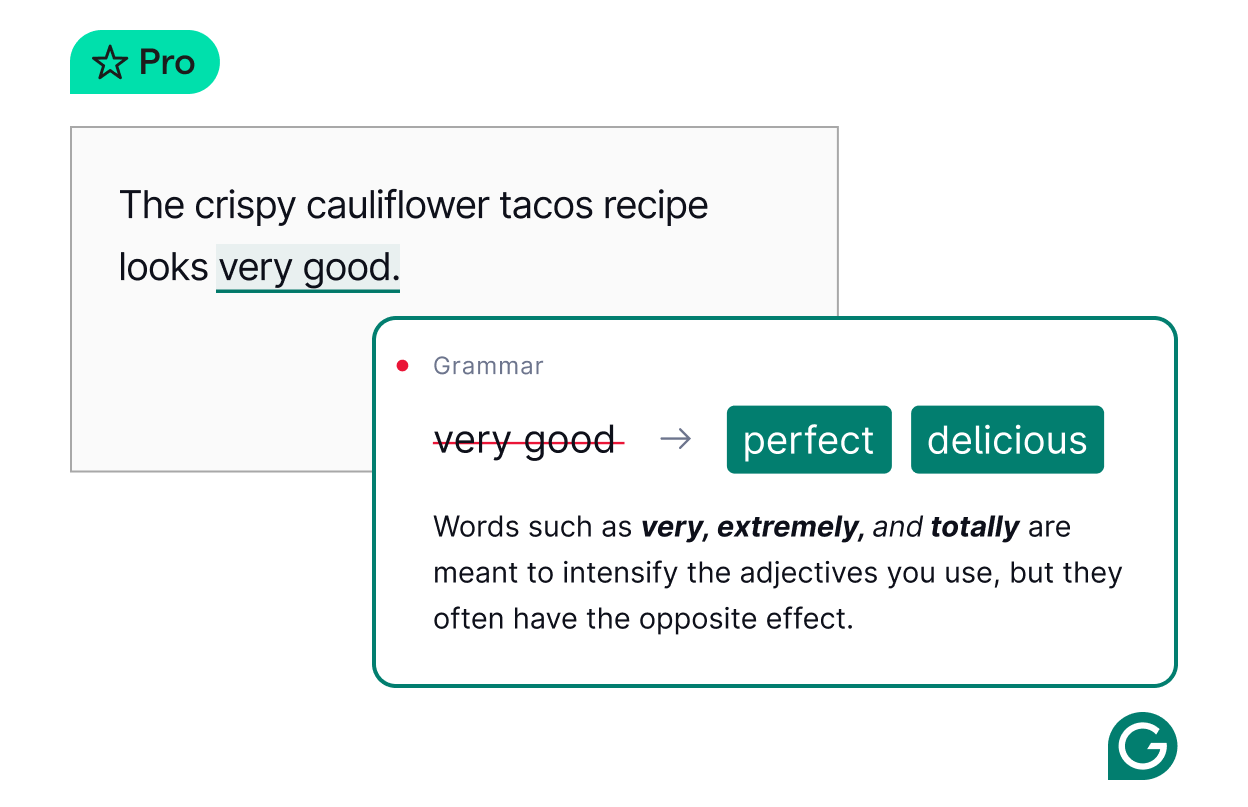
Grammarly is an AI writing assistant that helps you write clearly, confidently, and faster - across email, documents, messages, and more.
Key features
- Grammar, spelling, and style checking powered by AI
- Tone detection and instant rewrites to sound more confident, friendly, or professional
- Plagiarism checker and citation tools for academic or content writing
What I liked
- It feels like having a writing coach everywhere - email, browser, Docs, mobile
- The AI rewrites are helpful when you’re stuck or trying to improve tone
- Integrates smoothly into daily writing tools - no need to switch apps
What I disliked
- The best features are paywalled - the free plan limits AI usage
- Monthly pricing feels steep if you’re a light user
- Still not a full project management or long-form writing tool
Pricing
- Free plan: Basic checks, 100 AI prompts/month
- Pro plan: $12/month billed annually or $30/month billed monthly — includes 2,000 AI prompts, team tools, and full writing assistant
- Enterprise: Custom pricing for large teams, advanced security, and admin features
Suitable for
- Students who want help with grammar, clarity, and plagiarism checking
- Writers and creators who want polished, on-brand writing
- Professionals who write emails, docs, or reports every day
- Teams that want consistent tone and writing standards across the org
How to start
- Just head to grammarly.com, create a free account, install the browser extension or mobile keyboard, and upgrade to Pro if needed.
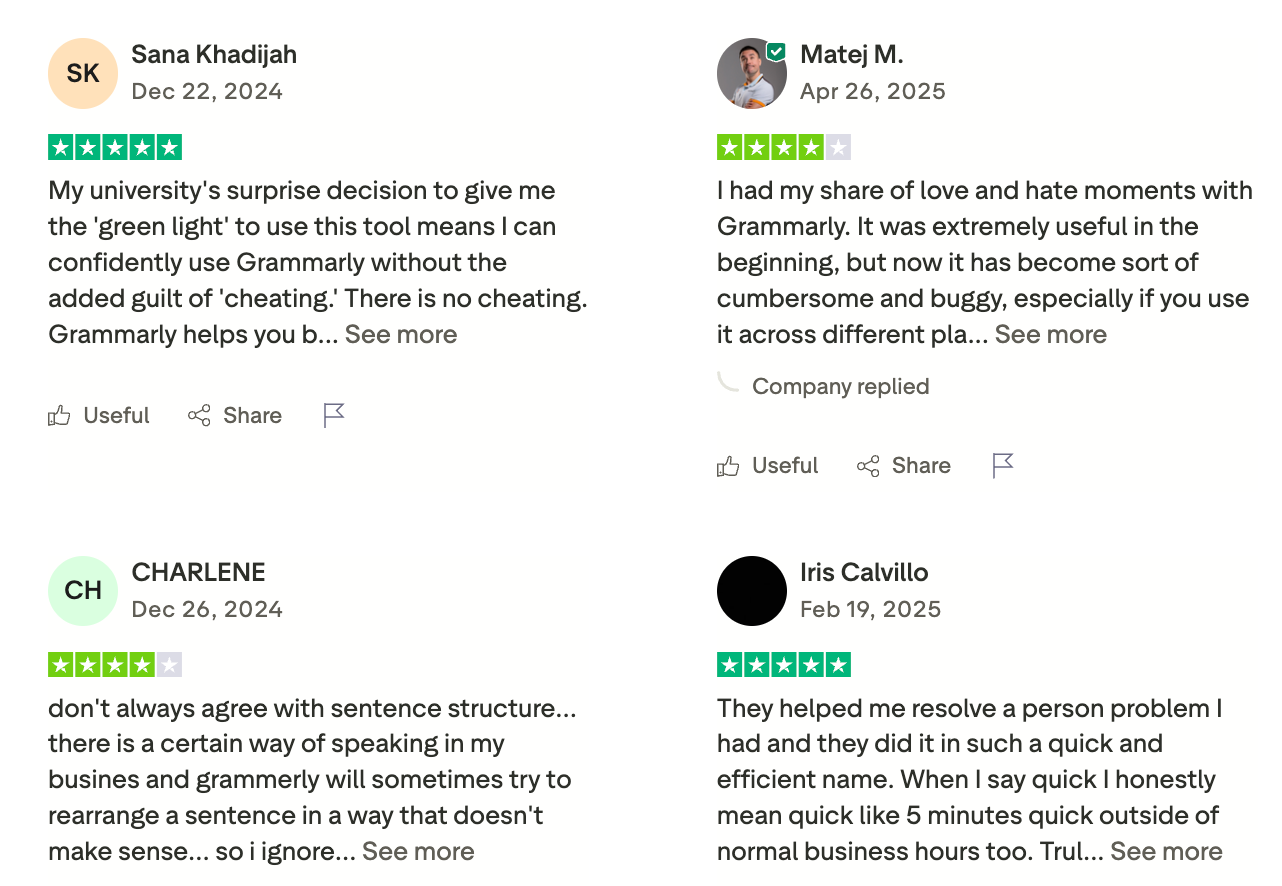
Grammarly review (source)
7. WisprFlow - AI Dictation
Wispr Flow is a voice-first AI productivity tool that lets you dictate directly into any app. It formats, rewrites, and structures your speech in real time, with tone matching and context awareness built in.
Key features
- Universal App Integration: Dictate directly in any app, including Slack, Docs, email, Discord, and code editors
- Context Awareness & Tone Matching: Outputs polished writing that fits the tone of where you're typing
- Command Mode: Say “Hey Flow…” to rewrite, bullet-ize, or clean up your current text
What I liked
- Fast and accurate real-time transcription across multiple apps
- Context-aware formatting that makes your voice sound like your best writing
What I disliked
- High resource usage - can be memory-intensive and CPU-hungry, even when idle
- Privacy concerns around screen-capturing and a lack of transparency in data usage
Pricing
- Free plan available with weekly usage limits
- Paid plans start from 15$/month
Suitable for
- Professionals, developers, writers, and multilingual users who want to capture thoughts by speaking, reduce typing strain, and get polished writing in any app
How to start
- Head to wisprflow.ai, download the app for your desktop or iPhone, enable microphone access, and start dictating directly into your favorite apps.
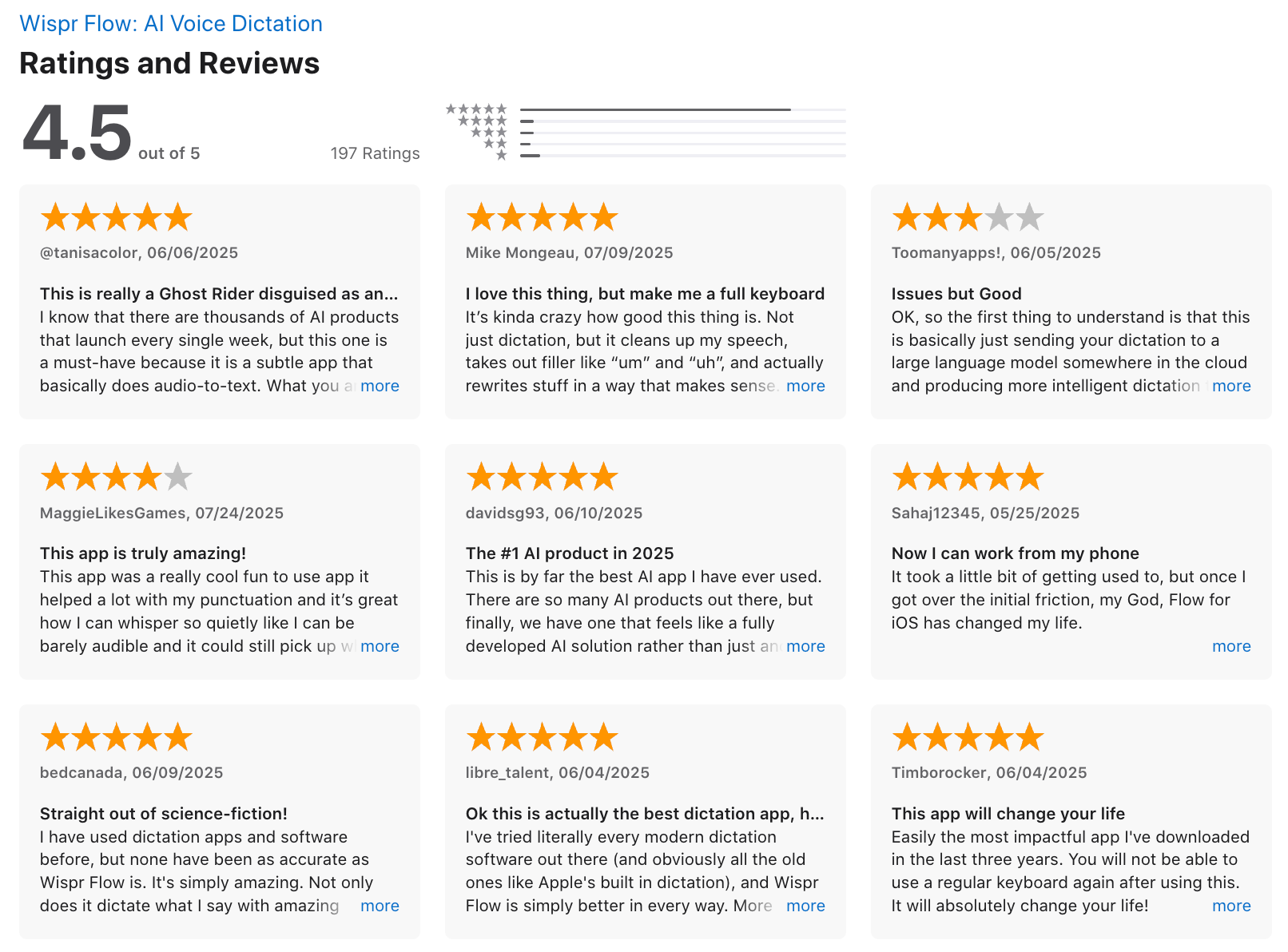
WisprFlow Reviews (source)
8. Napkin - AI Visualizer
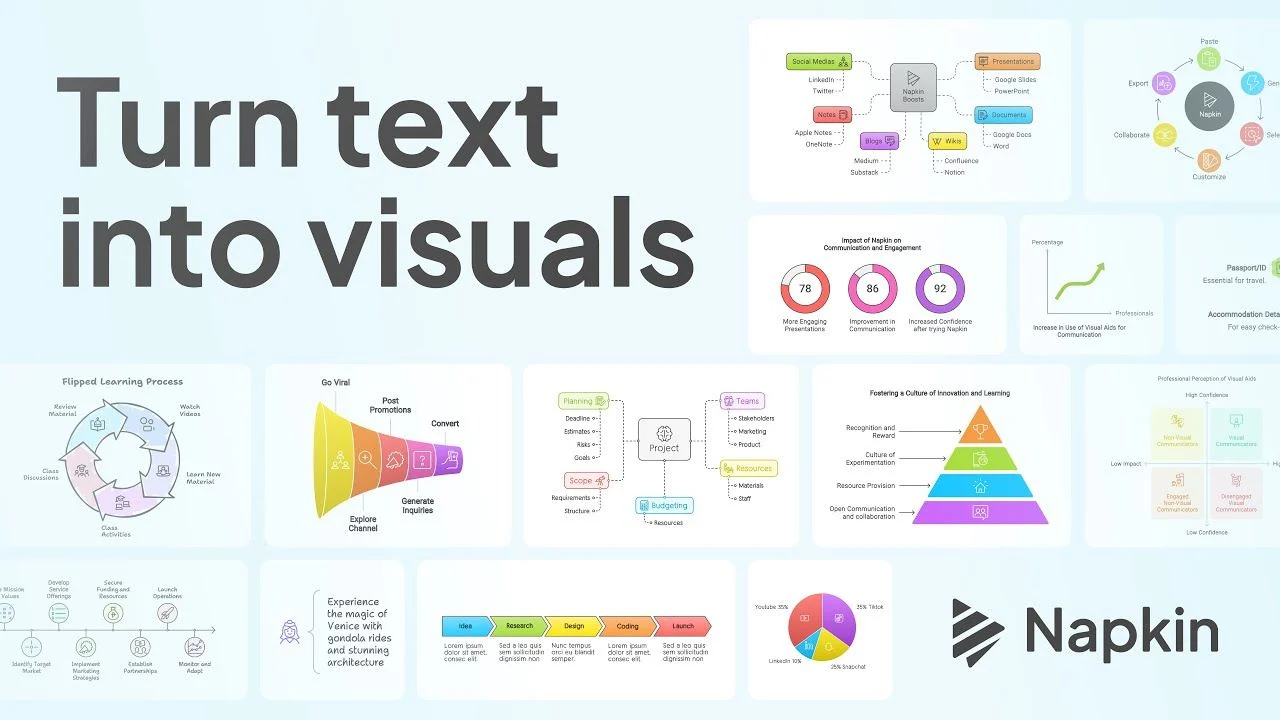
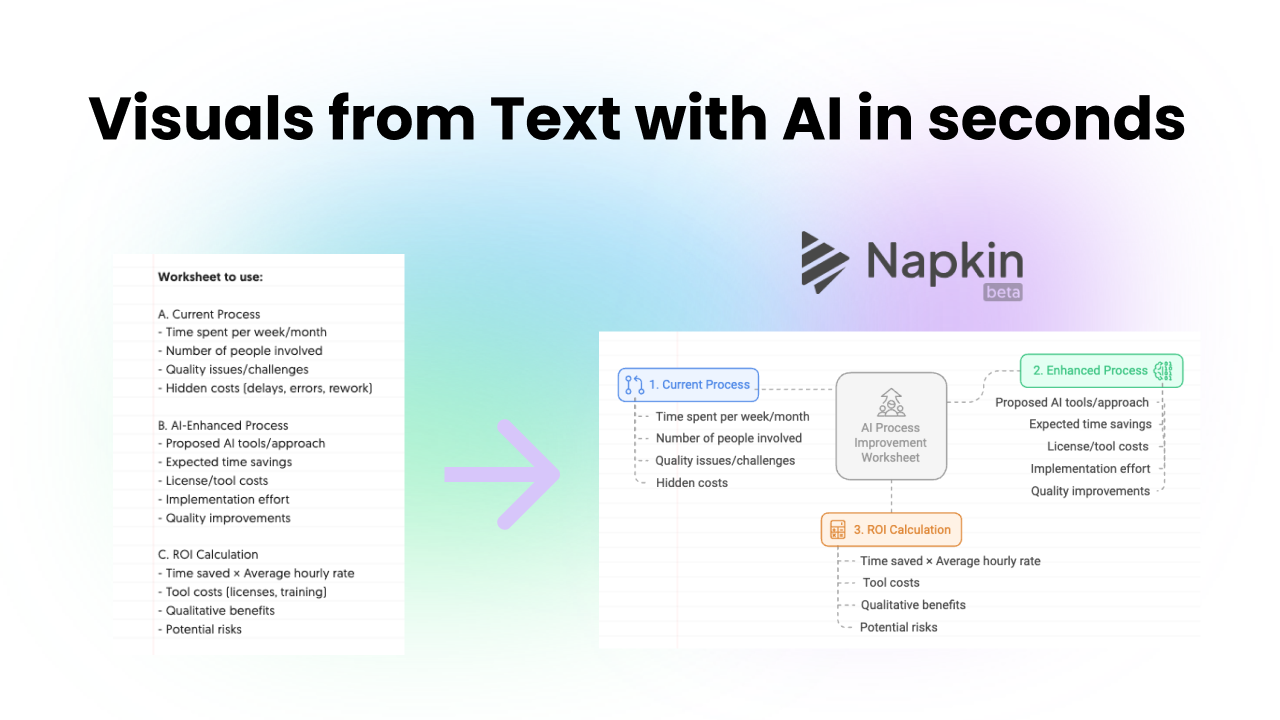
Napkin AI is a visual AI productivity tool that uses generative AI to turn plain text into clean, shareable diagrams.
Key features
- Text-to-Visual Conversion: Turn raw text or AI-generated ideas into mind maps, flowcharts, timelines, and more
- Style Customization: Adjust fonts, colors, icons, and layout; apply brand themes in a click
- Multi-Format Export: Save your visuals as PNG, SVG, PowerPoint slides, or PDF
What I liked
- Fast and intuitive - takes less than a minute to go from idea to visual
- Great for non-designers who want professional-looking graphics
- Brand kit support: you can upload your own fonts and colors for consistent output
What I disliked
- You don’t get deep design flexibility
- The AI visual templates can feel repetitive if used heavily
- Not always clear how many credits each action will cost
Pricing
- Free: 500 credits/week, basic features with watermark
- Plus: ~$9/month, 10,000 credits, removes branding, PowerPoint export
- Pro: ~$22/month, 30,000 credits, advanced customization, exclusive visuals
Suitable for
- Content creators, marketers, educators, and knowledge workers who need to turn ideas into visuals quickly without complex tools or design expertise.
How to start
- Go to napkin.ai, sign up for a free account, paste your ideas, and generate your first visual in under a minute.
9. Superhuman - AI Email
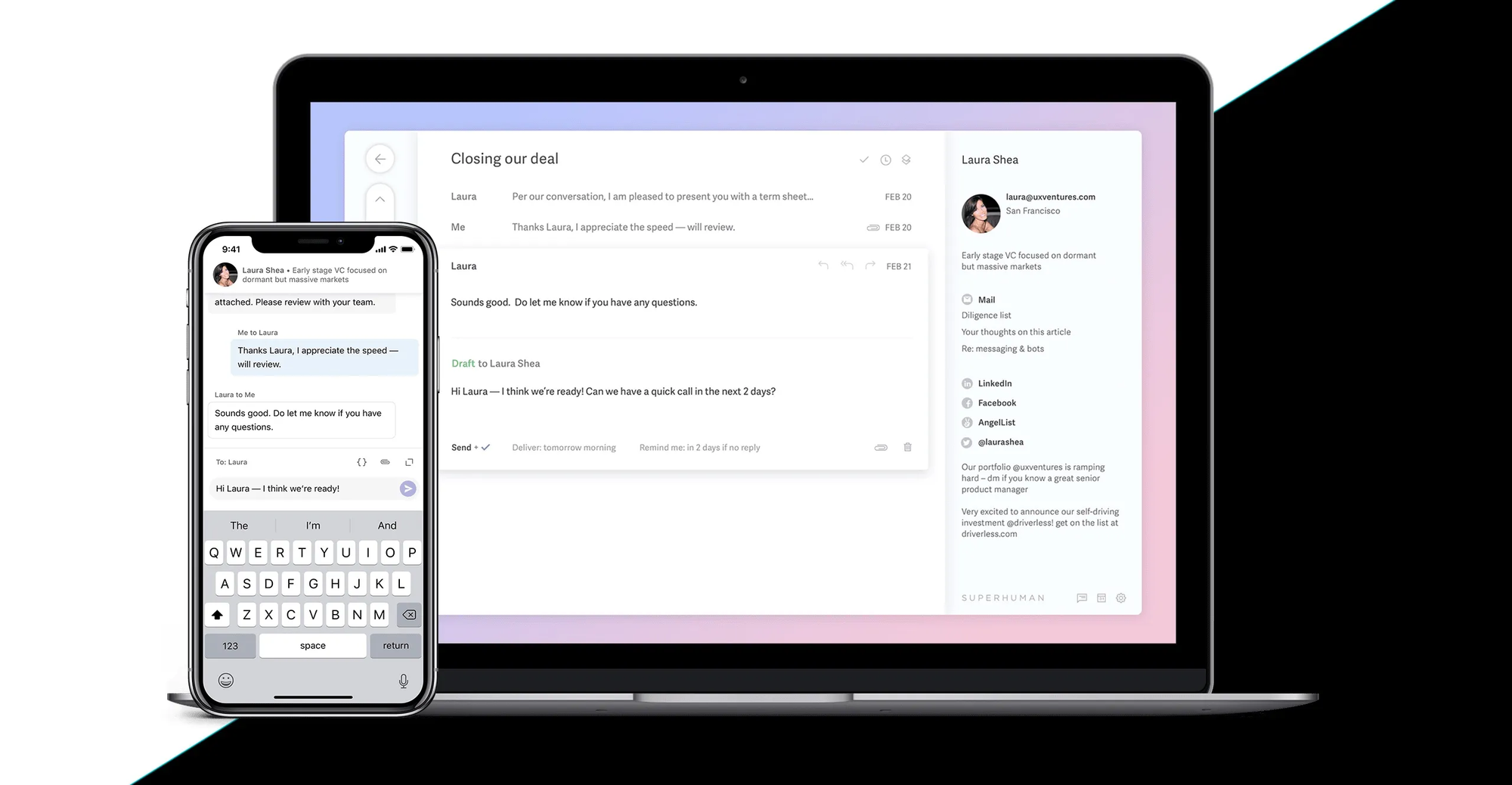
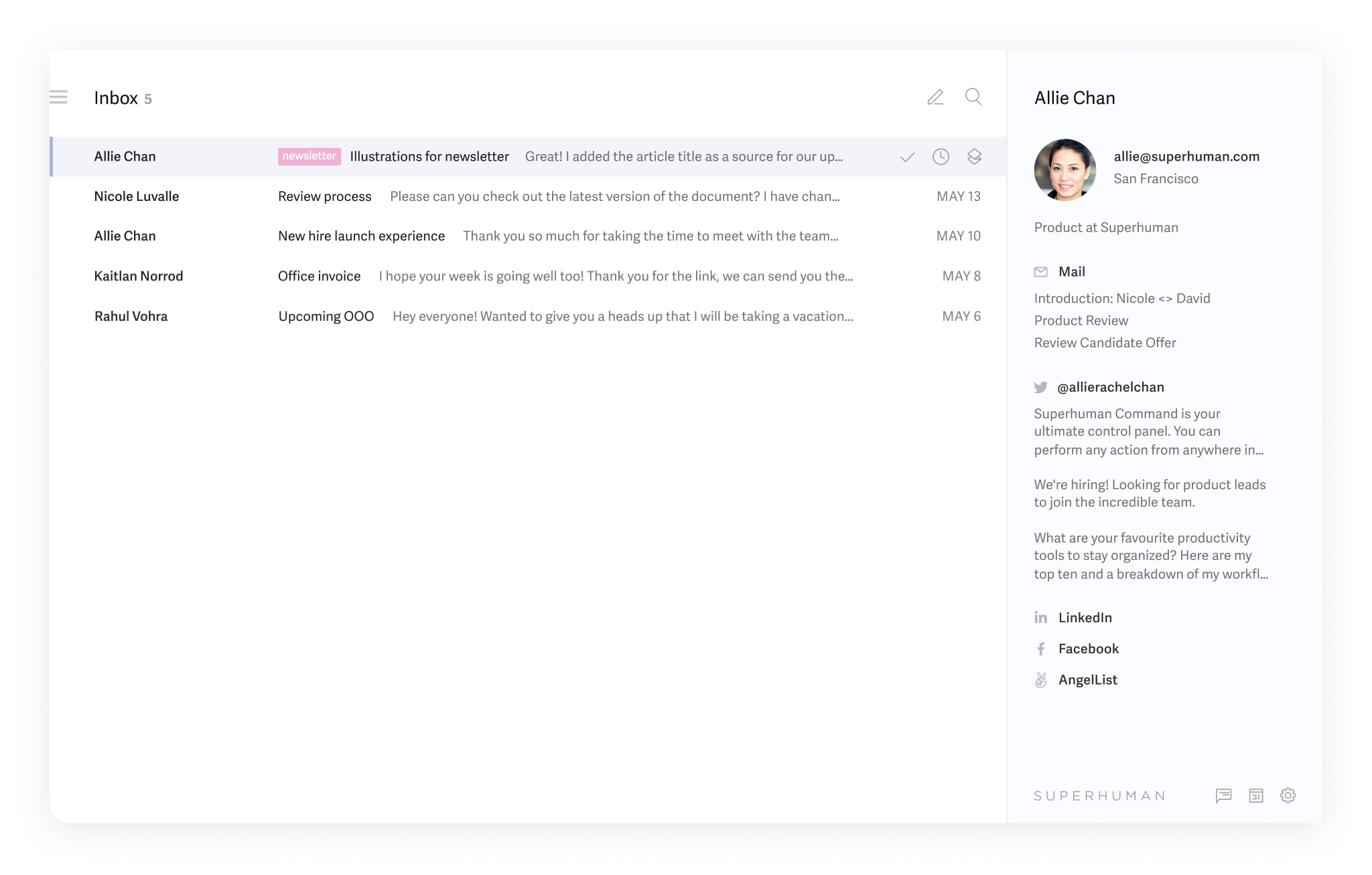
Superhuman is a AI-powered email client for Gmail and Outlook, designed to help you manage your inbox with speed, focus, and smart automation.
Key features
- AI Search: Ask questions like “what was the invoice for Project X?” and find the right email instantly
- Split Inbox & Auto Labels: Sort your inbox into VIPs, requests, newsletters, etc., to focus on what matters
- Keyboard-First Navigation: Nearly every action can be done via keyboard shortcuts
- Team Collaboration: Comment directly on email threads and share internal notes with your team
What I liked
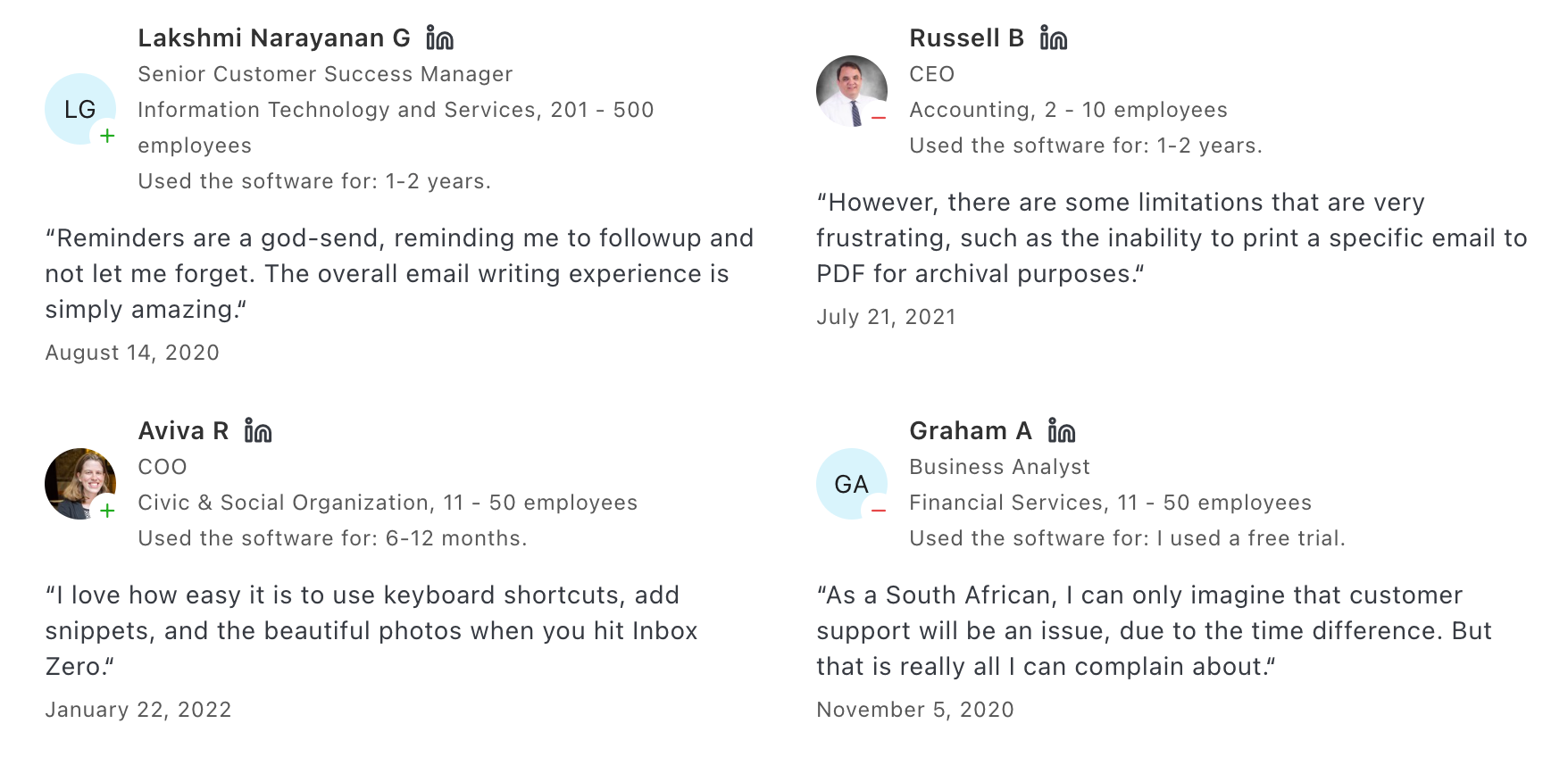
- The speed is unmatched - emails load instantly and the UI is super responsive
- AI features like auto-drafts and smart reminders actually reduce mental load
- Inbox feels organized without me needing to micromanage folders or tags
What I disliked
- It’s expensive, especially if you’re a solo user who doesn’t live in email
- Only supports Gmail and Outlook—no IMAP or unified inbox options
- Learning curve is real—takes time to fully benefit from all the features
- Android version still lags behind iOS in terms of functionality
Pricing
- Starter: $30/user/month (or $25/month if billed annually)
- Business: $40/user/month (or $33/month annually)
Suitable for
- Power users, executives, founders, freelancers, and fast-moving teams who want a blazing-fast email experience with built-in AI
How to start
- Head to superhuman.com, sign up with your Gmail or Outlook account
Superhuman Review (source)
10. Granola - AI Meeting Note
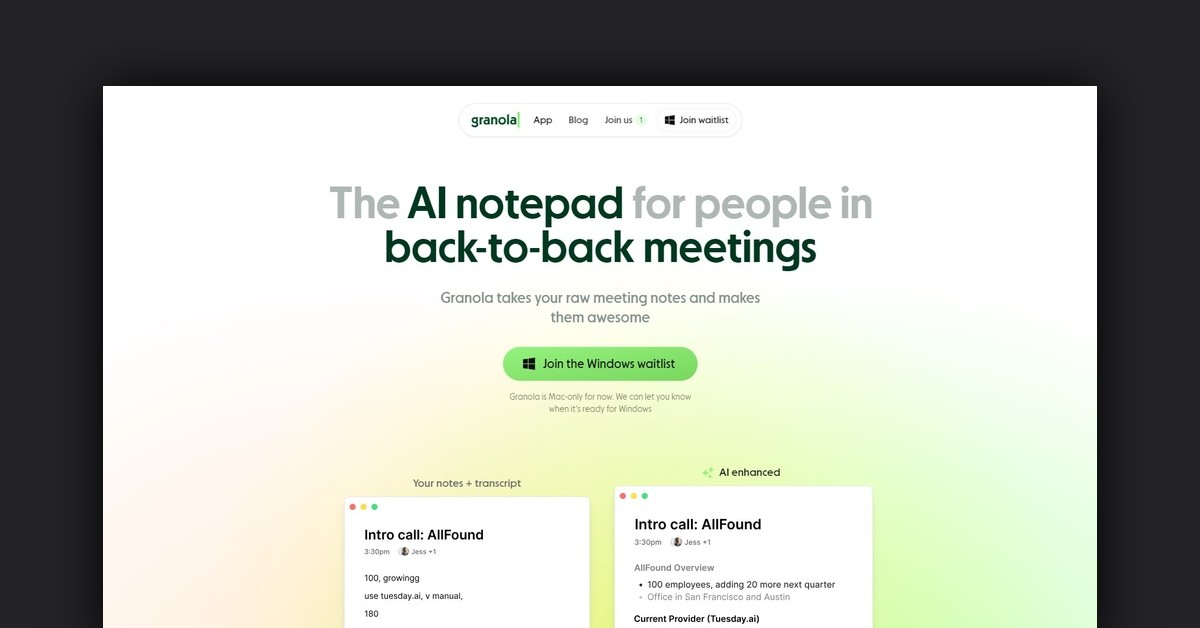
Granola works quietly on your device - without joining your calls - by capturing your typed notes and enhancing them with AI-generated summaries, action items, and key quotes.
Key features
- Discreet AI notetaking: No bots or recordings - just runs quietly on your device
- Smart summaries: Converts rough notes into clean bullet-point summaries with themes and action items
- Calendar sync: Connects with Google Calendar and Microsoft Teams to prep you for upcoming meetings
- Post-meeting AI chat: Ask questions like “What did we decide on the pricing?” or “Who owns the next step?”
What I liked
- Super easy to use - just open your laptop and start typing, no bots or setups needed
- Clean, focused interface that encourages you to stay engaged in meetings
- Summaries are good, even if you only type a few bullet points
What I disliked
- No mobile or Windows app yet - Mac-only limits where you can use it
- If you need full transcripts or speaker labeling, this won’t cut it
- Integrations are limited - no Asana, Notion, or Google Docs automations
- Not ideal for deep search across past meetings or long-term project tracking
Pricing
- Free trial for up to 25 meetings
- Individual plan starts at ~$10–18/month
- Team plans available from ~$14–18/user/month
Suitable for
- Founders, operators, and meeting-heavy professionals who want fast, structured notes without bots or recordings.
How to start
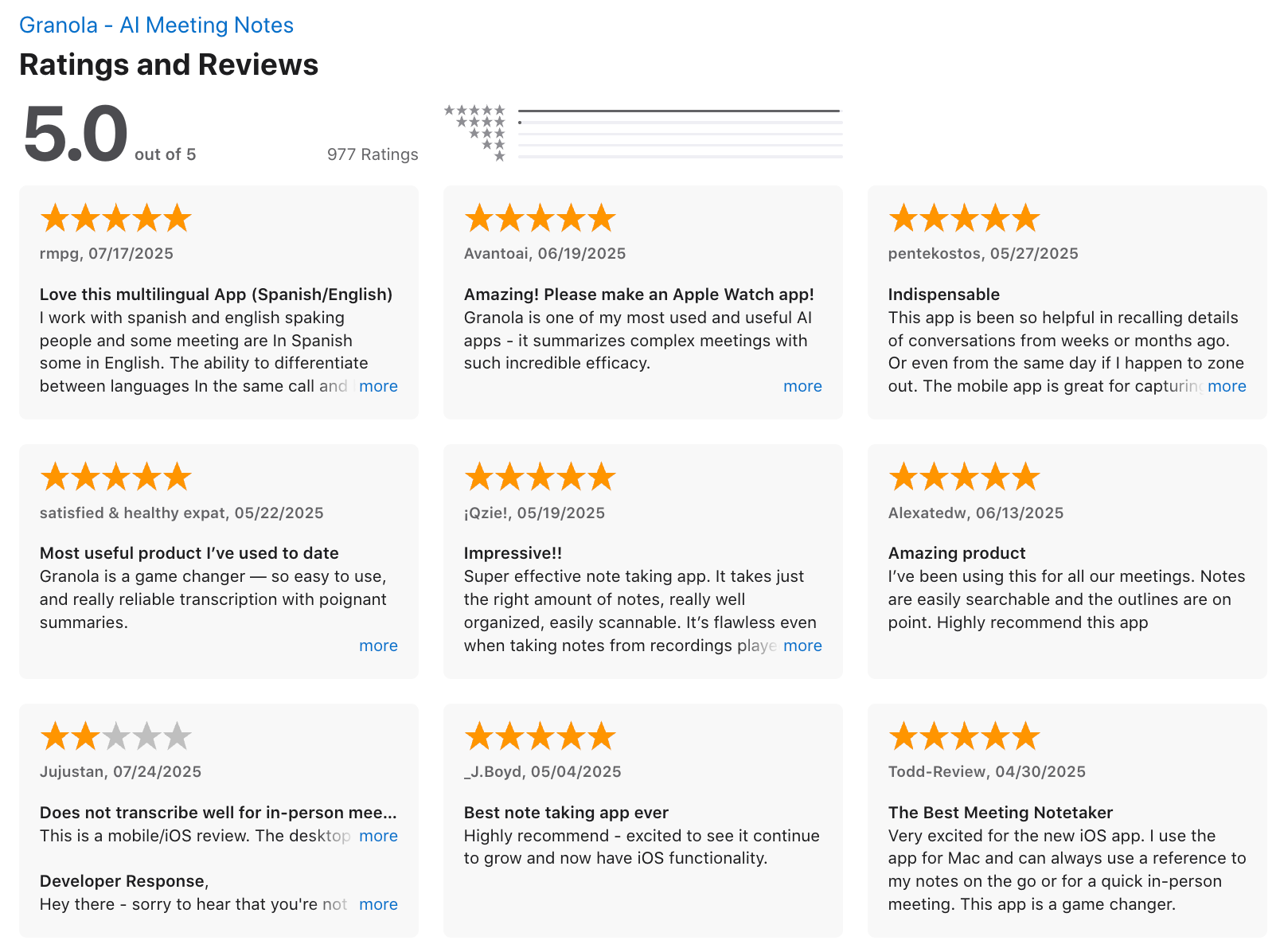
- Go to granola.ai, sign up for the free trial, and install the Mac desktop app.
Granola review (source)
Final Summary: Work Smarter, Not Harder With the Right AI Productivity Tools
If you're feeling stretched thin, buried under tasks, or just tired of switching between apps all day - you're not alone. That’s exactly where AI productivity tools shine.
- Want to reduce context switching? Try a tool that brings everything into one interface - like Saner.AI.
- Struggling with too much email? Superhuman can lighten the load.
- Need to protect time for deep work? Reclaim.ai is your friend.
Start small. Pick one tool that solves a specific pain point - and build from there.
Stay on top of your work and life effortlessly
AI Productivity Tools: FAQs for 2026
1. What are AI Productivity Tools?
AI productivity tools are smart digital assistants designed to help you get more done with less effort. Instead of manually organizing tasks, emails, or calendars, these tools use artificial intelligence to automate, plan, and prioritize your work.
Think of them as an extra brain that never forgets - tools like Saner.AI, ChatGPT, Superhuman, and Reclaim streamline your workflow so you can focus on what matters most.
2. What can AI productivity tools actually do?
Great AI tools handle the busywork for you. Depending on the tool, you can:
- Turn unstructured ideas into clear tasks (Saner.AI)
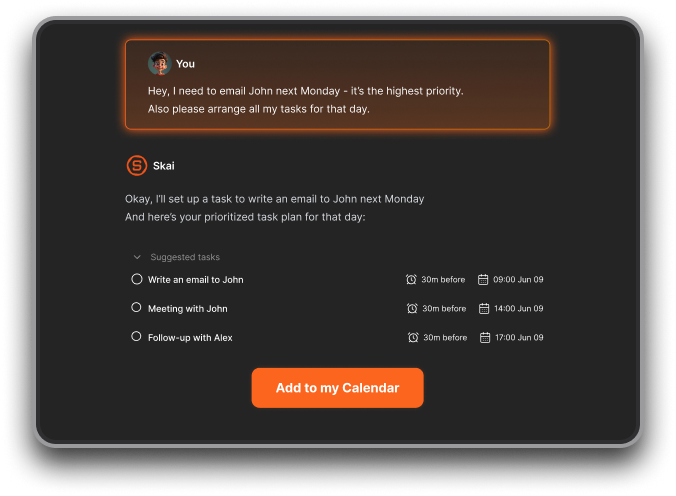
- Auto-schedule deep work and meetings (Reclaim, Saner.AI)
- Summarize long documents or notes (NotebookLM, Saner.AI)
- Draft clear, on-brand emails (Superhuman, Grammarly)
- Search notes and tasks by meaning, not just keywords (Saner.AI)
- Stay on top of meetings with automatic note-taking (Granola)
Each tool has its specialty - some focus on writing, others on planning or thinking.
3. Which AI productivity tools are free?
Many offer generous free plans so you can start without spending a cent:
- Saner.AI – Free plan includes task capture, calendar sync, note search, and AI chat
- ChatGPT – Free with limited number of messages
- NotebookLM – Free for Google account users
- Grammarly – Free basic writing suggestions
4. What’s the best AI productivity tool for ADHD?
Saner.AI was built by and for ADHD minds. It helps by:
- Turning your chaotic thoughts into clear action steps
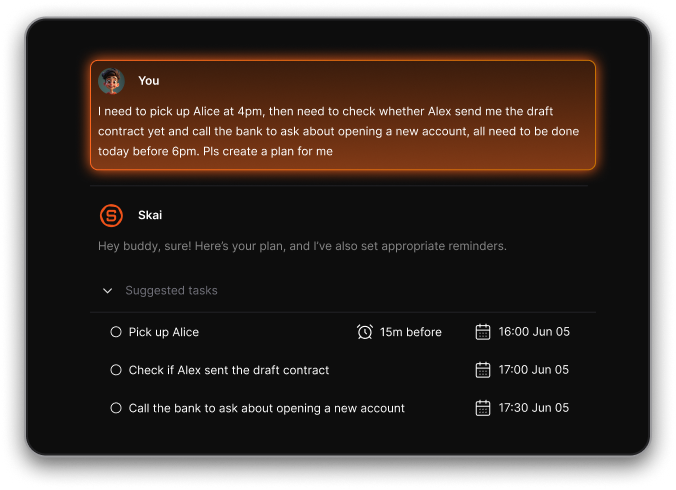
- Reducing context switching across apps
- Nudging you to stay on track without overwhelm
- No tagging, no manual organizing - just type or talk
If traditional tools stress you out, Saner keeps it calm.
5. Can AI productivity tools help with daily planning?
Yes, and they’re way smarter than manual to-do lists. For example:
- Saner.AI suggests your daily plan based on past notes and deadlines
- Reclaim blocks time automatically for high-priority tasks
These tools turn vague intentions into focused plans.
6. Which AI productivity tools are best for meetings?
Whether you're leading or just attending, these tools give you an edge:
- Granola – AI note-taker that joins your calls and writes summaries
- Saner.AI – Pulls up relevant past notes before meetings, answers questions like “What did we decide last week?”
No more scrambling through folders five minutes before a call.
7. What’s the best AI productivity tool for writing?
If writing is a core part of your day, these tools can speed things up:
- Superhuman – AI writing for fast, professional email replies
- Grammarly – Fixes tone, grammar, and clarity in real time
- NotebookLM – Drafts docs based on your own knowledge base
- Saner.AI – Generates summaries or responses based on your notes and inbox
8. What’s the difference between traditional productivity tools and AI-powered ones?
Old-school tools = you organize everything.
AI tools = they organize for you.
For example:
- Traditional tools need tags, folders, and hours of setup
- AI tools like Saner.AI auto-tag your notes, remind you at the right time, and search using plain English
They don’t just store your work - they help you do it.
9. Which AI productivity tools are best for entrepreneurs?
Founders juggle a lot. These tools help you stay sane:
- Saner.AI – Turns brain dumps into tasks, connects your emails, notes, and calendar
- Napkin.ai – Visual thinking and idea capture
- Reclaim – Protects time for deep work automatically
- Manus.im – Works like a proactive chief of staff
10. Do AI productivity tools really save time?
Yes - here’s how:
- Saner.AI reminds you what matters, gives you the answers you need in seconds
- Grammarly makes your writing sharper in less time
- Reclaim books your day automatically
Less friction, fewer tabs, more done.
11. Can I use AI productivity tools on mobile?
Most modern tools support web and mobile:
- Saner.AI – Native iOS/Android app
- ChatGPT – Native iOS/Android app
12. What’s the smartest AI productivity tool overall?
If you want an all-in-one solution that adapts to your brain, Saner.AI stands out:
- Blends notes, to-dos, emails, and calendars
- Suggests daily plans without needing prompts
- Checks in with you like a real assistant
- Ideal for overwhelmed professionals and thinkers
If you're looking for AI that works the way you think, Saner is worth a try.
Stay on top of your work and life with an AI Productivity Tool