AI Employees: We Tested The 7 Best Platforms (Free & Paid)

7 Best AI Employees Platforms (2026 Guide)
AI employees are no longer a futuristic concept. In 2026, they’re quietly becoming part of how teams execute work every day - researching, drafting, analyzing, scheduling, automating, and even coordinating tasks across tools.
If you’re searching for the best AI employees platforms, this guide walks you through exactly what’s available, how they differ, where they’re strong, and how real businesses are using them today. You’ll get a clear breakdown of features, limitations, pricing, pros/cons, and real-world examples - all written in plain English.
Quick guide: 7 best AI employee platforms in 2026
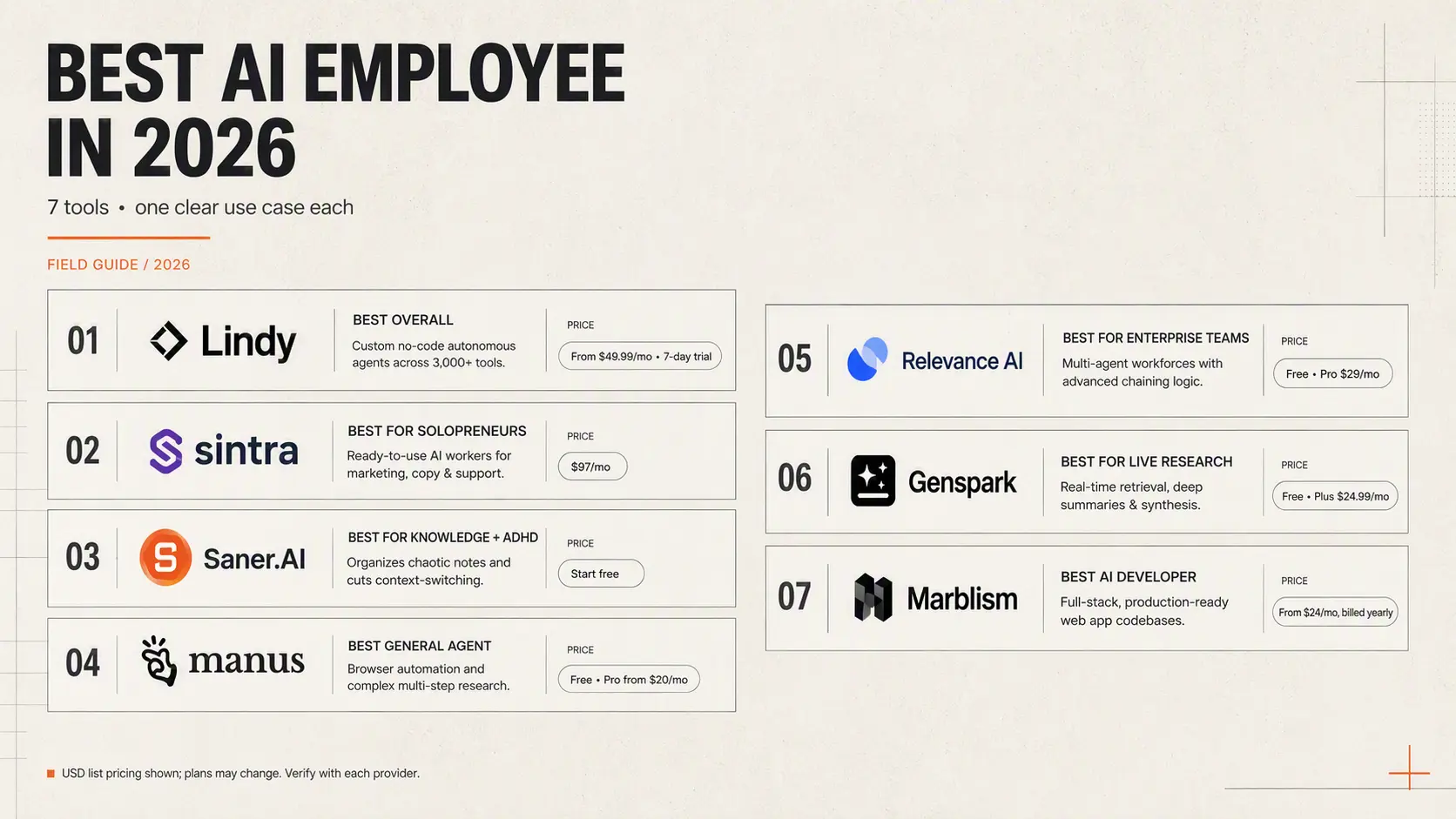
2. Sintra: Best for solopreneurs needing ready-to-use, specialized marketing, copy, and support AI workers right out of the box.
3. Saner.AI: Best for knowledge workers and individuals with ADHD who need an AI assistant to organize chaotic notes and eliminate context-switching.
4. Manus: Best for deep general-agent execution, browser automation, and complex multi-step technical research.
5. Relevance AI: Best for enterprise teams building complex, multi-agent AI workforces with advanced chaining logic.
6. Genspark: Best for real-time information retrieval, deep-dive research summaries, and dynamic content synthesis.
7. Marblism: Best for product teams needing an AI "developer" to generate full-stack, production-ready web application codebases.
What Are AI Employees?

AI employees are autonomous or semi-autonomous AI agents that perform business tasks traditionally completed by humans.
They combine:
- A large language model (LLM)
- Memory or context storage
- Tool integrations
- Automation workflows
- Action-taking ability (send emails, update docs, run tasks, fetch data)
How I Tested These AI Employee Platforms
To keep this guide practical, I personally read reviews and tested each platform in real workflows
Here’s what I did for every tool:
- Set up a standard workflow: research, summarization, email drafting, task execution, and simple automations.
- Connected real tools: Gmail, Notion/notes, calendar, and basic project management data.
- Measured autonomy: how well each agent completed tasks without constant prompts.
- Checked action reliability: whether the platform actually executed tasks as promised.
- Tested speed & accuracy: response time, factual correctness, context retention.
Now, let’s dive in!
What Are The Best AI Employees Platforms in 2026?
The Best AI Employees Platforms are: Saner.AI, Lindy, Manus, Sintra, Marblism, Genspark, Relevance AI.
Best AI Employee Platforms - Comparison Table
1. Saner.AI
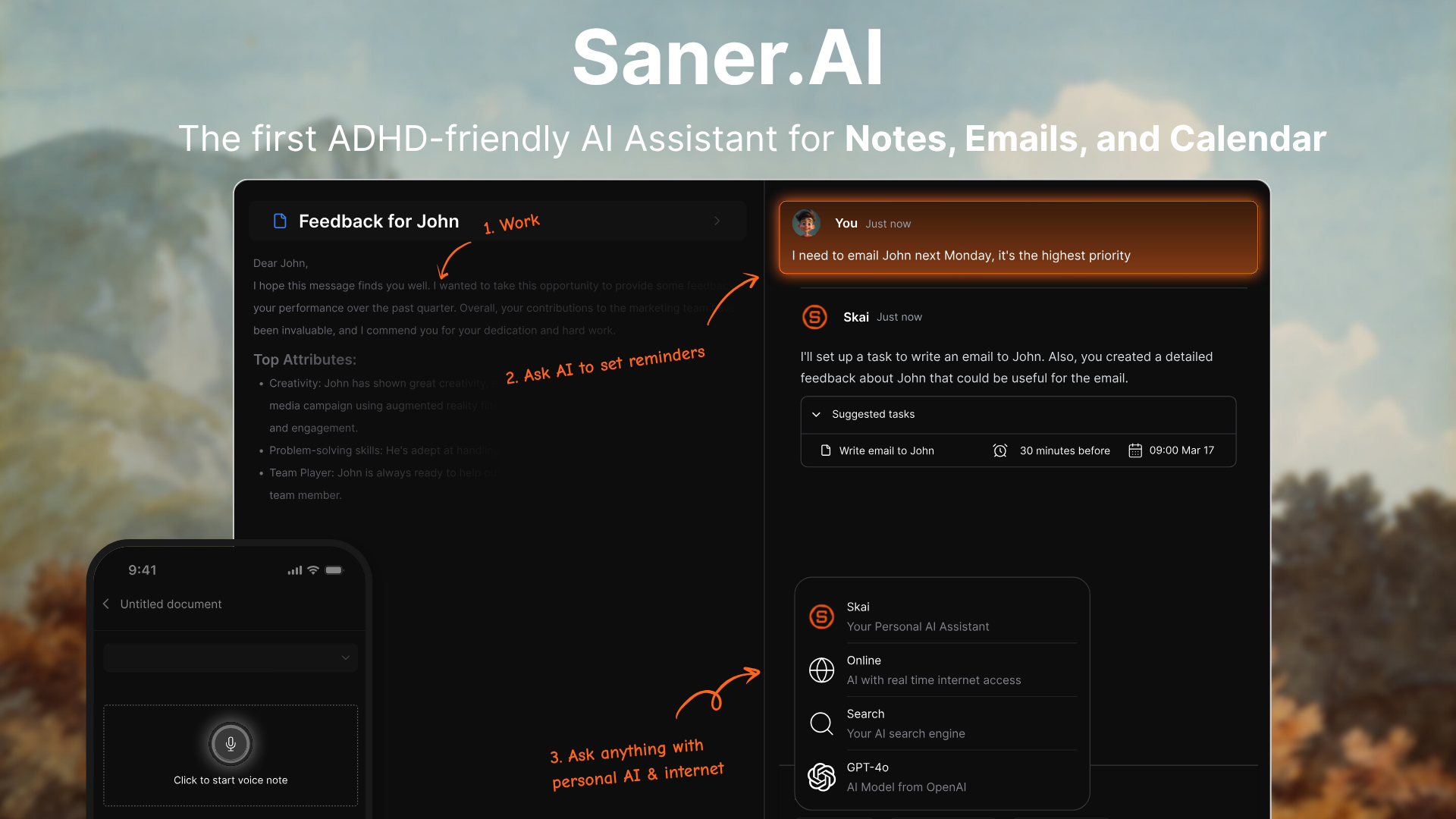
Saner.AI is an all-in-one personal workspace powered by AI that brings your notes, tasks, emails, and meetings into a single place. It works like a helpful assistant that understands what you save, pulls out action items for you, and makes planning your day much easier without jumping across different apps.
Key features
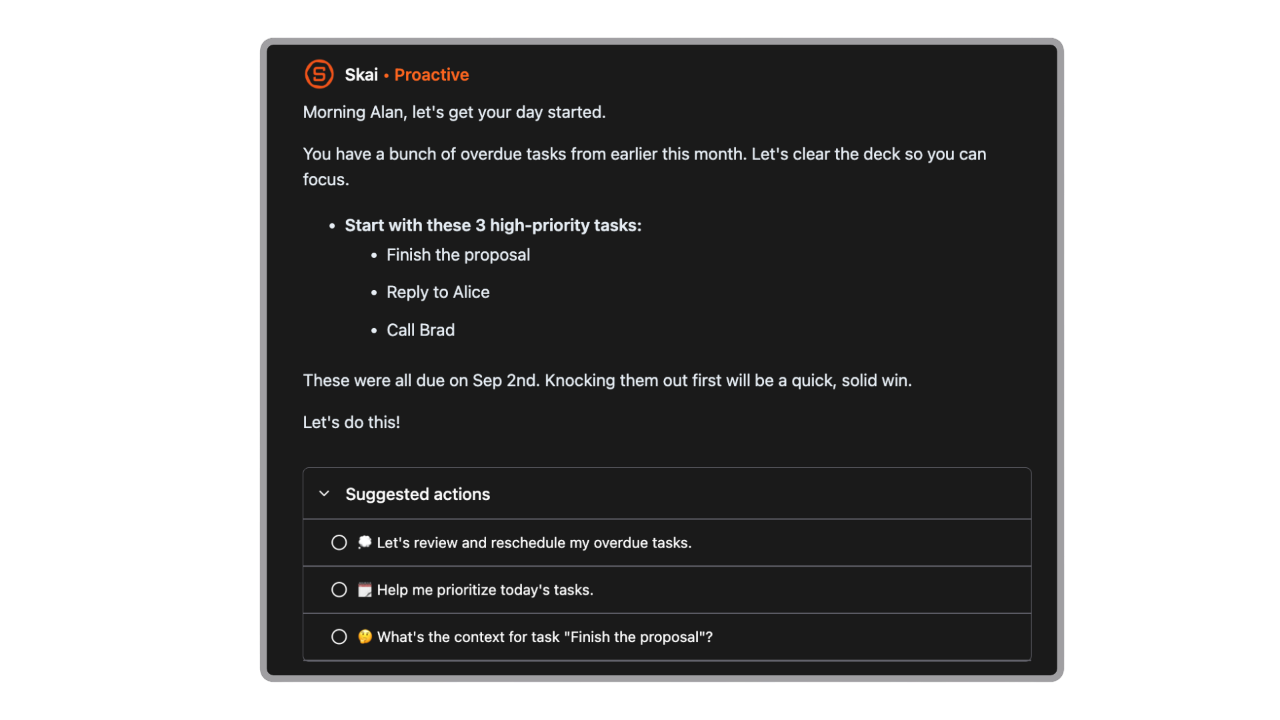
- Proactive Daily Planning: Highlights what deserves your attention first and reminds you of approaching deadlines
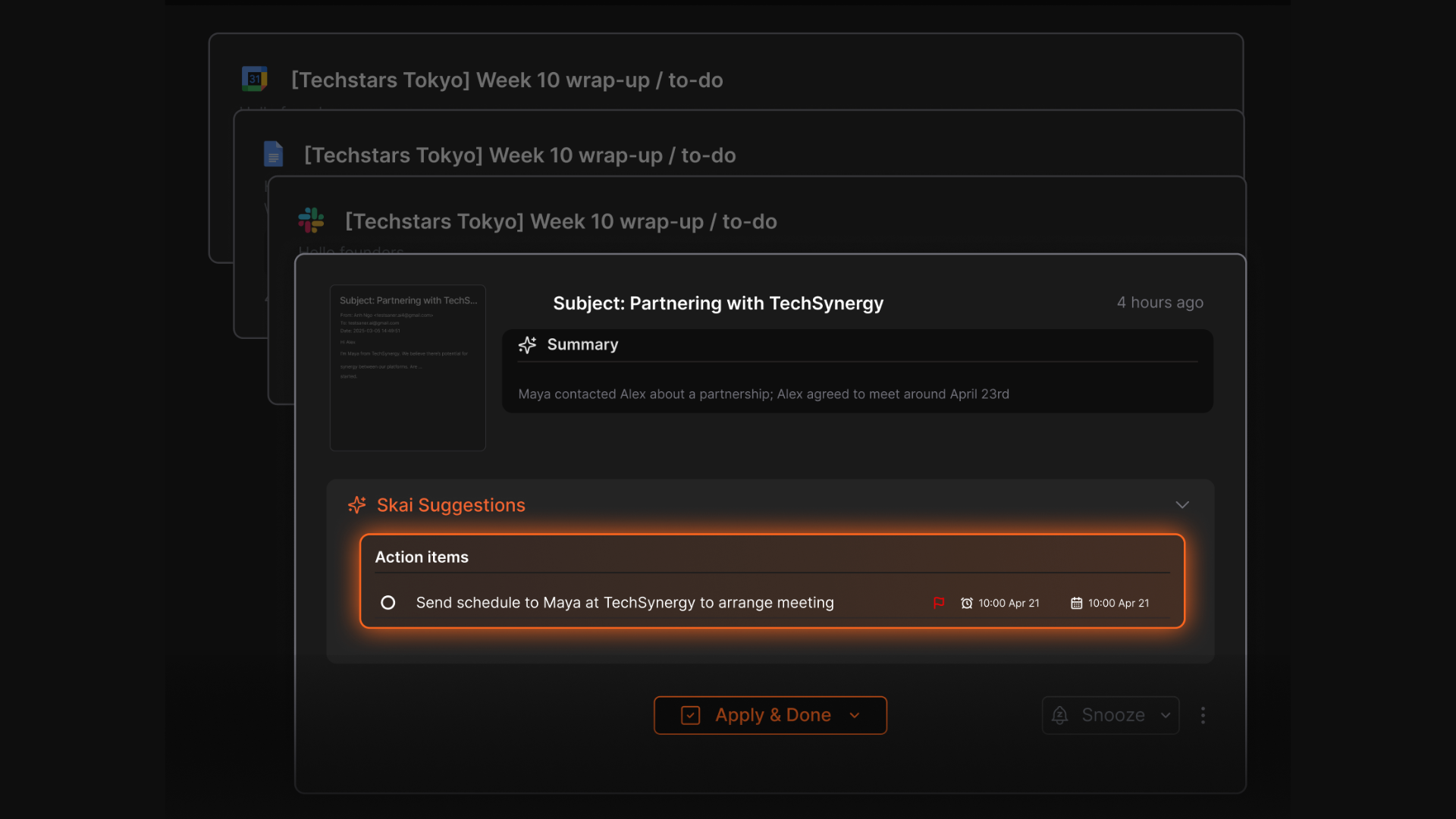
- Email Integration: Scans long threads to extract tasks and can draft quick responses for you
- Knowledge Search: Lets you ask natural-language questions to find any note, task, or document
- Cross-App Sync: Works with Gmail, your calendar, Slack, Notion exports, and other sources so everything stays in sync
What I liked
- It’s surprisingly good at turning unorganized notes into clear tasks and insights without any manual setup
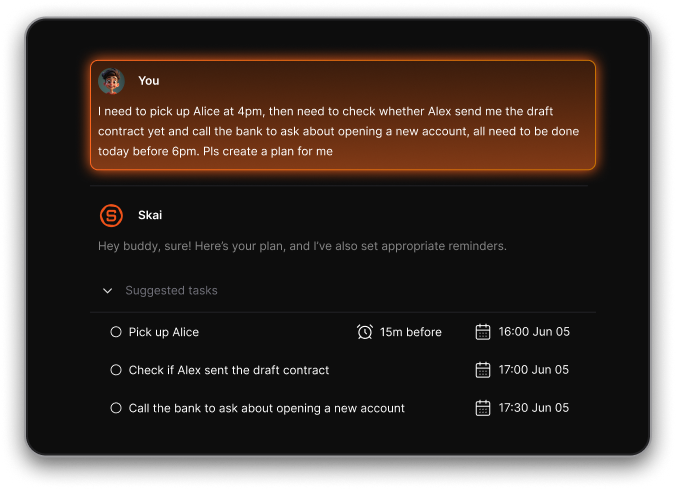
- The daily guidance feels genuinely supportive when your schedule is packed or you’re unsure where to begin
- It’s designed to reduce overwhelm
Cons
- It’s not built for advanced project management, like dependencies or multi-team workflows
Pricing
- Free
- Starter: Monthly at $8/month, Annually at $6/month (with early user discount)
- Standard: Monthly at $16/month, Annually at $12/month (with early user discount)
Who is it suitable for?
- Professionals, founders, researchers, and ADHD-leaning users who want an AI to quietly organize everything without extra effort
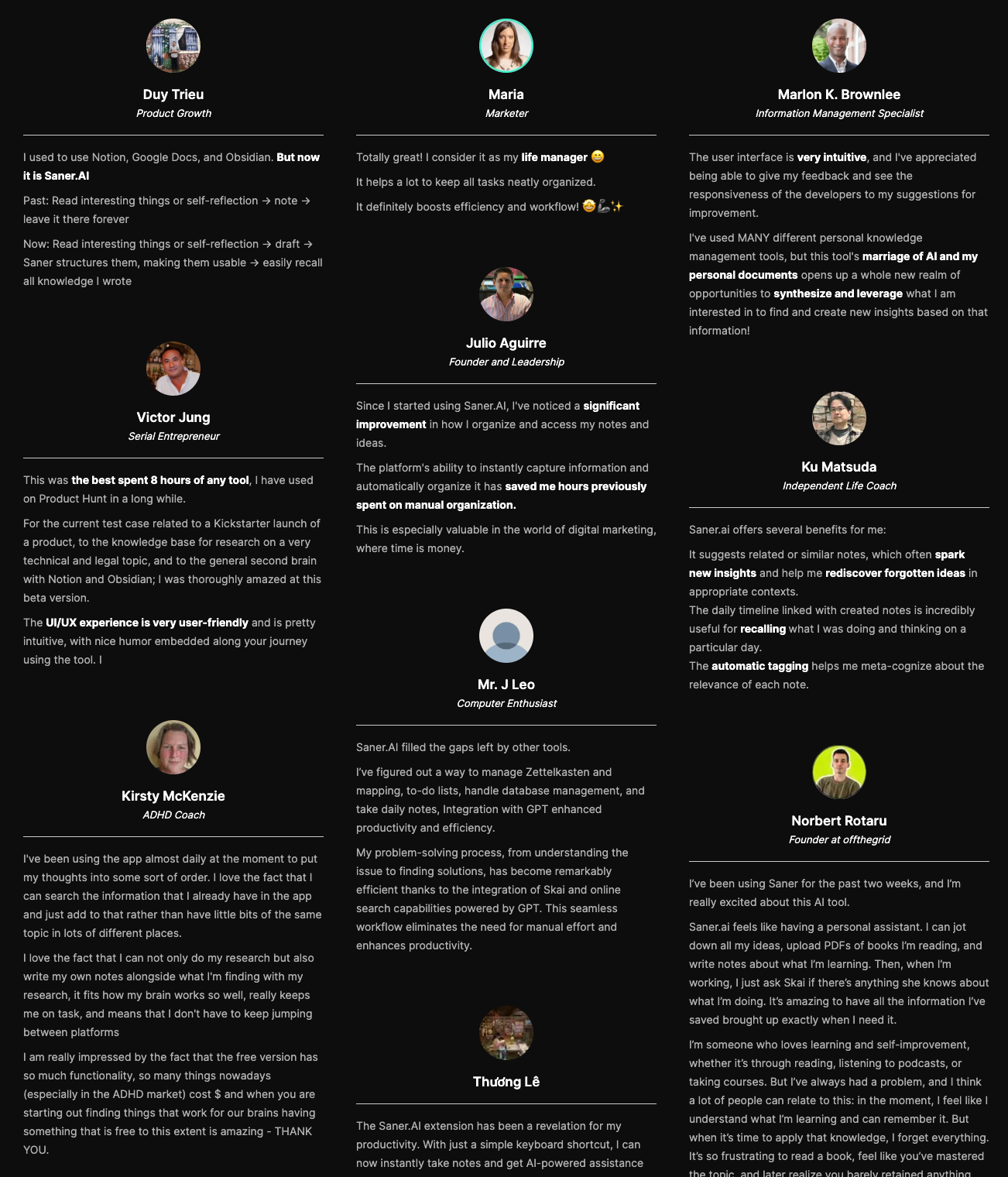
Saner.AI review,
How to start using it?
- Create a free account on the site, bring in your notes, or connect your email and calendar so the AI can automatically organize your information and help you get started.

AI Employee that works instantly without any setup
2. Manus
Manus AI is an autonomous AI agent designed to take your high-level intentions and turn them into completed work. Instead of giving suggestions, it plans, executes, and delivers outcomes across research, content, data, and automation tasks.
Key features
- Autonomous agent that can plan and execute multi-step workflows
- Uses external tools like browsers, APIs, scripts, and data sources
- Works across domains: research, writing, coding, data analysis, task automation
What I liked
- Feels closer to a “digital coworker” instead of a simple chatbot
- Handles cross-domain tasks, reducing the need for multiple apps
What I disliked
- Still early-stage, so reliability can be inconsistent
- Some tasks may loop or need monitoring during the first few runs
Pricing
- 20$/month
Suitable for
- Professionals who want an agent that can do the work, not just assist
- Teams with repetitive workflows across research, operations, content, or data
How to start
- Go to manus.im and start chatting with the AI
3. Genspark
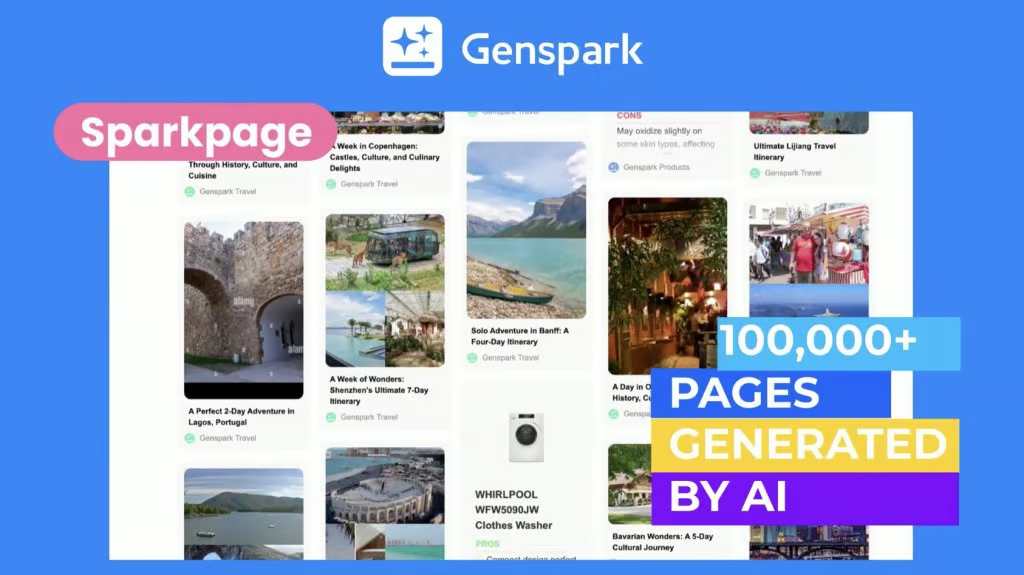
Genspark is an AI workspace that lets you create content, automate tasks, and run multi-step workflows from a single prompt. It combines text, image, audio, video, and automation tools into one place so you don’t have to switch between multiple apps.
Key features
- Multi-modal generation: text, images, audio, and video in one platform
- Workflow automation through simple prompts
- “Call For Me” feature that makes real phone calls on your behalf
- 80+ built-in tools for research, content, visuals, and analysis
What I liked:
- Ambitious “one workspace for everything” approach
- Great for creators who move between writing, visualizing, and producing presentations
What I disliked:
- Quality can be inconsistent depending on the task (common with agent-style platforms)
- Some users report UI quirks and occasional reliability issues on mobile
- Very custom workflows may still need manual fine-tuning
Pricing:
- Free plan available
- Plus plan: 25$/month
Suitable for:
- Content creators who want a single tool for writing, visuals, and video
- Professionals who need research → draft → slides → output workflows
How to start:
- Download the Genspark mobile app or visit the website
- Create a free account.
4. Sintra
Sintra is a no-code platform that gives you a team of “AI employees” for marketing, admin, operations, content, and customer support. It’s built for small teams and solopreneurs who want multiple AI helpers in one place instead of juggling many tools.
Key features
- A set of pre-built AI helpers for roles like copywriter, social media manager, email assistant, analyst, and executive assistant
- A shared “Brain AI” you can train with documents, brand guidelines, tone, and files
- 90+ power-ups to extend each helper’s capabilities (SEO tools, analytics, speech-to-text, etc.)
What I liked
- Easy for beginners. You can set up a working helper without touching code
- The role-based helpers feel intuitive (e.g., “Copywriter,” not a generic chatbot)
What I disliked
- Workflow automation isn’t as deep as dedicated automation platforms
- Limited transparency in how templates or prompt-packs work under the hood
- With many helpers and power-ups, it can feel overwhelming at first
Pricing
- Around $39/month for one helper
- Around $97/month for the full bundle
Suitable for:
- Small teams and solopreneurs who wear multiple hats
- Freelancers who need help with content, admin, and marketing
How to start:
- Go to Sintra
- Create an account
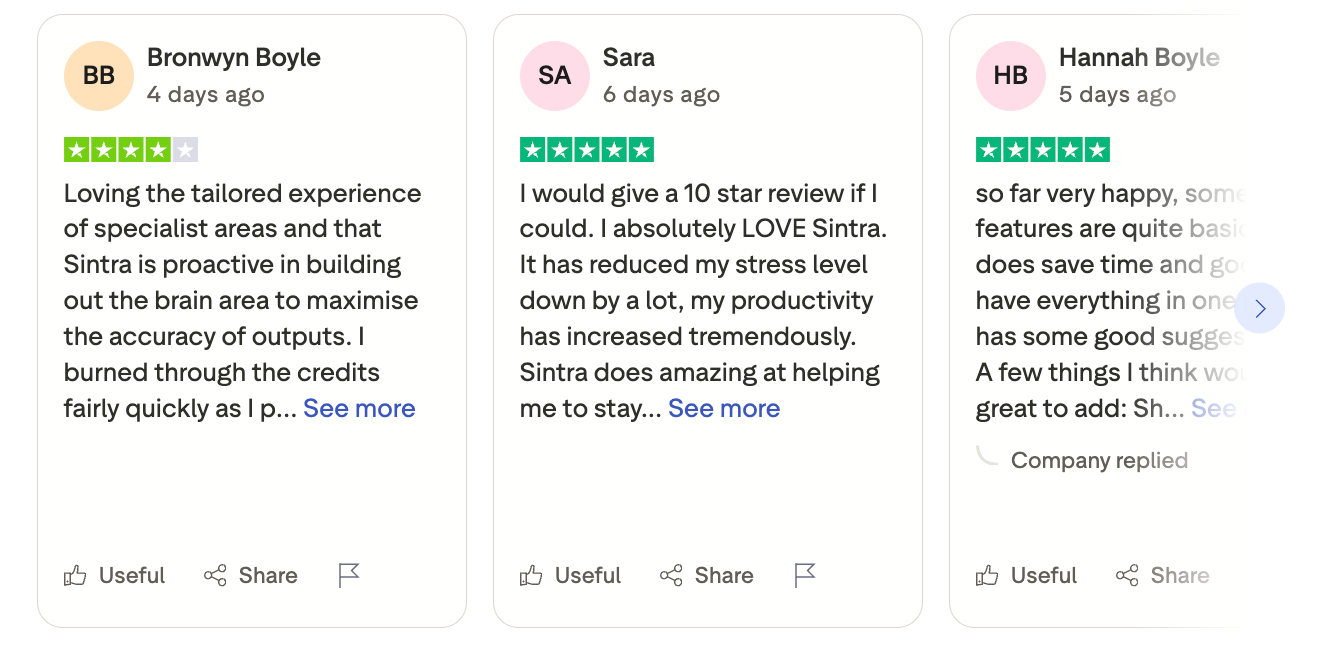
Sintra Reviews (Source)
5. Marblism
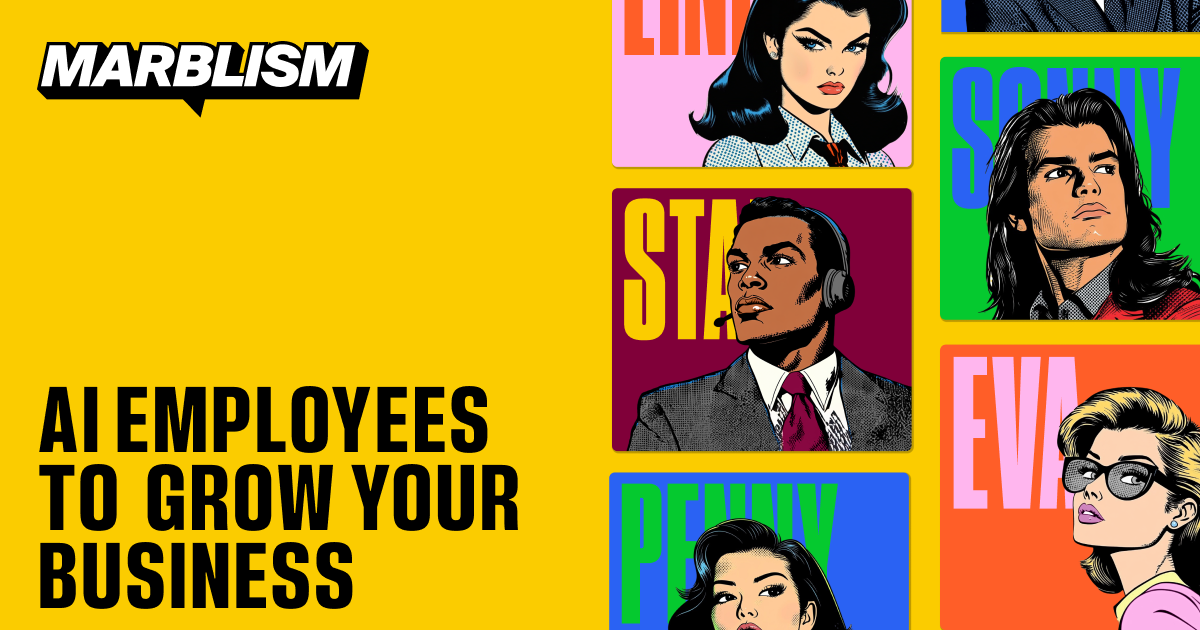
Marblism is an AI platform that gives you role-based “AI employees” to handle everyday business tasks like inbox management, social media scheduling, lead generation, content creation, and customer support.
Key features
- Role-specific AI agents for admin, content, social media, lead gen, and support
- Integrations with Gmail/Outlook, social platforms, and CRMs
- Agents adapt to your writing style and preferences over time
What I liked
- Easy for beginners. You don’t need prompts or technical setup.
- Covers multiple workflows instead of just one area (emails, leads, content).
- Strong integration coverage so agents actually work inside your existing tools.
What I disliked
- Not ideal for complex or highly specialized workflows that need deep customization.
- Some setup and feedback are still required before agents perform well.
- Output quality varies depending on industry or niche use cases.
Pricing
- Plans start around $39/month for small-business use
Suitable for
- Businesses that want a simple “AI employee team” without building agents from scratch
How to start
- Go to Marblism
- Create an account
Marblism review (source)
6. Lindy AI
Lindy AI system acts like an autonomous employee, using model context protocol (MCP) connections to interact with your inbox, calendar, and CRM tools. It does not just output answers when prompted, it continuously monitors your incoming communication channels to handle tasks like scheduling, lead scoring, and automated email triage without constant guidance.
Key features
- Autonomous email triage and draft management: I tried setting up the email agent on my primary inbox, and it automatically organizes incoming messages, tags priority notes, and prepares draft responses directly inside my drafts folder.
- No-code custom agent builder: I used the visual workflow canvas to create custom trigger rules, allowing me to build multi-step automations without writing any code.
- Native mobile and SMS control: I liked texting instructions directly via SMS or iMessage, letting me change calendar events and ask for daily meeting summaries while on the go.
What I liked:
- I feel it helpful that draft responses stay safely in my email drafts folder for quick review before sending.
- I enjoy how easily it integrates across my Google Workspace and CRM tools without requiring complex API keys.
What I disliked:
- I dislike that complex multi-step automations require a trial-and-error approach to build proper logic flows.
- I feel frustrated by the strict monthly credit usage limits on lower-tier subscription plans.
- I am disappointed that direct customer support response times are slow unless you pay for an enterprise account.
Pricing:
- Plus $29.99/mo per user
- Pro $99.99/mo per user
- Max $199.99/mo per user
Suitable for:
- Lindy AI is best for busy founders, executive assistants, and sales representatives who spend hours each week managing meeting schedules, sorting through high-volume email inboxes, and handling repetitive admin tasks across multiple apps.
How to start:
- Step 1: Create an account on the Lindy website to activate your 7-day free trial.
- Step 2: Connect your primary Google Workspace or Microsoft Outlook account to sync your email and calendar.
- Step 3: Select a template from the library or create a custom task trigger to build your first digital assistant.
7. Relevance AI
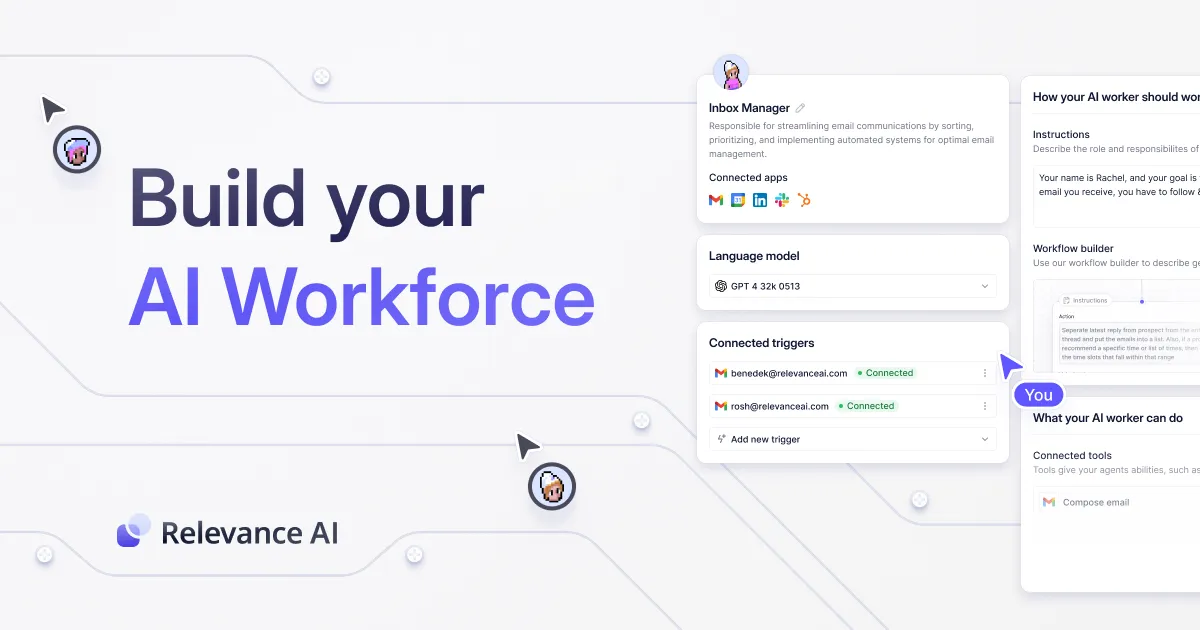
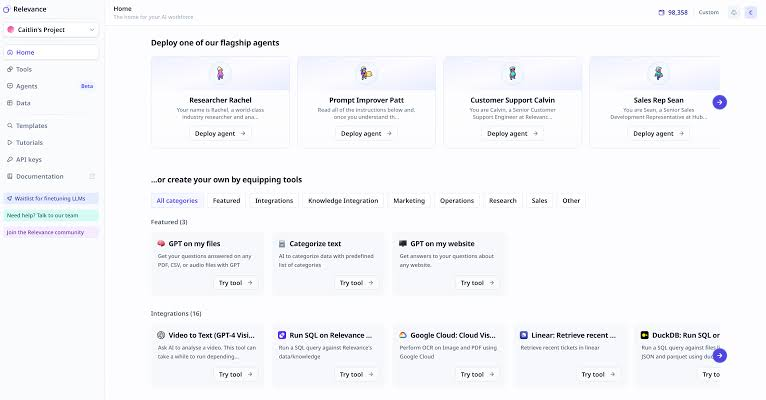
Relevance AI is a no-code platform designed to build, manage, and deploy an autonomous AI workforce to scale business operations. The platform lets you create multi-agent systems that handle complex sales, marketing, research, and support workflows without adding human headcount.
Key features
- Visual agent builder: The drag-and-drop interface lets you construct complex logic trees for your AI worker using interconnected action blocks without writing code.
- Multi-agent workforce orchestration: I set up a BDR research agent to scrape leads, which automatically passed its output to a drafting agent to write tailored outreach.
- Bring your own LLM key (BYOK): The platform is completely model-agnostic, allowing you to swap between OpenAI, Anthropic, Google, and Meta models or bring your own API keys to bypass vendor markups.
What I liked:
- I like how easy it is to assemble an AI employee using over 400 pre-built marketplace templates.
- My agents can execute multistep tasks across Slack, LinkedIn, and internal databases on a set schedule.
- Multiple AI agents can pass work back and forth without requiring human intervention between steps.
What I disliked:
- I dislike the dual-meter pricing model that tracks both Actions and Vendor Credits, which makes budgeting confusing at first.
- I find the steep learning curve frustrating when trying to build agents with heavy conditional logic.
- I feel limited by the out-of-plan action top-up fees, which jump up significantly if you exceed your monthly tier.
Pricing:
- Free
- Paid plans start at $19/month
Suitable for:
- Relevance AI is best for revenue operations teams, B2B sales organizations, and growth agencies that want to deploy specialized AI employees to automate prospecting, lead enrichment, and repetitive operational tasks.
How to get started
- Step 1: Sign up for a free account to access the agent builder and marketplace templates.
- Step 2: Pick a pre-built agent template (like an AI BDR or Lead Enricher) and plug in your app integrations.
- Step 3: Test your agent using the 200 free monthly actions before deploying it to your active team channels.
Conclusion: AI Employees Are Becoming a Core Part of Work in 2025
AI employees aren’t a futuristic experiment anymore - they’re now a practical advantage for teams who want to move faster, reduce busywork, and stay focused on high-value decisions. The platforms in this guide each take a different approach, from knowledge-driven assistants like Saner.AI, to action-heavy autonomous agents like Manus, to scheduling engines like Motion, and plug-and-play workers from Sintra and Marblism.
There’s no “one size fits all.” The right choice depends on your workflow:
- If you want an AI that thinks with you - choose a knowledge-first platform.
- If you want an AI that does work across tools - choose an autonomous agent.
- If you’re a small team - plug-and-play AI employees can help you scale without hiring.
The real takeaway is simple:
AI employees work best when they complement your strengths, not replace them.
Give them clear responsibilities, monitor early workflows, and let them take over the tasks that drain your time and attention.
Stay on top of your work and life with you AI Employee
FAQ: Best AI Employees Platforms
1. What are “AI employee platforms”?
AI employee platforms are tools that act like digital team-members. Instead of just answering questions, they can take action: schedule tasks, organize information, prioritize work, summarize meetings, automate workflows, and communicate across your tools.
Think of them as “AI workers” that operate inside your business - not just chatbots, but productivity engines.
2. Why are businesses searching for the best AI employees platforms?
Companies want AI employees because they can:
- Automate repetitive tasks
- Reduce admin and context switching
- Handle multi-step workflows
- Improve team productivity without increasing headcount
- Provide fast insights and summaries
- Adapt to your work patterns over time
They are becoming the new layer of digital labor.
3. What features should the best AI employee platforms have?
Look for platforms with:
- Task automation (turn messages, notes, emails into actionable tasks)
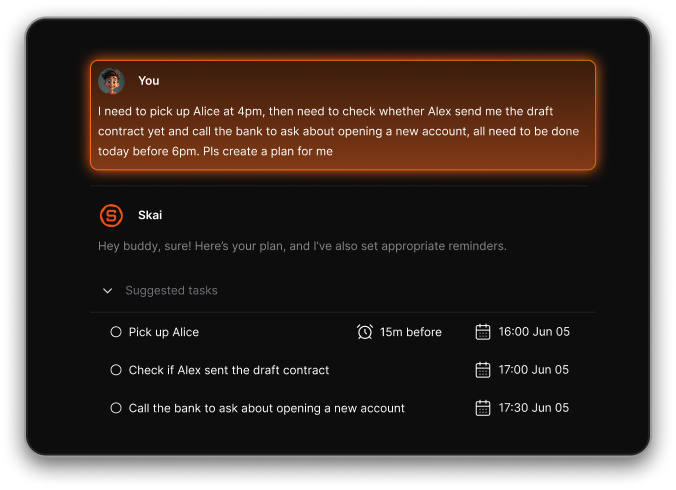
- Contextual intelligence (knows what you did before and what matters next)
- Scheduling automation (auto-books time for tasks, meetings, or focus sessions)
- Multi-tool integrations (email, calendar, notes, CRM, Slack, etc.)
- Agent capabilities (multi-step execution, reasoning, workflow chaining)
4. How do Saner.AI, Motion, Manus, Sintra, Marblism, and Genspark compare?
Each platform acts like a different type of AI employee:
- Saner.AI – A “executive assistant” for knowledge workers. It combines tasks, notes, and calendar, understands your messy inputs, and helps you follow through.
- Motion – A “scheduling employee” that auto-plans your day and reorders tasks based on urgency.
- Manus – An “agent employee” capable of multi-step automated workflows.
- Sintra – A “business-scale AI employee” built for teams needing consistent execution.
- Marblism – A “creative/research employee” focused on ideation and content-type workflows.
- Genspark – A “search and reasoning employee” capable of deep answers and research-style outputs.
The best choice depends on whether your “AI employee” needs to plan, think, create, or execute.
5. Are there free AI employee platforms?
Yes. Many offer free or starter plans so you can test core features. Saner.AI include a healthy free plan
Oftentimes the free tier includes basic task automation, scheduling, or chat-based assistance, while advanced capabilities (integrations, multi-agent workflows, team features) are available in paid plans.
6. Do AI employees actually improve productivity?
Yes. They eliminate constant switching between apps and remove a lot of manual overhead.
The best platforms act like a second brain and a personal operations manager combined.
7. Which AI employee platform is best for managers?
Managers need clarity and follow-through. The best options help with:
- Tracking follow-ups from team meetings
- Prioritizing key tasks and risks
- Pulling up relevant documents instantly
- Keeping 1:1 notes and action items organized
- Reducing admin burden
Saner.AI and Sintra are strong choices for this because they unify tasks, notes, and cross-team workflows.
8. Which AI employee platform works best for entrepreneurs or solo founders?
Founders benefit most from systems that:
- Turn brain dumps into tasks
- Automatically schedule your chaotic workload
- Pull up investor notes or meeting history instantly
- Help you stay consistent even on overwhelmed days
Saner.AI and Motion are particularly well-suited for entrepreneurs juggling many responsibilities.
9. Are AI employees better than traditional automation tools?
Yes - because:
- Traditional tools require manual setup and rigid workflows.
- AI employees can understand natural language, adapt to context, and proactively take action with less configuration.
It’s the shift from “you have to manage the tool” → “the tool helps manage you.”
10. What limitations do AI employee platforms have?
Potential constraints include:
- Integration gaps with certain apps
- Over-automation if not configured well
- Learning curve for teams
- Not all platforms support complex multi-step workflows
Choosing the right one depends on your work complexity.
11. Which AI employee platform is best for scheduling and time management?
If scheduling is your bottleneck:
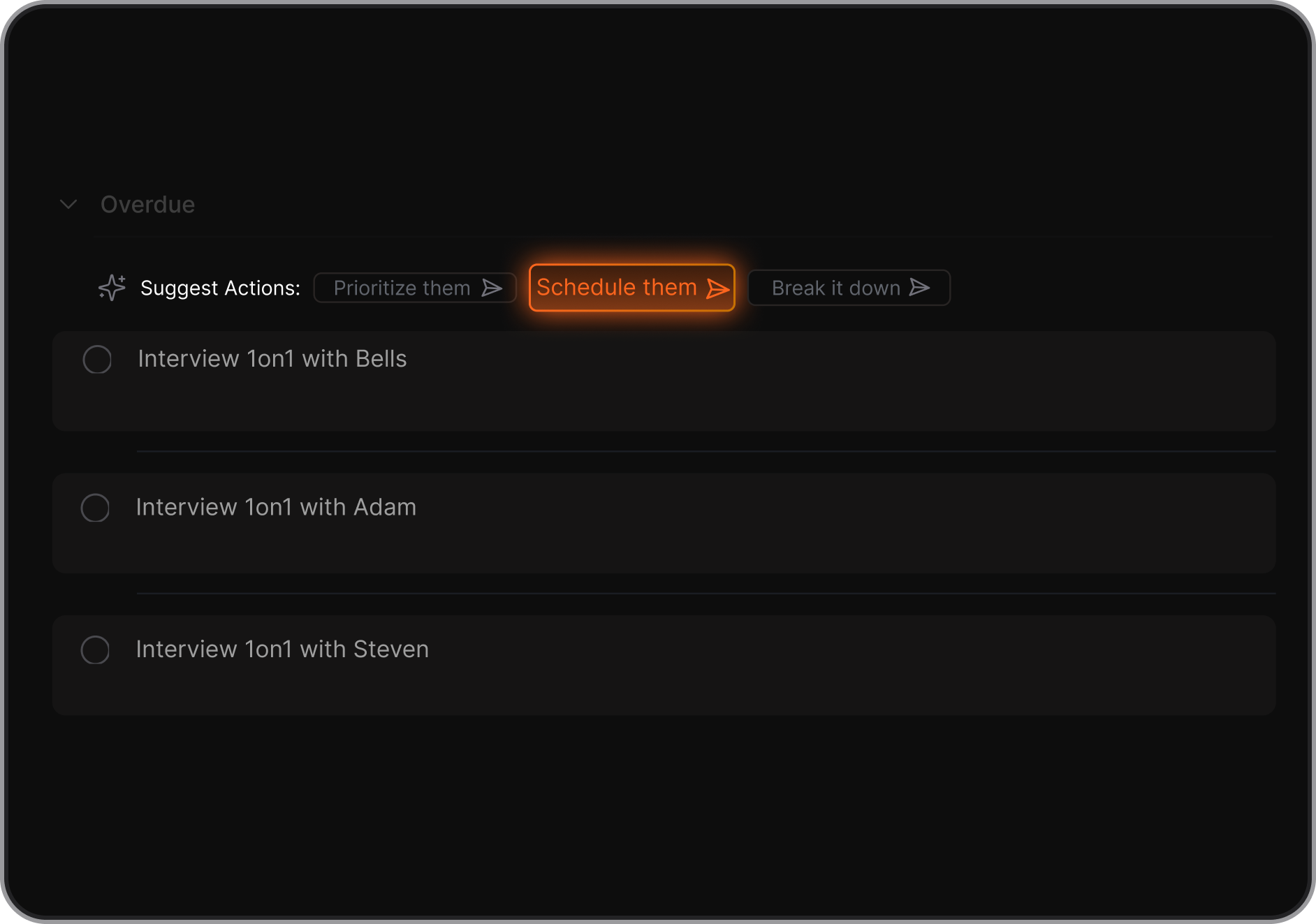
- Motion excels at automated scheduling and rearranging tasks.
- Saner.AI is strong if you need scheduling plus insight into notes, priorities, and context.
12. Can AI employee platforms work across whole teams?
Many can. Good team-wide platforms can:
- Share tasks, notes, and updates
- Track follow-ups automatically
- Assign tasks from meeting summaries
- Create cross-function visibility
- Reduce miscommunication
Sintra and Manus are built with team-scale usage in mind.
13. How do I evaluate if an AI employee is “worth it”?
Measure:
- Time saved per week
- Number of tasks executed by AI
- Reduced missed deadlines
- Fewer manual steps in processes
- Improved team communication
- Reduction in context switching
The ROI usually comes from removing mental overload and admin work.
14. What’s the best AI employee platform overall?
There is no universal “best,” but:
- Saner.AI is ideal for people overloaded by information and tasks.
- Motion is ideal for people overwhelmed by scheduling and planning.
- Manus and Sintra are better for automated execution at scale.
- Marblism and Genspark shine in creative or research workflows.
The best choice depends on the work you want the AI to “own.”
15. How do I start using an AI employee platform?
You can begin by:
- Listing tasks you want to offload (scheduling, summarizing, planning).
- Starting with a single platform and testing it for one week.
- Letting the AI take over simple actions first.
- Expanding to more complex workflows once you gain trust.
- Integrating it with email, calendar, and notes for maximum value.
Stay on top of your work and life
| Tool | Best feature | Price* | Device / access |
|---|---|---|---|
| Saner.AI | Personal AI assistant for notes, knowledge search, tasks, email, and information organization | Free plan; paid plans from about $8/month annually or $12/month monthly | Web app, mobile app, Chrome extension |
| Lindy | Building customizable AI employees for email, scheduling, sales, customer support, and business workflows | Free plan available; paid plans commonly start around $49.99/month | Web app; integrations with Gmail, Slack, calendars, CRM tools, and other services |
| Manus | Autonomous task execution, deep research, browser use, coding, presentations, and website/app creation | Free credits available; paid pricing is credit-based and varies by plan | Web app, desktop app, mobile app, browser access; selected messaging integrations |
| Sintra | Collection of specialized AI helpers for marketing, SEO, social media, sales, customer support, and operations | Individual helpers around $39/month; broader AI-team plans from around $97/month | Web app; mobile access/app availability may vary |
| Marblism | Ready-made AI employees for lead generation, social media, SEO, websites, reception, and legal work | Plans from about $24/month annually or $44/month monthly | Web app |
| Genspark | Super Agent that combines research, content creation, slides, websites, automation, phone calls, and multimedia generation | Free plan; Plus from about $24.99/month; Pro from about $249.99/month | Web app and mobile app |
| Relevance AI | Build and orchestrate custom AI agents and multi-agent workflows for sales, research, marketing, and operations | Free plan; Pro and Team plans available; usage is based on actions and vendor credits | Web app; integrations, APIs, and embedded agents |