AI Manager: We Tested The 6 Best Apps (Free & Paid)


The 7 Best AI Manager Apps for Work.
Being a manager often feels like juggling a dozen tabs — meetings, Slack pings, reports, and one too many “quick” tasks that never are.
That’s where AI manager apps come in. They help you handle the chaos - from scheduling and task planning to meeting summaries and decision-making - so you can focus on leading, not firefighting.
Apps like Saner.AI, Reclaim, Motion, Notion AI, and ChatGPT are changing how managers plan their days and support their teams.
In this guide, you’ll find the best AI manager apps that help you delegate smarter, manage meetings better, and stay calm under pressure - without the burnout.
I want to be upfront that I work in Saner.ai, the app also includes in the list, I evaluated it with the same criteria as others.
What Are AI Manager Apps?
In simple terms, AI manager apps are like your digital chief of staff. They help you manage your team, your time, and your decisions - automatically.
In short, they handle the small stuff, so you can focus on the big stuff.
How I Tested These AI Manager Apps
I actually tried each app in my real work week.
I connected them to my calendar, notes, and tasks, then watched how they handled a typical manager’s chaos: shifting meetings, overlapping priorities, and information overload.
I paid attention to three things:
- Proactivity: Did it suggest what to focus on or just wait for input?
- Integration: Could it pull from my notes, calendar, and tasks without extra setup?
- Clarity: Did it actually make my day feel calmer, not more complicated?
In the end, I judged each tool by a simple metric: Did it make me feel like a better, less overwhelmed manager?
Now let's dive in!
What are the Best AI Manager Apps?
The Best AI Manager Apps are Saner.AI, Reclaim.AI, Motion, ChatGPT, Gemini, Notion AI
1. Saner.AI
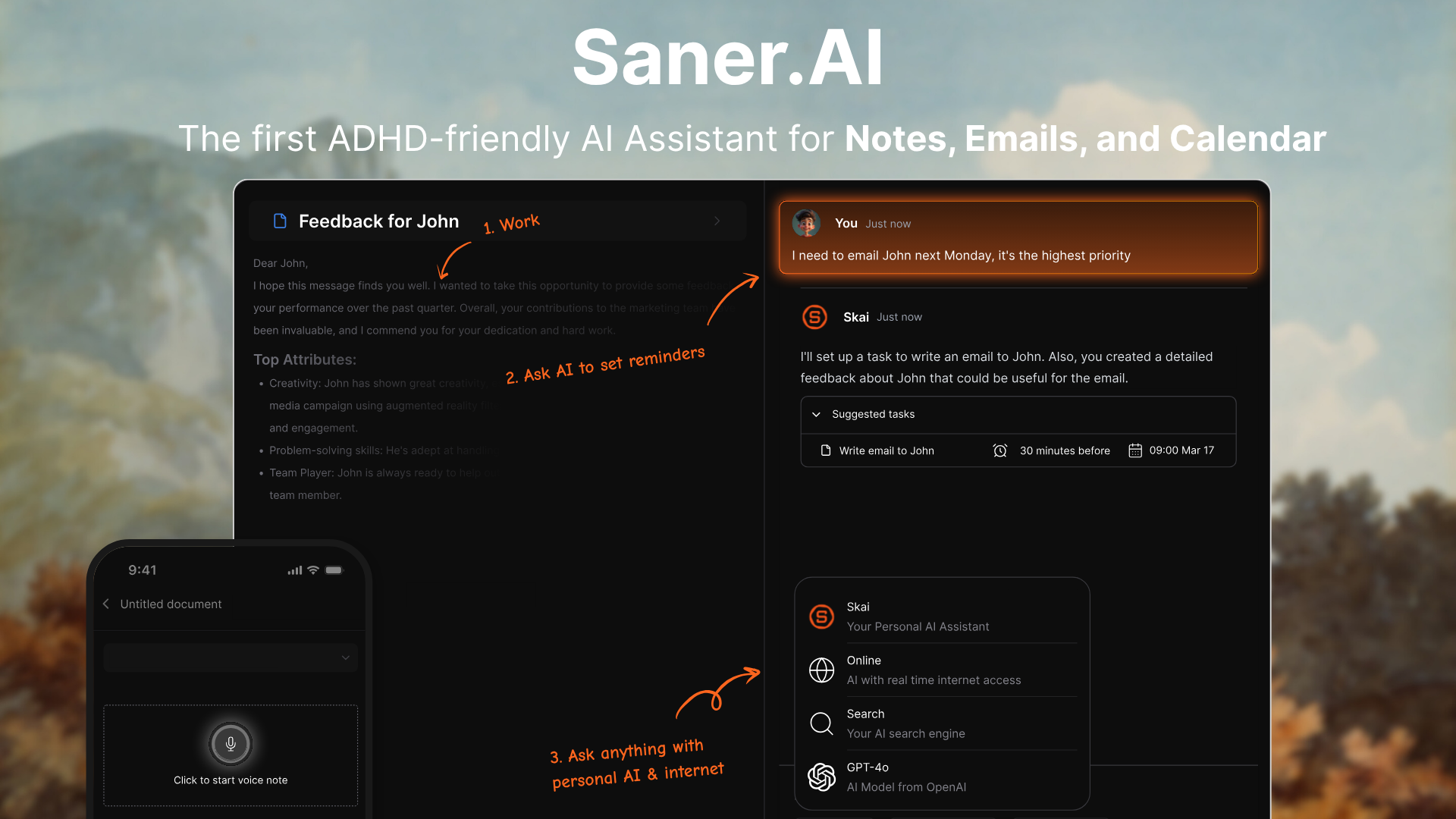
Saner.AI is an intelligent AI assistant that helps you organize your notes, tasks, emails, and calendar - all in one workspace. Instead of switching between a dozen productivity tools, Saner.AI brings everything together and uses AI to help you plan your day, remember what matters, and connect the dots across your ideas.
Key features
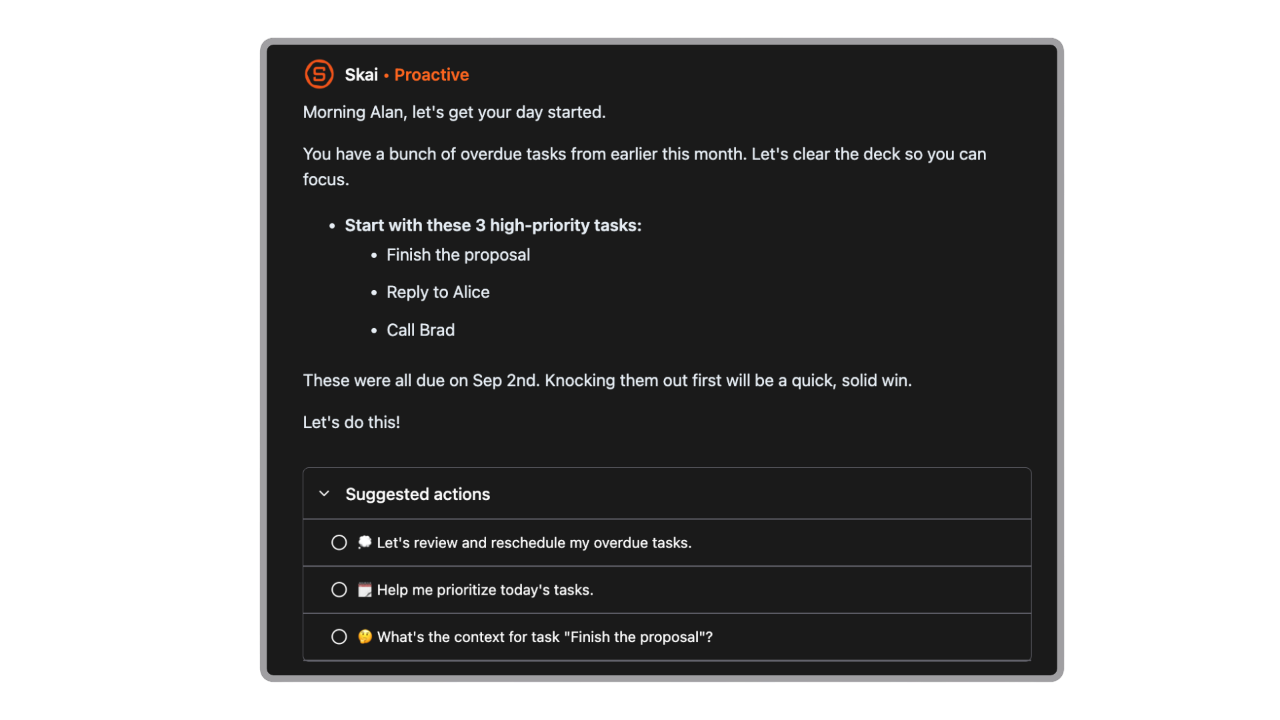
- AI Schedule Planning: Automatically goes through your emails, todos, and notes, and gives you an optimal day plan
- AI search that retrieves insights and related information instantly
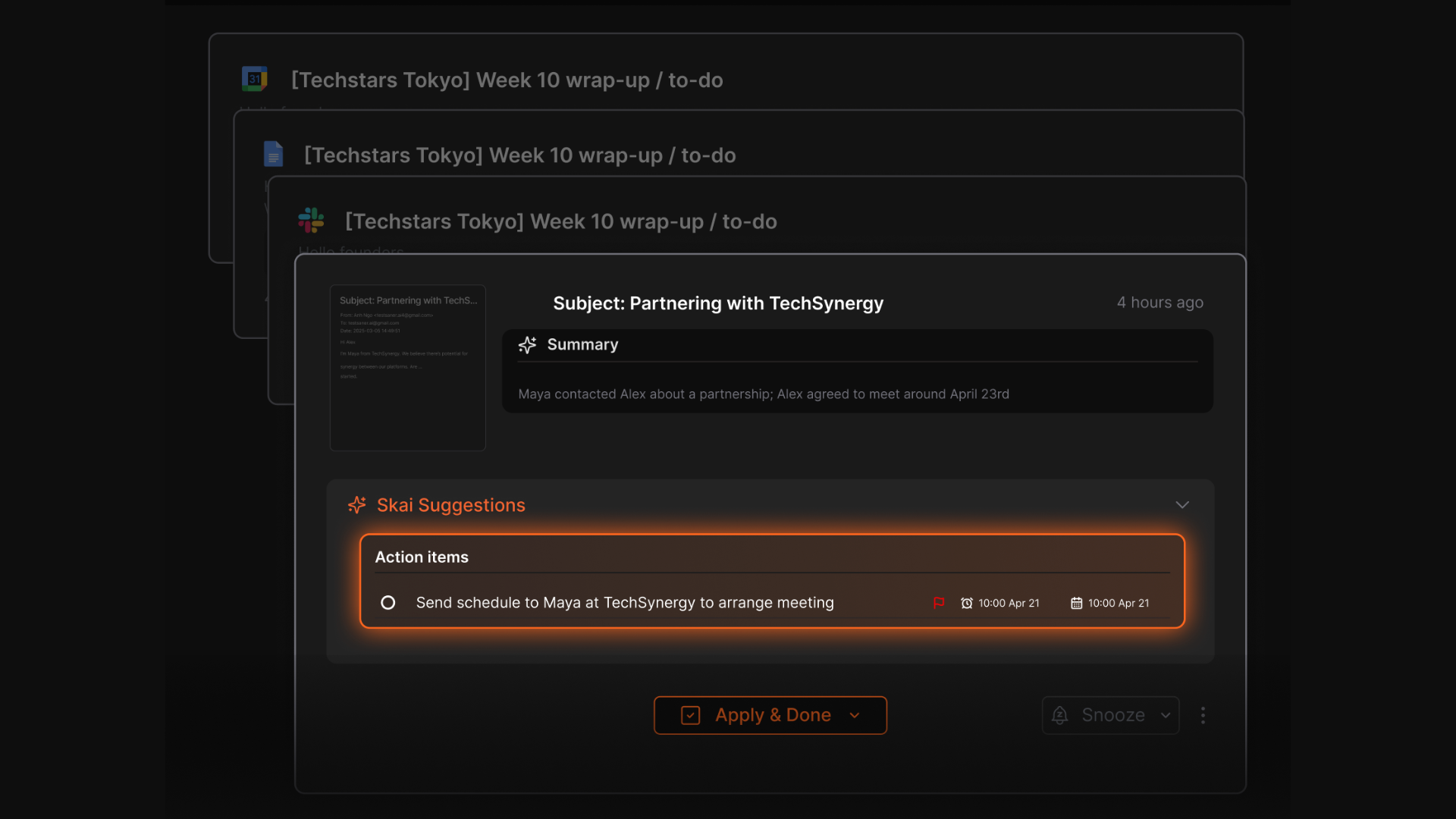
- Automatic task creation from your notes and emails
- Auto-tagging and linking between notes, projects, and ideas
- Works across desktop, mobile, and Chrome extension
What I liked
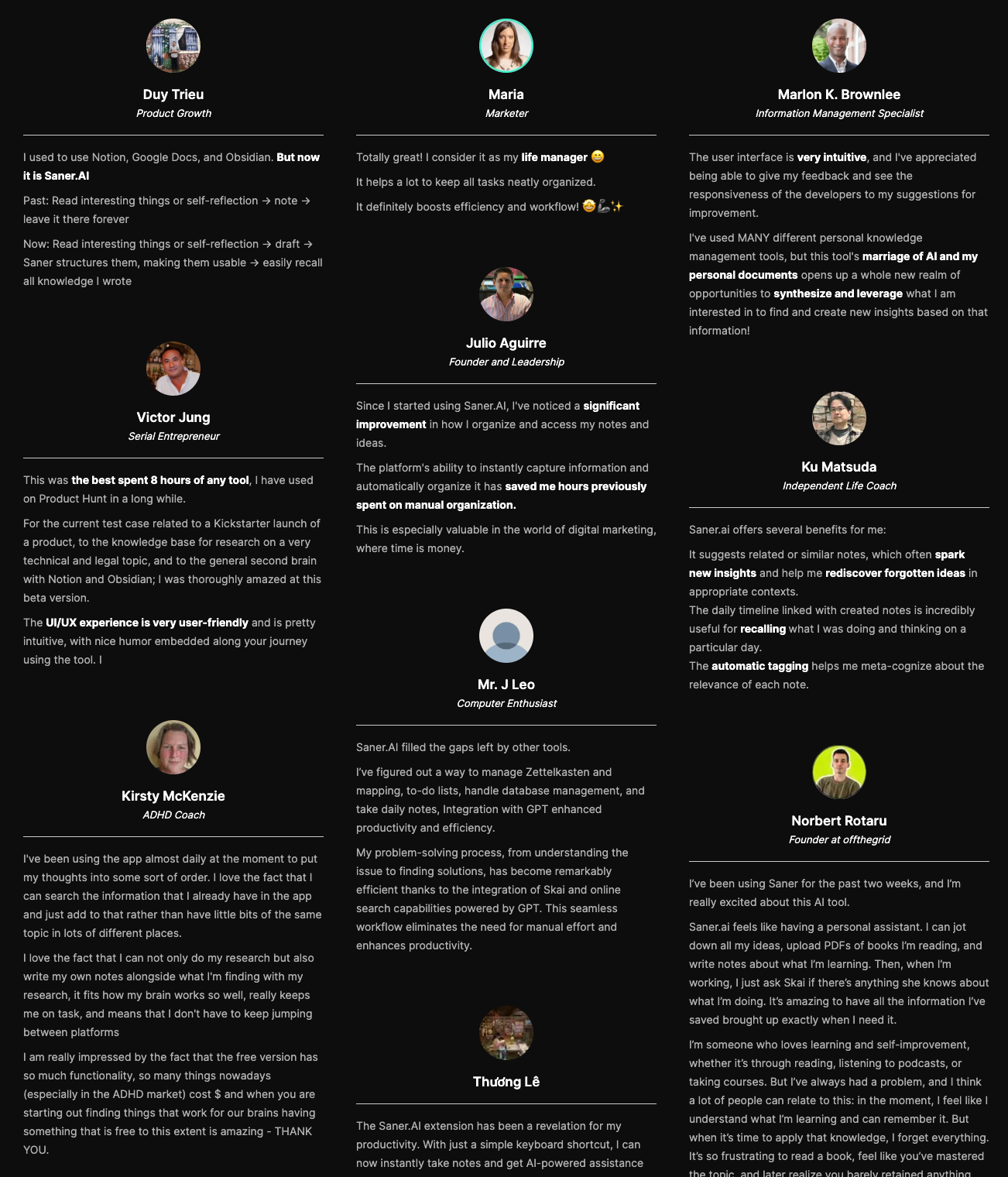
- It actually creates tasks from your information - connecting notes, tasks, and projects automatically
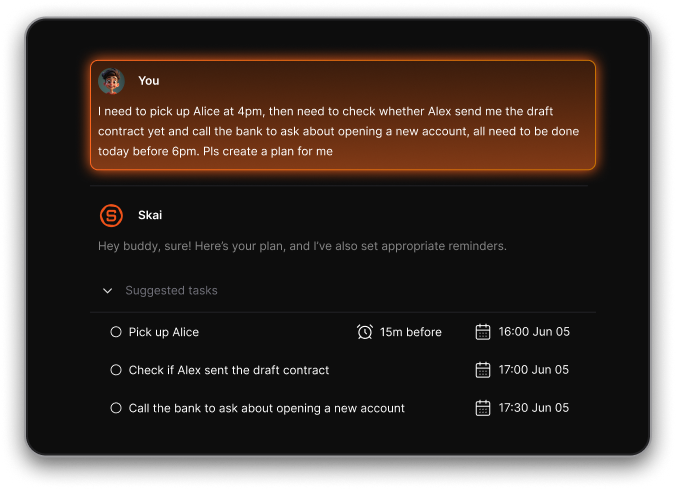
- The daily planner feels natural - you can chat with it to set priorities instead of manually dragging tasks around
Cons
- Not ideal for large teams or project timelines - no Gantt charts or complex task dependencies.
Pricing
- Free
- Starter: Monthly at $8/month, Annually at $6/month (with early user discount)
- Standard: Monthly at $16/month, Annually at $12/month (with early user discount)
Who is it suitable for?
- Managers and professionals juggling multiple sources of information
- ADHD-prone users who want less friction and more structure
- Anyone tired of fragmented tools who wants one AI brain that remembers everything
Saner.AI review
How to start using it?
- Sign up at saner.ai (no credit card required)
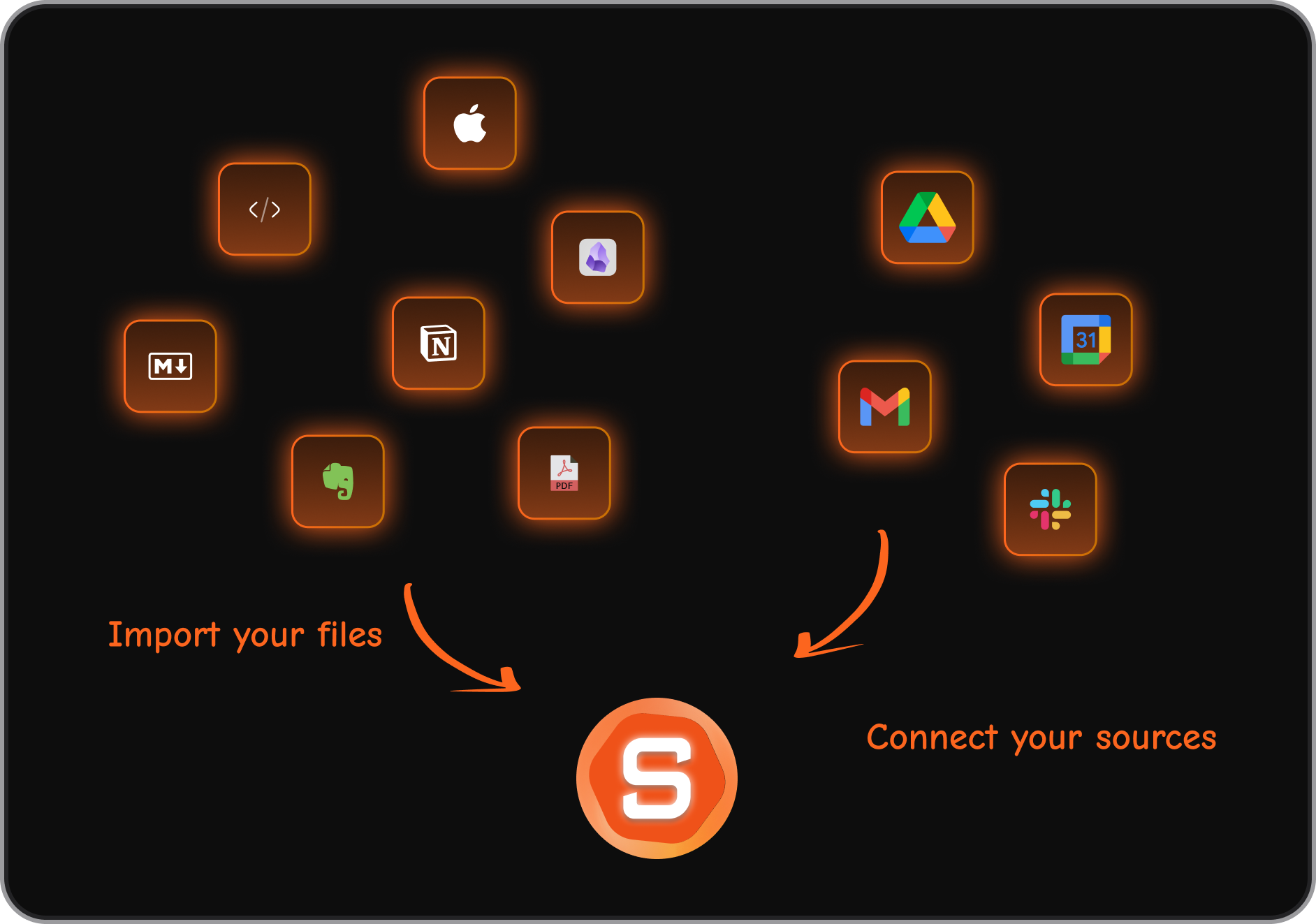
- Connect your calendar, email, and Google Drive
- Import your notes or start fresh and chat with the AI to create tasks

Stay on top of your work and life with the AI Manager
2. Motion
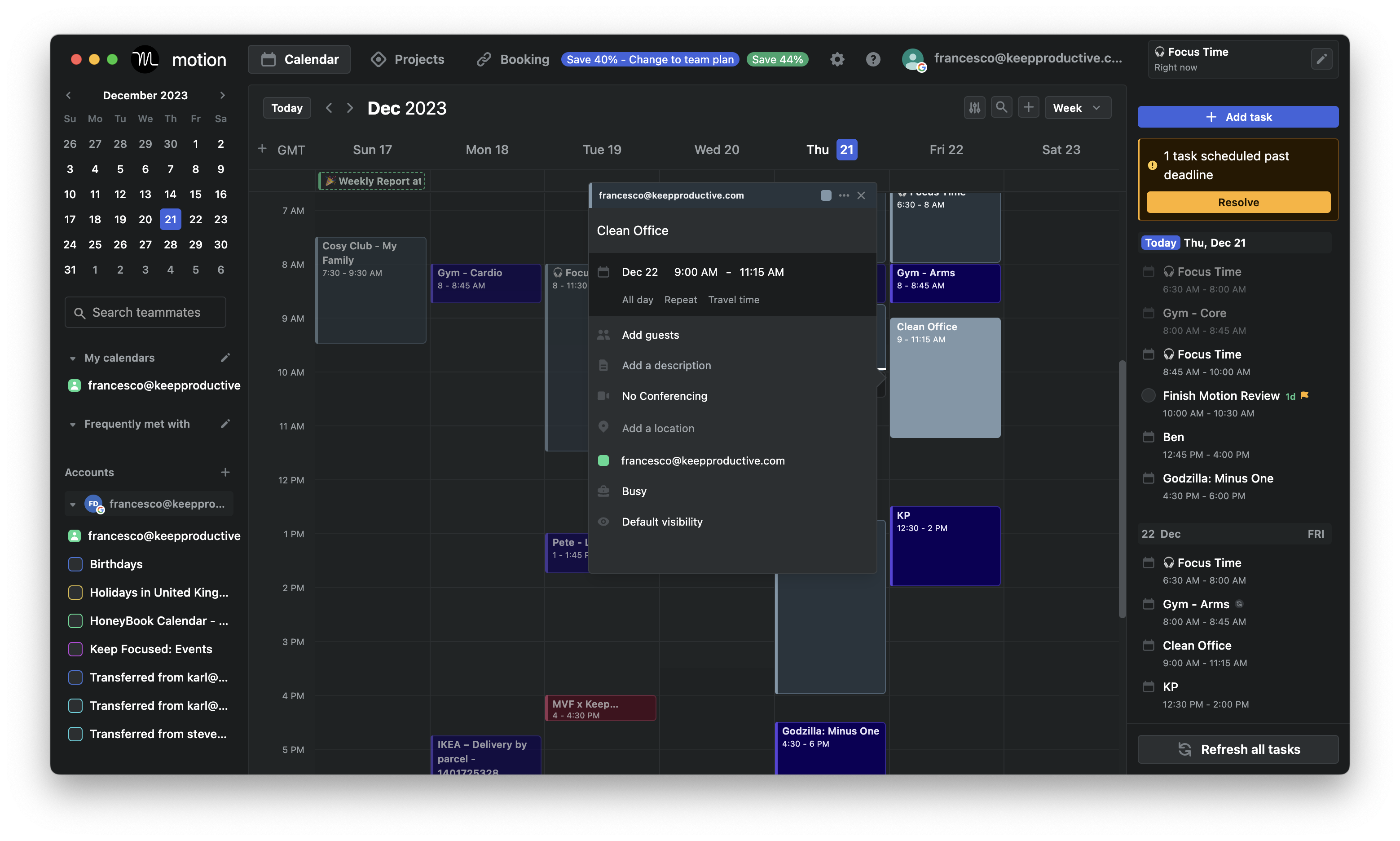
Motion is an AI time management app that automatically plans your day. Instead of manually dragging tasks into your calendar, Motion’s algorithm builds your schedule around meetings, deadlines, and priorities - and automatically rearranges it when things change.
Key features
- AI Auto-Scheduling: Automatically arranges your tasks, meetings, and deadlines into your calendar based on urgency and available time.
- Unified Calendar: Syncs with Google, Outlook, and iCloud calendars
- Meeting Booking: Lets you share your availability via booking links and automatically adds buffer time between meetings.
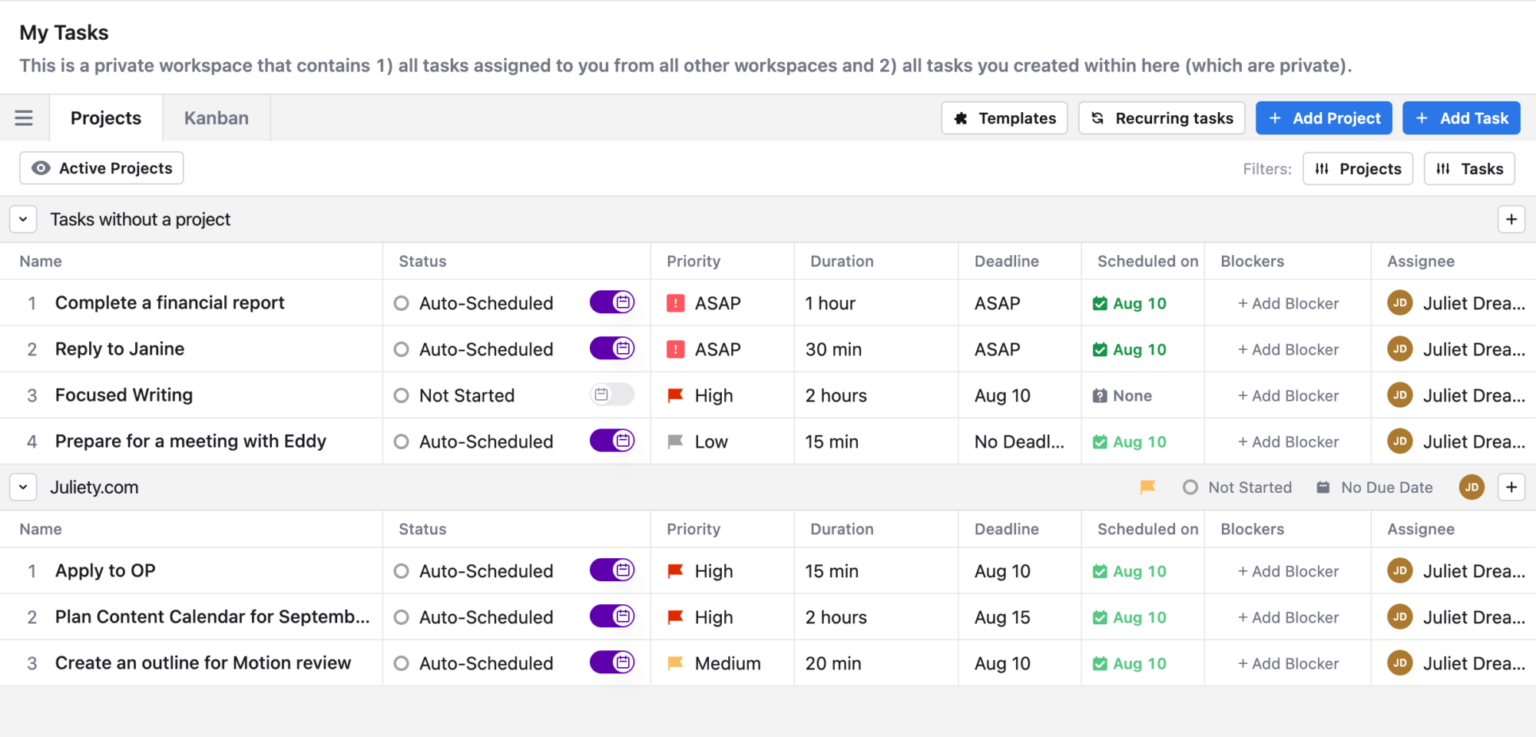
- Project Management: Includes Kanban boards, task lists, and team assignments for collaborative planning
What I liked:
- The way it adjusts your schedule when things shift is impressive
- Having calendar, tasks, and projects together in one interface feels cohesive
What I disliked:
- The learning curve can be steep at first. You need to be precise with task durations and deadlines to get accurate scheduling.
- It’s quite pricey compared to basic task apps, especially if you’re an individual user.
- Now shifted to the enterprise market, and the UI looks cluttered
- The mobile app feels more limited than the desktop version
- Don't have an AI assistant interface to interact with
Pricing:
- Free trial (7–14 days depending on plan)
- $29/user/month for the AI Workspace plan
- $49/user/month for the AI Employee plan
Suitable for:
- Teams that want AI to handle task scheduling and protect focus time automatically
How to start:
- Sign up for a free trial on the Motion website
- Connect your main calendar
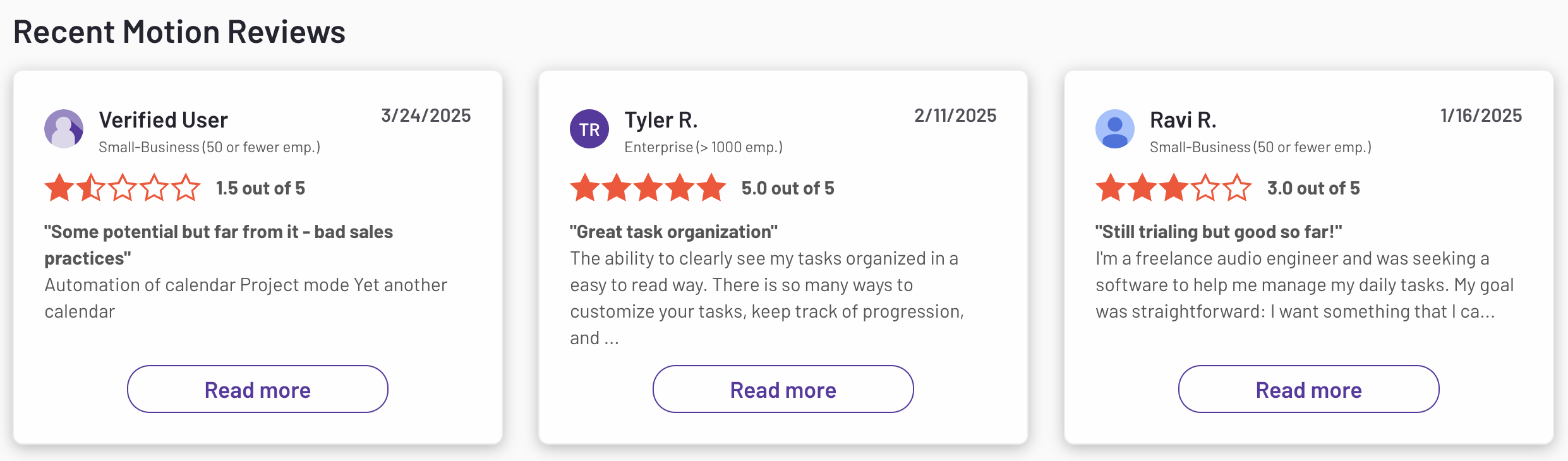
Motion reviews (source)
3. ChatGPT

ChatGPT is a conversational AI assistant that helps managers, professionals, and teams automate writing, summarizing, brainstorming, and organizing work. It’s not built as a traditional project management app, but it acts as a powerful assistant for planning, documentation, and decision-making
Key features
- Advanced conversational engine: Handles drafting, summarizing, brainstorming, and research effortlessly.
- Agent and workflow automation: Can analyze data, navigate sites, and generate structured outputs like spreadsheets or slides.
- Team and enterprise features: Offers shared workspaces, user management, data privacy, and SSO options.
What I liked:
- Agent features make it capable of performing real actions, not just generating text.
- Business and enterprise plans provide serious security and collaboration options.
- Security and enterprise options give confidence for business use.
What I disliked:
- Not designed for traditional project management; it lacks Gantt charts, dependencies, or workload views.
- Output quality depends on prompt clarity - vague requests produce vague answers.
- Mobile and team interfaces aren’t optimized for task-heavy workflows.
Pricing:
- Free version available for basic use.
- Plus plan: $20/month
- Team plan: Around $25–30/user/month
Suitable for:
- Managers and teams who want to automate communication, meeting prep, and reporting.
- Professionals who need a versatile AI assistant to help with writing, analysis, and brainstorming.
How to start
- Create a ChatGPT account at OpenAI and choose a plan that fits your needs.
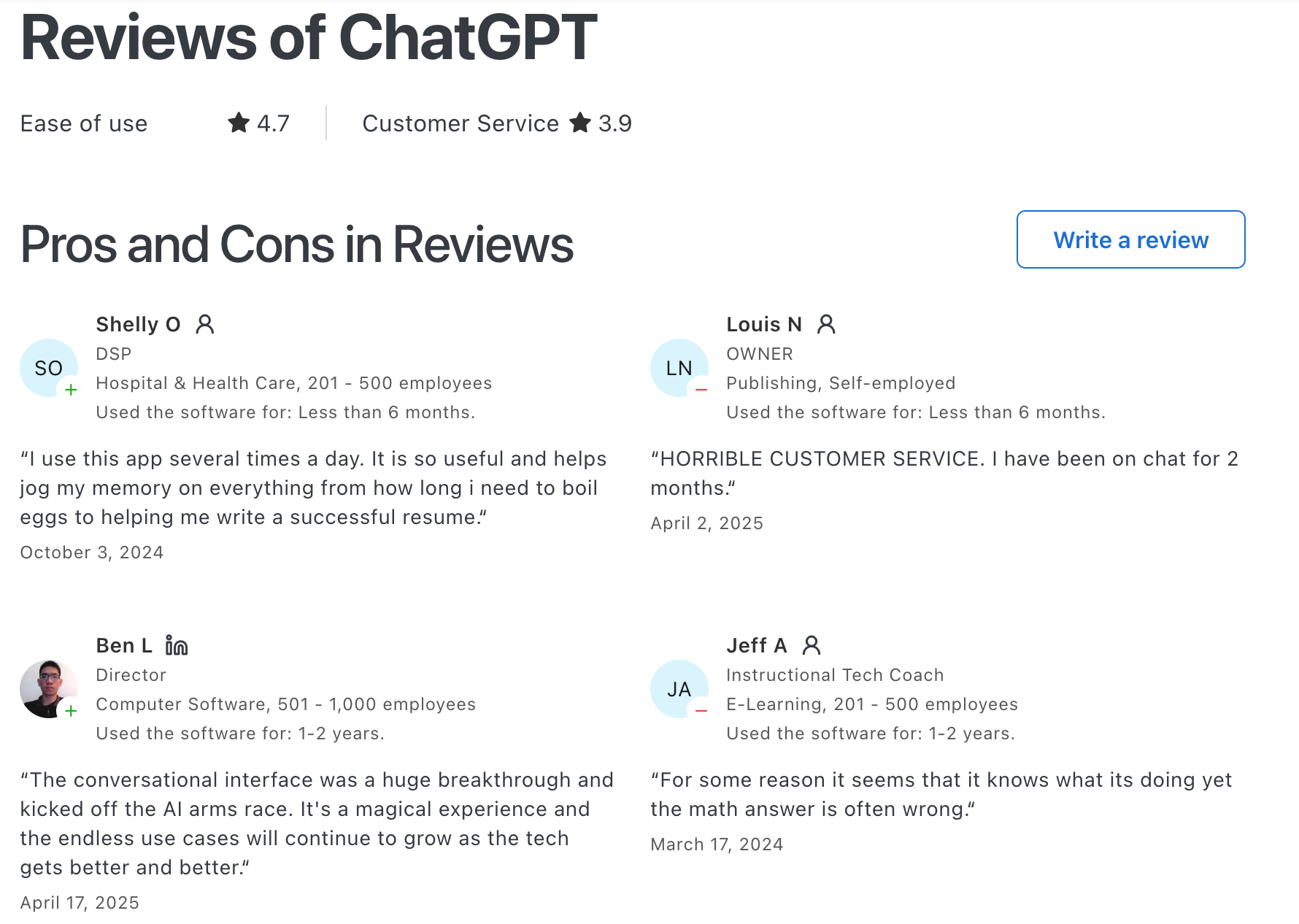
ChatGPT Reviews (source)
4. Gemini

Gemini is Google’s AI chat assistant built to help you manage, create, and organize your workday. It works across Gmail, Calendar, Docs, Drive, and other Google tools - acting like a second brain that plans, summarizes, and coordinates tasks so you can focus on higher-level decisions.
Key features
- Multimodal input and output: Handles text, images, voice, and even code - you can ask questions, upload files, or describe visuals.
- Deep Google integration: Connects seamlessly with Gmail, Calendar, Drive, Docs, and Maps for contextual assistance.
- Long-context reasoning: Can process large documents or entire projects without losing context.
What I liked:
- Multimodal input is convenient; being able to talk, show, or type helps when juggling multiple tasks.
- It’s smart enough to summarize emails, propose meeting times, or pull relevant files automatically.
What I disliked:
- Some features feel more consumer-oriented than management-focused; it’s great for planning but not full project tracking.
Pricing:
- Free version available for basic chat and productivity features.
- Advanced / Pro plan – around $19.99 per month
Suitable for:
- Professionals and students who want an all-in-one AI companion within Google Workspace
- Managers who need help summarizing, scheduling, and coordinating information quickly.
- Teams that want a balance between creativity, reasoning, and task organization.
How to start:
- Visit gemini.google.com or install the Gemini app on Android or iOS.
- Sign in with your Google account.
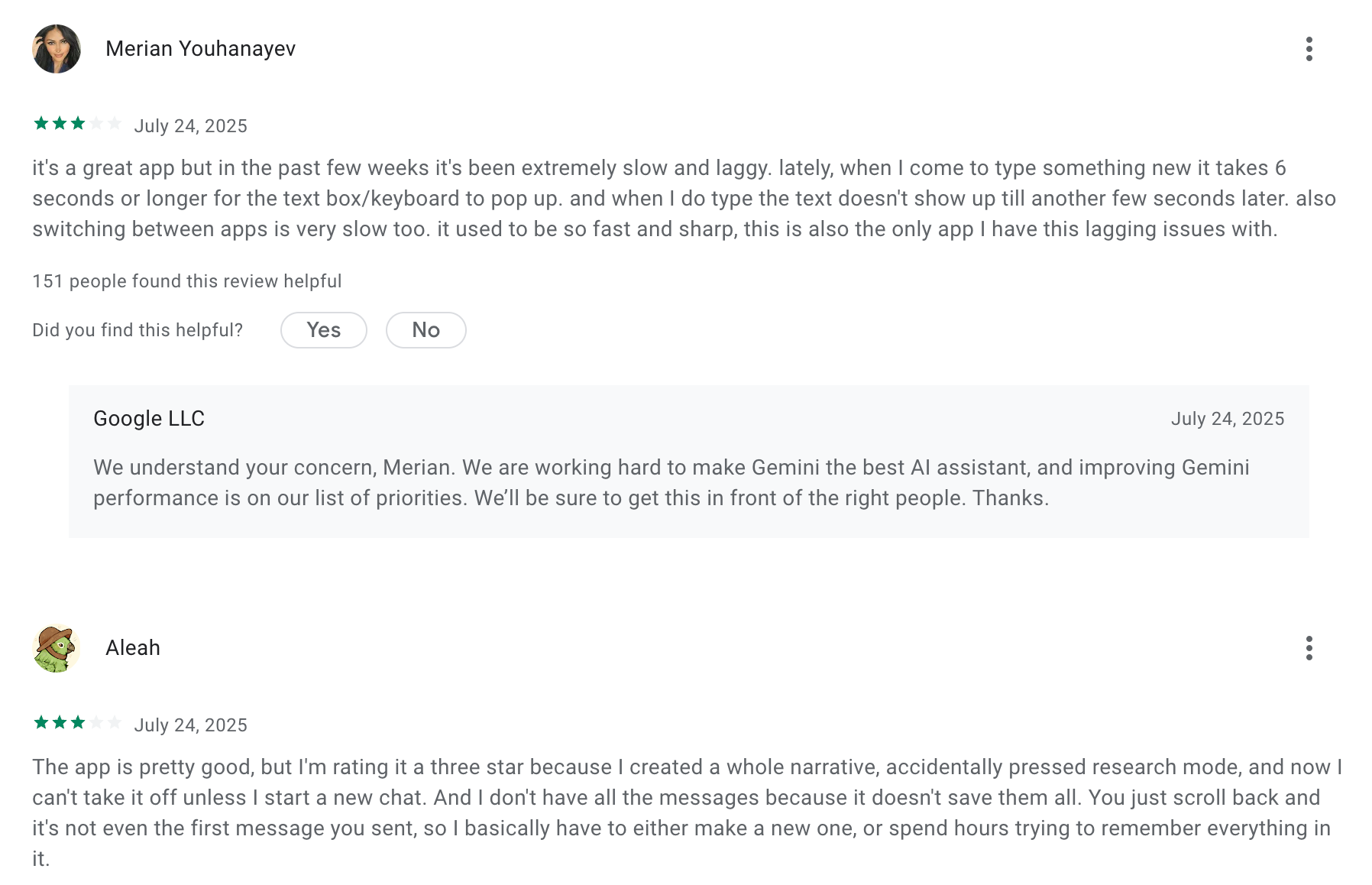
Google Gemini review (source)
5. Reclaim

Reclaim.ai is an AI planner that automatically schedules your tasks, habits, meetings, and breaks so your week organizes itself. It protects focus time, adds buffer between meetings, and reshuffles intelligently when plans change
Key Features
- Smart time blocking that auto-creates blocks for tasks, deep work, and routines with dynamic reprioritization
- Habits that schedule themselves flexibly and track progress toward personal goals (e.g., workouts, learning)
- Focus time and buffer protection that ensures breathing room between back-to-back meetings
What I Liked
- It keeps your calendar realistic without you constantly moving blocks around.
- The habits feature is flexible

What I Didn’t Like
- There’s still no native mobile app - only a mobile web version, which isn’t as fluid for quick edits.
- It’s not a conversational AI assistant. You can’t just “ask” it to reschedule things; it follows preset rules.
Pricing
- Free plan with limited features
- Starter: $10/user/month
- Business: $15/user/month
Who It’s For
- Professionals and teams who want an AI-powered planner that automates scheduling, protects focus time, and minimizes calendar chaos.
How to Get Started
- Go to reclaim.ai, connect your Google or Outlook calendar, set up your habits and task rules
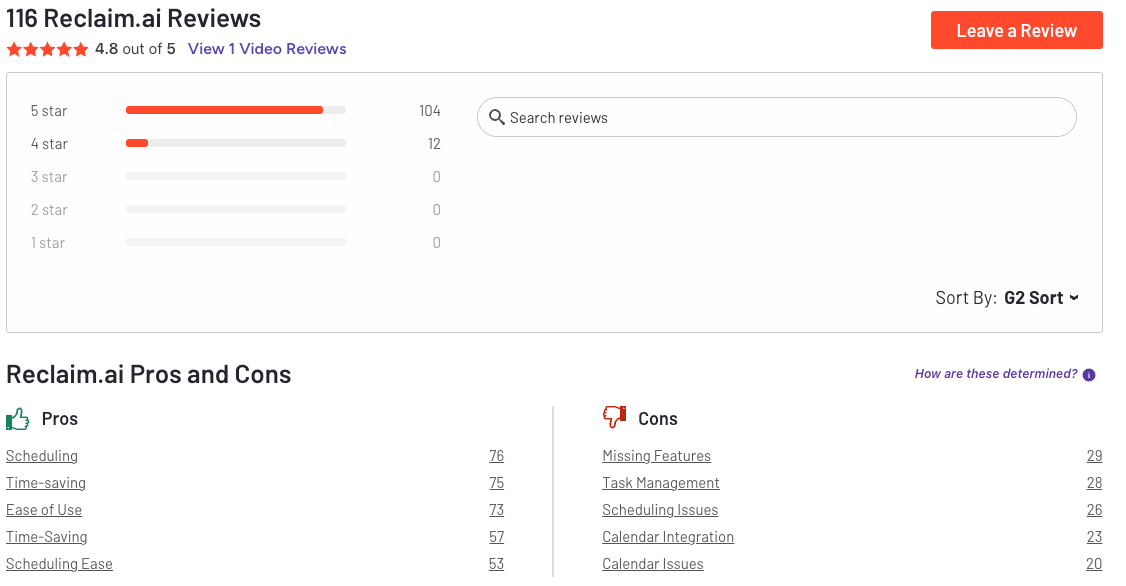
Reclaim.AI Reviews (source)
6. Notion
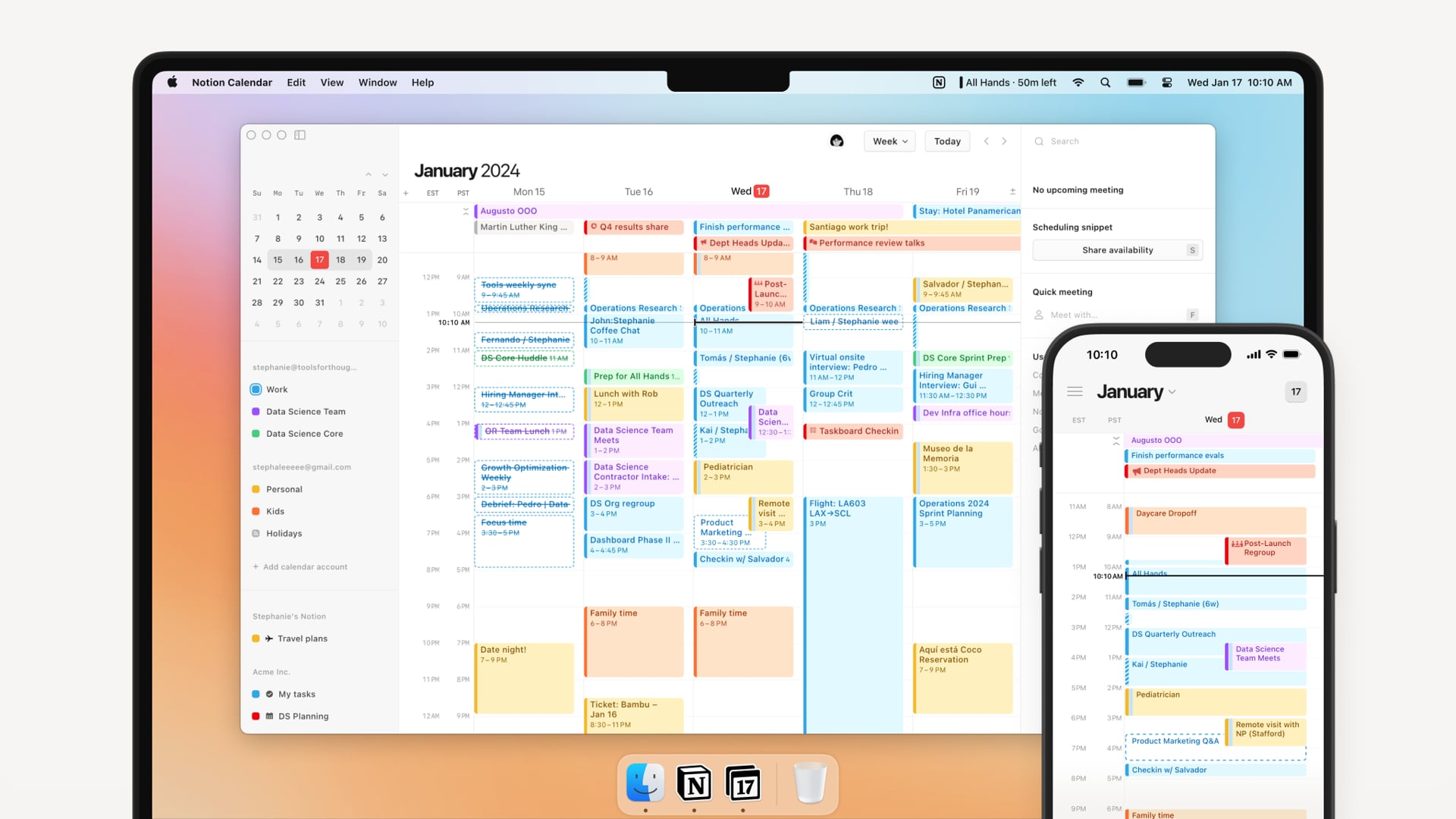
Notion AI is an intelligent workspace assistant built into Notion. It helps teams write, organize, and manage projects with less manual effort. Think of it as your all-in-one place for writing, planning, and connecting information
Key features
- AI writing and editing: generate drafts, summaries, or rewrite in different tones and styles
- Meeting notes and task summaries: automatically capture key points and action items
- Cross-tool search: find answers from Notion pages, Google Drive, and Slack
- File and image analysis: upload PDFs or images and ask the AI to extract insights
What I liked
- Everything happens inside one workspace
- The AI search across Notion and other tools feels surprisingly smart for finding lost info
- Meeting summaries and AI notes help reduce admin time after calls

What I disliked
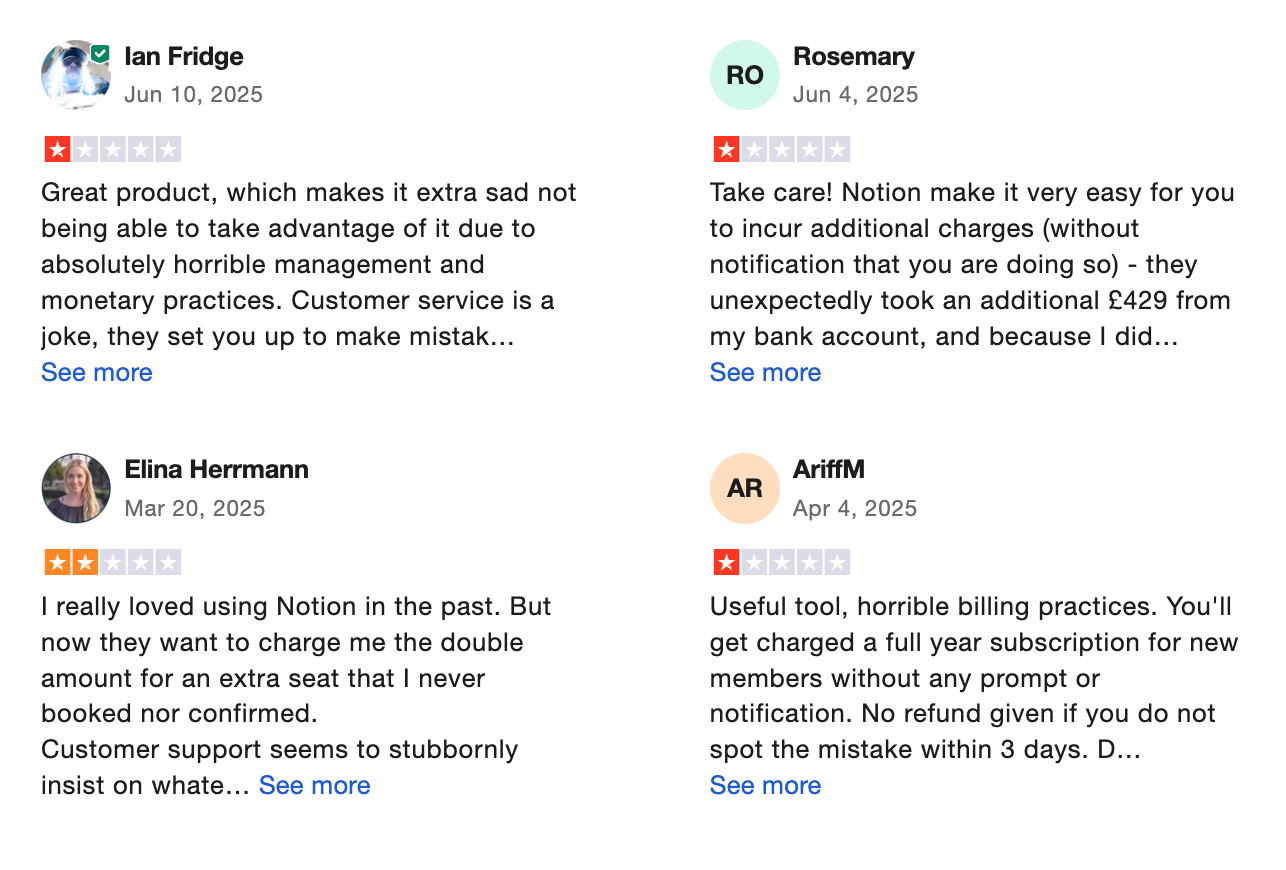
- The pricing model has become more expensive and confusing, especially for solo users
- There’s a learning curve if you’re new to Notion’s database and block structure
Pricing
- Free plan available with limited AI usage (around 20 responses)
- For individual users, AI add-on starts around $8–$10 per user/month
Suitable for
- Teams already using Notion for docs, projects, and wikis
How to start:
- Sign up for a free Notion account
- Open any page and click the “Ask AI” button
Notion reviews (source)
Final Thoughts: Which AI Manager Is Right for You?
AI isn’t replacing managers - it’s reshaping how they manage.
The best leaders aren’t the ones working the longest hours; they’re the ones who use AI to think clearer, decide faster, and protect their focus.
And if you’re the kind of manager juggling endless notes, meetings, and tasks, Saner.AI might be your best starting point.
It acts like a quiet chief of staff - turning scattered information into an organized plan so you can start your day with direction instead of overwhelm.
Because being a good manager isn’t about doing more - it’s about creating space to think, lead, and breathe again.
The AI Manager that organizes the day for you
FAQ: Best AI Manager Apps
1. What are AI manager apps?
AI manager apps use artificial intelligence to help you manage your time, tasks, and team more efficiently.
They go beyond basic to-do lists or calendars - learning your work patterns, scheduling things automatically, and reminding you what matters most.
2. Why are AI manager apps becoming popular?
Because managers and professionals are overwhelmed.
AI manager apps take over routine work like planning, prioritizing, and scheduling - freeing you to focus on the big stuff.
They reduce context switching, save time, and keep you organized without extra effort.
3. What makes a good AI manager app?
Look for apps that can:
- Automatically schedule your tasks and meetings
- Turn notes or chat messages into to-dos
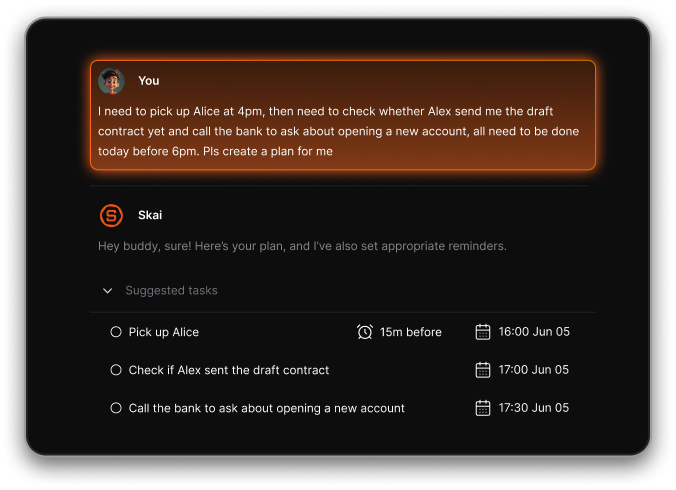
- Sync across your calendar, notes, and email
- Suggest priorities based on what’s due soon
- Summarize meetings or updates
- Help you plan your day without micromanaging everything
4. Which are the best AI manager apps right now?
Here are some standout options:
- Saner.AI - Combines notes, tasks, and calendar in one space. Great for people who get overwhelmed by too many tools.
- Motion – Auto-schedules your tasks based on deadlines and calendar availability.
- Reclaim – Protects time for habits, breaks, and deep work automatically.
- Clockwise – Optimizes meetings and team schedules to reduce burnout.
- Notion AI – Adds AI writing, summarizing, and organizing inside Notion workspaces.
- ChatGPT – Versatile conversational AI that can draft, summarize, or help plan your day.
- Gemini (Google AI) – Works well for people using Google Workspace to summarize emails and documents.
5. How do I choose the best AI manager app for me?
It depends on your workflow:
- If you want a single app that handles everything → try Saner.AI
- If you want automated scheduling → Motion or Reclaim
- If you work with a team → Clockwise
- If you take lots of notes → Notion AI
- If you just need quick AI help → ChatGPT or Gemini
6. Are any of these AI manager apps free?
Yes. Most have free plans or trials:
- Saner.AI, Reclaim, and Clockwise have basic free versions
- ChatGPT and Gemini are free to use
- Notion AI offers free credits inside Notion
7. Do AI manager apps actually make you more productive?
Yes. Most users notice fewer meetings, less time wasted planning, and more time spent actually working.
AI helps you stay organized, find information faster, and stick to your priorities - without juggling five different apps.
8. Can teams use AI manager apps?
Absolutely. Tools like Clockwise and Reclaim are designed for team scheduling, helping avoid meeting conflicts and protecting focus time.
Saner.AI and Notion AI are great for shared projects, notes, and to-do tracking.
9. Which AI manager apps are best for managers?
For managers who juggle meetings, follow-ups, and people updates:
- Saner.AI keeps all context - notes, tasks, and reminders - in one view.
- Clockwise and Reclaim protect your time from constant meetings.
- Notion AI helps organize team updates, project plans, and documentation.
10. What are the best AI manager apps for executives or team leads?
Executives often prefer simplicity and clarity.
- Saner.AI acts like a command center - everything’s connected.
- Reclaim and Clockwise keep your calendar sane and prevent overbooking.
- ChatGPT or Gemini can quickly summarize updates, reports, or decisions.
11. How are AI manager apps different from normal productivity tools?
Old-school tools make you do the organizing.
AI manager apps organize for you.
You can simply say or type what you need - like “Plan my week” or “Remind me to follow up on the report” - and the app takes care of the rest.
12. How hard is it to get started?
Connect your calendar, let the AI learn your schedule, and start small - maybe with just daily planning or reminders.
Once you’re comfortable, add more features like note linking or team collaboration.
13. What’s best if I use Google Workspace?
If your team lives inside Gmail, Drive, or Google Calendar:
- Gemini integrates natively.
- Reclaim and Clockwise sync perfectly with Google Calendar.
- Saner.AI also supports Google integrations for a broader workspace.
14. What’s best for people with ADHD or high context-switching needs?
If you struggle with distractions or jumping between tools, Saner.AI helps the most - everything’s in one calm workspace.
You can brain-dump ideas, and it automatically turns them into tasks or reminders.
Motion or Reclaim can also help by scheduling tasks so you don’t have to decide what to do next.
15. How do I know if an AI manager app is working for me?
You’ll notice:
- Less time wasted scheduling or finding notes
- More uninterrupted focus time
- Clear priorities without overwhelm
- Fewer things slipping through the cracks
If those happen, the AI is doing its job.
Stay on top of your work and life