Marblism Alternatives: Here Are The 6 Best Apps


AI employee tools exploded in popularity recently. Platforms like Marblism promise something ambitious: a “team” of AI employees that can manage emails, write content, run outreach, and automate the day-to-day work most people don’t have time for.
Quick Answer: What are the Best Marblism Alternatives?
- Sintra AI: closest like-for-like to Marblism. 12 named AI employees in one bundle. Watch the credit meter. Every plan, cheap or expensive, caps at 250 credits a month.
- Saner.AI: best if what you actually need is a personal AI assistant, not a fake company. Organizes notes, email, and tasks in one place instead of giving you named personas. Starts free.
- Zapier: the safe, boring, reliable choice if you just need triggers connected to actions across 8,000+ apps. Free plan available. Paid plans run roughly $30 to $104/mo.
- Make.com: same job as Zapier, more control over branching logic, and 3 to 4x cheaper per operation on complex workflows. Free plan available. Paid plans start around $9/mo.
- Viktor.com: an actual autonomous "AI employee" that lives in Slack or Microsoft Teams and delivers finished reports, decks, and code instead of chat answers. Billed per workspace, not per seat. From $50/mo.
- Lindy.ai: build fully custom agents instead of picking from fixed personas. No free tier. 7-day trial. Plans from $49.99/mo.
What Is an AI Employee Platform?
"AI employee" is the marketing term. What it actually means, in plain terms, is a piece of software you give a job to in plain English, and it goes and does that job across the other tools you use, on its own, without you building a workflow diagram first.
Workflow automation tools (Zapier, Make.com) are reactive. You build the logic yourself: when X happens, do Y, then Z. They're reliable because they only ever do exactly what you told them to, in the order you told them to.
AI employee platforms (Marblism, Sintra, Viktor, Lindy) are meant to be autonomous. You describe an outcome. The tool figures out the steps, sometimes across dozens of tools, without you mapping every trigger. That's the pitch, anyway.
There's a third category people conflate with both of the above: personal AI assistants (Saner.AI). They're trying to organize the one person using them, so nothing worth doing falls through the cracks.
How I Chose These Alternatives
I ran each of these against real work, not a sandboxed demo, for at least two weeks before writing a word about it. I score every tool in this category the same five ways, every time
- Setup and onboarding: how long from signup to the tool doing something genuinely useful, and how much of that time was spent fighting the interface instead of using it.
- Survives a bad day: whether the tool still delivers when I'm scattered and behind, not just when I show up organized and patient with it. Most reviews skip this.
- Output quality: did it save real time, or did correcting its output take about as long as just doing the task myself.
- Price versus what you actually get: not what the pricing page implies.
- What happens when it breaks: support responsiveness, refund policy
- Fit for one person vs. a team: whether the tool assumes a solo operator or an actual department.
What Are The Best Marblism Alternatives?
The Best Marblism Alternatives are: Sintra, Saner.AI, Zapier, Make.com, Viktor.com, Lindy.ai
1. Saner.AI
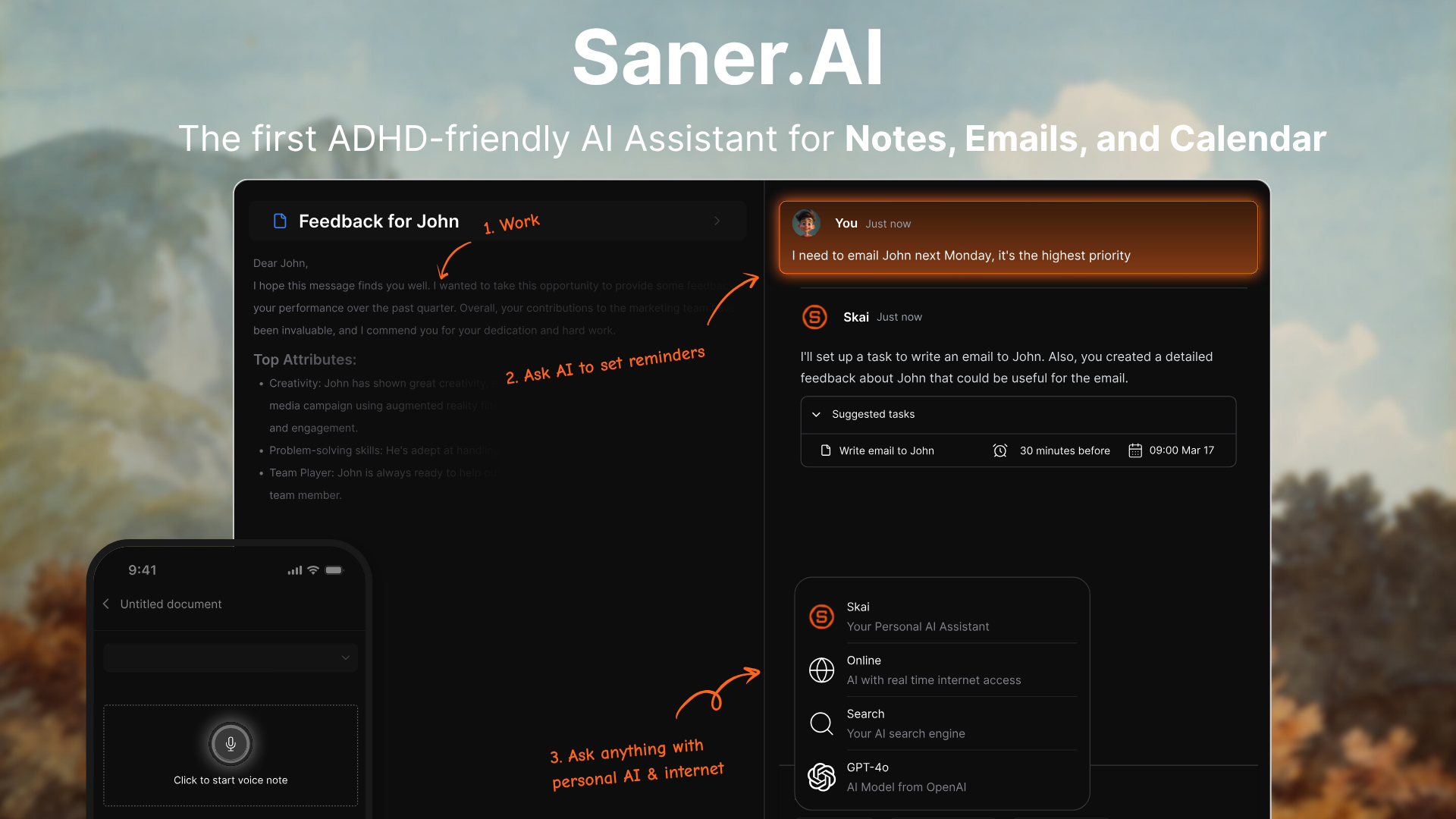
Saner.AI is a personal AI assistant and workspace that helps you organize tasks, notes, emails, and meetings in one place. It works like a proactive assistant that understands your information, extracts action items automatically, and helps you plan your day without bouncing between apps.
Key features
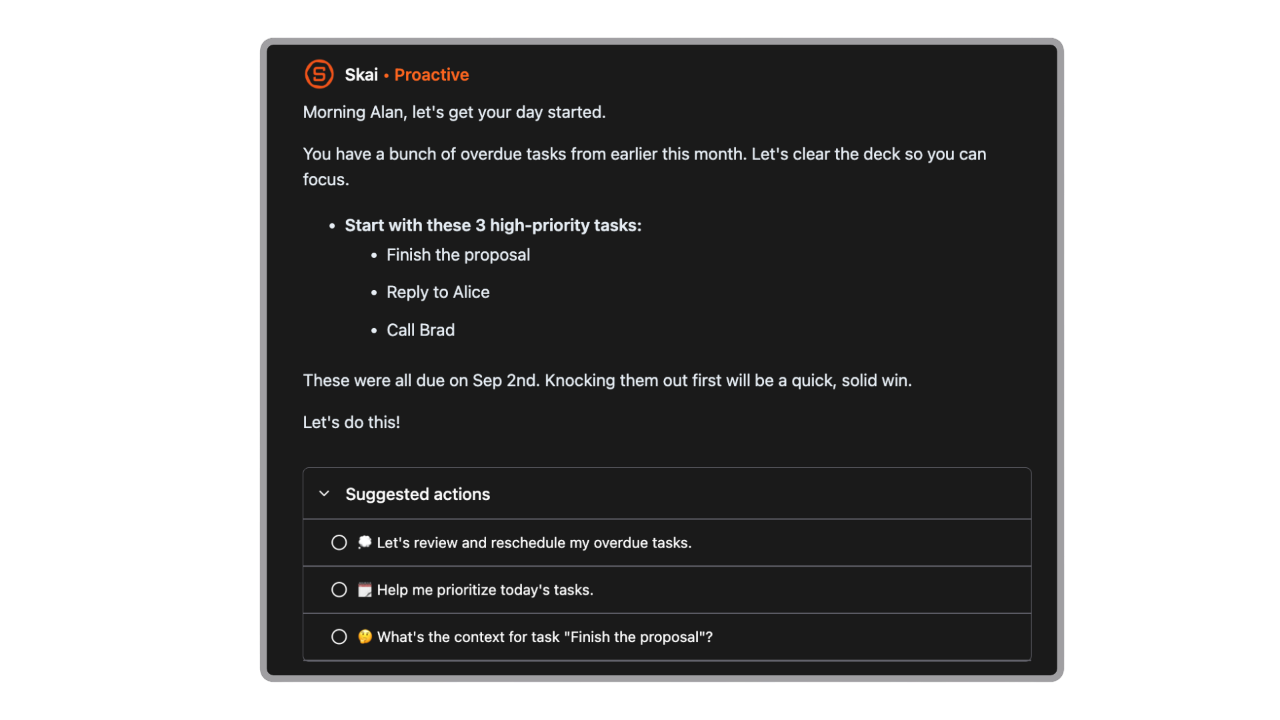
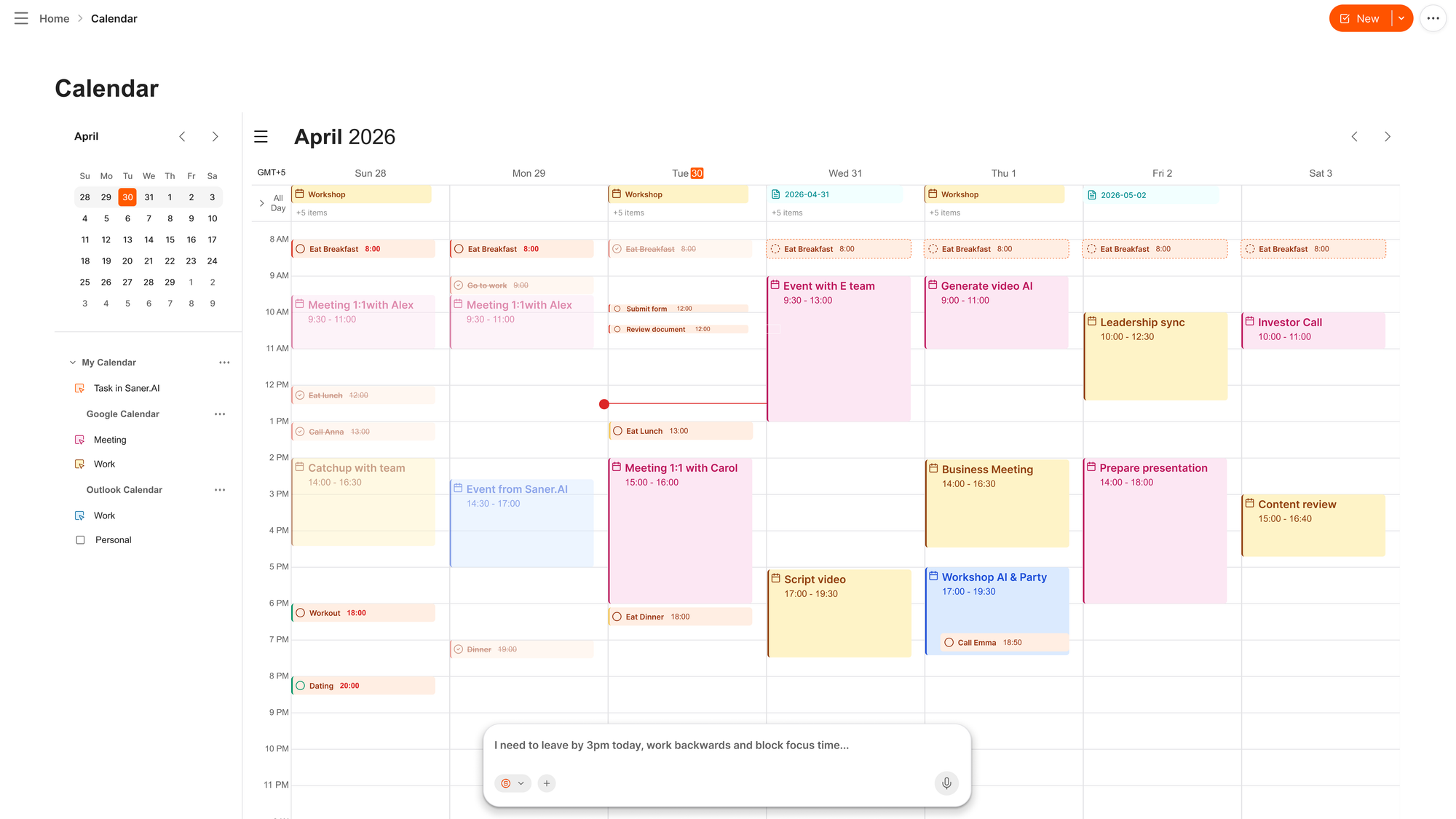
- Proactive Daily Planning: Suggests what to work on first and highlights upcoming deadlines
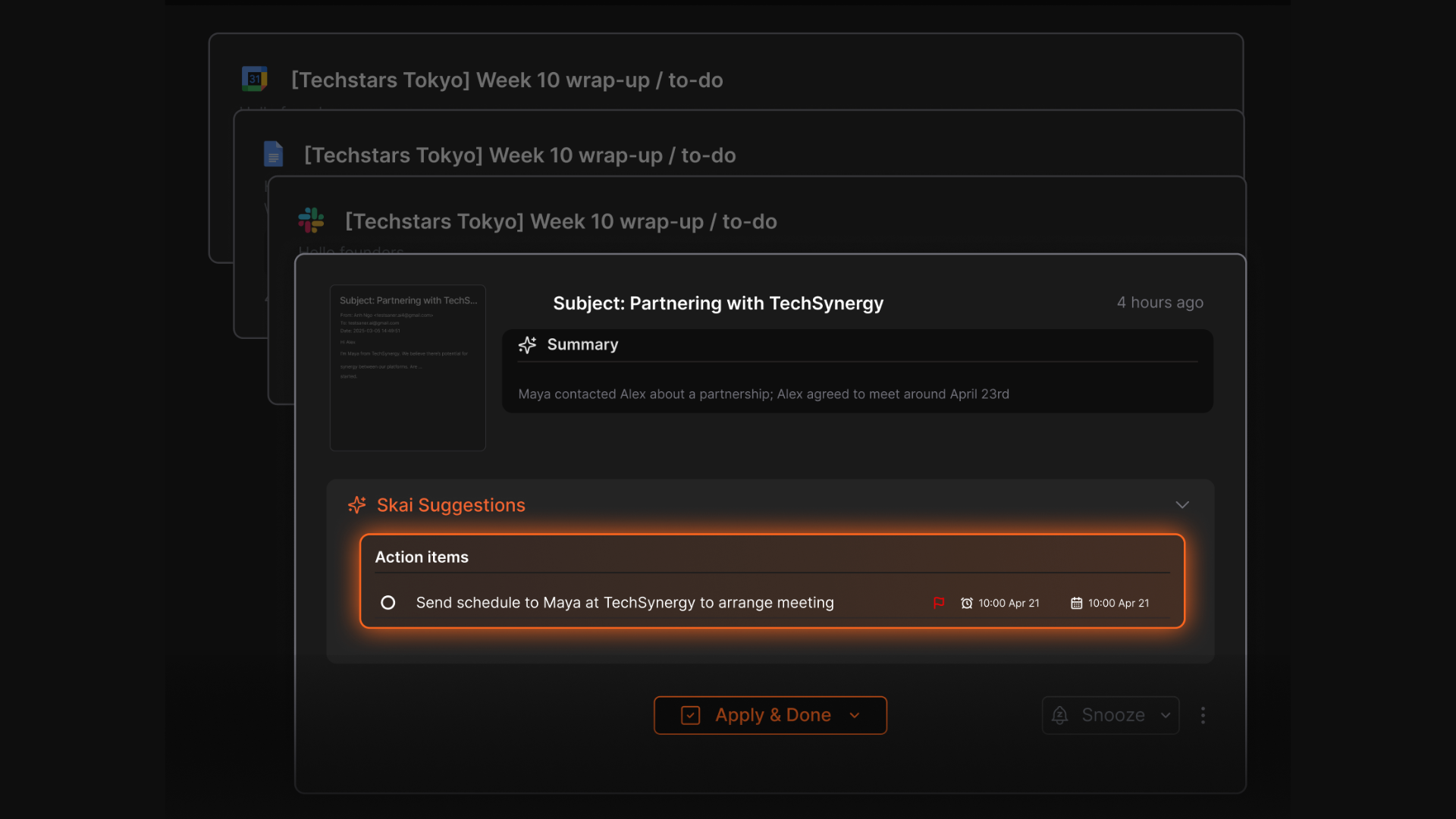
- Email Integration: Extracts action items from long threads and drafts quick replies
- Knowledge Search: Lets you search across notes and documents using natural language
- Cross-App Sync: Connects with Gmail, Google Calendar, Slack, Notion exports, and more
What I liked
- It does a great job turning messy notes into useful tasks and insights without any manual tagging
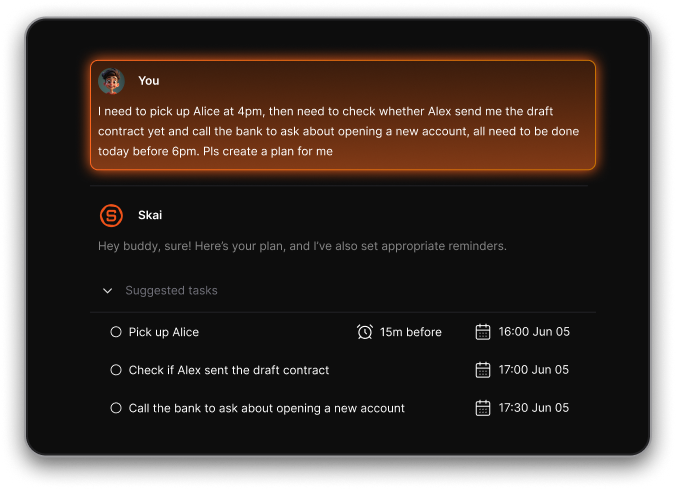
- The proactive planning feels genuinely helpful, especially on busy days or when you don’t know where to start
- I can just chat to manage my schedule and calendar
Cons
- It’s not built for advanced project management like dependencies or multi-team workflows
Pricing
- Free
- Starter: Monthly at $8/month (yearly)
- Standard: Monthly at $16/month (yearly)
Who is it suitable for?
- Busy professionals, founders, researchers, and ADHD-prone users who want an AI to keep them organized without manual effort
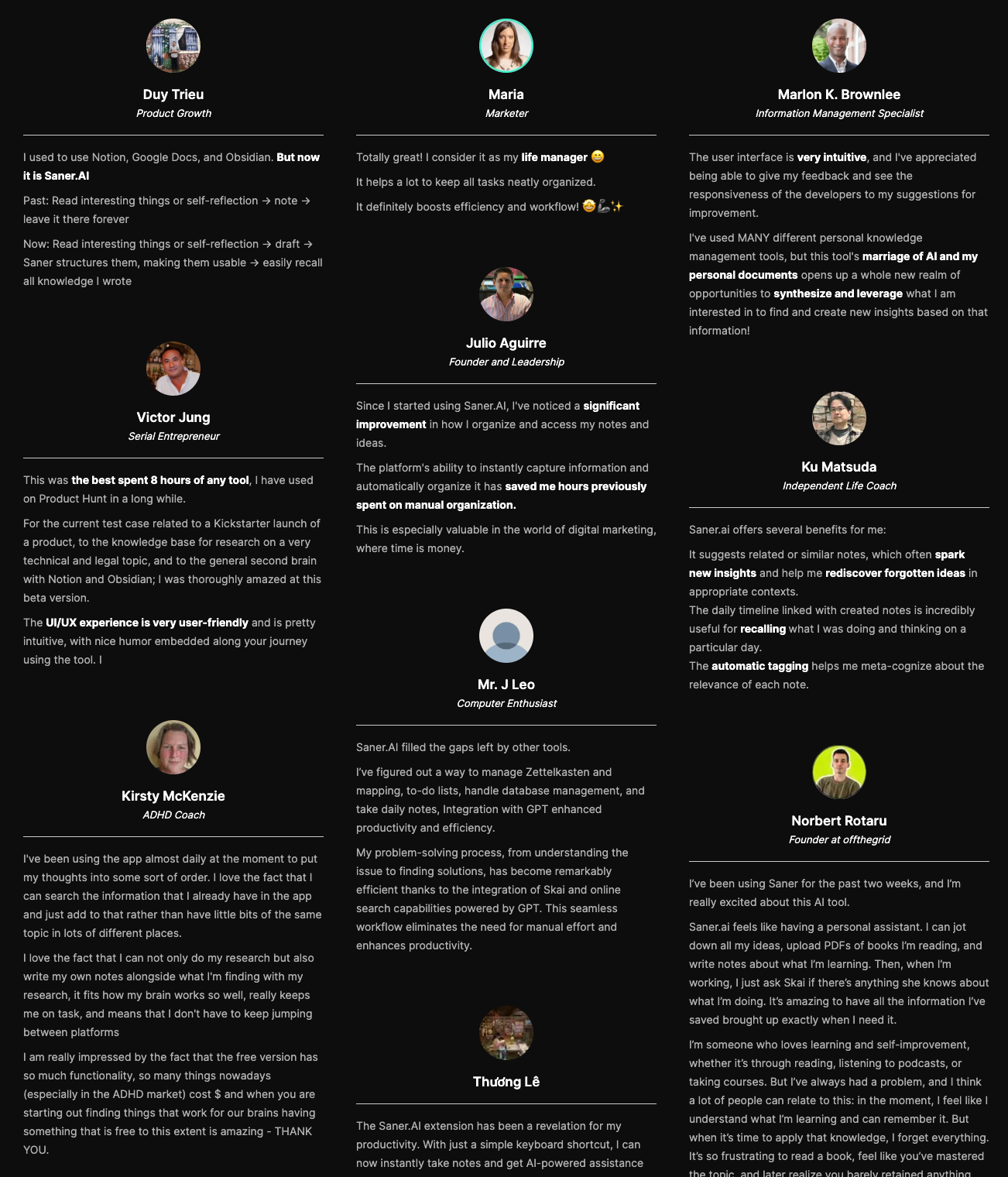
Saner.AI review
How to start using it?
- Go to the site, create a free account, import your notes, or connect your email and calendar to let the AI begin organizing things automatically

AI Agent tool that Works Instantly without any setup
2. Lindy AI
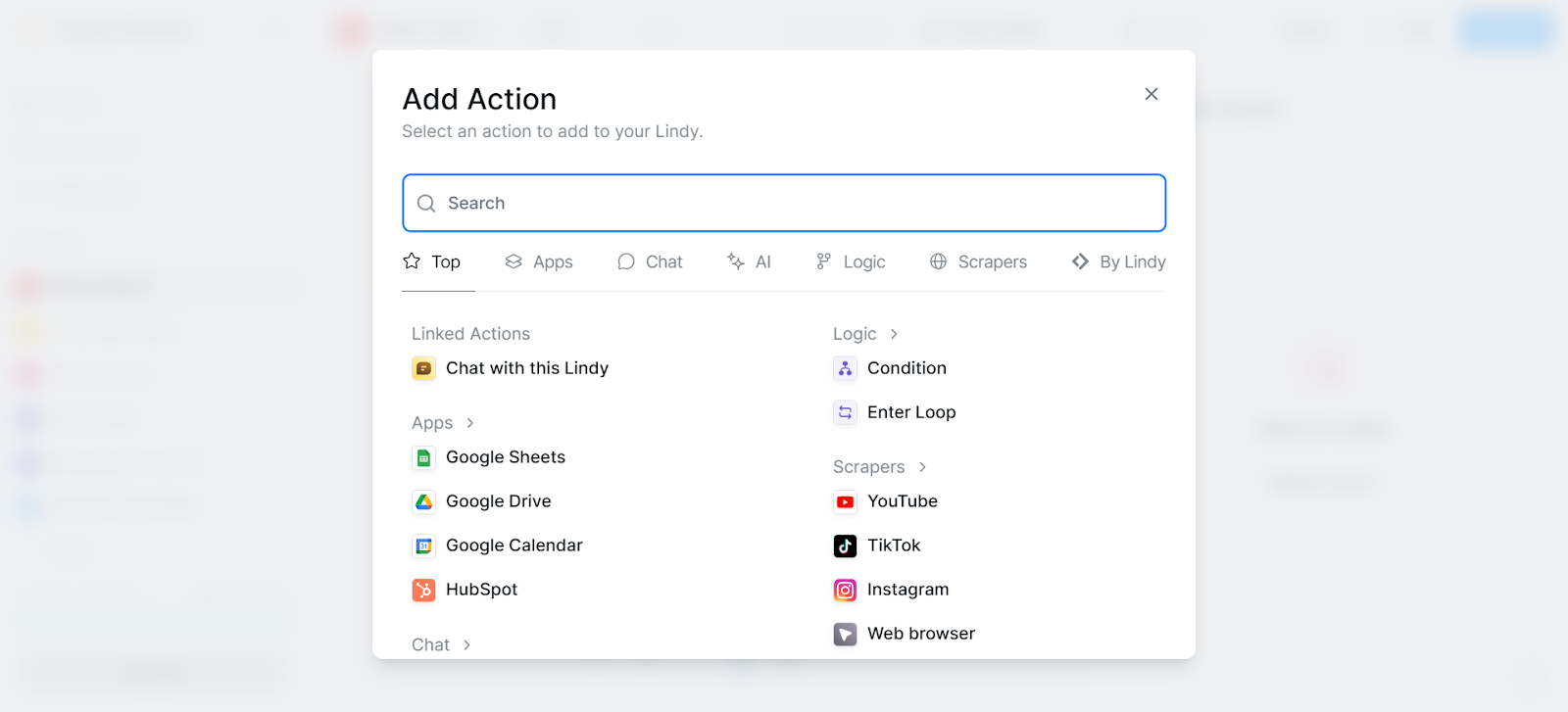
Lindy Teammate: an AI coworker that lives directly in your company's Slack, sits in on Zoom/Meet/Teams calls, and accumulates shared memory of how your team actually works. Anyone can @mention it in a channel or message it privately; no building required
Pros
- No setup required: add it to a channel, @mention it, and it starts pulling context from meetings, tools, and Slack history rather than waiting for you to configure a workflow.
- Shared, workspace-level memory means the whole team benefits from context one person already gave it
Cons
- Billing now runs on a seat-per-mention mechanic: tagging Lindy in a channel can quietly create a new billed seat, which is easy to lose track of in an active workspace.
- The gap between Lindy's G2 score (4.9/5) and its Trustpilot score (1.7/5) is unusually wide, and Trustpilot's queue is dominated by billing and cancellation complaints.
Pricing
- No free tier (limited trial). Plus $29.99/user/month (3,000 pooled credits). Pro $99.99/user/month (15,000 credits). Max $199.99/user/month (35,000 credits). Enterprise custom. Credits pool across the workspace and don't roll over.
Suitable for: teams that want an AI coworker embedded in Slack from day one with no setup, and who will actively monitor how many seats get created as people start @mentioning it around the workspace.
How to get started: add Lindy to one active Slack channel first, not the whole workspace; watch how it handles a week of real requests and meetings
3. Sintra
Sintra is the tool that matches Marblism's actual pitch most closely: 12 named AI employees, Cassie for support, Penn for copy, Seomi for SEO, and so on, running under one always-on layer called Sintra X.
Pros
- The broadest persona roster of any bundle here. 12 named roles covering support, sales, content, SEO, and data, twice what Marblism offers.
- Runs continuously rather than waiting to be triggered, which is closer to the actual "employee" framing than most of the tools on this list.
Cons
- The credit system is the single loudest complaint across thousands of reviews. Every plan, cheap or expensive, is capped at 250 credits a month.
- Support gets rocky once something breaks.
Pricing
- $97/mo month-to-month. Drops to roughly $54 to $59/mo on 3 or 12-month terms, and promo codes push that lower still. 250 credits/month on every tier, with no higher plan that buys more capacity.
Suitable for: small teams that specifically want Marblism's "named employee roster" experience and will track their credit burn from day one, not after the first invoice surprise.
How to get started: pick two or three of the 12 helpers you'll actually use in month one instead of onboarding all twelve, and check your credit balance daily for the first two weeks.
4. Zapier
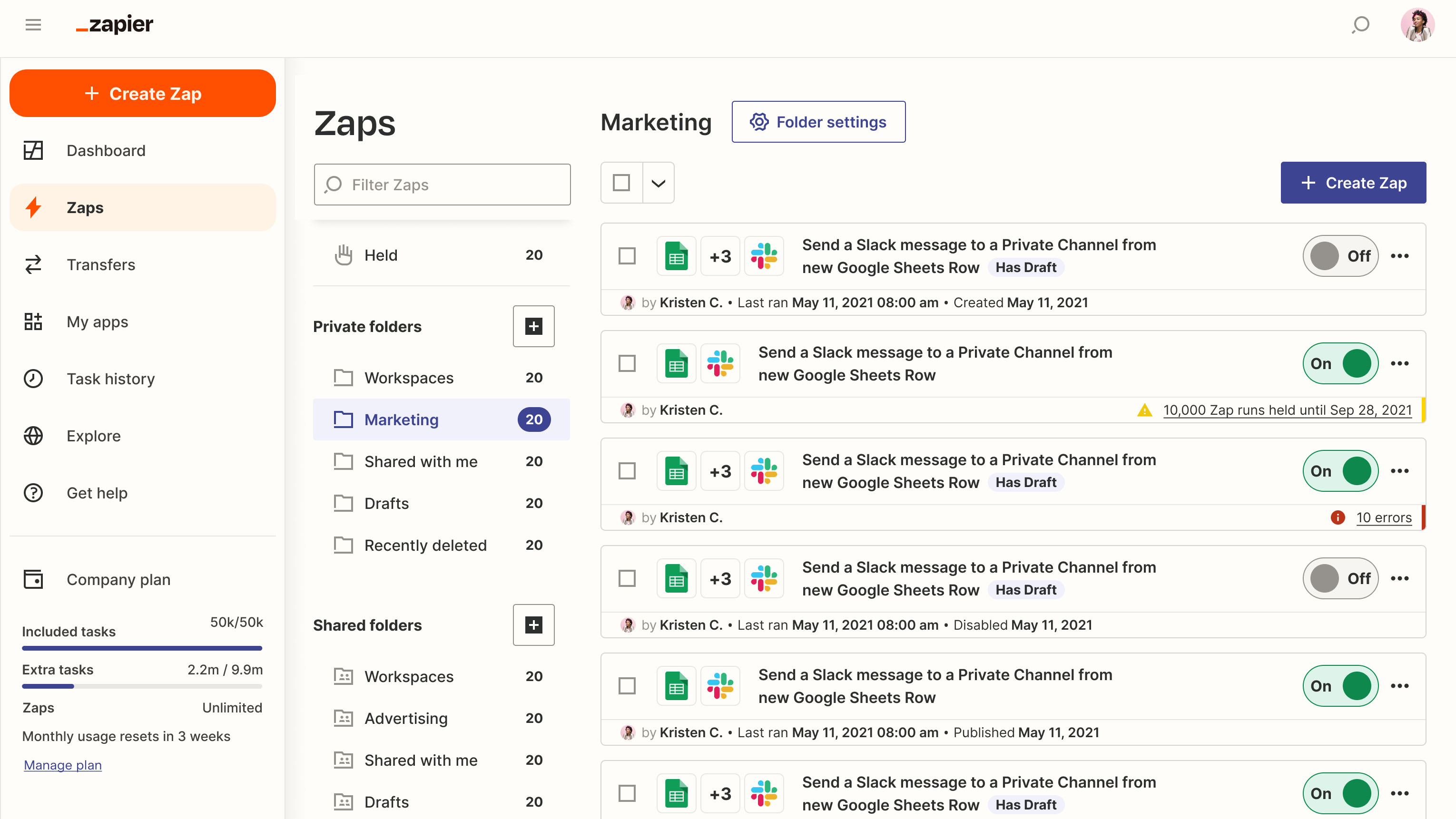
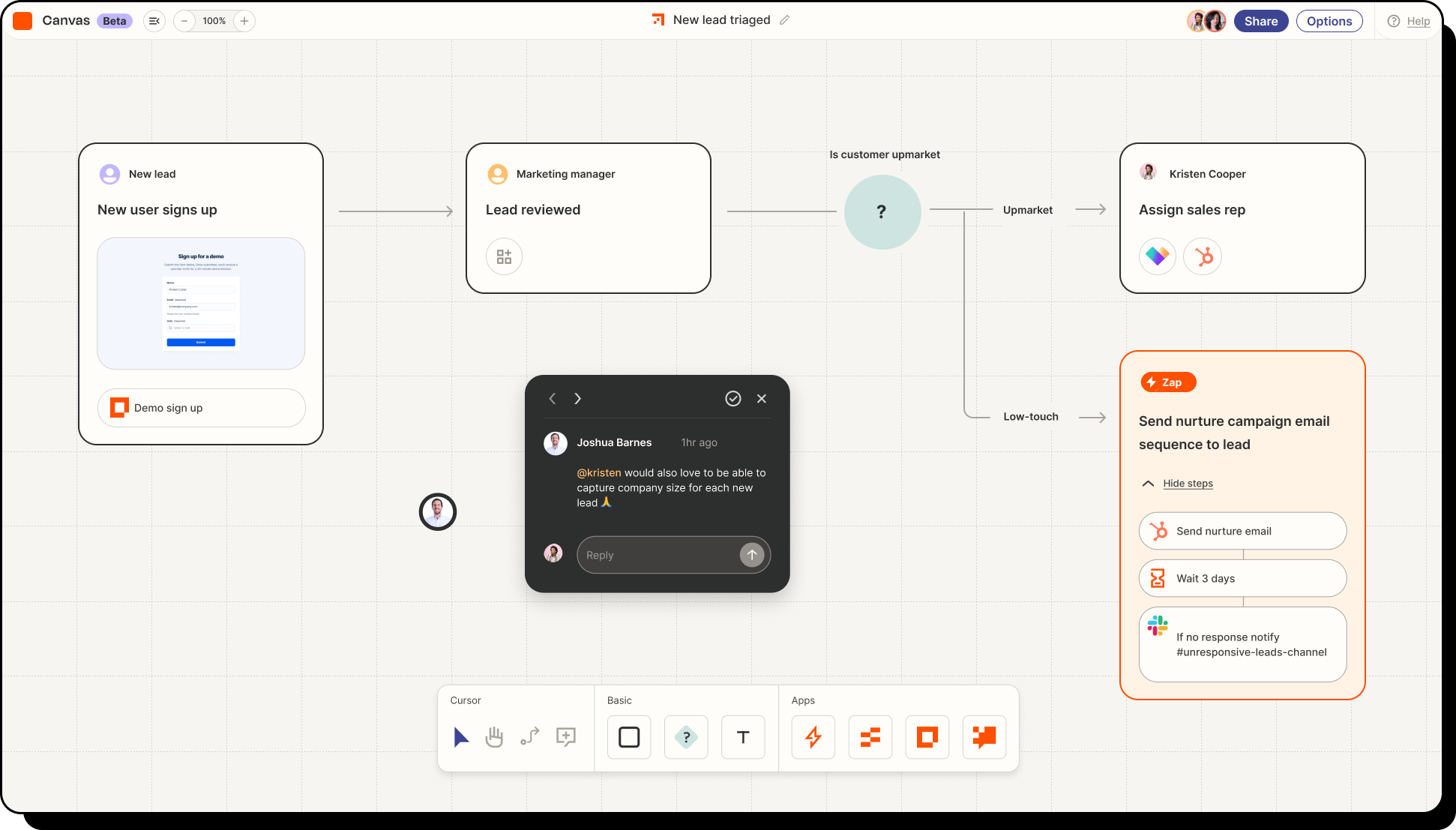
Zapier is a no-code automation platform that lets you connect your apps and automate repetitive work without needing to write code. It’s built for individuals, teams, and businesses that want to streamline workflows and move data automatically between tools
Key features
- Connects with 8,000+ apps like Google Sheets, Slack, HubSpot, Notion
- Creates automated workflows (“Zaps”) using triggers and actions
- Supports multi-step workflows, filters, conditional logic, and branching
What I liked
- It’s incredibly flexible: you can automate across almost any tool you already use
- You can start with simple workflows and scale into complex multi-step logic
What I disliked
- Costs can add up fast if your workflows run frequently or involve many steps
- Maintaining dozens of Zaps can get messy without careful organization
Pricing
- Starter/Professional plan around $20 per month for multi-step workflows
- Team plan around $70 per month with collaboration features
Suitable for:
- Teams and professionals who want to automate repetitive tasks across their tech stack without coding
- Small and mid-sized businesses that rely on multiple tools and want to streamline operations
How to start:
- Go to zapier.com
- Create a free account
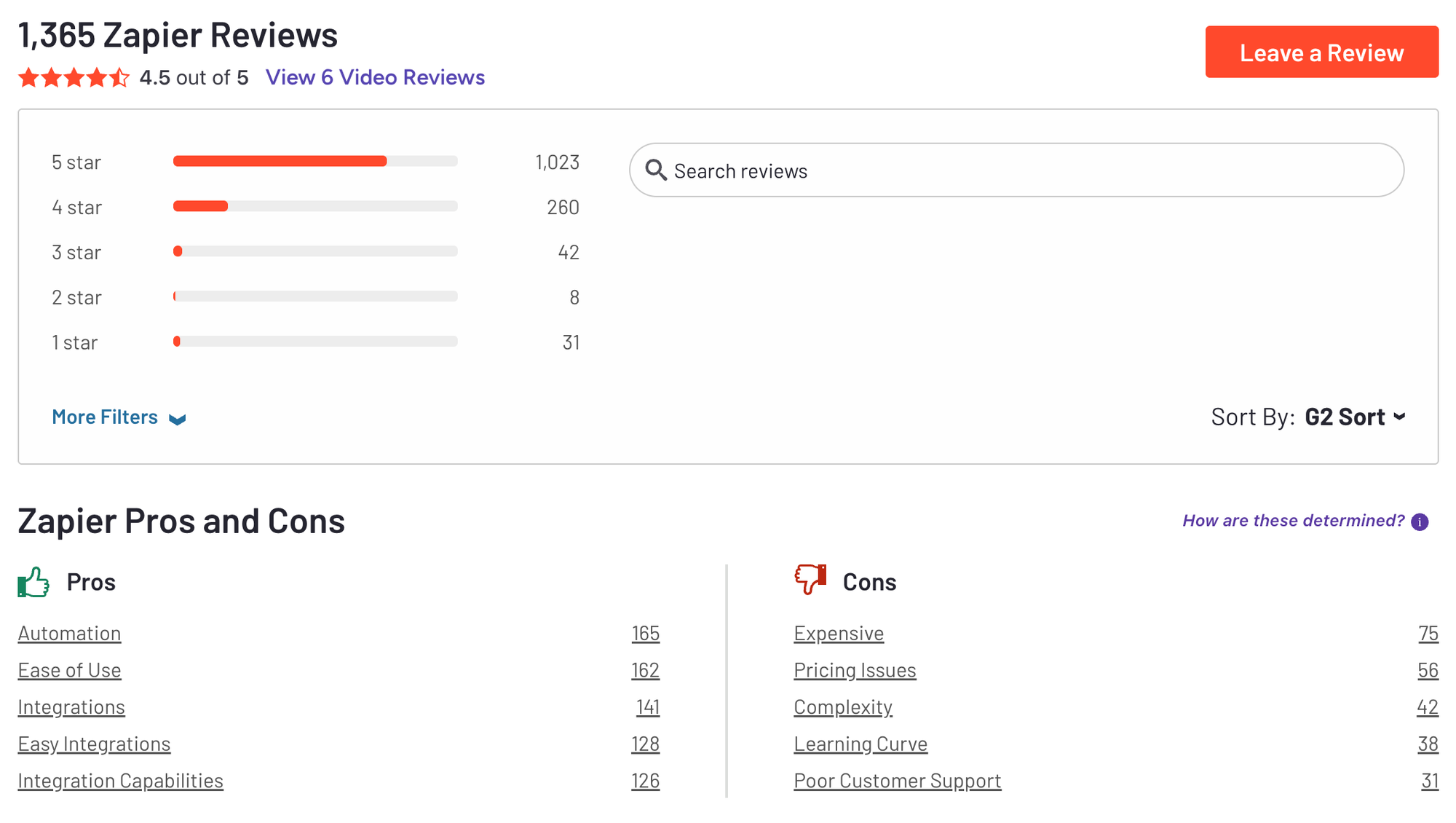
Zapier Reviews (Source)
5. Viktor
Viktor lives inside Slack or Microsoft Teams, connects to 3,200+ tools, and delivers finished PDFs, spreadsheets, dashboards, and even deployed code directly in the thread, not chat answers.
Pros
- It delivers finished work inside the channel you already use, the closest thing on this list to Marblism's "hire an AI employee" promise landing.
- Billed per workspace, not per seat. Adding teammates doesn't multiply the invoice. Only usage does.
Cons
- Pure usage billing with zero volume discount at any tier. The smallest and largest credit tiers both cost the same $2.50 per 1,000 credits, and several reviewers report burning through the free $100 within the first two days.
Pricing
- Free ($100 in credits). Team from $50/mo (20,000 credits, scaling up to $50,000/mo at 20 million credits). Enterprise custom, with volume pricing.
Suitable for: teams already living inside Slack or Teams who want finished deliverables landing where they already work, and who'll set a hard spend cap before onboarding.
How to get started: install the Slack or Teams app, run one real task in the first session, an ad spend or analytics audit is the demo Viktor itself leads with, and watch the credit balance closely. The free $100 disappears faster than the marketing suggests
6. Make
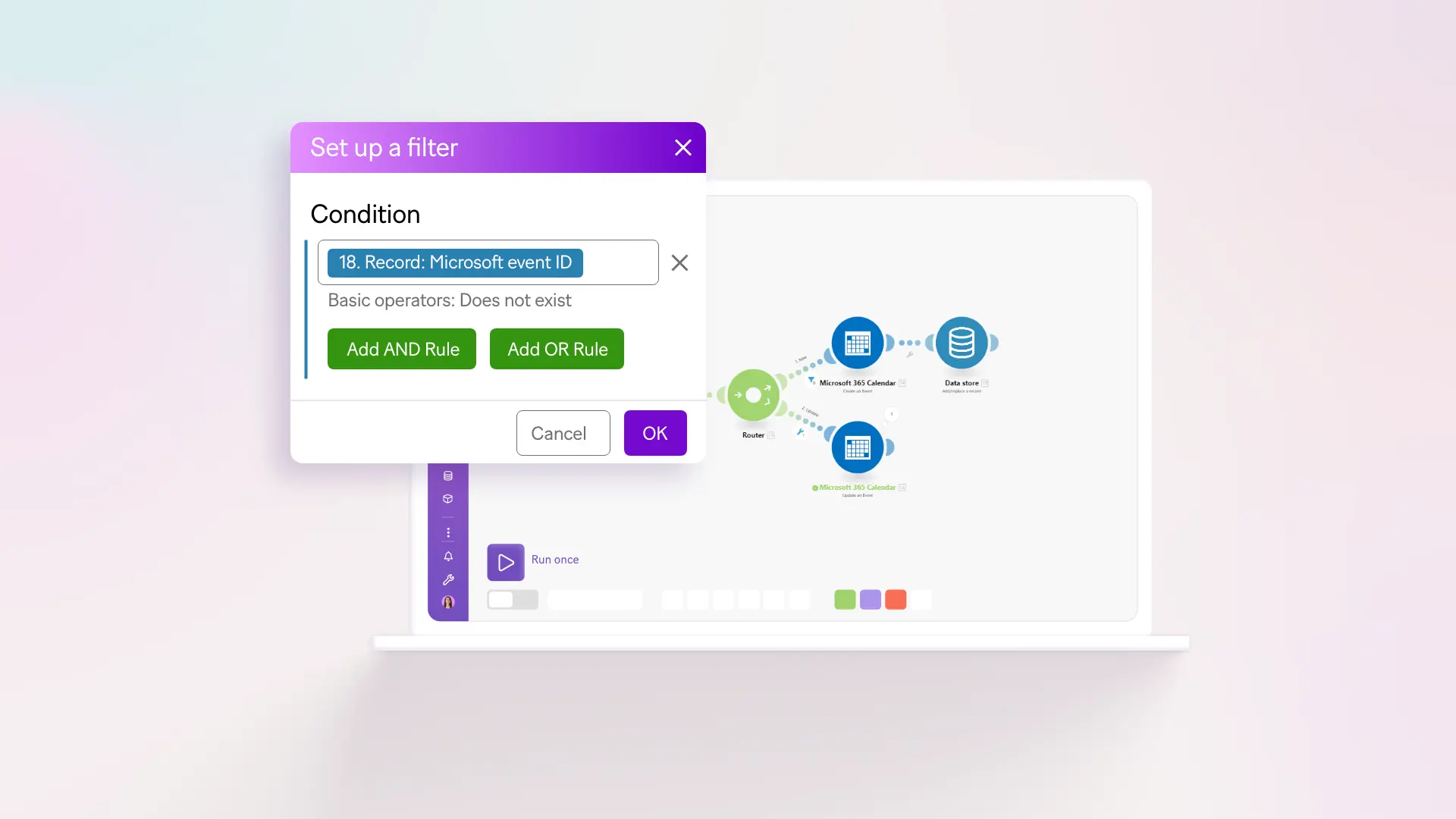
Make.com is a powerful no-code automation platform that lets you connect apps, move data, and build multi-step workflows through a visual drag-and-drop interface. It’s designed for teams that want to automate repetitive tasks, streamline operations, and scale processes without writing code.
Key features
- Visual workflow builder that lets you design automations step-by-step
- Thousands of integrations across marketing, operations, CRM, spreadsheets, and email tools
- Credit-based usage model that scales with workflow complexity
- Advanced logic tools like filters, routers, conditional branching, and AI assistance
What I liked:
- The visual builder makes complex workflows easier to understand
- Integrations are broad and deep, making it easy to automate across your entire tool stack
What I disliked:
- The learning curve can be steep if you build advanced workflows
- The credit-based model can be confusing at first, especially if you don’t know how many credits your scenarios will consume
- Debugging errors sometimes requires manual digging
Pricing:
- Free plan available (1,000 ops/month)
- Core plan starts at $9/month
- Pro plans start around $16–18/month
Suitable for:
- Teams, agencies, and growing businesses that want to automate operations, marketing, CRM, and internal workflows
- People who need more flexibility and complexity than simple “trigger → action” automation tools
How to start:
- Go to make.com, create a free account, explore pre-built templates, and upgrade once you understand your credit needs.
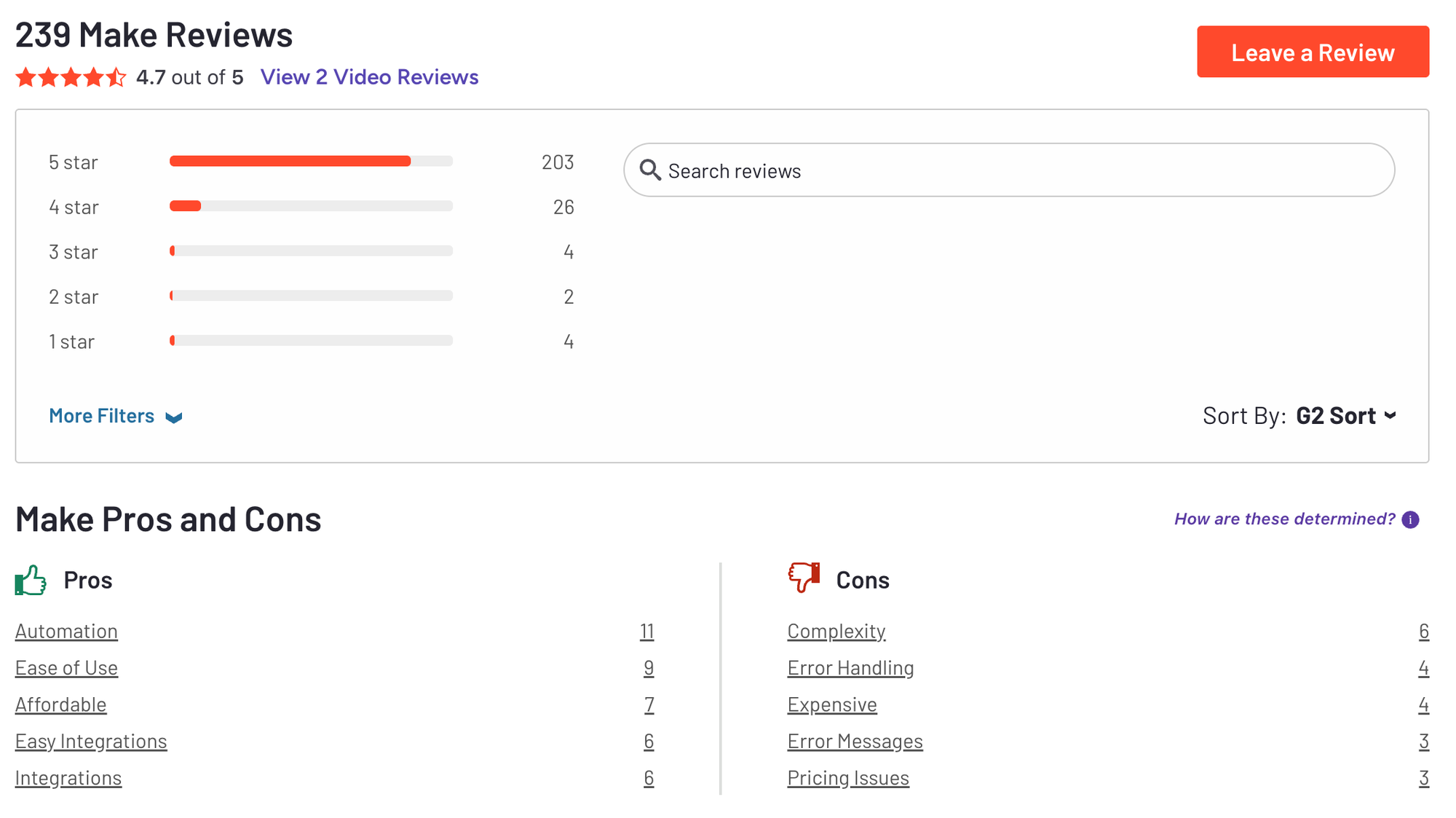
Make Reviews (Source) 4.7/5
🎯 Conclusion:
To choose a suitable Marblism Alternative, it depends on whether you need automation, an autonomous AI employee, or just one assistant to organize the person doing the actual work.
- Zapier and Make.com win when you know exactly what should happen and want it to happen the same way every time.
- Sintra, Viktor, and the new Lindy Teammate win when you want something closer to Marblism's actual pitch: an agent that figures out the steps on its own, provided you watch the credit meter from day one.
- Saner.AI wins if the real problem was your own scattered inbox and task list.
Pick based on the problem you actually have, not the tool with the catchiest employee names, and start on a free tier or trial before a card number ever gets involved.
Get your AI personal assistant without complicated setup
FAQ: Best AI Marblism alternatives
What's the best AI employee platform for a solo founder?
It depends on what "AI employee" means to you. If you want an actual agent executing multi-step work, Viktor.com or the new Lindy Teammate come closest. If what you actually need is one assistant keeping your own notes, inbox, and calendar straight, Saner.AI solves that more directly, and cheaper.
What's the difference between Marblism and Sintra?
Both sell a bundle of named AI personas rather than a builder you configure yourself. Marblism ships six roles starting at $44/mo (or $24/mo billed yearly) but only connects to a handful of apps, Gmail, Instagram, Facebook, WordPress, and Wix. Sintra ships twelve roles at $97/mo standard, with broader integration claims, but caps every plan at 250 credits a month regardless of price.
Is Marblism worth it in 2026?
For a narrow set of use cases, yes. If the six roles it offers cover exactly what you need and you can live with its thin integration list, it's a reasonable flat-rate starting point. It's a weaker fit if you need deep integrations beyond its short supported-app list, since it has no free trial, only a 7-day money-back guarantee on a plan you pay for upfront.
What should I look for in an AI employee platform?
Four things matter more than the persona names: how deep the integrations actually go into tools you use daily, whether the pricing page reflects what you'll pay at real usage volume or hides behind a credit meter, how much genuine autonomy it has versus needing you to configure every step, and what happens to your data and credentials if something goes wrong.
Can Zapier replace an AI employee like Marblism?
No. Zapier is rule-based: it only ever executes the exact trigger-action logic you build. It can automate a huge amount of repetitive work, but it can't take an ambiguous instruction and figure out the steps the way an actual AI employee platform claims to. Use Zapier when you know precisely what should happen; use an AI employee tool when you want the tool to figure that part out.
Is there a free AI employee platform?
OpenClaw is free and open source with no credit meter, which makes it the one true free option in this category, provided you're comfortable self-hosting and securing it. Everything else here offers a free tier or trial credits rather than a genuinely free product: Saner.AI has a real free plan (just a limited one), and Viktor, Sintra, and Lindy all start you off with free credits that run out.
How much does an AI employee platform cost in 2026?
Anywhere from $0 (OpenClaw, self-hosted) to $20 to $100+/month for most of the tools in this article, and into the thousands per month for Viktor or Lindy Teammate at real team usage volume, since both meter by credits or seats rather than a flat price.
What's the best AI employee for teams already living in Slack?
Viktor.com and the newly relaunched Lindy Teammate are both built specifically to live inside Slack (and, for Viktor, Microsoft Teams) rather than asking you to check a separate dashboard. Which one fits depends on whether you'd rather pay per workspace usage (Viktor) or per seat with pooled credits (Lindy).
Does Lindy Teammate replace Slack, or does it need Slack to work?
It needs Slack. Lindy Teammate isn't a standalone product anymore, it's an AI coworker that lives inside your company's existing Slack workspace, joining channels and meetings rather than replacing the communication layer itself. There's no native Microsoft Teams version at launch.
How do I get started with an AI employee platform?
Pick one narrow, real task, not your whole workflow, and run it through the free tier or trial of whichever tool fits your situation. Watch how it handles that one task for a week before connecting anything sensitive, and check the pricing page against your actual usage rather than the advertised starting price.
Can a personal AI assistant like Saner.AI replace a virtual assistant?
For organization and planning, largely yes. It won't make outbound calls or manage a team's shared workflows the way a human VA or a multi-agent platform can, but for the specific job of turning a messy inbox, calendar, and to-do list into an actual daily plan, it covers most of what a personal VA does at a fraction of the cost.
What's the cheapest way to try this category before committing?
Start with whichever tool has a genuinely free tier rather than just free credits: OpenClaw (fully free) or Saner.AI (free plan, no card required) let you get a real feel for the category without a clock running down on trial credits.
Stay on top of your work and life effortlessly