Planning AI Apps: We tested the Best 6 in 2026

The top 6 Planning AI Apps to improve productivity in 2026
I used to think my problem was a lack of discipline, but I finally realized that my system - traditional planning apps is a passive graveyard for things I will never do. I would type out lists, color-code my calendar, and then, the moment a task required actual thought, I'd experience complete execution paralysis.
Therefore, I changed to use a planning app with an AI assistant. Instead of just holding your data, the right 2026 planning app uses artificial intelligence to digest your unstructured thoughts, predict your availability, and dynamically build your schedule.
In this article, I’ll break down how each app handles chaotic mind-dumps, which ones excel at calendar time-blocking, and where you'll face trade-offs between hyper-automation and personal control.
Key Takeaway: Top 3 best planning AI apps ranked
2. Reclaim.AI: The ultimate choice for busy professionals needing an AI scheduling engine to auto-protect focus time, manage habits, and sync multiple calendars.
3. BeforeSunset: An intuitive, visual AI daily planner that structures your day, generates subtasks from big goals, and provides micro-analytics on how you spend your time.
What is a Planning AI app?
A Planning AI app is an AI system designed to help you decide what to work on, when, and why, based on your context, priorities, and real-world constraints. It is not just a smarter to-do list. It’s also not a chatbot you talk to occasionally. And it’s not an automation agent running workflows in the background.
How we chose the best AI planning apps
The best platform should actively remove friction from your day. We evaluated each app based on the core challenges of modern, high-cognitive planning:
- Dynamic Time-Blocking: Can the AI automatically schedule tasks into open slots on your calendar?
- Unstructured Capture (NLP): How well does the AI understand messy, natural language inputs and turn them into structured action items?
- Cognitive Load Reduction: Does the tool break massive, intimidating objectives down into bite-sized, achievable subtasks?
- Context Preservation: Can it link your tasks directly to your notes and documents so you don't lose your train of thought?
- Rescheduling Flexibility: How quickly can the app rebuild your schedule when your day inevitably goes off the rails?
What Are The Best Planning AI Apps in 2026?
The best Planning AI apps in 2026 are: Saner.AI, Notion, Todoist, and Reclaim, Sunsana, and BeforeSunset
🤖 Best Planning AI Apps in 2026 – Comparison Table
| Tool | 🎯 Best For | 🧠 AI Planning Capabilities | 📱 Platforms | 🆓 Free Plan | 💳 Paid Plan (Latest 2026) |
|---|---|---|---|---|---|
| Saner.AI | AI-first task capture & planning | AI organizes tasks automatically, breaks down complex tasks, suggests priorities and daily plans | Web, iOS, Android | Free trial | From ~$8–16/month |
| Notion | Flexible planning workspace | Notion AI helps generate plans, summarize notes, create task lists and workflows | Web, iOS, Android, Windows, Mac | Yes | Plus ~$10/month, AI add-on extra |
| Todoist | Structured task planning | AI suggestions, natural language task scheduling, smart filters | Web, iOS, Android, Windows, Mac | Yes | Pro ~$4/month, Business ~$6/user/month |
| Reclaim.ai | Calendar-based planning automation | AI automatically schedules tasks, habits, and meetings around your calendar | Web, Chrome Extension | Yes | Paid plans from ~$8/month |
| Sunsama | Intentional daily planning | AI-assisted daily planning, task import from multiple apps, guided daily workflow | Web, iOS, Android, Mac | Free trial | From ~$20/month |
| BeforeSunset AI | AI daily planning & focus | AI generates daily schedules, task prioritization, focus planning | Web | Yes | Pro ~$8–10/month |
1. Saner.AI
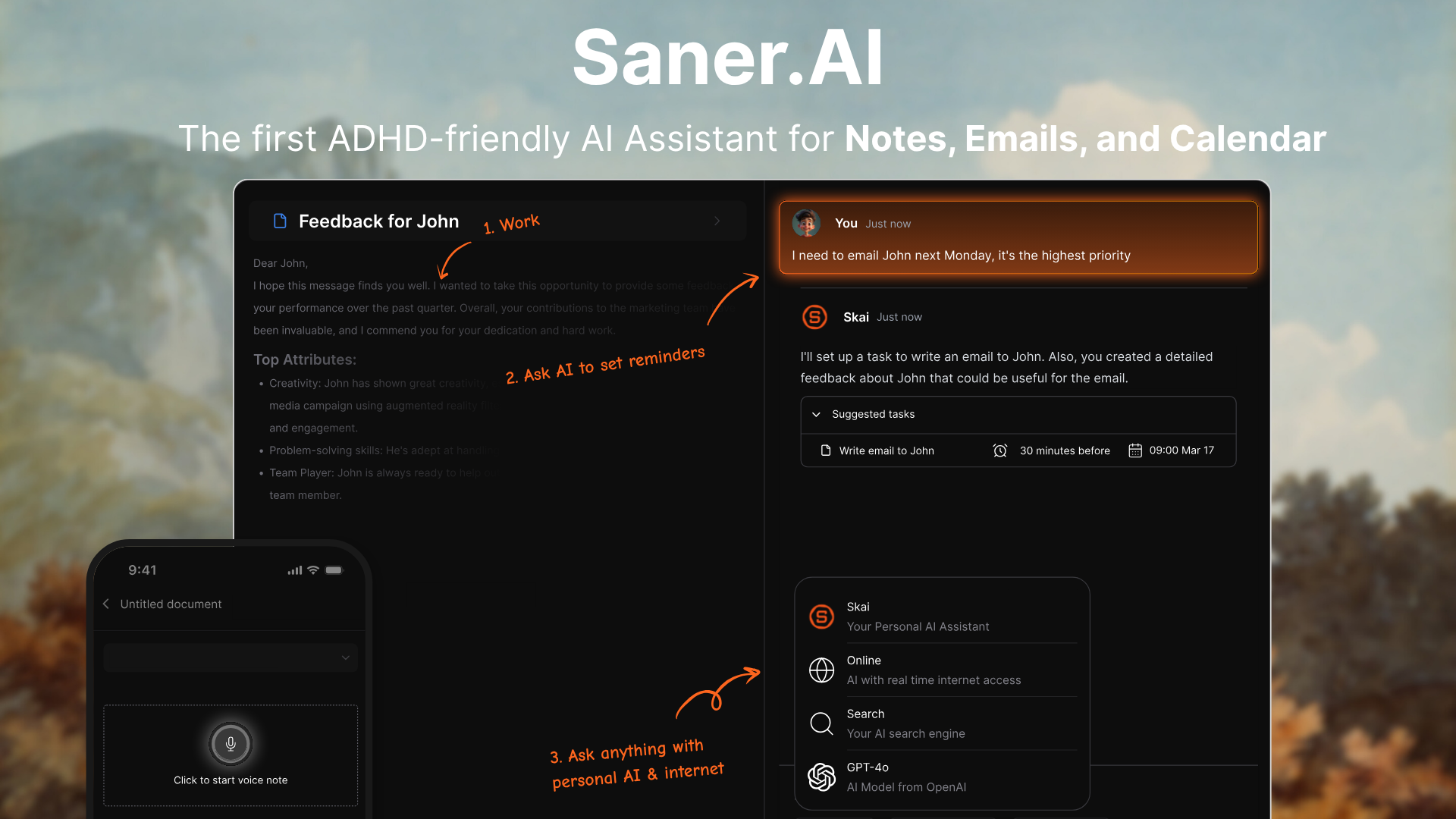
Saner.AI is an AI assistant designed to help individuals and teams manage notes, tasks, emails, calendars, and research in a unified workspace. Saner.AI can automatically extract tasks from content, prioritize them, and help you recall relevant information across projects.
Features
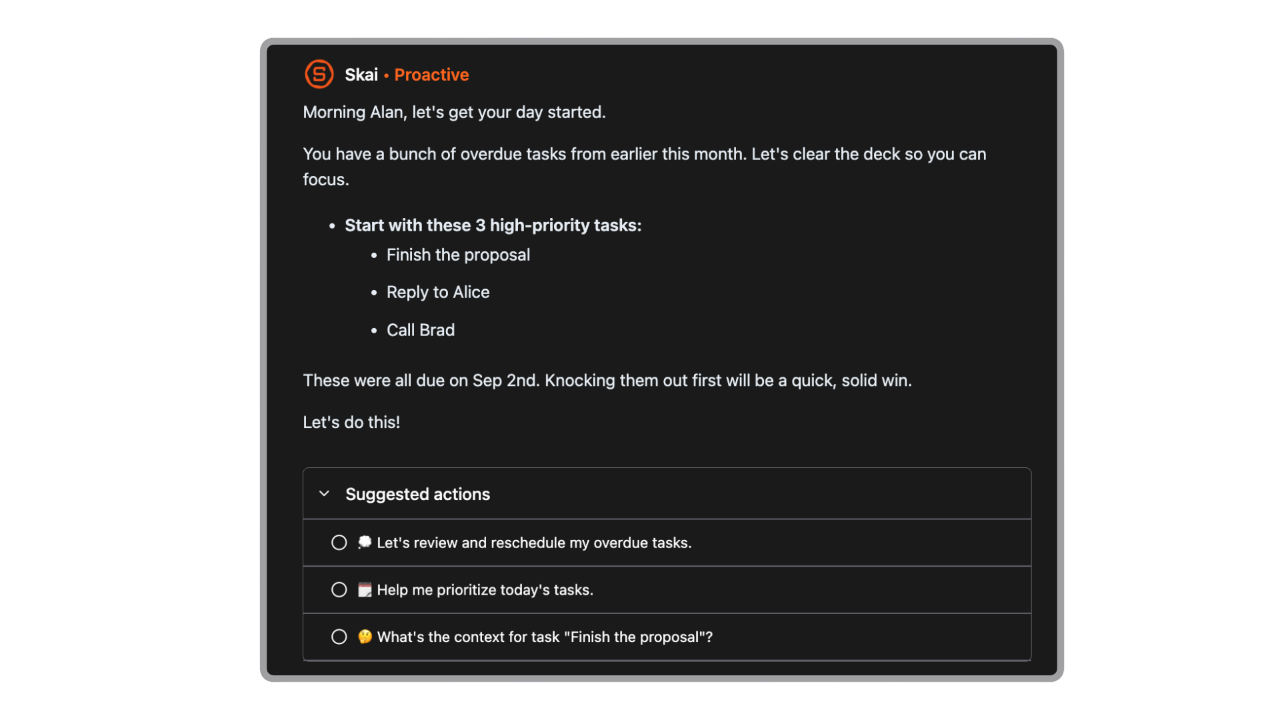
- Contextual AI Chat Assistant (Skai): Use plain language to plan your day, break massive projects into bite-sized steps, or look up information across your entire workspace.
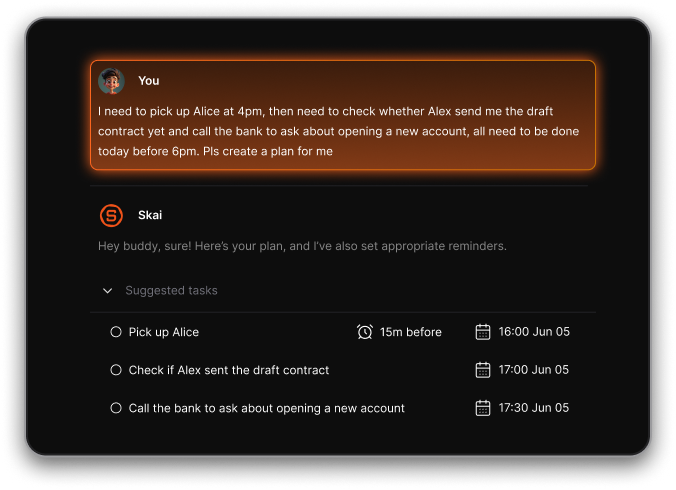
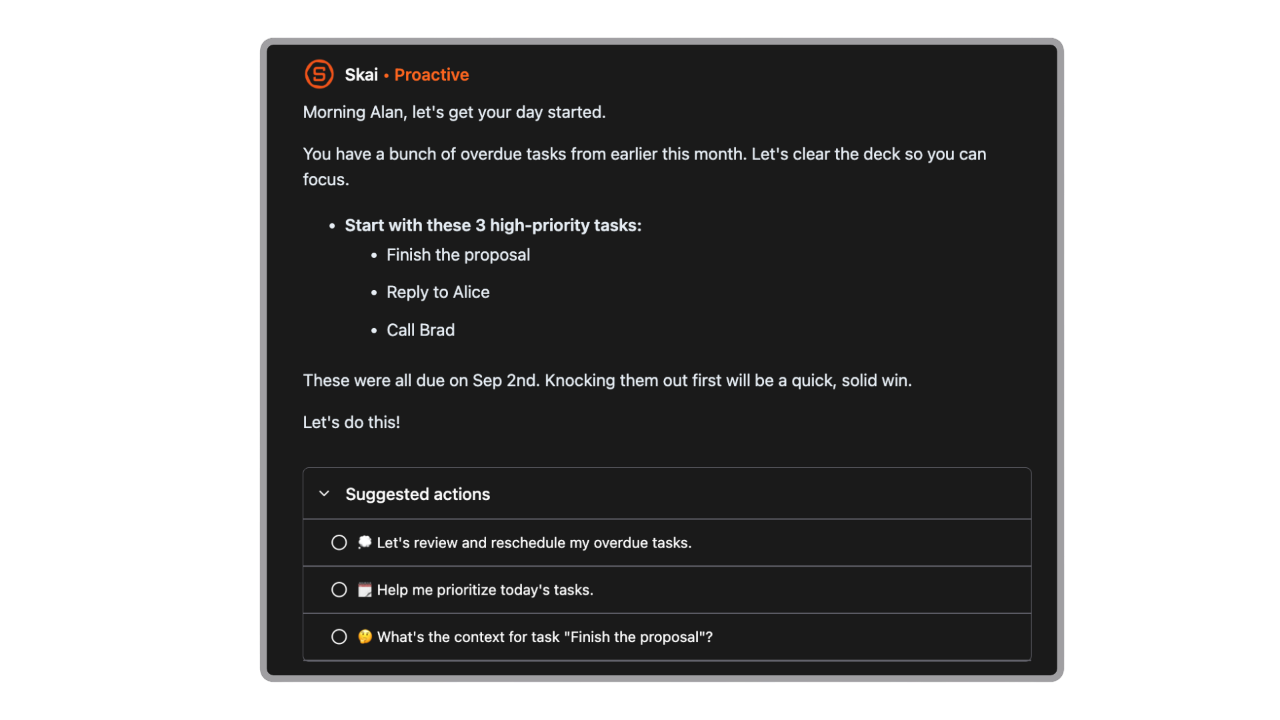
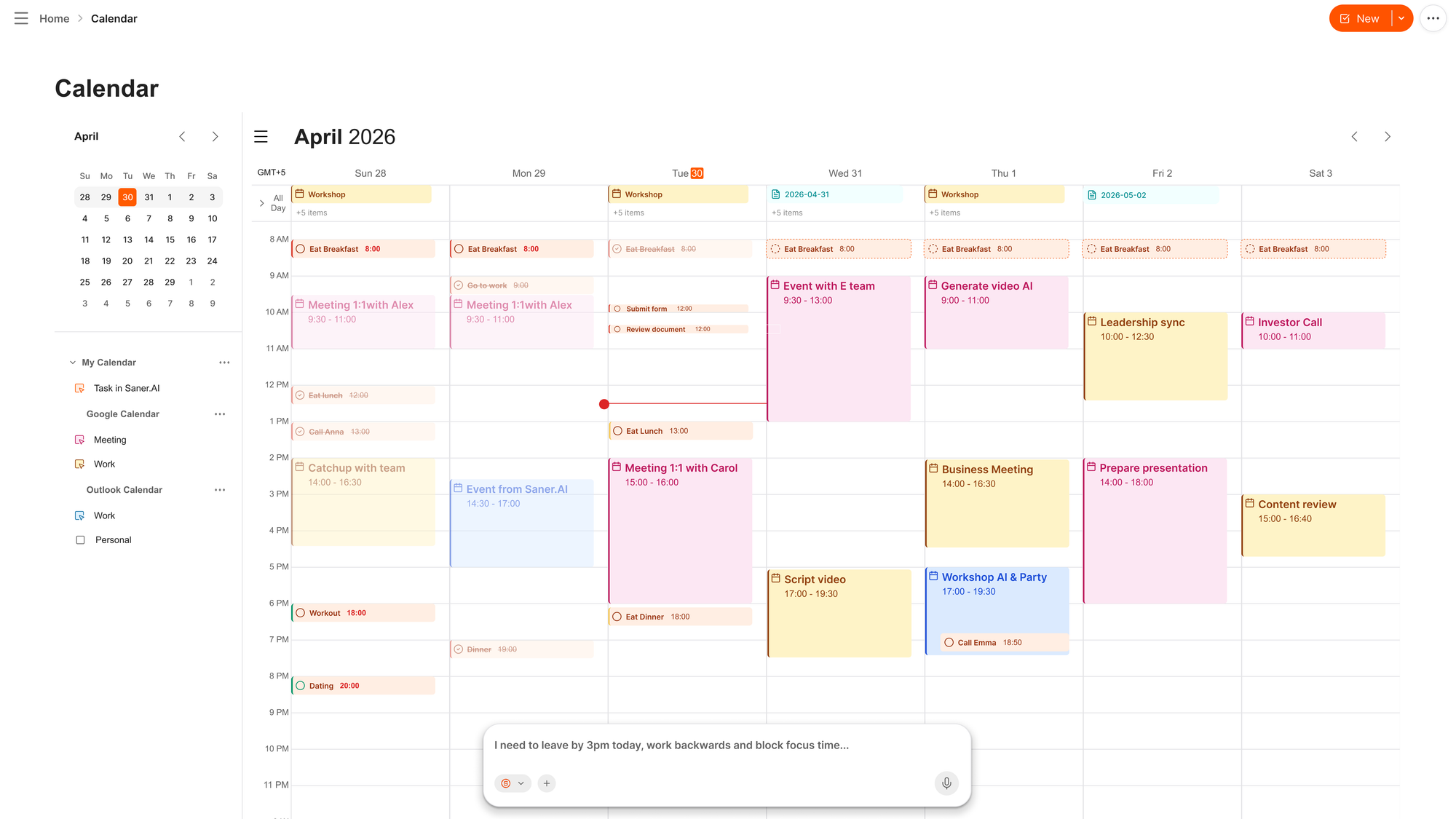
- AI Daily Planning & Proactive Scheduling: Saner.AI automatically scans your integrated notes, to-dos, and incoming emails to generate an optimized, time-blocked schedule directly onto your calendar.
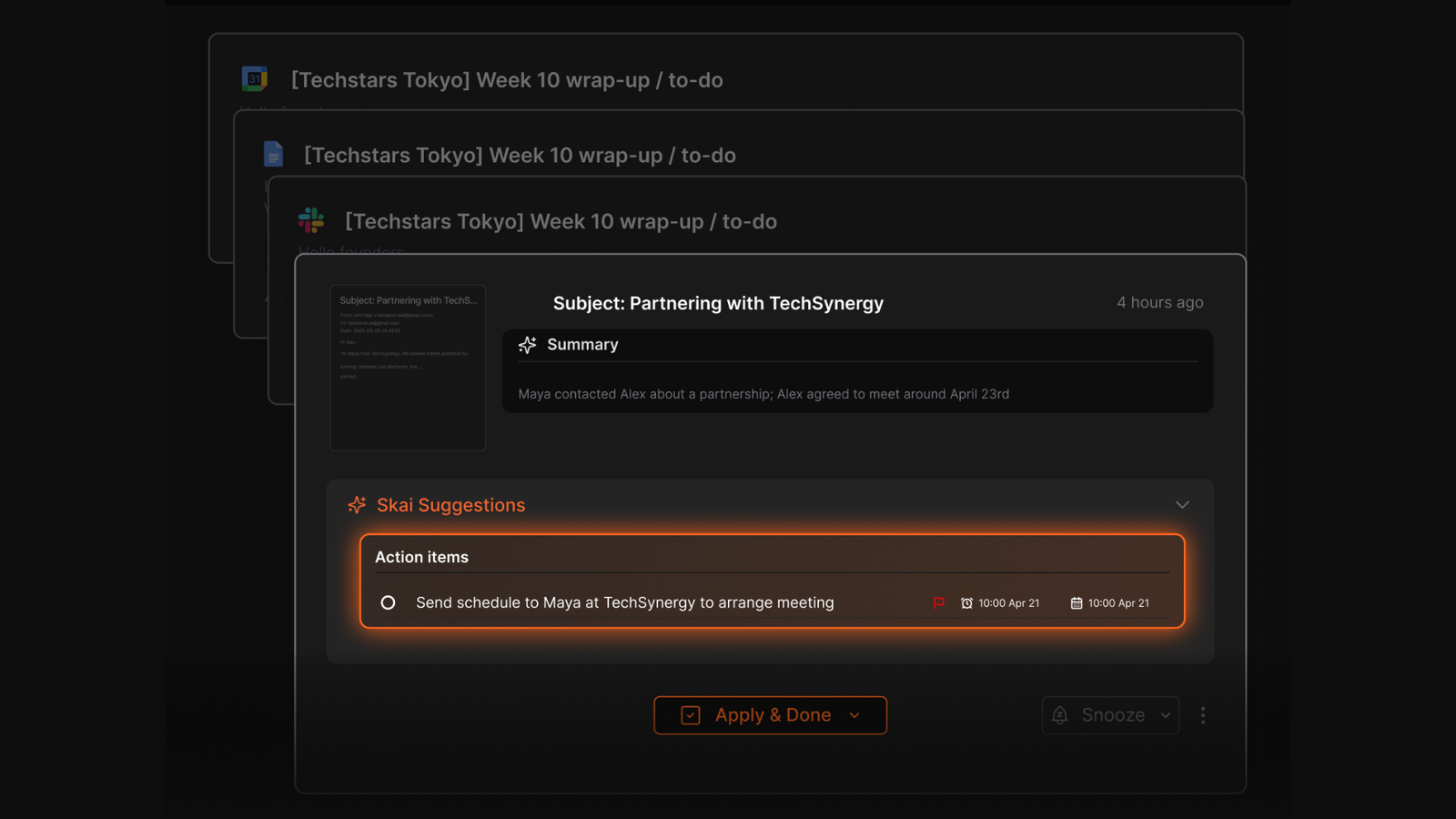
- Frictionless Information Capture & Universal Sync: Saner.AI lets you instantly capture thoughts via voice notes, a dedicated Chrome extension, or file uploads, automatically organizing them into a unified knowledge workspace.
- Automatically extracts tasks from your Emails, suggests next steps, and helps you focus through distraction-free interfaces.
Pros
- I like that I can just type or voice-dump my scattered thoughts in plain English, and the AI actively formats it into a structured schedule without me needing to click around.
- I appreciate the proactive morning check-ins; it feels like having a real chief of staff telling me what to focus on first thing in the day.
- I love the clean, distraction-free user interface, which heavily reduces my mental fatigue when I'm trying to focus.
Cons
- Less suitable for teams that need shared task boards or complex workflows.
Saner.AI Reviews
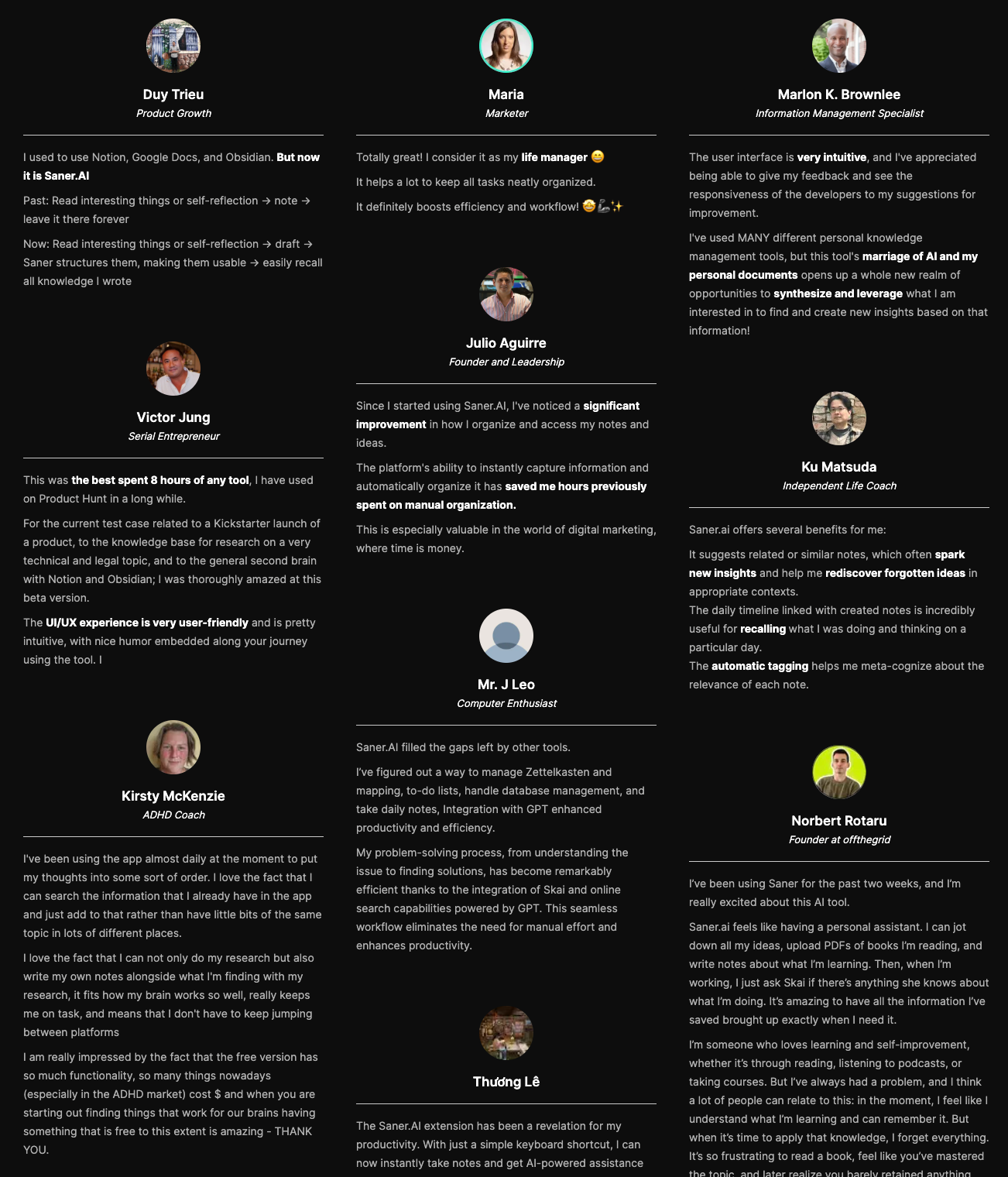
"The biggest benefit for me in using Saner is the Proactive AI. Staying on top of the constant flow of email and multiple calendars is challenging, and so far, Saner is the only AI-based tool that truly feels like a personal assistant." - Jerry
Pricing
- Free
- Starter: Monthly at $8/month, Annually at $6/month
- Standard: Monthly at $16/month, Annually at $12/month
Who is it suitable for?
Saner.AI is particularly well-suited for:
- Knowledge workers who need to manage large amounts of information efficiently from multiple sources, such as entrepreneurs, researchers, managers, and content creators
- Individuals with ADHD or those who struggle with information organization and time management
- Anyone looking to streamline their workflow without spending too much time learning a new tool.
How to start using it?
- Visit Saner.AI
- Start by brain-dumping with AI.
- Let the AI organize and suggest you the next steps

Stay on top of your work and life with the best Planning AI app
2. Reclaim.ai
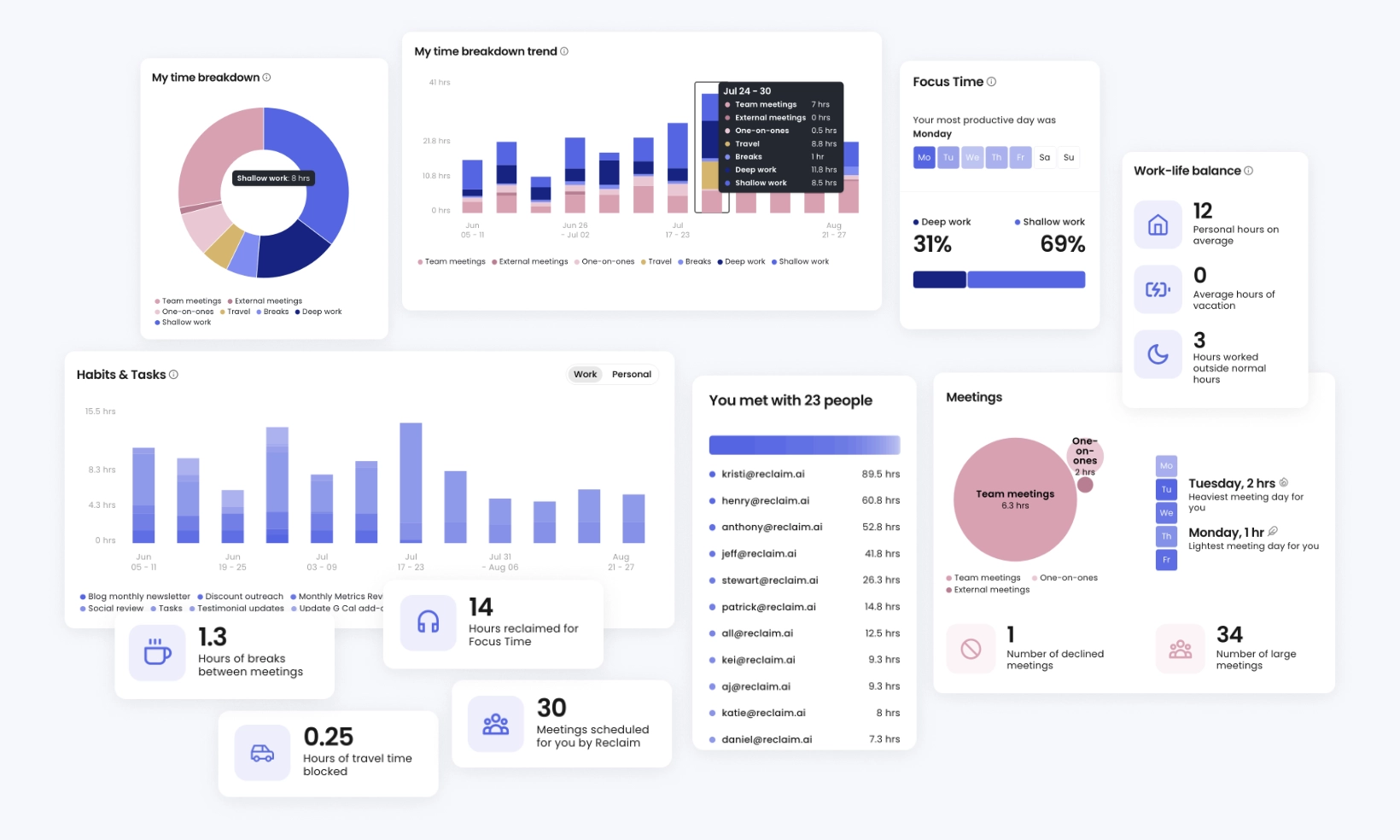
Reclaim acts as a bodyguard for your schedule. It automatically blocks out space for your task list and daily habits, then slides those blocks around as real meetings pop up on your calendar.
What it does well
- Adapts recurring routines: Reclaim manages daily routines like lunch breaks or writing sessions, finding open gaps when meetings disrupt your usual schedule.
- Flexible priority controls: You can tag work from P1 to P4, so lower-urgency tasks automatically clear out when an urgent meeting gets booked.
- Smart team coordination: The tool coordinates 1:1 meetings and shared focus sessions across whole teams without constant back-and-forth emails.
What it doesn't do well
- Frequent calendar shifts: When an unexpected task pops up, Reclaim sometimes spends time reshuffling your whole week, triggering a flood of calendar notifications.
- Weak escalation for missed work: If a deadline slips past without getting finished, Reclaim quietly shifts the task down the road instead of sending an urgent alert.
- Calendar-bound scope: It works strictly inside your existing calendar instead of giving you a dedicated workspace to write notes or map out big projects.
Who it's actually for: Busy professionals who want an automated way to keep their weekly schedules from turning into back-to-back meeting chaos.
Reclaim.ai Reviews (source)
"Absolutely love Reclaim.ai! This is my third year subscribing and as a solopreneur and mum, it has helped me sync family commitments as well as work, but also helped me to focus and increased my productivity." - Zehra Jagani
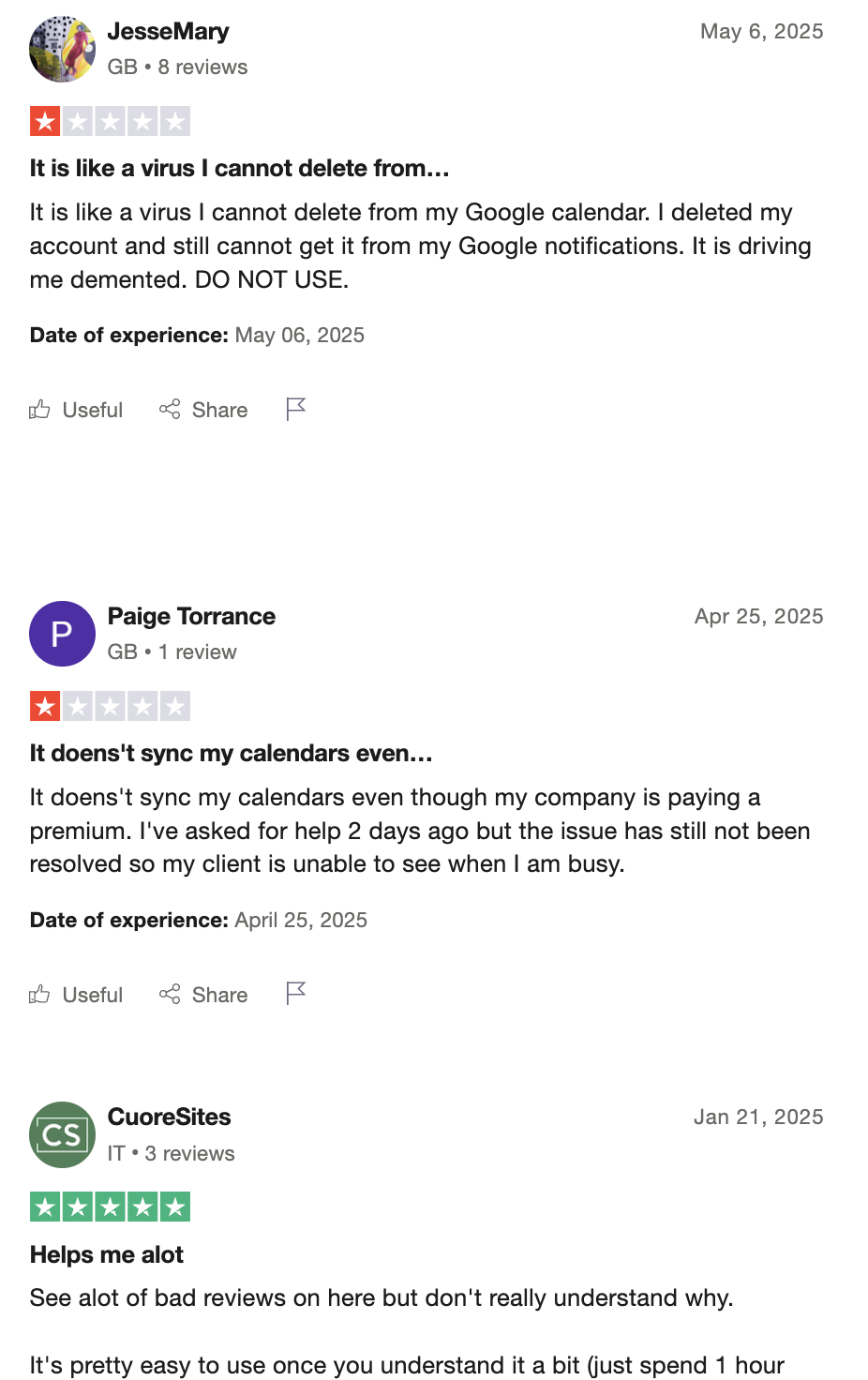
"Keeps putting random and irrelevant events I to my Google calendar even after uninstalling it from my account." - Josh
3. Notion AI
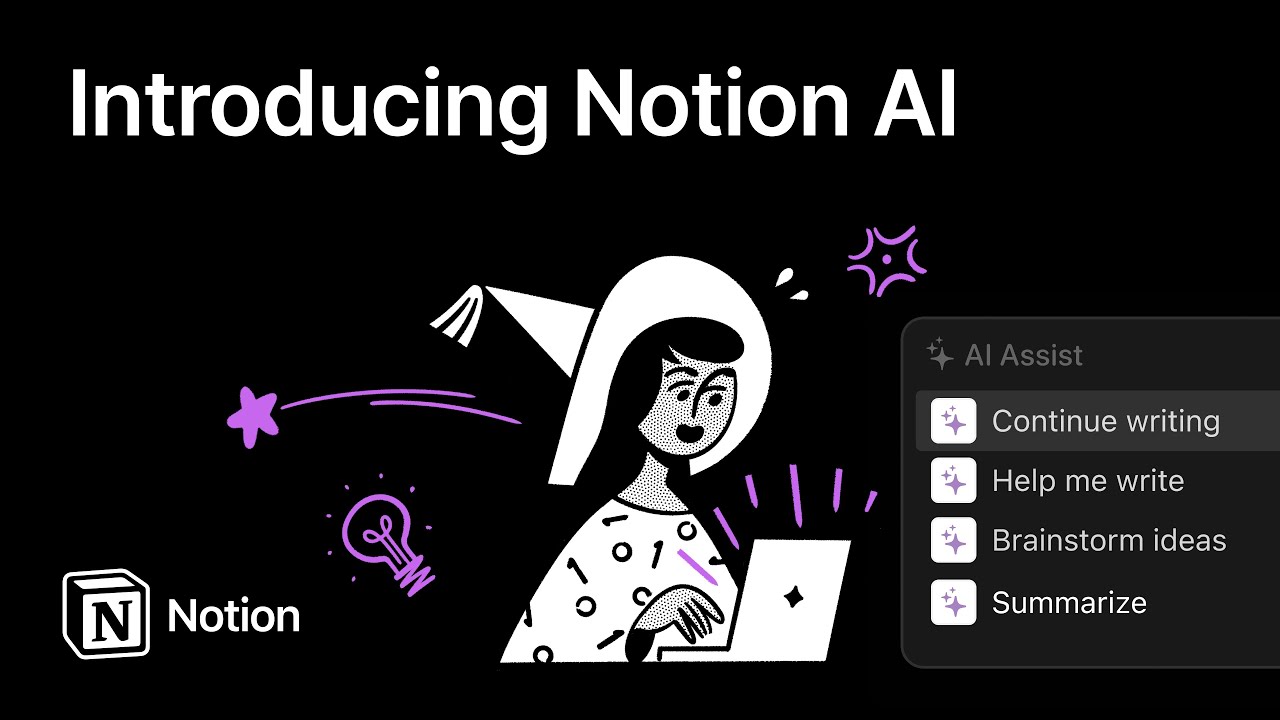
Notion AI lives directly inside your documents and databases, converting brainstorms, meeting transcripts, and rough notes into structured task lists without forcing you to open another tool. Among planning AI apps, it acts as a quiet assistant that connects your ideas directly to your execution board.
What it does well:
- Context-aware task generation: Because the AI reads your existing pages, it extracts realistic action items and project milestones that accurately match what your team discussed.
- Database automation: You can ask the AI agent to fill out missing project properties, tag task owners, or generate weekly progress summaries across linked pages.
- Flexible model choices: You can switch between different underlying models depending on whether you need quick bullet points or detailed strategic drafts.
What it doesn't do well:
- Setup heavy: The output relies very heavily on how well your workspace is organized. If your databases are messy, the generated plans end up chaotic.
- Not a daily schedule manager: It won't auto-block focus time on your personal calendar or adjust your day when a meeting runs over.
- Extra monthly fee: The AI features sit behind an add-on cost, which adds up quickly if you have a larger team.
Who it's actually for: Teams who already keep their docs in Notion and want to generate structured project plans without leaving their existing workspace.
Notion Reviews (source)
"I use Notion to run my entire business, and it covers everything from project management and knowledge management to inventory tracking and even a sales CRM." - Lexi O
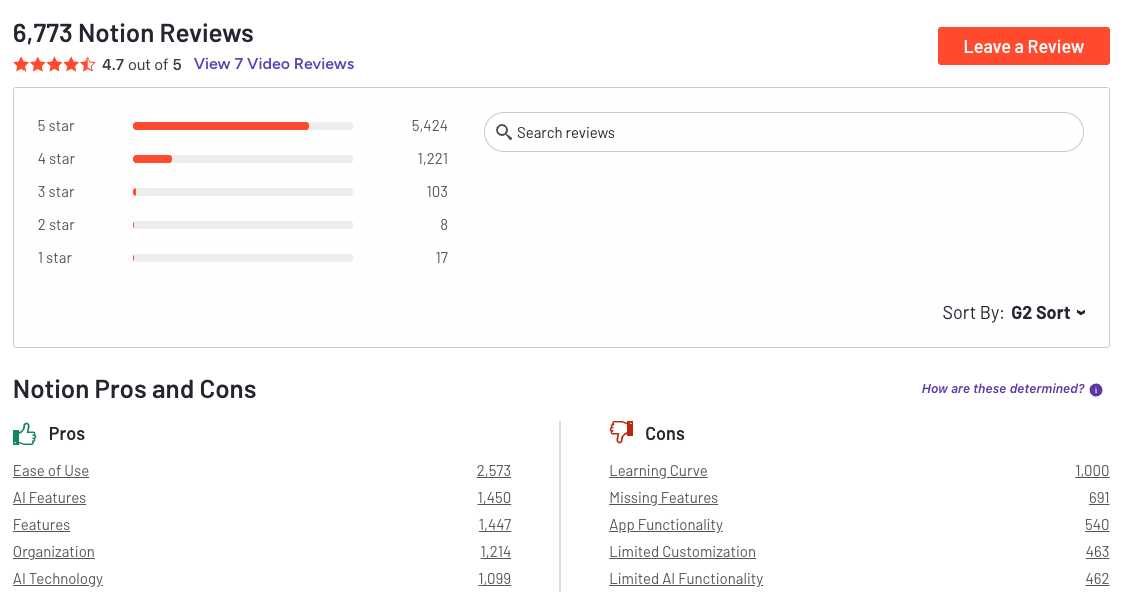
"Notion is like a swiss army knife - in theory, one of the most powerful productivity tools available on the market. The platform can be very useful but takes forever to customize and set up properly." - Vanila L
4. Todoist AI

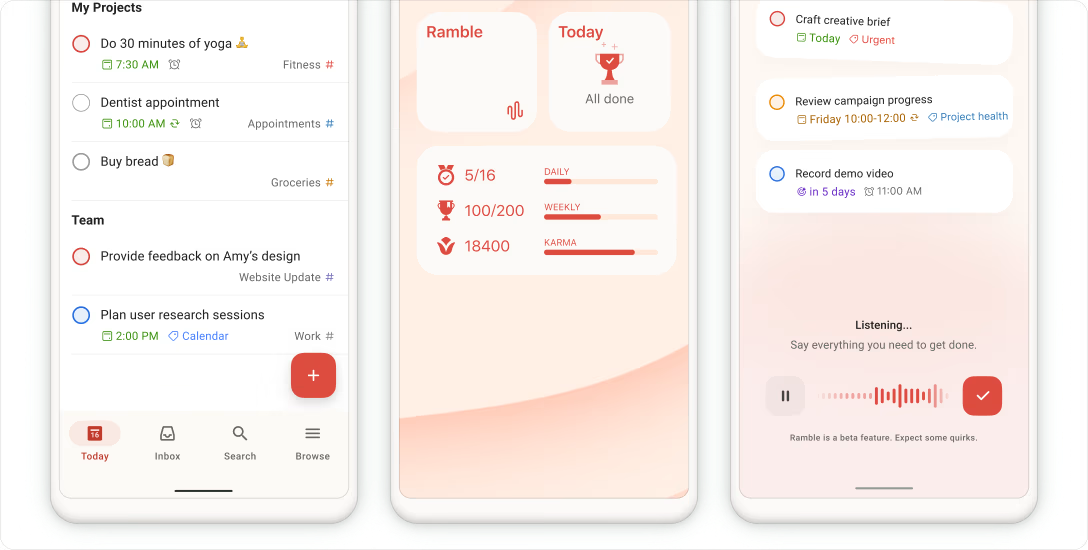
Turn quick voice rants and vague ideas into structured to-do items. Todoist AI brings smart capture and quick breakdowns to one of the most reliable planning AI apps on the market.
What it does well:
- Fast voice-to-task parsing: The Ramble feature lets you talk out loud, then converts your spoken rambling into clean tasks with assigned due dates, priorities, and projects.
- Bite-sized task breakdowns: Task Assist takes intimidating projects and splits them into actionable step-by-step subtasks.
- Natural language filtering: Filter Assist creates custom views from plain language searches without making you learn filter syntax.
What it doesn't do well:
- No automatic time blocking: Todoist won't reshuffle your calendar automatically like dedicated scheduling tools do.
- Limited assistance on free accounts: Key features like Task Assist require a paid Pro or Business plan.
- Relies on manual execution: The app gives you a clean plan, but you still have to organize your own day and decide when to sit down and do the work.
Who it's actually for: Busy people who want fast task capture and automated project lists without handing complete control of their daily calendar over to an algorithm.
Todoist Reviews (source)
"Covers the bases for a reasonable price. Reliable, cross-platofrm, with reasonable team pricing." - Tom H
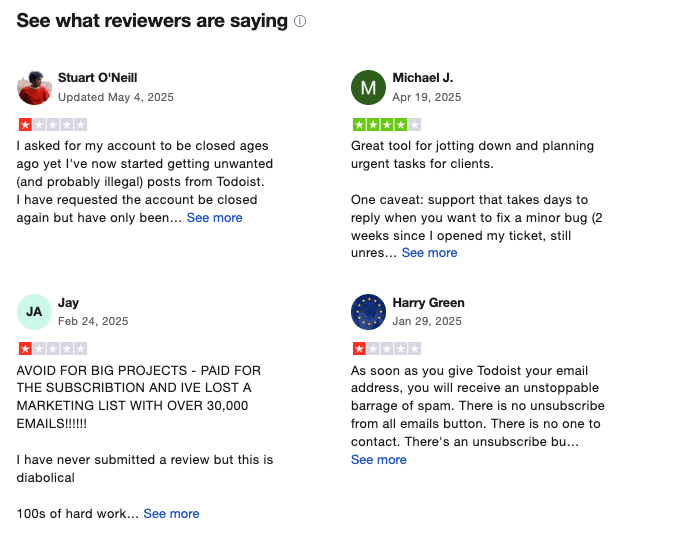
"It seems impossible to cancel a subscription after you sign up for a free trial. There is no way to cancel a subscription on the website, you have to send an email to an address that does not respond to emails." - Fisayo
How to Start:
- Create an account at todoist.com
- Start adding tasks using natural language
5. Sunsama
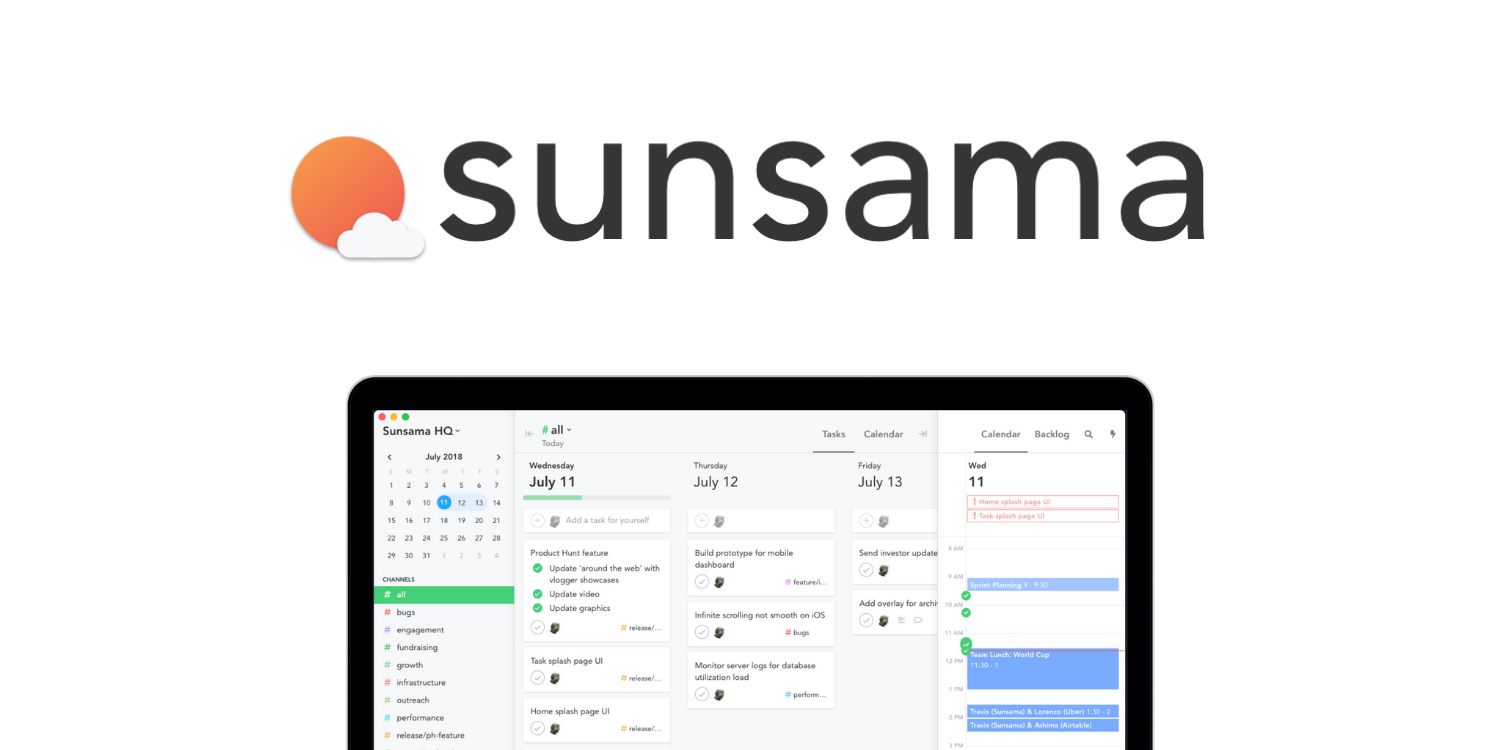
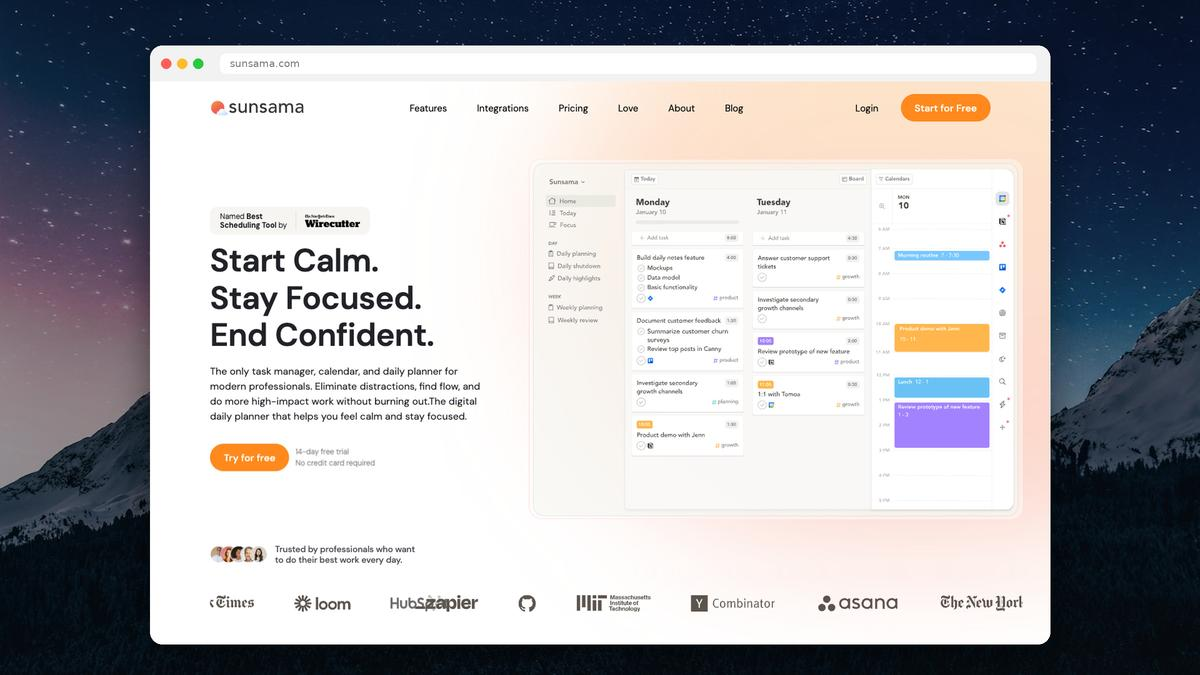
Sunsama turns your daily backlog into a structured schedule. Sunsama pulls tasks from your existing work tools into one view and helps you build a realistic daily plan.
What it does well:
- Integrations across your stack: It connects directly with Asana, Trello, Notion, Jira, GitHub, Gmail, and Slack, so you can drag tasks right onto your calendar without copying and pasting.
- Mindful daily rituals: The guided morning planning and evening shutdown force you to set reasonable daily targets instead of overloading your workload.
- Predictive task estimates: Among planning AI apps, its scheduling assistant automatically suggests time estimates and tags based on how you have worked in the past.
What it doesn't do well:
- No free plan: Aside from a 14-day trial, you have to pay a monthly subscription, which is hard to justify if you skip days.
- Requires active daily effort: It will not automatically reshuffle your entire calendar when meetings run over, so you have to adjust your schedule yourself.
- Limited mobile experience: The desktop app carries the full workspace, while the mobile app lacks complete planning capabilities.
Who it's actually for: Knowledge workers who want a deliberate morning routine to gather tasks from multiple tools onto one calendar.
Sunsama review (source)
"It actively helps me to maximize efficiency without overloading my day." - Kim M
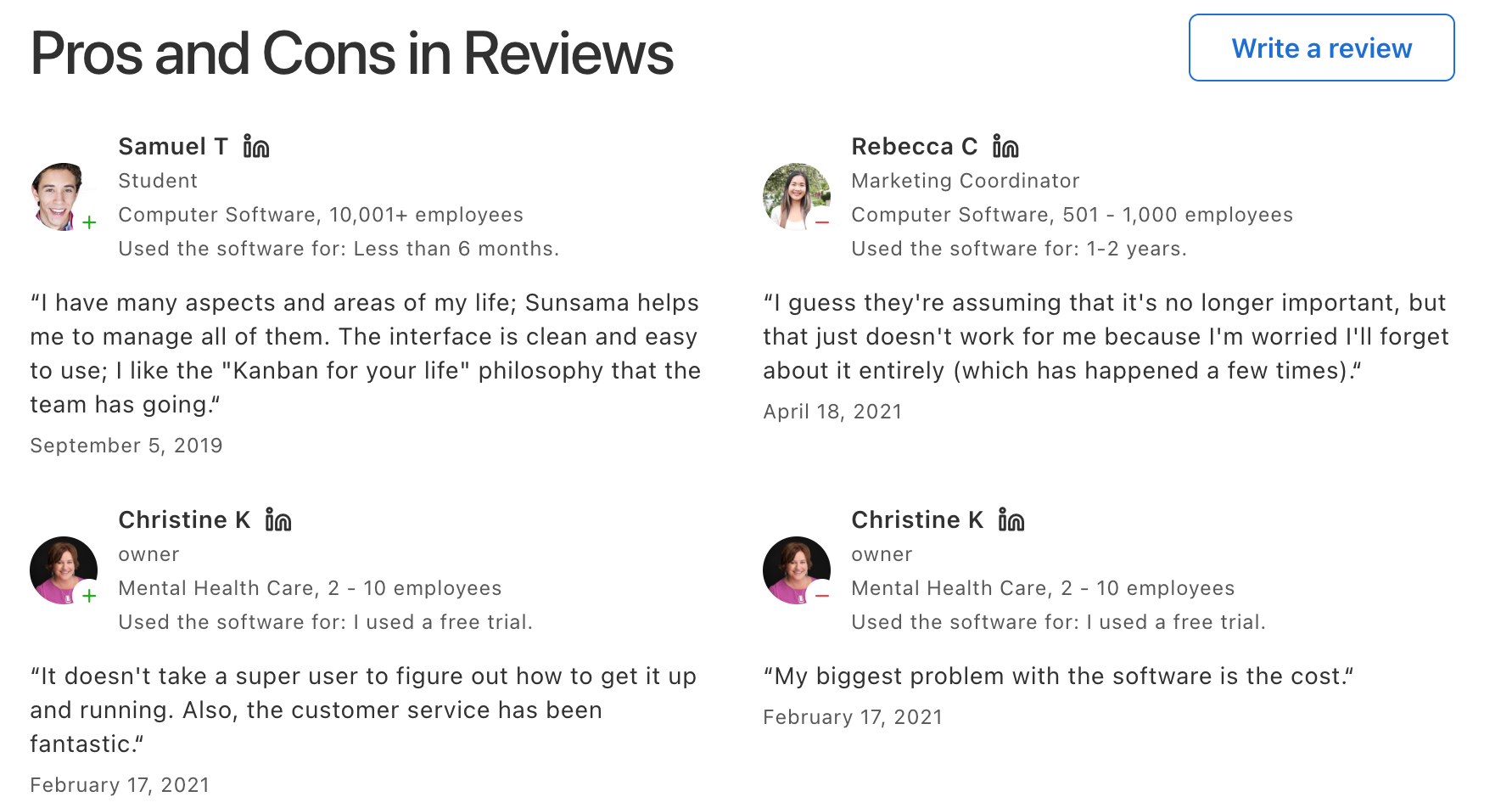
"It's a good tool, but it's a bit expensive, and the UI is outdated. Functionality is up to the standard." - Iroshan De zilva
How to get started
- Connect your calendar first
- Import tasks from other tools
6. Beforesunset
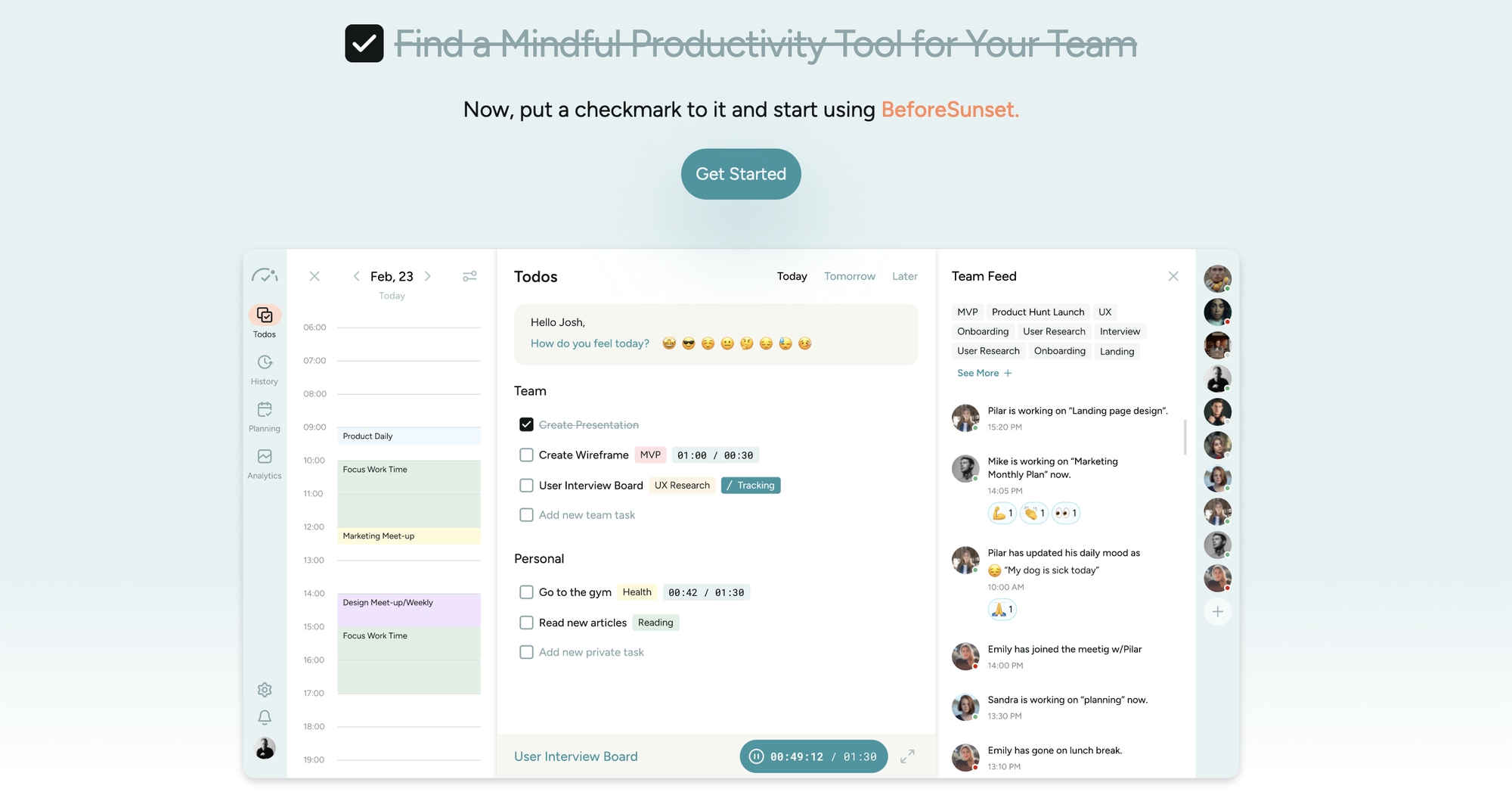
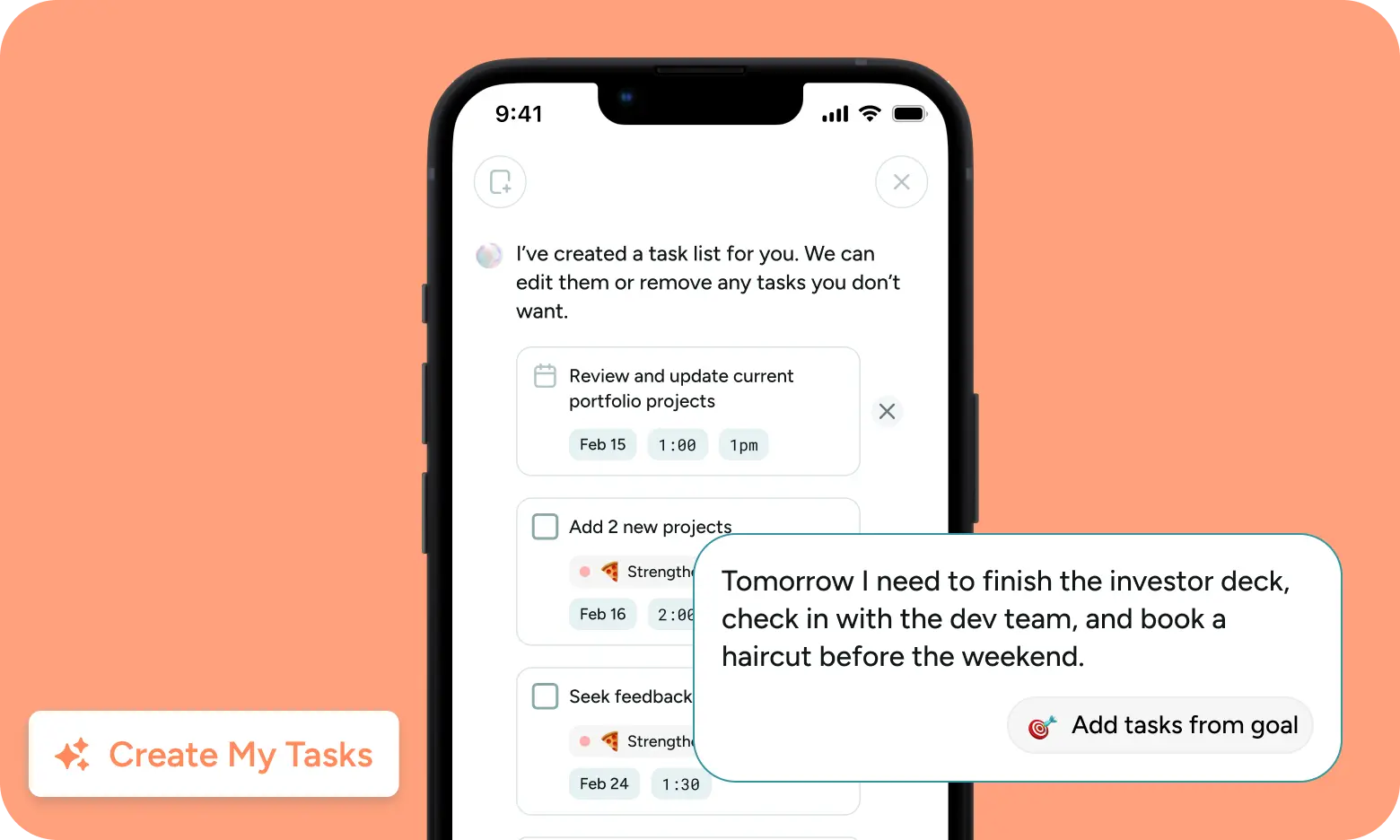
BeforeSunset takes your loose to-dos, estimates how long they will take, and slots them directly into your open schedule.
What it does well:
- One-click day planning: You dump your tasks into the app, and the AI converts them into time blocks around your existing calendar commitments.
- Built-in focus mode: Once your schedule is set, you can run tasks inside a clean workspace that includes timers, ambient background noise, and simple note-taking.
- Team presence and workspace tools: Unlike purely individual planning AI apps, it lets small teams see who is working on what, track time, and check team progress.
- Flexible task dumping: You can type plain goals or voice notes, and the software breaks them down into subtasks with tags and priorities.
What it doesn't do well:
- AI credit limits: The free and basic tiers rely on a monthly credit pool for the AI planner, so heavy users will hit a paywall fast.
- Lacks deep project management integrations: It does not sync as cleanly with platforms like Notion, Slack, or Jira compared to established competitors.
- Mobile app feels secondary: The web browser version runs smoothly, but the phone apps still feel scaled down and occasionally glitchy.
Who it's actually for: Freelancers and small team leads who want a structured daily plan without spending 20 minutes manually blocking out their calendar.
BeforeSunset reviews (source)
"Beautiful and thoughtful combination of features using tried-and-true technology. a godsend for users struggling with procrastination, challenges with executive function, ADHD, neurodiversity and other mental challenges." - Mike O
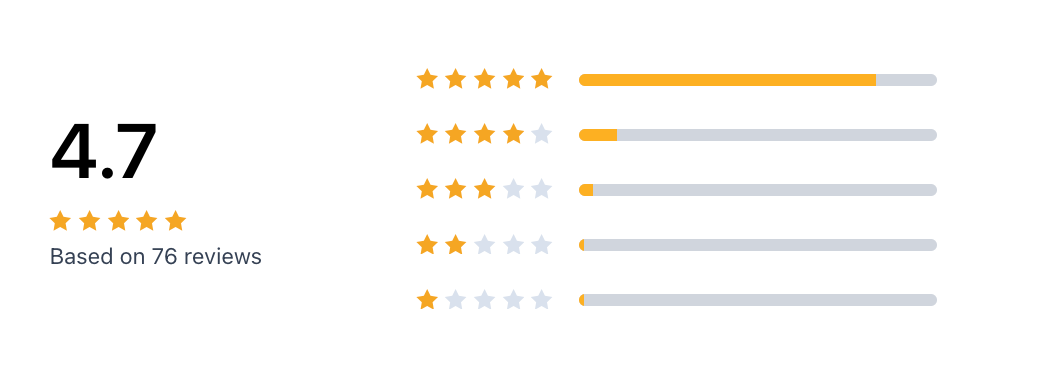
"I didn't exactly feel it could help me organize my daily to-do tasks well, even though the font is good and the interface is comfortable. It has a simple planner and I couldn't find the reminder whether on a laptop or mobile device." - gongymax
Conclusion: Choosing the best planning AI tool in 2026
The real goal of AI planning tools isn’t to create the perfect system; it’s to reduce the friction between thinking about work and actually doing it.
Here’s a simple way to find your fit:
✨ Try 2–3 tools with different planning styles (task-based, calendar-based, AI-first)
🧪 Use them during real workdays, not just quick testing
🧠 Pay attention to mental clarity and decision fatigue, not just features
If a tool helps you capture ideas faster, plan your day more calmly, and stay focused on what matters, that’s the right planning AI for you.
Stay on top of your work and life with the best AI planning tool
FAQs About Planning AI
1. What is a Planning AI?
A Planning AI is an intelligent assistant that helps you organize your time, tasks, and thoughts. It turns scattered inputs - like notes, emails, and to-dos - into a structured daily plan.
You can talk to it like this:
- “Plan my week based on these meeting notes”
- “What tasks are still pending from yesterday?”
- “Remind me to follow up with Sarah next Thursday”
Tools like Saner.AI fall into this category, each specializing in different aspects, like calendar blocking, task generation, or smart reminders.
2. What can Planning AIs actually do?
Planning AIs reduce the mental load by handling:
- Task Creation from Thoughts – Just write or say your ideas, and it turns them into tasks
- Note Retrieval – Find any thought, even if you forgot what you named it
- Calendar Scheduling – Automatically block time for what matters
- Meeting Preparation – Surface past notes, key decisions, and follow-ups
- Daily Prioritization – Suggests what to do now based on urgency and goals
- Writing & Research – Drafts emails, summarizes documents, and ideates content
Some, like Saner.AI, unify all of this in a single workspace, designed to reduce context switching and overwhelm.
3. Is there a free Planning AI?
Yes! Tools like Saner.AI offer free plans:
- Saner.AI - Free tier includes AI task conversion, smart reminders, and calendar integration
4. How do I start using Planning AI every day?
Start simple:
- Let it remind you of key tasks
- Ask it to summarize meetings or emails
- Use it to find notes instead of hunting through folders
As you get used to it, you can expand into full-on task planning, calendar automation, and priority setting.
5. What’s the best Planning AI for ADHD?
Saner.AI is built with neurodiverse users in mind, especially ADHDers.
- No cluttered design
- Natural input with minimal setup
- Automatic task suggestions and smart nudges
- Keeps your attention where it matters
6. What’s the best Planning AI for work?
If you're managing deadlines, projects, and team conversations, Saner.AI is a solid Planning AI to:
- Combine notes, tasks, and calendar in one place
- Suggest next steps automatically
- Helps you stay focused without bouncing between tools
7. Do Planning AIs support voice input?
Some do. Here’s a quick breakdown:
- Saner.AI - Yes, voice-to-task supported
- Reclaim / Motion - No native voice support
- ChatGPT / Gemini - Voice but cannot turn to tasks
8. Which Planning AIs auto-schedule your day?
These are the three top options:
- Saner.AI – Context-aware scheduling based on your notes and task priorities
- Reclaim – Time blocks your to-dos by reshuffling meetings
- Motion – Smart scheduling focused on dynamic work calendars
Saner.AI stands out by understanding what’s important to you, not just what’s next on your list.
9. How can busy managers use Planning AI?
If you're a manager juggling team updates, meetings, and planning, a Planning AI like Saner.AI can help you:
- Stay on top of follow-ups without sticky notes
- Summarize updates and meetings in one click
- Prioritize your daily plan based on urgency and workload
It reduces manual tracking and helps you lead without micromanaging.
10. What’s the best Planning AI for beginners and non-technical people?
If you’re new to productivity tools or feel overwhelmed by tech, Saner.AI is a great Planning AI to start with.
- No complicated setup - just type or speak naturally
- You don’t need to learn workflows or tags
- It turns your thoughts into tasks, reminders, and plans automatically
- Everything lives in one place - notes, calendar, emails, to-dos
Saner.AI is built to feel like talking to a helpful assistant, not managing software. It’s perfect for beginners who want less stress and more clarity.
11. What’s the best Planning AI for executives?
Saner.AI excels for high-level leaders:
- Integrates calendar, tasks, and meeting notes into one dashboard
- Automatically surfaces what matters - without digging
- Designed for clarity, not micromanagement
While others focus on scheduling or conversation, Saner.AI handles the whole leadership workflow.
12. How is a Planning AI different from traditional productivity tools?
- Traditional tools = You do the organizing (folders, tags, templates)
- Planning AI = It does the organizing for you
For example, here’s how an AI Planner like Saner.AI works:
- You write naturally - it tags and categorizes behind the scenes
- You don’t set up workflows - it just works
- You don’t open five apps - you ask one question and move forward
It’s the shift from managing tools to getting stuff done.
Stay on top of your work and life with a Planning AI