The 8 Best AI Tools for Executives (Free & Paid)

Executives, feeling overwhelmed? You're Not Alone
Between back-to-back meetings, constant Slack pings, an overflowing inbox, and dozens of decisions to make every day, it’s no wonder Executives feel stretched thin.
AI isn’t just about chatbots and automation. It’s becoming the reliable assistant executives always needed - helping you think clearer, act faster, and lead better.
This guide breaks down the best AI tools for executives, from smart assistants that unify your tasks and notes to AI copilots that summarize meetings, track team goals, and plan your day.
Whether you’re a team lead, startup founder, or mid-level executive juggling multiple tools and responsibilities, this post is for you.
How We Chose These AI Tools
When evaluating AI tools for management, we look for:
- Ease of use: Can you and your team adopt it quickly?
- Cross-platform support: Does it work on web, mobile, Slack, etc.?
- Integrations: Gmail, Slack, Notion, Google Calendar, Teams, etc.
- Scalability: Can it grow with your team and needs?
What are the Best AI Tools for Executives?
The Best AI Tools for Executives are: Saner.AI, ChatGPT, Grammarly, Gemini, Granola, SlidesAI, Gamma, and Napkin
🔍 Best AI Tools for Executives – Comparison table
| 🧠 Tool | 🎯 Key Use Case / Strength | 👤 Best For | 💸 Pricing / Plans | 🔌 Integration Highlights |
|---|---|---|---|---|
| Saner.AI | Smart daily planning, task follow-up, and context recall from notes, emails & meetings | Overwhelmed Executives juggling scattered info | Free (30 AI messages/mo) Starter ~$8/mo Standard ~$16/mo | Gmail, Calendar, Slack, Google Drive |
| ChatGPT | All-purpose AI for writing, summarizing, thinking | Executives who brainstorm and write often | Free (GPT-3.5) Pro ~$20/mo | Web, mobile apps, file uploads, custom GPTs |
| Grammarly | Writing clarity, tone adjustment, rewrite suggestions | Email-heavy roles, team feedback | Free basic Premium ~$12/mo Business ~$25/user/mo | Chrome, Gmail, MS Word, Notion |
| Gemini | Gmail + Docs summaries, follow-ups, research aid | Executives using Google Workspace | Included in Google Workspace tiers | Gmail, Docs, Calendar, Sheets |
| Granola | Meeting summaries and follow-up action items | Executives in frequent Zoom/Meet calls | Free basic Pro ~$15/mo | Google Meet, Zoom, Calendar |
| SlidesAI | Turn text into AI-generated presentation slides | Quick deck creation, status reports | Free + Premium tiers (varies) | Google Slides, PowerPoint |
| Gamma | AI-native slides + documents with clean formatting | Internal proposals, team updates | Free Plus ~$10/mo Pro ~$20/mo | PPT export, real-time editing, branding |
| Napkin AI | Create diagrams, infographics, and visual summaries | Visual thinkers and concept explainers | Free (credits) Plus $9/mo Pro $22/mo | Exports to PNG, PDF, SVG |
1. Saner.AI - AI Personal Assistant
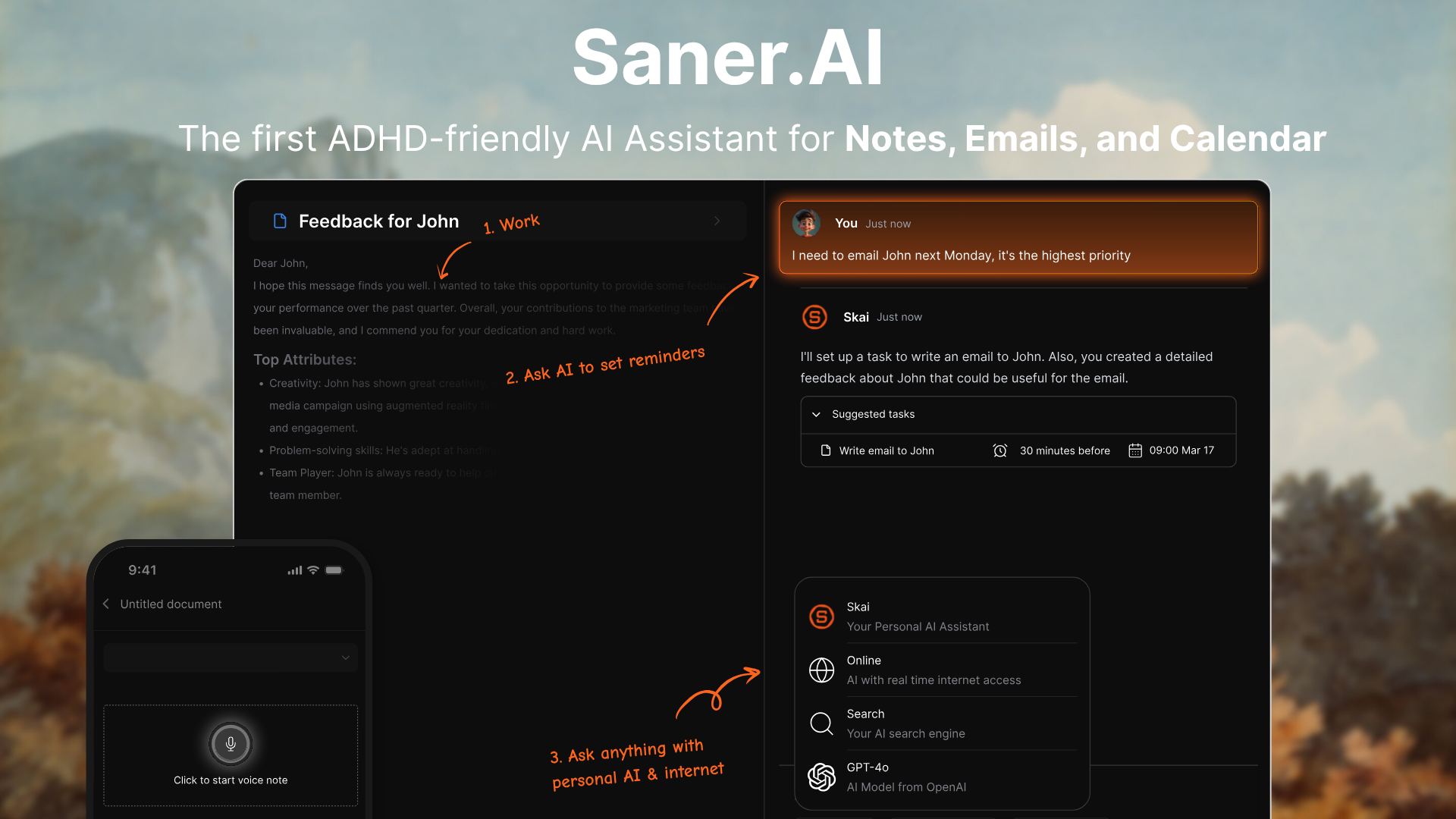
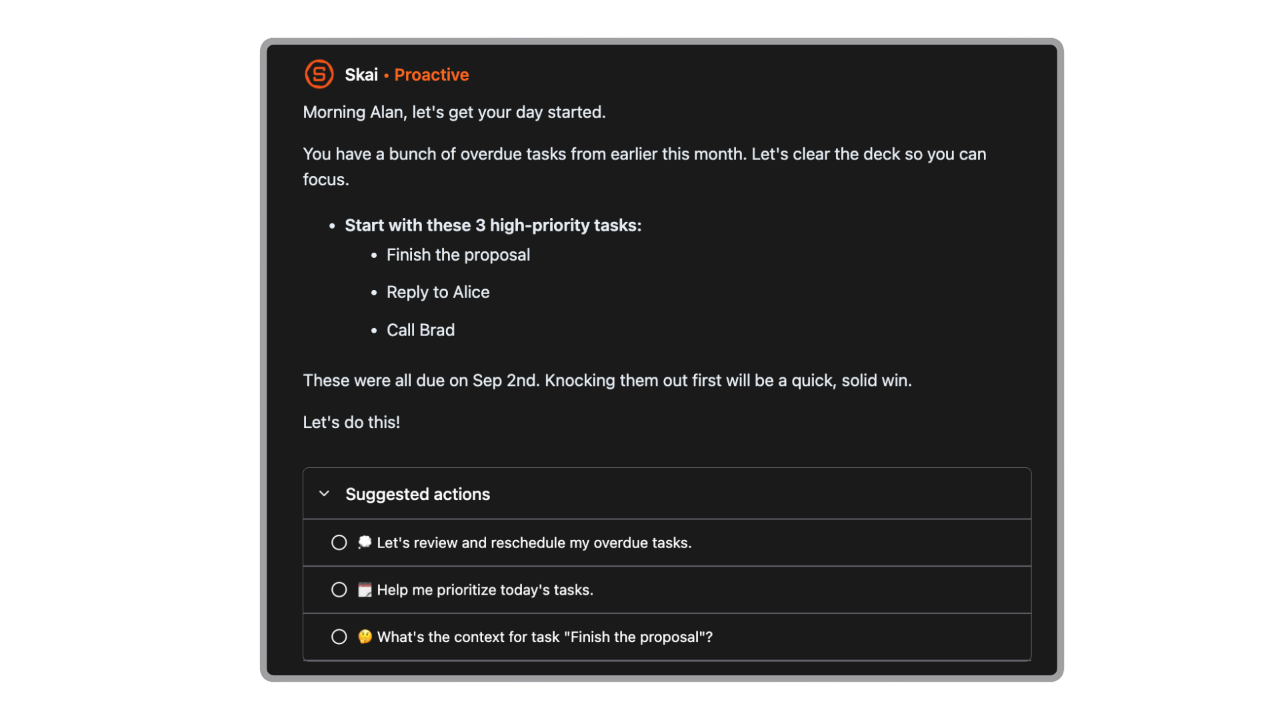
Saner.AI is an AI assistant designed to help Executives stay organized, make better decisions, and reduce the chaos of juggling too many tools. It brings together your notes, tasks, emails, and documents in one place - and uses a built-in assistant to help you stay on top of everything without constant switching or searching.
Key features
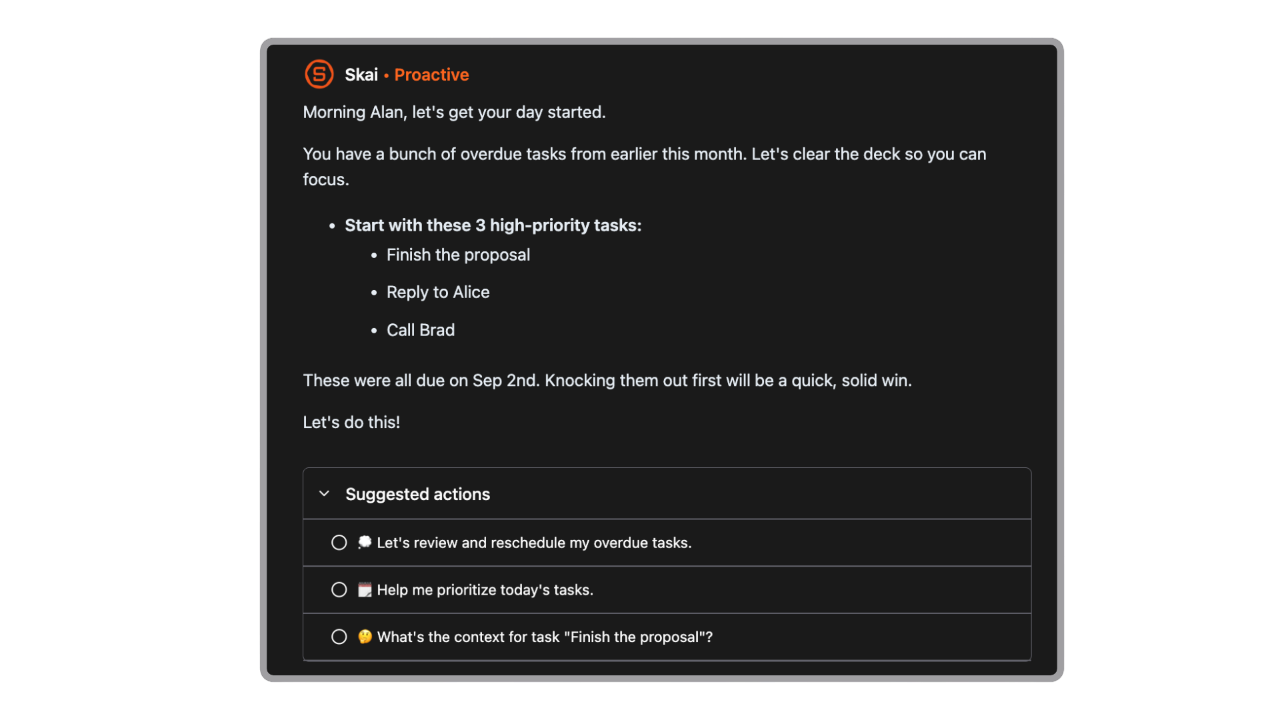
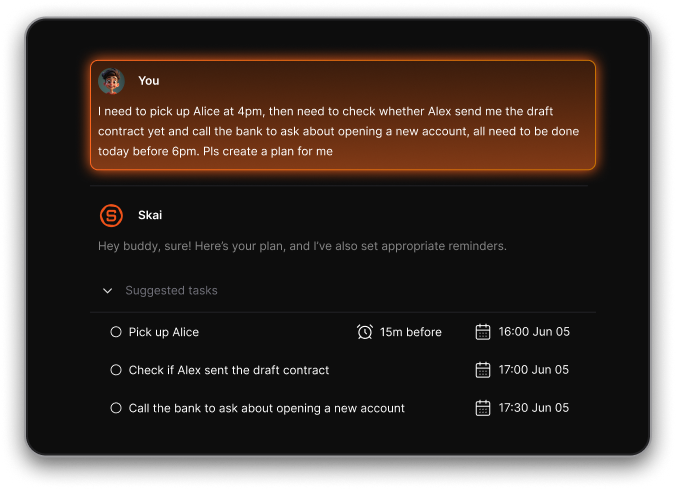
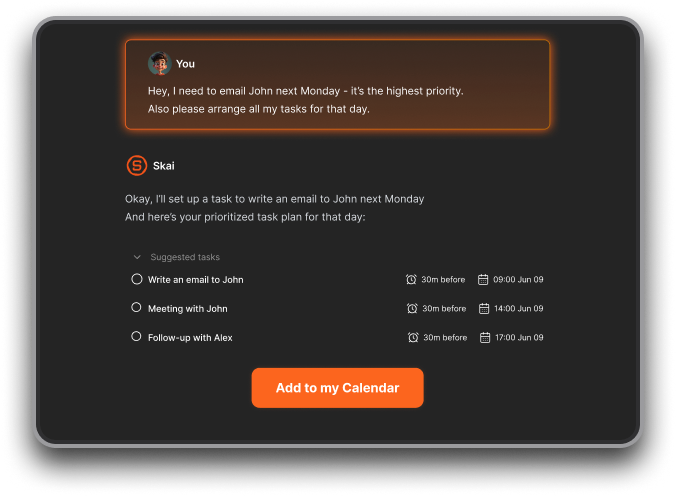
- Daily planning: The AI builds a simple plan for your day based on what’s urgent, due, or easy to knock out
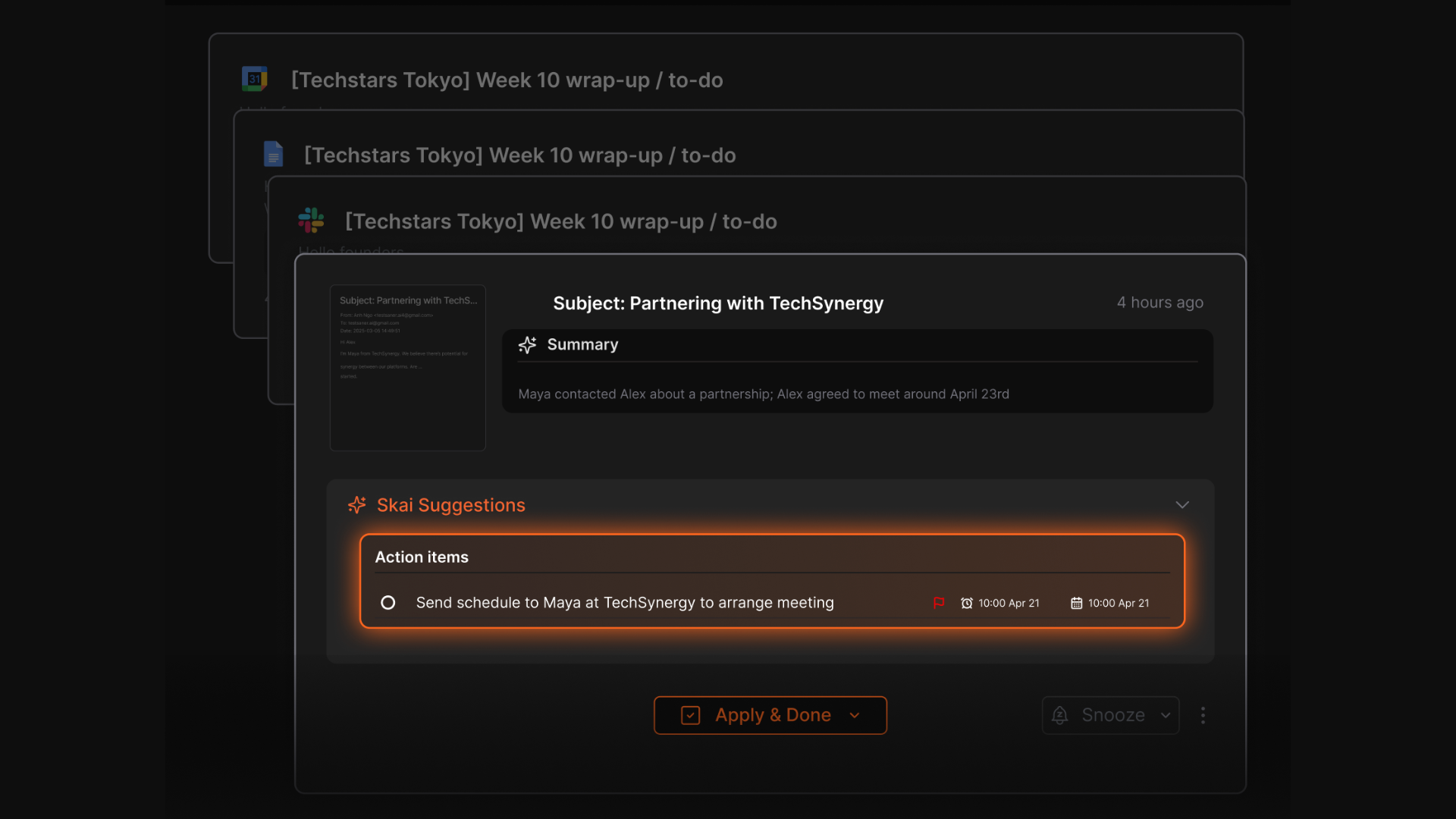
- Smart task extraction: Automatically pulls to-dos from your notes, meetings, and emails
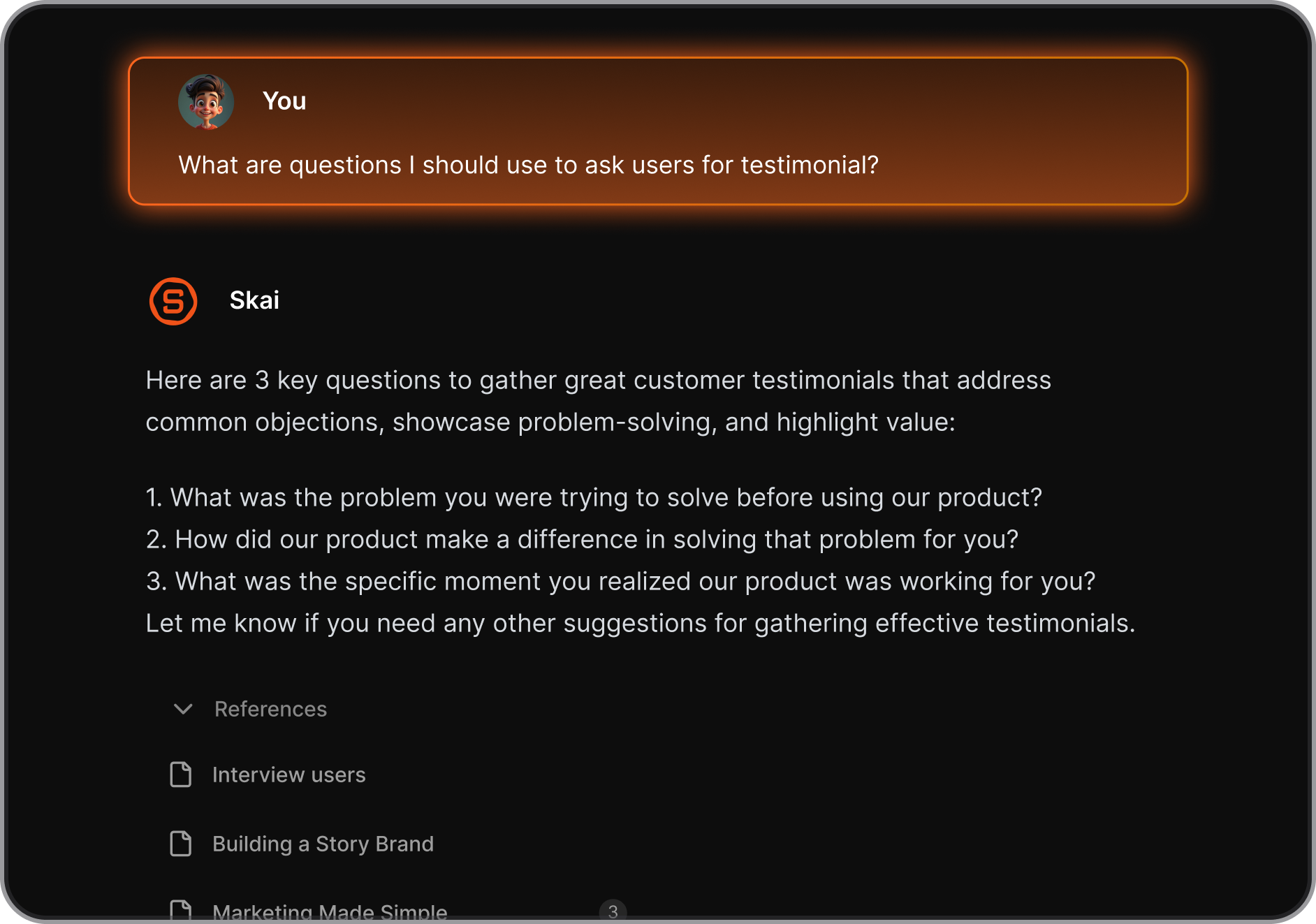
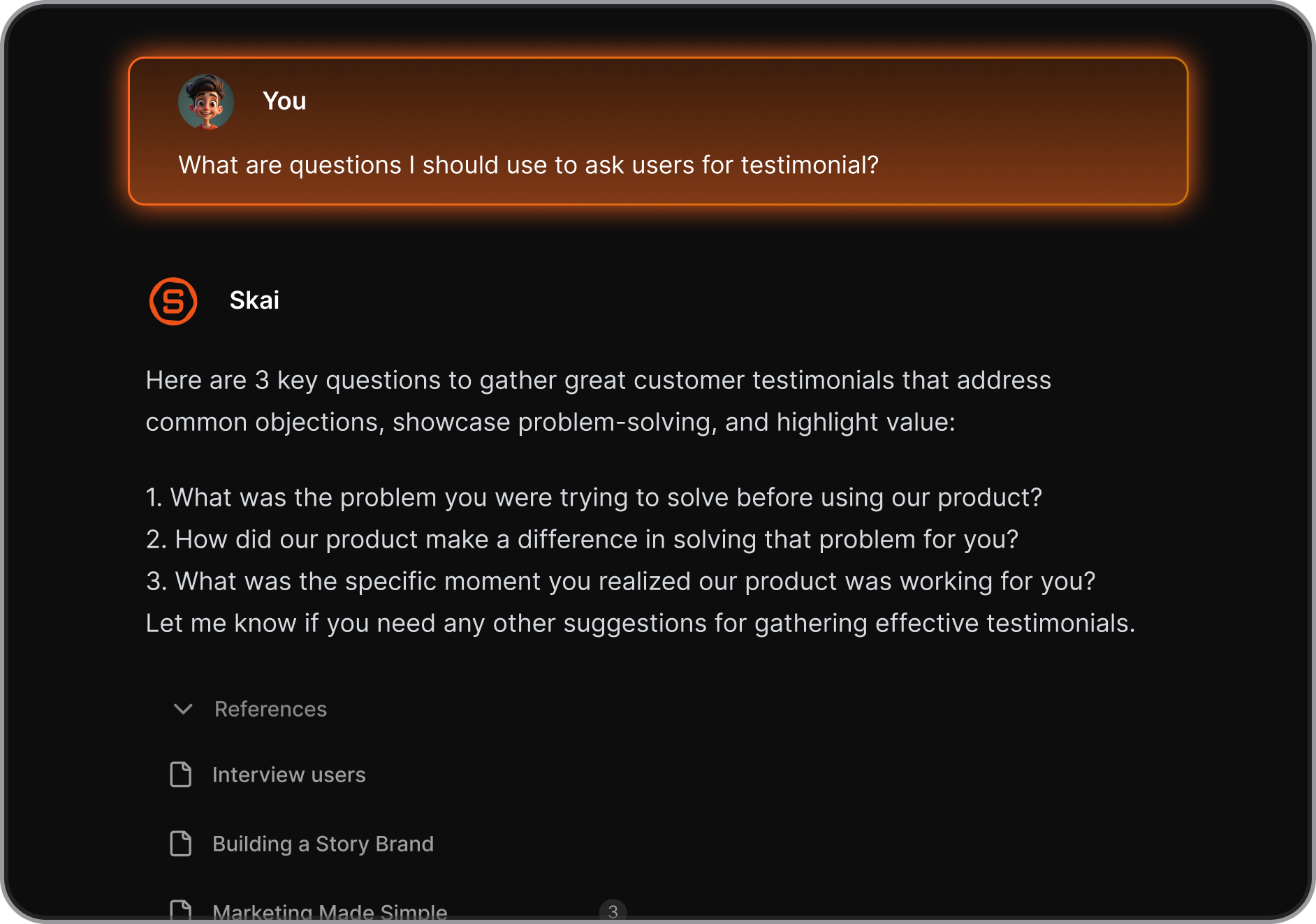
- AI assistant (Skai): Helps you summarize, recall, and connect information across your workspace
- Natural language queries: Ask things like “What do I need to finish before Friday?” and get actionable answers
- Follow-up tracking: Reminds you to follow up on things - even if you forgot you committed to them
- Integrations: Works with Gmail, Google Drive, Calendar, Slack, and more
What I liked
- I like that Saner feels like a thinking partner, not just a task manager. You can ask Skai for help with planning your day, finding a note, or summarizing what happened in a meeting.
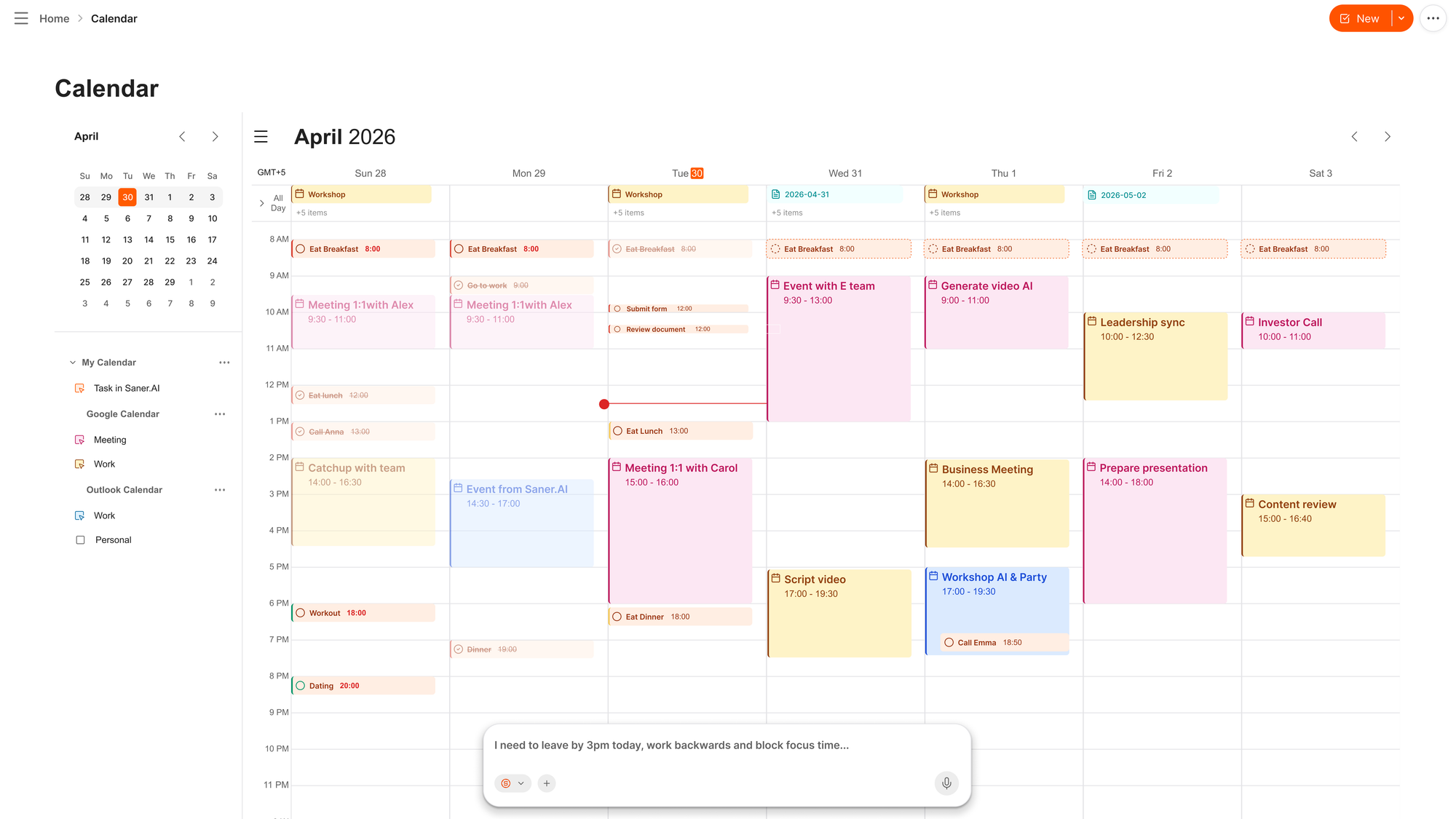
- I also liked how it can reschedule my day with just a prompt
Cons
- Not ideal for large teams or project timelines - no Gantt charts or complex task dependencies.
Pricing
- Free
- Starter: Monthly at $8/month (yearly)
- Standard: Monthly at $16/month (yearly)
Who is it suitable for?
- Executives and team leads who are overwhelmed by scattered tools
- Knowledge workers who want a calm, central place to think, plan, and act
- People with ADHD or those who get overwhelmed by complexity
- Anyone who wants an AI assistant that works with them, not just for them
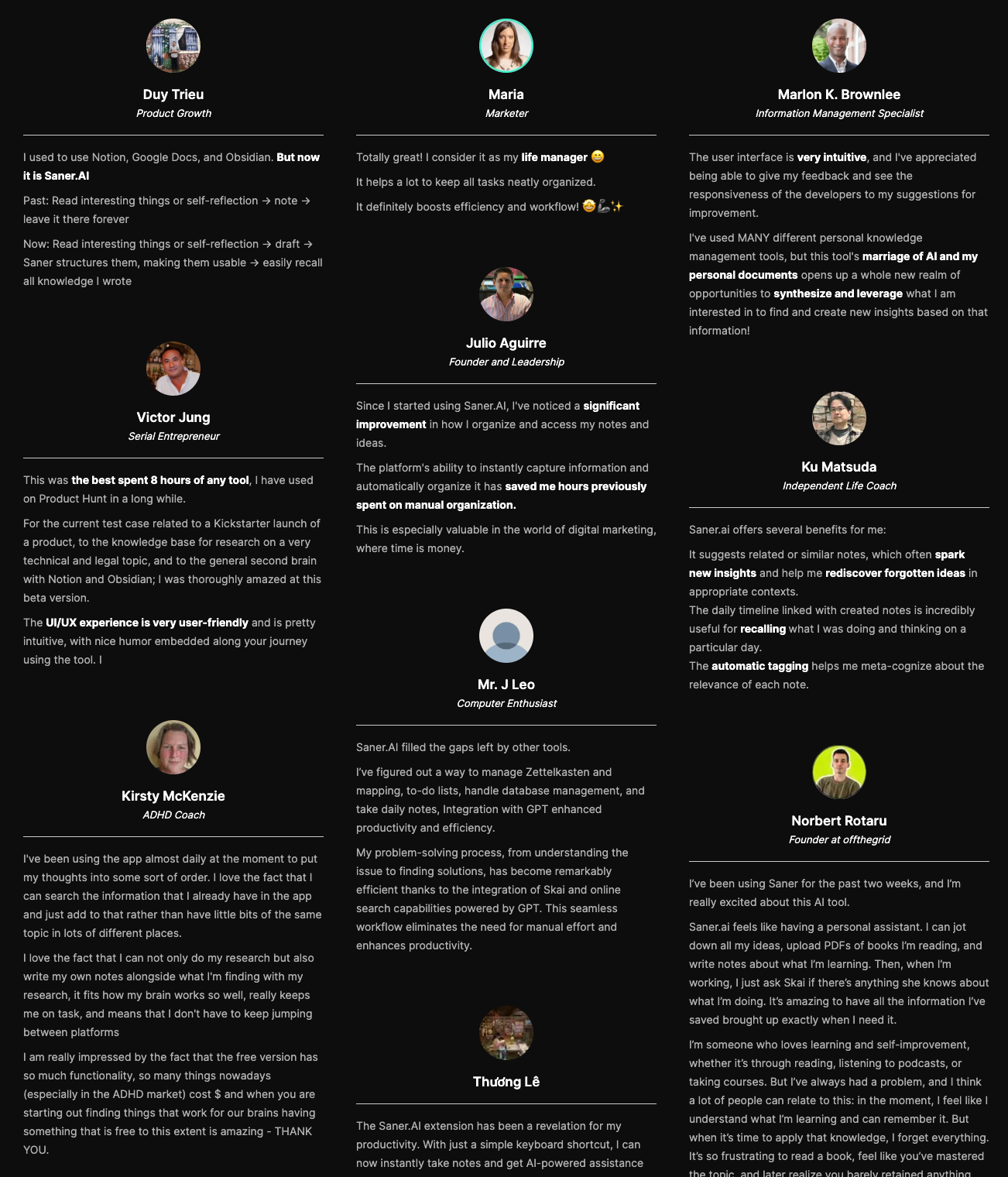
Saner.AI review
How to start using it?
- Go to saner.ai and create a free account
- Add or import notes, tasks, and emails - or start fresh
- Ask Skai for help planning your day or surfacing what’s important

The AI Tool that works for Executives
2. ChatGPT - General AI

ChatGPT is a flexible, conversational AI assistant built by OpenAI to write, research, plan, and even automate tasks. It can brainstorm ideas, analyze files, draft communication, and integrate with tools
Key features
- Natural language conversation: chat with it like a colleague to plan, write, or solve problems
- Multimodal input and output: use voice, images, or files alongside text
- File analysis: upload spreadsheets, PDFs, or docs and ask it to summarize or analyze them
- Plugin and tool integrations: connect with calendars, browsers, and third-party tools
What I liked
- It’s versatile - helps with writing, data analysis, brainstorming, and planning
- You can upload files and ask it questions about them
- The agent's features are promising
What I disliked
- Sometimes responses feel too safe or general - especially for complex decisions
- Agent or plugin tools occasionally glitch or produce outdated info
- No AI assistant to manage your to-do list
Pricing
- Free plan available
- Plus plan at $20/month
- Pro plan at $200/month
Suitable for
- Professionals, researchers, and businesses who want a powerful AI to help with writing, analysis, planning, automation, and real-world task execution. It’s also a great tool for developers building their own GPT workflows.
How to start
- Go to the ChatGPT website (chat.openai.com) or download the app if available in your region.
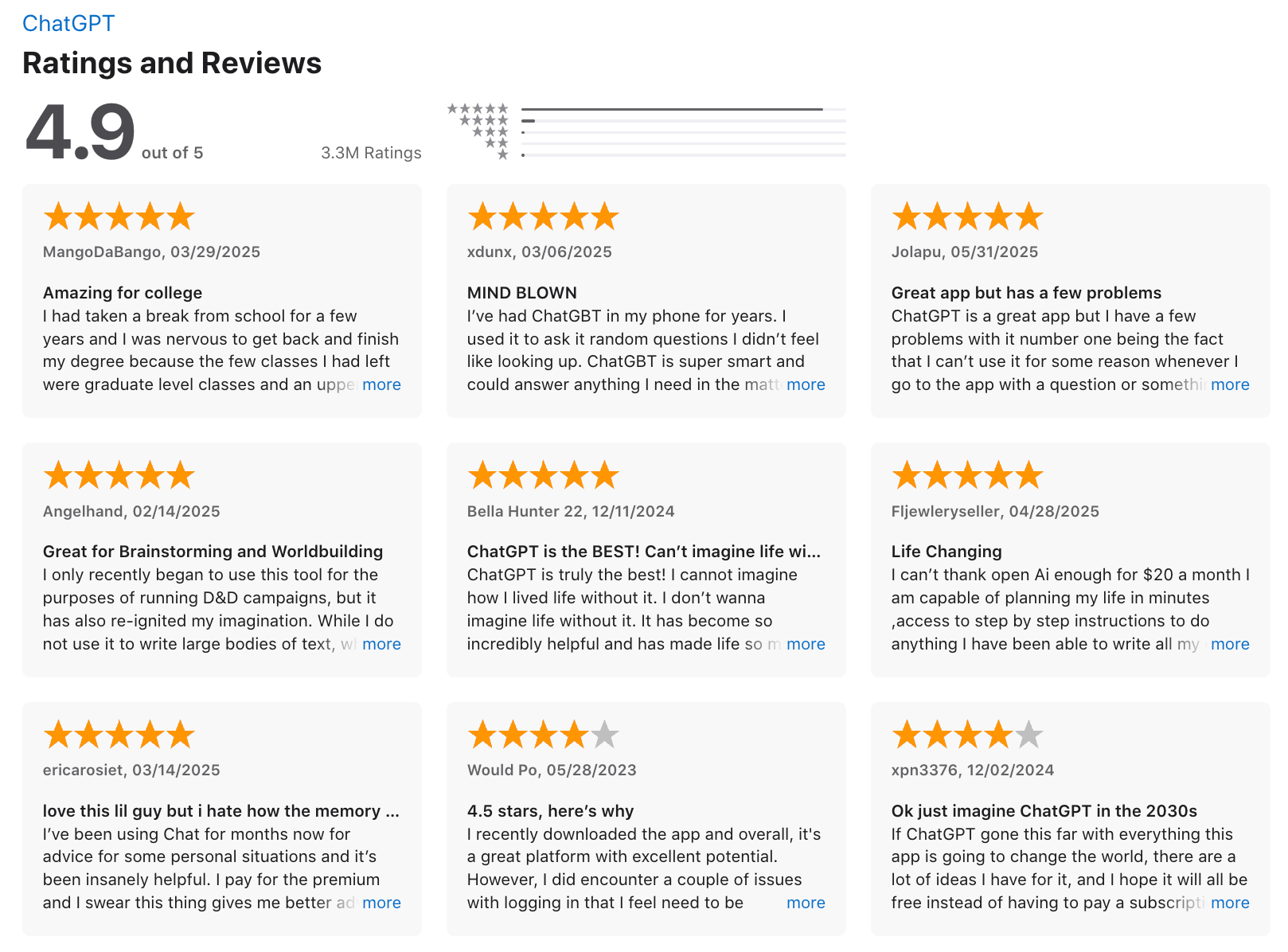
ChatGPT Review (source)
3. Gemini

Gemini is Google’s AI assistant that integrates deeply across Gmail, Docs, Calendar, and Drive to help you manage your work faster. With the new Scheduled Actions and Workspace integration, Gemini is now capable of acting on your behalf across your daily tools.
Features
- Works across Gmail, Docs, Calendar, and Drive inside Google Workspace
- Summarizes emails, documents, and meeting notes with a single click
- Can draft emails, status updates, and reports using contextual data
Pros:
- It’s seamlessly built into the tools Executives already use - Gmail, Docs, Calendar
- The writing assistance is subtle but effective - it speeds up my emails and documents without feeling robotic
Cons:
- Only available to paid Google Workspace or Gemini Advanced users
- Lacks broader integration outside the Google ecosystem (e.g. Slack, Notion, ClickUp)
Pricing:
- Included with Google One AI Premium at $19.99/month
- Available for eligible Google Workspace users
Suitable for:
- Executives who live inside Gmail, Docs, Calendar, and Drive
- Team leads who want help writing updates, drafting docs, and summarizing information
How to start:
- Upgrade to Gemini Advanced via Google One or your Workspace admin
- Open Gmail, Docs, Calendar, or Drive and look for the Gemini side panel
Google Gemini review (source)
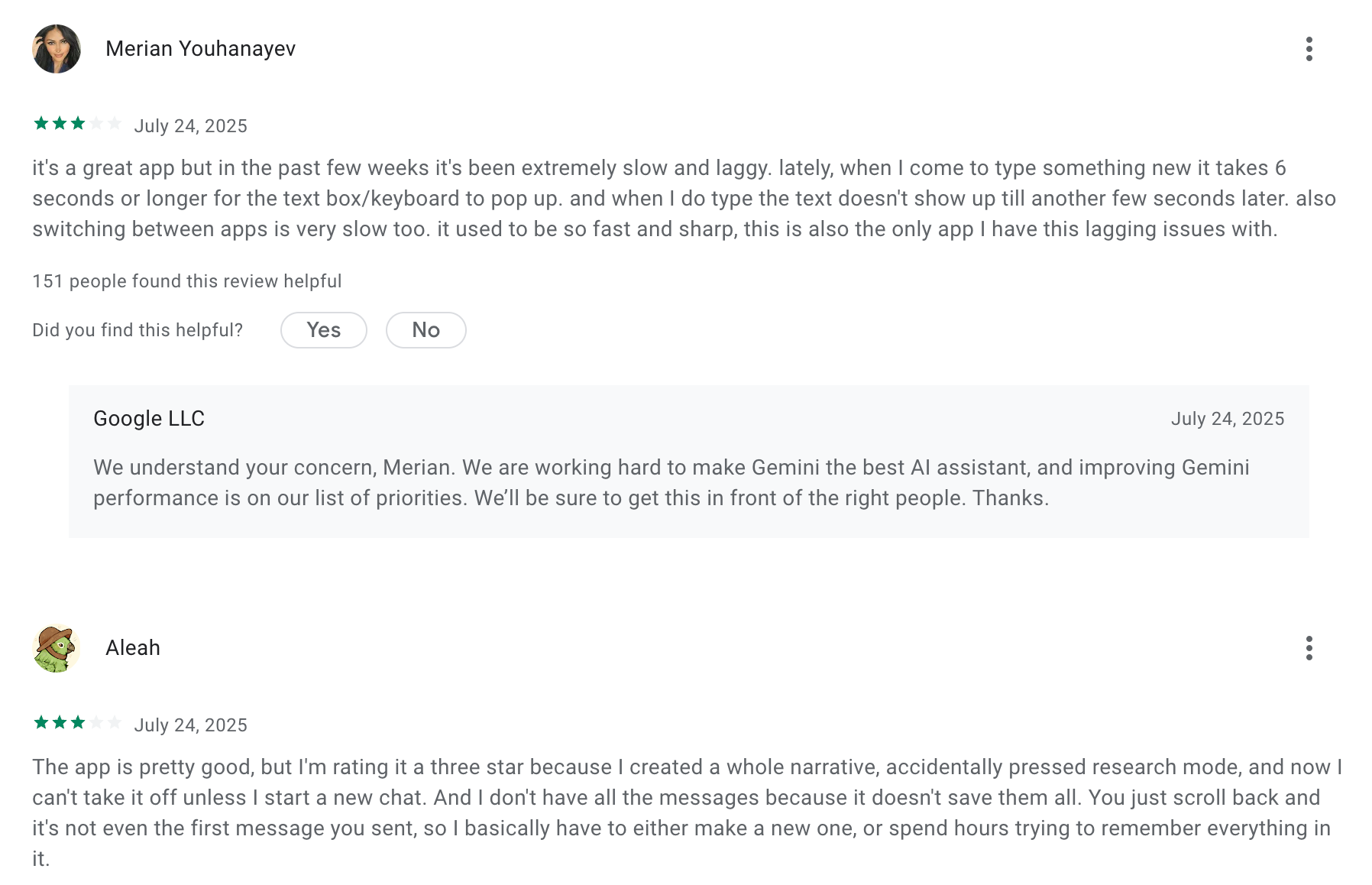
4. Gamma - AI Presentation
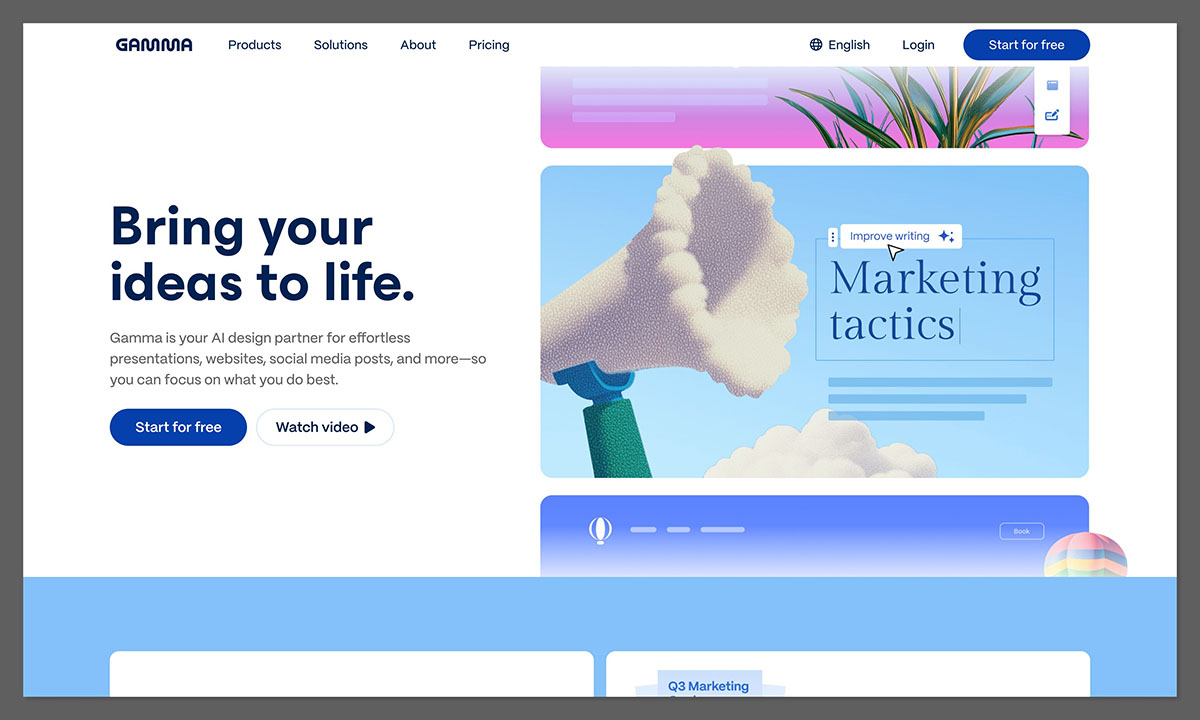
Gamma is an AI tool that helps you turn ideas into polished presentations, documents, and web pages - without needing design skills or slide formatting. You just describe what you want, and Gamma builds the structure, layout, and content for you.
Key features
- Instantly generates slide decks, reports, or web pages from a simple prompt
- Lets you paste notes, outlines, or docs and turn them into structured content
- Visual consistency across templates, layouts, and design styles
- Exports to formats like PowerPoint, Google Slides, and PDF
What I liked
- It’s incredibly fast
- The visual output looks clean and modern, without needing design skills
- Exporting to slides or PDFs is useful when sharing with clients or execs
What I disliked
- Sometimes the AI gets structure or hierarchy wrong, especially on complex topics
- You still need to fact-check and tweak content for accuracy and tone
- It doesn’t integrate deeply with project tools like Asana, Trello, or CRMs
- It’s not an AI assistant - it won’t help you track progress or manage workflows
Pricing
- 25$/month
Suitable for
- Executives who need to communicate ideas, proposals, or plans regularly
- Team leads who create updates, strategy decks, or cross-functional briefings
How to start
- Go to gamma.app and create a free account
- Choose what you want to create: presentation, document, or web page
- Input a prompt, paste content, or upload notes to get started
Gamma reviews (source)
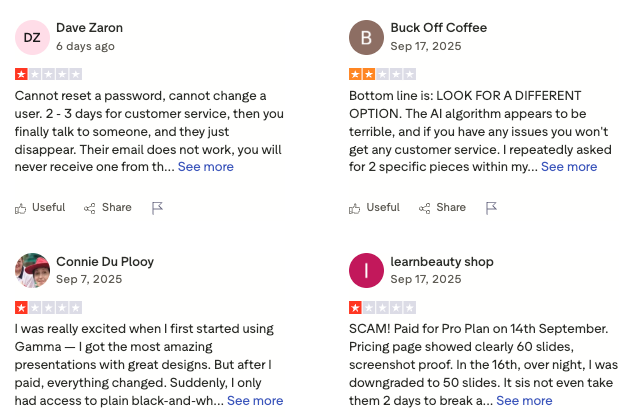
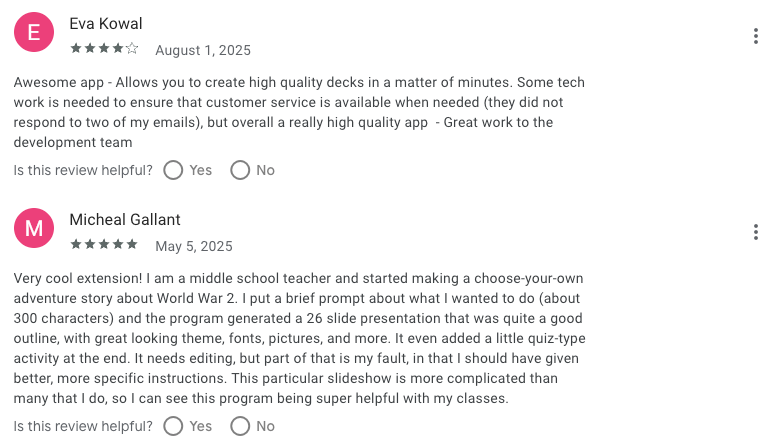
5. SlidesAI - AI for Google Slides
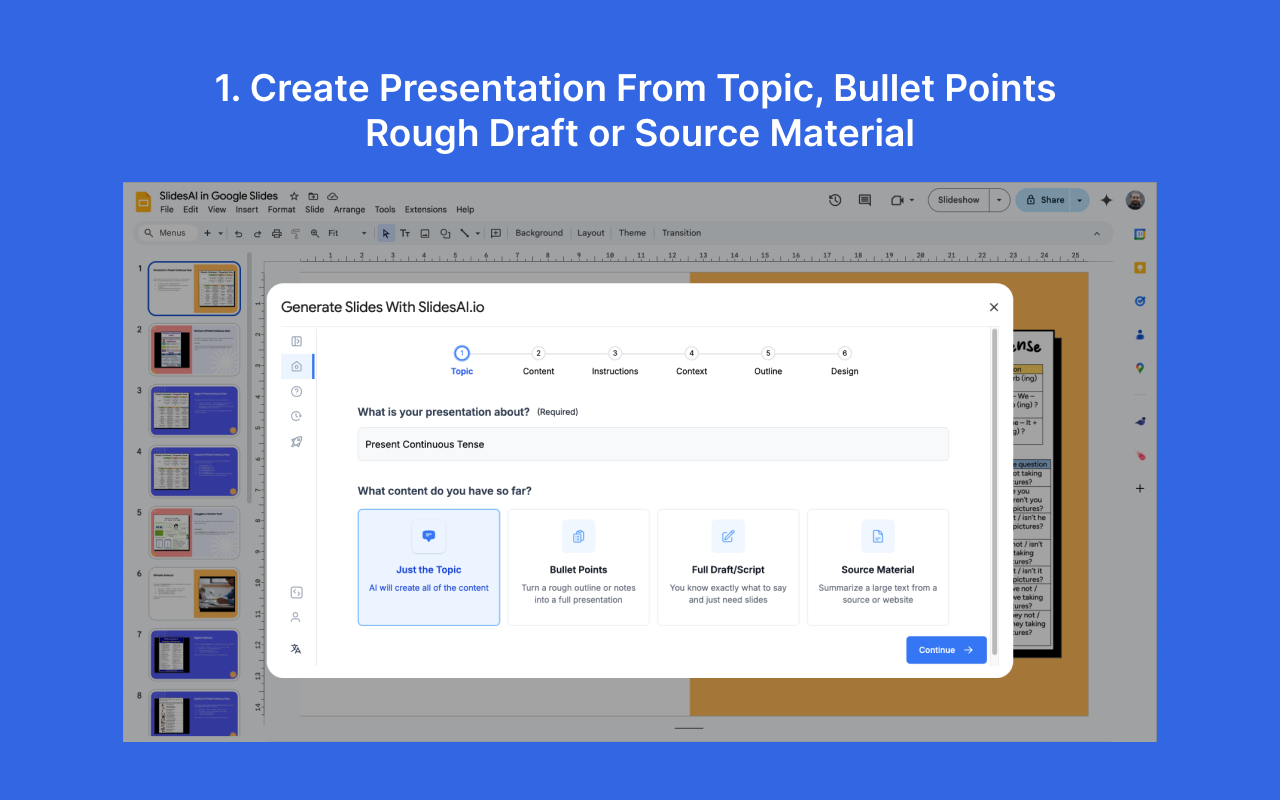
SlidesAI is an AI presentation tool that helps you turn ideas, outlines, or meeting notes into polished Google Slides presentations. Instead of building slides from scratch, you give it a topic or some text - and it turns that into a complete, ready-to-edit deck.
Key features
- Generates full slide decks from a simple prompt or pasted text
- Works directly inside Google Slides as an add-on
- Offers templates and style presets for consistent design
- Paraphrasing tools help smooth and rewrite AI-generated content
What I liked:
- It turns meeting notes or outlines into slides in minutes
- I liked that it works directly in Google Slides
- Great for fast updates, status reviews, or internal strategy decks
What I disliked:
- The free tier is quite limited
- Some auto-generated slides feel generic or need manual styling
- Doesn’t yet support PowerPoint or offline tools
- Heavily relies on Google Slides - performance can lag on large files
Pricing:
- Free plan with limited decks and character count
- Pro plan starts at $10/month
Suitable for:
- Executives and team leads who need to create decks regularly
- Professionals looking to speed up slide creation and focus on content
- Anyone who uses Google Slides and wants AI to do the heavy lifting
How to start:
- Install SlidesAI from the Google Slides Add-ons menu
- Open a blank or existing presentation and click “Generate Slides”
- Paste your topic, outline, or notes and choose tone or design style
SlidesAI review (source)
6. Grammarly - AI Writing Assistant
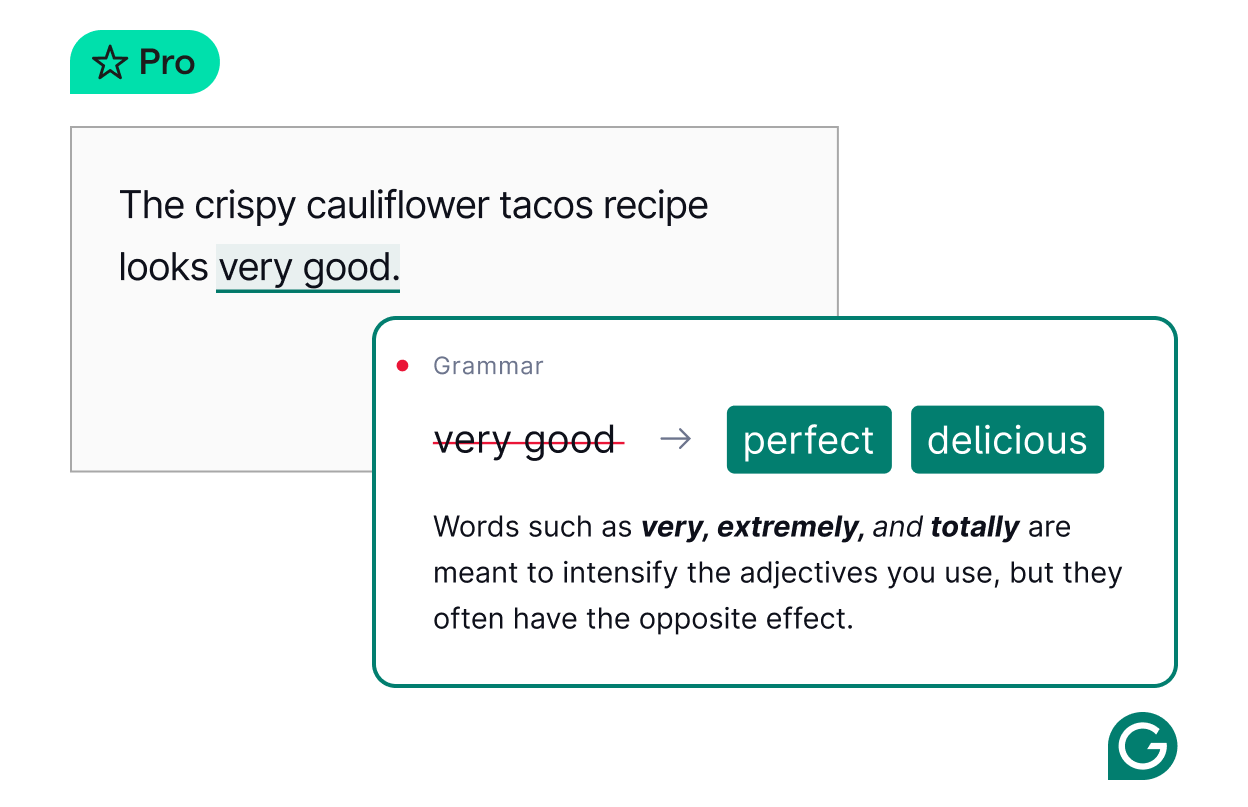
Grammarly is an AI writing assistant that helps you communicate clearly and professionally. Whether you're writing emails, reports, presentations, or proposals, Grammarly improves grammar, tone, clarity, and even helps with rewriting and ideation
Key features
- Grammar, spelling, and punctuation suggestions in real time
- Tone detection and rewriting tips to match your communication style
- Full-sentence rewrites for clarity and impact
- AI writing tools to help you brainstorm, expand, shorten, or adjust tone
What I liked:
- I liked how Grammarly works everywhere I write
- The tone suggestions are helpful, especially when I'm writing something sensitive or important
- The full-sentence rewrites and AI feedback often give me better ways to express complex ideas
What I disliked:
- Many of the best features (like full rewrites, brand tone, plagiarism detection) are only in the paid version
- Sometimes the suggestions feel too cautious or overly formal
- It occasionally misreads intent or tone, especially with technical or creative writing
Pricing:
- Free plan available
- Premium plan starts at $12/month (billed annually)
Suitable for
- Those who want polished, confident communication across all platforms
- Teams that write a lot and want consistency in tone and clarity
How to start
- Sign up at grammarly.com for a free account
- Install the Chrome extension or desktop app
- Start writing in your usual tools
Grammarly review (source)
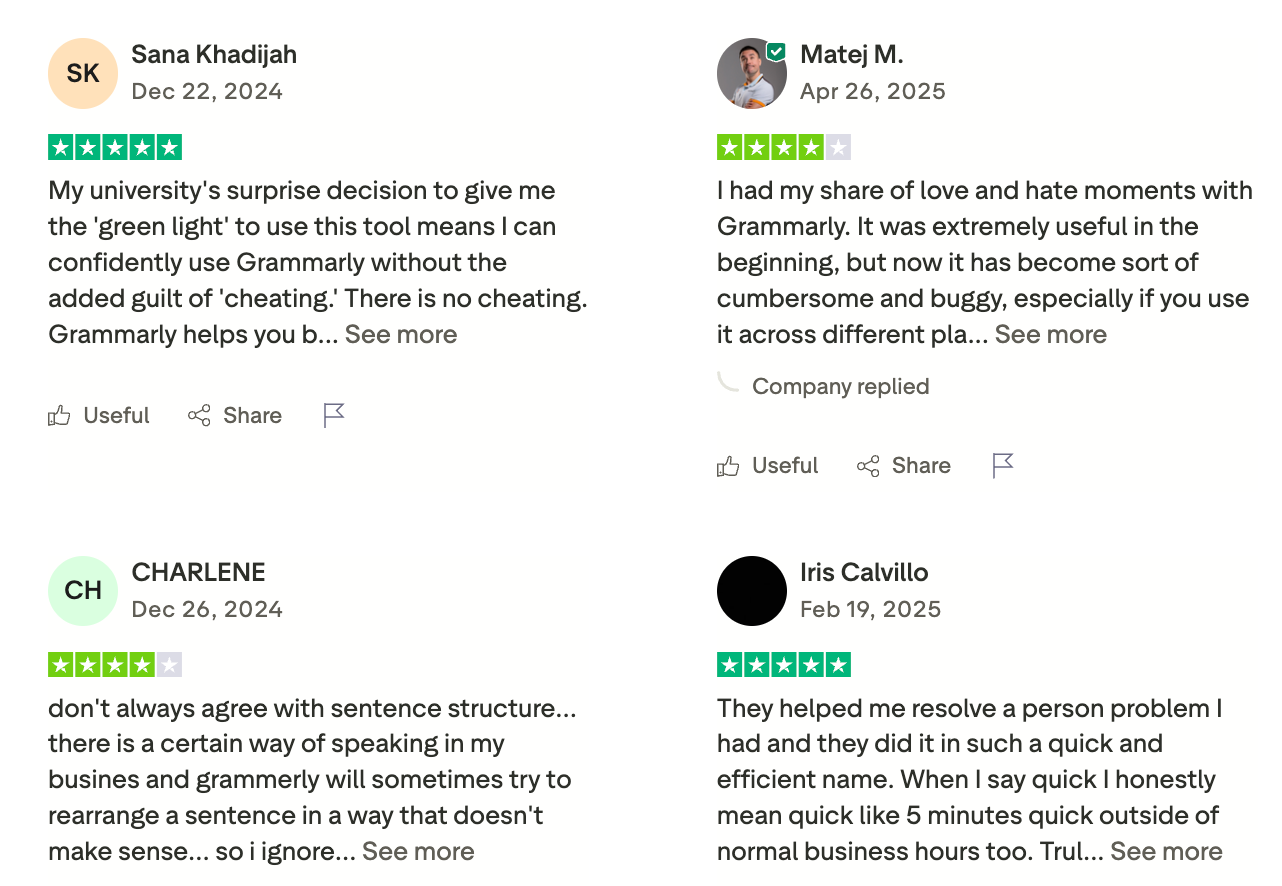
7. Napkin - AI Visualizer
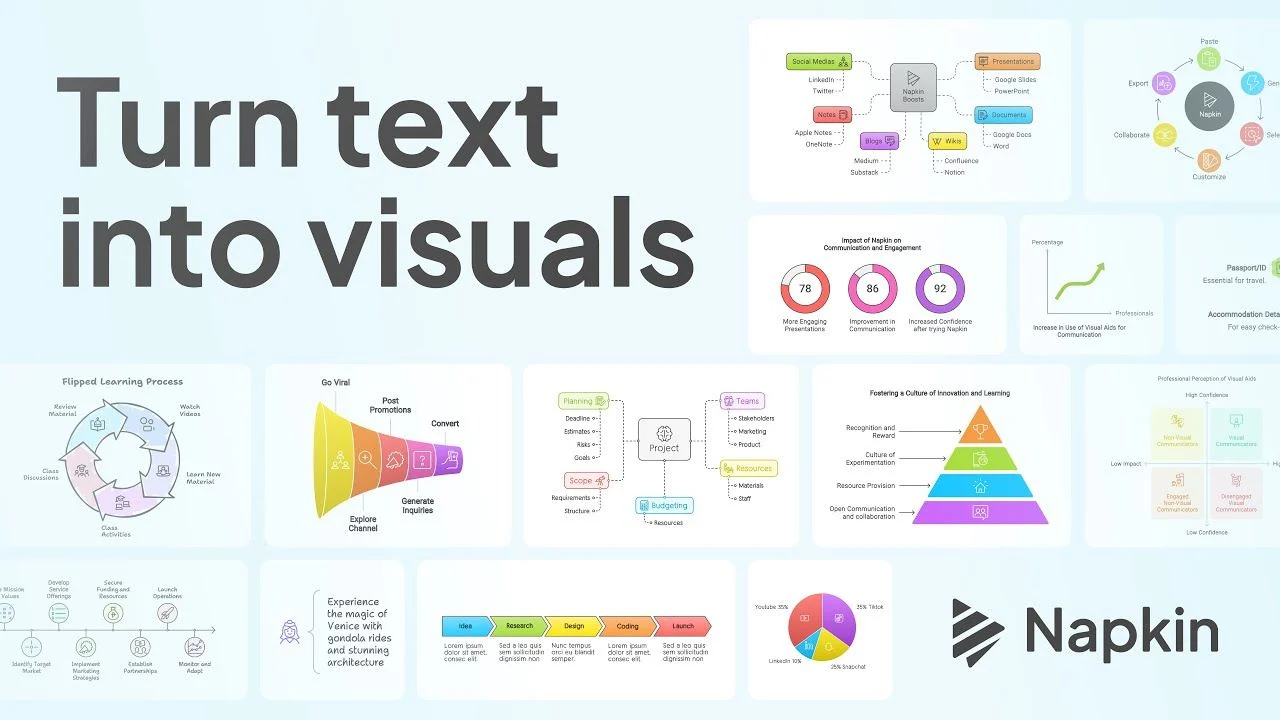
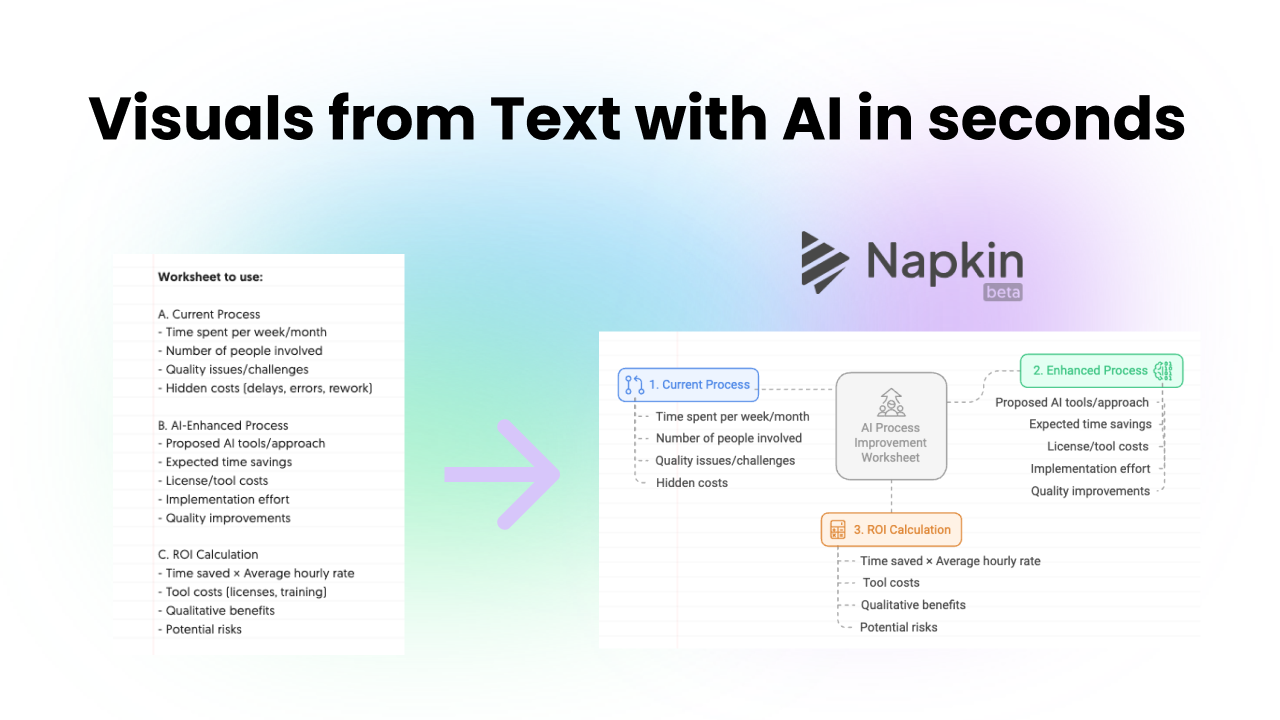
Napkin.ai is a visual AI tool that helps you turn plain text into charts, diagrams, flowcharts, mind maps, or infographics - without needing design skills. It interprets your ideas and finds visual forms that match your message so you can communicate faster and more clearly.
Key features
- Text → visual conversion: paste or write your content, and Napkin will suggest visual representations
- Editable visuals: after generation, you can tweak icons, connectors, colors, fonts, and layout
- Export flexibility: download as PNG, PDF, SVG, or PPT
- Unlimited import: supports importing PPT, DOC, PDF, HTML, and Markdown files
What I liked
- It’s fast - you can go from text to a viable visual in seconds
- The editing tools are intuitive - you don’t need design training to adjust the visuals
What I disliked
- The credit system can feel confusing
- Some layouts feel repetitive, especially when you generate many visuals
- It’s desktop‑only for now - the mobile interface and offline use are not supported yet
Pricing
- Free plan: includes 500 AI credits per week
- Plus plan: ~$9/month per person
- Pro plan: ~$22/month per person
Suitable for
- Executives and team leads who need to present or explain ideas visually
- Professionals who write reports, strategy briefs, or process docs and want visuals to support them
- Teams seeking faster visual communication without relying entirely on designers
How to start
- Go to Napkin.ai and sign up (using email or Google)
- Start a new “Napkin” by pasting your text or writing your idea
- Click “Generate Visual” on a block of text; Napkin will suggest multiple visuals
8. Granola - AI Meeting Note
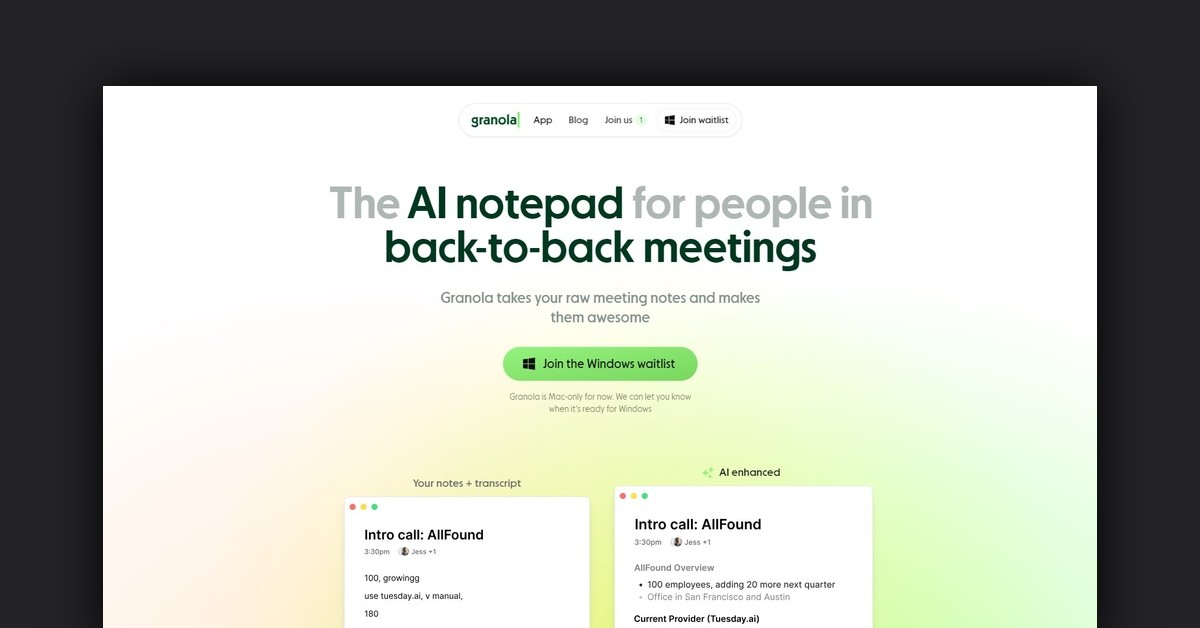
Granola is an AI notepad and meeting assistant that helps you capture and enhance your meeting notes without relying on bots or complex setups. It records audio from your device, blends it with your own shorthand notes, and generates clean, accurate summaries with AI.
Key features
- Device-based meeting recording without bots joining the call
- AI-enhanced notes: add quick notes during the meeting, then click “enhance” to generate polished summaries
- Chat with past meetings and folders to find what was discussed or decided
What I liked
- I liked that it lets me stay present in meetings - I jot down the key ideas, and the AI fills in the rest
- The “Enhance Notes” feature is surprisingly good at writing usable summaries from light inputs
- Shared folders make it easy to collaborate across teams, especially for project-based work
What I disliked
- It’s desktop-only right now - mobile support is limited
- Transcription quality depends on audio clarity, so background noise can cause issues
- You may need to adjust or edit phrasing if the AI writes too formally or generically
Pricing
- Free plan available with 14-day meeting history and access to AI-enhanced notes
- Business plan starts at $14/user/month with unlimited meeting history, integrations, and team tools
Suitable for
- Managers and team leads who spend much of their day in meetings
- Founders and executives who want to remember what was said without rewatching calls
How to start
- Download the Granola desktop app for Mac or Windows
- Connect your calendar to auto-detect meetings
Granola review (source)
🧭 Conclusion: Use AI for Executives
Being a manager means wearing many hats: leader, planner, communicator, coach, decision-maker… and sometimes firefighter.
The good news? You don’t have to do it all alone anymore.
Today’s best AI tools aren’t just about moving faster - they’re about thinking clearer, reducing the noise, and helping you stay present for the things that matter most: your team, your vision, and your time.
Whether you’re trying to:
- Pull together notes from 10 conversations
- Stay on top of follow-ups after back-to-back meetings
- Plan your day without feeling overwhelmed
- Communicate more clearly with your team
There’s an AI tool built to help.
Start small. You don’t need 10 tools - just one that genuinely makes your day feel lighter.
Pick your pain point. Is it planning? Meetings? Focus? Start there.
Stay human. Let AI do the busywork so you can do the real work: leading with calm, clarity, and intention.
Stay on top of your work and life
FAQ: Best AI Tools for Executives
1. What are the best AI tools for Executives?
The best AI tools for Executives are those that reduce information overload, improve decision-making, and help teams stay aligned. Popular options include:
- Saner.AI – Combines notes, tasks, and calendars into one workspace for clear daily planning.
- ChatGPT – Great for brainstorming, drafting content, and quick problem-solving.
- Grammarly – AI writing assistant that ensures clear, professional communication.
- Gemini – Google’s AI, integrated with Workspace for docs, sheets, and email.
- Granola – Meeting assistant that summarizes and organizes conversations.
- SlideAI – Speeds up creating AI-generated presentations.
- Gamma – Helps design visual, interactive decks in minutes.
- Napkin – Captures and connects scattered ideas into structured insights.
Each serves a different purpose, but together they cover planning, communication, meetings, and knowledge management.
2. Why should Executives use AI tools?
Executives juggle constant meetings, emails, and decisions. AI tools help by:
- Saving time – Automating scheduling, follow-ups, and summaries
- Reducing mental load – Reminding you of key priorities at the right moment
- Improving clarity – Turning long updates into quick takeaways
- Supporting decisions – Surfacing insights from notes, data, or past conversations
Instead of context-switching across ten apps, Executives can focus on leading people.
3. Which AI tool is best for daily planning?
- Saner.AI stands out: it turns notes, emails, and chats into a clear daily plan and reminds you of what’s most important.
4. What AI tools help with team meetings?
- Granola – Summarizes meetings and captures action items.
- Saner.AI – Surfaces tasks from previous 1:1s or team updates.
- Gamma / SlideAI – Quickly prepare slides for meetings.
Together, they help you prep faster and walk away with clear next steps.
5. What is the best AI tool for communication?
- Grammarly ensures emails, updates, and reports are clear and professional.
- ChatGPT helps draft responses, brainstorm tone, and refine tricky wording.
Both reduce the time spent editing while improving credibility with your team.
6. Which AI tools are best for decision-making?
- Saner.AI – Brings scattered information (notes, emails, tasks) into one view for context-rich decisions.
- ChatGPT – Helps compare options, draft pros/cons, or simulate scenarios.
- Napkin – Useful for capturing raw ideas and connecting them into strategic insights.
7. Are there free AI tools for Executives?
Yes, many tools have free tiers:
- Saner.AI – Free plan includes AI reminders and note search.
- ChatGPT – Free limited access
- Gemini – Free via Google Workspace.
- Grammarly – Free grammar and spelling checks.
These free versions are enough to test what fits your workflow before upgrading.
8. Which AI tools are most helpful for ADHD Executives?
- Saner.AI – Designed with ADHD managers in mind, it reduces context switching and organizes thoughts into tasks.
- Granola – Helps avoid missed follow-ups by auto-summarizing meetings.
- Grammarly – Keeps communication clear when attention drifts.
9. Can AI tools help Executives with delegation?
Yes. Tools like Saner.AI and Granola automatically capture tasks from notes or meetings, making it easier to assign responsibilities without forgetting details.
10. Which AI tool is best for executives and CEOs?
- Saner.AI – Acts like a command center for notes, calendars, and tasks.
- ChatGPT – Quick strategic brainstorming partner.
- Gamma – Fast deck creation for board updates or investor meetings.
Executives benefit most from tools that surface only what matters, not everything at once.
11. How do AI tools compare to traditional productivity apps?
- Traditional apps = You organize them (folders, labels, manual updates).
- AI tools = They organize for you (summaries, reminders, context-based planning).
For Executives, this shift means less admin work and more focus on leading teams.
12. Can AI tools prepare me for a meeting automatically?
Yes. Ask Saner.AI or Granola:
- “What did we decide in last week’s strategy call?”
- “What action items are still pending from the design review?”
These tools bring context instantly, so you enter meetings prepared.
13. What’s the best AI tool for presentations?
- SlideAI – Auto-generates slides from prompts.
- Gamma – Creates interactive, design-friendly decks.
Both save hours of formatting time and give Executives professional-looking slides quickly.
14. Do AI tools really improve productivity?
Yes. Executives report:
- Fewer missed follow-ups (thanks to task automation)
- Shorter meetings (with summaries and pre-reads)
- Clearer communication (with Grammarly and ChatGPT)
- Better focus (with Saner.AI reducing app switching)
The benefit isn’t just speed - it’s the reduced mental fatigue of managing people and projects.
15. What are the best AI tools for Executives struggling with burnout?
AI can lighten the load by taking over routine tasks:
- Saner.AI – organizes your day so you’re not overwhelmed; simple UI - you can just chat to manage everything. No need for a complex setup
- ChatGPT – reduces the stress of starting from scratch on emails or reports
- Gamma – saves hours on slide formatting
These tools don’t cure burnout, but free up energy for rest and recovery.
Become an excellent Executive with top AI Tools