Tools for Solopreneurs: We Tested the Best 9 Tools in 2026


Most Effective Tools for Solopreneurs in 2026
In the 2026 solopreneur dream isn't a lack of powerful tech; it’s tool fatigue and context switching. We buy endless subscriptions hoping to scale our output, only to end up spending half our workday syncing data, re-authenticating APIs, and managing digital overhead instead of building, selling, or creating.
Being a successful solopreneur today doesn't mean doing everything yourself, it means building an ultra-lean stack that acts like a 10-person team without the payroll or complexity.
In this article, we tested the most essential platforms on the market to see which ones actually eliminate operational friction and deliver a real ROI for one-person operations. We’ll look at how each tool handles automation, how steep the learning curve is, and where you might face trade-offs as you scale your revenue.
Quick guide: 9 best tools for solopreneurs in 2026
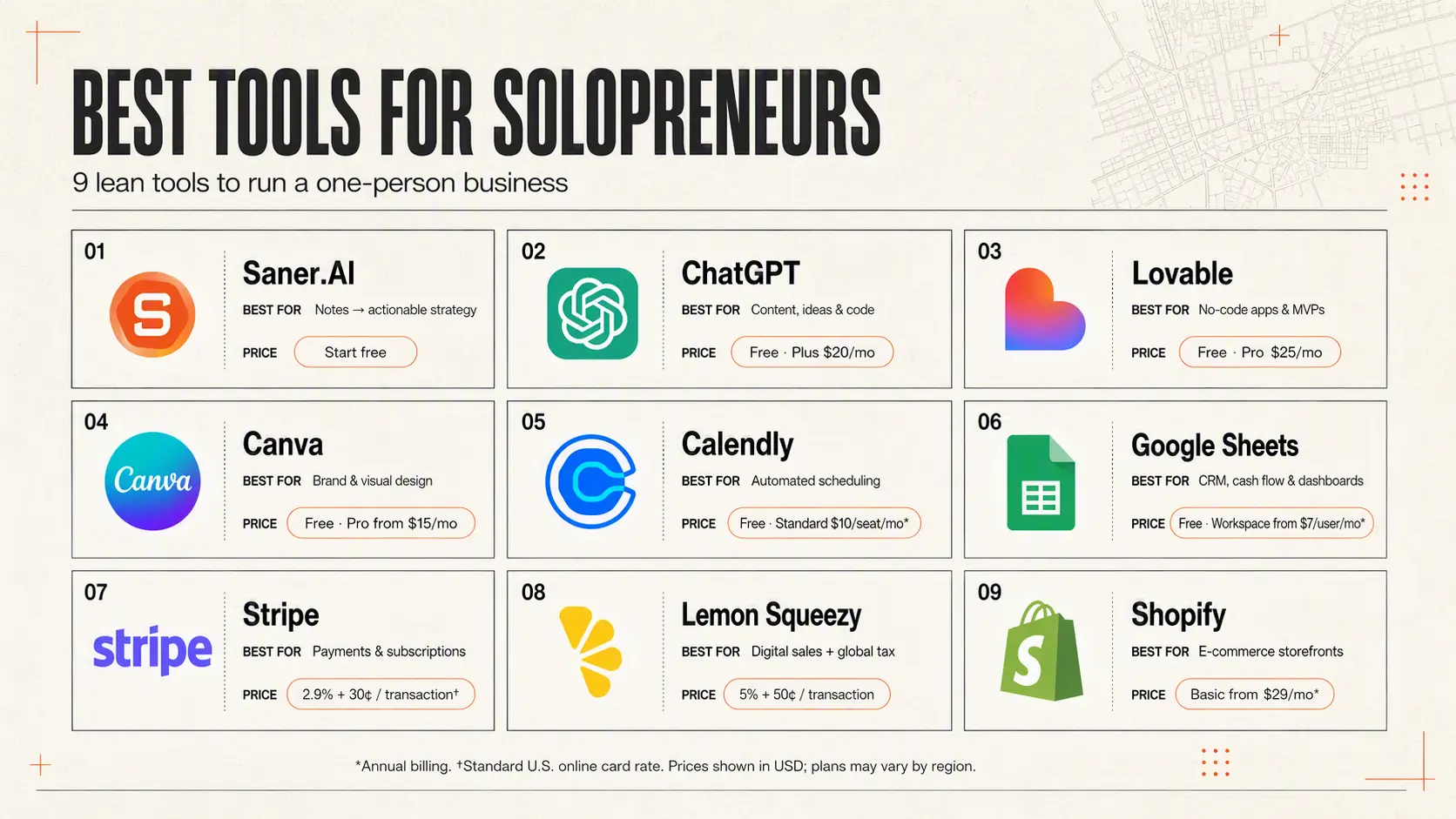
2. ChatGPT: Best all-around AI assistant for drafting content, brainstorming, and writing code.
3. Lovable: Best no-code app builder for creating web applications and MVPs in minutes using natural language.
4. Canva: Best visual design suite for creating social assets, pitch decks, and brand visuals without hiring a designer.
5. Calendly: Best automated scheduling tool to eliminate back-and-forth emails for client calls and meetings.
6. Google Sheets: Best flexible database for lightweight CRM, tracking cash flow, and building custom operational dashboards.
7. Stripe: Best global infrastructure for accepting payments, managing subscriptions, and sending invoices.
8. Lemon Squeezy: Best merchant-of-record platform for selling digital products, SaaS, and software with automated tax compliance.
9. Shopify: Best all-in-one platform for launching and scaling an e-commerce storefront.
How I chose these tools
The best tech stack for a solo business owner should lower your friction, not inflate your monthly expenses or create administrative overhead. We evaluated each tool against the daily reality of running a business alone:
- Leverage to Cost Ratio: Does the tool replace enough manual work to justify its recurring monthly fee or transaction margin?
- Time to Value: Can you set up the software and get results in an afternoon, or does it require weeks of configuration?
- Maintenance Overhead: Does the tool work reliably in the background, or will you spend hours maintaining it?
- Scalability for One: Can it handle double or triple your current workload without forcing you to hire extra help?
- Ecosystem Integration: Does it connect easily with the rest of your tech stack to keep your data connected?
What are the Best Tools for Solopreneurs?
The Best Tools for Solopreneurs are Saner.AI, ChatGPT, Lovable, Canva, Calendly, Google Sheets, Stripe, Lemon Squeezy, and Shopify
🧰 Comparison Table: Best Tools for Solopreneurs (2026)
| Tool | Best For | Key Features | Pricing |
|---|---|---|---|
| Saner.AI | ADHD-prone solopreneurs | AI day planning, smart task creation | Free + Paid |
| ChatGPT | Writing, brainstorming | AI assistant, plugins, custom GPTs | Free / Plus |
| v0.dev | App builders | No-code AI UI builder | Free / Paid |
| Canva | Design & marketing | Templates, AI design, brand kits | Free / Pro |
| Calendly | Scheduling | Calendar sync, availability control | Free / Pro |
| Google Sheets | Budgeting & tracking | Customizable spreadsheets | Free |
| Stripe | Payment processing | Checkout, invoicing, subscriptions | Usage-based |
| LemonSqueezy | Digital product sellers | Sales tax, affiliate, subscriptions | 5% fee + |
| Shopify | Ecommerce | All in one platform | Paid |
1. Saner.AI - Personal Assistant
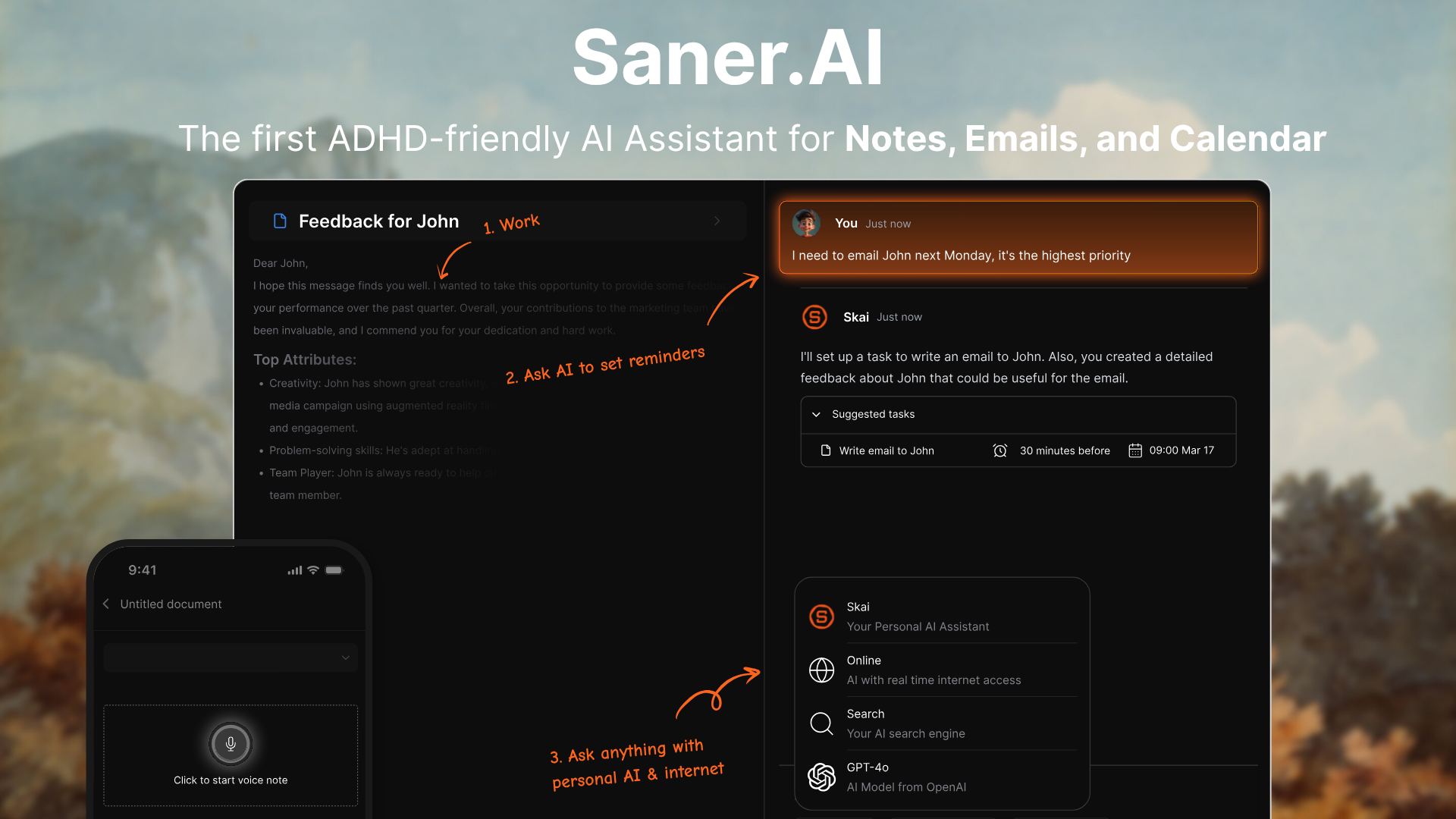
Saner.AI is a personal knowledge management app and AI assistant, for solopreneurs, Saner collects unstructured ideas, voice memos, emails, and PDFs into a centralized dashboard. The app features an AI agent named Skai that searches through personal documents to answer questions and pull relevant tasks without manual tagging.
Key features
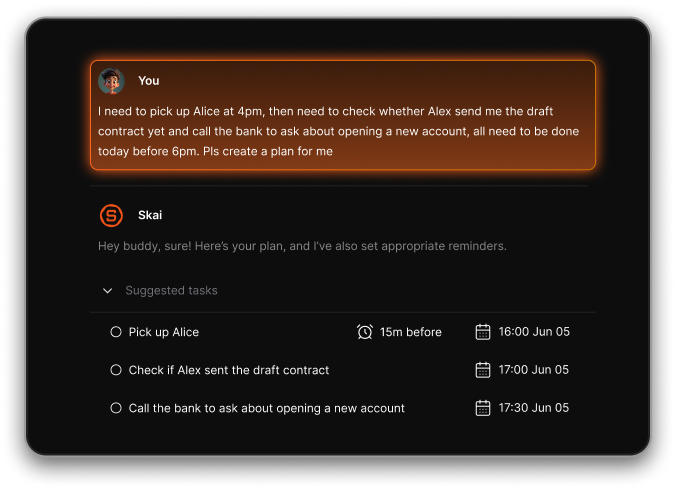
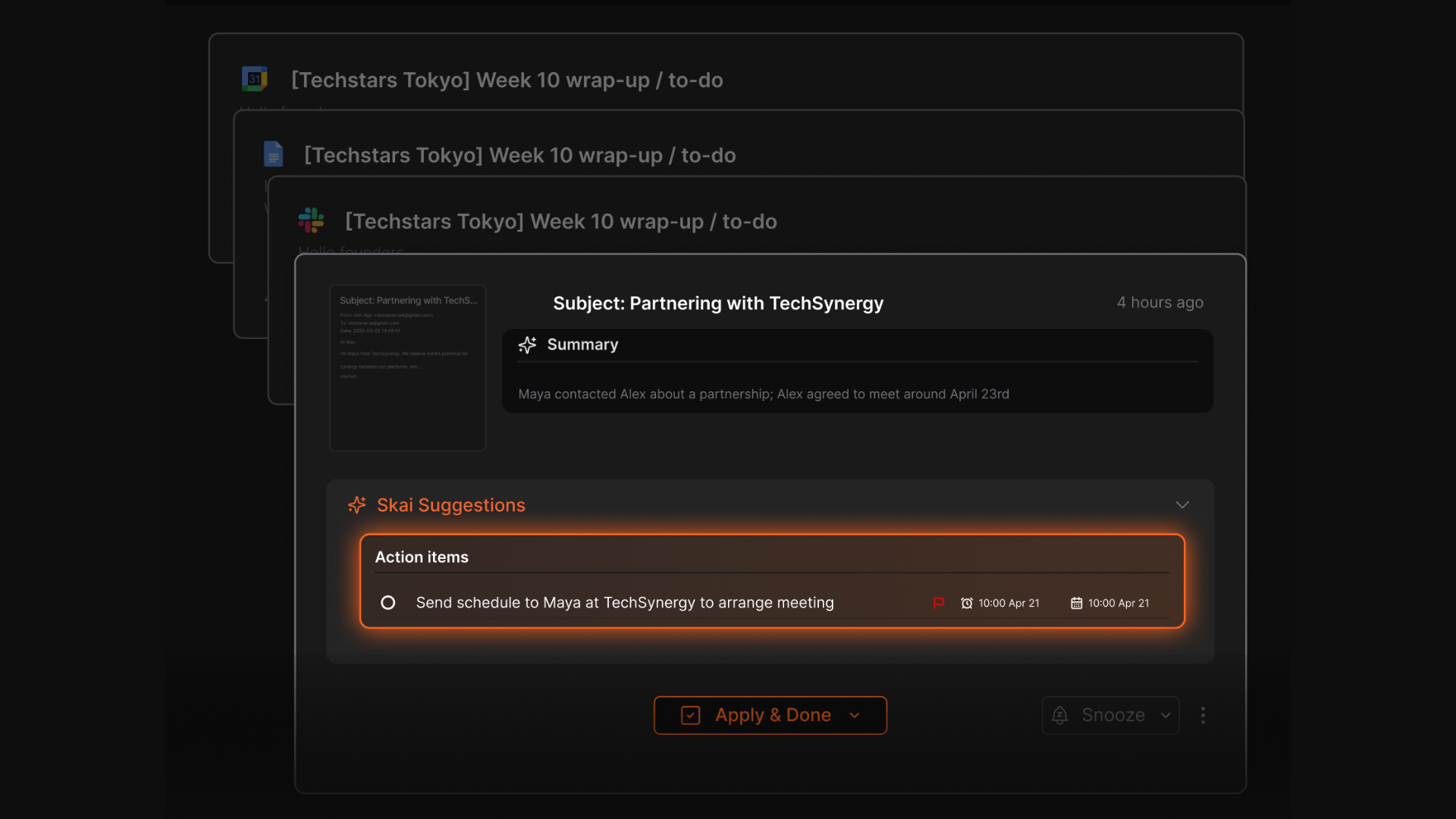
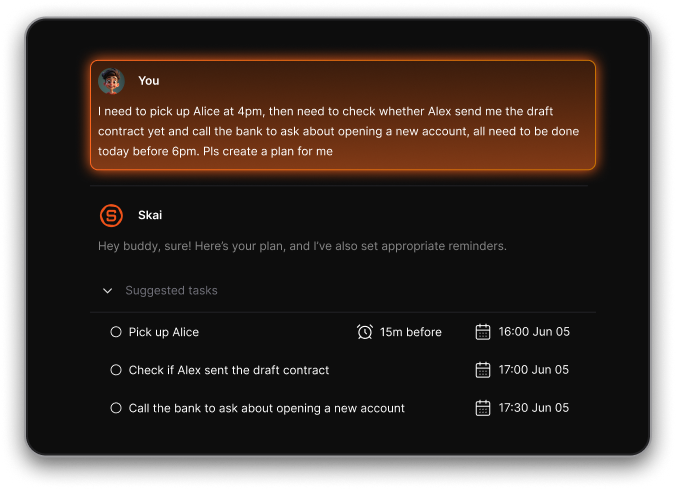
- Proactive inbox and task conversion
When I used the AI chat mode to dump random thoughts about my daily project tasks, the system automatically organized them into concrete to-do items.
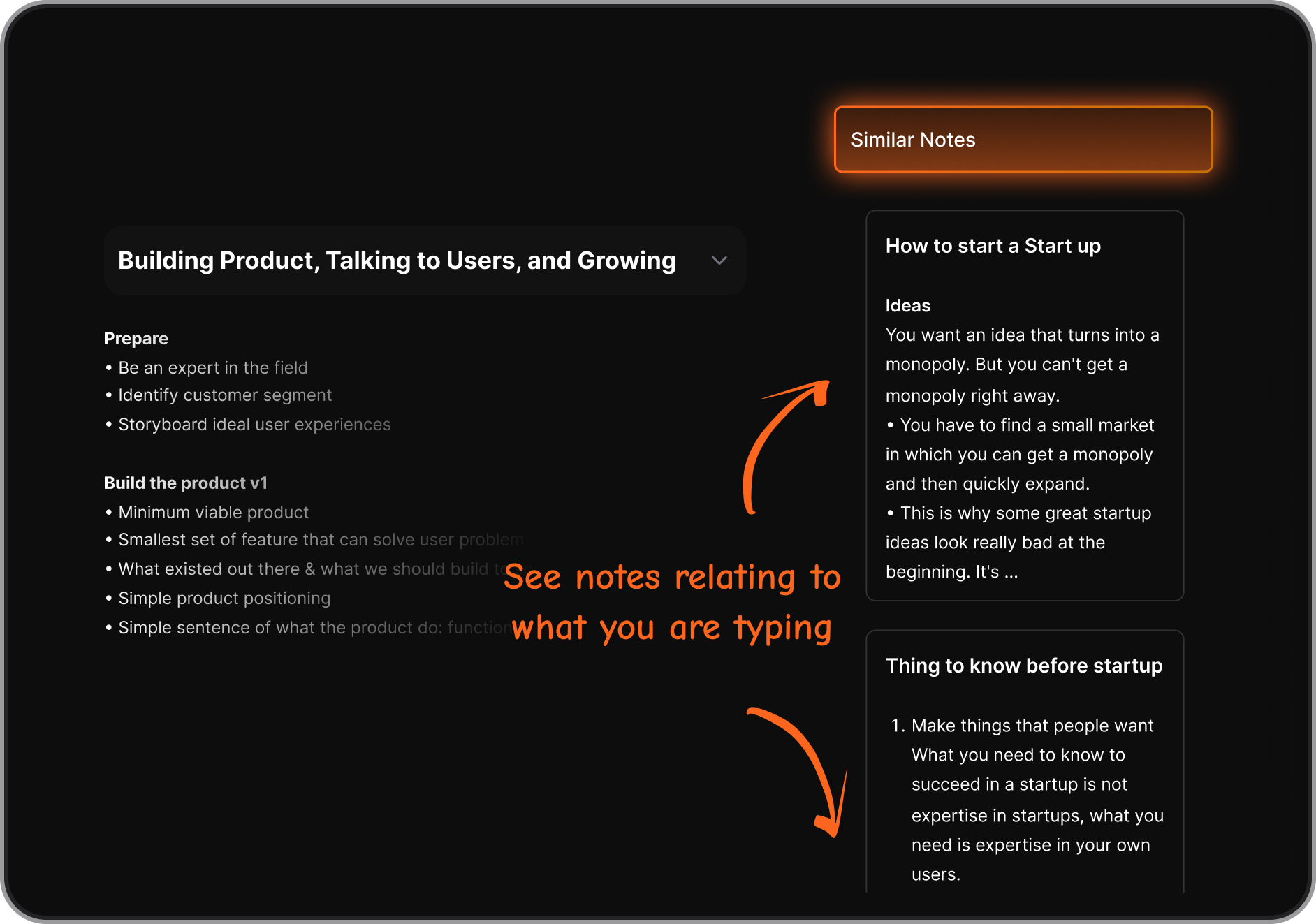
- Semantic search over personal documents
I tried uploading messy PDFs and text files to test how well the search works. Instead of matching exact keywords, the app searches by meaning across saved documents, allowing solo founders to find past client agreements or project ideas.
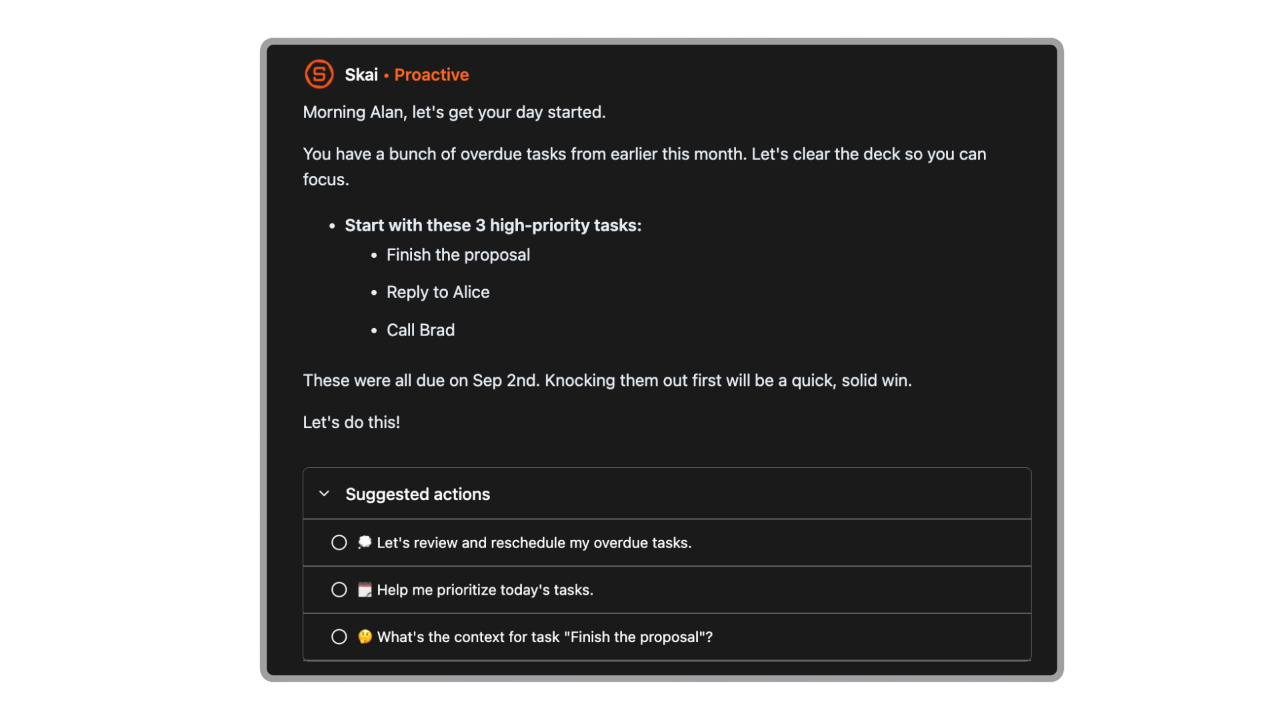
- AI Search
Ask things like “what did I write about client onboarding?” and get exactly what you need
- Task Extraction
Automatically pulls tasks from notes, emails, or chats and lets you break them into subtasks with reminders
- Comprehensive Integration
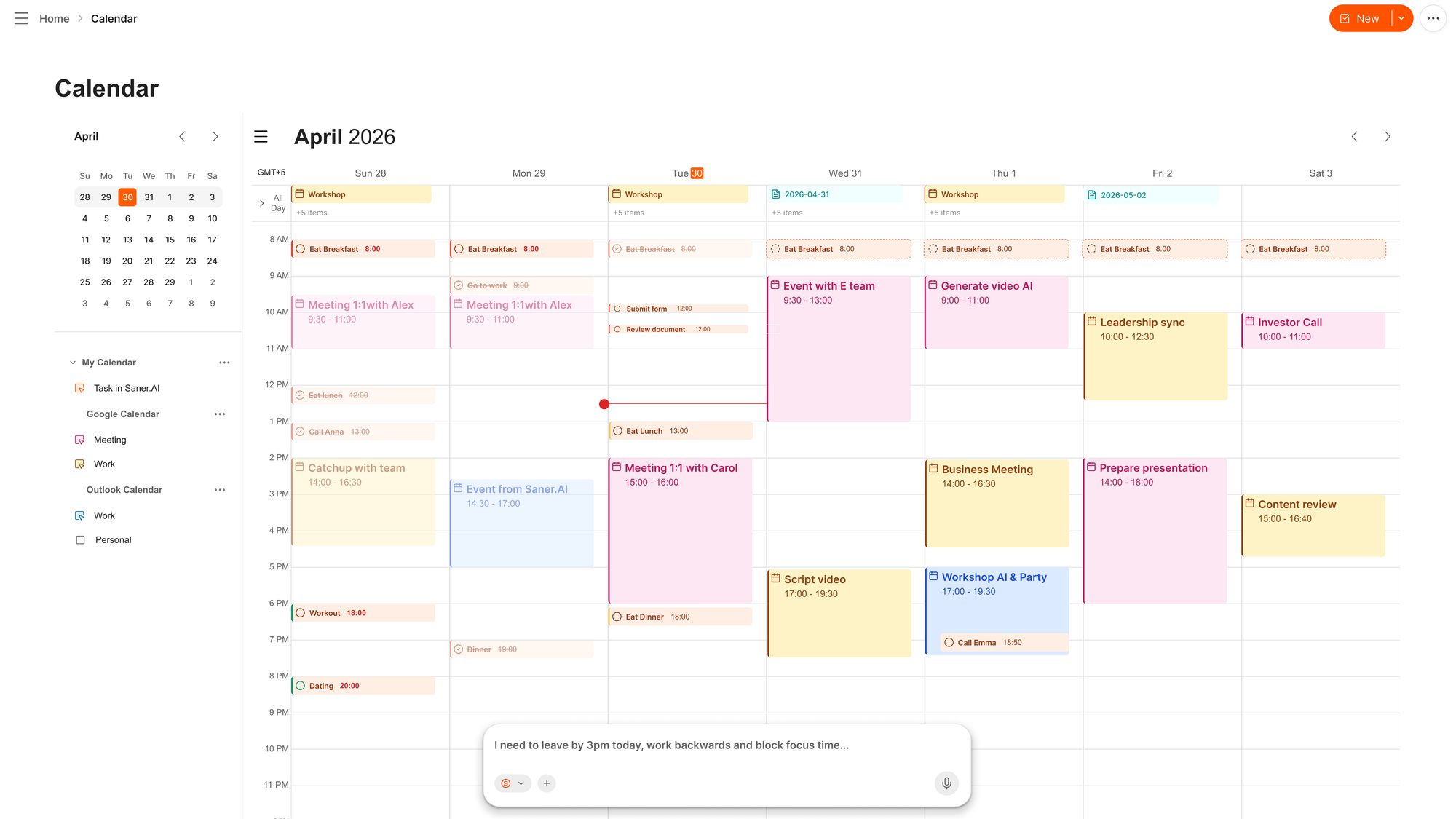
Syncs with your calendar, Gmail, and Google Drive so everything stays connected
- AI calendar built in
What I liked
- I can ask Skai to summarize my notes or pull up what I need without digging through folders
- The AI assistant can pull up relevant info even if you barely remember where you saved it
- It automatically turns messy thoughts and info from emails into actionable tasks with reminders
- I can use it across notes, tasks, and research all in one place, so I don’t have to jump between 4 different tools
Cons
- Not ideal for large teams or project timelines - no Gantt charts or complex task dependencies.
Pricing
- Free
- Starter: Monthly at $8/month, Annually at $6/month (with early user discount)
- Standard: Monthly at $16/month, Annually at $12/month (with early user discount)
Suitable for
- Solopreneurs, founders, consultants, and creators who want an AI assistant to reduce context switching, remember everything for them, and help them take action without needing a rigid system.
- Especially useful for folks who get overwhelmed by scattered notes, tasks, and mental clutter.
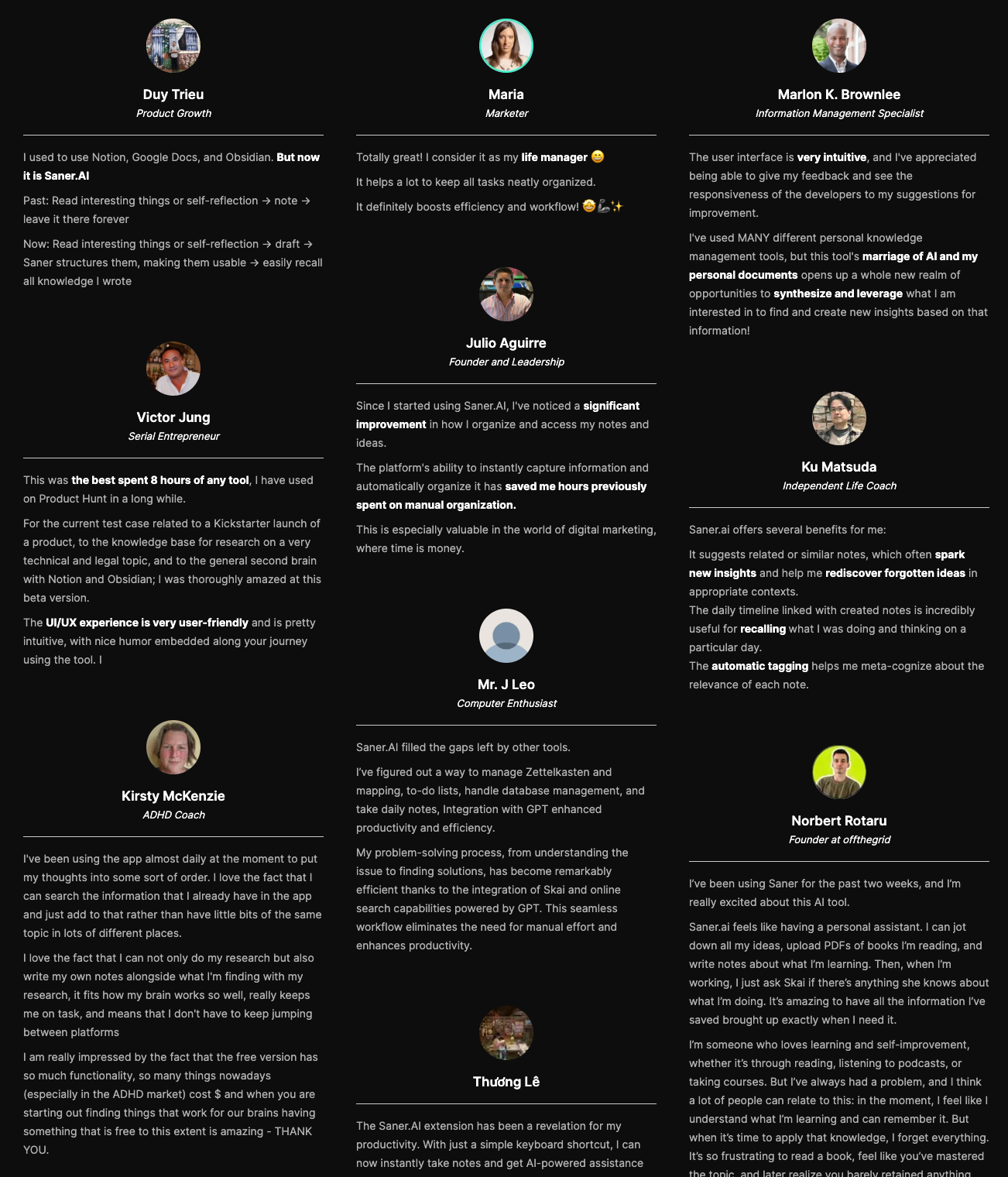
Saner.AI review
How to start
- Go to saner.ai, create a free account, connect your notes or calendar, and start chatting with your AI assistant. It’ll learn your workflow and help you get more done with less stress.

Manage your business effortlessly
2. ChatGPT

ChatGPT is a general AI assistant for solopreneurs who need to move fast. Whether you're brainstorming content, drafting emails, building a landing page, or researching a new niche, ChatGPT gives you instant support - like having a co-founder who never sleeps.
Key Features
- AI Writing & Editing: Generate blog posts, emails, ad copy, social captions, and more
- Deep Research: Summarize complex topics, compare products, extract insights from long docs
- Advanced Reasoning (GPT-5): Handles logic, multi-step instructions, and business workflows
- Custom GPTs: Build or use GPTs tailored to your niche—like a startup mentor or UX writer
What I liked
- It’s insanely versatile. I’ve used it to write landing page copy, plan a product roadmap, and debug code
- Deep research saves hours of manually Googling
- The image creation is really handy
What I disliked
- It still makes mistakes. Sometimes the answers are off or sound confident but wrong - you need to stay sharp.
- The Pro plan is expensive at $200/month. If you’re not using it heavily, it may be overkill.
- There’s no offline access. You need an internet connection for everything.
Pricing
- Free plan available with basic access
- ChatGPT Plus plan at $20/month for access to GPT-4o, Deep Research, and Agents
Suitable for
- Solopreneurs who write, plan, code, research, or build alone—and want an AI partner that can match their pace and adapt to any task.
How to start
- Go to chat.openai.com, create a free account, and start prompting.
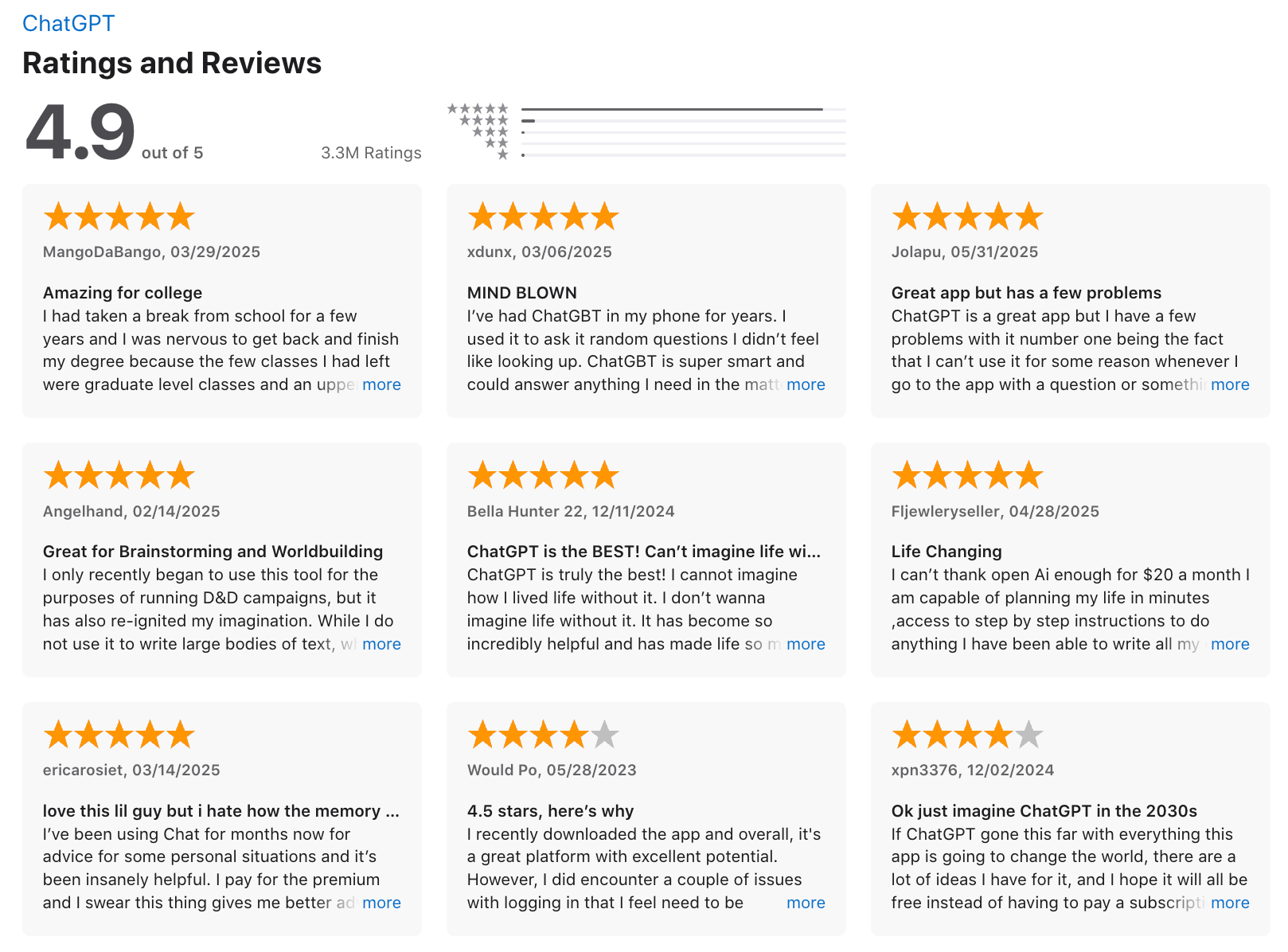
ChatGPT Review (source)
3. Canva
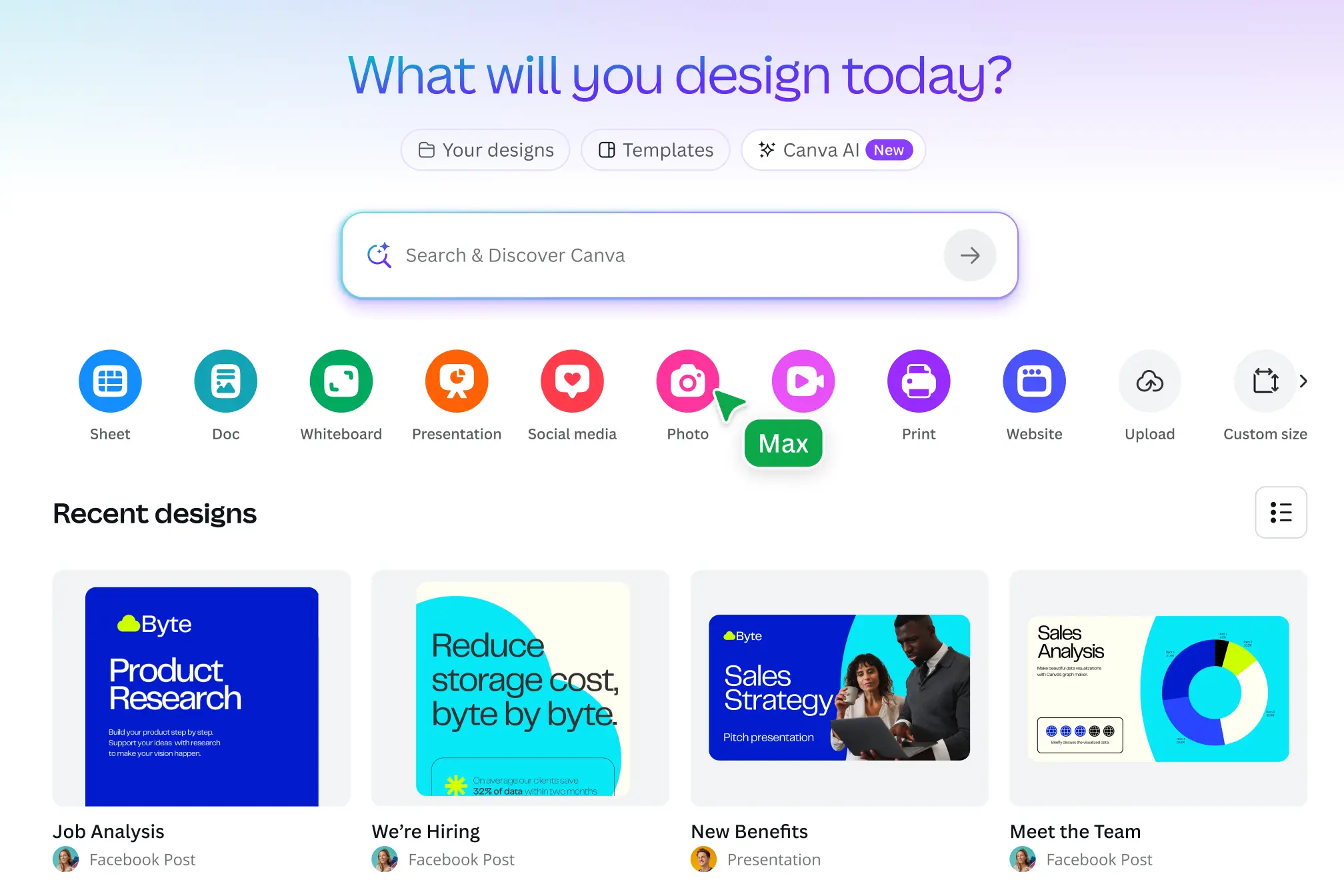
Canva is a drag-and-drop design tool that makes it easy to create everything from social posts to pitch decks - even if you have zero design experience.
Pros:
- Easy to use interface with Massive template and asset library: Millions of pre-made templates, images, videos, fonts, and more
- Brand Kit to upload your logo, fonts, and colors for consistent branding
- Visual Suite 2.0: Combine docs, presentations, spreadsheets, whiteboards, and more in one flexible workspace
Cons:
- The interface can feel overwhelming when you first try to use everything - especially AI and Code tools
- Many of the best AI features require a paid plan, so the free version may feel limited once you get started
Pricing
- Free plan available
- Pro plan at $12.99/month (or $119.99/year)
- Teams plan at $14.99/month for up to 5 users
Suitable for
- Solo creators, freelancers, and small business owners who want an all-in-one creative suite without the hassle of learning complex design tools.
How to start
- Go to canva.com, create a free account, and explore templates
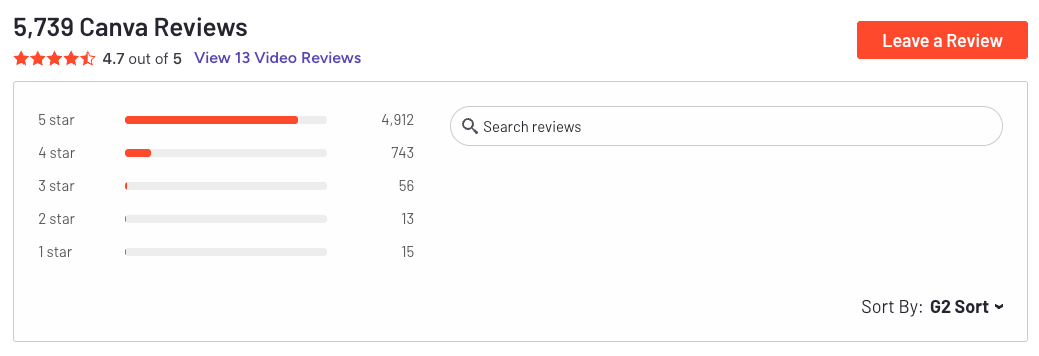
Canva review (source)
4. Calendly
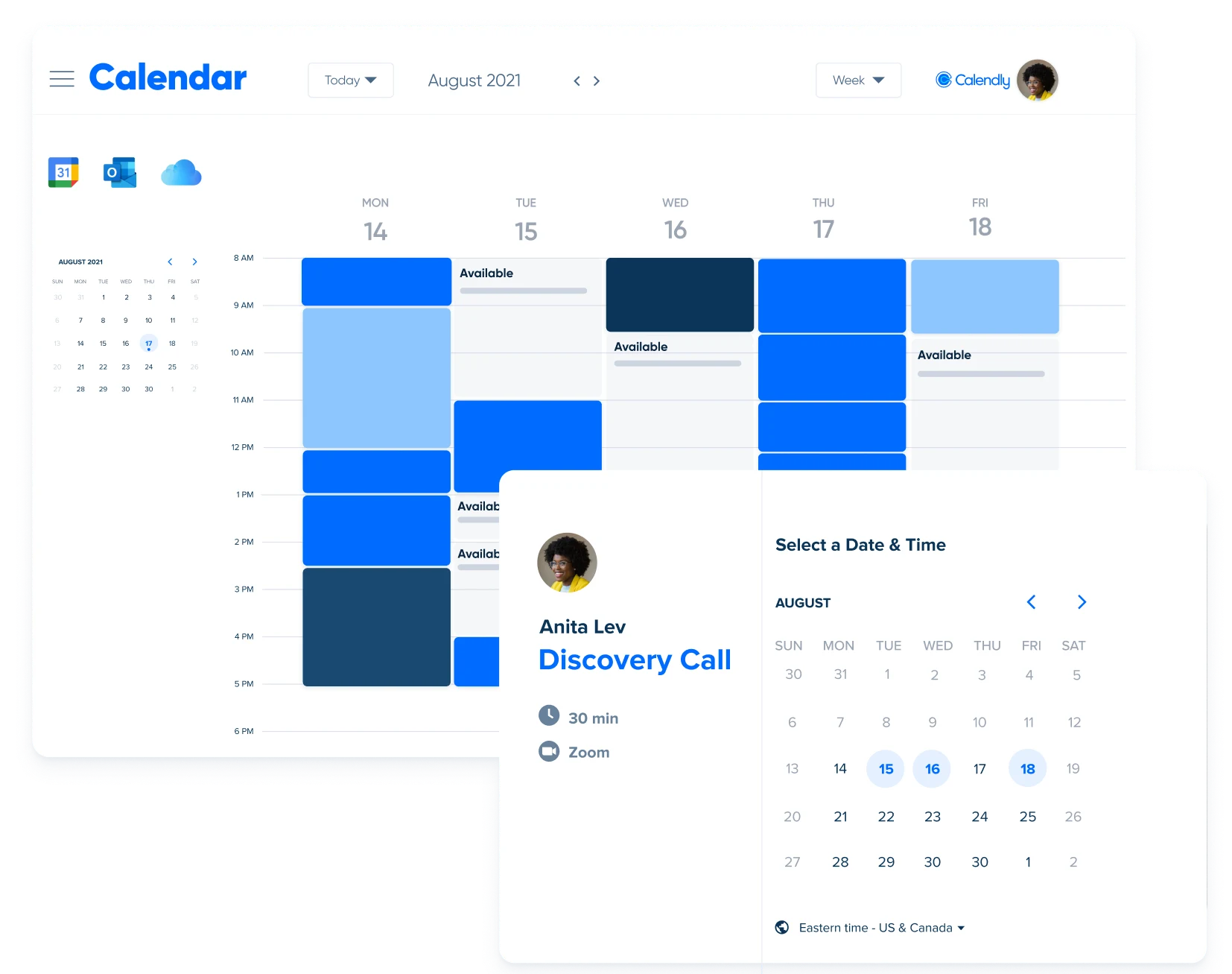
Calendly is a smart scheduling assistant that eliminates the back-and-forth of finding meeting times.
Key features
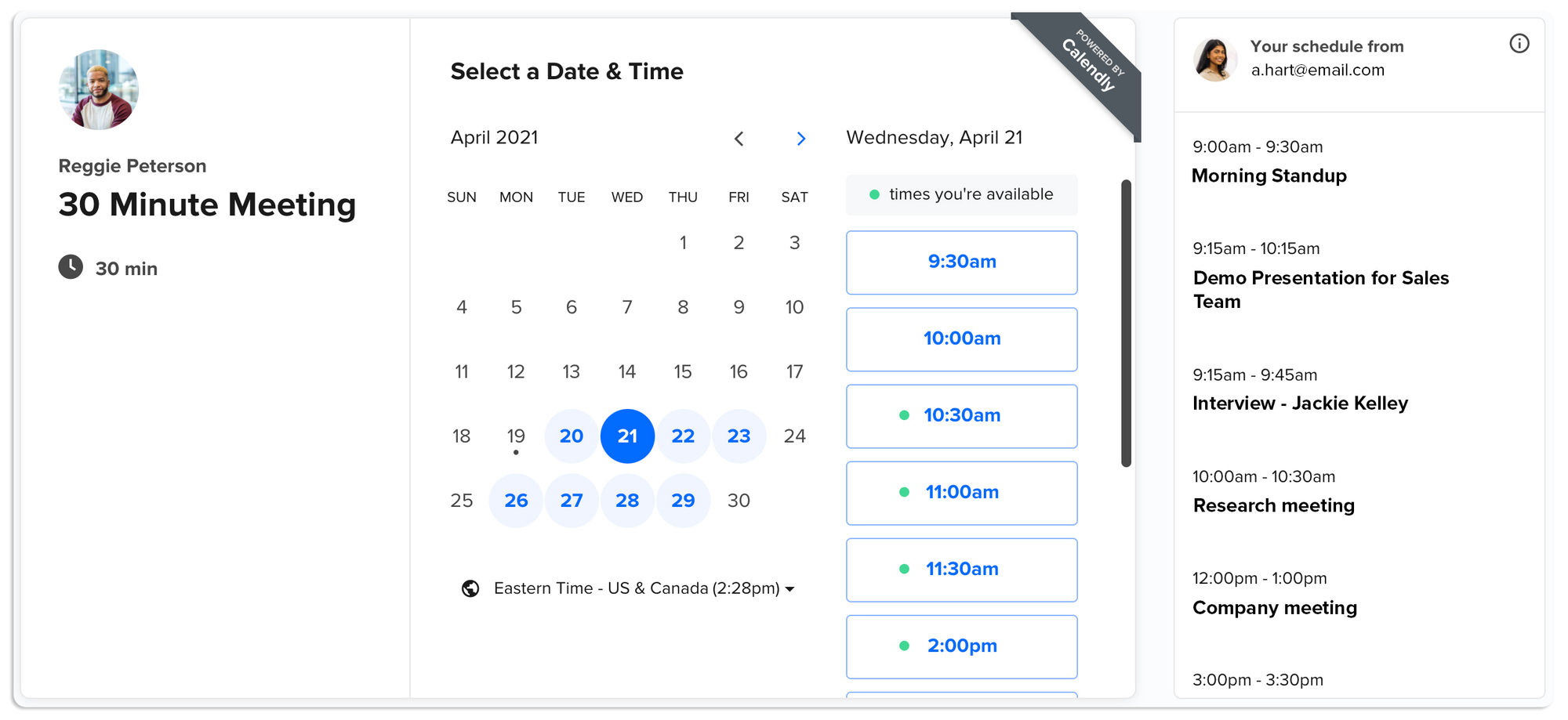
- Instant Link-Based Booking – Share a link or embed a booking page so others can book directly based on your real-time availability
- Custom Event Types – Set your own rules for different meetings: buffers, duration, reminders, location, and more
- Calendar & Conferencing Sync – Works with Google, Outlook, Microsoft 365; auto-adds Zoom, Google Meet, or Teams links
What I liked
- Easy to set up once, then it just works - no more endless emails trying to find a time
- Makes you look polished when clients or prospects book through a branded scheduling page
- The automated reminders and calendar invites reduce no-shows and save admin time
What I disliked
- The free version is limited to one event type and one connected calendar
- No advanced workflows or conditional logic compared to newer tools like Cal.com
Pricing
- Free – Basic features, one event type, one calendar
- Standard – $10/user/month billed annually ($12 monthly)
- Teams – $16/user/month billed annually ($20 monthly)
Suitable for
- Solopreneurs, freelancers, and service providers who want an easy way to schedule meetings, reduce friction, and keep their calendars under control. Also great for small teams that need shared availability or automated routing.
How to start
- Go to calendly.com, create a free account, and connect your calendar. Set up your first event type (like a 30-minute intro call), customize your availability, and share your link
Calendly review (source)
5. Google sheet - Plan, CRM
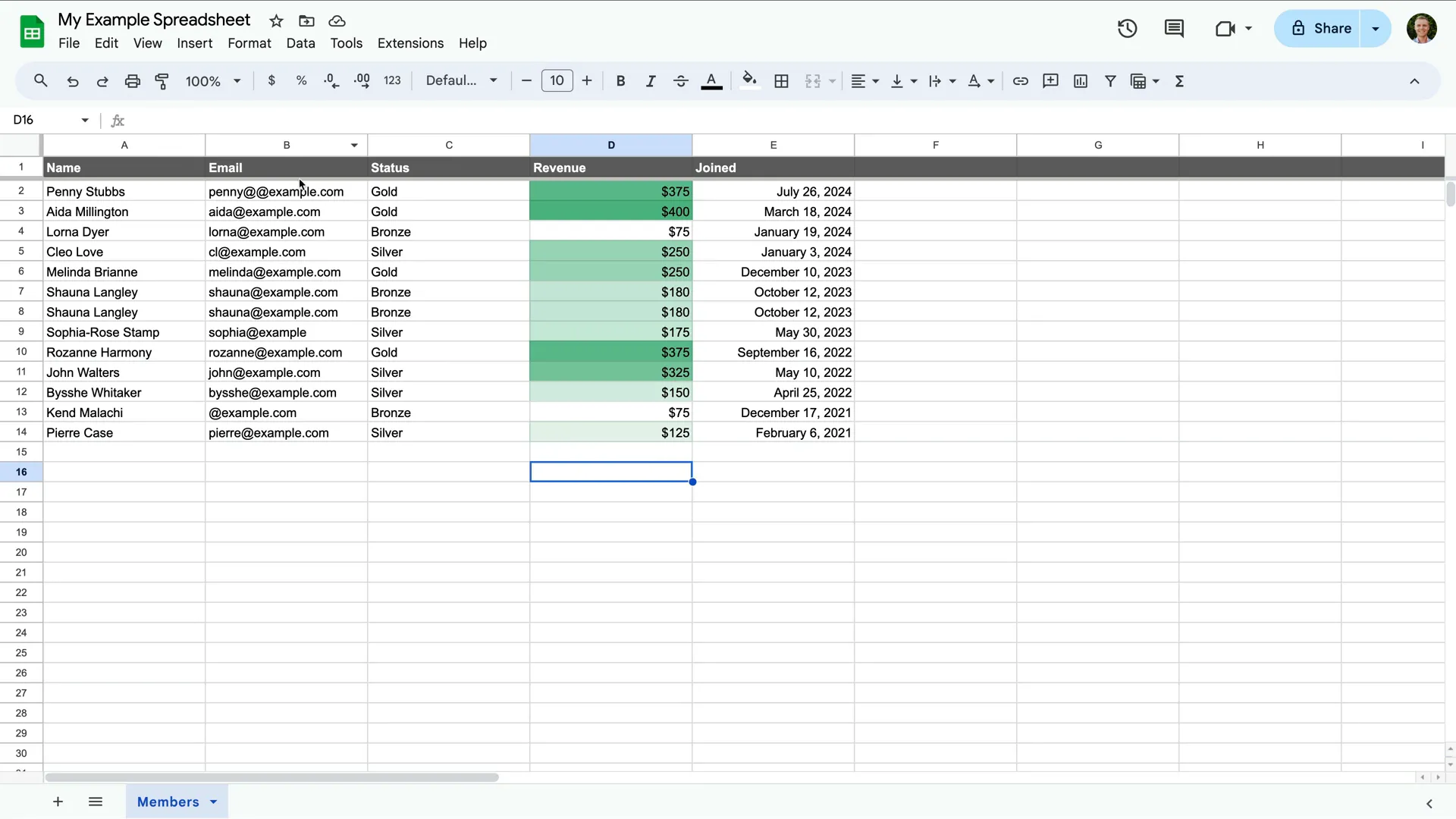
Google Sheets is a flexible spreadsheet tool that lives in the cloud.It’s free, easy to use, and ideal for solopreneurs who need to track income, plan projects, manage clients, or build lightweight systems - all without needing a full-blown database or project management app
Key features
- Real-time Collaboration: Work with clients or contractors live in the same file
- Custom Formulas: Automate calculations, logic, and workflows
- Add-ons & Extensions: Integrate with tools like Stripe, Zapier, Notion, etc.
- Data Visualization: Build charts, dashboards, reports
What I liked
- You can build almost anything - content calendars, lightweight CRMs, habit trackers, even client onboarding systems
- It's super customizable - no rigid templates, just a blank canvas for your workflow
- Seamless with the rest of Google Workspace - especially helpful when combining Docs, Calendar, and Gmail
What I disliked
- It’s not visually appealing out of the box — you’ll need to style it if it’s client-facing
- Large or complex sheets can slow down performance
- If you’re new to formulas or spreadsheet logic, there’s a bit of a learning curve
Pricing
- Free plan available with any Google account
Suitable for
- Solopreneurs who want a customizable, lightweight tool to manage everything from money to project tracking - without needing to subscribe to 5 different apps.
How to start
- Go to Google Sheets, sign in with your Google account, and start with a blank sheet or one of their free templates.
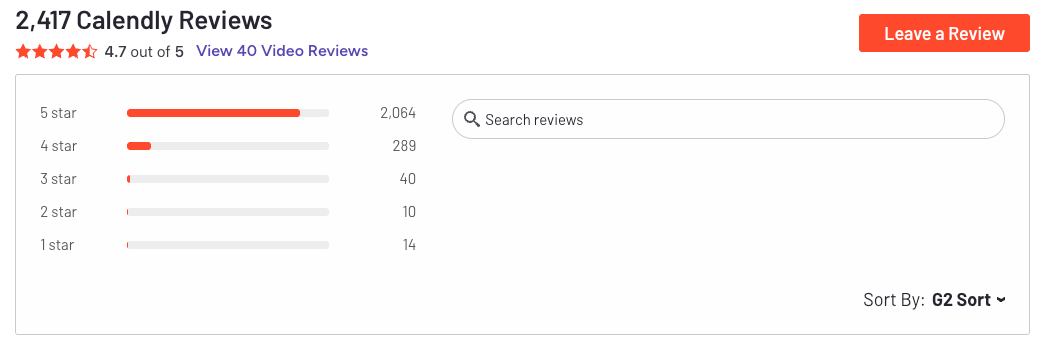
Google Sheets review (source)
6. v0
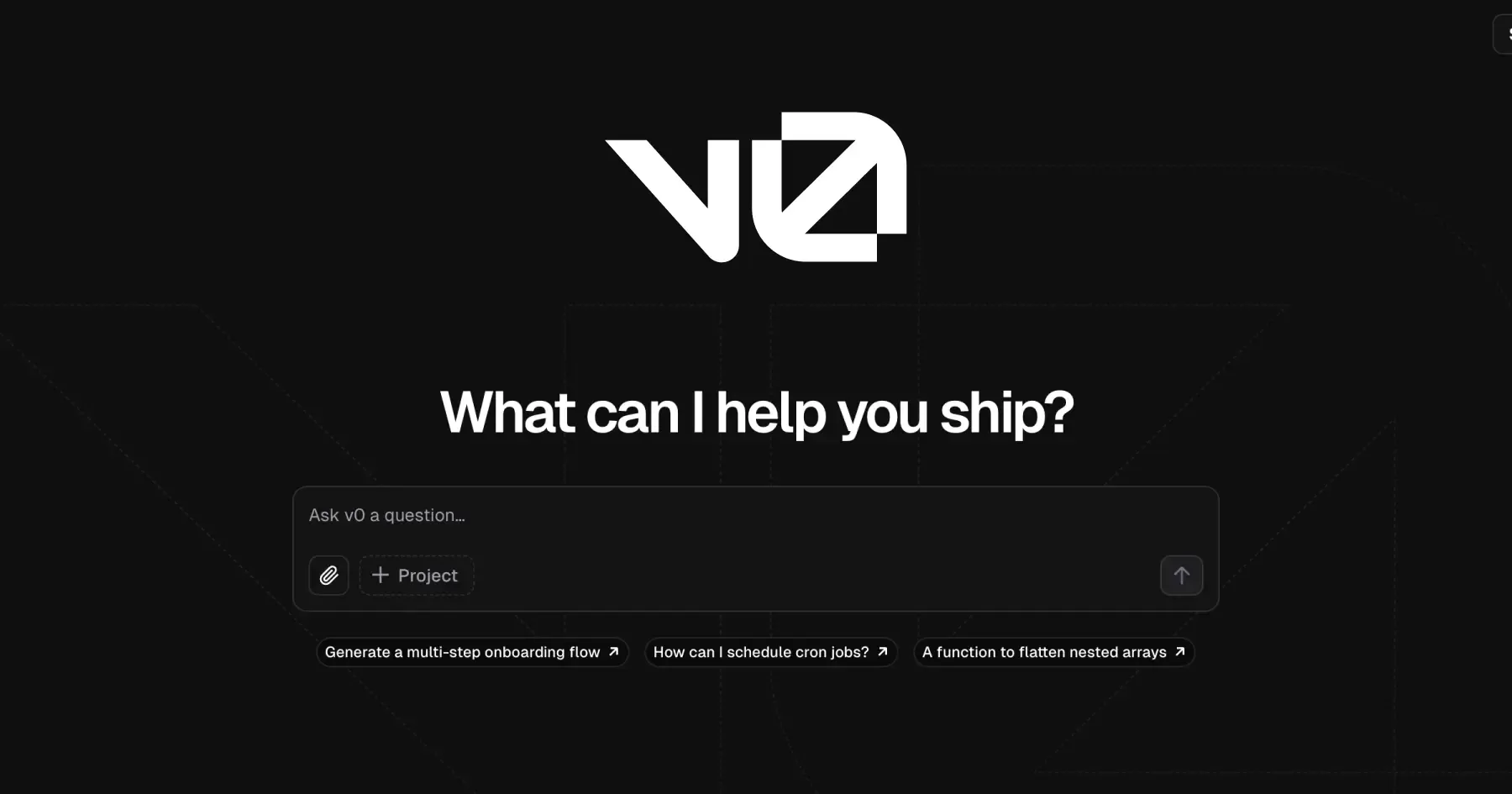
v0 is an agentic AI builder that helps you create full-stack web apps just by describing what you want. You type a prompt, and it instantly generates production-ready code - layouts, forms, dashboards,
Key features
- Agentic reasoning: Plans, inspects, and adapts to your request—not just a code generator
- Natural-language UI builder: Type “I want a portfolio with 3 sections and a contact form” and get a full app
- Code + preview: See your live result alongside editable code (usually React + Tailwind)
- Iterative prompts: Refine designs or features by asking for changes—without starting over
- Vercel integration: Deploy instantly through your connected Vercel account
What I liked
- It feels like having a co-developer - just describe what you want and get working code
- You can iterate easily - just ask for tweaks like “make this darker” or “add testimonials”
- The live preview next to code is great for learning and quick changes
- Deployment is seamless - no setup, no hosting headaches
What I disliked
- It doesn’t generate complex backend logic - still need to connect APIs or databases manually
- Some designs feel too basic or generic - you’ll likely need to polish for branding
- It uses a credit system, so depending on your usage, you may hit limits on the free tier
Pricing
- Free tier includes limited monthly credits
- Paid plans start around $20–$30/month, depending on usage
Suitable for
- Solopreneurs who want to build landing pages, MVPs, dashboards, or digital products fast - especially if you’re not a frontend expert but still want full control.
How to start
- Just go to v0.app, sign in, and start with a simple prompt like:
“Create a personal landing page with a hero banner, about section, and contact form.”
From there, refine and deploy with one click through Vercel.
7. Stripe
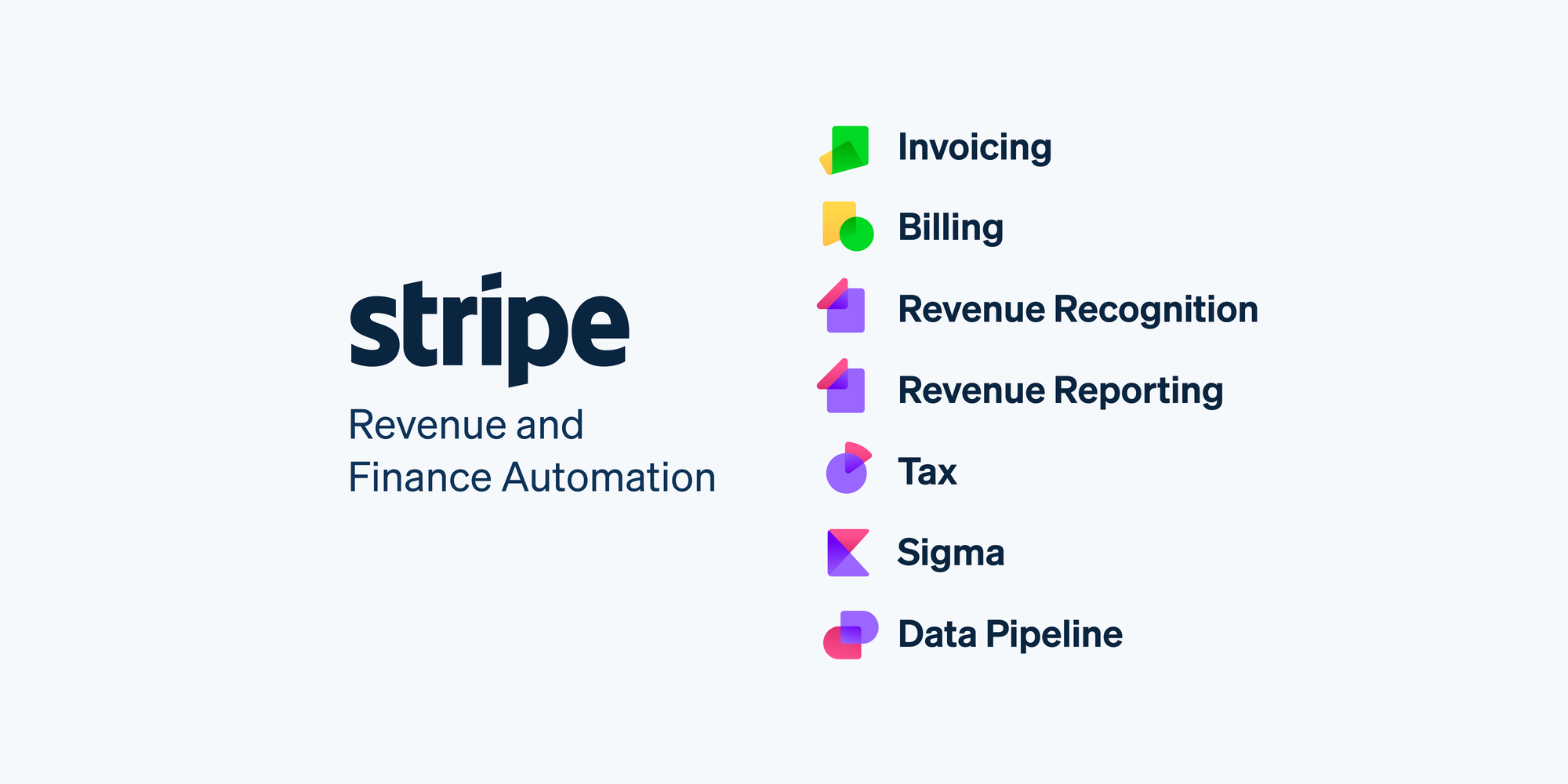
Stripe is a flexible payment platform that helps solopreneurs sell products or services globally without needing a full finance team. It handles online payments, subscriptions, invoicing, tax, and fraud prevention - all under one roof.
Key features
- Payments: Accepts online and in-person payments, with clear pay-as-you-go pricing
- Billing: Supports recurring subscriptions, free trials, usage-based billing, and more
- Invoicing: Generate branded invoices and track payments easily
- Connect: Handles payouts if you run a marketplace or work with external vendors
- Terminal: POS hardware and SDKs for in-person sales
- Radar: Built-in fraud detection using machine learning
- Extras like Stripe Atlas (company formation), Connect (marketplaces), and Tax (automated sales tax)
What I liked
- Transparent pricing - no setup or monthly fees for basic payments
- Easy to scale - just turn on new features as my business grows
- Everything’s in one place - from invoicing to fraud detection
What I disliked
- Some setup can be technical - especially for Connect or Terminal
- Extra fees for currency conversion and international cards can add up
- Might be overkill if I just need to send a few basic invoices
Pricing
- 2.9% + $0.30 per online card payment (U.S.)
- 2.7% + $0.05 for in-person transactions
- Billing plans start free, then scale (e.g. $0.70 per active user)
- Invoicing: $0.04–$0.05 per invoice on paid tiers
- Connect: ~$2/month per account or $0.25 per payout
- Radar (fraud protection): $0.05–$0.07 per transaction
- Sigma (analytics): ~$10/month with trial available
Suitable for
- Solopreneurs who sell products or services online, run subscriptions, or operate globally. Great if you want full control over the payment stack and are comfortable with some technical setup.
How to start
- Go to stripe.com, create a free account, and start accepting payments. You can add features like Billing, Invoicing, or Connect later as your business grows.
Stripe review (source)
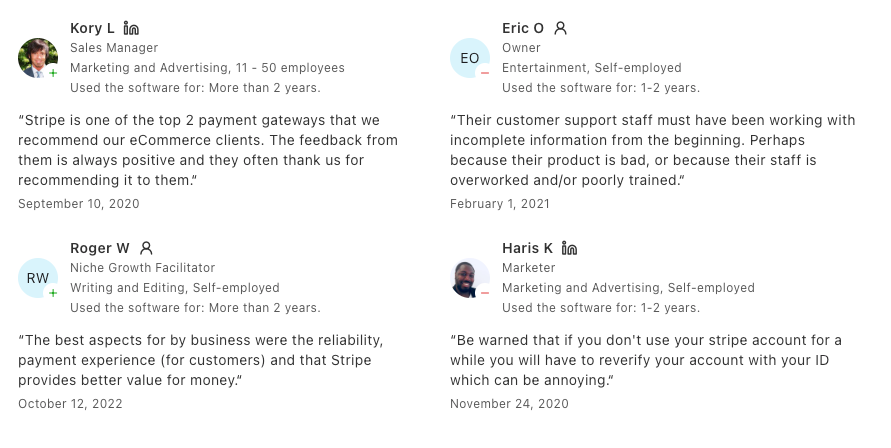
(Bonus) Shopify
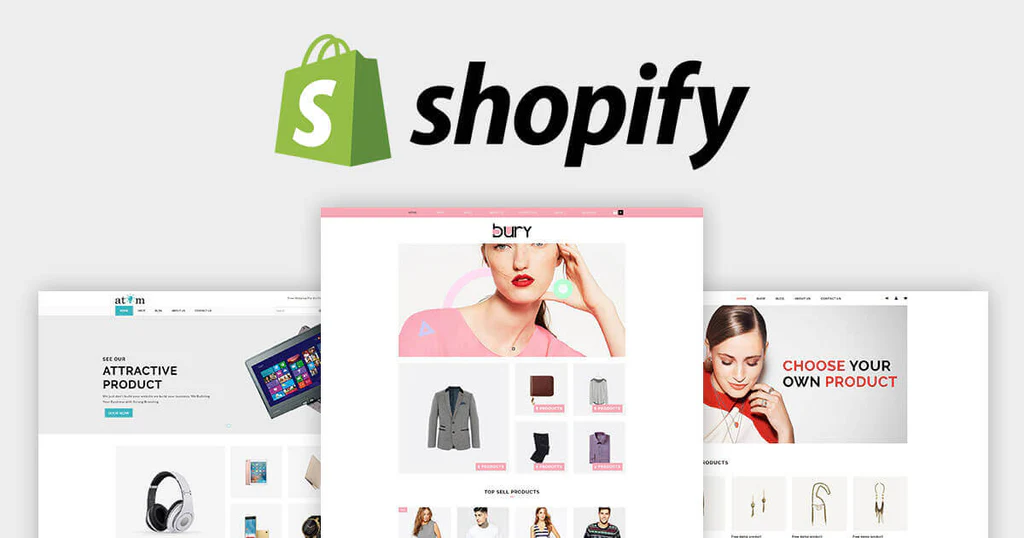
Shopify is a powerful all-in-one commerce platform for solopreneurs. It helps you build, manage, and grow an online store - whether you're launching your first product or running a growing side hustle. From storefront design to payments and fulfillment, Shopify handles it all behind the scenes so you can focus on selling.
Pros:
- Store builder & themes: Choose from free and premium templates to create a clean, professional storefront without code
- App ecosystem: Thousands of apps for marketing, analytics, subscriptions, dropshipping, loyalty, and more
- Payments & checkout: Includes Shopify Payments and Shop Pay for a fast, frictionless checkout experience
- Smart Knowledge Base: Converts your store policies into AI-friendly FAQs that support AI chat experiences
- Reliability: 99.9% uptime to keep your store running smoothly
Cons:
- It can be overwhelming for new users - the dashboard is packed with features, which is great, but not beginner-friendly
Pricing:
- Basic plan: $29/month
- Standard and Advanced plans with lower fees and more features
- Shopify Plus is available for high-volume brands
How to start:
- Go to shopify.com, start a free trial
🎯 Final Thoughts: You Don’t Have to Do It All Alone
Being a solopreneur means owning your freedom - but also managing everything that comes with it. The to-dos. The ideas. The clients. The chaos.
But here's the truth:
You don’t need to hustle harder. You need a smarter system.
The right tools don’t just save time - they protect your mental space, help you stay focused, and make the business of being solo feel way more doable.
So don’t wait to be “ready” or “organized enough.”
Start small. Pick 2–3 tools that speak to your biggest pain points. Let them carry some of the load.
And if you’re feeling overwhelmed by everything flying around in your head -
Try Saner.AI. It’s built to help solopreneurs turn messy thoughts into a clear plan for the day - no spreadsheets or stress required.
You’ve got this. And you don’t have to do it all manually anymore.
Stay on top of your Business in minutes
FAQ: Best Tools for Solopreneurs
1. What are the best tools for solopreneurs?
The best tools for solopreneurs are the ones that help you do more with less - automate tasks, save time, and stay focused without needing a big team. Some essentials include:
- ChatGPT – AI assistant for brainstorming, writing, and researching
- v0.dev – Turn plain language into working UI code instantly
- Saner.AI – Your second brain: turns notes, rants, and tasks into organized, follow-up-ready actions
- Canva – Simple, fast designs for branding, pitch decks, and social content
- Calendly – Makes scheduling with clients easy and professional
- Google Sheets – Still unbeatable for budgeting, tracking, and planning
- Stripe – Accept payments, invoice clients, and handle subscriptions
- Shopify – Ideal if you’re selling physical or digital products
Each tool solves a specific pain point for running a solo business—and most of them work well together.
2. How do I choose the right tools as a solopreneur?
Start with your biggest bottleneck.
Are you spending too much time writing? Automate it with ChatGPT.
For missed follow-ups and scattered notes, Saner.AI can organize your chaos.
If client bookings are messy, use Calendly.
Pick tools that:
- Save you time daily (not just feel productive)
- Don’t need a complex setup or team onboarding
- Grow with your business (free plans help here)
3. What tools help solopreneurs stay organized?
These tools keep your solo biz running smoothly:
- Saner.AI – Organizes your notes, emails, and to-dos with AI. You can literally rant to it, and it turns that into tasks and reminders.
- Google Sheets – Custom dashboards, finances, planning in one place
- Calendly – No more back-and-forth for meetings
- Stripe – Tracks income, automates payouts, and keeps financial records in check
Together, they handle the work behind your work.
4. What’s the best AI tool for solopreneurs?
Saner.AI and ChatGPT are top picks:
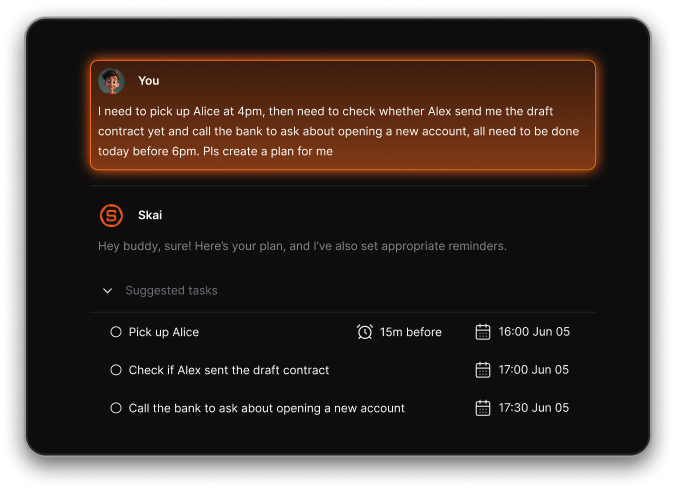
- Saner.AI – Designed for overwhelmed minds. It understands your thoughts, extracts tasks, and builds your day plan automatically.
- ChatGPT – Great for content writing, research, and idea generation. Think of it as your brainstorming partner.
Bonus: Use both together for a powerful “thinking + doing” combo.
5. Can solopreneurs use no-code tools to build apps or websites?
Yes - v0.dev is a standout. You just type what you want (like “a landing page with email signup”) and it generates working UI code you can use immediately.
Great for:
- Launching quick experiments
- Building MVPs without a dev team
- Customizing UIs for your solo product
It’s like hiring a front-end developer, minus the cost.
6. What tools help solopreneurs make money online?
If you’re freelancing, coaching, or selling products, these tools help you get paid:
- Stripe – Handle payments, invoices, and subscriptions easily
- Shopify – Great for e-commerce or digital goods
- Calendly + Stripe integration – Charge for calls, consults, and sessions
- Google Sheets – Track income and plan budgets
Set up once - then let the money flow in without chasing.
7. What tools help with branding and content?
Every solopreneur needs a polished online presence. These help:
- Canva – Templates for logos, IG posts, pitch decks, and more
- ChatGPT – Write website copy, bios, captions, and emails
- Saner.AI – Summarize notes and pull out content ideas from scattered thoughts
You don’t need to be a designer or writer - you just need the right support.
8. What tools help solopreneurs save time?
Time = your most limited resource as a solo founder. These tools give you hours back:
- Saner.AI – Suggests next actions, schedules tasks, and reduces decision fatigue
- Calendly – Books calls without back-and-forth
- ChatGPT – Drafts faster than you can type
- v0 – Saves days of frontend coding
- Stripe – Automates payments, tax, and receipts
The best tools make you feel like you have a team—when it’s just you.
9. Are these tools beginner-friendly?
Yes. Most offer free tiers and don’t require technical skills.
Here’s how to get started:
- Use Saner.AI to turn daily chaos into organized action
- Try ChatGPT to write your next email or idea pitch
- Set up Calendly and Stripe to start booking and getting paid
- Design your logo or pitch in Canva
- Track it all in Google Sheets
If you're solo, your stack should work for you, not the other way around.
10. What's the best tech stack for solopreneurs in 2025?
Here’s a powerful, low-cost stack to run your solo business:
| Category | Tool | Why it’s great |
|---|---|---|
| Writing & ideas | ChatGPT | Fast, smart, and easy to use |
| Productivity | Saner.AI | Turns thoughts into tasks; manages calendar and notes |
| Scheduling | Calendly | Clean, simple bookings |
| Payments | Stripe | Handles everything from invoicing to recurring payments |
| Ecommerce | Shopify | Best for selling anything, online |
| Visuals | Canva | Design anything fast—even if you're not a designer |
| Planning | Google Sheets | Still the MVP for custom tracking |
| No-Code | v0.dev | Build UI without touching code |
Stay on top of your work and life effortlessly