Morgen vs. Saner.AI for ADHD: What's suitable for you?

The short answer
- Pick Morgen if time blindness is your main struggle and seeing your whole day laid out visually keeps you grounded. It’s strongest when you juggle several calendar accounts, and you like approving every block yourself.
- Pick Saner.AI if your ADHD shows up as “out of sight, out of mind.” That means notes you can’t find, emails that become forgotten tasks, and mornings where you can’t figure out where to start. Saner.AI catches those things and drafts your day automatically
Morgen vs Saner.AI at a glance
| Morgen | Saner.AI | |
|---|---|---|
| What it is | Calendar-first daily planner | AI personal assistant for notes, email, tasks and calendar |
| Best for | People with many calendar accounts | People with scattered information and busy (often ADHD) brains |
| ADHD strength | Visual day layout that helps with time blindness | Capture and reminders that help with forgetting and task paralysis |
| Free plan | No, 14-day trial | Yes |
| Paid price | $15/mo yearly, $30/mo monthly | $8 or $16/mo yearly, $12 or $20/mo monthly |
| Calendars | Google, Outlook, iCloud, Fastmail, CalDAV | Google Calendar, Outlook Calendar |
| AI planning | Suggests a plan, you approve it | Drafts your day and checks in through chat |
| No | Gmail and Outlook mail, turned into suggested tasks | |
| Notes and knowledge base | No | Yes, a core feature |
| Booking links | Yes | No |
| Platforms | Mac, Windows, Linux, iOS, Android | Web, iOS, Android, Chrome extension |
| Team plan | Yes, from $10/seat on yearly billing | No, one account per person |
How we compared them
We judged both tools on the ADHD struggles that wreck a planning system: time blindness, forgetting things once they leave your sight, freezing when it’s time to start, decision paralysis, and setup friction that makes you quit in week two.
Then we read both products’ pricing pages and went through public reviews on Trustpilot, G2, Product Hunt, the app stores, and Reddit, looking for comments from people who mention ADHD.
We gave critical reviews more weight on purpose. For ADHD users especially, one annoying step can be the reason a tool gets abandoned, and complaints reveal those steps faster than praise does.
Morgen vs Saner.AI: What does each help with ADHD's problems?
| ADHD struggle | Morgen | Saner.AI |
|---|---|---|
| Time blindness | Strong. Every calendar and time block in one visual view | Timeline view of tasks, but fewer calendar options |
| Out of sight, out of mind | Shows only what you’ve already added | Pulls tasks from email and notes and brings up forgotten items |
| Trouble starting (task initiation) | Waits until you open it and ask for a plan | Drafts your day each morning and checks in |
| Decision paralysis | Suggests a plan you then review | Answers “what should I do next?” in chat |
| Capturing thoughts fast | Quick task entry | Voice notes, Chrome extension, brain dump to plan |
| Setup friction | Frames need configuring before the AI gets useful | Connect email and calendar, then start talking |
What does Morgen offer people with ADHD?
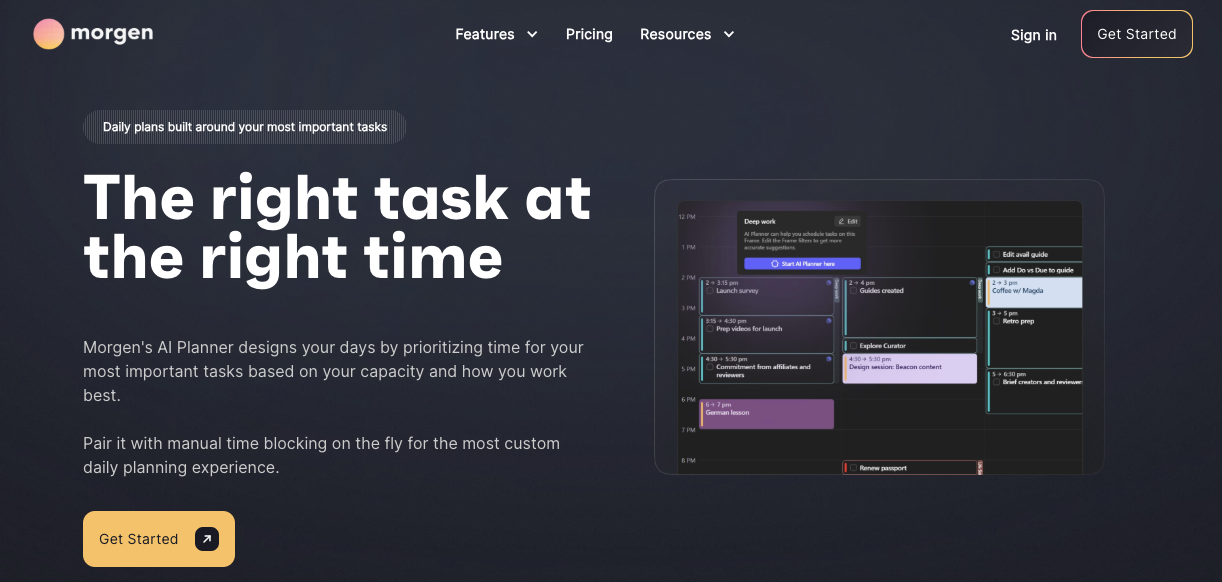
Morgen is a calendar-first daily planner from Morgen AG, a Swiss company. Its big idea is one place for all your time: every calendar account, every task list, and every time block in a single color-coded view. Its AI Planner suggests where your tasks could fit, but nothing moves until you approve it, so your day never rearranges itself behind your back.
What you actually get:
- All your calendars in one view, including Google, Outlook, iCloud, Fastmail, and other CalDAV calendars
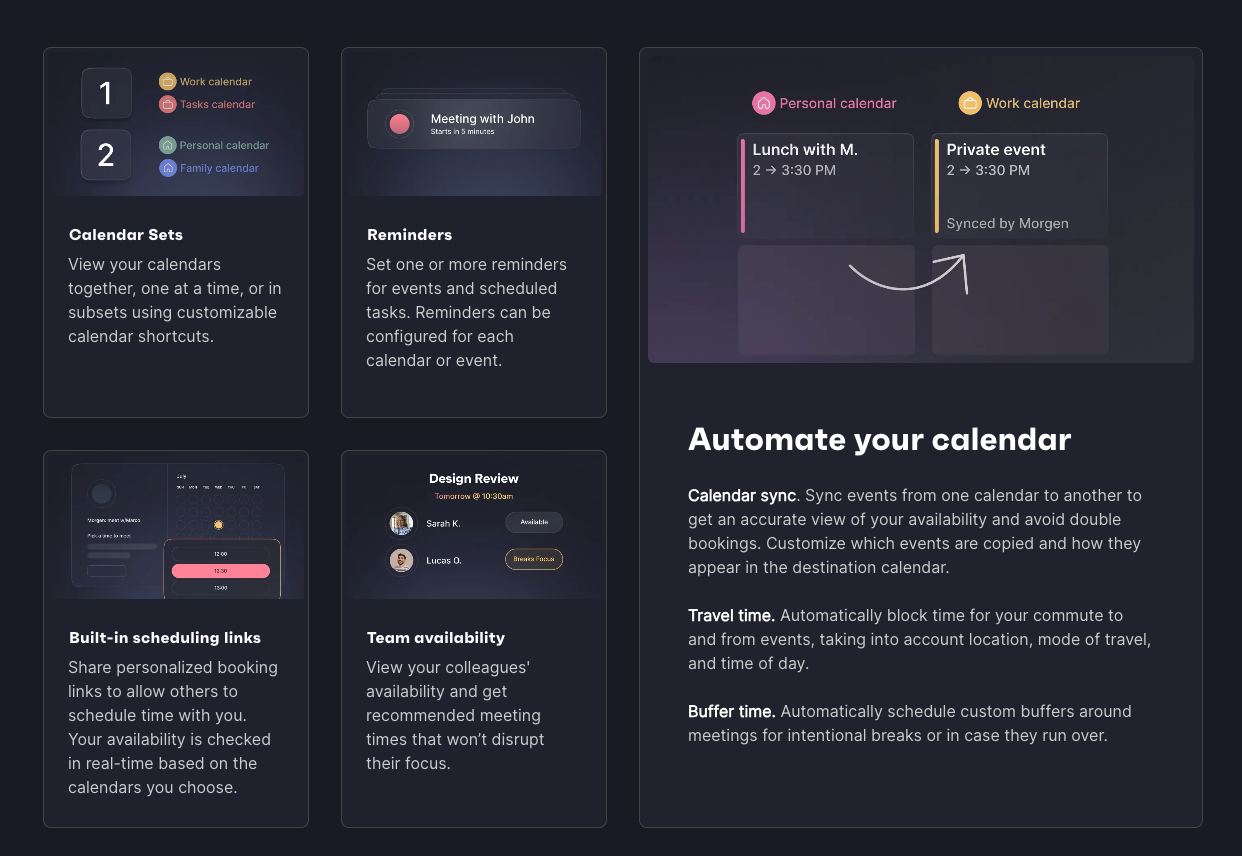
- Drag-and-drop time blocking. You drag a task from your list onto the calendar, and it becomes a block of time.
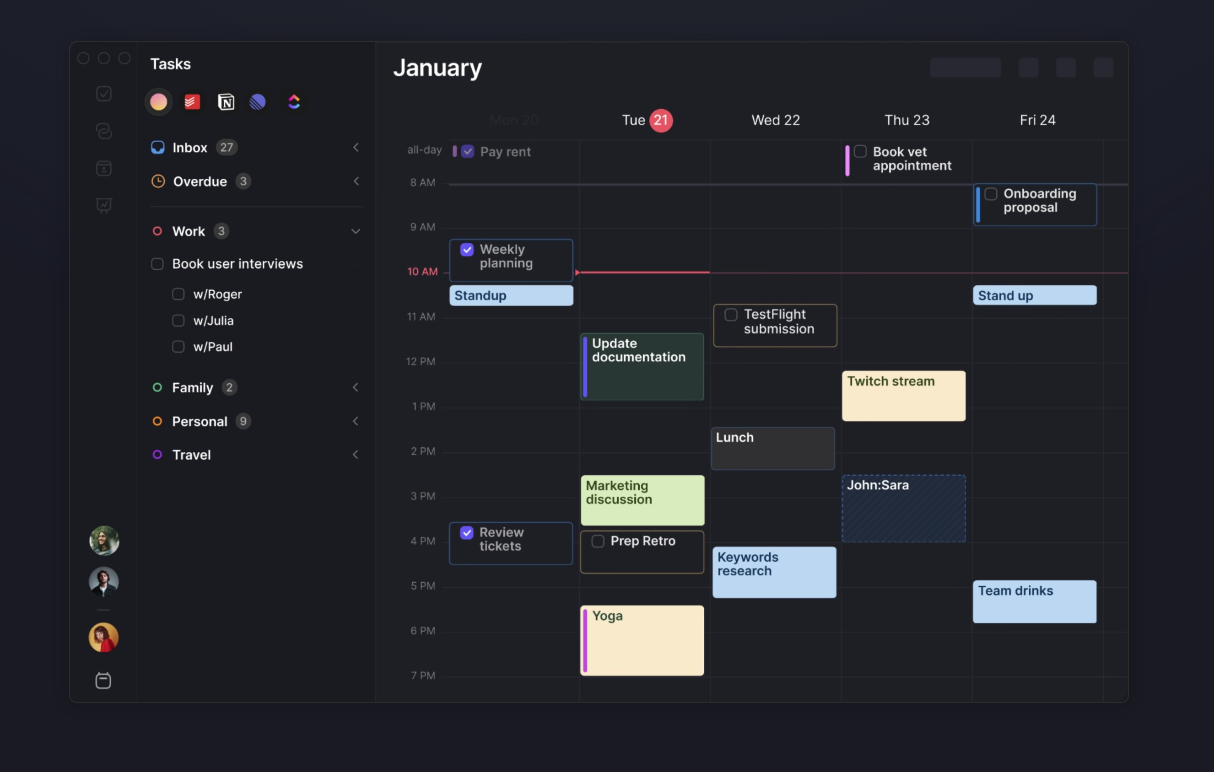
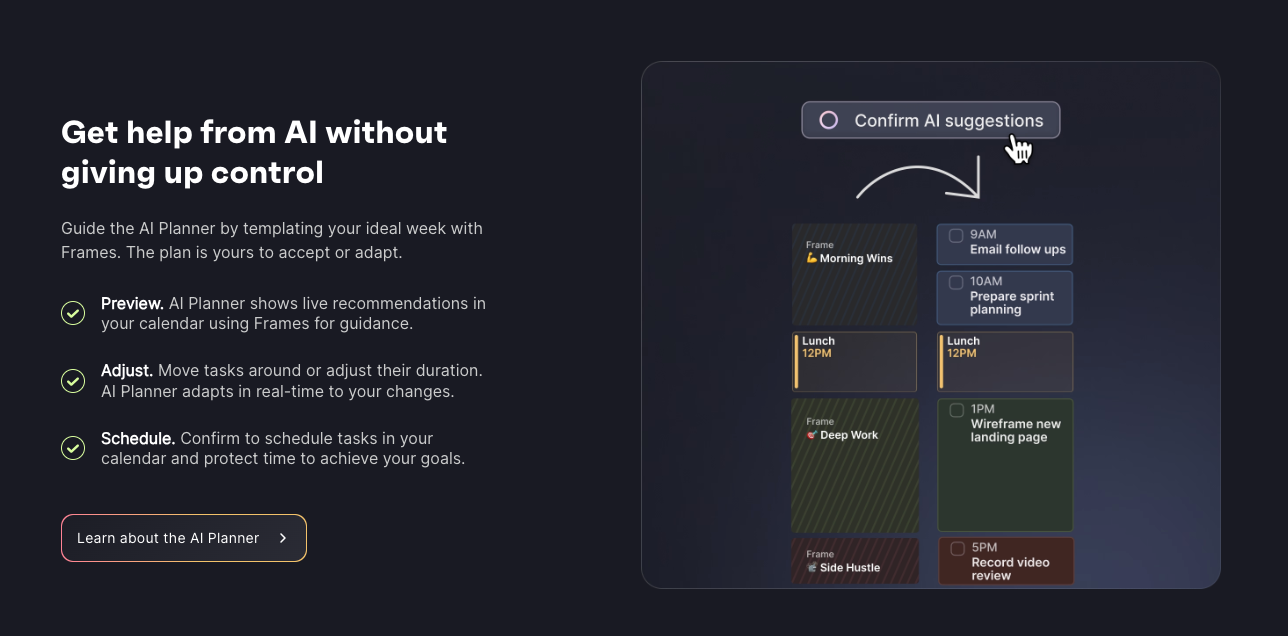
- An AI Planner that reads your tasks’ durations, priorities, and deadlines, then proposes a plan for you to review and approve.
- Frames, which are recurring time blocks (like “deep work mornings”) that only pull in the right kind of task.
- Task integrations with Todoist, Notion, ClickUp, Linear, Obsidian, and Apple Reminders, so tasks from other apps show up next to your meetings.
- Booking pages and scheduling links, so people can grab a slot without a long email thread.
- A small confetti celebration when you check off a task, which some users genuinely enjoy.
- Apps for Mac, Windows, Linux, iOS, and Android.
Price: No free plan. $15 a month billed yearly ($180 a year) or $30 billed monthly, after a 14-day trial with no card required. There’s a 30-day money-back guarantee.
Morgen cons
- No free plan. $180 a year is a real commitment, and it’s easy for a subscription you stopped using to keep charging you.
- It only works when you open it. The AI Planner waits for you to ask, and starting is often the hardest part with ADHD.
- Frames take setup before the AI assistant becomes useful, and a long setup is where many ADHD users give up.
- It plans around tasks you’ve already written down. It doesn’t read your email or keep notes, so the commitment you forgot to add stays forgotten.
- The AI Planner works from task durations, which means you need to estimate how long things take. That’s often the skill ADHD makes hardest.
- Some users report problems: late mobile notifications and a feature removed without notice.
What Morgen users say
Another customer said Morgen refused to honor his earlier price after a payment problem, once prices had gone up - reviews.
On Android, one reviewer often gets meeting notifications hours late, after the meeting has already happened - reviews.
A small-business CEO on G2 called Morgen’s AI features “somewhat disappointing so far” - reviews.
A consultant on G2 found that Smart Frames appear in Google Calendar as events, which made her calendar chaotic and hard to manage - reviews.
One user diagnosed with ADHD at 55 said Morgen’s color-coded view of all her calendars gave her a sense of security against time blindness, but she later dropped her rating to one star after Morgen removed a feature she relied on daily without telling users - reviews.
What does Saner.AI offer people with ADHD?
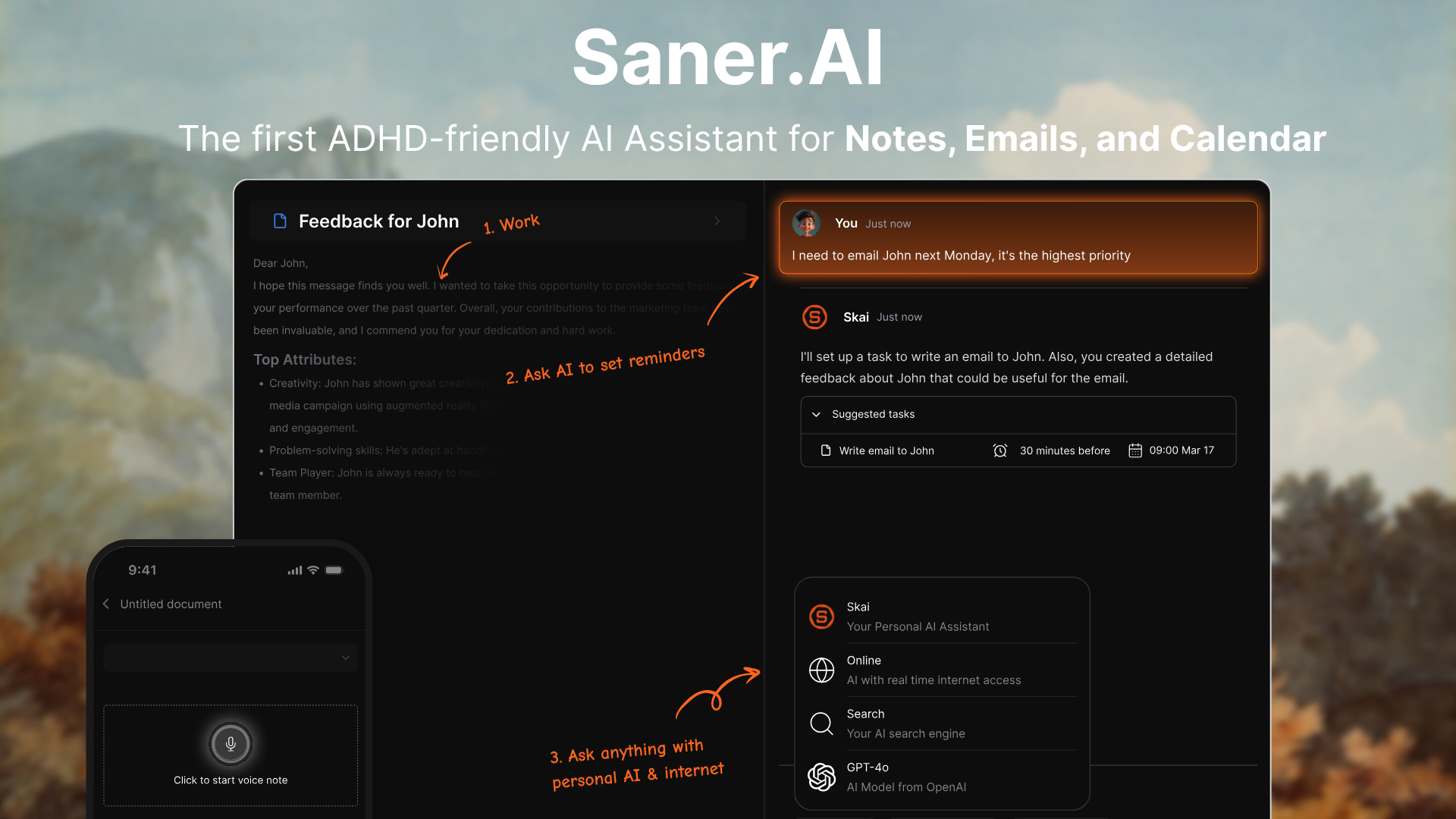
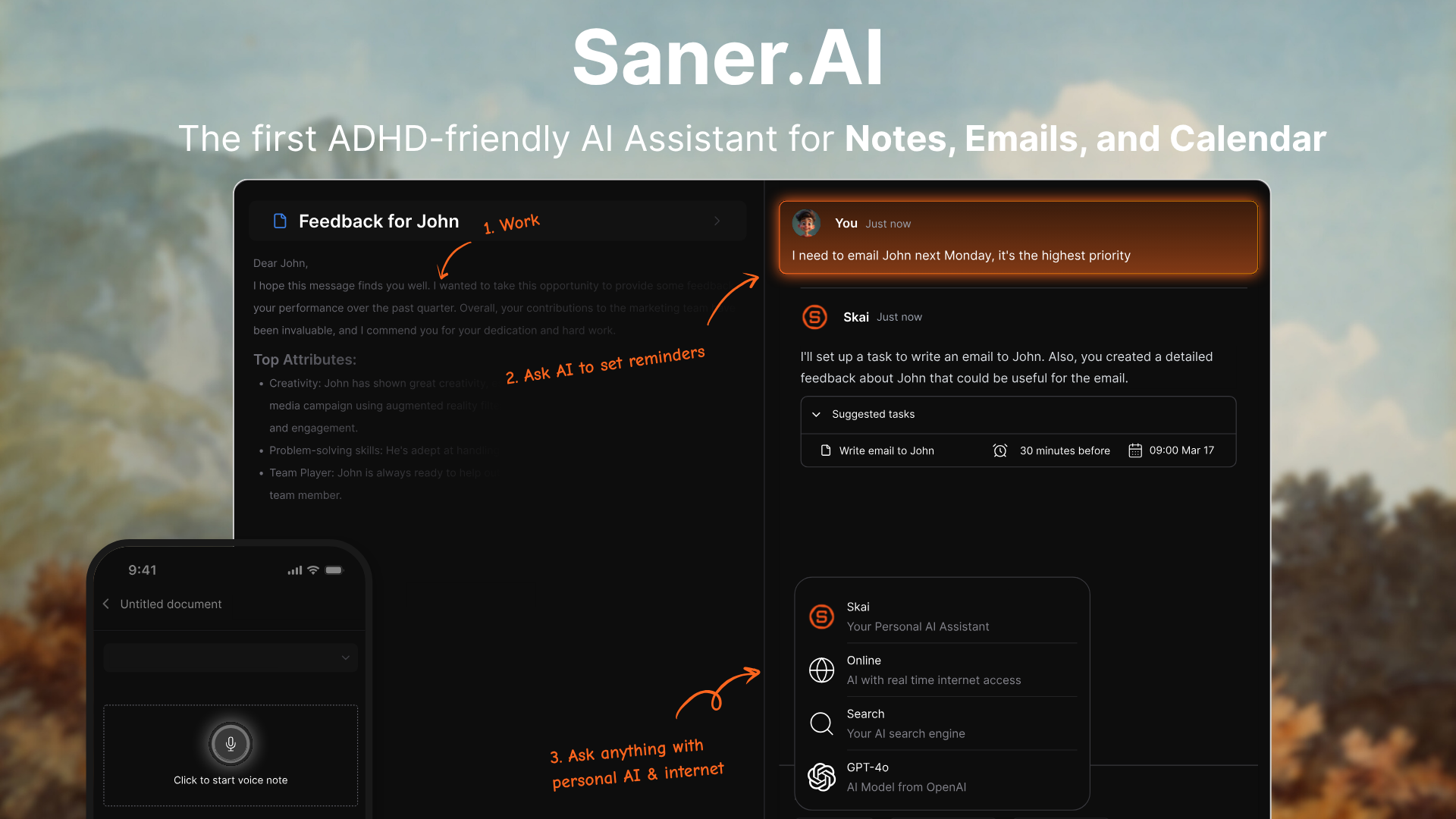
Saner.AI is an AI personal assistant for your notes, email, tasks and calendar. At its center is Skai, an assistant that reads what you’ve saved, drafts your day and checks in with you. You chat with it instead of maintaining a system, and one of the co-founders has ADHD, which shaped how the whole product works.
What you actually get:
- Capture from anywhere: quick notes, voice notes, and a Chrome extension, so an idea in the shower doesn’t have to survive until you reach your desk.
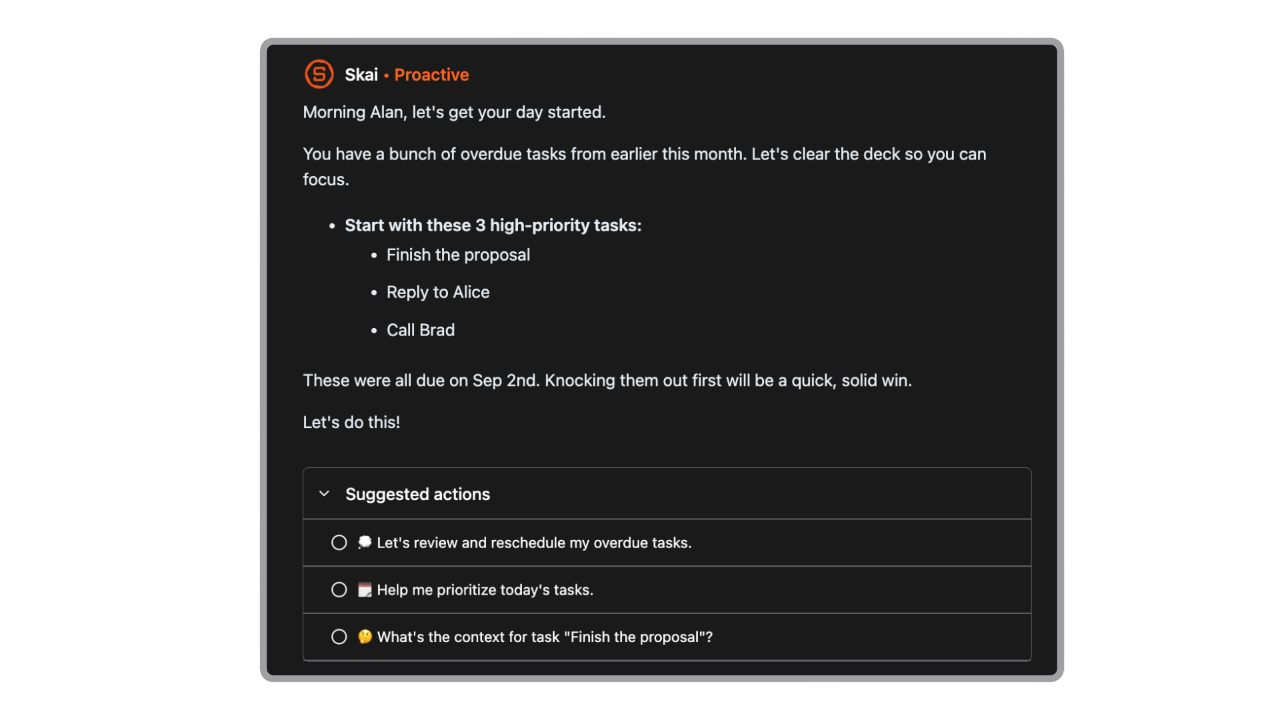
- Proactive planning: Each morning, or at a time you choose, Skai looks at your calendar, overdue tasks, and recent notes and tells you what needs attention
- Email to tasks: Emails become tasks with reminders, so the “I’ll reply tonight” email doesn’t disappear.
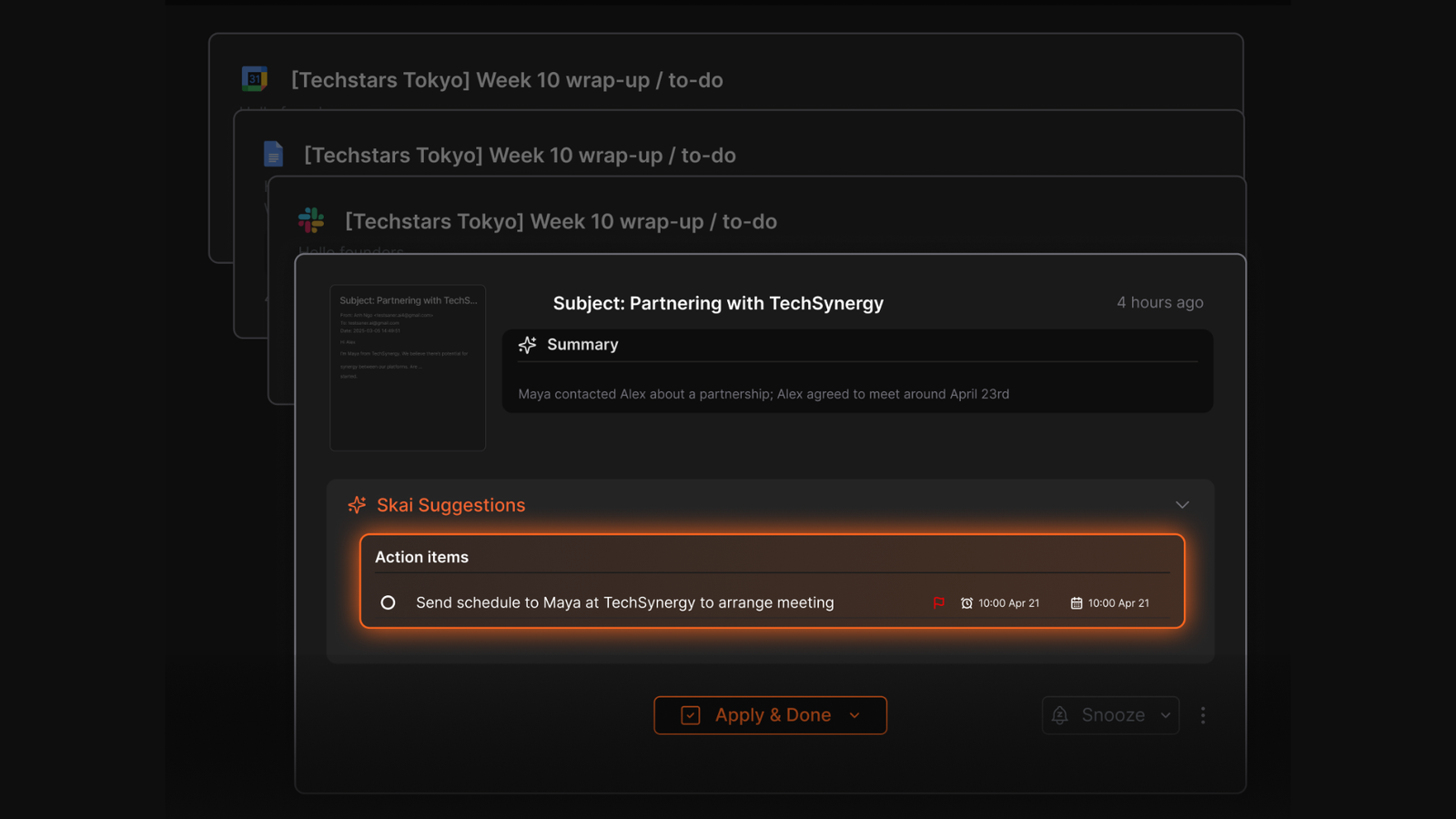
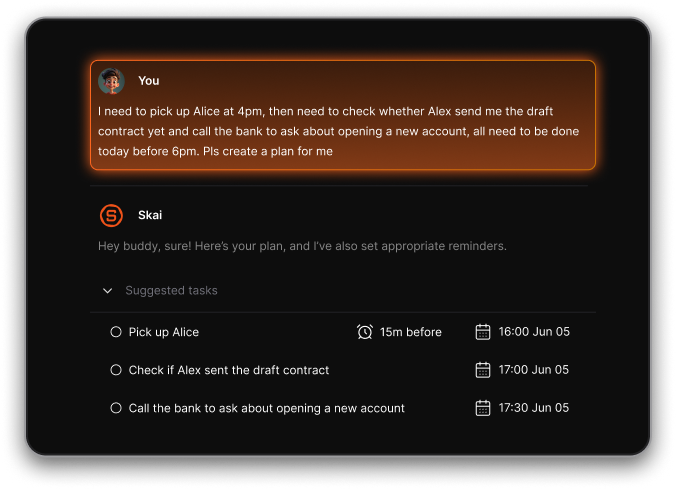
- Brain dump to plan: Type or say the whole mess, and Skai turns it into tasks you can prioritize and schedule.
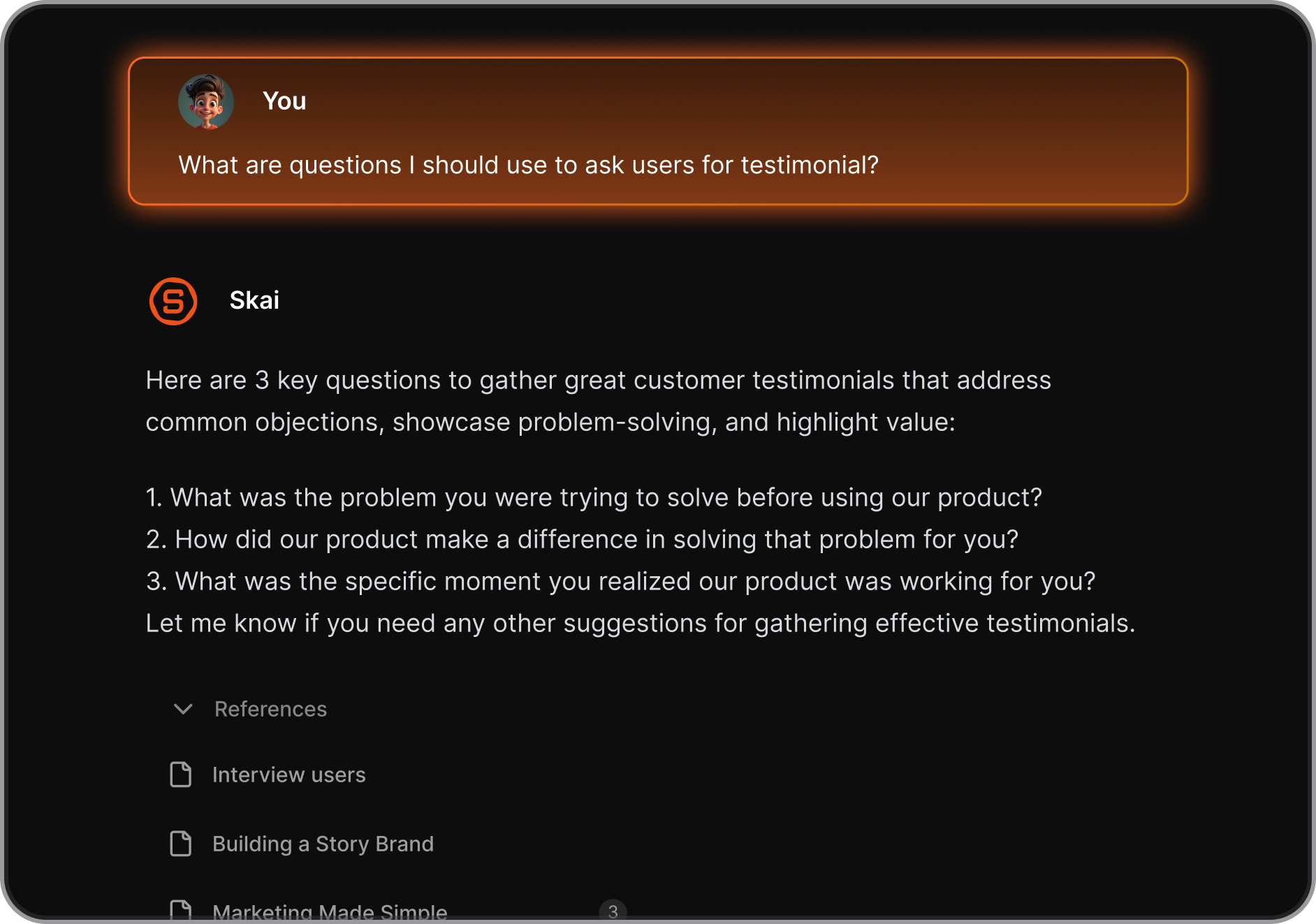
- Search that works without the exact words, plus auto-tags and folder suggestions, so you can stop filing things by hand.
- Time blocking. Tasks with durations appear as blocks on your calendar, with Google Calendar and Outlook Calendar sync.
- Focus Box, which keeps your top tasks pinned on desktop, plus a lock-screen Live Activity so your phone shows your focus task.
Price: Free plan available. Starter is $8 a month billed yearly ($12 monthly), and Standard is $16 a month billed yearly ($20 monthly).
Why Saner.AI clicks for some ADHD brains:
- It catches things for you. The thing your manager said on a call or the email you meant to answer gets pulled in, and that matters most if you live with ADHD object permanence.
- You don’t need to be in a planning mood. The plan arrives as a draft, and editing a draft is much easier than facing a blank day.
- It speaks first. You don’t have to remember to open it and ask for help.
- It was built from the inside, by a co-founder who has ADHD.
Saner.AI cons
- There’s no team plan. Every person needs their own account.
- It’s a bigger app than a pure calendar.
What Saner.AI users say
After trying dozens of ADHD apps, one Reddit user called Saner.AI the most capable, because it breaks tasks down and reschedules everything with a single request - reviews.
Product Hunt reviewers repeatedly mention quick capture and the ability to search their own documents, and one called it the best eight hours he’d spent with any tool in a long while - reviews.
How do you actually use each one on an ADHD day?
The Saner.AI workflow
- Connect Gmail or Outlook and your calendar once, so emails and meetings flow in on their own without you copying anything.
- Capture everything the moment it shows up, whether that’s a voice note while walking, a highlight through the Chrome extension, or a quick line typed between calls. Don’t organize anything, because Skai handles the tagging and sorting.
- In the morning, read Skai’s proactive plan instead of building one from scratch. Cross out what’s unrealistic, bump what’s truly urgent, and leave the rest.
- For the task you keep avoiding, ask Skai to break it into small steps and schedule only the first one.
- Give your key tasks a duration so they appear as blocks on your calendar, which makes the day visible without extra setup.
- When you can’t remember something, like what a client said about the deadline, ask Skai
- At the end of the day, ask Skai what’s still open and move it to tomorrow. It takes two minutes and works as a simple shutdown routine.
The Morgen workflow
- Connect every calendar you have, including work, personal, and family. The whole point is that nothing lives in a second app you forget to check.
- Turn on buffer time between meetings before you do anything else. If you tend to book back-to-back calls and then run late for the third one, this setting helps more than any feature in the app.
- Build two or three Frames on a calm day, not on a busy Monday.
- Keep Morgen open on a second screen or as your phone’s main calendar, so the day stays visible.
- Before you close the laptop, drag unfinished tasks to tomorrow. A quick re-plan beats waking up to yesterday’s broken schedule.
Where Morgen is better
Morgen is the better calendar. If you manage four or more accounts, use iCloud or CalDAV, send booking links to clients, or work on Linux, Morgen fits better, and we won’t pretend otherwise. Teams who need shared availability have a plan built for them, while Saner.AI doesn’t have one yet.
Where Saner.AI is better
Saner.AI is the better assistant. It does the work that happens before anything reaches a calendar: catching the task buried in an email, finding the note you wrote in March, and turning a 2 a.m. brain dump into a plan for tomorrow. It plans your day without you opening the app first. It also costs less to start, and you can try it for free.
Switching from Morgen to Saner.AI
- Create a free Saner.AI account. No card is needed.
- Connect Gmail and Google Calendar first (or Outlook mail and calendar), then Slack and Drive if you use them.
- Paste your open Morgen tasks into Skai as one messy list and ask it to organize them into a plan.
- Import your old notes. Users have brought in thousands at once.
- Run both apps for one week of normal work. Morgen offers a 30-day refund window, so you have room to decide.
Final verdict
Morgen is a polished calendar layer for people whose main problem is too many calendars. Saner.AI is built for people whose problem is everything around the calendar: the notes, the inbox, the “wait, what was I supposed to do today?” moments. If you see yourself in that second description, try Saner.AI free. For a deeper look at Morgen on its own, read our full Morgen review.
Frequently asked questions
Does Morgen still have a free plan?
No. Morgen ended its free plan in March 2026. You now get a 14-day trial with no card required, and after that you need a paid plan starting at $15 a month on yearly billing.
Is Saner.AI actually built for ADHD, or is that just marketing?
One of Saner.AI’s co-founders has ADHD, and the design choices follow from that. Saner has one capture point, AI tagging instead of manual filing, search that works even when you’ve forgotten the exact words, and an assistant that brings up forgotten items without you setting reminders. You don’t need an ADHD diagnosis to use it.
Is the free plan enough to decide whether Saner.AI is worth paying for?
Probably not. The free plan gives you 30 AI messages a month, which works out to about one a day. It shows you the interface but not the daily experience. A month of Starter at $12 is a better test.
Mem or Saner.AI for personal learning notes?
This comes up often in r/PKMS. Saner.AI handles notes, tasks, email, and calendar together, and lets you ask questions across everything you’ve saved. You can import thousands of notes and export them whenever you want, so you’re not locked in.
Does Morgen’s AI Planner move my tasks automatically?
No. Morgen suggests where tasks fit around your meetings, and you approve the plan before it touches your calendar. That’s the main difference from tools like Motion, which reschedule on their own.
Is there one app that handles notes, email, and calendar without hitting a wall?
Honestly, every all-in-one tool has limits. Saner.AI reads from your connected apps but doesn’t write back into them, and it syncs every 30 minutes rather than in real time. If your setup needs deep two-way automation, you may need a specialist tool alongside it.
Can Saner.AI replace Morgen if I have lots of calendars?
Only if they’re Google or Outlook calendars. Saner.AI doesn’t support iCloud or CalDAV, and it has no booking links. If you rely on those, Morgen remains the better calendar.
Does Morgen work on Linux?
Yes. Morgen has native apps for Mac, Windows, Linux, iOS and Android, which is rare among calendar planners.
Can my team share one Saner.AI account?
No. Saner.AI is priced per person; there’s no team plan yet, and the terms don’t allow sharing a login. Morgen has a team plan starting at $10 per seat on yearly billing.
Stay on top of your work and life effortlessly