Sunsama vs Saner.AI for ADHD: Which one should you pick?

The quick answer
- Sunsama is a guided daily planner. Every morning, it walks you through picking tasks, estimating them, and putting them on your calendar
- Saner.ai is an AI assistant that keeps your notes, email, tasks, and calendar in one place, drafts your day for you, and nudges you about what you forgot.
If you'll reliably show up for a 15-minute ritual, Sunsama is excellent. If your mornings are chaos and your real problem is stuff falling out of your head, Saner.ai fits better.
Here's the TLDR:
- Sunsama costs $17 a month billed yearly or $22 billed monthly, after a 14-day trial with no card required. There is no free plan
- Saner.ai has a free plan, then $8 a month (Starter) or $16 a month (Standard) billed yearly
- Sunsama wins on ritual, time-boxing, and work integrations like Asana and Jira.
- Saner.ai wins on capture, memory, and doing the first draft of your day.
Why is daily planning so hard with ADHD?
Because ADHD hits the skills a planner app assumes you have: holding things in mind, sensing how long things take, and getting started.
- Working memory is smaller and leakier. A meta-analysis of 38 studies found moderate working memory gaps in adults with ADHD compared with controls, for both verbal and visual-spatial tasks, and concluded those gaps persist into adulthood (Alderson et al., Neuropsychology 2013).
- Time is slippery. A 2021 meta-analysis of 55 studies in the Journal of the American Academy of Child and Adolescent Psychiatry found timing deficits in people with ADHD across every type of timing task it looked at (Marx et al., 2021).
- Structure helps, and it can be learned. In a randomized trial of 88 adults, a 12-week group program built around time management, organization and planning beat supportive therapy, with an odds ratio of 5.41 for responding to treatment (Solanto et al., American Journal of Psychiatry 2010).
So you want a tool that holds information, so your working memory doesn't have to. And you want one that makes time visible. Sunsama and Saner.ai both try.
If the bigger picture of executive dysfunction is new to you, start there.
Sunsama vs Saner.ai: how do they compare side by side?
In Sunsama, you build the plan inside a ritual. In Saner.ai, Skai drafts it, and you edit.
Sunsama | Saner.ai | |
|---|---|---|
Core idea | Guided planning and shutdown ritual | AI assistant that catches info and drafts your plan |
Free plan | No (14-day trial, no card) | Yes |
Price, billed yearly (USD/month) | $17 | $8 Starter, $16 Standard |
Price, billed monthly (USD/month) | $22 | $12 Starter, $20 Standard |
Who builds the daily plan | You, with optional AI drafting | Skai drafts, you edit |
Notes and ideas | Notes on tasks; not a notes app | Full notes, voice capture, search, auto-tags |
Email to tasks | Drag emails into your list | Emails become tasks with reminders |
Calendars | Google, Outlook, Apple (two-way) | Google (two-way), Outlook |
Work tool integrations | Asana, Jira, Linear, ClickUp, Notion, Trello, Todoist and more | Gmail, Outlook, Slack, Google Drive, Google Calendar |
Focus tools | Focus mode, Pomodoro, mute Slack and Teams | Focus Box, lock-screen Live Activity |
End of day | Built-in shutdown ritual with highlights | No formal ritual; ask Skai what's still open |
Best fit | Routine lovers who overcommit | Forgetters, brain-dumpers, inbox drowners |
What does Sunsama offer people with ADHD?
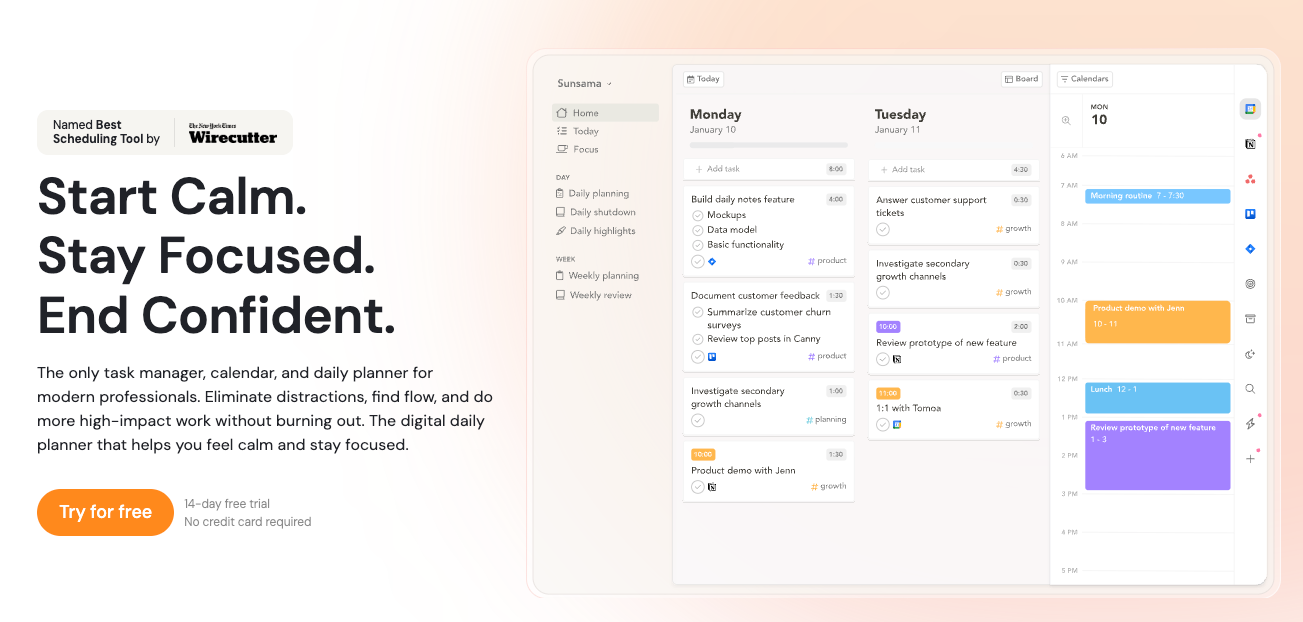
Sunsama is a calm daily planner. Its big idea is a ritual: you plan on purpose every morning and stop on purpose every evening. Sunsama itself says it is not an auto-scheduler that keeps rearranging your calendar; you review the plan and decide what stays
What you actually get:
- A guided daily planning ritual that Sunsama says usually takes 10 to 15 minutes
- One list for everything. It pulls tasks from email, Slack, Asana, Jira, Todoist, Notion, Trello, GitHub, and 20-plus other tools.
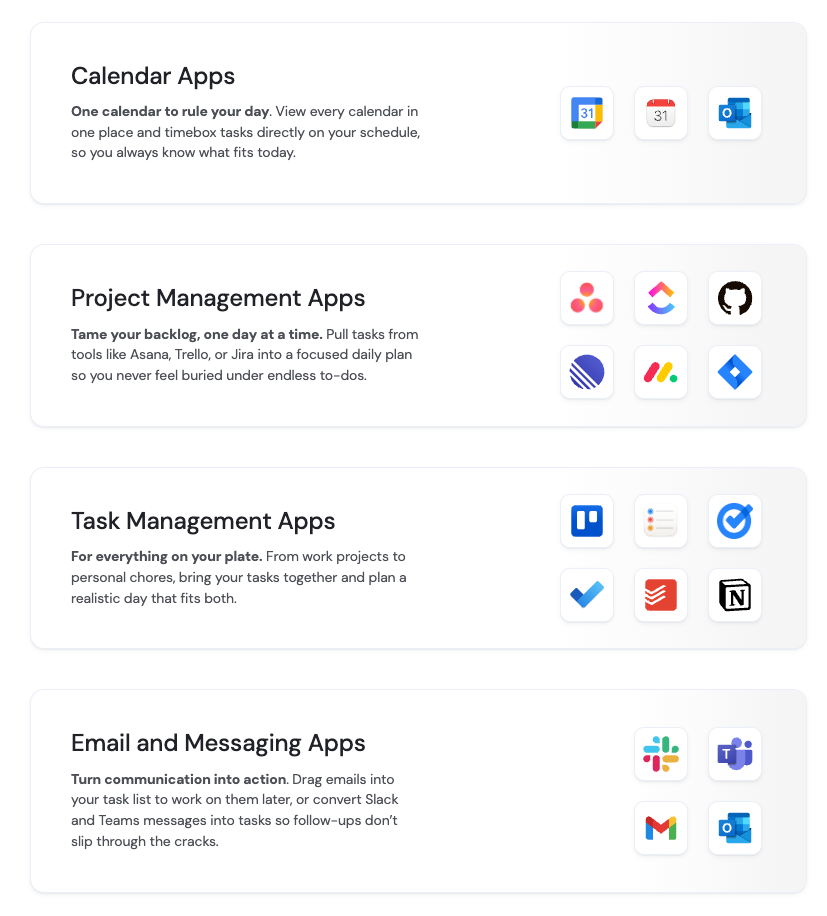
- Time-boxing on a real calendar, with two-way sync for Google, Outlook, and Apple calendars
- A workload check while you plan, so you set a realistic day instead of a fantasy one.
- Focus mode with a Pomodoro timer, break reminders, and an option to mute Slack and Teams while you work.
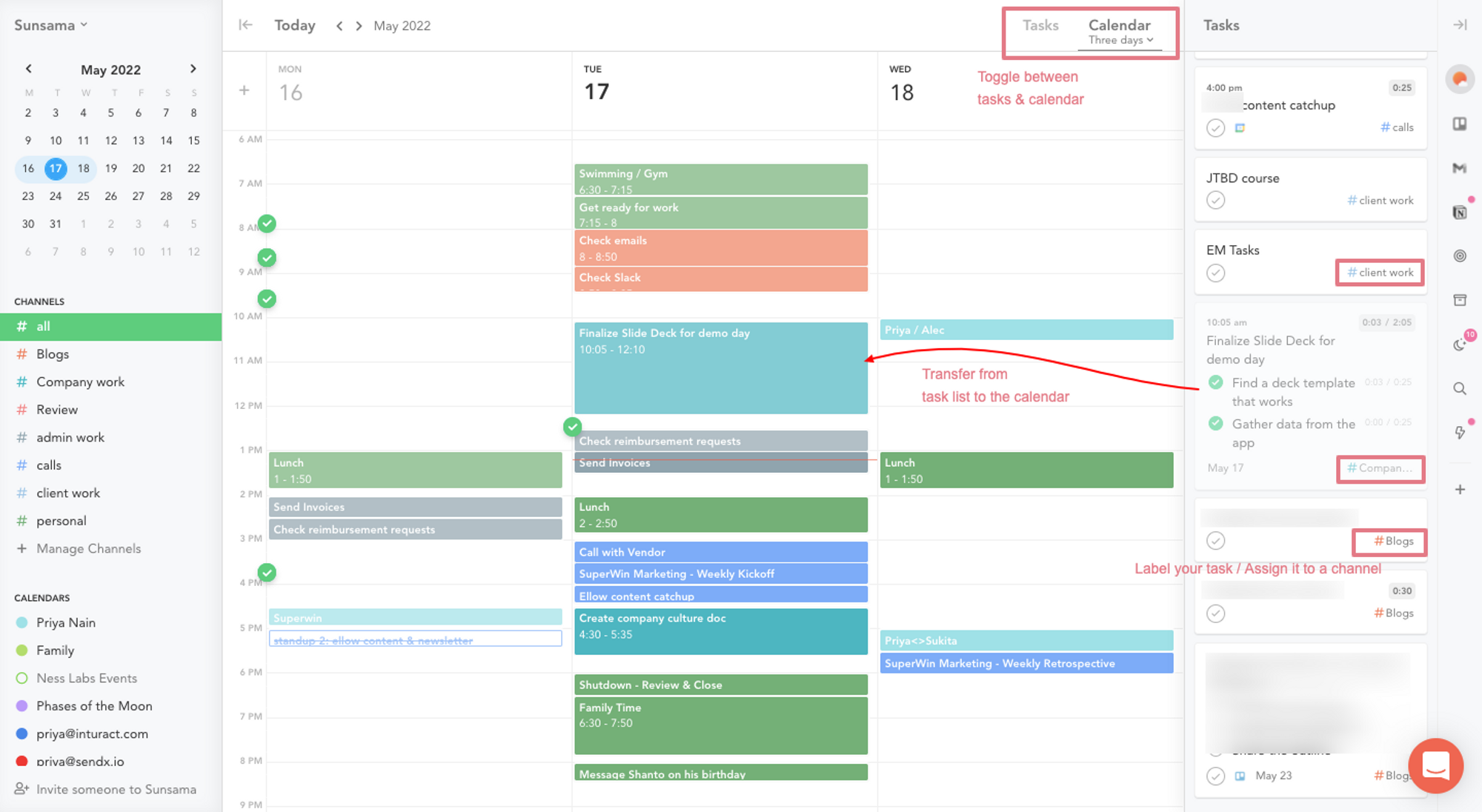
- An end-of-day shutdown ritual, daily highlights, and analytics on where your time actually went.
- Apps for iOS, Android, macOS, Windows, and Linux.
Price: $17 a month billed yearly ($204 a year) or $22 billed monthly
Why Sunsama clicks for some ADHD brains:
- The ritual is outside structure.
- Planned time vs. actual time is feedback.
- The shutdown gives you a hard stop.
Sunsama cons
- No free plan. $204 a year is real money, and the ADHD tax (late fees, forgotten subscriptions) is already a thing.
- It only works if you open it. Miss three mornings and the plan goes stale, and restarting a ritual you dropped feels a lot like walking back into the gym after March.
- It asks you to estimate how long tasks take. That's the skill the timing research says is shaky, so your first week of estimates will be fiction.
- It isn't a home for ideas, meeting notes, or reference stuff. You'll need a second app, which is one more place to forget to check.
- Some people find the ritual turns into a chore.
What does Saner.ai offer people with ADHD
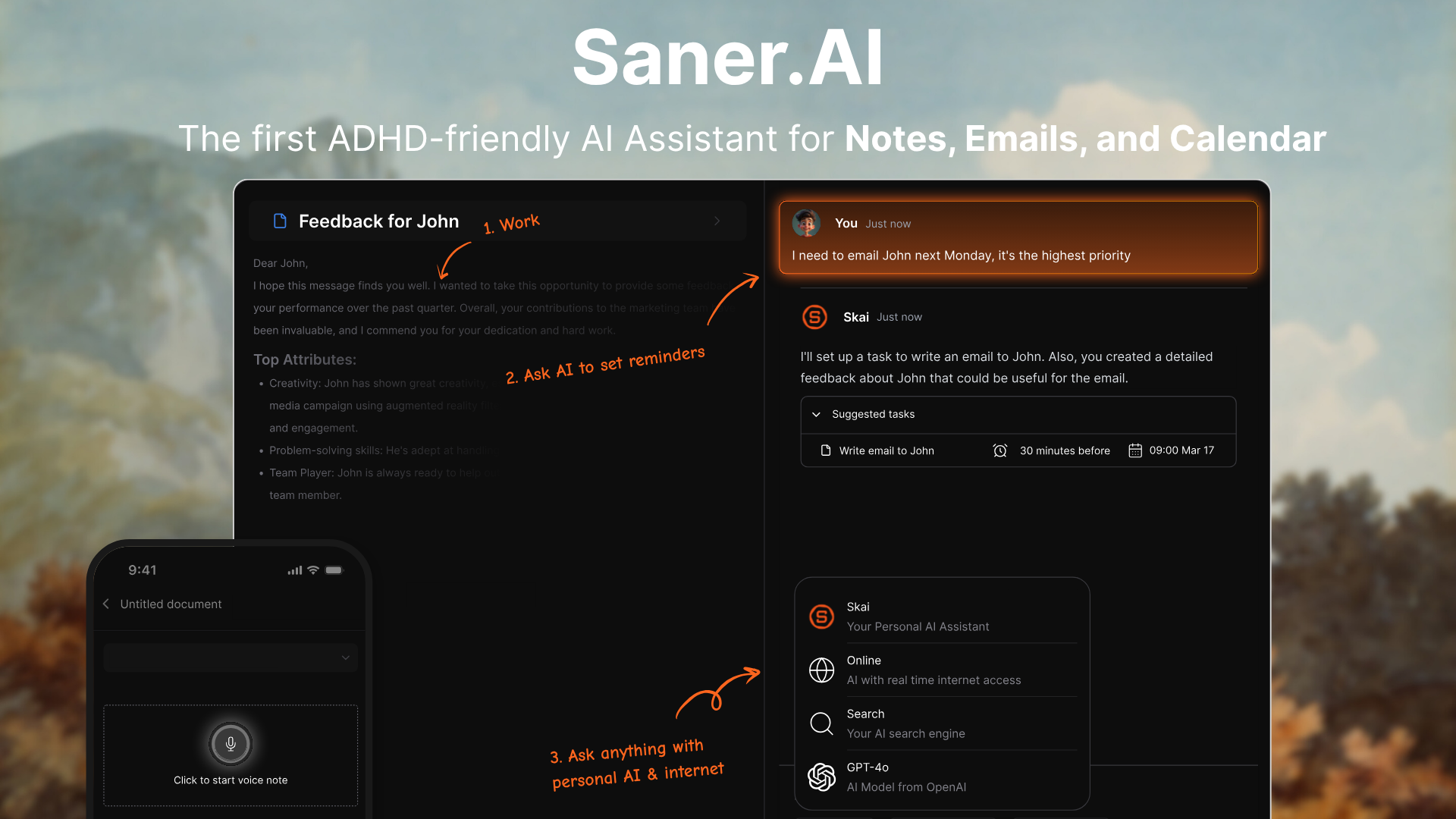
Saner.ai is an AI personal assistant for your notes, email, tasks, and calendar. The center of it is Skai, an assistant that reads what you've saved, drafts your day, and checks in with you. You chat with it instead of maintaining a system
What you actually get:
- Capture from anywhere: quick notes, voice notes, a Chrome extension
- Proactive planning. Each morning, or at a time you choose, Skai scans your calendar, overdue tasks, and recent notes and tells you what needs attention.
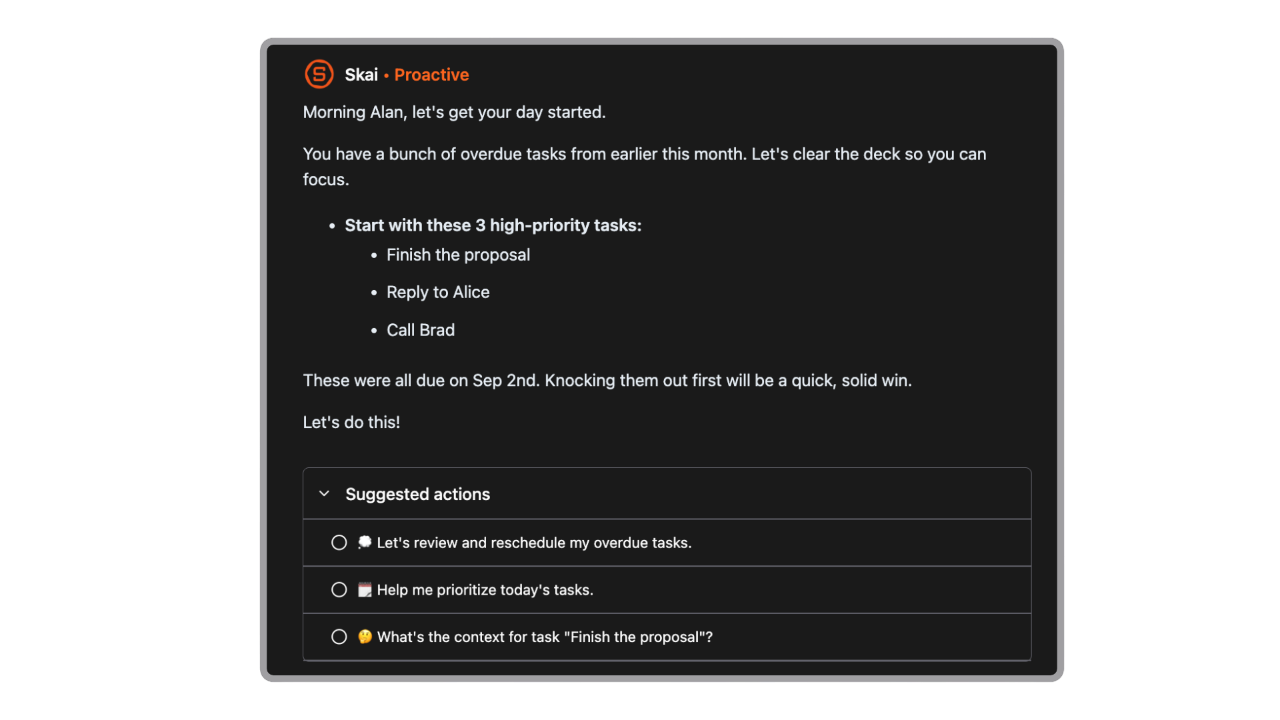
- Email to tasks. Emails become tasks with reminders in the Saner Inbox, so the "I'll reply tonight" email doesn't vanish.
- Brain dump to plan. Type or voice the mess, and Skai turns it into tasks you can prioritize and schedule.
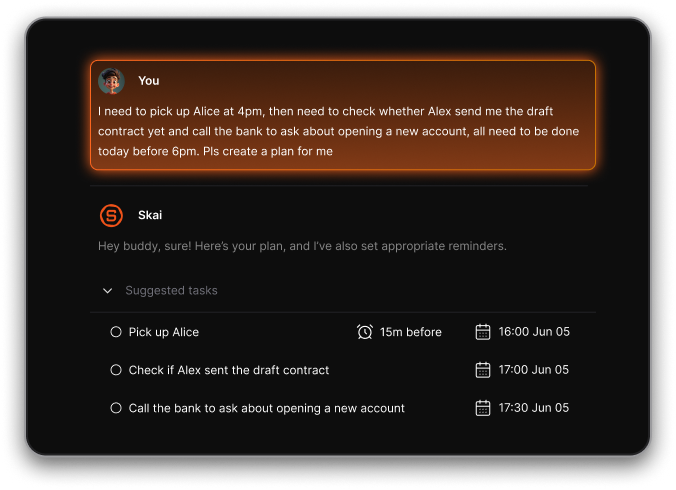
- Time-blocking. Tasks with durations show up as blocks on your calendar, with two-way Google Calendar and Outlook Calendar sync.
- Focus Box. Pin your top tasks so they stay visible on desktop, and use Live Activities to keep your focus task on your phone's lock screen.
- Search that doesn't need the exact words, plus auto-tags and folder suggestions, so you can stop filing.
Price: Free plan available. Starter is $8 a month billed yearly, and Standard is $16 a month billed yearly
Why Saner.ai clicks for some ADHD brains:
- It catches stuff. The idea in the shower, the thing your manager said on a call, the email you meant to answer. If you live with ADHD object permanence, this is the part that matters.
- You don't need to be in a good planning headspace. The plan shows up as a draft, and editing a draft is far easier than staring at a blank day.
- It was built from the inside. One of the cofounders has ADHD
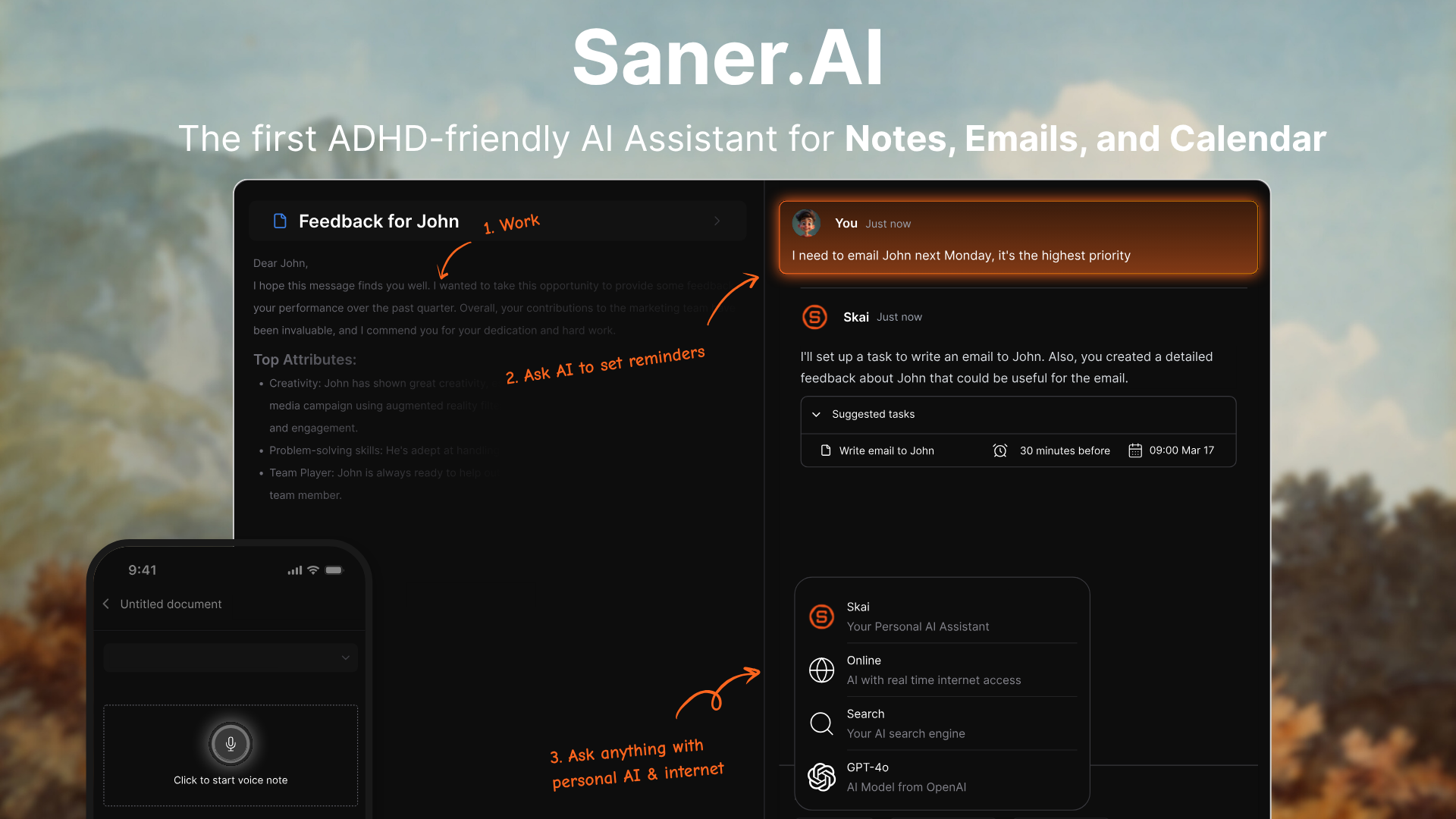
Stay on top of your work and life effortlessly
Saner.ai cons
- There's no guided morning or evening ritual. If that structure is what you love, you'll have to build the habit yourself.
- Fewer project-tool integrations. No native Asana or Jira today.
- Outside models like GPT or Claude cost extra.
- It's a bigger app than a pure planner. Some people just want a calendar and a list, and that's fair.
How do you actually use each one on an ADHD day?
The Sunsama day is ritual-first: plan, work, shut down. The Saner.ai day is capture-first: dump everything in, let Skai draft, then edit.
The Saner.ai workflow
- Connect Gmail or Outlook and Google Calendar once, so emails and meetings flow in on their own.
- All day, dump everything into Saner: a voice note in the car. Don't sort. Sorting is Skai's job.
- In the morning, read Skai's proactive plan. Don't build. Edit. Delete what's unrealistic and bump what's actually urgent.
- For the task you've been avoiding, ask Skai to break it into steps, then schedule only the first one. Tiny first steps beat heroic plans.
- Give tasks a duration so they land as blocks on your calendar.
- Pin your top three in the Focus Box, and turn on the lock-screen Live Activity so your phone shows the task instead of TikTok.
- When you forget something ("what did Jen say about the deadline?"), ask Skai instead of digging through five apps.
- In the evening, ask Skai what's still open and push it to tomorrow. It's a two-minute DIY shutdown.
The Sunsama workflow
- Put "plan my day" on your calendar as a 15-minute event. Treat it like a meeting with your future self, because future you will absolutely flake otherwise.
- Open the guided planning flow and pull in tasks from email, Slack and your project tool.
- Pick three "must" tasks. Everything else goes to later in the week. Yes, even the one that feels urgent but isn't.
- Estimate each task, then add half again.
- Drag tasks onto your calendar and leave a 30-minute empty buffer after lunch. Something will eat it.
- Start focus mode on task one with a 25-minute Pomodoro and mute Slack.
- Re-plan at midday. If a meeting ate your morning, move one task to tomorrow instead of pretending.
- Run the shutdown ritual. Roll unfinished tasks forward, read your highlights, close the laptop.
- On Friday, compare planned vs actual time and adjust next week's estimates. This is your time blindness training ground.
Can you use both together?
If you want. Yes. But most ADHD folks do better with fewer tools, not more; our ADHD productivity statistics roundup explains why consolidation tends to beat stacking. If deep focus is your main fight, pair either one with the tactics in deep work with ADHD.
Which one should you pick for your kind of ADHD?
If you overcommit, go Sunsama. If you forget, go Saner.ai.
Pick Sunsama if:
- You like routines, or you genuinely want to build one and have the bandwidth right now.
- Your work lives in Asana, Jira, Linear, or ClickUp and you want it all in one daily list.
- Your main problem is planning 14 hours of work into an 8-hour day.
Pick Saner.ai if:
- Things fall out of your head the moment you look away.
- Your inbox is a graveyard of tasks you meant to do.
- Your mornings are unpredictable: kids, shift work, brain fog, all three.
- Your notes are scattered across four apps and a napkin.
- You want to start free and only pay once it's earned a spot.
If neither feels right, browse the wider field in our best ADHD task management apps roundup or the ADHD time management tools list
FAQ
Is Saner.ai free?
Yes. The free plan is available
Does Sunsama have a free plan?
No. Sunsama offers a 14-day trial with no card, then costs $17 a month billed yearly or $22 billed monthly
Which is better for time blindness?
Sunsama gives you more direct feedback, since it compares planned time with actual time and you can recalibrate each week. Saner.ai helps by putting tasks with durations on your calendar and keeping your focus task visible on your lock screen. People with ADHD do show measurable timing deficits (Marx et al., 2021), so whichever you pick, make time visible.
Can a planner app replace ADHD treatment?
No. The strongest non-medication evidence is for structured therapy like CBT that teaches planning and organizing, often alongside medication (Safren et al., JAMA 2010). Apps can support those skills day to day. Talk to a clinician about treatment.
Sources
Medical and research sources:
- Staley BS, Robinson LR, Claussen AH, et al. ADHD Diagnosis, Treatment, and Telehealth Use in Adults, United States, October–November 2023. MMWR. 2024;73(40):890–895. PMC11466376
- Alderson RM, Kasper LJ, Hudec KL, Patros CHG. ADHD and working memory in adults: a meta-analytic review. Neuropsychology. 2013;27(3):287–302. PubMed 23688211
- Marx I, Cortese S, Koelch MG, Hacker T. Meta-analysis: altered perceptual timing abilities in ADHD. Journal of the American Academy of Child and Adolescent Psychiatry. 2021. University of Southampton repository; plain-language summary, ADHD Evidence
- Solanto MV, Marks DJ, Wasserstein J, et al. Efficacy of meta-cognitive therapy for adult ADHD. American Journal of Psychiatry. 2010;167(8):958–968. PubMed 20231319
- Safren SA, Sprich S, Mimiaga MJ, et al. CBT vs relaxation with educational support for medication-treated adults with ADHD and persistent symptoms. JAMA. 2010;304(8):875–880. PMC3641654
- Moëll B, Kollberg L, Nasri B, Lindefors N, Kaldo V. Living SMART: a randomized controlled trial of a guided online course teaching adults with ADHD to use smartphones to structure everyday life. Internet Interventions. 2015;2(1):24–31. DOAJ