Honest Simular reviews: Is this AI computer worth it in 2026?

Simular has a claim: an AI agent that operates your actual computer, clicking, typing, and switching between apps, instead of just answering questions in a chat window. Its product, Sai, calls itself an "always-on agentic AI coworker" that runs inside a private cloud desktop and keeps working after you close your laptop.
Simular's Agent S framework was the first computer-use system to beat human performance on the OSWorld benchmark, and the company has picked up a Product Hunt #1 Product of the Day badge along the way.
The tension shows up once you look past the benchmark chart: pricing starts at $50 a month and climbs to $500, access is still invite-only, and independent user reviews are almost nonexistent.
This review breaks down what Sai actually does well, where real users have hit friction, and whether a lighter, far cheaper AI assistant like Saner.AI covers the same daily ground for most people.
Key Takeaways
- Sai automates full desktop software, not a browser tab dressed up as an agent, which is a real technical differentiator.
- Pricing is steep and still moving. The official page lists Starter at $50/month (down from $200), Premium at $200, and Pro at $500, with no confirmed free plan.
- Independent review coverage is thin. G2 doesn't have enough reviews to publish a rating, there's no live Capterra or Trustpilot listing, and Product Hunt shows only 5 reviews after roughly 18 months on the market.
- Real feedback points to a learning curve: non-Mac support, non-English text input, and the code-based workflow editor have all come up as friction points.
- If your actual daily problem is a messy inbox, scattered notes, and a to-do list you can't keep straight rather than GUI-only legacy software, an assistant built specifically for that job costs a fraction of the price.
Simular at a Glance
| Category | Score (/10) | Notes |
|---|---|---|
| Ease of Use | 5.5 | Natural-language tasks are simple to start; the code-based workflow editor has a real learning curve |
| Feature Depth | 8.5 | Full desktop, browser, and terminal automation, not just a browser tab |
| Reliability | 6 | Strong on published benchmarks; real-world CAPTCHA handling and non-English input have been reported as rough |
| Pricing & Value | 4 | No confirmed free plan; $50–$500/month sits well above most productivity and AI assistant tools |
| Support & Docs | 5.5 | Community support on lower tiers; one reviewer called docs "decent" but wanted more real examples |
| Review Track Record | 3 | 0 reviews on G2, no Capterra/Trustpilot listing, 5 reviews on Product Hunt |
| Overall | 5.4 | A capable, research-backed agent for a narrow, technical job, not a mainstream productivity buy |
What Is Simular?
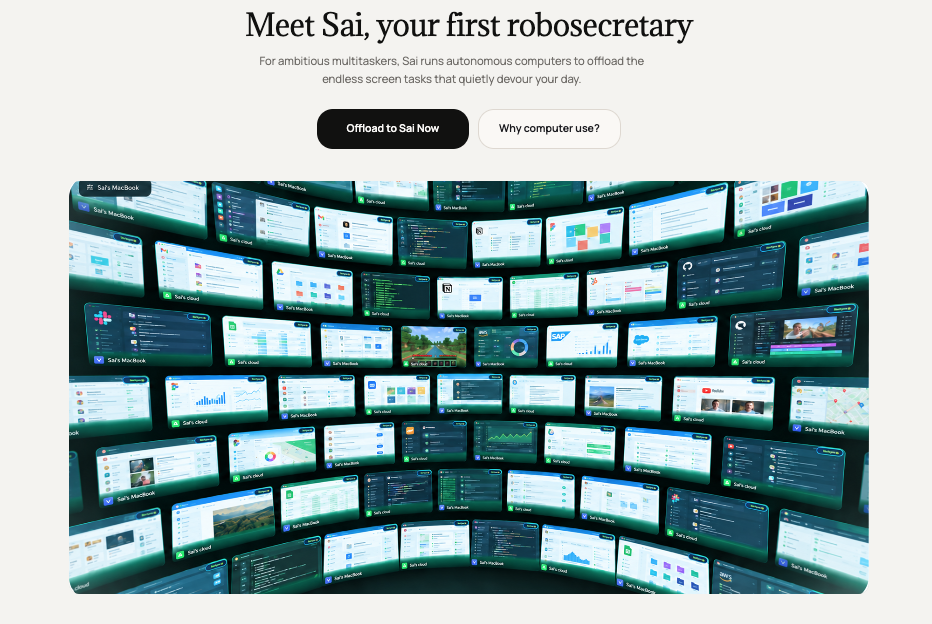
Simular is the company. Sai is the product people actually sign up for. It started in 2023 out of a team with DeepMind backgrounds, and its early public releases - a Mac-only browser agent, then "Simular Pro," both landed as Product Hunt Products of the Day.
Sai calls itself a computer-use agent (CUA): instead of calling APIs, it looks at the screen the way a person does and clicks, types, and scrolls through real interfaces, so it can operate software that never had an API to automate against.
The current Simular product family includes:
- Sai: The flagship assistant for delegating computer work, with local-device and cloud-computer options.
- Simular for Business: Automation offerings for organizations with higher-volume workflows.
- Agent S: An open-source computer-use agent framework.
- Simulang: An open-source scripting language for automating browser, native-app, and operating-system workflows.
People searching for an assistant to organize their personal workload should also consider whether they need a dedicated planning workspace. Saner.AI's guide to that category offers useful context: saner.ai/blogs/best-ai-chief-of-staff.
Simular Features Breakdown
Full Desktop Automation
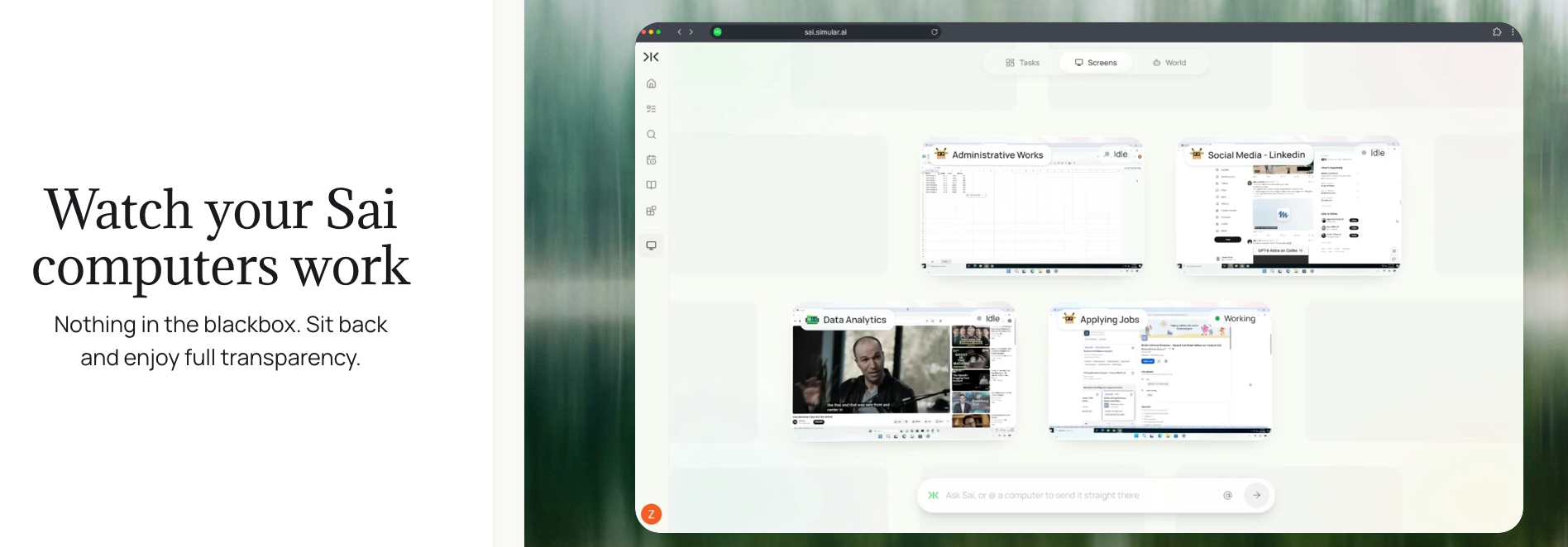
Sai's real differentiator is that it drives the whole operating system, Finder, Mail, Numbers, Safari, and third-party apps, through the same click-and-type interface a person uses. That's a genuinely harder engineering problem, and it's why Simular's research keeps showing up in benchmark papers rather than only marketing decks.
The friction shows up once you leave macOS.
One early reviewer said they were "disappointed to see it only supports macOS" the first time they tried it, and ran into trouble entering Chinese text in a search box and getting past a Google CAPTCHA during testing (reviews).
Windows support has since shipped, but it's worth expecting rougher edges outside the platform Simular optimized for first.
Cloud Virtual Desktop and Always-On Execution
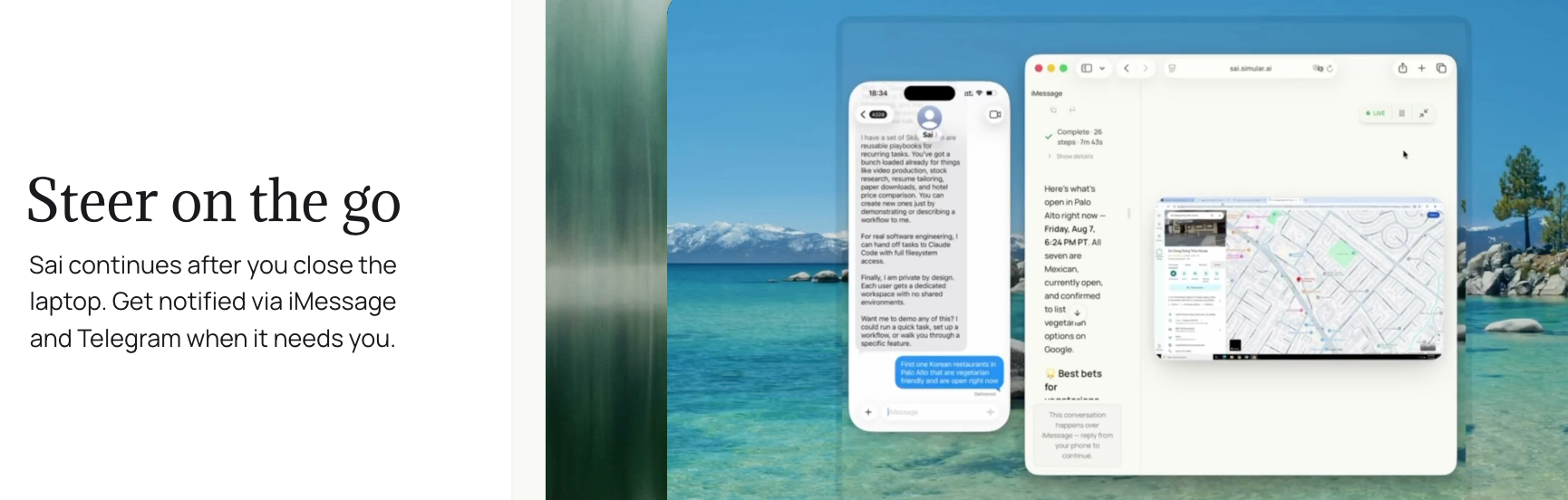
Give it a task, and it runs on a private, isolated cloud VM, checking in over iMessage, SMS, or Telegram only when it needs approval. For a recurring job, Sai reruns the workflow on a schedule and is supposed to get faster and cheaper each time, using memory kept in that dedicated machine.
This is also where the pricing bites. The always-on tier (Premium) starts at $200/month. The cheaper $50/month Starter tier trades persistence for a machine that sleeps when idle, so the "coworker that works while you sleep" pitch really only kicks in at $200 and up.
Persistent Memory and Token Efficiency
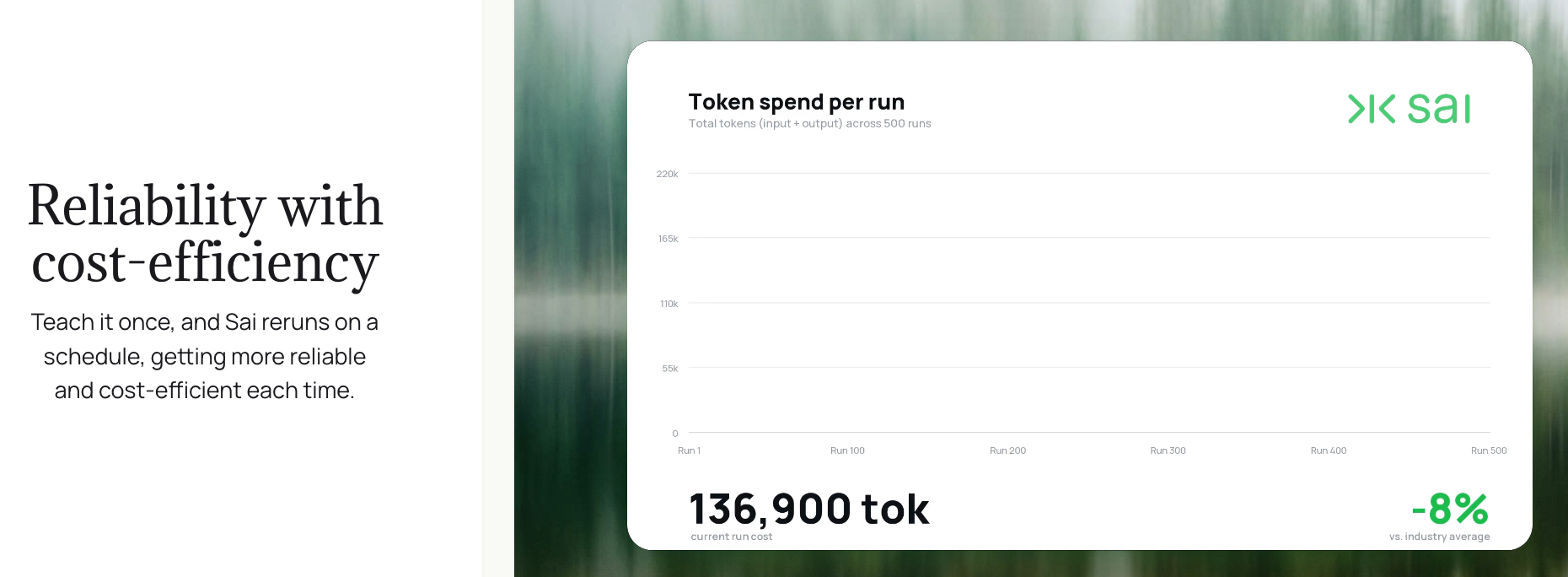
Because Sai's virtual machine is a dedicated, ongoing environment rather than a fresh sandbox every run, your logins, file structure, and preferences stay put between sessions. Simular also markets a "token efficiency law," where repeated tasks are supposed to get faster and cheaper over time rather than re-reasoning from scratch each run.
That's a different cost model from credit-based agents like Manus, where every run draws down a fixed pool regardless of how many times you've done that exact task before. Whether the savings show up clearly enough to offset the base subscription is something only heavy repeat users can judge, since Simular hasn't published concrete before-and-after numbers.
Approval Flows and Safety Guardrails
Sai pauses and asks before doing anything it flags as sensitive, which matters once an agent has real click-and-type access to your accounts and files. Simular calls this one of Sai's four core differentiators against tools like Claude Cowork and OpenClaw: a secure workspace, GUI-based control, approval checkpoints, and always-on background execution.
Simulang and the Deterministic Workflow Editor
For developers and technical operators, Sai's workflows can be built and edited as actual code through Simulang, a scripting layer on top of JavaScript, instead of only through natural-language prompts. That gives you a repeatable, auditable automation instead of a black box.
One reviewer called the editable, deterministic code "a clever feature that promotes transparency," but said the interface around managing it "could feel intimidating" for less technical users, and suggested a visual editor alongside the code view (reviews).
Simular's co-founder responded directly, noting a drag-and-drop editor might not work well since Sai handles an unbounded range of UI tasks, and said a more natural-language front end is on the roadmap. For now, non-technical users should expect some friction past basic natural-language tasks.
Simular Pricing
| Plan | Price | Free Trial | Free Version | Best For |
|---|---|---|---|---|
| Starter | $50/month (down from $200, invite-only early access) | Not confirmed on Simular's own page; some third-party trackers cite a 7-day trial | No | Occasional use, on a machine that sleeps when idle |
| Premium | $200/month | Not confirmed | No | An always-on cloud desktop |
| Pro | $500/month | Not confirmed | No | Teams running Sai continuously, full API access |
| Enterprise | Custom | N/A | No | SSO, RBAC, SOC2, dedicated support |
Payment methods aren't published on Simular's pricing page, and the company doesn't currently offer annual billing ("reach out if you're looking for a long-term partnership," per its own FAQ). Both are worth confirming directly before committing.
Simular Pros and Cons
Pros
- Genuinely automates full desktop software and terminals, closing a real gap most "AI agent" tools leave open
- Backed by published, peer-reviewed benchmark research (Agent S, OSWorld) rather than unverifiable marketing claims alone
- Persistent virtual machine keeps logins, files, and preferences intact between sessions
- Approval flow pauses for sign-off on sensitive actions before executing them
- Simulang gives technical teams a way to build repeatable, auditable workflows instead of one-off prompts
Cons
- No independent reviews on G2, no live Capterra or Trustpilot profile, and only 5 reviews on Product Hunt after roughly 18 months on the market (reviews)
- No confirmed free plan; entry pricing starts at $50/month and the "always-on" tier the marketing leans on costs $200–$500/month
- Access is still invite-only, which limits how many people can verify the product for themselves right now
- Early reviewers reported friction with non-English text input and CAPTCHA handling during real tasks (reviews)
- The code-based workflow editor can feel intimidating to less technical users, by the company's own reviewer's account (reviews)
- Pricing tiers and naming have shifted more than once over the past year, making it hard to predict what a plan will cost by the time you sign up
What People Say
Simular's Product Hunt page currently shows a 4.4-star average across 5 reviews, a small but mostly positive sample for a company that launched publicly in 2025.
One reviewer who tried Simular's browser agent said it "can help in many ways ChatGPT can not do," pointing specifically to reading a website and logging into a LinkedIn account to find a match of people they were searching for (reviews).
Other feedback has been more measured, circling back to the same two themes: the core automation genuinely works, and the experience around it, platform coverage, documentation, and how approachable the workflow editor is for a non-developer, still has room to grow.
On the more established review platforms, there isn't much of a track record yet. G2 states plainly that there aren't enough reviews for Simular to provide buying insight, and Simular has no visible profile on Capterra or Trustpilot at all. For a tool asking $50 to $500 a month, that's a thin public record to buy into.
Who Is Simular Best For / Not Ideal For
Best for
- Developers, indie hackers, and technical operators automating GUI-only software that never had a proper API
- Back-office teams in insurance, healthcare, or operations repeatedly filling forms and moving data between legacy systems
- Businesses that can absorb a $200–500/month tool and have someone technical enough to build or edit Simulang workflows
Not ideal for
- Solo knowledge workers or ADHD-friendly productivity seekers who mainly need help keeping notes, email, and a to-do list under control day to day
- Anyone without a spare Mac or Windows machine, or without room in the budget for a tool priced above most AI assistants
- Non-technical users who want something that works well out of the box rather than something they'll configure and steer
Simular Alternatives
Simular vs Saner.AI: Where Saner.AI Wins
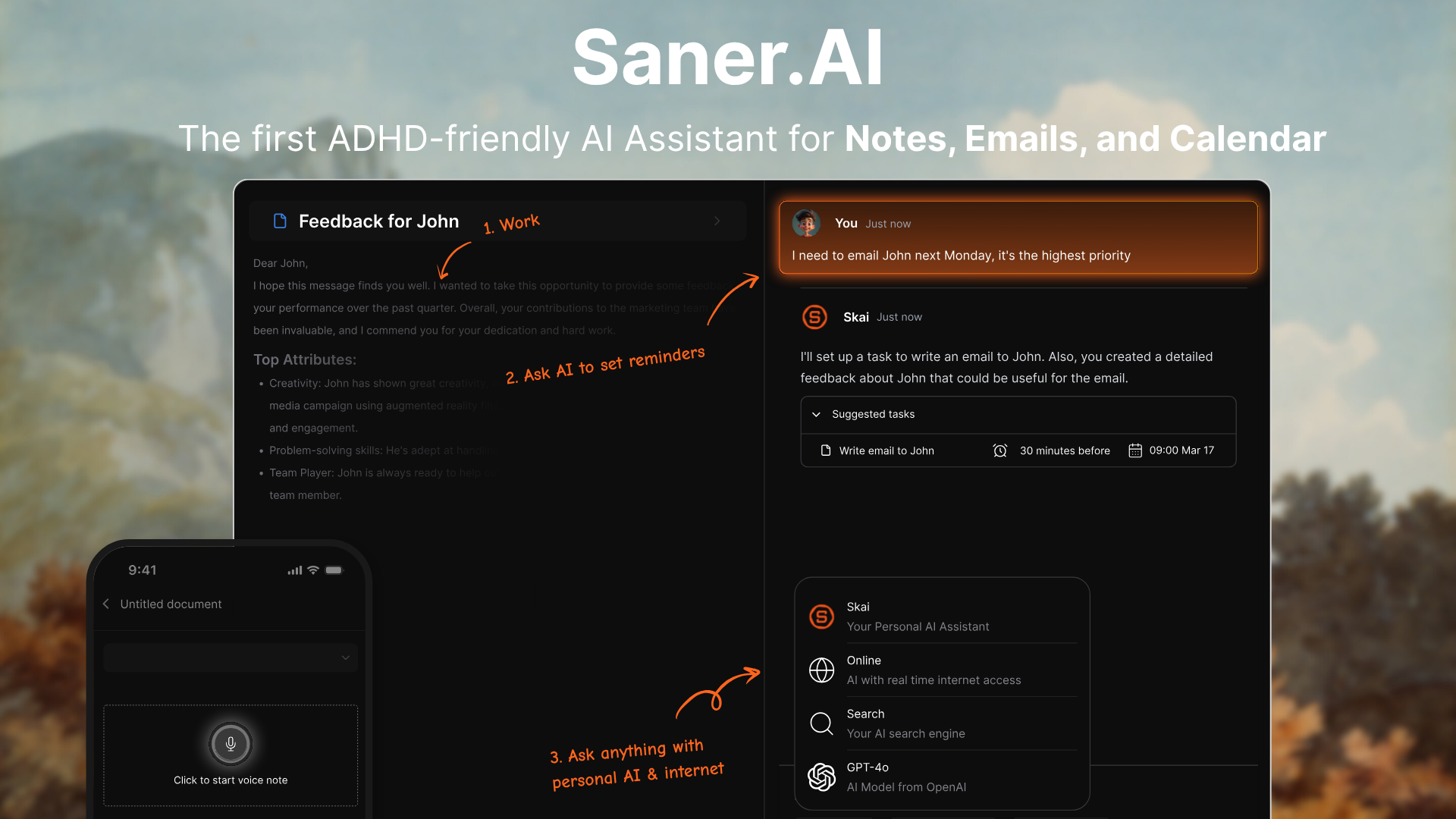
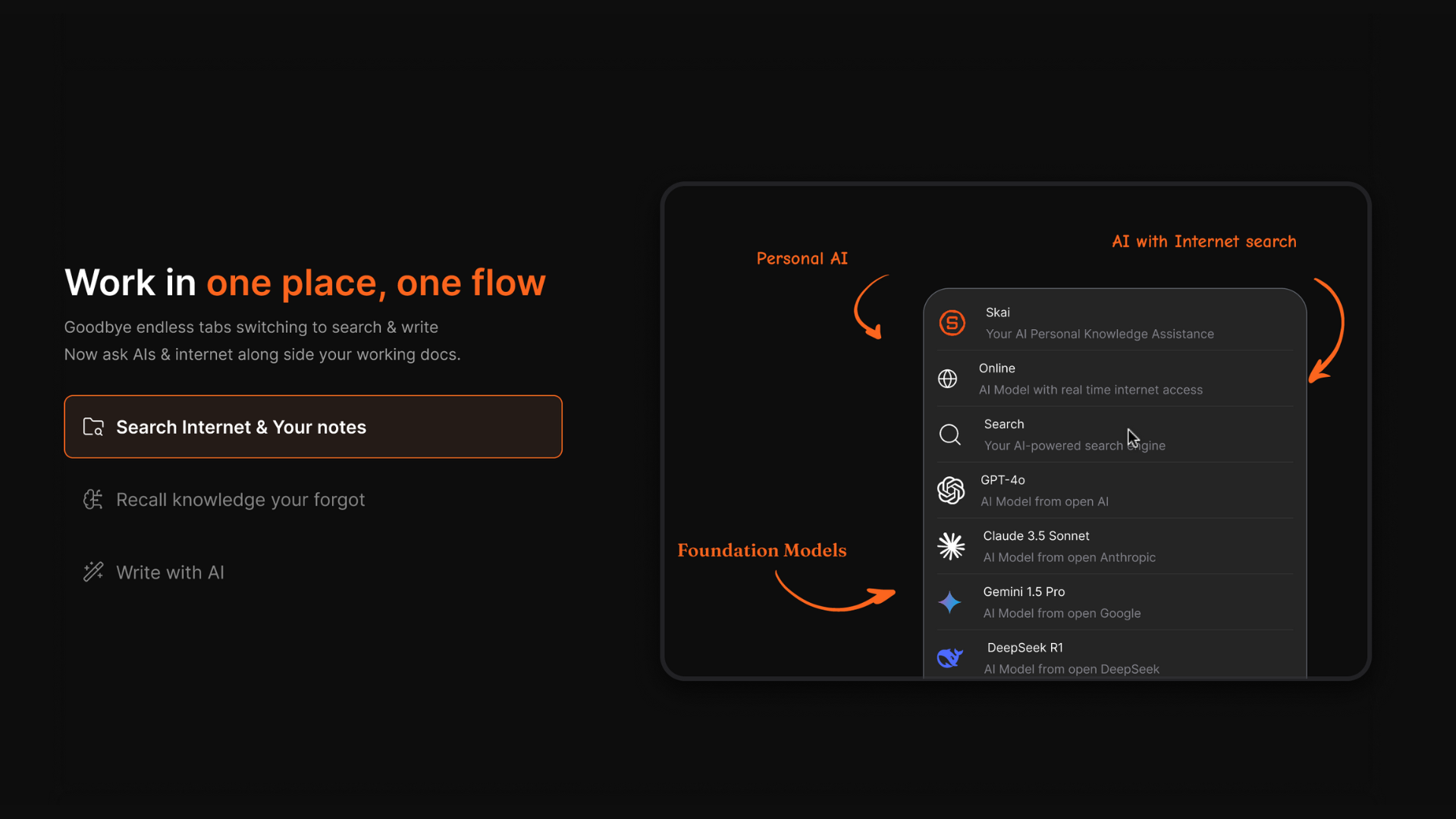
Sai automates GUI-only software. Saner.AI organizes your notes, email, tasks, and calendar into one place and proactively tells you what to focus on.
- Planning with personal context. Skai uses the information available in the workspace to help prioritize and schedule work. This is useful when you need help choosing what to do next, before there's a specific computer task to delegate.
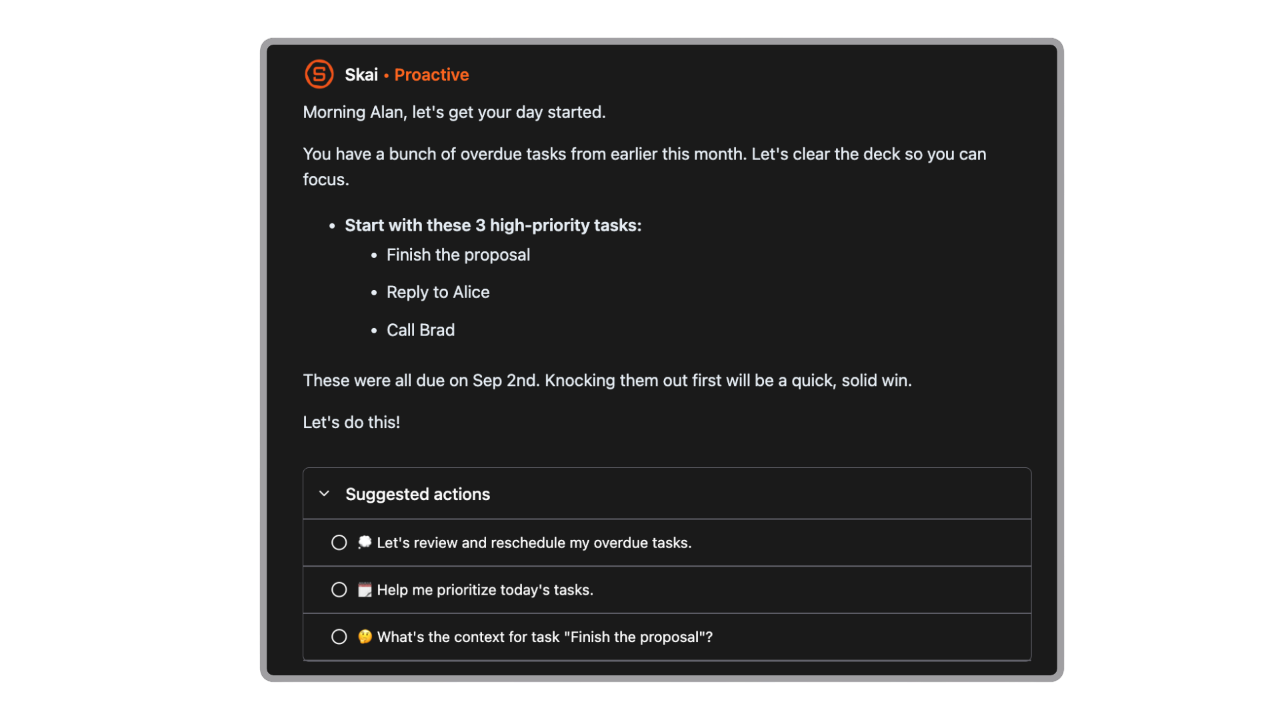
- One workspace for notes and tasks. This is useful when the difficulty is finding an old decision or remembering an unfinished commitment. Simular's documented focus is operating applications, rather than providing this kind of personal knowledge workspace.
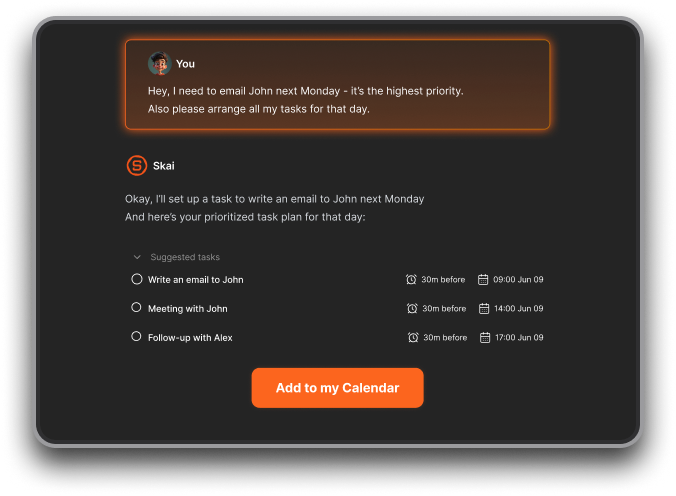
- Turning rough thoughts into a plan. Saner.AI explicitly supports brain dumps and conversational task planning.
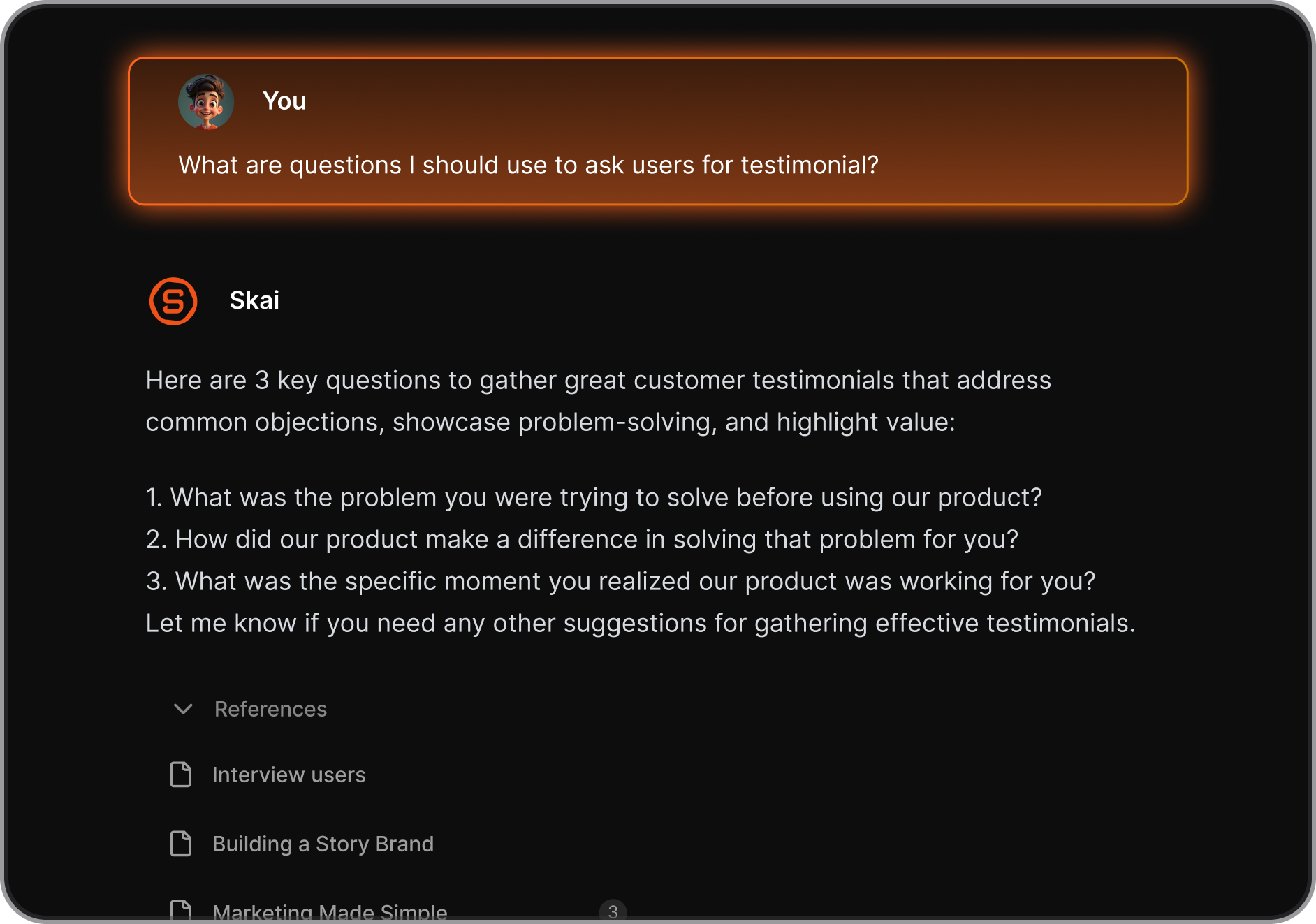
- Finding information without remembering exact wording. Saner.AI lets you ask questions across notes and files, including when you remember the subject but not the phrase you originally used.
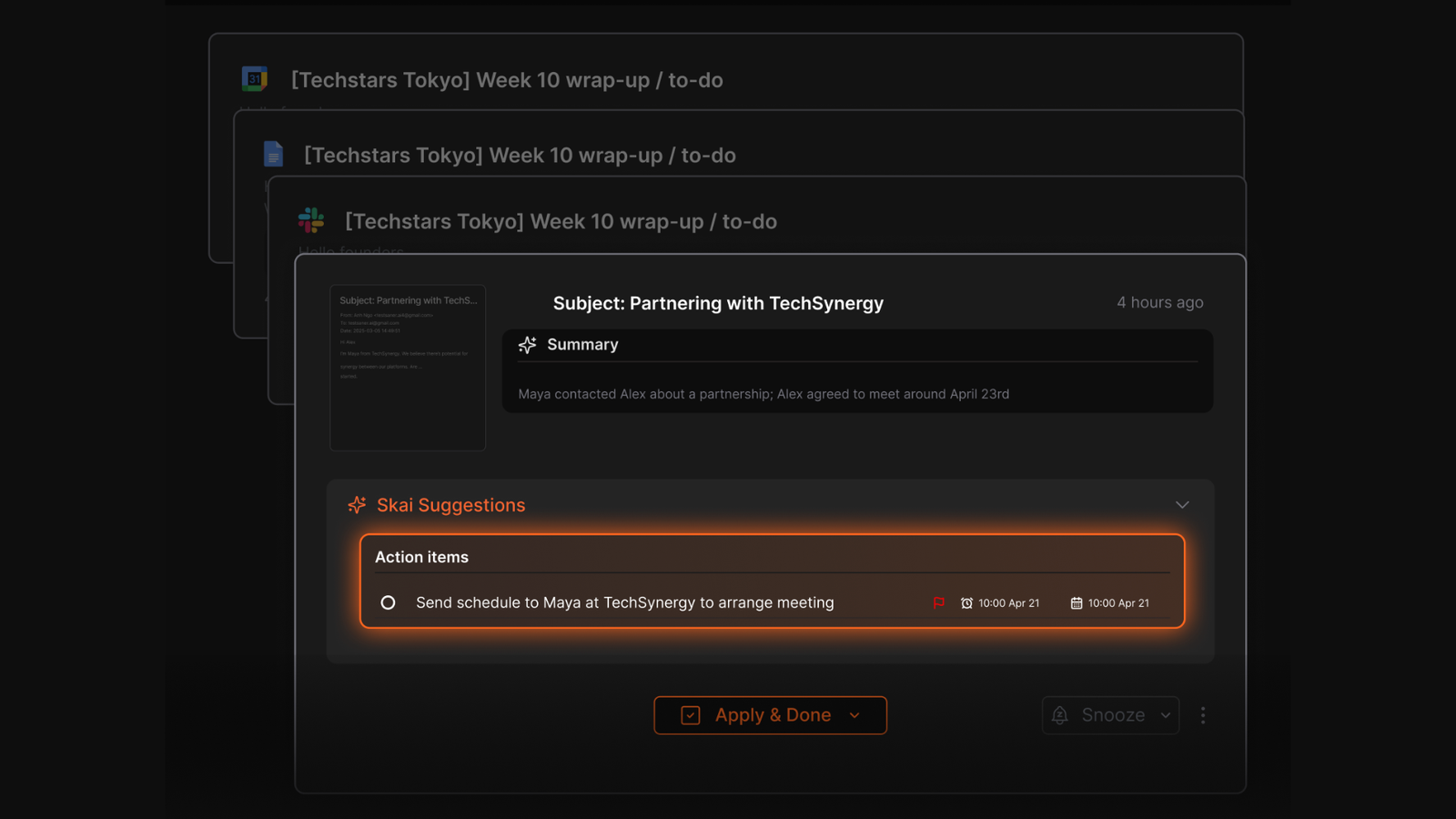
- Connecting email to follow-up work. Saner.AI offers email-to-task conversion and connections with services including Gmail, Google Drive, Slack, and calendars.
- Support for ADHD-related organizational difficulties. Saner.AI's product design emphasizes quick capture and fewer context switches. For related options, see saner.ai/blogs/ai-for-adhd.
- A free way to evaluate the workflow. Saner.AI currently lists a $0 plan. That gives an individual a way to test capture and retrieval before committing to a paid plan. Simular's current pricing table doesn't list an equivalent permanent free hosted tier.
Who should choose Saner.AI over Simular?
Saner.AI is particularly suitable for:
- Professionals who finish meetings with useful notes but don't consistently follow up.
- People with ADHD who want help organizing thoughts without maintaining a complicated system.
- Founders juggling personal responsibilities alongside work.
- Researchers and writers who need to retrieve ideas across saved material.
- Individuals who want conversational planning connected to their email and calendar.
A typical Saner.AI request might be: "Find my notes about the client proposal and help me plan the remaining work."
A typical Simular request might be: "Open the reporting portal and transfer these figures into the spreadsheet."
| Tool | Best For | Starting Price | Free Plan |
|---|---|---|---|
| Simular (Sai) | Full desktop and browser GUI automation for developers and back-office teams | $50/month, invite-only | No |
| Manus | Research and multi-step web tasks in a cloud sandbox | $20/month | Yes ($0, 300 daily credits) |
| ChatGPT Agent | Browser and connected-app automation in the ChatGPT ecosystem | Requires Plus/Pro ($20–$200/month) | No |
| Saner.AI | Notes, email, tasks, and calendar in one proactive workspace | $8/month | Yes ($0, no card required) |
- Manus runs inside its own isolated cloud sandbox rather than your actual desktop. It's cheaper to start, a genuine $0 free plan, then $20/month, but runs on a credit system that can burn through your monthly allocation fast on one complex task, and it doesn't carry context between sessions the way Sai's persistent VM does.
- ChatGPT Agent adds computer-use style browsing and task execution inside the ChatGPT ecosystem, with deep Microsoft and Google integration. It's locked behind Plus or Pro pricing, usage is capped by plan, and it still asks for confirmation on sensitive steps often enough that reviewers have called it a "confirmation problem" that undercuts the autonomous pitch.
- Zapier offers workflow automation across more than 9,000 app integrations, along with AI agents and other automation tools.
Final Verdict
Sai is a capable piece of engineering. It's one of the only products actually solving full desktop automation instead of dressing up a browser bot, and the research behind it holds up under independent benchmarking.
But it's a product still finding its footing outside its original macOS use case, priced well above most AI tools on the market, without much of an independent review trail to lean on yet.
If you're a developer or an operations team with a genuinely GUI-only automation problem and the budget to match, it's worth a serious look. If what you're trying to solve is a chaotic inbox and a to-do list you can't keep straight, an assistant like Saner.AI built specifically for that will get you there for a fraction of the cost and none of the setup.

Stay on top of your work and life effortlessly
FAQ
Is Simular free to use?
No. Simular's pricing page doesn't list a free plan. Its cheapest confirmed plan, Starter, costs $50/month during an invite-only early access period, discounted from $200. Some third-party trackers mention a 7-day free trial on a Windows plan, but that isn't confirmed on Simular's own site.
What's the difference between Simular and a regular chatbot like ChatGPT?
A chatbot answers questions in a text window. Sai actually operates a computer: it clicks, types, and navigates real desktop apps, browsers, and terminals the way a person would, so it can automate software that was never built with an API to hook into.
Is Simular safe to use for business data?
Simular says Sai is built with enterprise use in mind, including a dedicated workspace, approval flows that pause before sensitive actions, and live visibility into what the agent is doing. Whether that meets a specific company's compliance requirements, SOC2 and SSO are listed as Enterprise-tier features, is worth confirming directly with Simular's sales team.
Does Simular work on Windows and Linux, or just Mac?
Simular started as Mac-only and has since added Windows support, with Linux available through its open-source Agent S framework. Early reviewers noted that non-Mac support felt newer, so it's worth testing your platform before committing to a paid plan.
Why does Simular have so few reviews?
Simular launched its first public product in April 2025, so it's still relatively new. G2 states there aren't enough reviews to provide a rating, there's no visible Capterra or Trustpilot profile, and Product Hunt shows 5 reviews at a 4.4 average. That's a thin public record for a $50–500/month tool.
Is there a cheaper alternative to Simular for everyday productivity?
If the problem is GUI-only software automation, there isn't a direct cheap substitute for what Sai does. But if the actual daily pain point is managing notes, email, tasks, and a calendar, a purpose-built assistant like Saner.AI covers that starting at $0/month, with paid tiers from $8/month.
Stay on top of your work and life effortlessly