Simular AI alternatives: Here are the best 6 in 2026


Simular AI can carry out computer-based tasks from natural-language prompts, but it may not fit every workflow. You might need broader app integrations, stronger research tools, more control over how an agent works, or a better way to manage personal knowledge.
We reviewed several AI agents and automation platforms to see where each one works best. This guide compares six Simular AI alternatives based on capabilities and user control level.
Disclaimer: I work at Saner.ai, my product is also mentioned below. I ranked it with the same skepticism as others.
Quick guide: What are the best Simular AI alternatives?
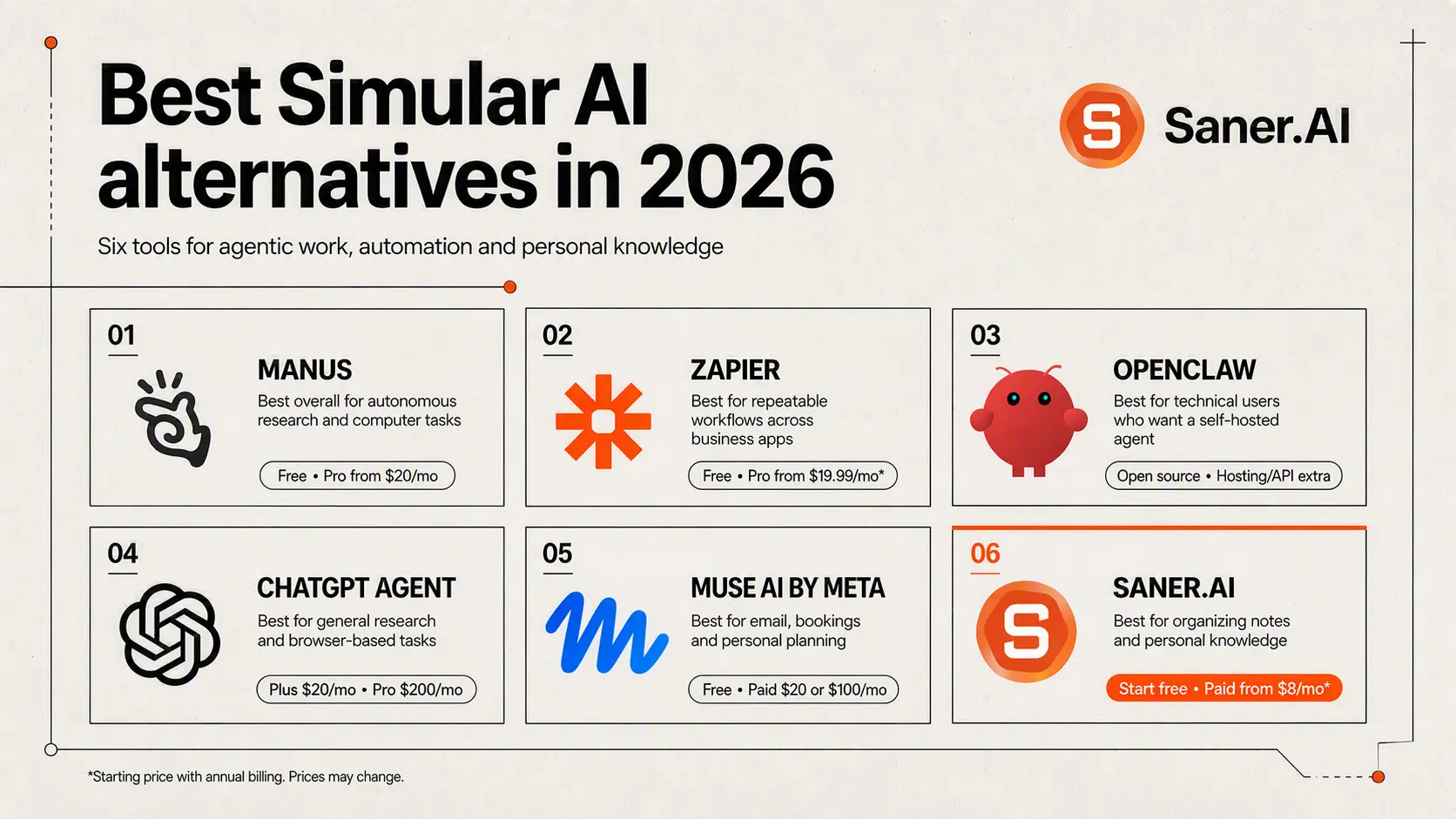
2. Zapier: Best for automating repeatable workflows across business apps
3. OpenClaw: Best for technical users who want an open-source, self-hosted agent
4. ChatGPT Agent: Best for general research and browser-based tasks
5. Muse AI: Best for personal tasks such as email, bookings, and planning
6. Saner.AI: Best for organizing notes and working with personal knowledge
How I chose the best Simular alternatives
The right alternative depends on what you expect an AI agent to do. Some tools operate across websites and software interfaces, while others focus on connecting apps or helping you work with information you have already collected.
We compared each alternative using these criteria:
- Task autonomy: How much work can the agent complete without repeated input?
- App and browser support: Can it work with the websites, tools, and services you use?
- Ease of use: How quickly can a new user set up and run a task?
- Reliability: Does it follow instructions consistently and recover when something goes wrong?
- User control: Can you review actions, adjust the process, and approve sensitive steps?
- Pricing: Does the value make sense for individuals, small teams, or larger businesses?
What are the best Simular AI alternatives?
Best Simular AI alternatives are: ChatGPT Work, Manus, OpenClaw, Zapier, Muse AI and Saner.AI
Simular AI alternatives - Comparison table
| Alternative | How it differs from Simular |
|---|---|
| Saner.AI | Focuses on personal organization and knowledge management, rather than controlling a full computer environment. |
| Muse AI by Meta | Primarily a model and developer ecosystem, not a packaged always-on desktop coworker. |
| OpenClaw | Offers more self-hosting and technical control, but requires more setup and model/provider configuration. |
| Zapier | Uses structured app integrations and triggers; it is best for repeatable workflows rather than visual desktop operation. |
| Manus | Strong for web research and creating outputs from a prompt, but Sai is positioned more directly around persistent computer use across desktop applications. |
| ChatGPT Work | Best for work grounded in files, connected apps, and cloud-browser tasks; Sai is more oriented toward end-to-end operation of a dedicated computer. |
1. ChatGPT Work (formerly ChatGPT Agent)
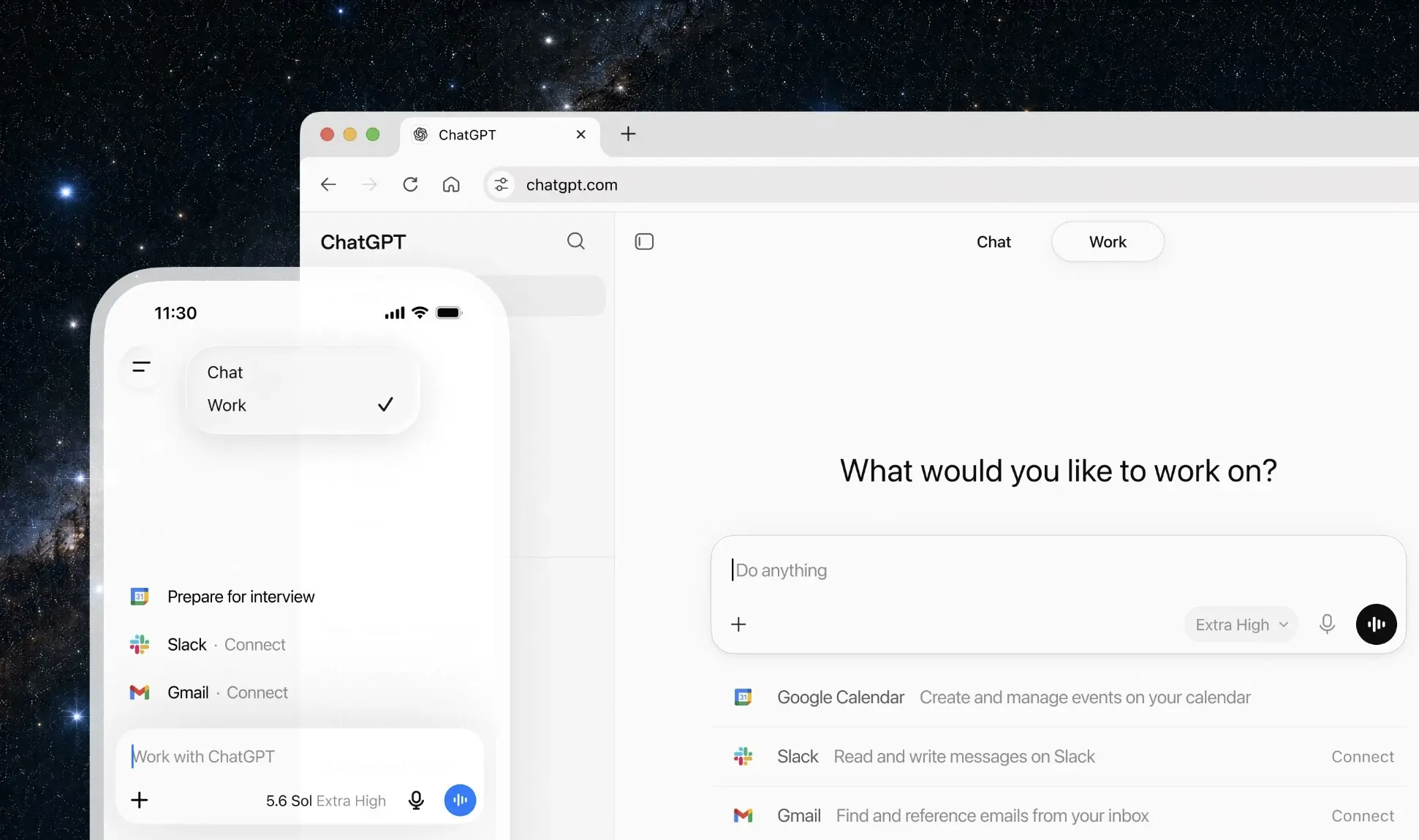
ChatGPT Work can gather the relevant information and turn it into a spreadsheet or presentation, with opportunities to review its approach along the way.
Where it fits well
- Multi-step task execution: Work accepts an outcome and works through the steps needed to produce it. That makes it relevant to Simular AI users looking to delegate tasks
- Desktop and local-file access: In the desktop app, users can let Work use local files and desktop applications.
- Document and spreadsheet creation: Work can use context from connected tools and files to create deliverables in your format.
- Recurring and event-triggered tasks: Supported workflows can run on a schedule or respond to events such as a new Gmail message.
Limitations to weigh
- Local access requires the desktop app: Web and mobile cannot directly access files on your computer.
- Usage varies by task: Work follows Codex's usage structure. Longer tasks can consume more of your allowance, so don't treat a subscription as unlimited automation.
- Compatibility needs a workflow-level check: Simular Pro emphasizes repeatable automation across complex desktop workflows. ChatGPT Work's documented desktop access does not establish equivalent coverage or reliability for every application you use.
Who should try it: ChatGPT users whose automation needs to focus on office deliverables and supported app workflows. It is especially worth considering when you want to delegate a task in plain language and remain involved at review points.
2. Muse AI
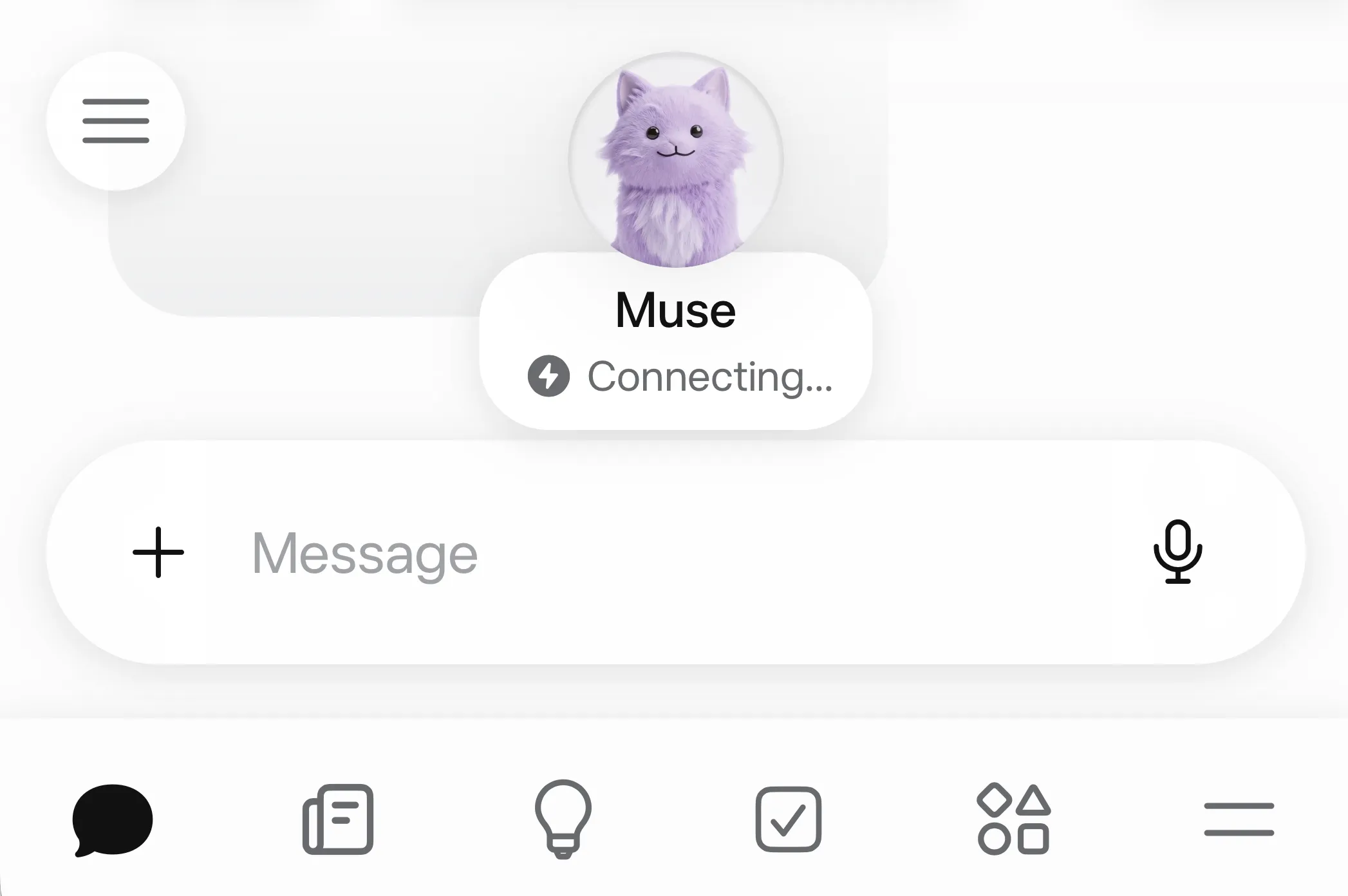
Muse AI by Meta runs on a dedicated cloud computer, where it can browse websites and complete tasks through connected accounts. Muse is worth considering for browser-based personal assistance, though you shouldn't assume it replaces Simular's broader desktop automation.
What it does well
- Browser automation on its own cloud computer: Muse can open websites and fill out forms in a browser you can watch.
- Background work that continues after you leave: Muse can keep pursuing a task after you close the app, checking back when it needs input or permission.
- Control over connected accounts: These controls matter when you're comparing AI agents that take actions using your accounts. I'd start with read-only access
- Conversational setup: Muse uses connected account information to understand your routines and suggest useful tasks. For someone put off by configuring an automation platform, that sounds pleasantly approachable.
Where it falls short
- Limited integration breadth: Muse's launch connections focus on personal accounts, and specialized software may fall outside that coverage.
- Results still need checking: For example, Muse found overlapping AI subscriptions but missed some accounts.
Who should consider it: People who want an AI agent for personal browser tasks and are comfortable connecting their accounts to Meta.
3. Manus
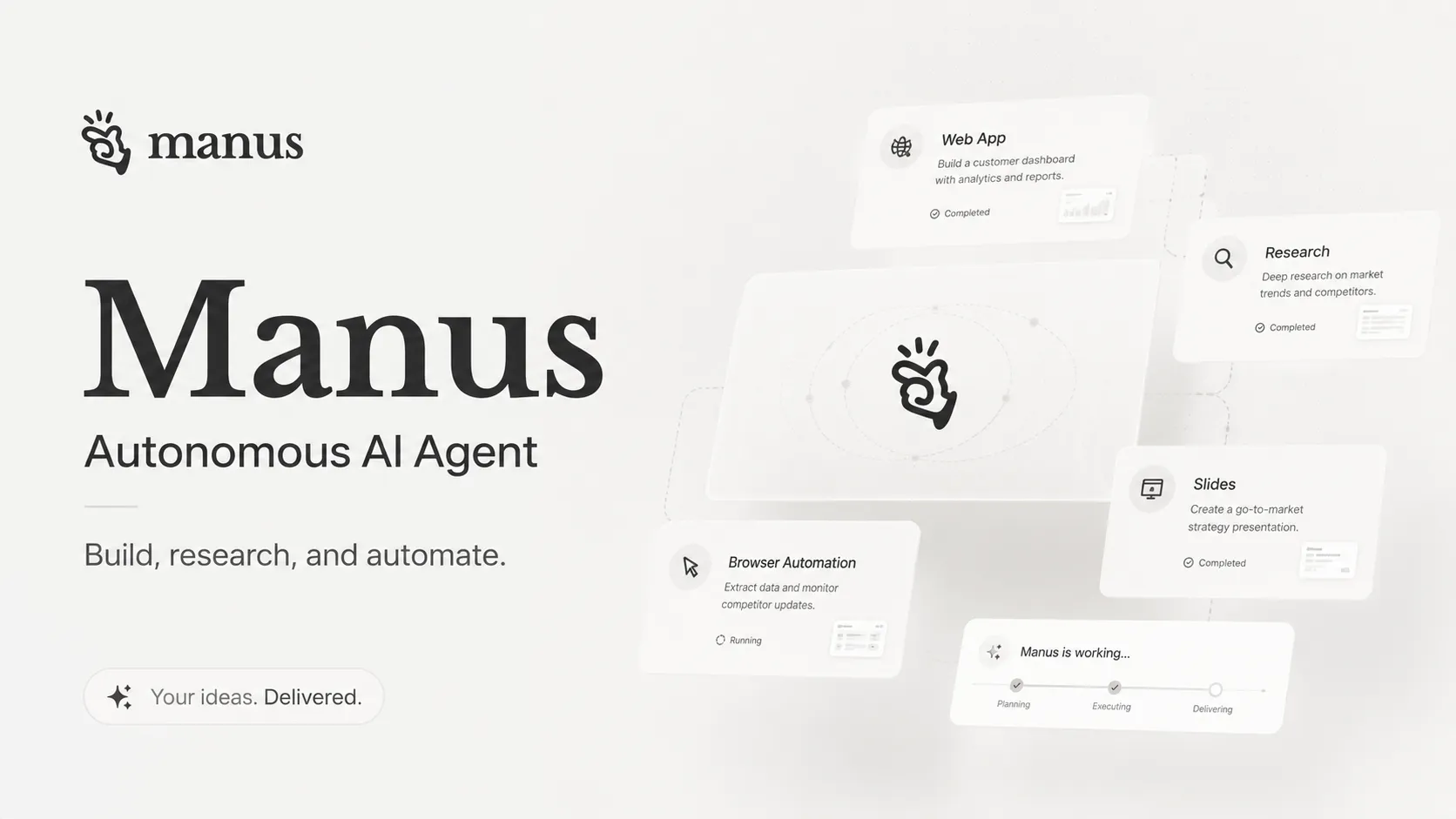
Manus is worth considering when comparing the best Simular AI alternatives. Its autonomous task execution overlaps with Simular's computer-use automation: you describe the outcome, and the agent works through the steps using its available tools.
Where Manus works well
- Multi-step task execution: Manus can plan a task, browse the web, and run code in its cloud workspace. I'd find this especially good for assignments with a clear finish line, such as turning competitor research into a comparison spreadsheet.
- Research-to-deliverable workflows: Manus can turn gathered information into structured outputs, including reports and website prototypes. Having fewer browser tabs to sort through is a helpful feature.
Where you'll need to be careful
- Task costs can be difficult to estimate: Complex assignments consume credits, so repeated revisions deserve attention. I'd start with one representative workflow before committing a whole team's workload.
- Important work still needs oversight: Autonomous execution doesn't remove the need to check sources or test generated code. Build that review time into your workflow, particularly when the output affects customers.
Who should consider it: Manus suits researchers and small teams looking for a Simular AI alternative for delegated, multi-step projects.
4. Zapier
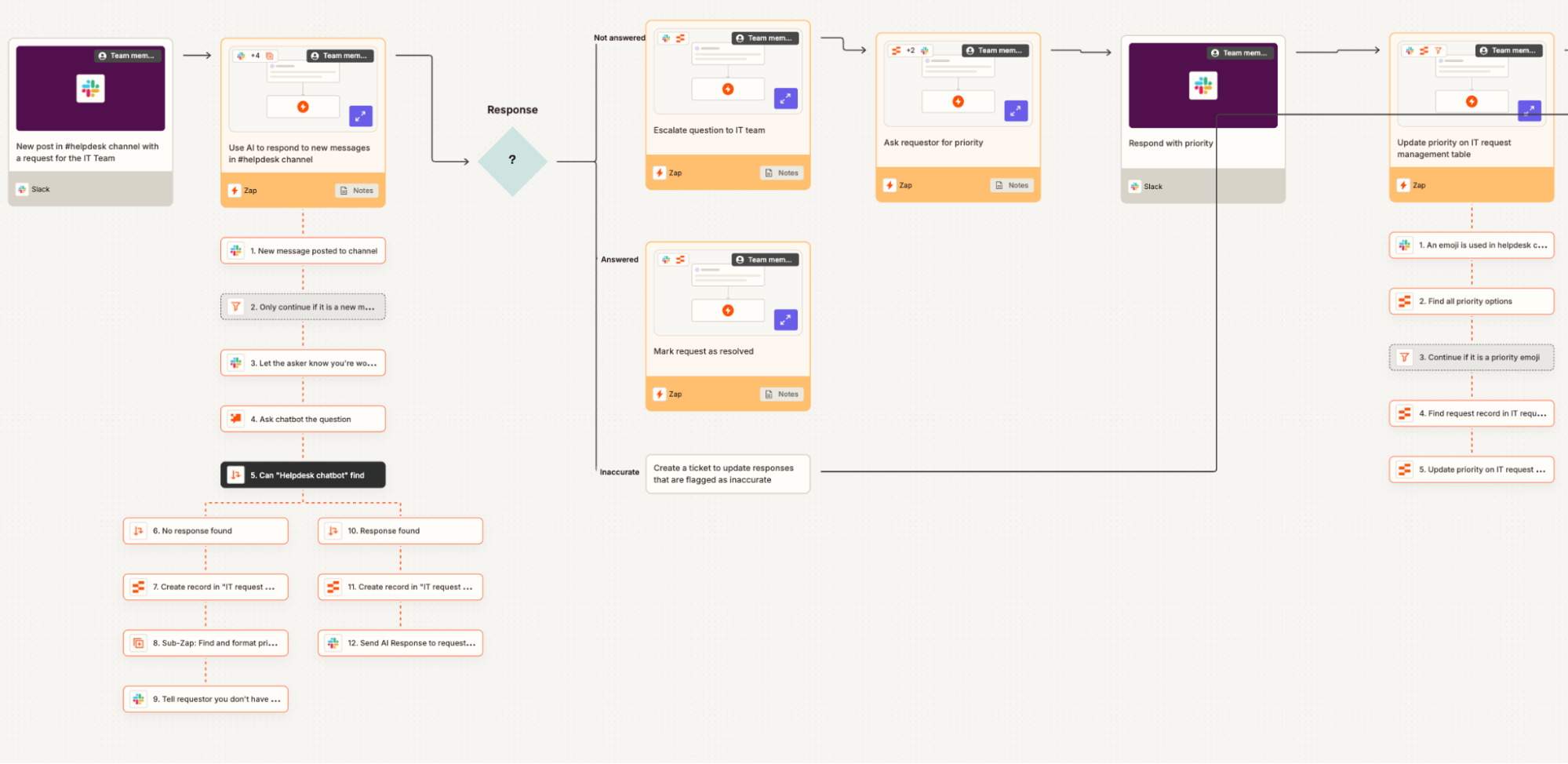
Zapier earns a place among the best Simular AI alternatives if your main goal is automating repetitive work across business apps. Zapier primarily works through app connections, while Simular focuses on agents that interact with computer interfaces.
Where Zapier works well
- Connecting apps that don't work together natively: Zapier supports more than 9,000 app integrations, giving you plenty of options for automating cross-app tasks. Removing repetitive copy-and-paste work is a compelling reason to start.
- Accessible workflow setup: Its visual, no-code builder lets you configure supported automations without developing your own integration. For a small business that needs routine tasks handled automatically, that lowers the technical barrier to getting started.
- Filtering information before it moves downstream: Zapier's Filters and Paths let you control which records continue through a workflow and where they go.
Where it may fall short
- Multi-step automation requires a paid plan: The free plan is useful for testing simple connections, but workflows with several actions need an upgrade. Check the current plan limits before building around it.
- It isn't a direct replacement for desktop control: If you want an agent to operate arbitrary desktop software by clicking through its interface, Zapier's standard workflows won't provide that experience. Confirm that your required app actions are supported before choosing it over a computer-use agent.
Who should consider it: Small businesses and operations teams whose recurring work happens inside supported cloud apps. Zapier is especially worth considering when you can clearly define the process
5. OpenClaw
OpenClaw is worth considering if you're comparing the best Simular AI alternatives for browser automation and everyday computer tasks. Its appeal is the control you get over the setup, including where the assistant runs and which AI model powers it.
Where OpenClaw stands out
- Browser and file automation: OpenClaw can browse websites and read or update files; you could use it to gather information online and save the results locally, provided the necessary tools and permissions are configured.
- Control through messaging apps: You can send requests through WhatsApp or Telegram while OpenClaw runs on your connected machine.
- Self-hosting and model choice: OpenClaw runs on your own hardware and supports different model providers, including local models. Using a cloud model can still send information to that provider, so self-hosting doesn't automatically mean everything stays private.
- Customizable workflows: Community skills and your own extensions let you adapt OpenClaw to specific tasks. That's useful when your reason for leaving Simular is a workflow you want more control over.
What deserves a closer look
- Permissions need careful handling: An assistant that can change files or send messages can also make consequential mistakes.
- Free software still has running costs: OpenClaw has no software subscription, but your chosen model and hosting setup can cost money.
Who should consider it? OpenClaw suits technically comfortable users who want a self-hosted Simular AI alternative with browser automation and chat-based task control. OpenClaw's broad tool access doesn't establish that it can replace every Simular computer-use workflow.
6. Saner.AI
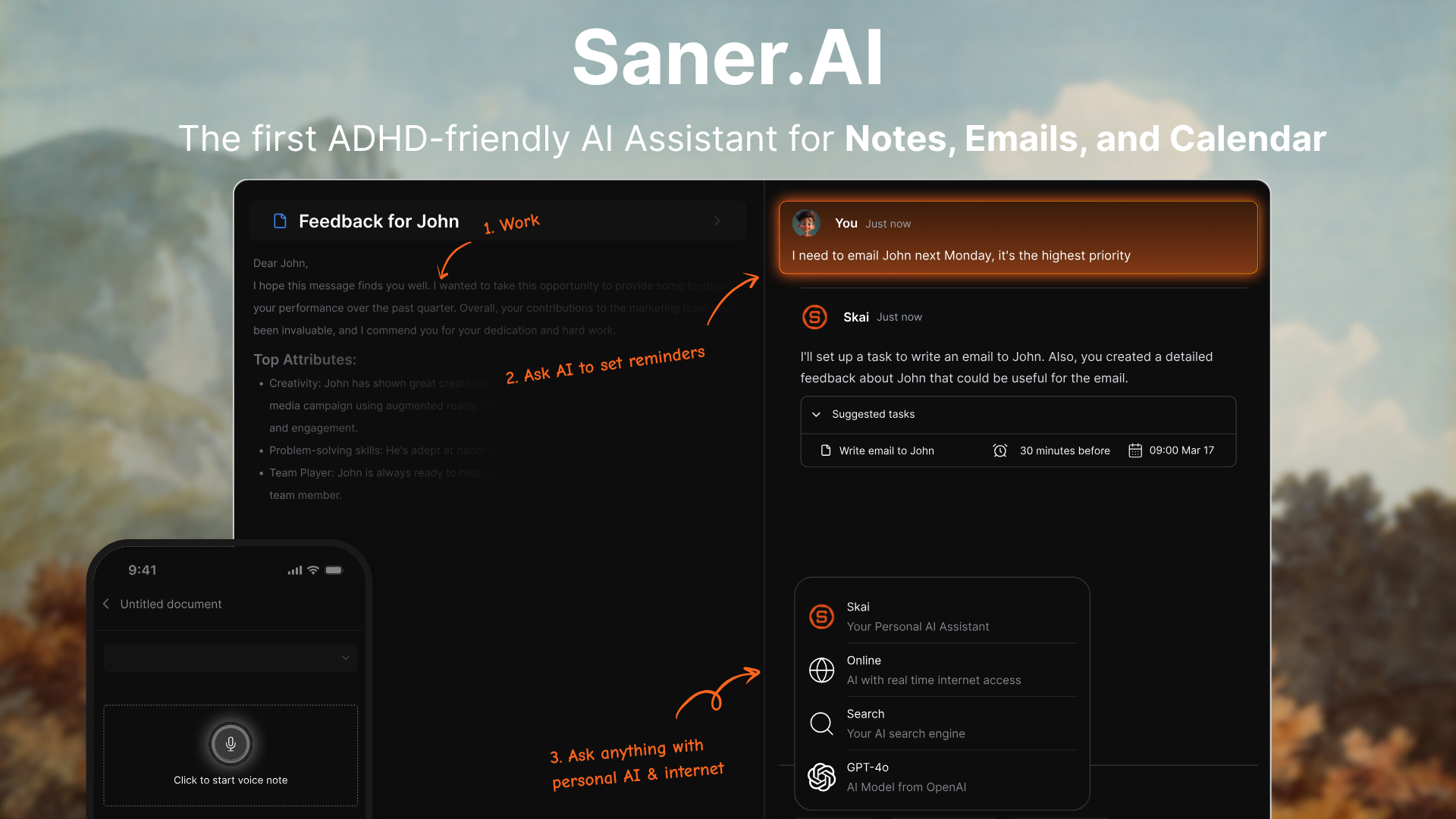
Saner.AI deserves a place among the best Simular AI alternatives if your main goal is getting everyday work organized. Its AI assistant, Skai, turns brain dumps and emails into tasks, then helps you decide what deserves attention today.
Simular focuses on agents that operate desktop apps and browsers. Saner.AI focuses on personal task management and planning. It's a relevant alternative for people seeking an AI personal assistant, rather than a direct replacement for computer-use automation.
Where it earns its place
- Brain dump to task: You can write down unfinished thoughts or capture them by voice, then let Skai help organize them into actionable tasks. I like the low-pressure approach here. Having to tidy your thoughts before putting them into a productivity app can become another reason to put things off.
"For each new item on inbox, AI suggests tasks by understanding and connecting everything" — Yaseen.C
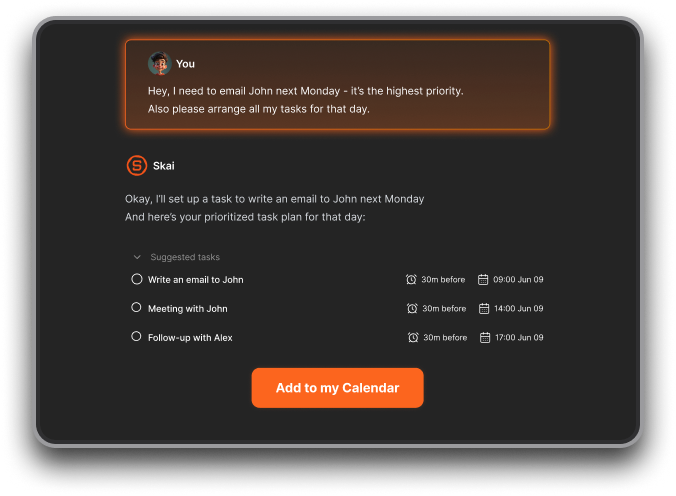
- Proactive daily planning: Saner's daily planning features use connected information to surface priorities, including urgent tasks and emails that need a response.
"The biggest benefit for me in using Saner is the Proactive AI." — Jerry, information security manager
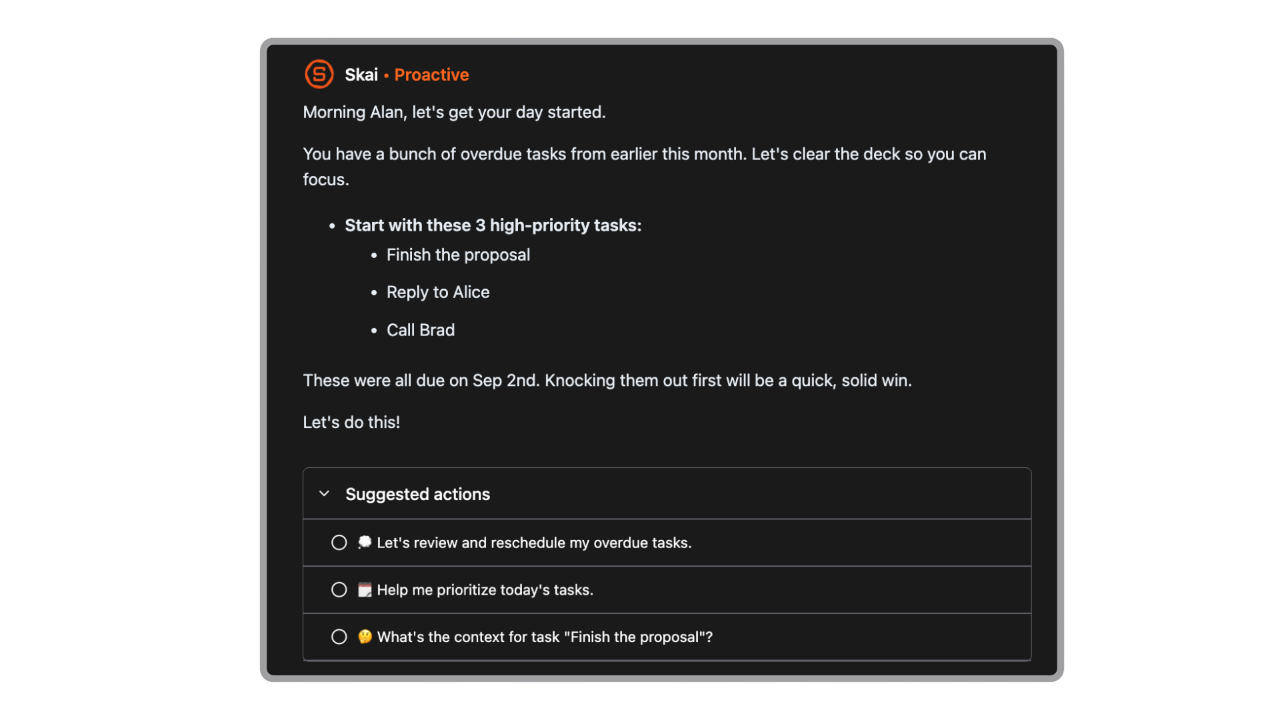
- Calendar view with an AI chat assistant: Saner includes a timeline that displays tasks in a calendar view. You can also ask Skai to help prioritize and schedule work using your connected information.

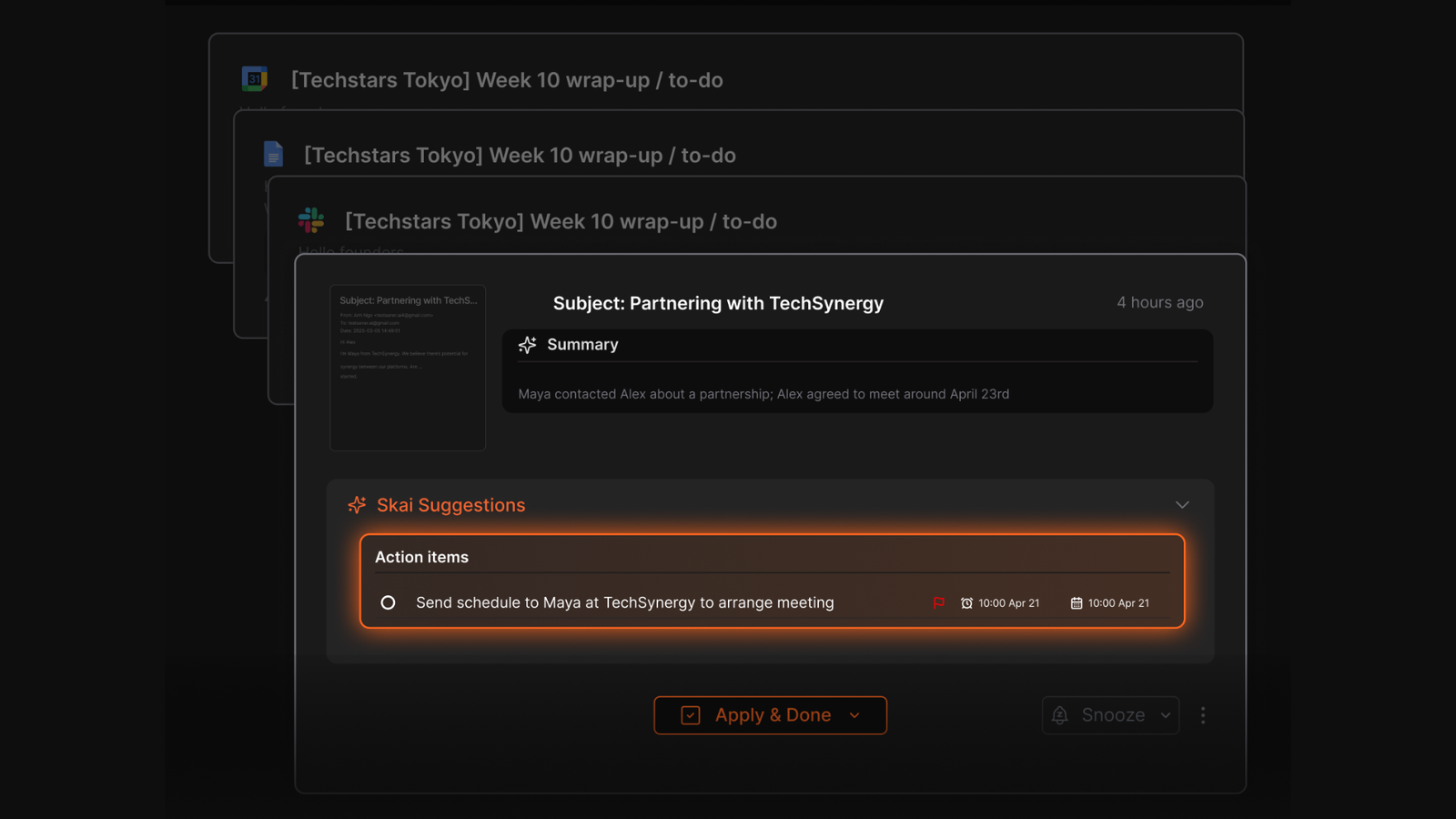
- Email to task: Saner can turn emails into tasks and help prioritize follow-ups. That connects incoming requests to your planning workflow, reducing the need to manually recreate each commitment in a separate to-do app.
What to keep in mind
- It doesn't replace a computer-use agent. Choose a different tool if you need AI to navigate arbitrary websites or execute multi-step workflows across desktop applications.
- Its usefulness depends on the information available to it. Connecting your email and calendar gives Skai more context. You'll still want to review suggested tasks and scheduling decisions, particularly when deadlines matter.
Who should consider it: Saner.AI suits people whose work gets scattered across their inbox and personal notes, especially those who find daily planning overwhelming. It's a strong option to consider when your reason for exploring Simular AI alternatives is wanting help managing your day.
Conclusion - Which Simular alternative should you choose?
The best Simular alternative depends on where you want the work to happen. Manus and ChatGPT Agent suit people who want to delegate research and browser tasks. Zapier is a better fit for predictable workflows between business apps, while OpenClaw gives technical users more control over how their agent is hosted and configured. Muse AI focuses on personal assistance.
Saner.AI makes the most sense when your work starts with information. It manage your notes, tasks, email and calendar automatically.
Simular remains the stronger choice for direct desktop automation. For knowledge-heavy work, Saner.AI offers a more focused alternative without making you build a complicated workflow first.

Stay on top of your work and life effortlessly
Frequently asked questions
1. What is the best Simular alternative?
Manus is the closest overall alternative for people who want an AI agent to handle research and multi-step computer tasks. The best choice still depends on your workflow. Zapier is stronger for repeatable business automation, while Saner.AI is better suited to research, writing, and organizing knowledge.
2. Is there a free alternative to Simular?
OpenClaw is an open-source option, although you may need to pay for model usage and hosting. Other platforms may offer free plans or limited trials, but usage caps can make them unsuitable for regular automation. Check current pricing before choosing, since AI agent plans change often.
3. How does Manus compare with Simular?
Both platforms can complete multi-step tasks with limited input. Simular focuses heavily on controlling a computer and working through desktop interfaces. Manus is a better fit for users who want to delegate research, file work, and longer projects through a more guided experience.
4. Can Zapier replace Simular?
Zapier can replace Simular when your workflow involves supported business apps and follows clear rules. It is useful for moving data, sending notifications, updating records, and triggering routine processes. It is less suitable when a task requires flexible interaction with an unfamiliar desktop interface.
5. Is OpenClaw a good Simular alternative?
OpenClaw is worth considering if you want control over your agent, models, hosting, and integrations. Its open-source approach gives technical users more room to customize how the system works. Setup and maintenance require more effort than a managed platform, especially if the agent has access to sensitive files or accounts.
6. What can ChatGPT Agent do compared with Simular?
ChatGPT Agent can research topics, browse websites, work with connected tools, and complete many online tasks. It works well as a general assistant inside the ChatGPT environment. Simular may be the better option when direct interaction with desktop software is the main requirement.
7. Is Muse AI by Meta a replacement for Simular?
Muse AI is aimed more at personal delegation, including tasks involving messages, bookings, forms, and planning. Simular is more closely associated with computer control and work carried out across desktop applications. Availability, supported actions, and account access may vary by region, so it is worth checking Meta’s current product details first.
8. Which Simular alternative is best for business automation?
Zapier is the strongest option in this list for structured automation between commonly used business apps. Teams can build repeatable workflows without giving an AI agent broad control over an entire computer. OpenClaw may suit businesses that need deeper customization and have the technical resources to manage it safely.
9. Which alternative is best for research and knowledge work?
Saner.AI is a practical choice when your work revolves around notes, saved sources, and ideas you need to find later. It helps keep information in one place and makes that material easier to use while researching or writing. This narrower focus can be more useful than desktop control if information overload is the problem you are actually trying to solve.
10. How should I choose a Simular alternative?
Start with the tasks you want to hand over. Choose a computer-use agent for work that requires clicking through websites or desktop apps, and an integration platform for predictable processes between connected services.
Stay on top of your work and life effortlessly