Best AI Knowledge Base in 2026: We tried the best 5 in the market


Best AI Knowledge Base in 2026
Imagine if your second brain didn’t just store what you know - but helped you think better every time you used it.
That’s exactly what an AI Knowledge Base is designed to do.
Unlike traditional knowledge bases that are static, outdated, and hard to search, an AI knowledge base is dynamic, context-aware, and actually gets smarter the more you use it.
Whether you're an entrepreneur juggling 10 priorities or a knowledge worker trying to keep track of everything you read, write, and remember, an AI Knowledge Base can transform how you access and use your own knowledge.
Let’s break it down.
Quick guide: 5 best AI knowledge bases
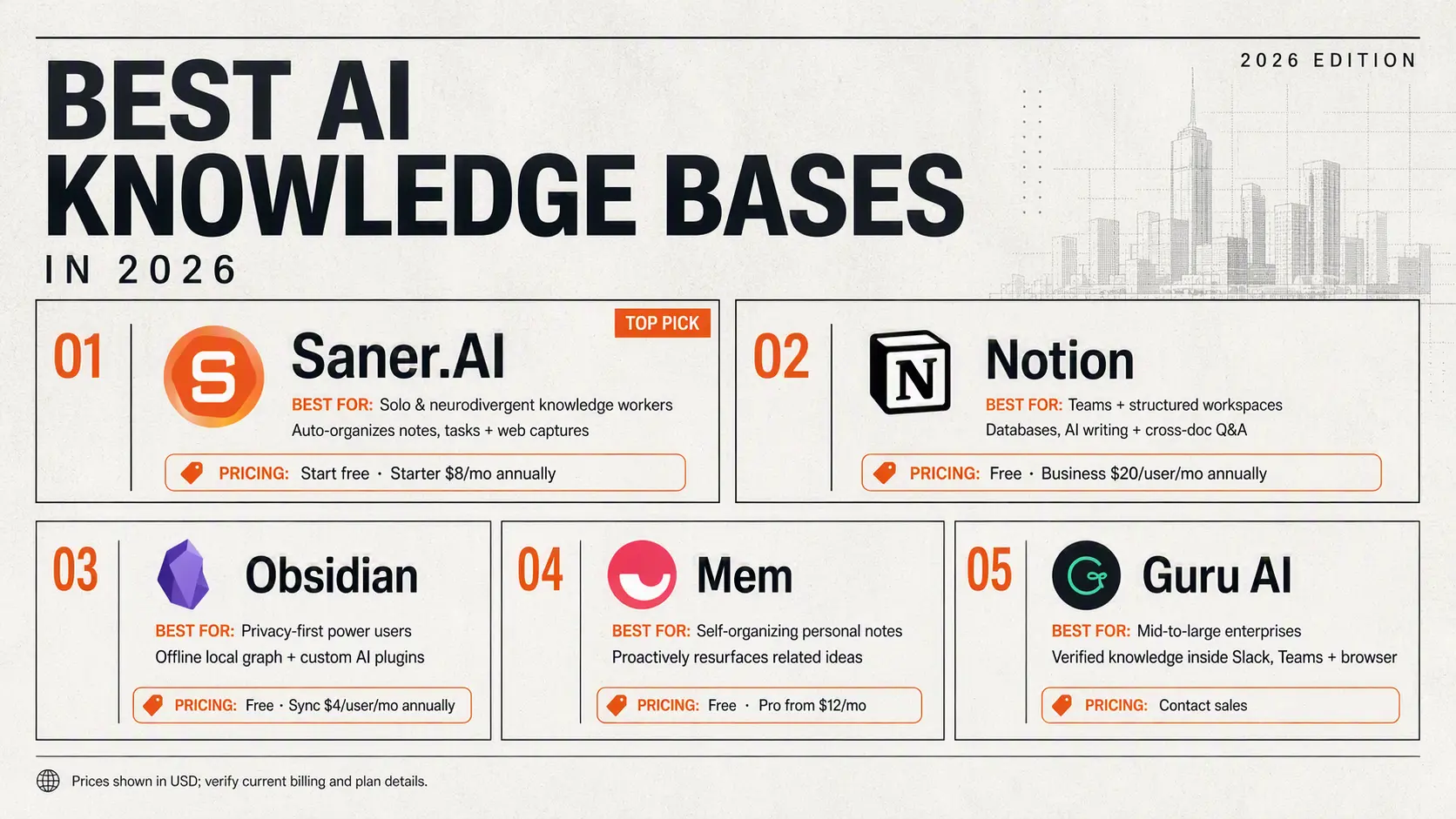
- Saner.AI: Best for solo knowledge workers and neurodivergent professionals who need AI to automatically organize scattered notes, tasks, and web captures without manual tagging.
- Notion: Best for teams that want structured workspace databases with integrated AI writing, page synthesis, and cross-document Q&A.
- Obsidian: Best for privacy-focused power users who want an offline, local-first knowledge graph powered by custom local AI plugins.
- Mem: Best for individuals wanting a self-organizing note network where AI proactively surfaces related past ideas while you type.
- Guru AI: Best for mid-to-large enterprises needing an AI-powered verification layer and knowledge agent that operates directly inside Slack, Teams, and browser extensions.
1. What is a Knowledge Base?

A. Business Knowledge Base
A business knowledge base is designed to help teams and customers quickly find the information they need. It stores everything from internal SOPs, employee onboarding guides, product documentation, FAQs, and even customer service scripts.
Think of it as the company’s collective brain, accessible 24/7.
B. Personal Knowledge Base: Your Second Brain
A personal knowledge base is where you store your own thoughts, notes, research, and ideas - so you don’t lose track of important information or insights.
Whether you’re taking notes from a book, writing meeting takeaways, brainstorming ideas, or saving useful web links - a personal knowledge base keeps it all connected and easy to find.
In short, it helps you think better, remember faster, and act smarter.
2. What Is an AI Knowledge Base?
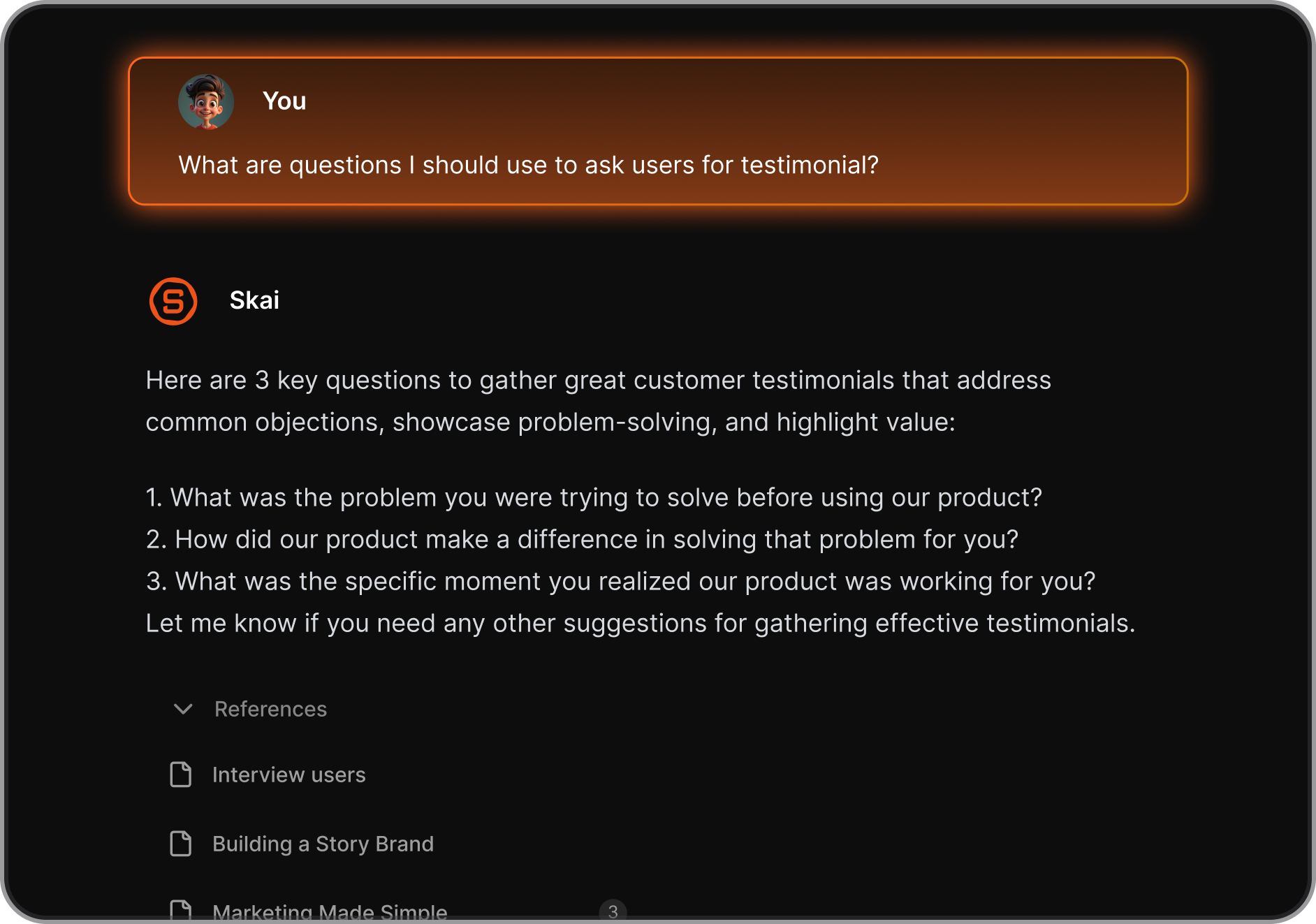
An AI Knowledge Base is a smart system that combines your personal or business information with artificial intelligence - so instead of just storing what you know, it helps you use it.
It works like your own version of ChatGPT - but with your thoughts, files, ideas, notes, and tasks.
What are Best AI Knowledge Base App?
Best 5 AI Knowledge Base App are Saner.AI, Notion, Obsidian, Mem, Anytype.
1. Saner.AI
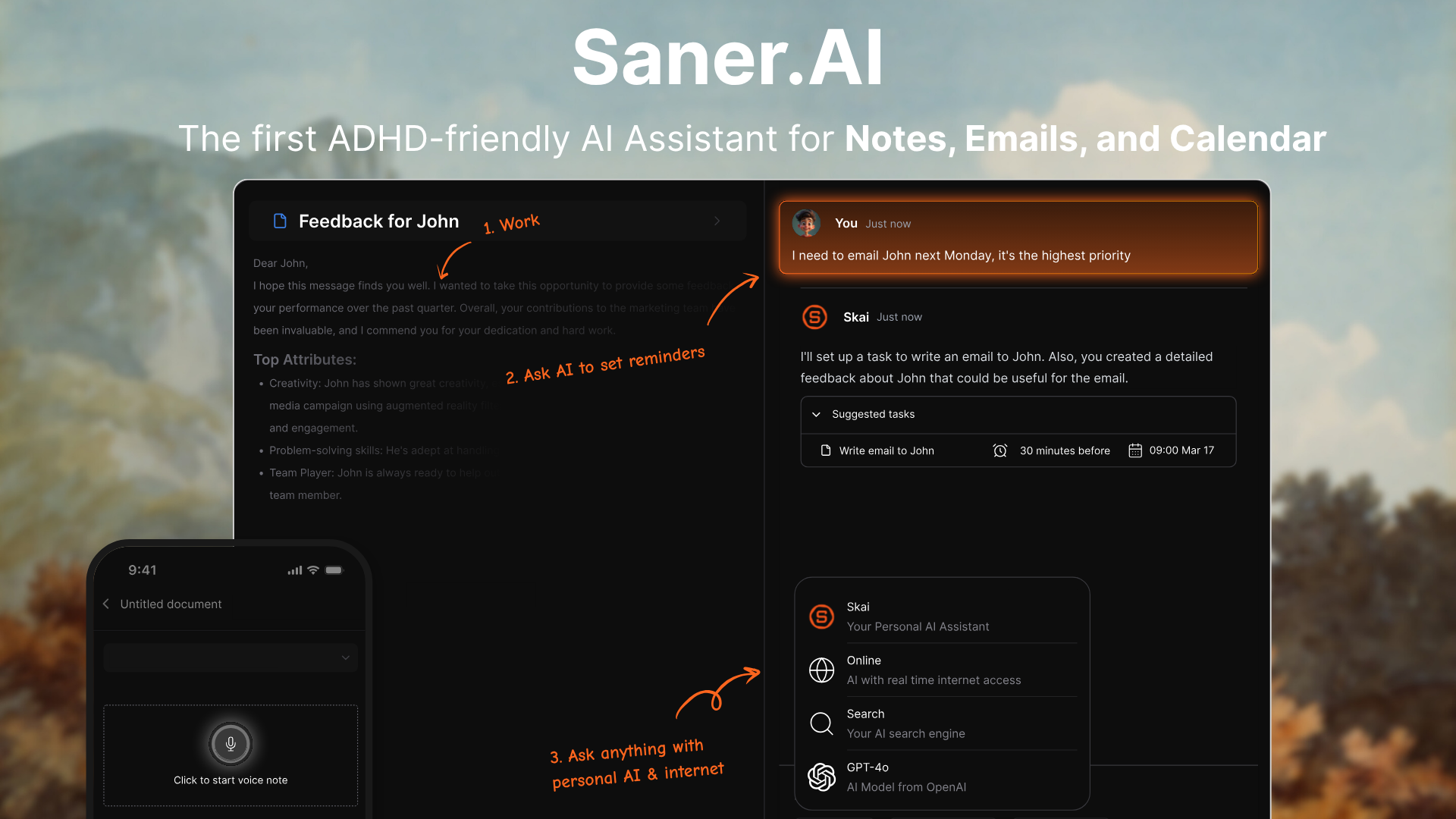
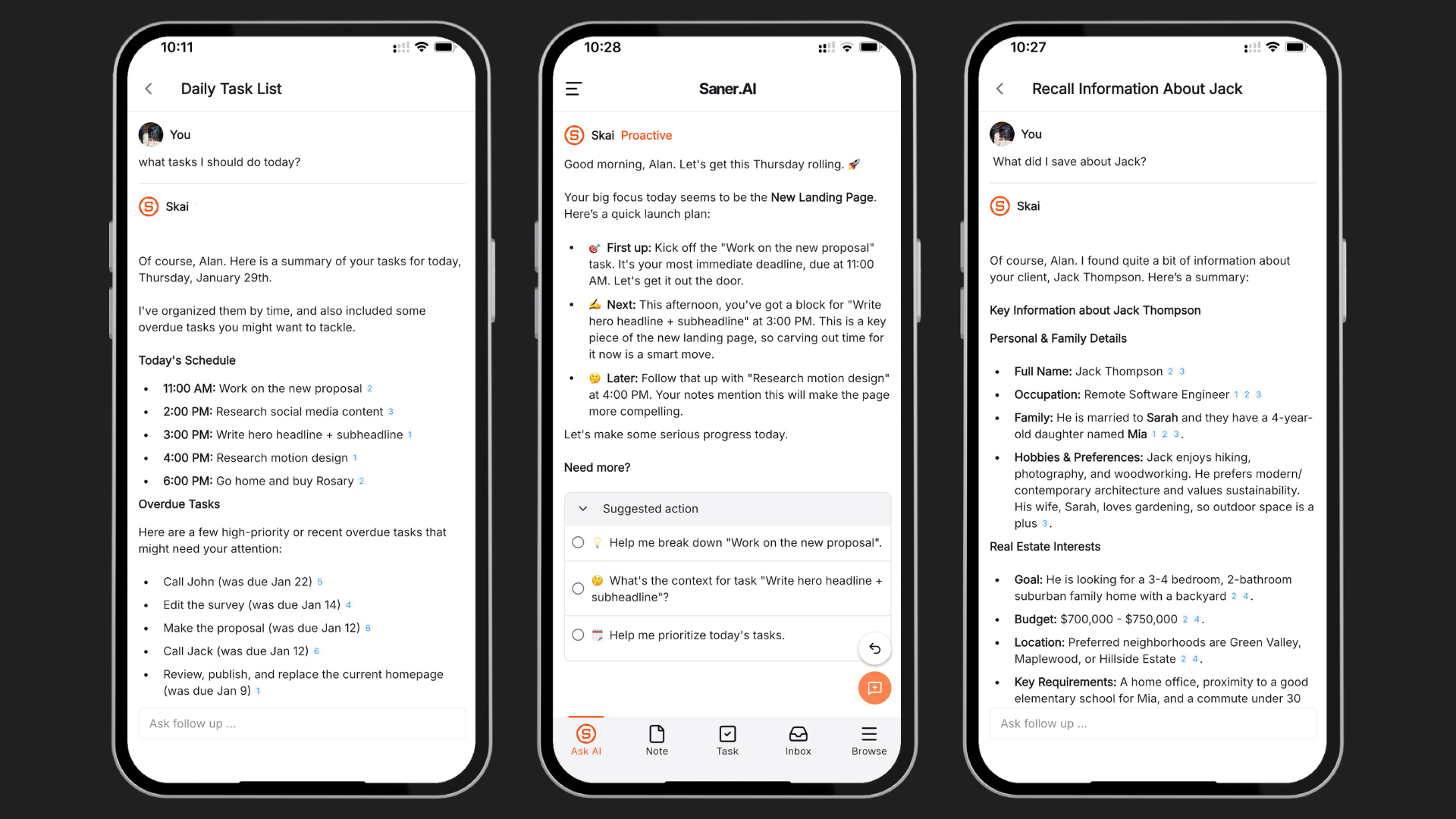
Saner AI is a personal AI knowledge base and note-taking tool designed specifically for knowledge workers, entrepreneurs, and individuals dealing with information overload or ADHD.
It functions as a single source of truth that continuously synthesizes scattered thoughts, PDFs, web clips, and workspace notes by leveraging an integrated personal assistant named "Skai".
Key feature
- Skai Personal AI Assistant
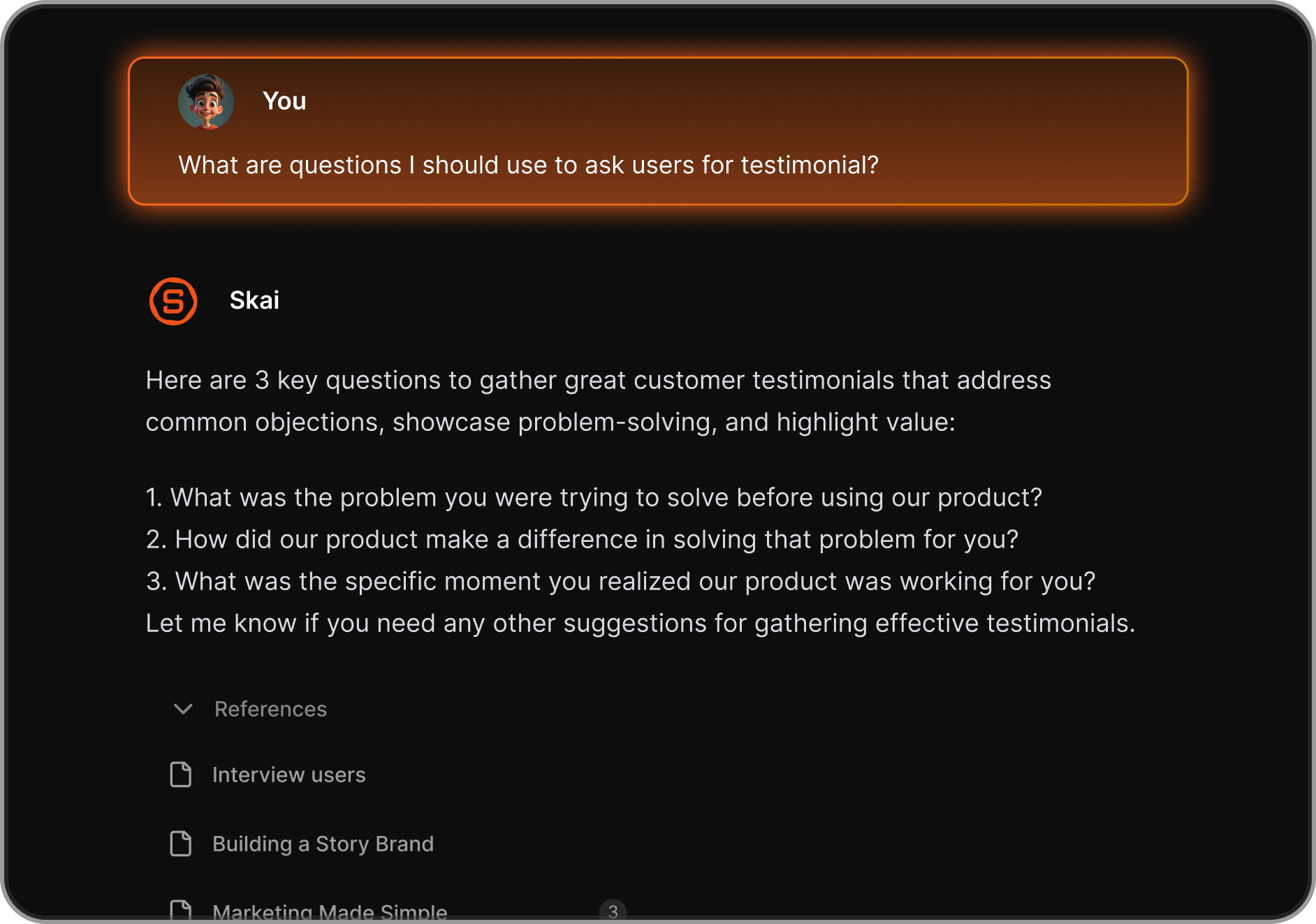
The resident assistant queries your connected documents directly to summarize content, answer natural-language questions, and generate draft insights. I used this feature to extract context from a bulk batch of project notes without having to read through each file individually.
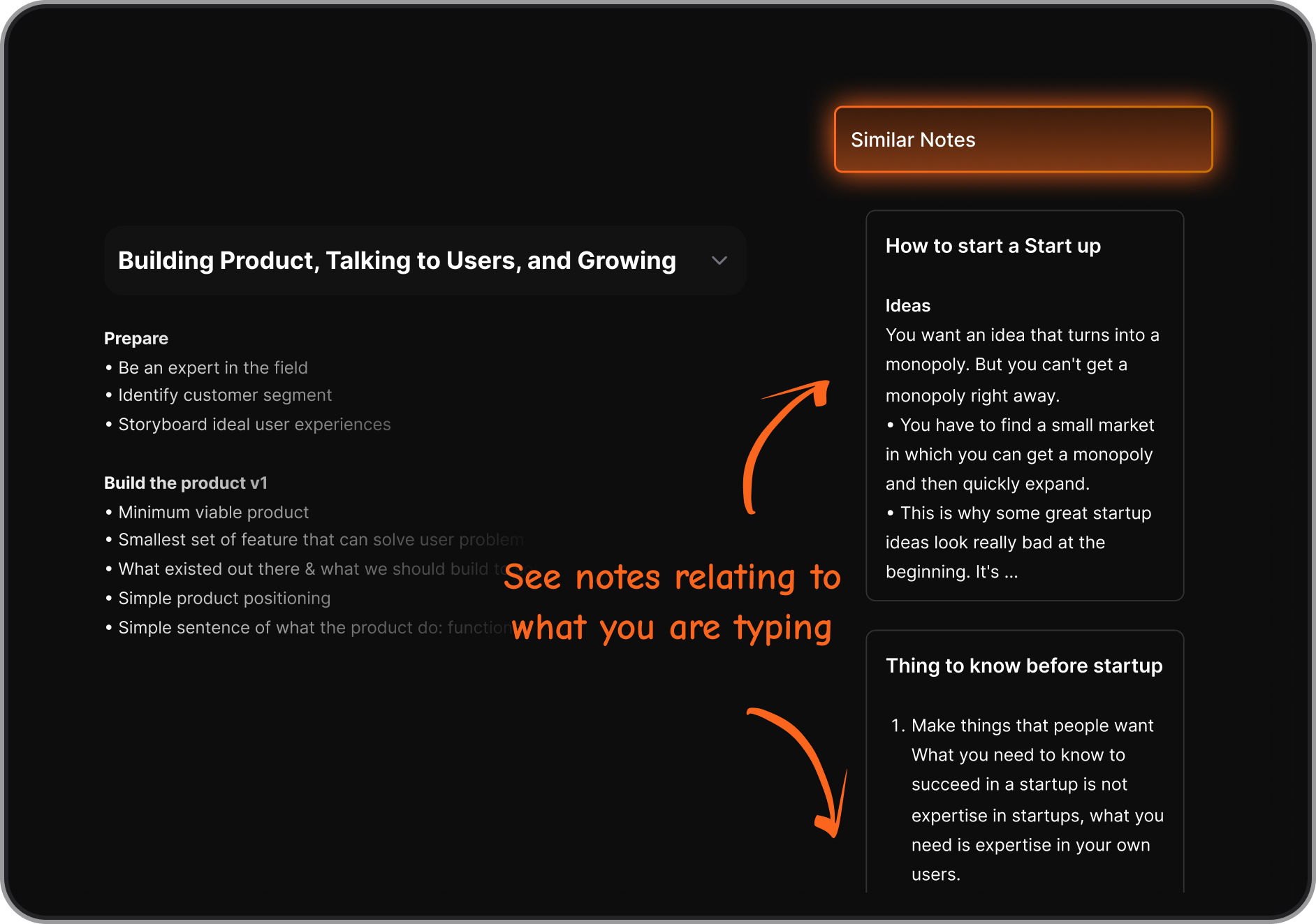
- Frictionless Friction-Free Capture & Search
Instead of demanding strict folder organization, the app relies on semantic vector search to retrieve forgotten ideas instantly based on raw meaning rather than exact keywords. I tried searching for broad project themes rather than exact titles, and the system consistently pulled up the precise notes I needed.
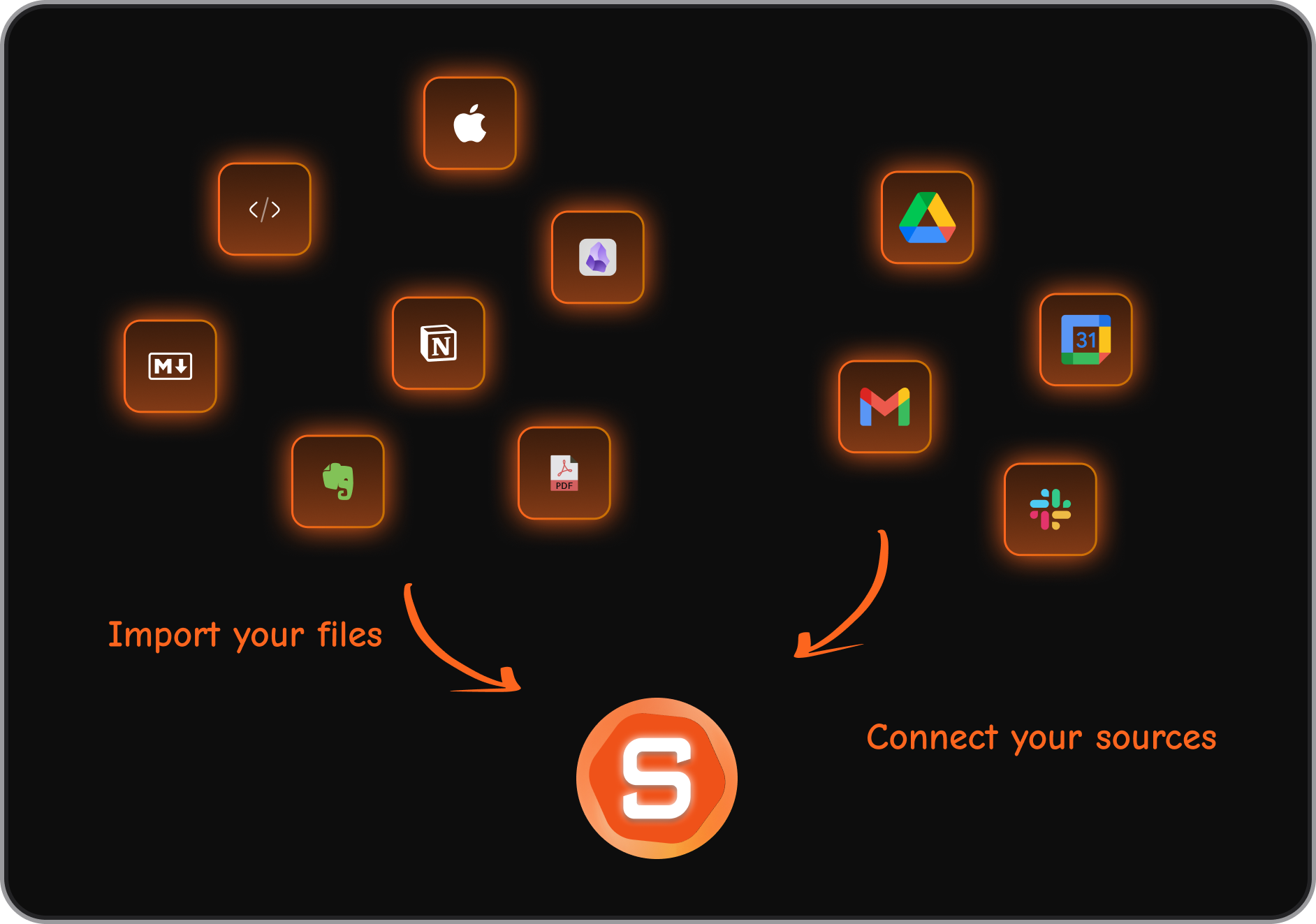
- Multi-Source Knowledge Ingestion
The system acts as a central repository by ingesting content from Google Drive, PDFs, Markdown files, Slack, and web bookmarking extensions. I liked how seamlessly it parsed diverse documents into a unified readable stream without scrambling formatting.
Pros and Cons
- The app requires minimal manual setup, automatically organizing notes through semantic AI tagging.
- I like how the interface targets cognitive overwhelm, making it exceptionally approachable for ADHD-style workflows.
- I enjoy using Skai to instantly retrieve obscure research details embedded deep inside heavy PDF documents.
- I feel held back by mobile sync delays and occasional input processing lags during peak generation tasks.
Who Is It Best For
- Saner AI is ideal for solo knowledge workers, researchers, content creators, and individuals with neurodivergent (ADHD) working styles who need a fast, low-friction digital memory bank that organizes itself automatically.
Pricing Table
| Plan | Price (USD) | Key Capabilities |
| Free Plan | $0/month | Basic note-taking, standard capture capabilities, and limited queries with Skai AI. |
| Starter Plan | $8/mo (billed annually) or $12/mo (billed monthly) | Full AI semantic search, expanded upload capacity, and higher Skai usage limits. |
| Standard Plan | $16/mo (billed annually) or $20/mo (billed monthly) | Advanced platform integrations, priority processing speed, and maximum file size support. |
What People Say
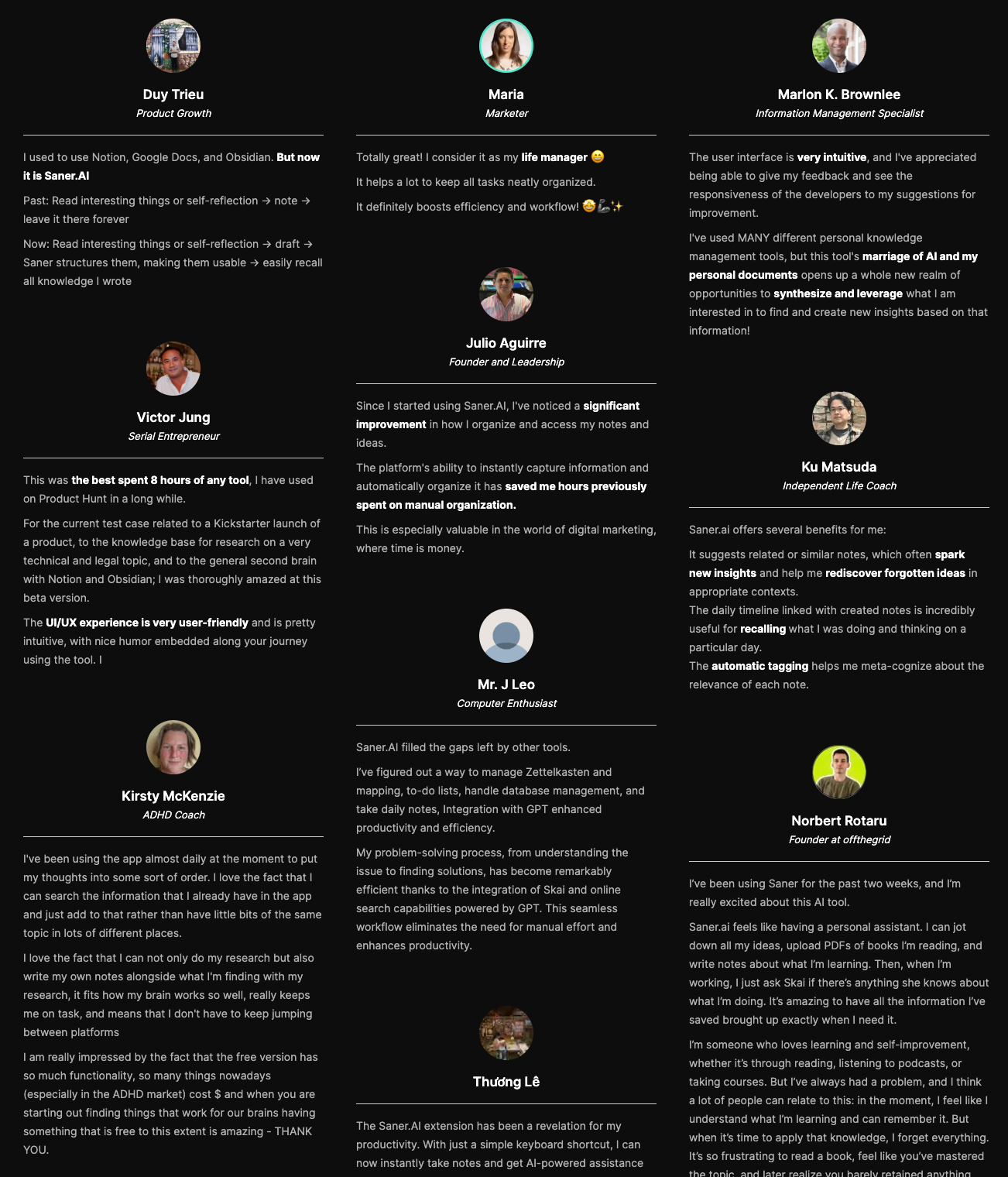
Users frequently praise the tool for lowering the friction of capturing thoughts and turning chaotic notes into usable assets.
"The biggest benefit for me in using Saner is the Proactive AI. Staying on top of the constant flow of email and multiple calendars is challenging, and so far, Saner is the only AI-based tool that truly feels like a personal assistant." - Jerry
How to Get Started
- Step 1: Create an account on the official portal and download the desktop client or browser extension.
- Step 2: Import your existing documents by uploading PDFs, Markdown files, or linking your Google Drive workspace.
- Step 3: Open the Skai AI prompt window to start asking questions directly against your newly aggregated personal knowledge base.

Stay on top of your work and life
2. Notion
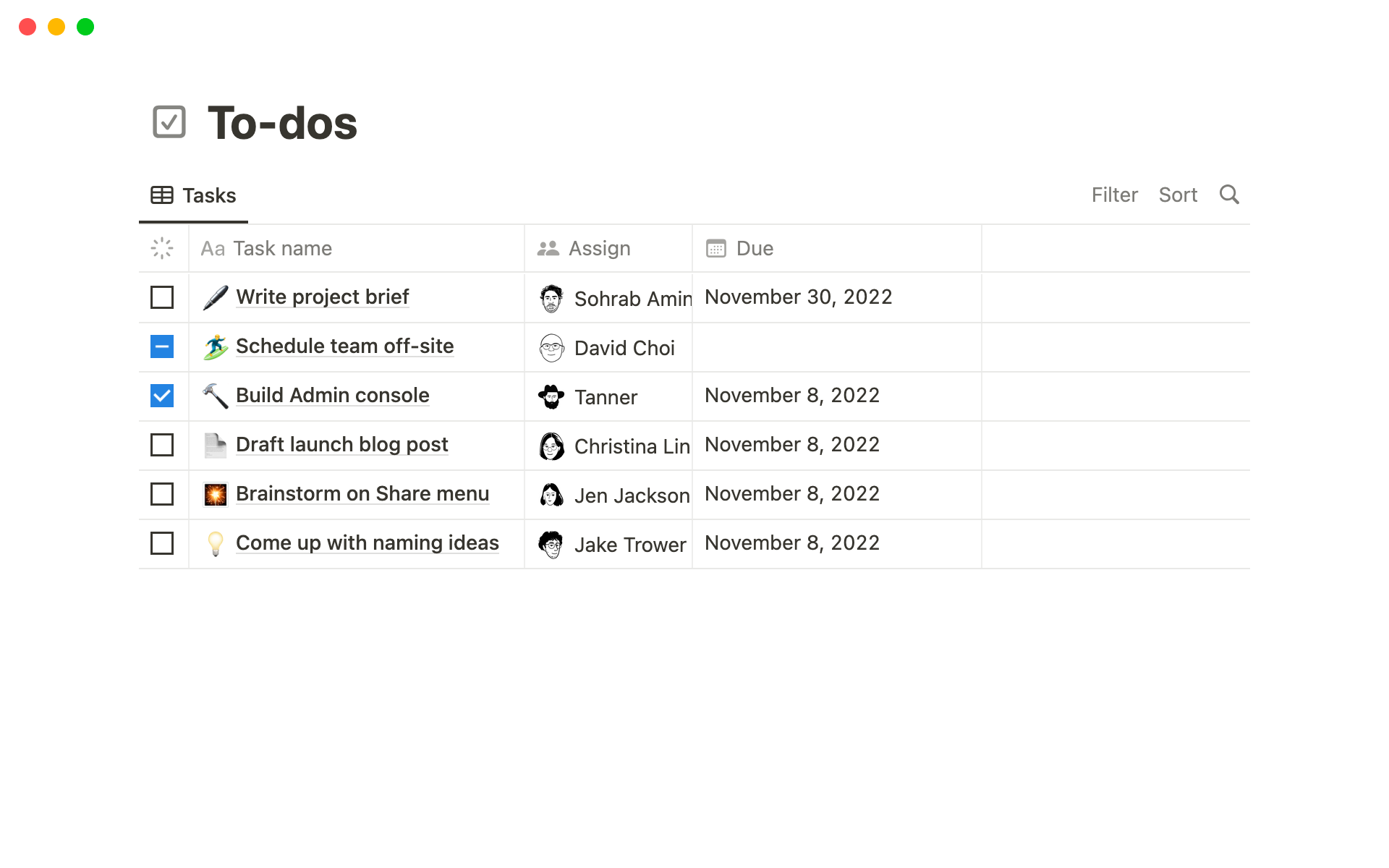
Notion (Notion AI) Turn static wiki pages into an active search engine for your company. Notion AI scans through your entire workspace—docs, meeting notes, project boards, and databases—to answer questions directly in seconds, pulling exact context without you needing to dig through folders.
What it does well:
- Instant workspace search: Notion AI Q&A scans every page you have permission to view, summarizing answers instantly and citing the exact documents it used.
- Relational database context: The AI connects information across linked databases, meaning project briefs and task tracking stay tied directly to your documentation.
Verified review:"The ability to interlink pages and databases makes organizing and accessing information seamless, while real-time collaboration features enable teams to work together effortlessly."
- Integrated content generation: You can draft specs, rewrite notes, or auto-generate action items right inside your docs without jumping out to another app.
What it doesn't do well:
- Performance drops on large workspaces: When workspaces accumulate massive amounts of data or heavy databases, page response times can take a noticeable hit.
- Unreliable offline access: You basically lose access to your documentation and search abilities if your internet connection cuts out.
- Steep setup curve: Building a clean structure requires serious manual effort early on, or the workspace turns into an unorganized dump.
Who it's actually for: Teams looking for the best AI knowledge base to centralize notes, docs, and project management under one search bar.
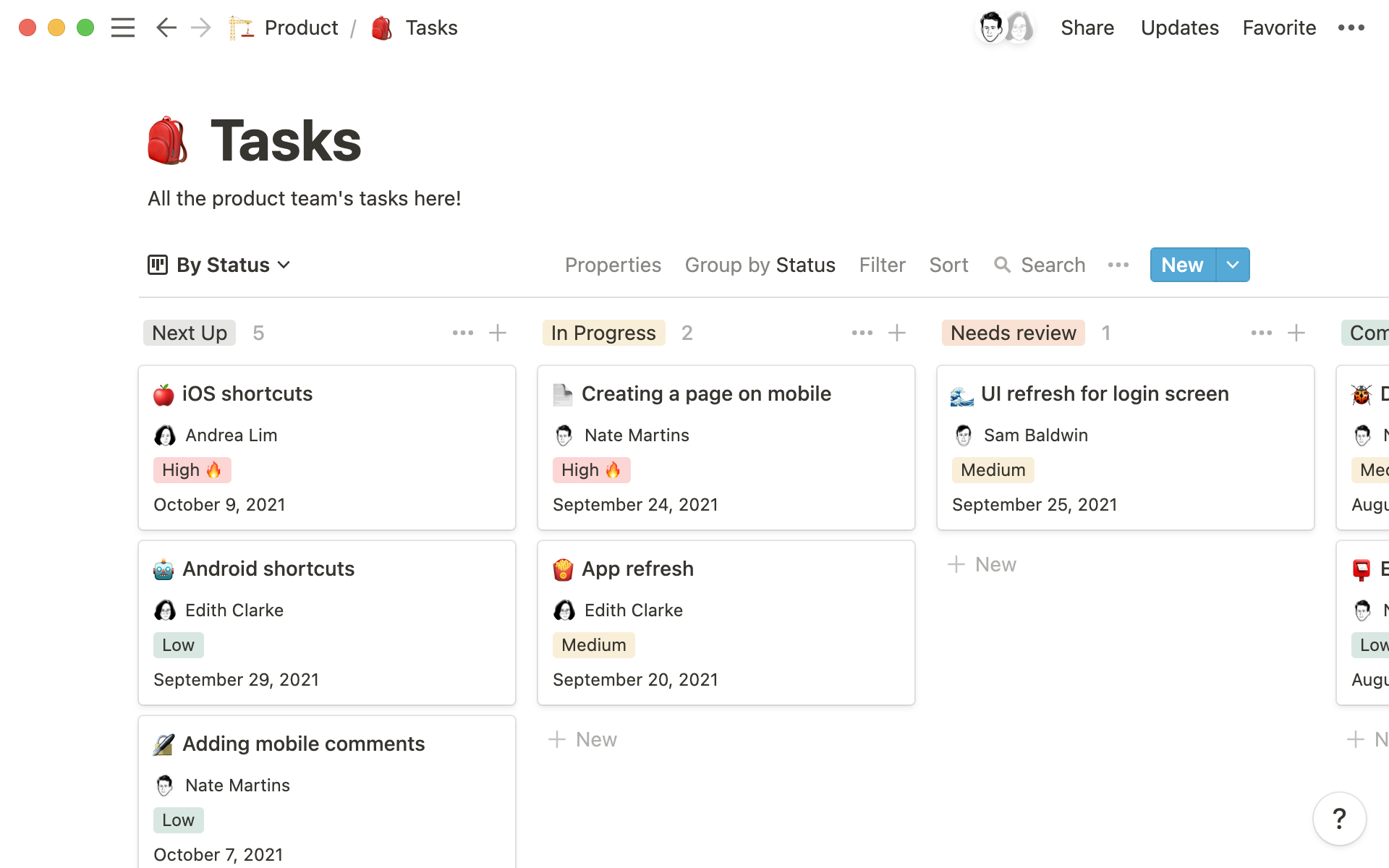
Notion reviews (source)
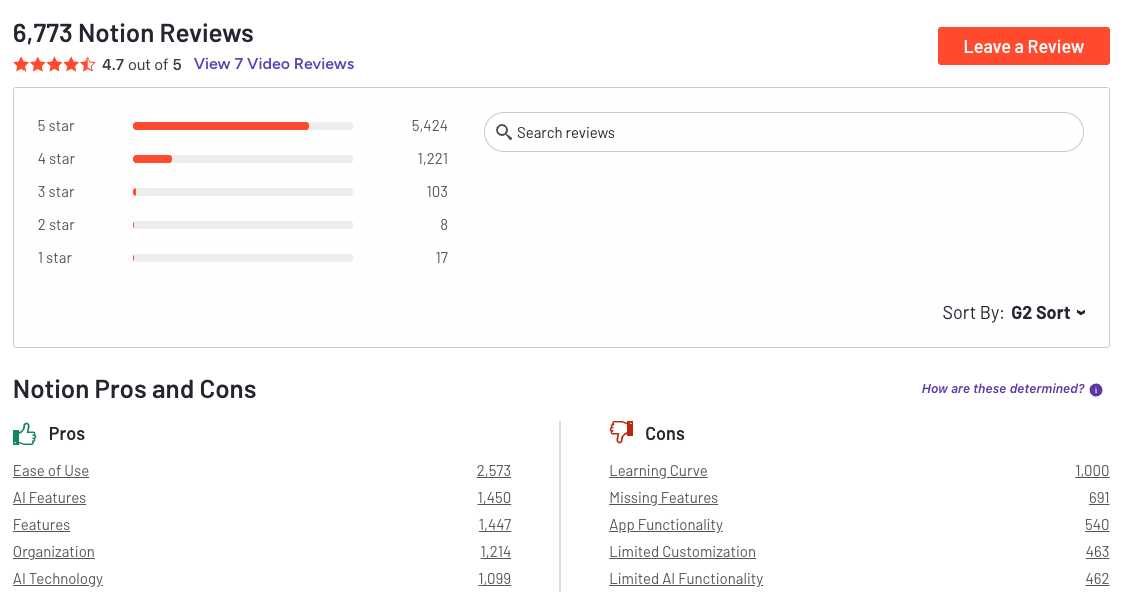
"I really appreciate that Notion keeps everything together in one place, which is great for our work tasks and notes. The fact that there’s an entire ecosystem now, including the calendar and mail, being integrated into Notion databases makes it even more appealing." - Diane P.
3. Mem
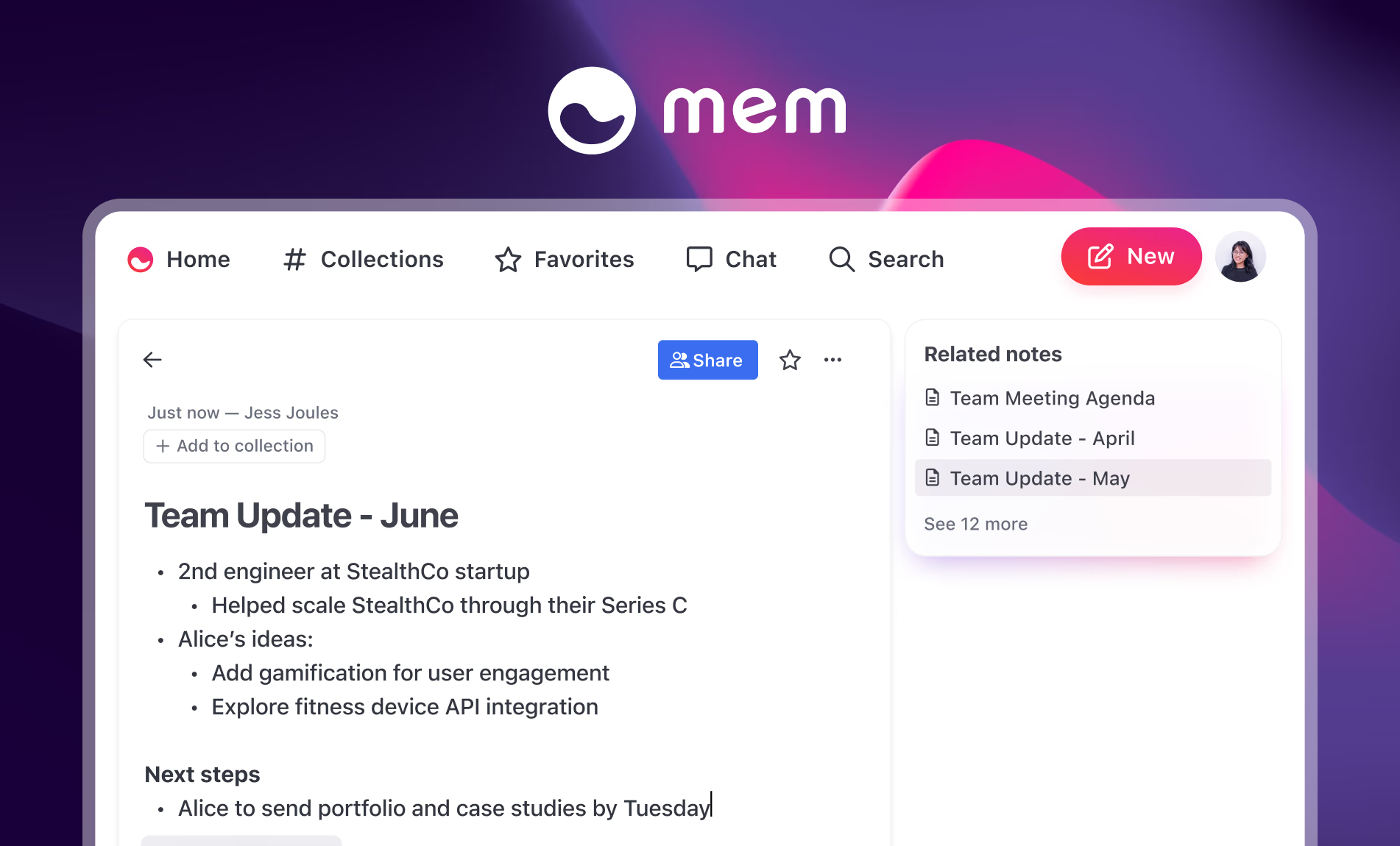
Mem tries to handle the dirty work of keeping your digital life organized by using an AI knowledge base framework. The core feature tied to this keyword is its self-organizing graph memory.
What it does well
- Self-organizing notes: You skip folder setups entirely; the tool links your ideas and project drafts automatically as you write.
- Contextual search: You don't need to recall exact filenames or tags—asking natural questions brings up related notes based on their actual meaning.
- Quick capture workflows: You can dump quick text snippets, web clips, or meeting notes straight into the feed without worrying about clean formatting.
What it doesn't do well
- Rigid structure gap: If you prefer strict database views, custom columns, or manual folder trees like Notion, the automated setup feels chaotic.
- Basic note-taking gaps: Core writing controls, like moving bullet points around using simple keyboard shortcuts, are still missing or buggy.
- Mobile experience: The web app runs smoothly, but the mobile setup lags behind with fewer offline options and inconsistent sync speeds.
Who it's actually for: People who hate sorting files into folders and want a lightweight workspace that connects their scattered notes automatically.
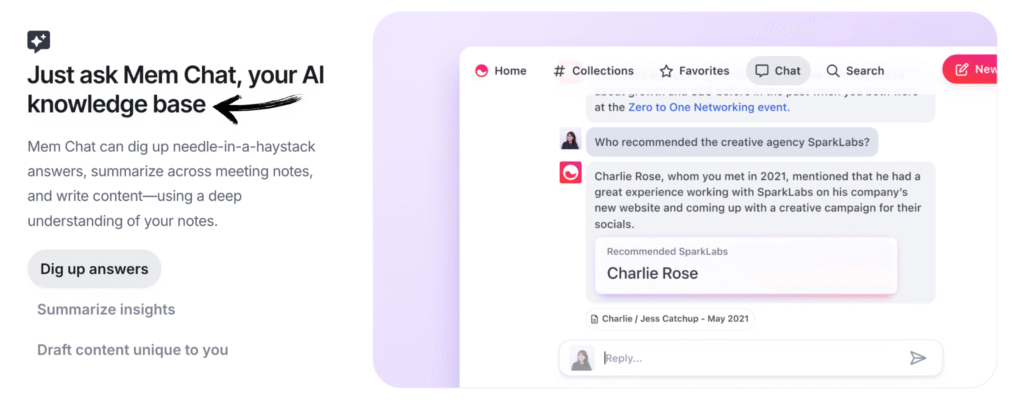
Mem reviews (source)
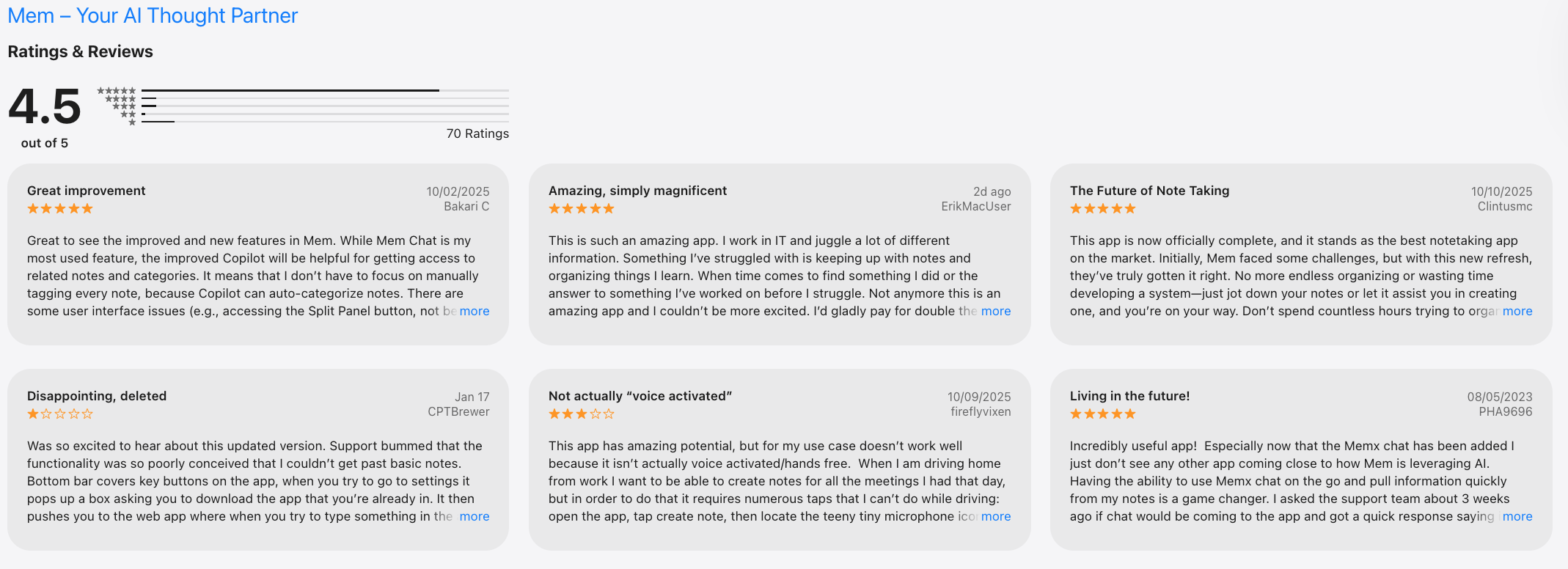
"Search was amazing, and the MemX capabilities were extremely impressive. MemX suggest notes in the sidebar which are similar, or relevant to the note that you're working on." - SSP.
4. Obsidian
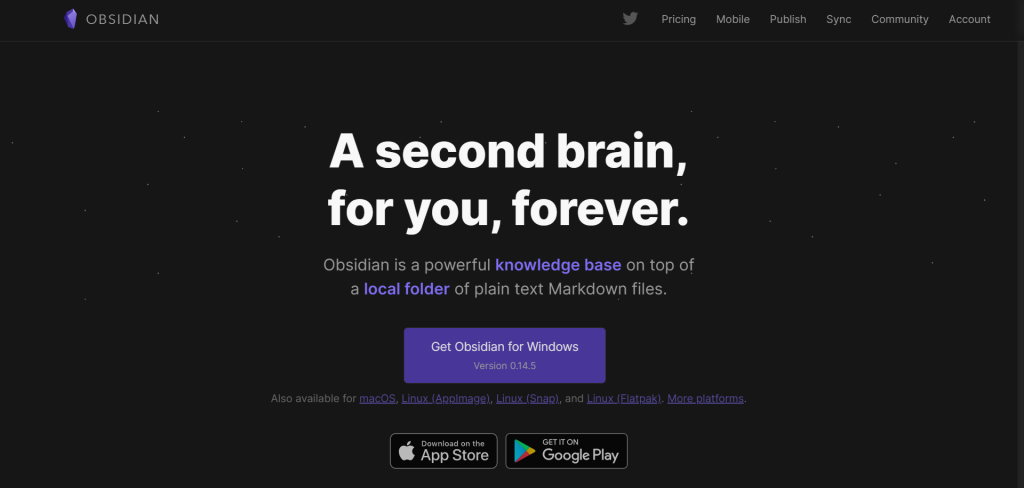
Obsidian is a local-first knowledge base app built around Markdown files and bi-directional linking. Instead of storing your data in the cloud by default, Obsidian keeps all notes on your device, giving users full ownership and long-term control over their knowledge.
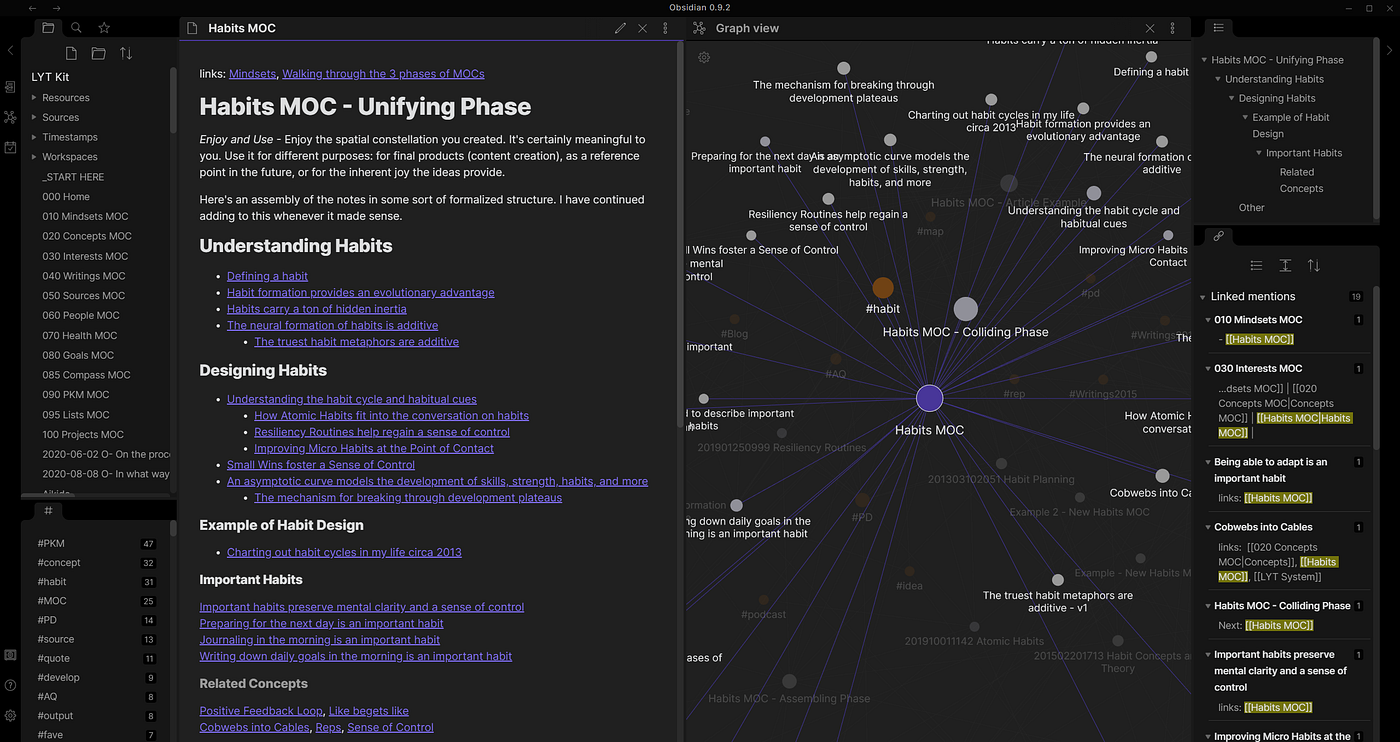
I have mixed feelings about Obsidian. On one hand, it completely changes how you organize your thoughts once you get past the initial setup. On the other hand, opening a blank vault for the first time feels a bit like being handed a box of loose LEGO bricks with no instruction manual.
What it does well:
- Local text files: Every note lives on your computer as a standard Markdown file. You actually own your data, meaning you can open your files with any simple text editor if the app ever disappears.
- Bidirectional linking and graph view: Linking notes together using double brackets builds a visual web of your ideas over time. You can watch your personal wiki grow visually instead of burying files inside forgotten subfolders.
- Massive community plugin library: If the core app does not do something you need, someone probably built a plugin for it. You can tweak the layout, add task boards, or set up custom databases.
What it doesn't do well:
- Steep initial learning curve: Starting out can feel overwhelming because there are no pre-made templates or structures forcing you into a specific setup. You have to decide how to build everything yourself.
"The initial setup can be intimidating for new users because the app starts as a 'blank slate' with no templates or guided onboarding." — Verified Review
- Plugin overload: Relying on dozens of community extensions means an update can occasionally break your setup, forcing you to troubleshoot your workspace instead of getting work done.
- Paid multi-device sync: While the app itself is free, using their official cloud sync service to connect your phone and laptop costs extra, though you can work around it using free cloud folders.
Who it's actually for: Writers, researchers, and thinkers who want full control over their personal knowledge base without being locked into a proprietary cloud service.
Obsidian Reviews (Source)
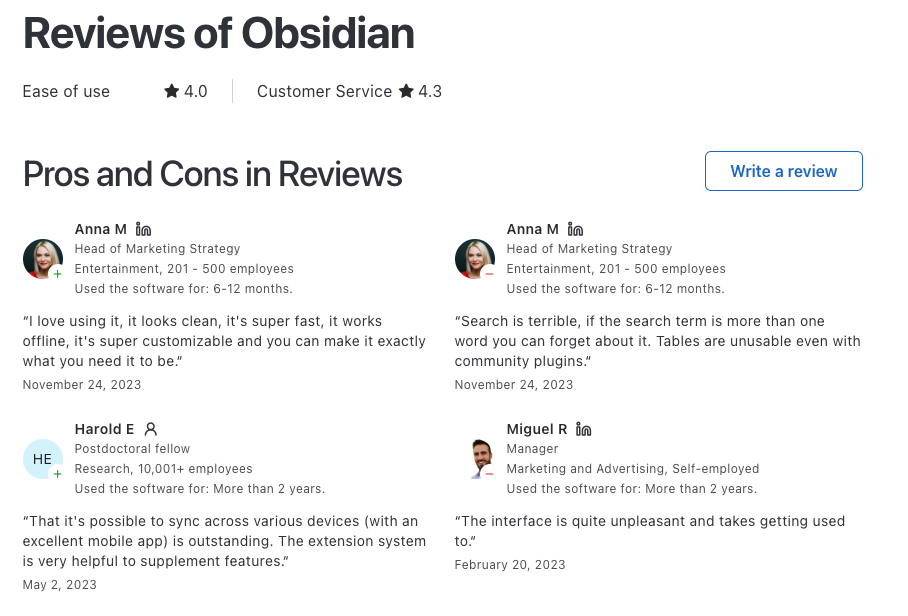
"It is great, I use it in my work to keep all the knowledge i gather from the task I do, and also in my personal life to study, as you have this digital record to come back and review." - Oscar M.
5. Guru AI
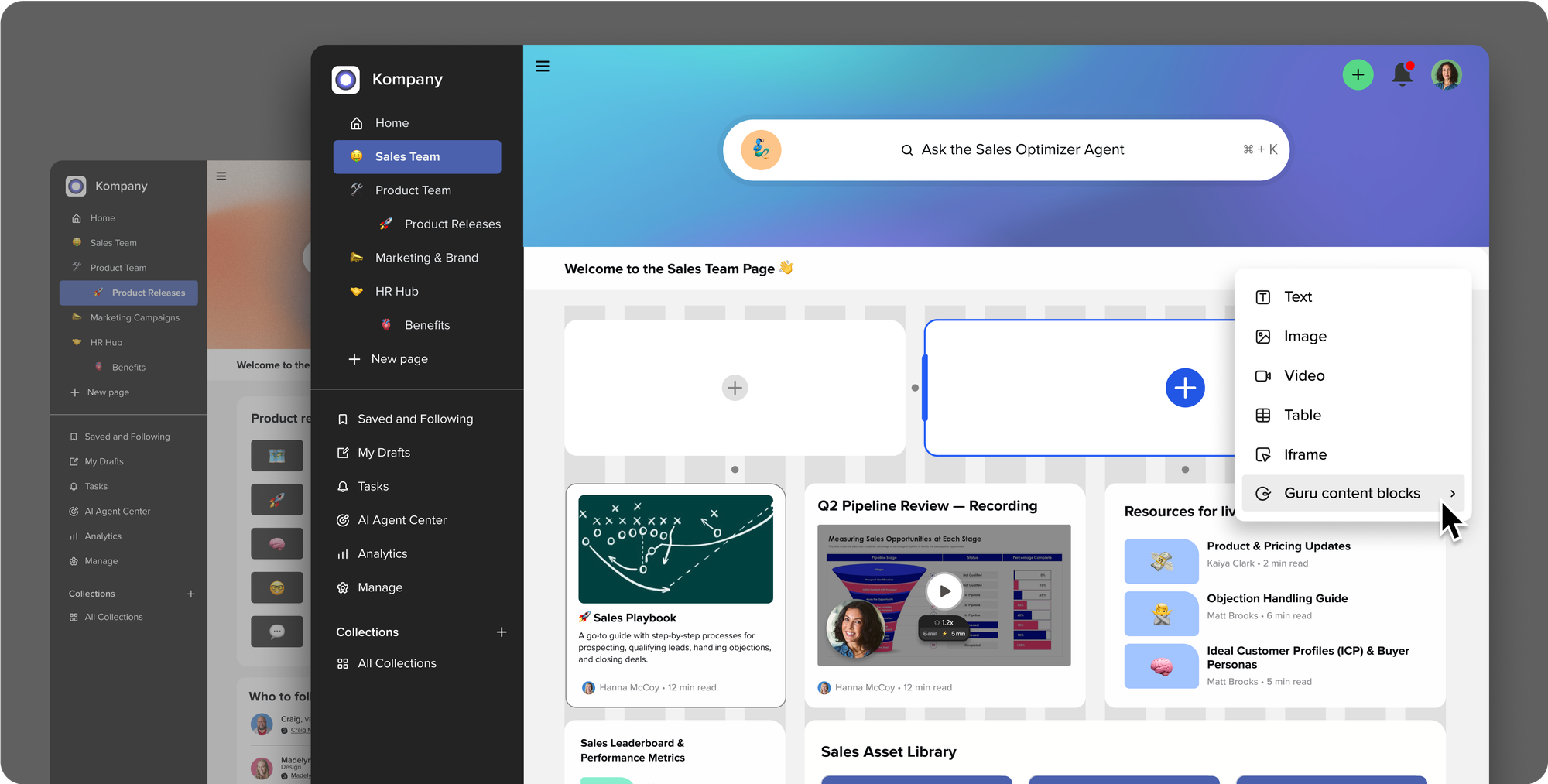
Guru delivers verified company knowledge directly into your daily workflow, surfacing relevant documentation, answering questions via enterprise AI search, and pinging subject matter experts to update stale information before it spreads.
What it does well
- Bite-sized card architecture: Instead of hiding information inside endless, long-form documents, knowledge is structured into concise, highly skimmable digital index cards.
"Everything in Guru revolves around Cards... think of them as digital index cards where you can jot down knowledge using text, images, or videos... it makes organizing information remarkably clear." — Verified Review
- AI-powered unified search: Guru acts as an enterprise AI knowledge base by indexing connected third-party tools like Google Drive, Notion, and Jira to answer queries instantly.
- In-context browser extension and integrations: Employees can access or capture company knowledge without switching tabs, pulling up cards directly inside Slack, Teams, or web apps.
- Automated verification workflows: Guru forces content experts to review and re-verify pages on a set schedule, placing a clear "verified" checkmark on trustworthy information.
What it doesn't do well
- Initial AI learning curve: Configuring permissions across connected apps and teaching team members how to query the AI prompt system efficiently takes time.
- Basic built-in document formatting: The native editor prioritizes simplicity over complex design, lacking advanced text layouts or extensive font styling compared to dedicated wikis.
- Requires heavy manual maintenance: Keeping the database reliable relies on designated experts actively responding to verification prompts, which can cause admin fatigue over time.
Who it's actually for: Fast-growing internal support, sales, and operations teams that need instantly accessible, vetted company information directly inside their existing work tools.
🧠 Final Words: Why an AI Knowledge Base Is Worth It
AI knowledge bases aren’t just a trend - they’re a shift in how we manage and interact with information.
By combining machine learning, natural language understanding, and personal context, they:
- Make information easier to find
- Reduce cognitive overload
- Improve productivity and decision-making
- Help you retain and use what you already know
Whether you’re managing a business, studying complex material, or just trying to stay organized, an AI knowledge base can help you think clearly, work faster, and get more done.
So why stick to static folders and forgotten notes?
Start building your AI second brain today - and let your knowledge work for you.
Stay on top of your work and life
FAQ: How to Build Your Own AI Knowledge Base in 2026
1. What does “building your own AI knowledge base” mean in 2026?
Building your own AI knowledge base means creating a central system where AI can understand, retrieve, and act on your personal or work knowledge-notes, tasks, meetings, decisions, and ideas.
In 2026, this is no longer about folders or tags. It’s about:
- Writing naturally
- Letting AI connect context
- Asking questions instead of searching manually
Tools like Saner.AI, ChatGPT, and Gemini now function as thinking layers on top of your information.
2. How is an AI knowledge base different from notes or document storage?
Traditional notes store information.
An AI knowledge base understands and uses information.
Key differences:
- Finds answers based on meaning, not keywords
- Connects tasks, meetings, and ideas automatically
- Surfaces what matters when you need it
This shift is core to How to Build Your Own AI Knowledge Base in 2026—from storage to intelligence.
3. What do I need to build an AI knowledge base?
You don’t need a technical setup or coding.
At minimum:
- A tool that supports natural language input
- AI-powered search across notes and tasks
- Context awareness (dates, people, projects)
Optional but powerful:
- Calendar integration
- Task extraction from text
- Voice input
4. Can I build an AI knowledge base without complex systems or tagging?
Yes, and this is the biggest change in 2026.
Modern AI-first tools eliminate:
- Manual tagging
- Folder maintenance
- Rigid taxonomies
You write like a human. AI handles structure later.
This “capture first, organize later” approach is essential for sustainable knowledge systems.
5. How does Saner.AI work as an AI knowledge base?
Saner.AI acts as a personal AI knowledge hub by:
- Turning notes into tasks automatically
- Understanding messy brain dumps
- Linking meetings, reminders, and decisions
You don’t “build” the system upfront—you grow it organically as you work.
6. Is an AI knowledge base useful for people with ADHD?
Yes-especially for ADHD users.
An AI knowledge base helps by:
- Reducing cognitive load
- Preventing lost ideas
- Minimizing context switching
This is why many ADHD users gravitate toward tools like Saner.AI over rigid note-taking systems.
7. How do I start building my AI knowledge base step by step?
Start small:
- Write everything in one place (notes, ideas, tasks)
- Ask AI to retrieve or summarize instead of searching
- Let the system surface follow-ups and priorities
Your AI knowledge base improves with usage, not setup.
8. Can an AI knowledge base replace traditional to-do apps?
For many people, yes.
Instead of:
- Managing tasks separately
- Copying notes into planners
Your AI knowledge base:
- Extracts tasks automatically
- Links them to context
- Reminds you at the right time
This makes task management feel lighter and more natural.
9. How does AI search work inside a personal knowledge base?
AI search relies on semantic understanding, not exact matches.
You can ask:
- “What did we decide about Q3 hiring?”
- “What am I waiting on from Alex?”
The system pulls answers from notes, tasks, and meetings—even if wording differs.
10. Is it safe to store personal or work knowledge in an AI tool?
Most modern tools use:
- Encrypted storage
- Private workspaces
- User-controlled data access
Still, best practice is to:
- Avoid pasting sensitive credentials
- Review data policies before committing long-term
11. Can I use voice to build my AI knowledge base?
Yes. Voice capture is increasingly common in 2026.
Examples:
- Dictating meeting notes
- Adding tasks on the go
- Capturing ideas before they disappear
Saner.AI supports voice-to-task input, making it useful for fast thinkers and mobile workflows.
12. How does an AI knowledge base help with meetings?
Before meetings:
- Surface past decisions
- Pull relevant notes automatically
After meetings:
- Summarize discussions
- Extract action items
- Set reminders
This closes the loop, where most productivity systems fail.
13. Is an AI knowledge base useful for founders and managers?
Very.
For leaders, an AI knowledge base:
- Tracks decisions over time
- Prevents lost context
- Reduces mental juggling
Instead of remembering everything, you rely on retrieval on demand.
14. What mistakes should I avoid when building an AI knowledge base?
Common pitfalls:
- Over-organizing early
- Using too many disconnected tools
- Treating AI like a chatbot instead of a system
The goal is continuity, not perfection.
15. What’s the future of AI knowledge bases beyond 2026?
AI knowledge bases are moving toward:
- Proactive reminders
- Cross-app reasoning
- Personal context memory
Knowing how to build your own AI knowledge base in 2026 isn’t just about productivity. It’s about creating a system that thinks with you, not after you forget.
Stay on top of your work and life