Honest Goblin.tools review (2026): Is this free ADHD tool enough?

I opened Goblin.tools the way most ADHD adults probably do, half-desperate and mid-spiral over a task I couldn't make myself start. I typed "clean my apartment" into the box, and thirty seconds later I had a list I could actually look at without my chest tightening. That's the pitch of Goblin.tools: nine small AI tools, all free, built by one developer who understands what it feels like when a task is too big to touch.
The real question isn't whether that first moment feels like magic. It does. It's whether a free, single-developer toolkit holds up as a daily system, or whether it's a clever one-time trick that leaves you exactly where you started once the browser tab closes.
Key takeaways
- Goblin.tools is free. All nine tools work with zero signup
- Magic ToDo, the flagship feature, breaks vague or overwhelming tasks into steps with an adjustable "spiciness" slider
- Without an account or the $3/month Pro tier, nothing you generate is saved. Close the tab and your breakdown is gone.
- Reviewers consistently flag the same gap: Goblin.tools solves "what should I do" but has no timer, no reminders, and no scheduling to help you actually follow through.
- If you need the task breakdown plus somewhere for it to live, alongside your notes, email, and calendar, saner.ai/blogs/best-adhd-planners covers how tools like Saner.AI pick up where Goblin.tools stop.
Goblin.tools at a glance
| Category | Score |
|---|---|
| Ease of use | 4.7 / 5 |
| Magic ToDo task breakdown quality | 4.5 / 5 |
| Feature depth beyond task breakdown | 3.0 / 5 |
| Reliability and stability | 3.2 / 5 |
| Memory and continuity | 2.5 / 5 |
| Pricing and value | 4.8 / 5 |
| Overall | 3.9 / 5 |
What is Goblin.tools?
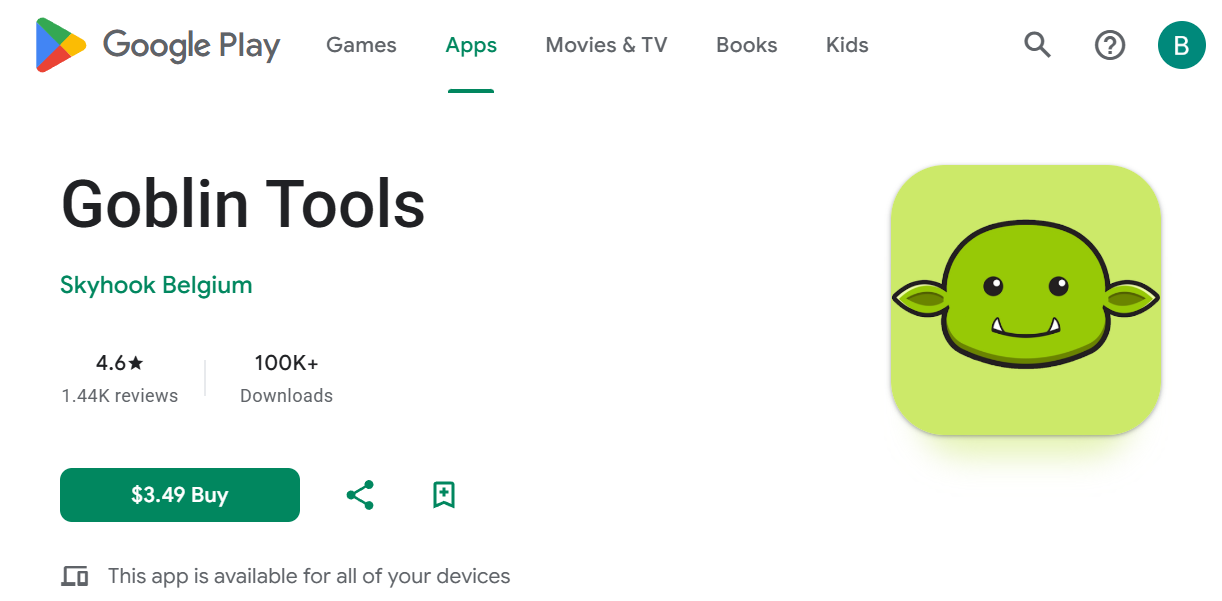
Goblin.tools is a free, browser-based AI toolkit built for people with ADHD and executive dysfunction. It has nine single-purpose tools, including Magic ToDo for breaking tasks into steps, Formalizer for adjusting tone, and Chef for recipe ideas, with no signup required on the free tier.
It was built by Bram De Buyser. The full lineup right now is Magic ToDo, Formalizer, Judge, Taskmaster (added more recently), Professor, Consultant, Estimator, Compiler, and Chef. Each one does exactly one job. There's no dashboard, no onboarding flow, no "let's set up your workspace" screen. You click a tool, you use it, you're done.
Accounts exist now too, which is new. Signing up lets you keep history and sync lists across devices, something the tool didn't offer at all in its first two years.
Goblin.tools features breakdown
Magic ToDo
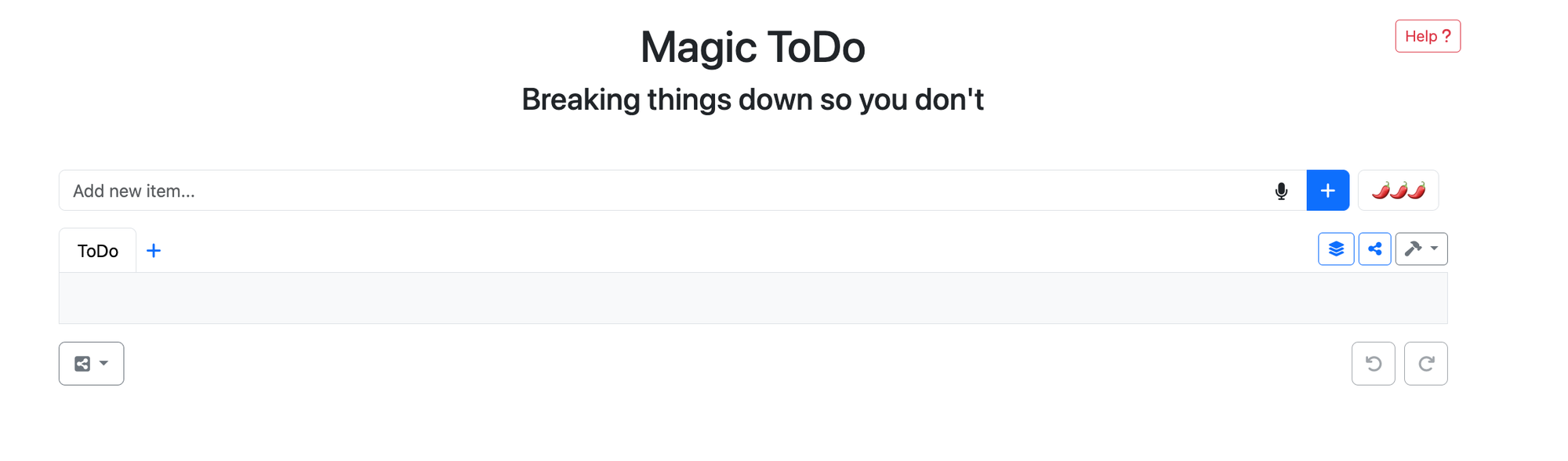
Type in a task, even a vague one like "deal with my inbox," and Magic ToDo turns it into a list of smaller, concrete steps. The spiciness slider is the clever part. Turn it down and "clean the kitchen" becomes five steps. Turn it up and you get fifteen, down to "pick up the sponge." For someone frozen at step zero, that level of granularity is often the difference between staying stuck and actually moving.
Where it runs out of road is what happens after the list appears. There's no guided execution mode and no way to work through steps one at a time within the tool itself.
"You get the full list, and you're on your own." - reviews
Taskmaster
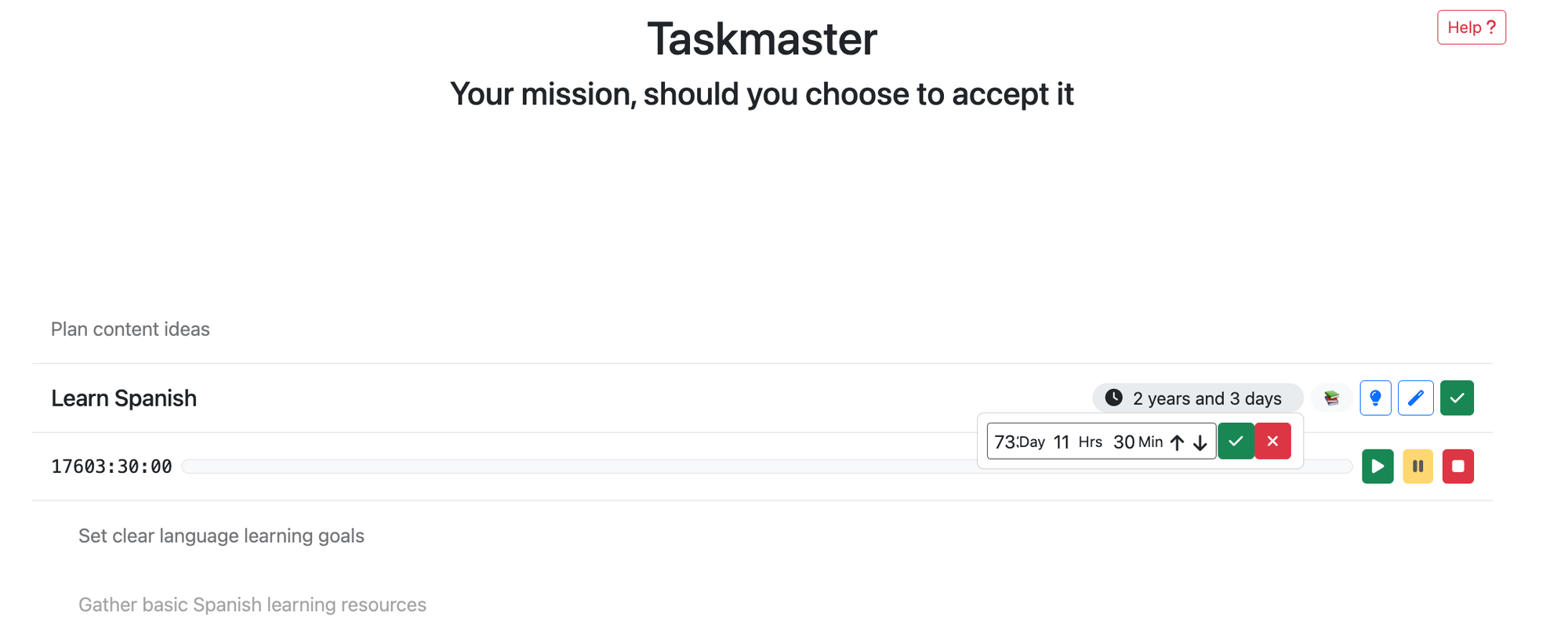
Taskmaster is the newest addition, a focus view that shows one task at a time instead of a full list. It's a direct answer to the exact complaint Magic ToDo users have had for years, that a wall of steps is still overwhelming even when each step is small. It's the kind of feature worth pairing with a proper ADHD timer if you need something to keep you anchored once you've started.
The catch is that Goblin.tools as a whole has a documented history of technical instability, and a newer feature built on the same infrastructure inherits that risk. One sentiment analysis of the mobile app's user base found people
Formalizer and Judge
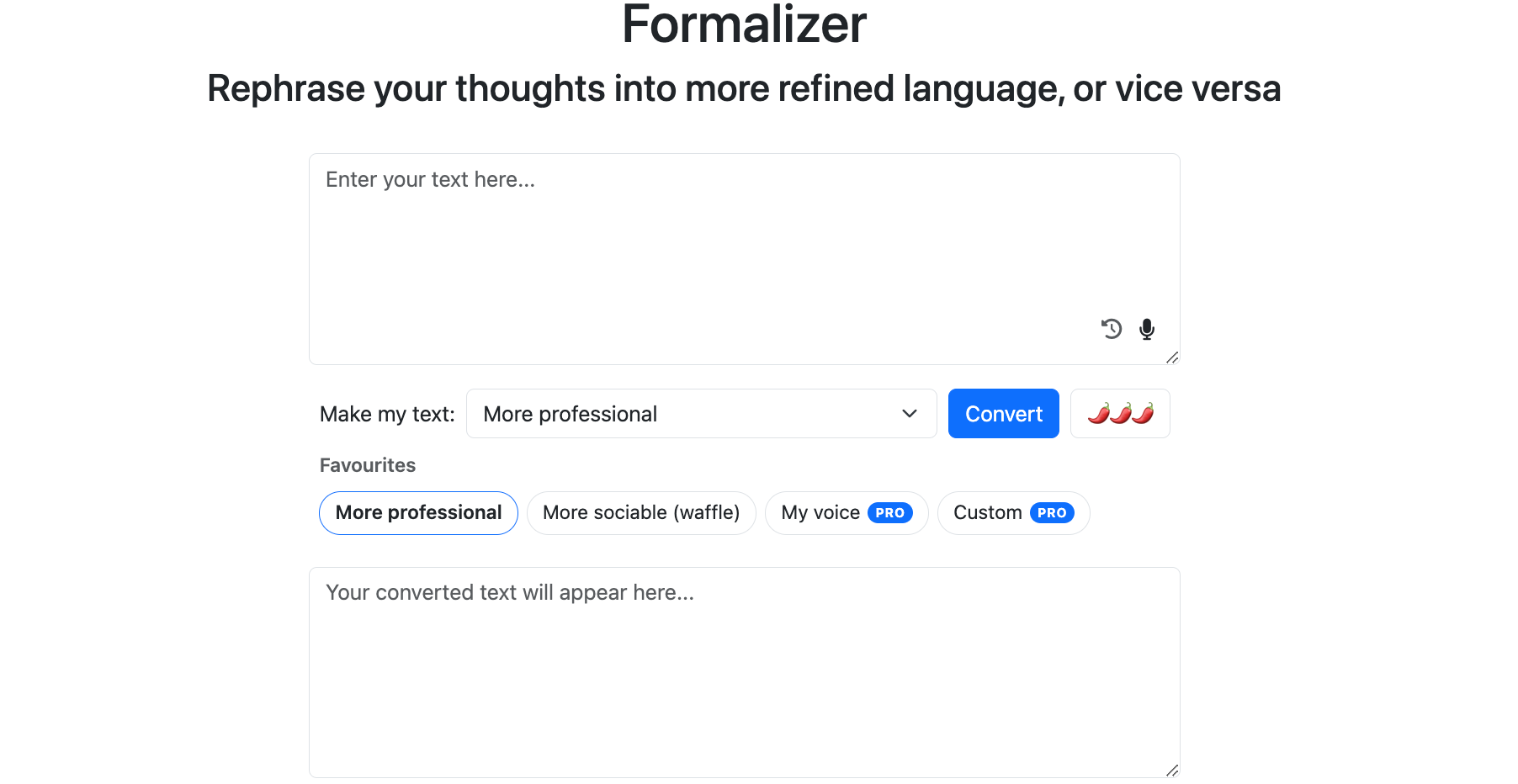
Formalizer rewrites a message in a different tone, blunt to polite, casual to formal, and Judge reads a message you've received and tells you how it's likely to land emotionally. Together they cover a specific kind of ADHD and autistic anxiety: not knowing if what you wrote sounds rude, or not being sure if what someone sent you was actually as harsh as it felt. Neither tool judges you for needing to ask.
Compiler
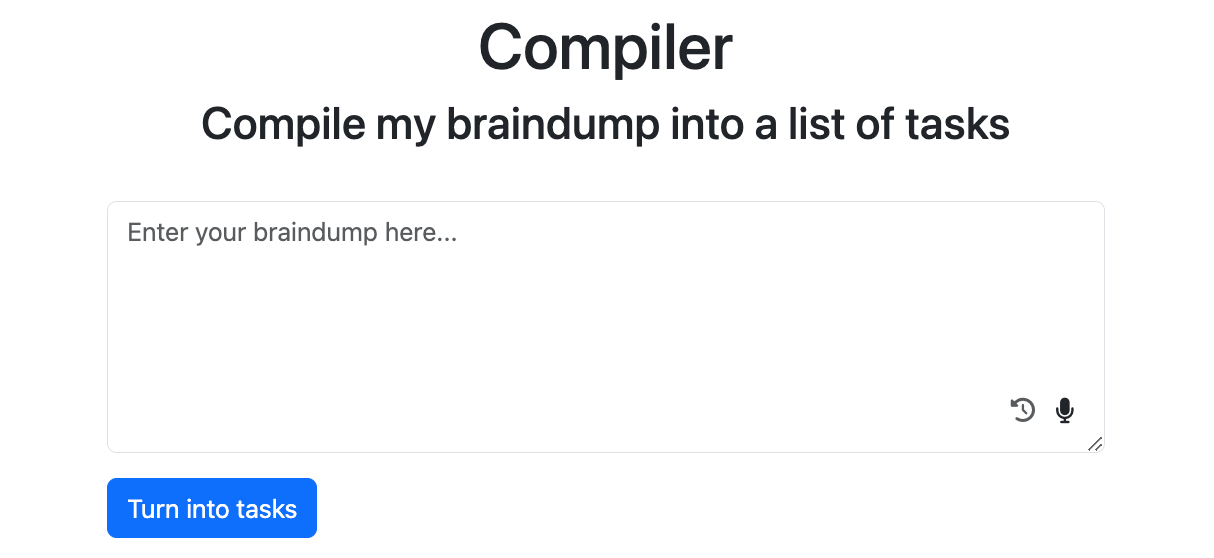
Compiler takes an unstructured brain dump, the kind of scattered notes you produce during a hyperfocus session, and turns it into an organized list of actions. It's built for exactly the moment when you've got forty sticky notes and zero structure, and it's one of the more useful tools on the site for interrupting the kind of scattered context switching that eats up an ADHD workday.
It runs on a general-purpose LLM rather than anything trained specifically on your patterns, so incoherent input produces incoherent guesses.
Chef
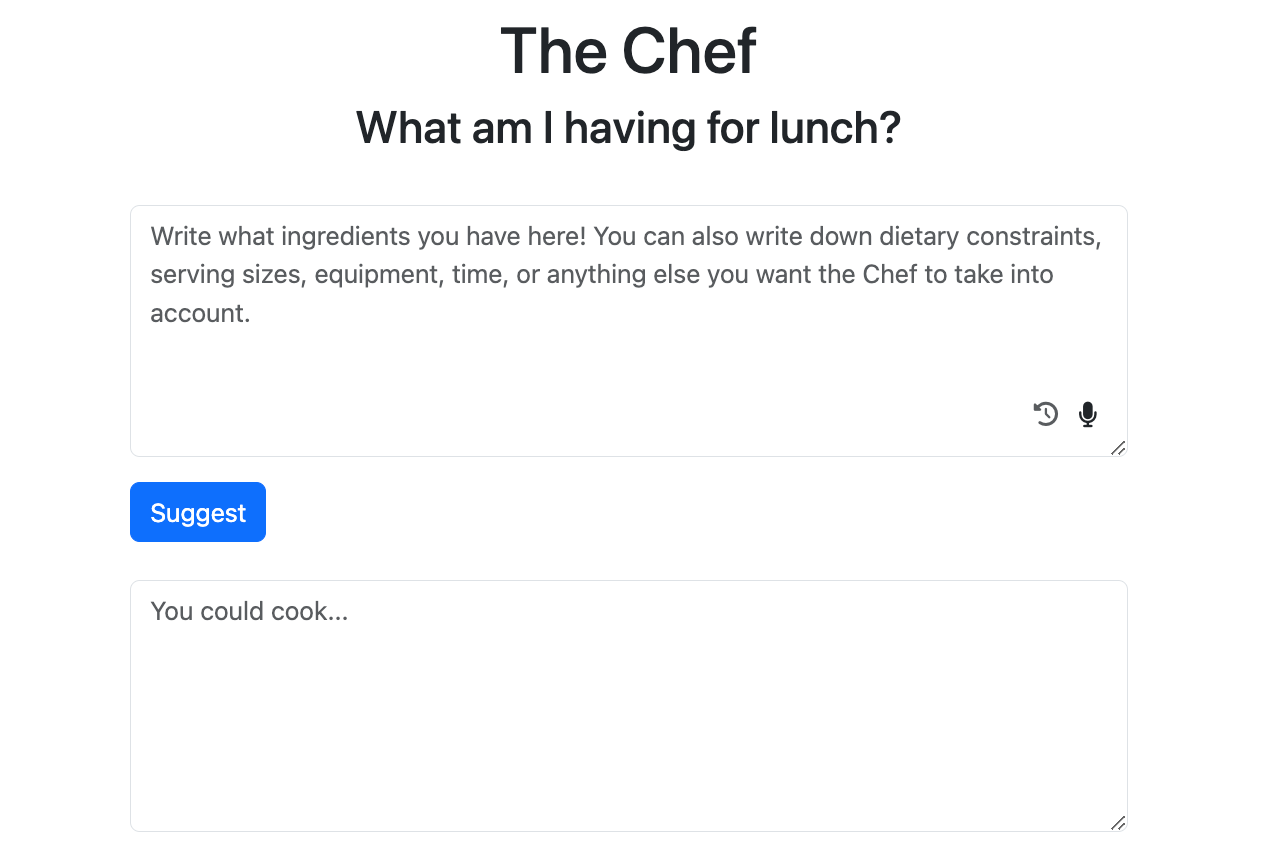
Chef takes whatever ingredients you list and suggests a recipe. It's the least ADHD-specific tool on the site, but decision fatigue around meals is real, and "what do I make for dinner" is a question that derails plenty of evenings regardless of diagnosis.
Early users on Product Hunt responded well to the concept even in its rougher first version: "a great, inventive, simple elaboration of what can be done with the help of GPT." - reviews
Pricing table
| Monthly price | Free trial | Free version | Payment methods | |
|---|---|---|---|---|
| Free tier | $0 | N/A | Yes, all nine tools, no account needed | N/A |
| Goblin Tools Pro | $3 / €3 / £3 per month | 1 week | N/A, add-on to the free tools | Card, Google, or Apple sign-in |
Pro doesn't unlock new tools. It adds the things that cost money to keep running: synced history across devices, saved results, custom templates, a way to teach Formalizer your own voice, and standing instructions like "keep answers short" that apply across every tool. Everything else stays free for everyone, permanently, according to the developer.
Goblin.tools pros and cons
| Pros | Cons |
|---|---|
| Genuinely free with zero paywall on the core tools | No history or memory without an account and Pro subscription |
| Magic ToDo's spiciness slider is a smart, simple control | General-purpose LLM makes breakdowns feel generic on repeat use |
| Zero signup friction, open the site and start typing | Documented pattern of app crashes and stability complaints |
| Built by someone who clearly lives the problem, not just markets to it | No reminders, timers, or scheduling built in, so a broken-down list still needs somewhere to live |
| Tone-checking tools (Formalizer, Judge) reduce real communication anxiety | Small, single-developer team means slower fixes and thin support bandwidth |
What people say
Trustpilot reviewers who came to the tool through word of mouth tend to focus on the same relief Magic ToDo provides.
"This helps me a lot in breaking tasks into more manageable sub-tasks." - reviews
Product Hunt's community responded to the mission as much as the product when Goblin.tools launched.
"I am amazed to see a non-profit service on Product Hunt." - reviews
Not every reaction is unqualified praise, though. Some users find the default breakdown more granular than they need, even with the slider available.
"The breakdown into tasks seemed excessive." - reviews
And on the App Store, the most common complaint isn't about the AI at all. It's about the missing quality-of-life features around it.
"My only micro complaint is I wish there was a widget." - reviews
Who is Goblin.tools best for?
- It's a strong fit if you're in acute task paralysis and need a same-second, no-signup way to break one thing down right now.
- Students cramming for a deadline, writers stuck on a blank page, or anyone who occasionally freezes in front of an overwhelming task will get real value here, free, forever, with no commitment.
It's less of a fit if you're trying to run your whole week through it.
- There's no reminders, no calendar, and until you pay for Pro, no memory of what you generated yesterday.
- If you manage several ongoing projects and need the breakdown to connect to a system that also holds your notes, your inbox, and your actual schedule, you'll hit that wall fast. That's a different, better-suited ADHD app territory.
Goblin.Tools Alternatives comparison
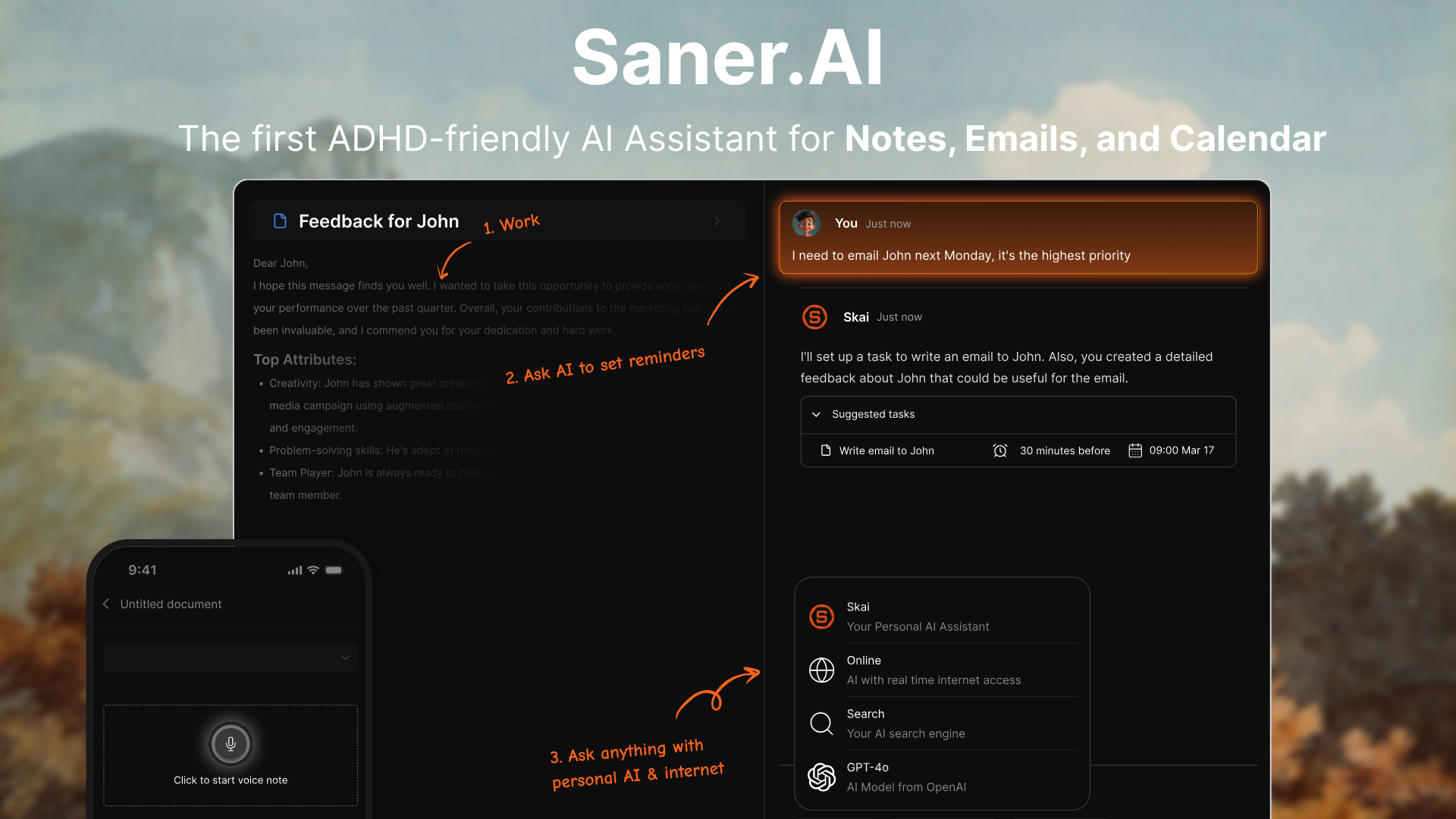
Saner.AI is an AI personal assistant built specifically for ADHD workflows, pulling notes, email, calendar, and tasks into one workspace with an assistant called Skai. Where Goblin.tools breaks a task down and then hands it back to you to figure out where it lives, Saner.AI keeps that broken-down task connected to your calendar and your inbox from the start. Saner.AI is also a sponsor of Goblin.tools
Goblin.tools vs Saner.AI: where each one wins
Where Saner.AI pulls ahead:
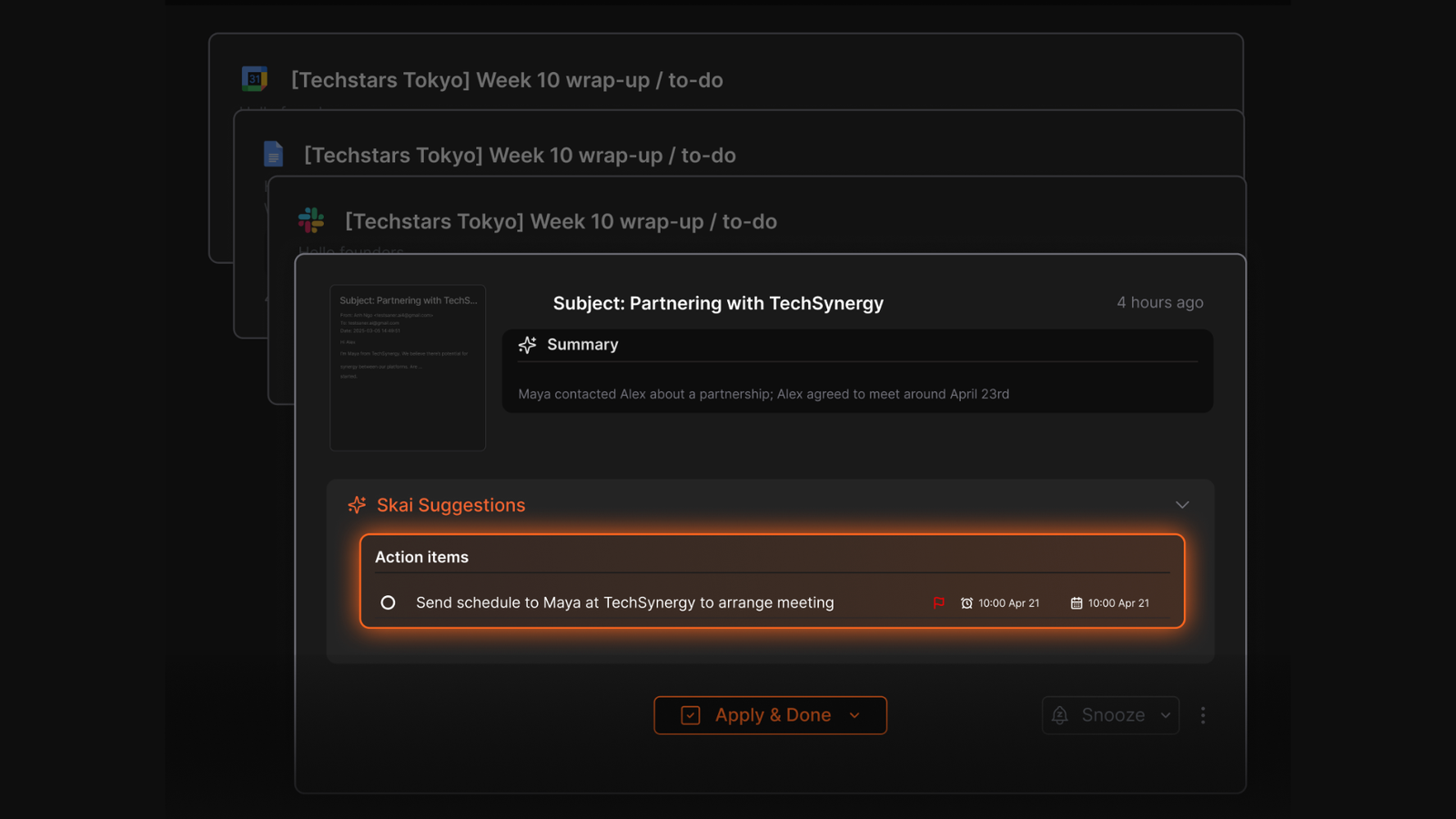
- Everything you capture stays connected. A task extracted from an email in Saner.AI stays linked to that email and your calendar, while a Magic ToDo breakdown disappears the moment you close the tab unless you're paying for Pro.
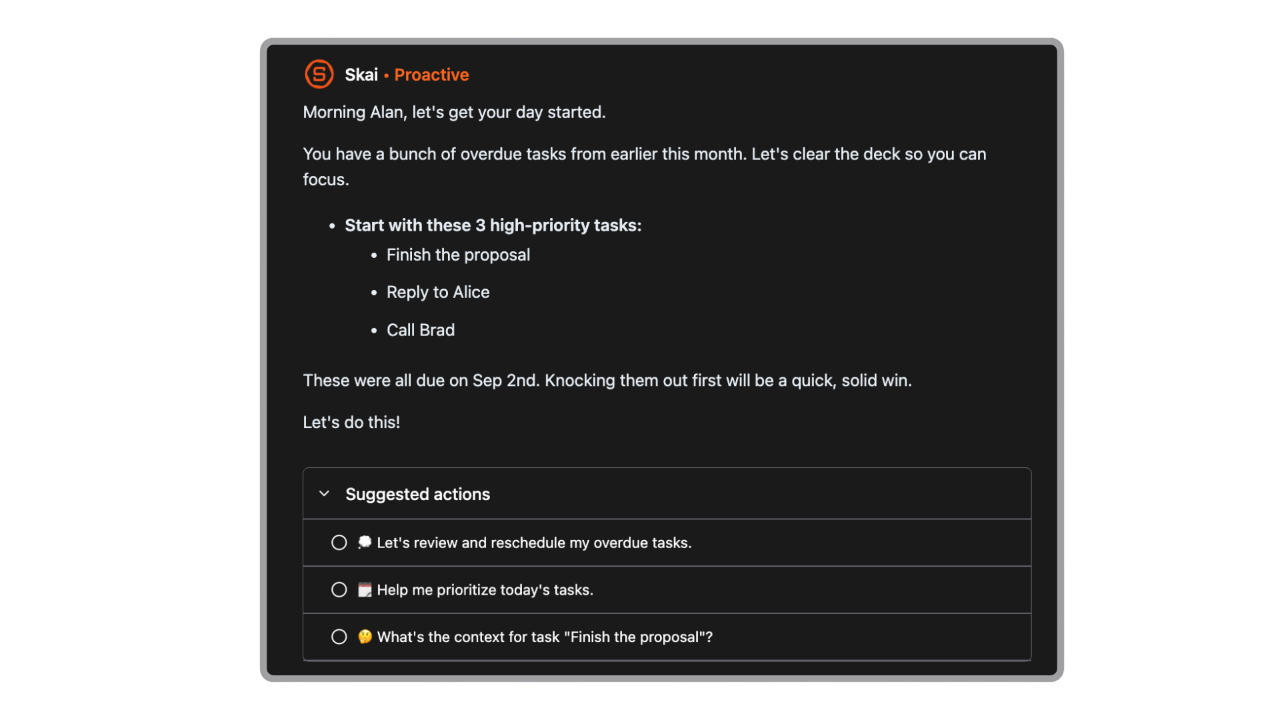
- Saner.AI proactively plans your day and checks in on tasks, rather than waiting for you to open a tool and remember to use it.
- It pulls tasks automatically from your inbox and notes instead of requiring you to type the task in yourself every time.
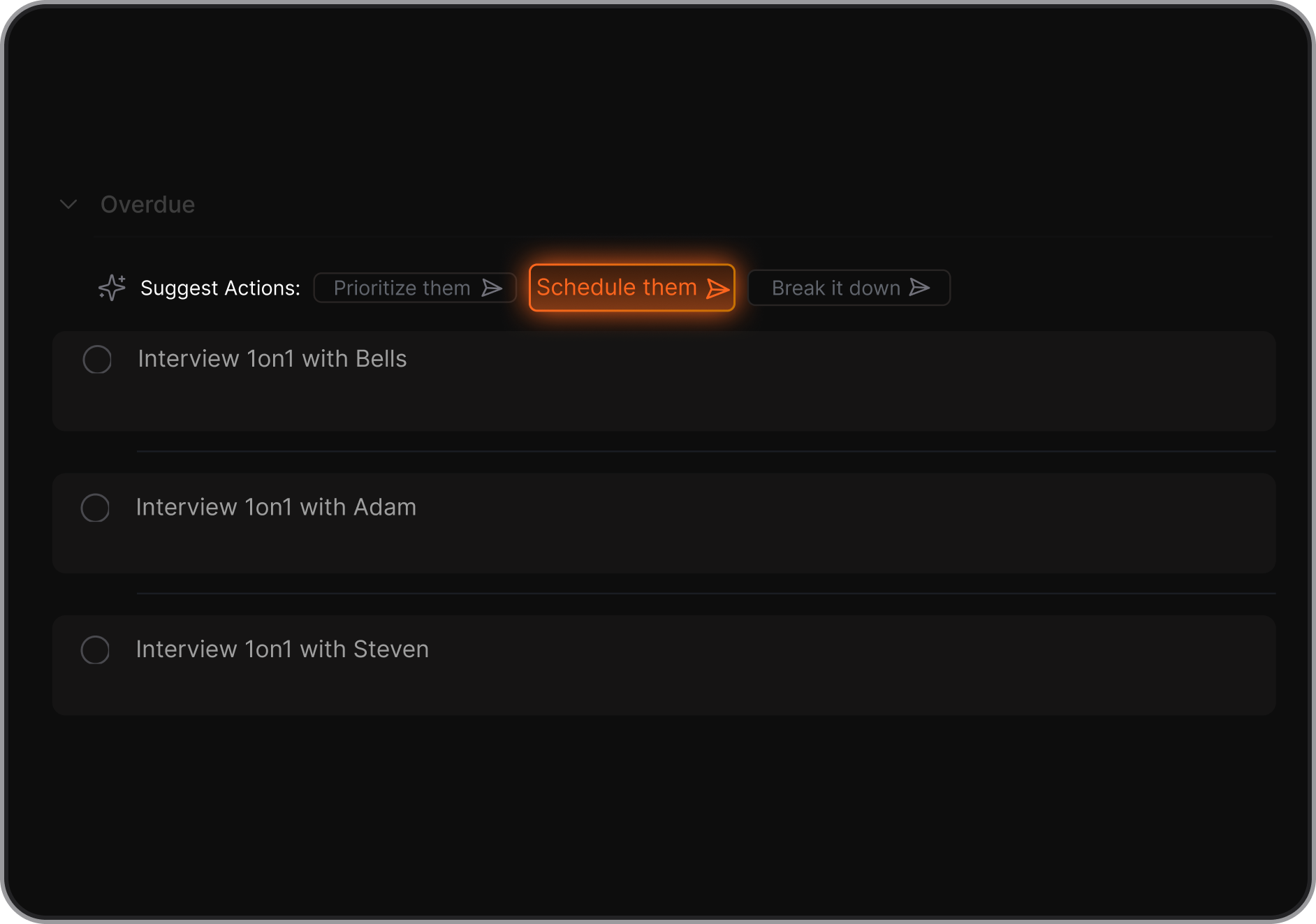
- Its free tier includes a real workspace (notes, 100 tasks, calendar view) rather than nine disconnected utilities.
- One workspace replaces the need to jump between a task breakdown tool, a separate calendar app, and a separate notes app, cutting down on the context switching that Goblin.tools' single-purpose design doesn't address.
Who each one actually suits:
- Goblin.tools suits someone who wants a free, zero-commitment way to break down the occasional overwhelming task and doesn't need it to remember anything afterward.
- Saner.AI suits someone managing an ongoing stream of tasks, emails, and notes who needs the breakdown to live somewhere alongside everything else they're tracking.
- If your ADHD challenge is a single stuck task once in a while, Goblin.tools alone might be enough.
- If your challenge is the whole system, forgetting what you decided, losing track of tasks between your inbox and your notes, needing something to proactively remind you, that's the gap saner.ai/blogs/best-ai-productivity-tools was written to help you close.
| Goblin.tools | Saner.AI | Tiimo | |
|---|---|---|---|
| Free tier | Full access, no account | Full access, no card required | Limited, mobile only |
| AI task breakdown | Yes, Magic ToDo | Yes, extracted from notes and email automatically | Yes, on Pro only |
| Notes, email, calendar in one place | No | Yes | Calendar only |
| Reminders and scheduling | No | Yes, proactive daily planning | Yes, visual timeline |
| History and memory | Pro only ($3/mo) | Included on all plans | Pro only |
| Starting paid price | $3/month | $8/month (annual) | ~$8/month |
- Tiimo is a visual daily planner built for neurodivergent users, representing your day as a color-coded timeline with countdown timers rather than a text list. It won Apple's iPhone App of the Year in 2025. Its free tier is mobile-only and fairly limited, and the AI planning features sit behind a Pro plan running roughly $8 to $10 a month.
Final verdict
Goblin.tools does one thing extremely well. Magic ToDo genuinely lowers the barrier between "I know what I need to do" and "I actually started," and it does it for free, with no account, no friction, and no judgment. For a single overwhelming task, it's hard to beat.
What it doesn't do is hold onto anything. No history without Pro, no reminders, no calendar, and a track record of stability complaints that make it hard to lean on daily. It's a very good hammer for a very specific nail, not a workspace you can run your week from.
If you've tried Goblin.tools, liked the breakdown, and immediately wondered where that list is supposed to live once you close the tab, that's the exact gap a connected assistant like Saner.AI is built to fill.

Stay on top of your work and life effortlessly
FAQ
Is Goblin.tools actually free?
Yes. All nine tools work fully with no signup and no paywall. The $3/month Pro tier only adds extras like saved history and custom templates.
Do I need an account to use Goblin.tools?
No. You can use every tool anonymously. An account is only needed if you want your results to sync across devices or be saved.
What is the spiciness slider in Magic ToDo?
It controls how granular the task breakdown is, from a handful of broad steps at low spiciness to fifteen or more micro-steps at maximum.
Does Goblin.tools have reminders or a calendar?
No. It breaks tasks down but doesn't schedule them or remind you about them. You'd need to move the list into a separate planner or app.
Is Goblin.tools reliable for daily use?
Reviews are mixed here. The core tools work well, but user reports and third-party sentiment analysis point to recurring app stability issues on mobile.
What's a good alternative if I need more than task breakdown?
Tools like Saner.AI combine task breakdown with notes, email, and calendar in one connected workspace, which covers the gap Goblin.tools leaves open.
Stay on top of your work and life effortlessly