BeforeSunset AI Alternatives: We Tested The Best 6 in 2025


6 Best BeforeSunset AI Alternatives
If you like BeforeSunset AI’s idea of an AI daily planner but find it a bit too much - too complex, too rigid, or just too expensive - you’re definitely not alone.
In this guide, you’ll discover the best BeforeSunset AI alternatives that make daily planning simpler, calmer, and more flexible. These tools help you plan your day, stay focused, and feel on top of things - without the friction.
Quick guide: 6 BeforeSunset AI alternatives
- Saner.AI: For bringing notes, tasks, and daily planning into one workspace
- Motion: For automatically scheduling tasks and adjusting the plan as priorities change
- Reclaim.ai: For making room on your calendar for tasks, habits, and focus time
- Structured: For seeing your day as a clear visual timeline
- SkedPal: For scheduling tasks within the times you prefer to work on them
- Notion: For building a flexible task and project workspace, with more hands-on calendar planning
How to Choose the Right BeforeSunset AI Alternative
Here’s a quick checklist to help you choose wisely:
- Ease of use: Does it take minutes to get started, or hours to set up? You should feel productive right away.
- Calendar and email integration: Can it sync with your Google or Outlook calendar? Does it play nicely with your task list or email apps?
- “Brain dump to plan” ability: Can you jot down messy thoughts or tasks and let the AI turn them into a structured plan automatically?
- Cross-platform access: Is there a good mobile app so you can plan or adjust on the go?
- Affordability: Does it offer a free plan or fair pricing
- Workflow compatibility: Does it match your style - visual planner, minimalist, or automation lover?
- ADHD-friendliness: Is it forgiving when you fall off track? Does it encourage you without overwhelming you?
Now, let's dive in!
What are the Best BeforeSunset AI Alternatives?
The Best BeforeSunset AI Alternatives are Saner.AI, Motion, Reclaim.ai, Clockwise, Structured, SkedPal, and Notion
Comparison Table: Best BeforeSunset AI Alternatives
| 🧩 Tool | ⚙️ Key Strengths | ⭐ Best For |
|---|---|---|
| Saner.AI | ADHD-friendly AI workspace that combines notes, emails, and tasks into one searchable space. Turns brain dumps into structured plans. | Professionals and ADHD-prone thinkers who want clarity and focus without juggling multiple apps. |
| Motion | AI planner that automatically builds your daily schedule by rearranging meetings and tasks in real time. | Teams and busy professionals who want their calendar managed for them. |
| Reclaim.ai | Smart AI calendar that protects your focus time and schedules tasks or habits automatically around existing meetings. | Anyone whose calendar is constantly packed and wants to reclaim control of their time. |
| Clockwise | Team-first scheduling tool that finds the best meeting times and reserves deep-work blocks. | Remote teams or managers balancing multiple calendars and meetings. |
| Structured | Visual time-blocking app that lays out your day as a clean, colorful timeline. Quick and intuitive to use. | Visual planners and ADHD users who prefer simplicity and minimal setup. |
| SkedPal | AI time-blocking assistant that adapts your schedule when priorities change, automatically rescheduling tasks. | Professionals who juggle unpredictable workloads and want a self-adjusting planner. |
| Notion | Highly customizable all-in-one workspace for notes, tasks, databases, and projects. Endless flexibility. | Power users, teams, or creators who love to build their own productivity systems. |
1. Saner.AI
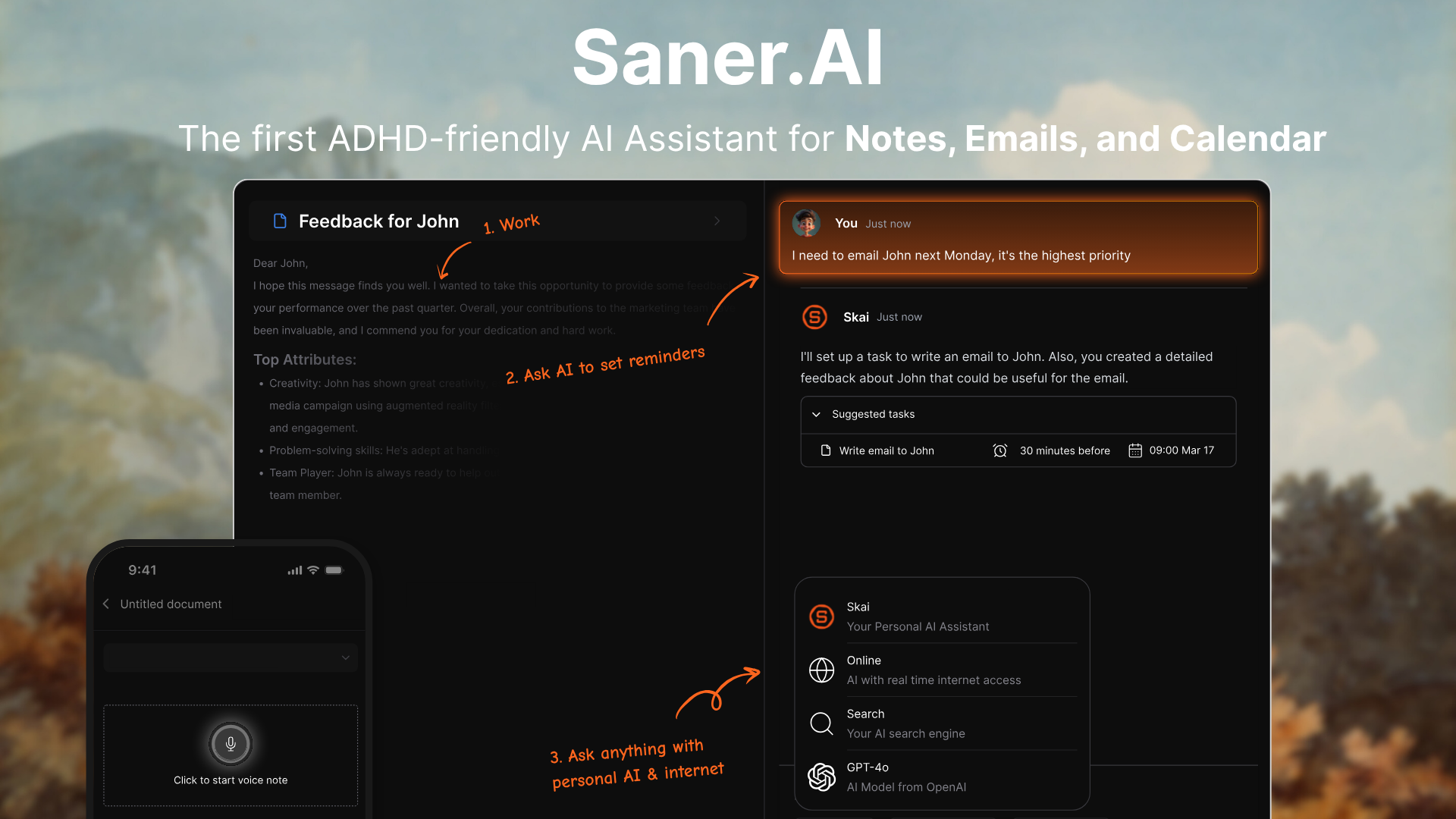
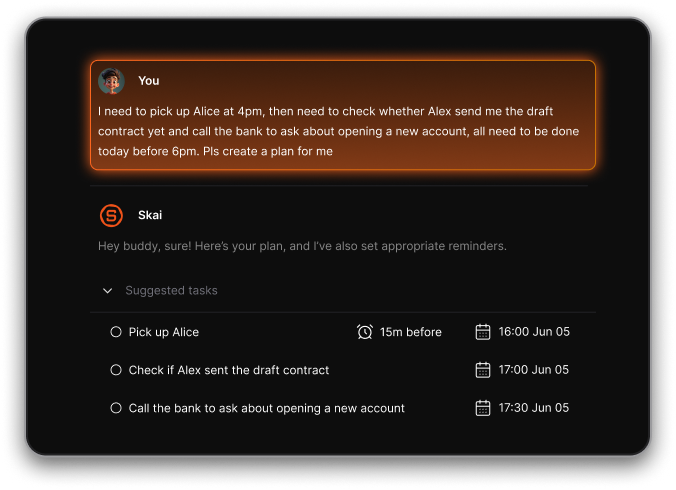
Saner.AI is an AI productivity assistant designed to help you think, plan, and stay focused. It combines your notes, calendar, tasks, and even emails into one intelligent workspace. You can just brain-dump everything into Saner.AI - and its assistant, Skai, organizes it into clear, actionable pieces.
Key features
- Day Planning: The AI automatically scans your emails, todos, notes and gives you an optimal day plan
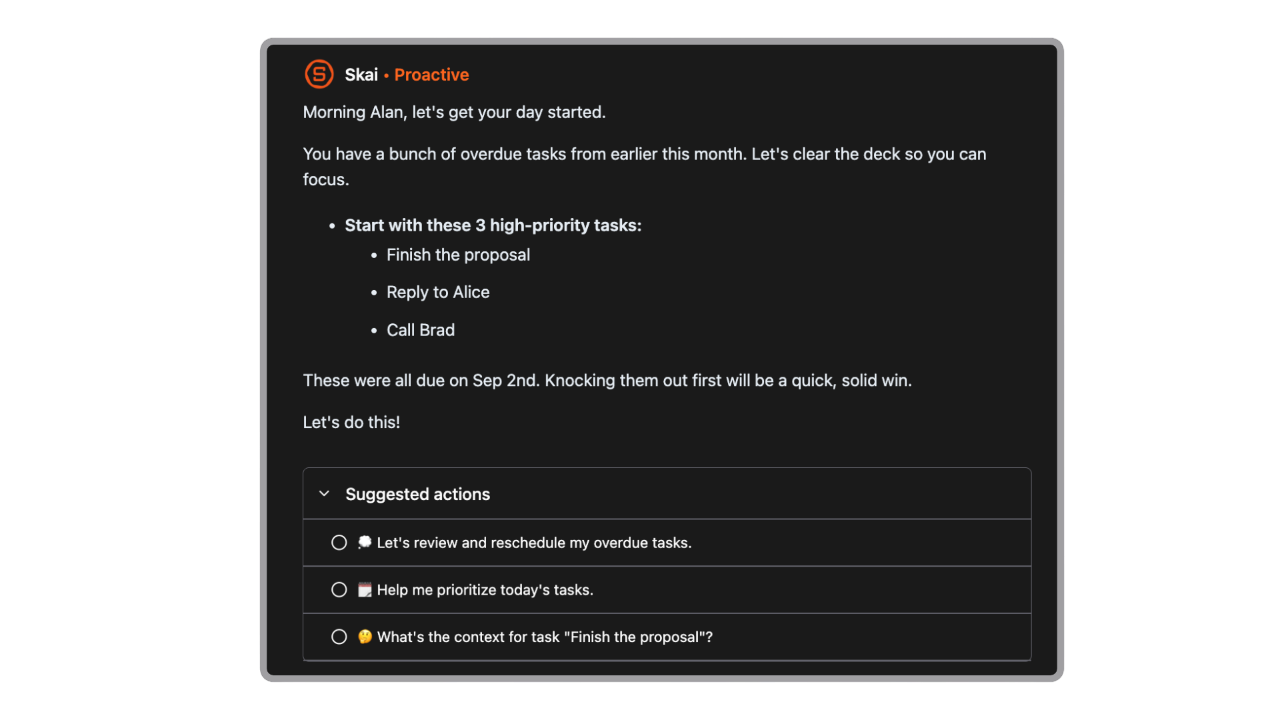
- Personal AI assistant (Skai) that learns from your notes, emails, and tasks
- Smart organization and semantic search - find anything by meaning, not just keyword
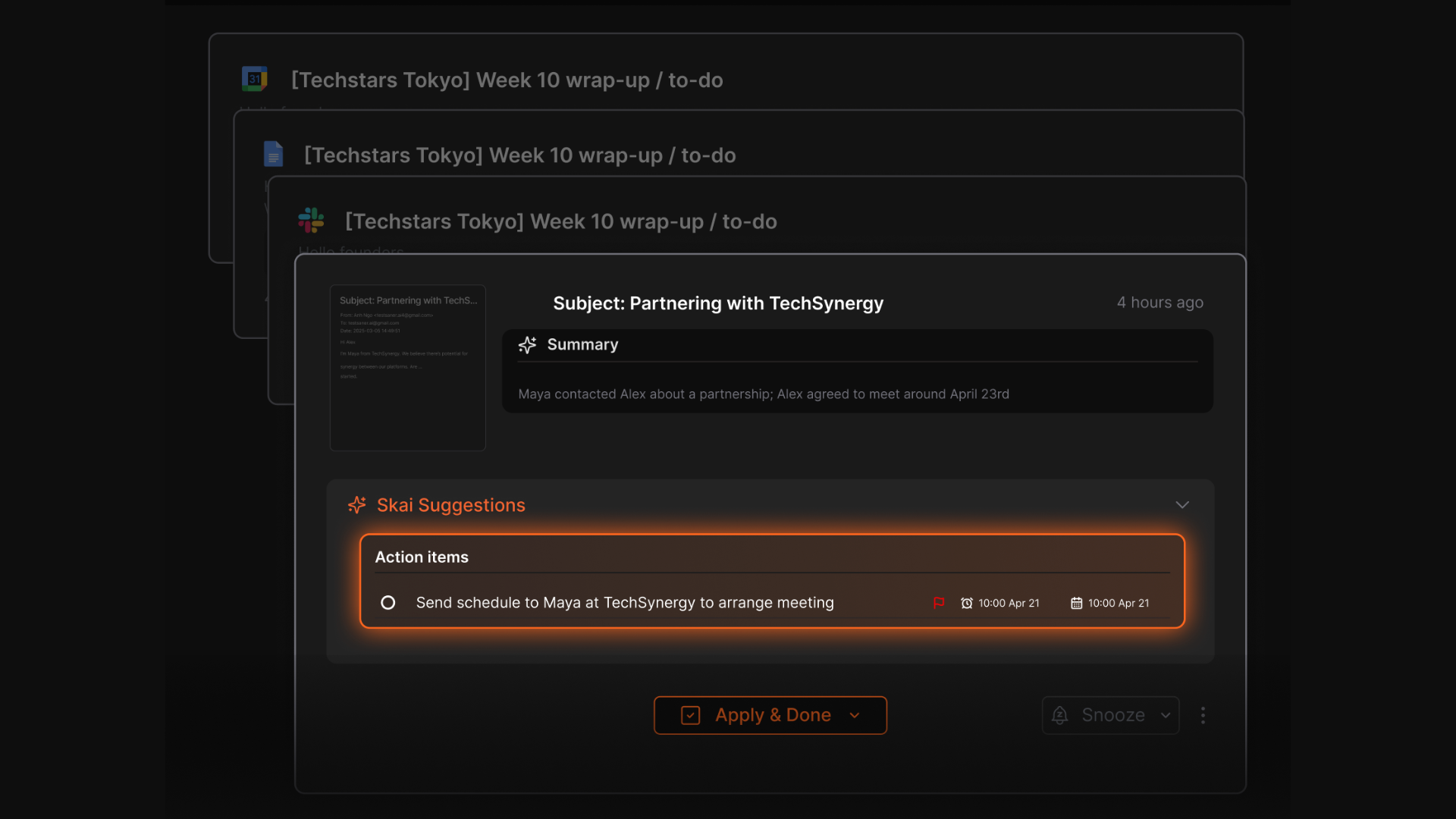
- Email Tasks Integration: Extracts tasks and deadlines from your emails
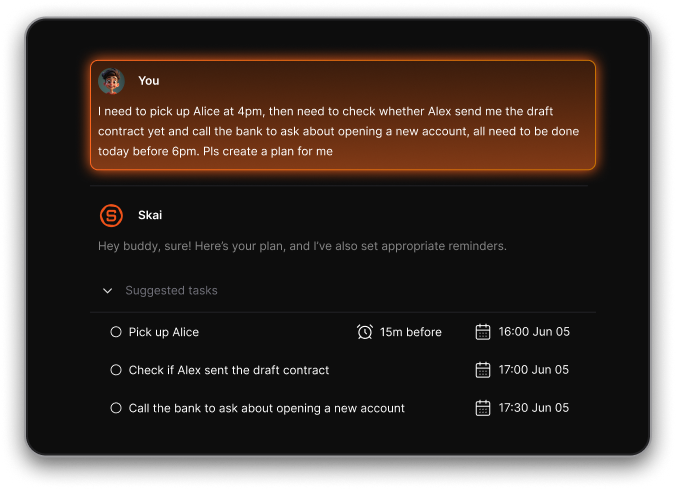
- Brain dump to tasks - convert your random thoughts into structured to-dos automatically
What I liked
- The “brain dump to tasks” flow is a lifesaver. You can just type or say anything, and it organizes it automatically.
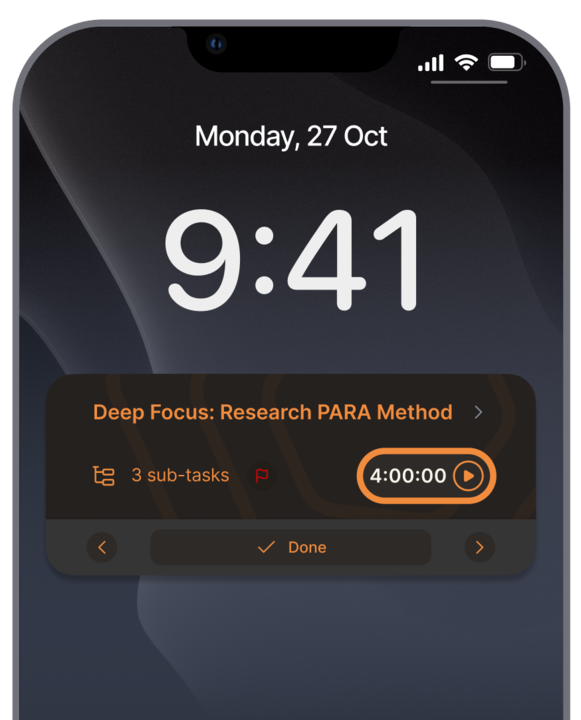
- The interface feels calm and minimal, designed for focus. Perfect if you’re ADHD-prone or easily overwhelmed.
- It connects your emails, notes, and tasks
Cons
- Not ideal for large teams or project timelines - no Gantt charts or complex task dependencies.
Pricing
- Free
- Starter: Monthly at $8/month, Annually at $6/month (with early user discount)
- Standard: Monthly at $16/month, Annually at $12/month (with early user discount)
Who is it suitable for?
- Entrepreneurs, researchers, and professionals who deal with a lot of scattered notes and ideas
- ADHD-prone users who struggle with too many tabs or task apps
- Teams or individuals who want a single AI workspace instead of juggling Notion, Todoist, and Google Docs
- Anyone who needs less chaos and more clarity in their daily workflow
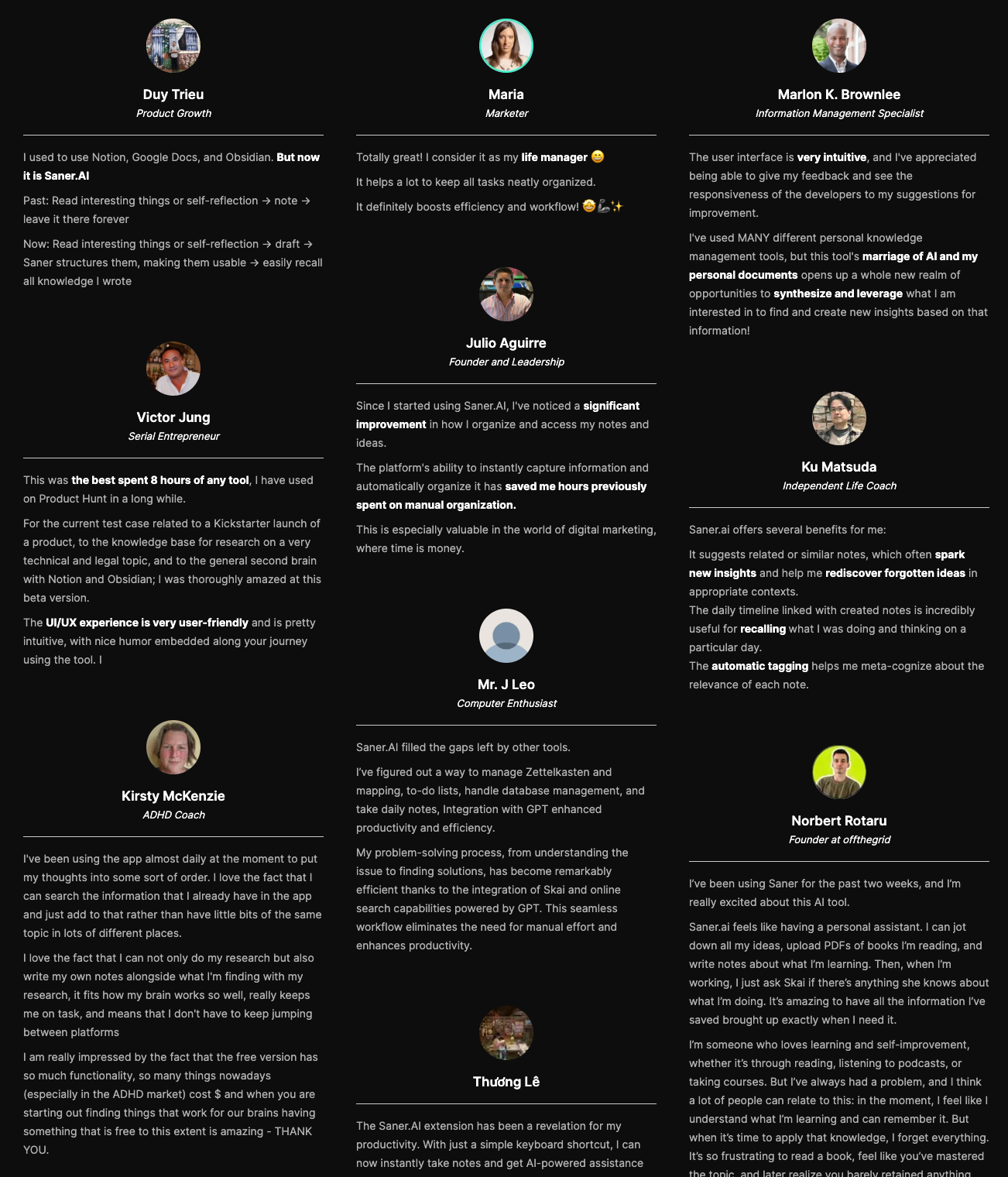
Saner.AI review
How to start using it?
- Go to saner.ai and sign up for a free account
- Brain-dump your thoughts, notes, or emails into Skai
- Try the AI search or ask Skai to “summarize today’s notes”

Stay on top of your life with Top BeforeSunset AI Alternative
2. Motion
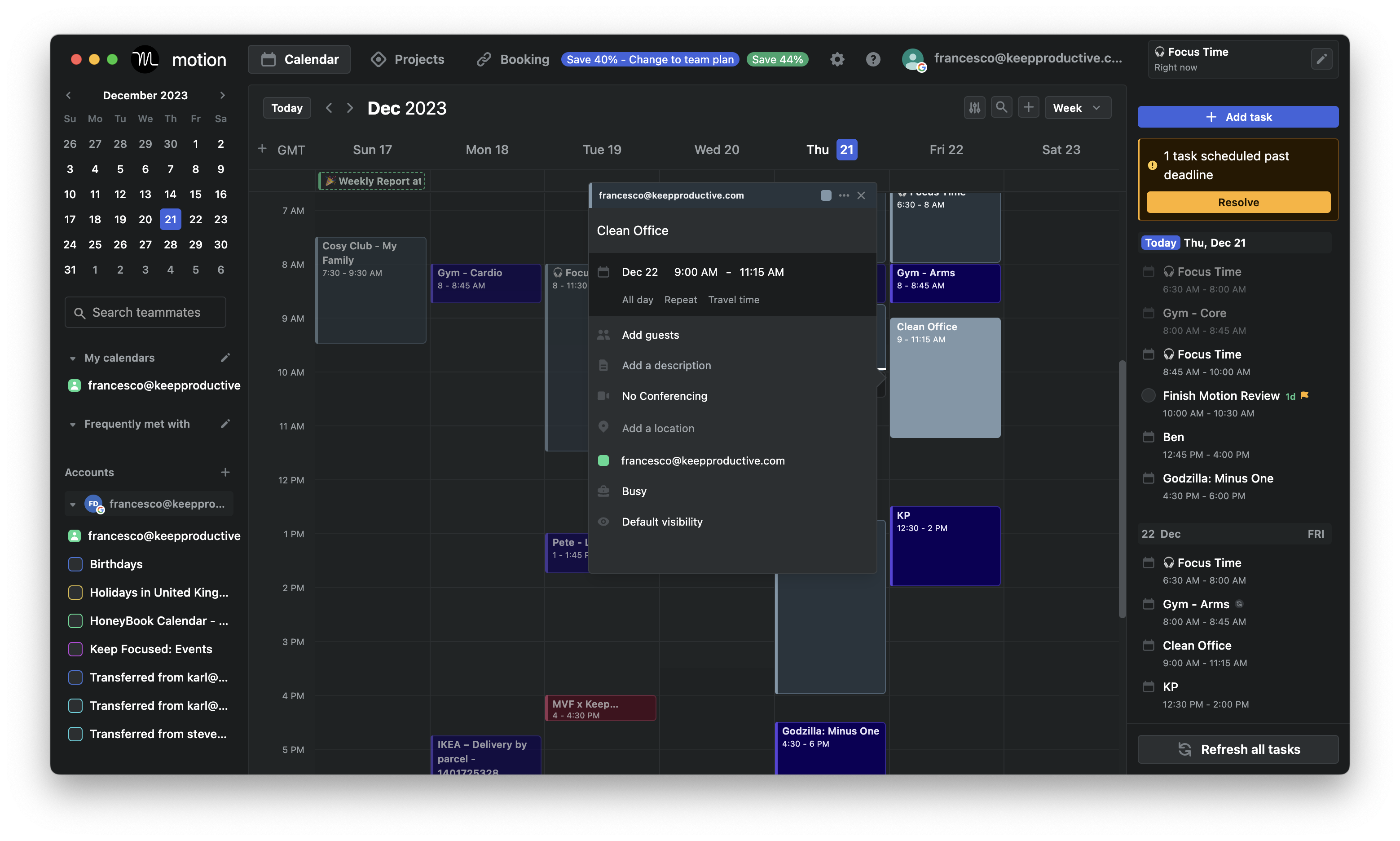
Motion is an AI productivity app that combines your calendar, task list, and project manager into one place. It automatically plans your day based on priorities, deadlines, and meetings
Key features
- AI Task Scheduling: Automatically plans your day based on deadlines, importance, and availability.
- Dynamic Rescheduling: Instantly reshuffles your schedule when meetings or priorities change.
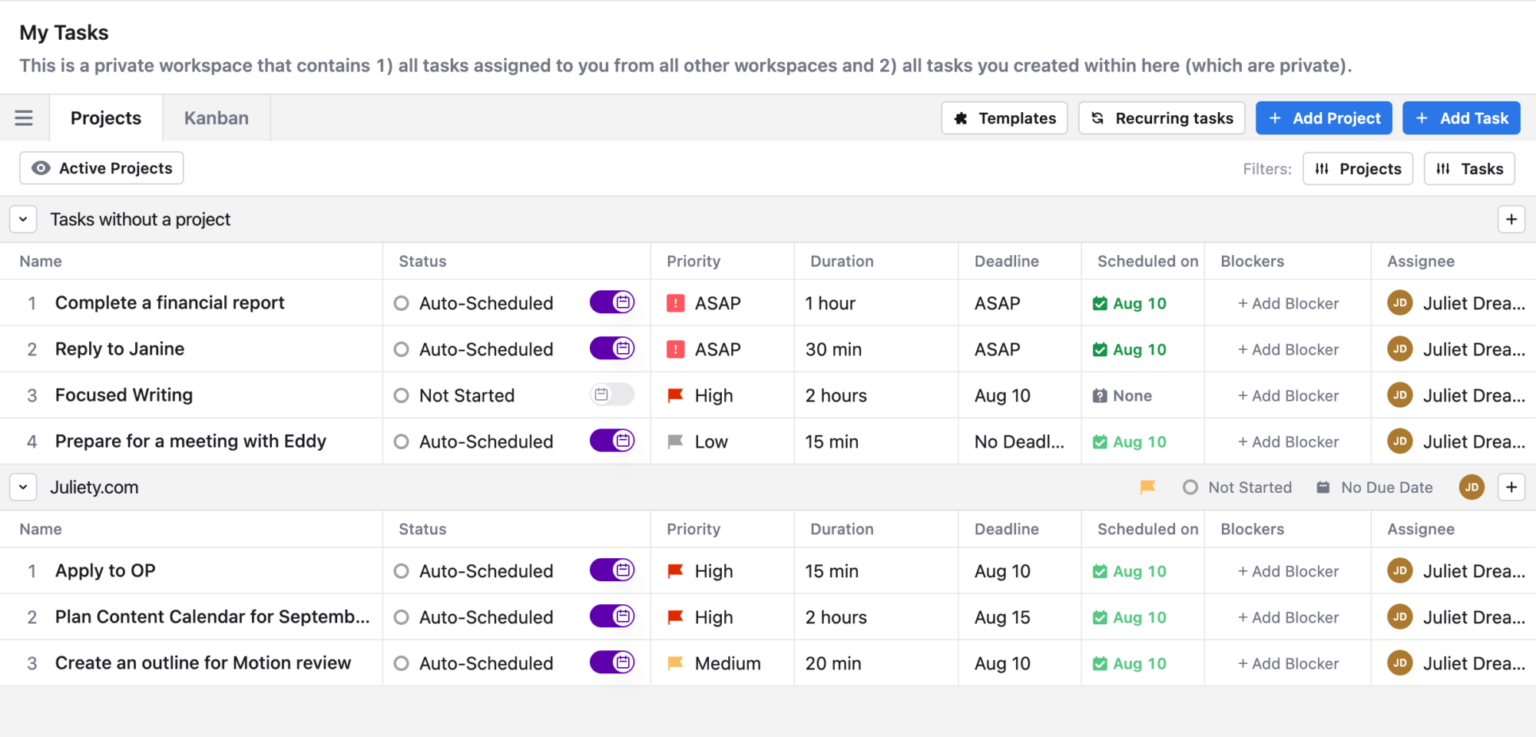
- Unified Calendar + Tasks + Projects: Combines everything into one streamlined view.
What I liked:
- Having tasks, projects, and a calendar together cuts down tool fatigue.
- Focus time and auto-rescheduling
What I disliked:
- It takes some time to trust how the AI prioritizes and moves tasks.
- No free forever plan - only a limited trial, and it gets expensive fast
- Now shifted to the enterprise market, and the UI looks complicated
- The mobile app lacks the full functionality of the web version
Pricing:
- Free 7-day trial available.
- Paid plans start around $29/month (billed annually).
Suitable for:
- Users who want one central hub for tasks, meetings, and projects.
- Teams that want an AI calendar
How to start:
- Sign up on usemotion.com.
- Connect your Google or Outlook calendar.
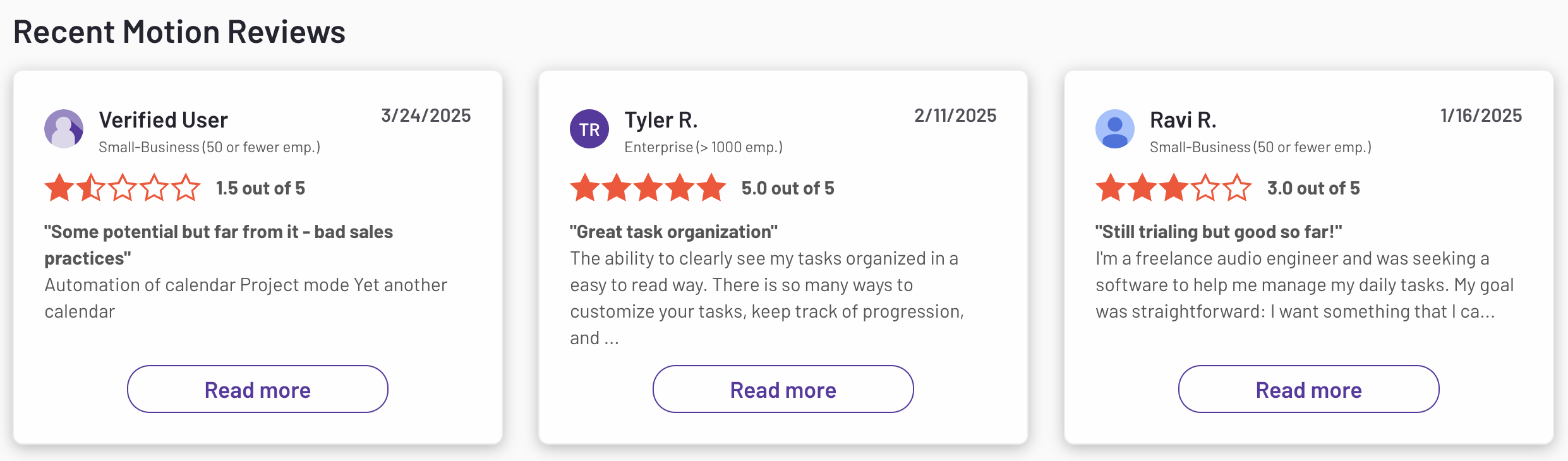
Motion reviews (source)
3. Structured
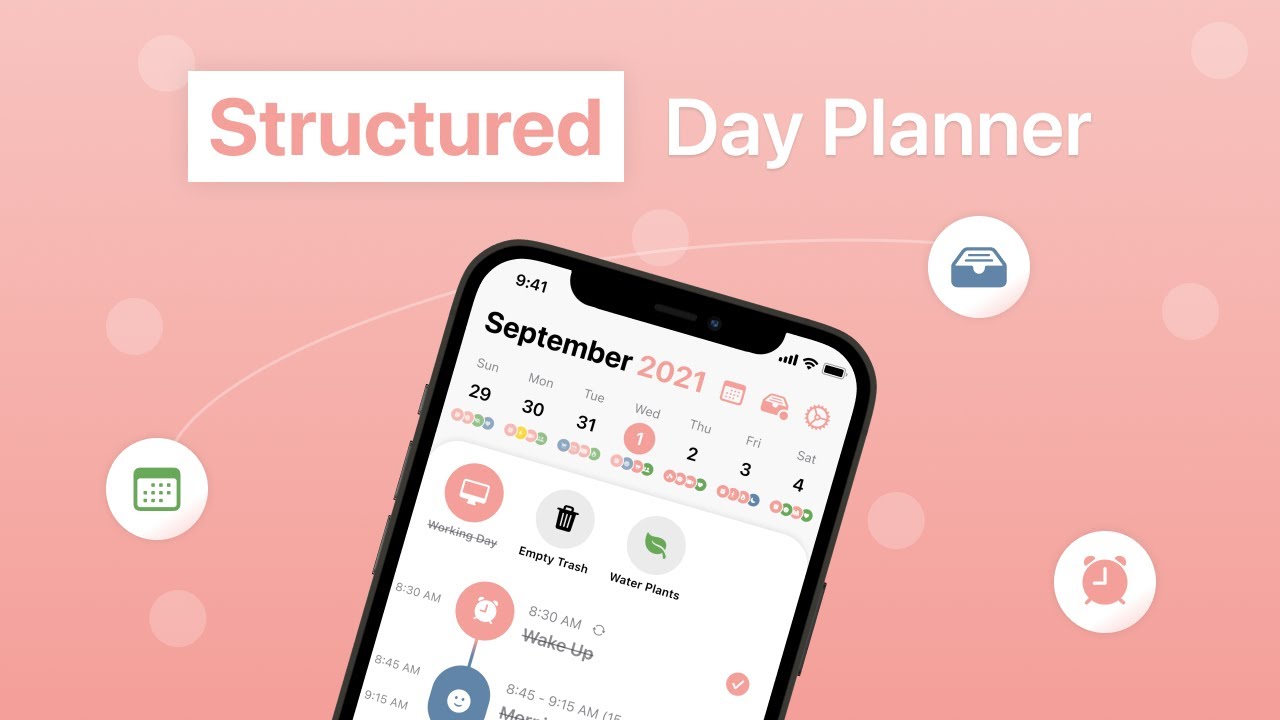
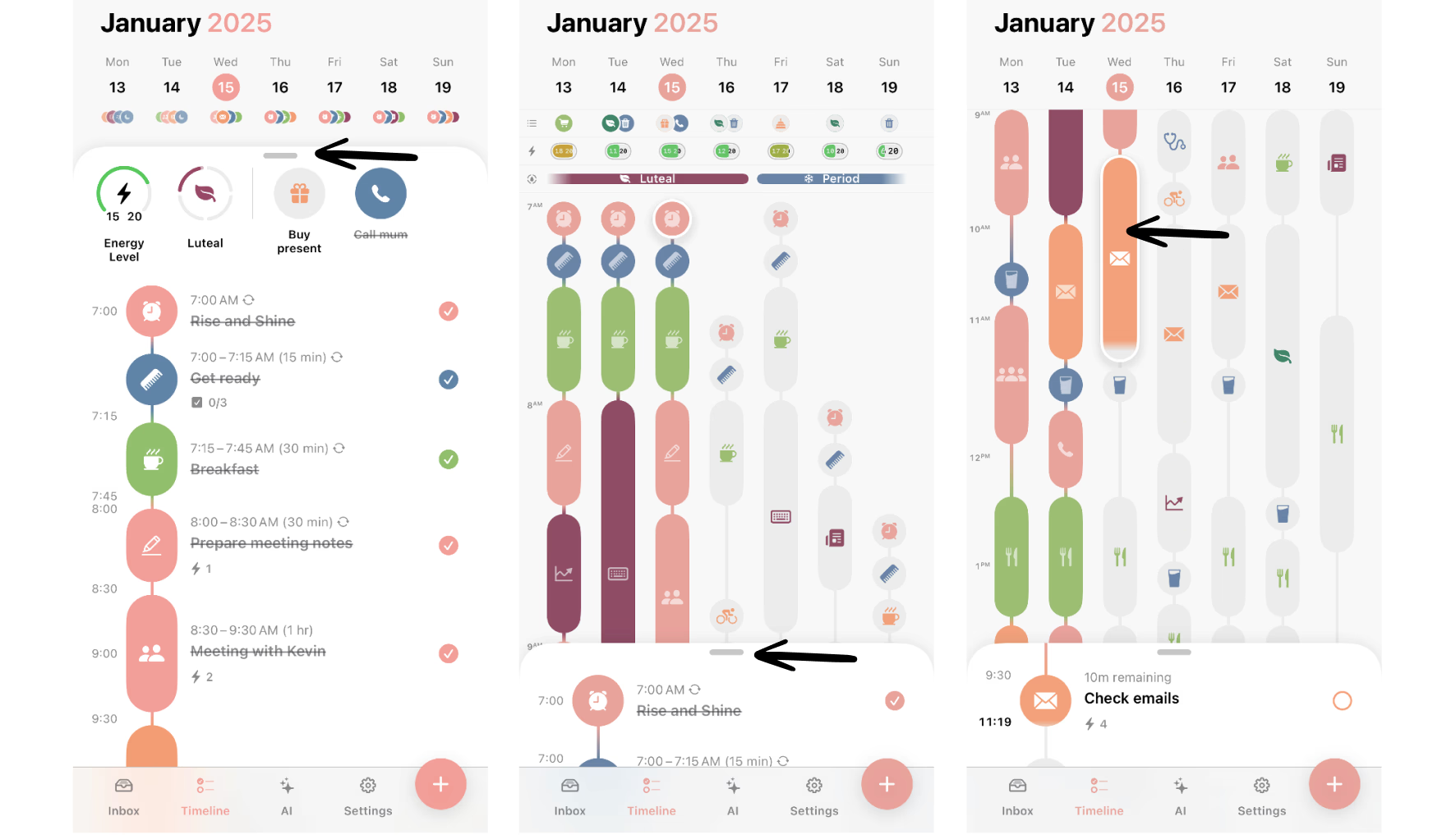
Structured is a day planner that combines your calendar, to-dos, and habits into one simple timeline. Instead of bouncing between lists and calendars, you get a single visual flow of your day
Key features:
- Smart Visual Timeline: See all your tasks, events, and habits laid out in a continuous, easy-to-follow timeline.
- Task + Calendar Integration: Combine your daily tasks and meetings in one unified view.
- Focus & Habit Support: Lets you create routines for workouts, journaling, or other daily rituals.
- Cross-Platform Sync: Available on iOS, Android, and desktop, syncing seamlessly across devices.
What I liked:
- The visual timeline is clean and intuitive
- It integrates both tasks and events in one place
- The new weekly and monthly views make it easier to plan
What I disliked:
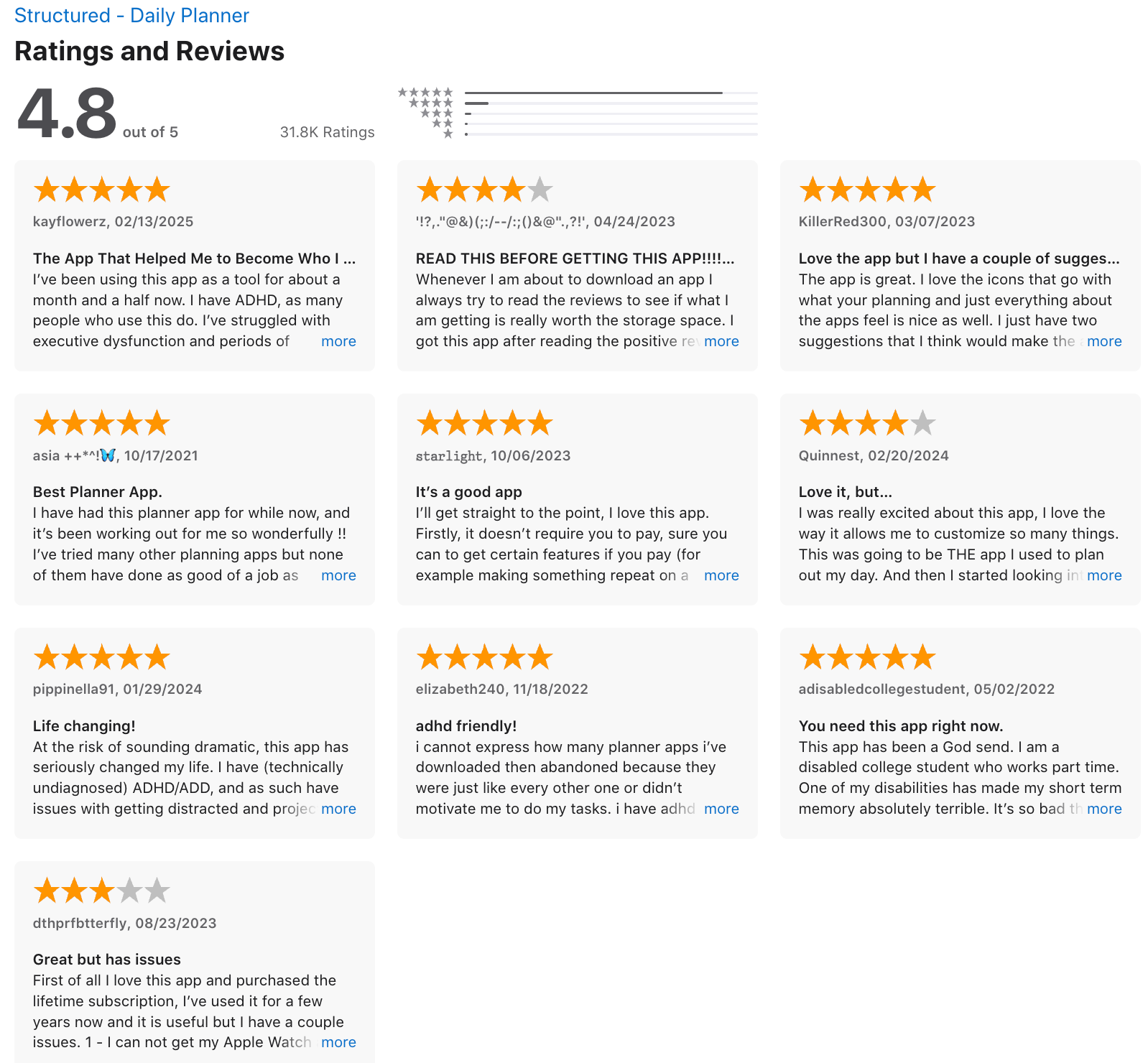
- It’s not a fully conversational AI assistant; you can’t chat with it naturally like you might with Saner.AI
- Too lightweight for teams needing collaboration or advanced project management.
Pricing:
- Free plan available with core features.
- Pro plan at around $6.49/month or $64.99 lifetime
Suitable for:
- Professionals and freelancers who want a visual, all-in-one planner.
- Students or creatives who prefer structure without rigid workflows.
How to start:
- Download Structured from the App Store or Google Play.
- Create a free account and connect your calendar.
Structured review (source)
4. SkedPal

SkedPal is an AI calendar assistant that turns your to-do list into a realistic, adaptive plan. Instead of manually placing tasks on your calendar, you enter your priorities, estimated durations, and constraints
Key features
- Auto-Scheduling & Time Blocking: Plans your day automatically, placing tasks into optimal time slots based on priority and availability.
- Time Maps & Zones: Let you define when you prefer to do specific types of work
- Task & Calendar Integration: Works with Google Calendar, Microsoft 365, and iCloud, and syncs with task tools like Asana or Todoist.
What I liked
- You don’t have to manually drag tasks around
- The Time Maps feature helps maintain a structured, balanced day and protects deep work time.
What I disliked
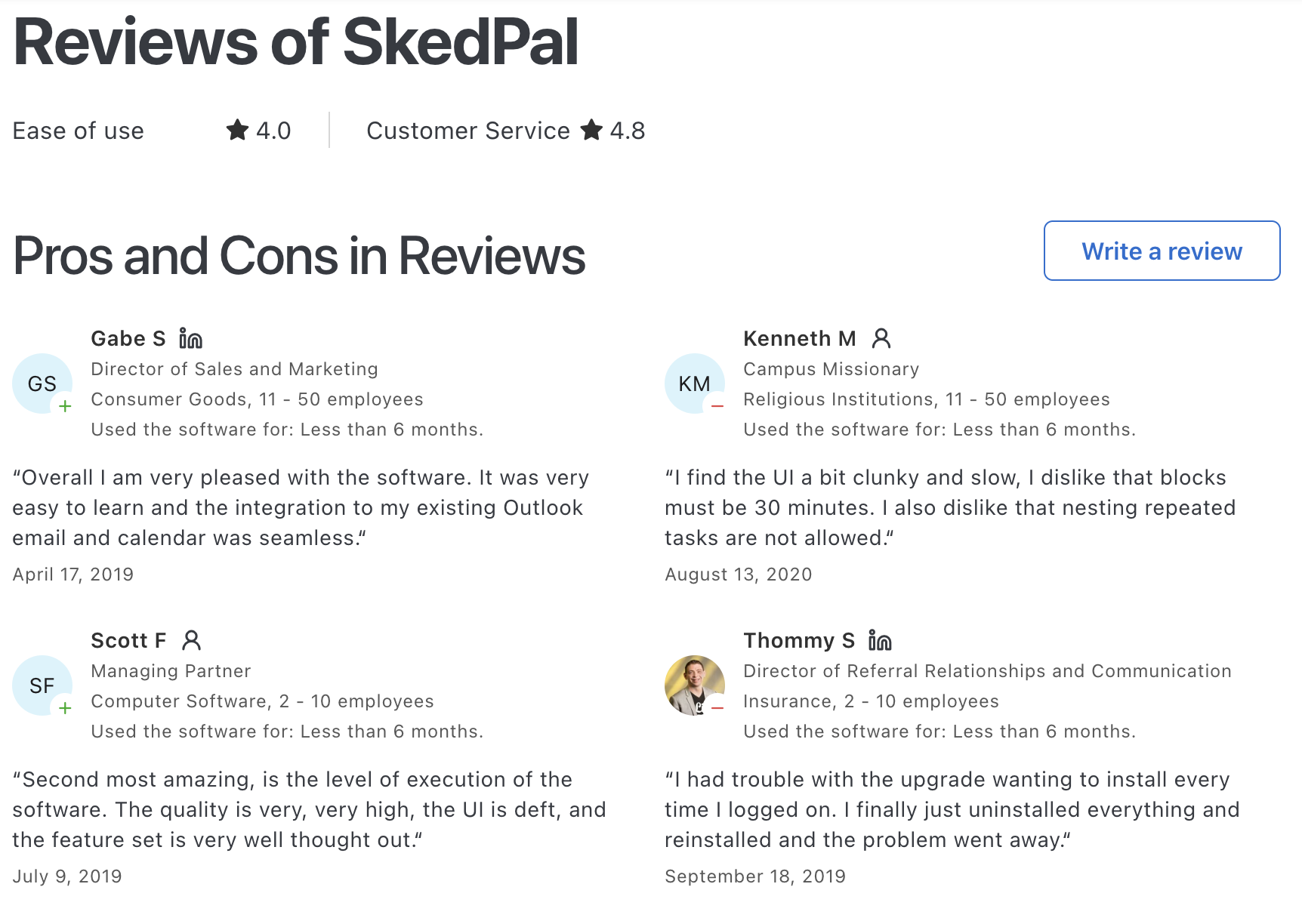
- It has a bit of a learning curve due to advanced setup options like Time Maps and durations.
- The interface feels less modern compared to newer AI scheduling apps.

- No AI Assistant to chat with to manage tasks
Pricing
- Free trial available (around 14 days).
- Paid plans start at approximately $14.95/month.
Suitable for
- Professionals, freelancers, and entrepreneurs managing multiple tasks and priorities.
- People who want to balance structure and flexibility in their schedule.
How to start
- Sign up for a free trial on the SkedPal website.
- Connect your calendar (Google, Microsoft, or iCloud).
SkedPal Reviews (source)
5. Notion
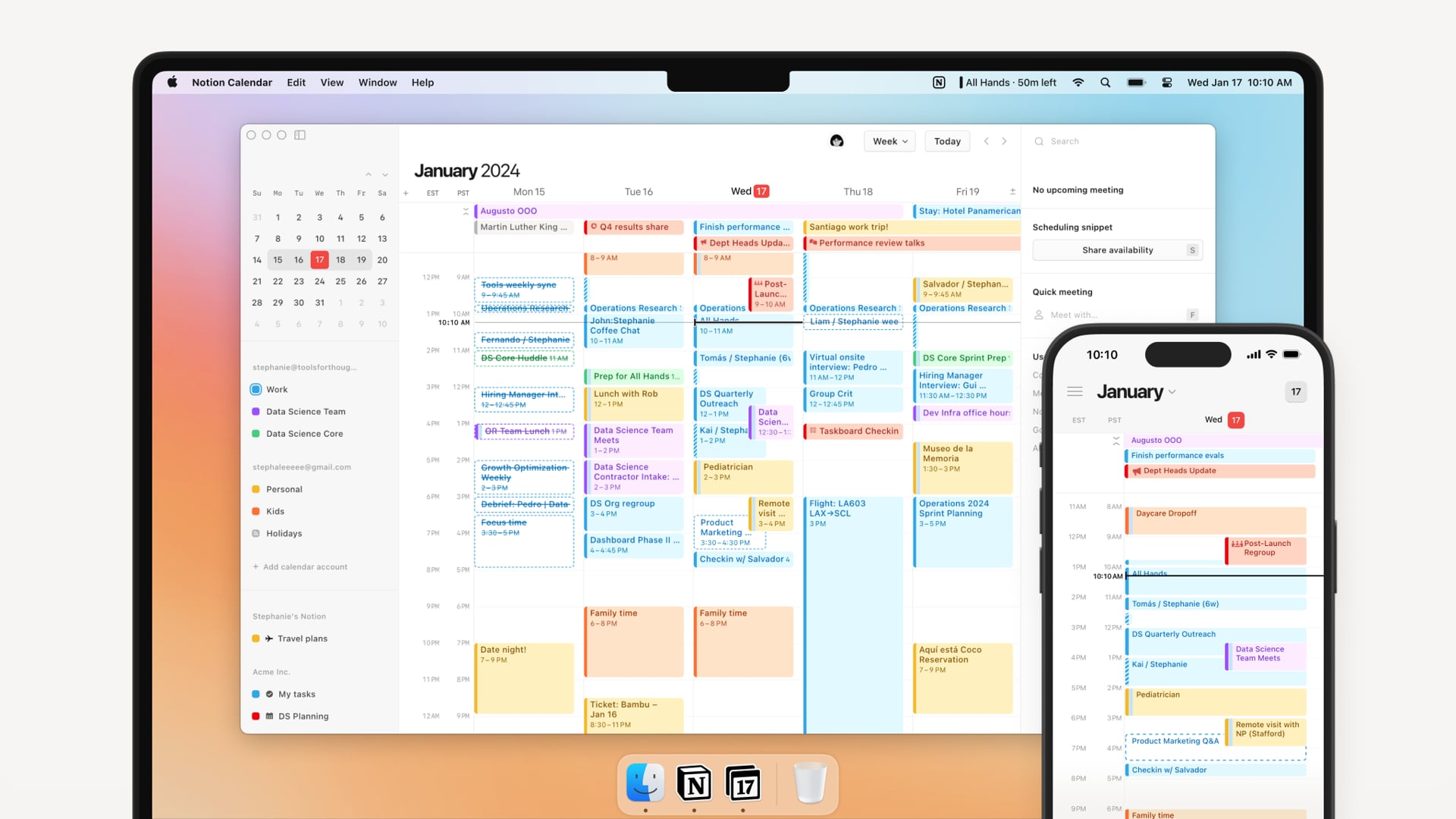
Notion is an all-in-one workspace that combines notes, tasks, docs, databases, and AI assistance. With its built-in Notion AI, it helps you write, summarize, organize projects, and even automate workflows
Key features
- Writing & Editing Assistant: Generates text, rewrites drafts, summarizes pages, or translates instantly.
- AI Agents: Automate repetitive tasks and workflows across pages and databases.
- Knowledge Base + Project Management: Combine docs, wikis, and task tracking in one system.
- Search & Integrations: Syncs with tools like Slack, Google Drive, Jira, and more
What I liked
- I like that Notion’s AI lives inside the same workspace where you already plan and write
- The new AI Agents can automate actions, summarize information, or help you roll up data across pages.
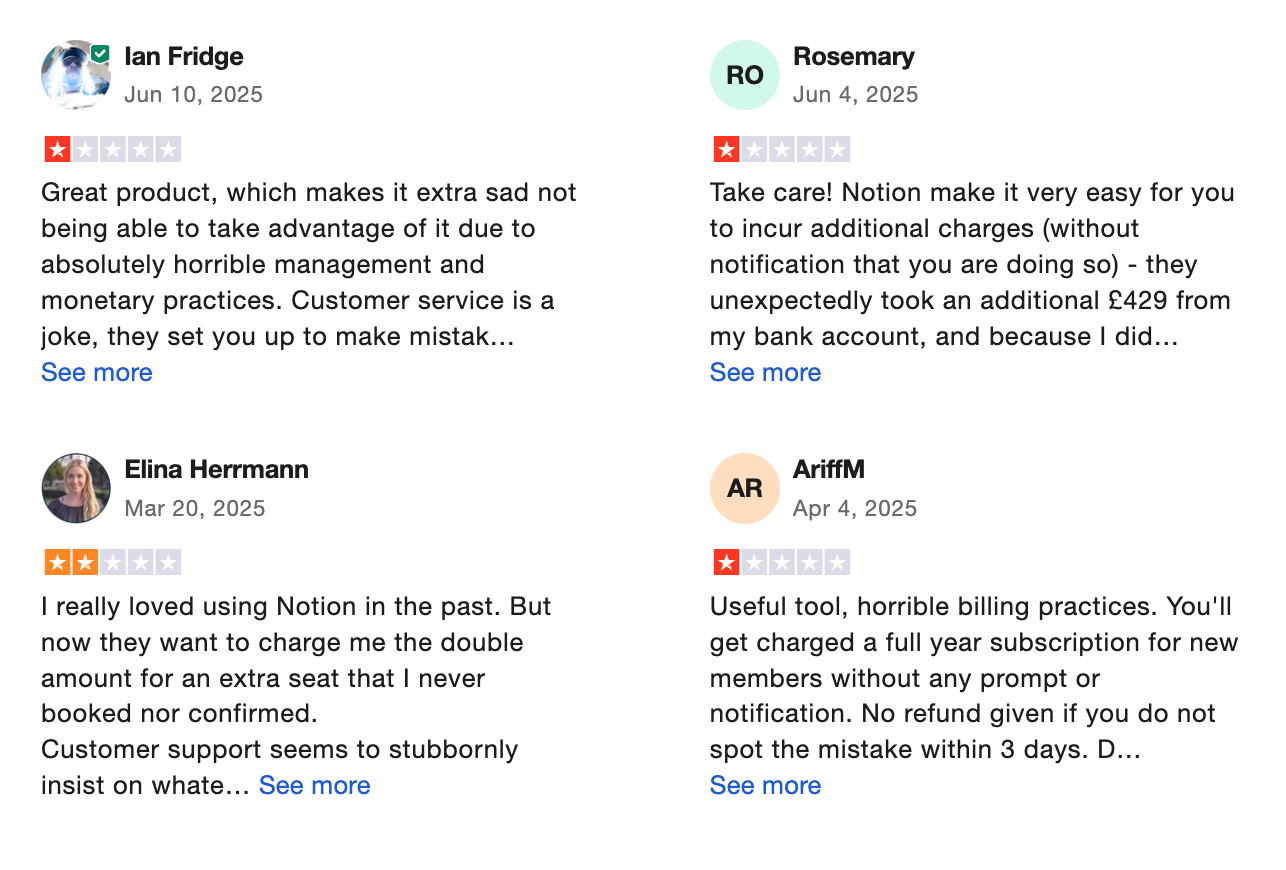
What I disliked
- The learning curve can be steep, especially for new users who just want a simple daily planner.
- The AI features are now limited to higher-tier paid plans, which may frustrate casual users.
- It doesn’t handle true time blocking or automatic scheduling like Saner.AI
Pricing
- Free plan: Basic features, limited AI access.
- Plus plan: Around $10/user/month (billed annually).
- Business plan: About $20/user/month with full AI access.
Suitable for
- Teams and individuals who already use Notion for documentation or collaboration.
- People who don’t mind customizing templates and layouts to fit their workflow.
How to start
- Visit notion.so and sign up for a free account.
- Explore templates for personal productivity, project tracking, and team collaboration.
Notion reviews (source)
6. Reclaim

Reclaim.ai is an AI assistant that helps you take control of your time. It works behind the scenes to automatically block time on your calendar for tasks, deep work, habits, and meetings
Key Features
- Smart Time Blocking – Automatically protects time for deep work, personal routines, and priority tasks.
- Smart Meetings – Finds the best meeting times across calendars and teammates automatically.
- Task Sync – Integrates with tools like Asana, Todoist, ClickUp, Jira, and Linear to schedule tasks intelligently.
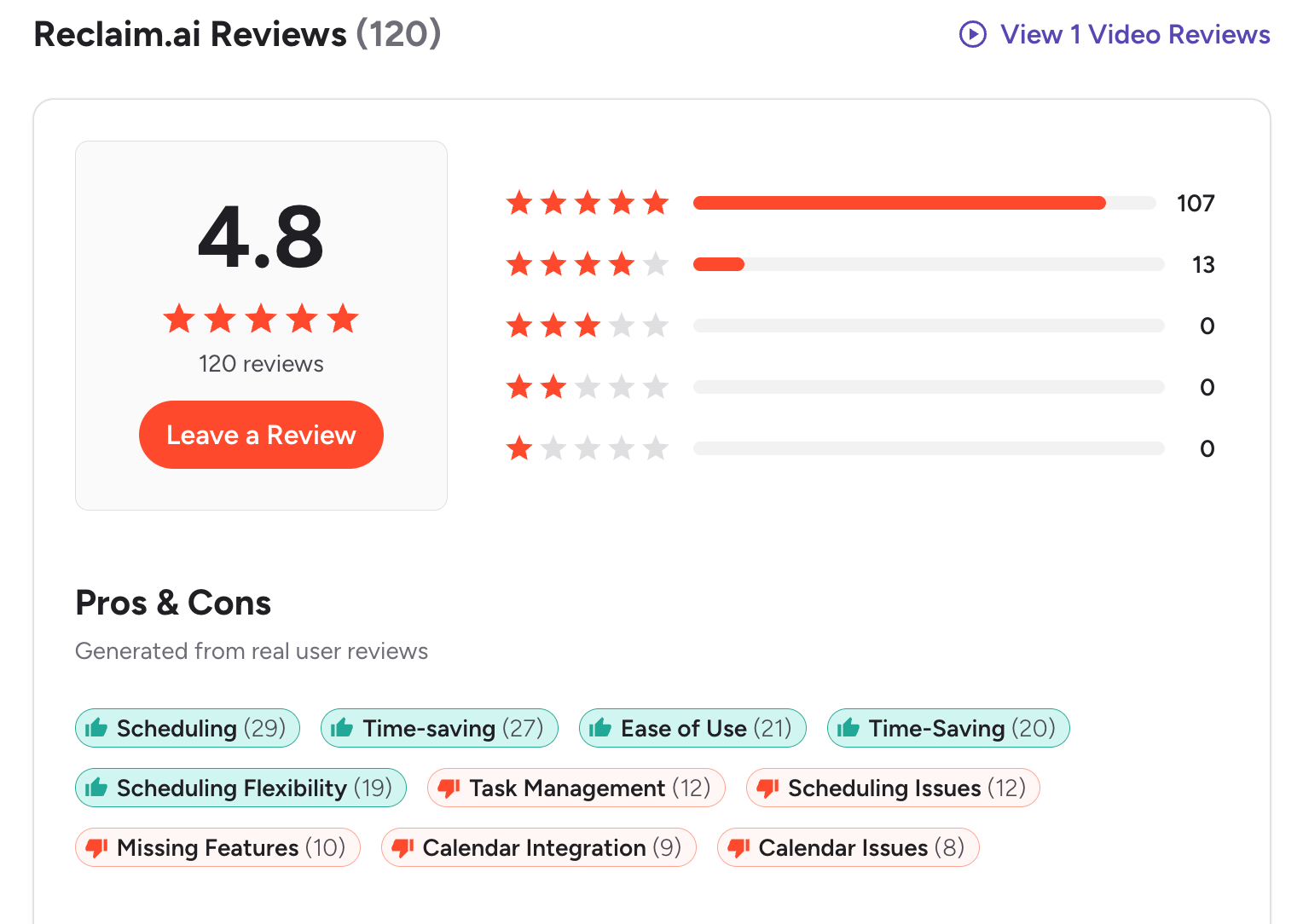
What I Liked
- The Smart Meetings feature eliminates back-and-forth scheduling.
- The recurring habits feature makes it easy to maintain consistency in daily routines.

What I Didn’t Like
- No fully-featured mobile app yet, which limits flexibility on the go.
- Works best with Google Calendar - other calendars have limited support.
- Not ideal for complex project management or visual planning.
- If you’re hoping for a chat-style assistant you can talk to, like “Move my deep work to Friday,” Reclaim doesn’t have that kind of conversational interface
Pricing
- Free (Lite) plan available.
- Starter plan - around $10 per user/month.
- Business plan - around $15 per user/month.
Who It’s For
- Teams overwhelmed by meetings
How to Get Started
- Sign up at reclaim.ai (free plan available).
- Connect your Google or Outlook calendar.
Reclaim.AI Reviews (source)
Conclusion: Finding the Right BeforeSunset AI Alternative
If BeforeSunset AI feels too rigid, too complex, or simply not the right fit for your workflow, you have plenty of smarter and more flexible options.
At the end of the day, the best productivity app isn’t the one with the most features - it’s the one that actually helps you think clearly and follow through.
Pro tip: Try one or two tools for a full week each. Notice which one quietly makes your day feel smoother - that’s your real winner.
If you want an AI that helps you think, plan, and focus - not just schedule, give Saner.AI a try.
Here’s to working smarter, not harder.
The AI Assistant that organizes your day
FAQ: Best BeforeSunset AI Alternatives (2025)
1. What is BeforeSunset AI, and why look for alternatives?
BeforeSunset AI is an AI daily planning app that helps you organize tasks, focus blocks, and priorities around your calendar. It’s great for structured planners, but many users find it either too rigid, too costly, or missing the flexibility they need for complex workflows.
If you’re exploring the best BeforeSunset AI alternatives, you’re likely looking for tools that:
- Offer smarter, more adaptive scheduling
- Integrate seamlessly with your notes, calendar, and tasks
- Work better for ADHD or fast-moving work styles
Top choices include Saner.AI, Motion, Reclaim.ai, Clockwise, Structured, SkedPal, and Notion.
2. What makes Saner.AI a good BeforeSunset AI alternative?
Saner.AI goes beyond time blocking - it understands your thoughts.
You can brain-dump ideas, emails, or random notes, and it turns them into clear tasks and reminders.
Why it stands out:
- Combines notes, calendar, and tasks in one space
- AI organizes your thoughts automatically
- Proactively suggests priorities throughout the day
- Designed by and for ADHD brains
It’s a calmer, more human alternative to BeforeSunset’s rigid scheduling.
3. How does Motion compare to BeforeSunset AI?
Motion is the enterprise competitor to BeforeSunset AI - but it’s more automation-driven. It automatically schedules your tasks around meetings, deadlines, and work hours.
Best for: professionals who want zero manual planning and love algorithmic precision.
Downside: some users find Motion too robotic or overwhelming for creative workdays.
4. Is Reclaim.ai better than BeforeSunset AI for teams?
Yes - Reclaim.ai shines for team coordination. It dynamically blocks time for recurring habits, meetings, and focus sessions while respecting shared calendars.
Why people switch from BeforeSunset to Reclaim:
- Smarter collaboration for hybrid teams
- Syncs perfectly with Google Calendar
- More control over personal vs. team time
If BeforeSunset feels too individual-focused, Reclaim brings balance for distributed teams.
5. Which BeforeSunset AI alternative is best for ADHD users?
Saner.AI wins here. It’s built by ADHDers for ADHDers - turning mental clutter into structure without complex setups.
It helps you:
- Dump ideas fast, then organize them automatically
- Reduce context switching
- Get gentle reminders at the right time
- Feel in control again
If BeforeSunset feels overwhelming, Saner.AI offers structure without pressure.
6. Which BeforeSunset AI alternative is best for entrepreneurs and solo founders?
Entrepreneurs need clarity, not more dashboards.
Saner.AI is perfect if you want one AI assistant that:
- Understands your notes and tasks contextually
- Reminds you about follow-ups, not just due dates
- Syncs your calendar and priorities automatically
Motion is better if you prefer automation over conversation - it handles your calendar.
Reclaim fits best for startup teams coordinating time across functions.
7. Do these BeforeSunset AI alternatives integrate with Google Calendar or Outlook?
Yes - most do.
- Saner.AI: Google + Outlook integration
- Motion, Reclaim.ai, and Clockwise: deep Google Calendar integration
- Structured: syncs with Apple Calendar
- Notion: connects via third-party tools
If you live in your calendar, these integrations make switching effortless.
8. Are there free BeforeSunset AI alternatives?
Absolutely.
- Saner.AI – free plan includes AI task creation, smart reminders, and calendar sync
- Structured – free basic version on iOS
- Clockwise – free for individuals
- Notion – free for personal use
You can test most tools before committing to a premium plan.
9. Which BeforeSunset AI alternative is best for teams?
- Reclaim.ai – ideal for small to mid-sized teams
- Clockwise – great for large organizations managing meeting overload
- Saner.AI – best for async or creative teams needing personal focus and context
Each balances teamwork and personal productivity differently - pick based on your team’s rhythm.
10. What’s the easiest BeforeSunset AI alternative for beginners?
If you prefer AI that thinks for you, start with Saner.AI - it helps you organize even messy thoughts without configuration.
11. Which alternative is best for proactive daily planning?
If you want an AI that actively helps plan your day (not just store tasks):
- Saner.AI – context-aware, adaptive, and human-friendly
- Motion – highly automated but more rigid
- SkedPal – time-optimization algorithms for deep planners
Saner.AI strikes the best balance between human intuition and automation.
12. What’s the best BeforeSunset AI alternative overall?
For most people, the best all-around alternative is Saner.AI - it combines planning, thinking, and execution in one calm interface.
But depending on your needs:
- Motion – best for automation
- Reclaim – best for teams
- Structured – best for simplicity
- SkedPal – best for time-optimization lovers
- Notion – best for customization
Each offers a unique flavor of productivity — the best one fits how your brain works.
Stay on top of your work and life