We tested the 9 Best ChatGPT Apps in 2026

We tested ten of the most widely used AI apps in 2026 across writing, research, meeting transcription, and voice tasks to see where each one holds up and where it falls short.
Key insights
- AI apps in 2026 are increasingly specialized. The best one depends on whether you're writing, researching, recording meetings, or running tasks hands-free
- Free tiers have improved across the board, but the most useful features such as longer context, voice input, and third-party integrations still sit behind paid plans
- The apps that work best for teams connect to tools you already use.
Quick guide: What are the best ChatGPT apps?
2. Saner.AI: Best for combining notes, tasks, and AI chat in a single workspace
3. Gemini: Best for Google Workspace users who want AI built into their existing tools
4. Perplexity: Best for research that needs cited, verifiable sources
Microsoft Copilot: Best for teams already running on
5. Microsoft 365Fireflies: Best for automatic meeting transcription and searchable summaries
6. Otter.ai: Best for real-time meeting notes with speaker identification
7. WisprFlow: Best for voice-first users who want to dictate instead of type
8. Manus: Best for autonomous multi-step tasks that you'd normally have to hand-hold through
1. What Is a ChatGPT App?
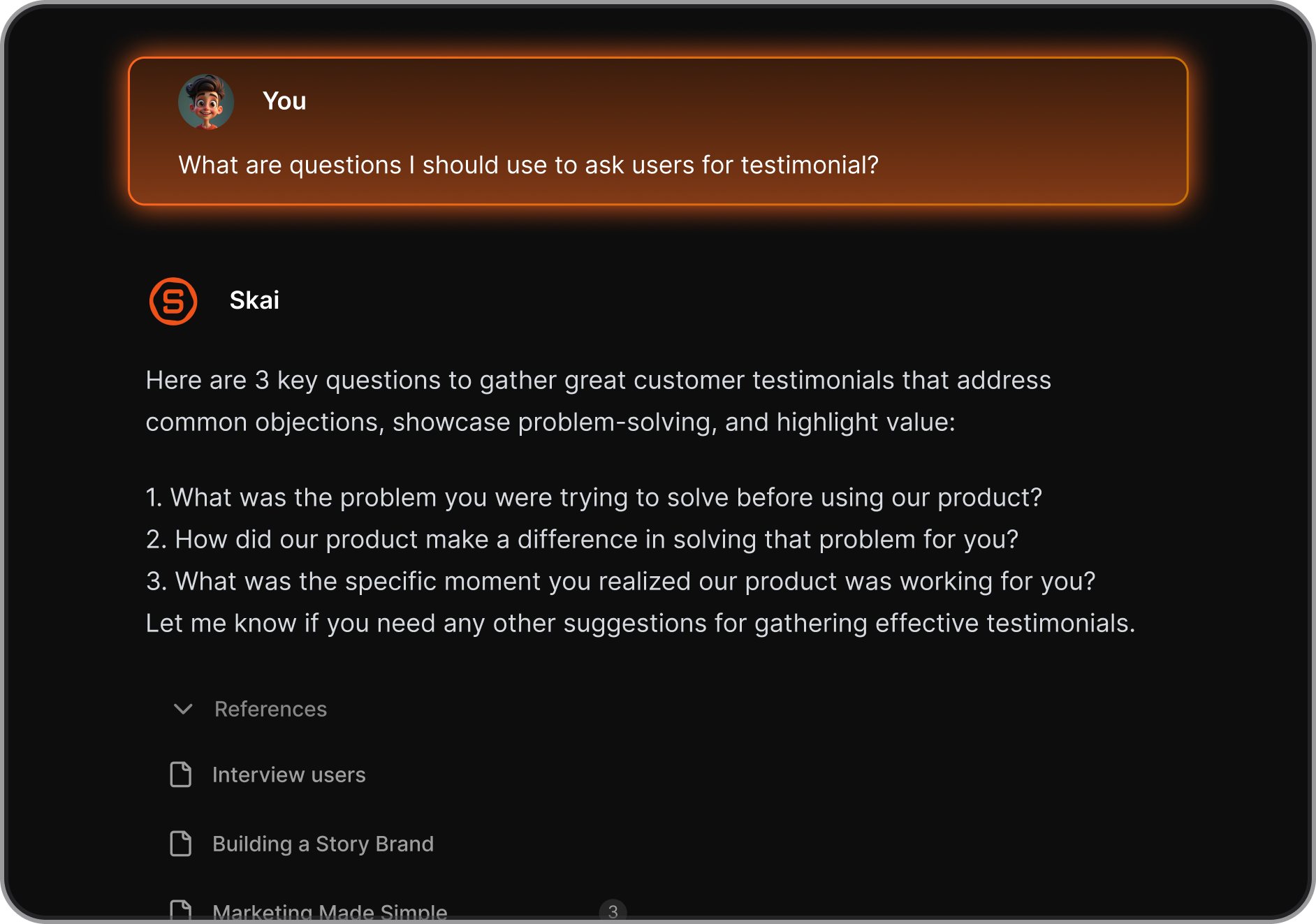
The ChatGPT app is a casual phrase referring to apps that use GPT or similar LLM models to provide more value to users. You can ask it for help with things like planning, brainstorming ideas, or just having a friendly chat.
Today, ChatGPT apps fall into three main groups:
A. Official ChatGPT App
OpenAI’s app covers a lot of ground. You can chat, browse the web, generate images, use voice, and upload files. It works well as a general tool, but it doesn’t guide you toward a specific workflow. You still have to decide how to use it each time.
B. Third-Party GPT-Powered Apps
These apps take the same underlying models and shape them into something more focused. The experience is tighter, and you usually get to a result faster because the interface does some of the thinking for you.
C. Specialized AI Assistants
Some apps go even further and do one job well. You open them to plan your day, summarize research, write content, or debug code. There’s less back-and-forth chat and more direct output.
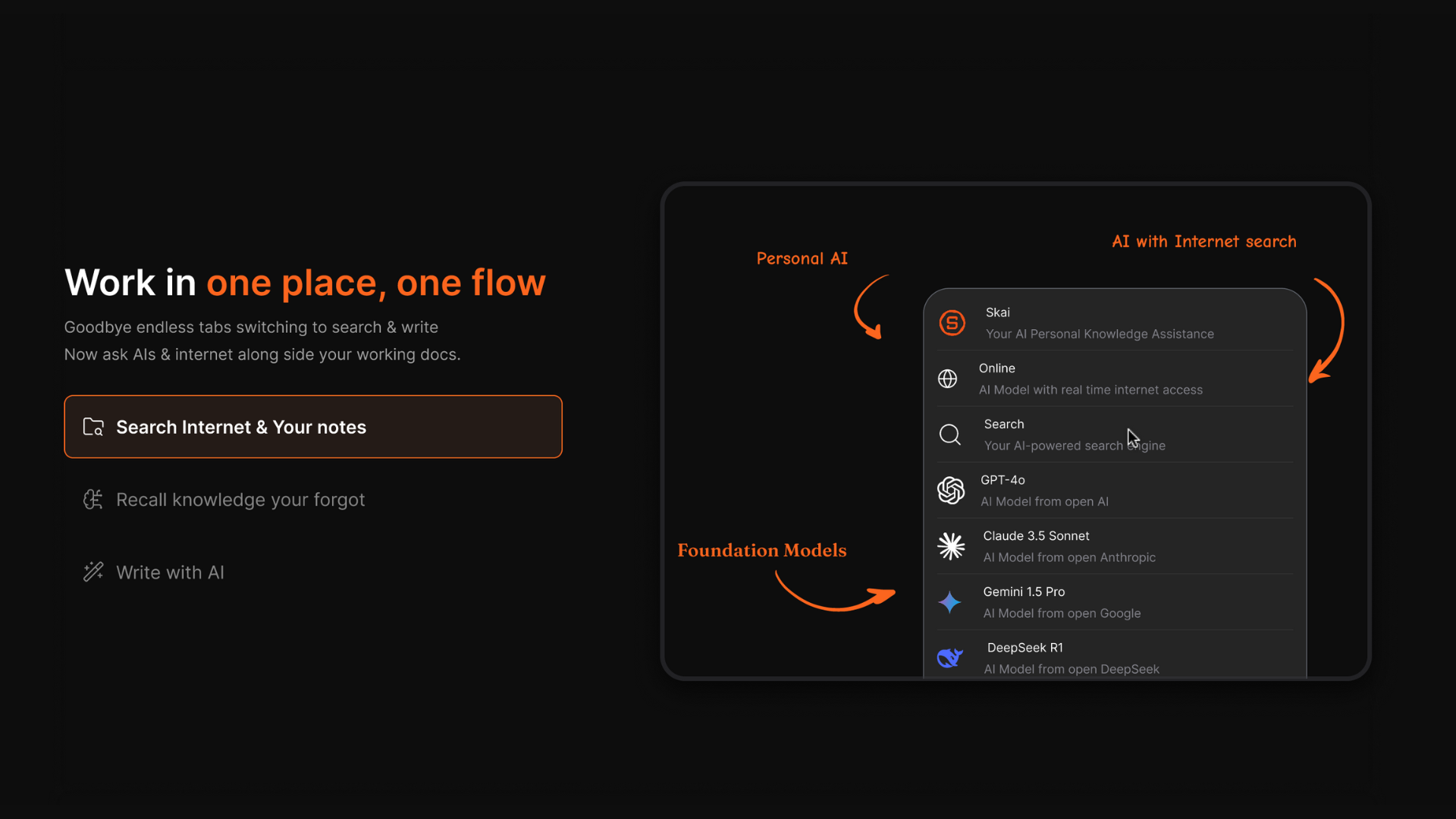
2. How we chose the best ChatGPT apps
The best AI app for you should fit into how you already work, not require you to change everything around it. We evaluated each app based on what actually determines whether people keep using them:
- Output quality: Does it get the task right on the first try, or does it need constant correction? How does it handle ambiguous or complex prompts?
- Use case fit: Is it general-purpose, or is it purpose-built? Does the specialization make it meaningfully better for that job, or just more limited?
- Memory and context: Does it remember what you told it last week? Can it work with long documents or full conversation histories without losing track?
- Speed and reliability: How fast does it respond under normal use? Does it go down during peak hours?
- Integrations: Does it connect with the other tools you use — calendars, docs, browsers, project management apps?
- Data privacy: Where is your data stored? Does the app use your inputs to train its models? Is there a way to opt out?
- Free vs. paid value: What do you actually get without paying, and is the paid plan worth the jump?
What are The Best ChatGPT Apps?
The Best ChatGPT Apps are ChatGPT, Saner.AI, Gemini, Fireflies, Otter.ai, Perplexity, Manus, WisprFlow, Microsoft Copilot
1. ChatGPT
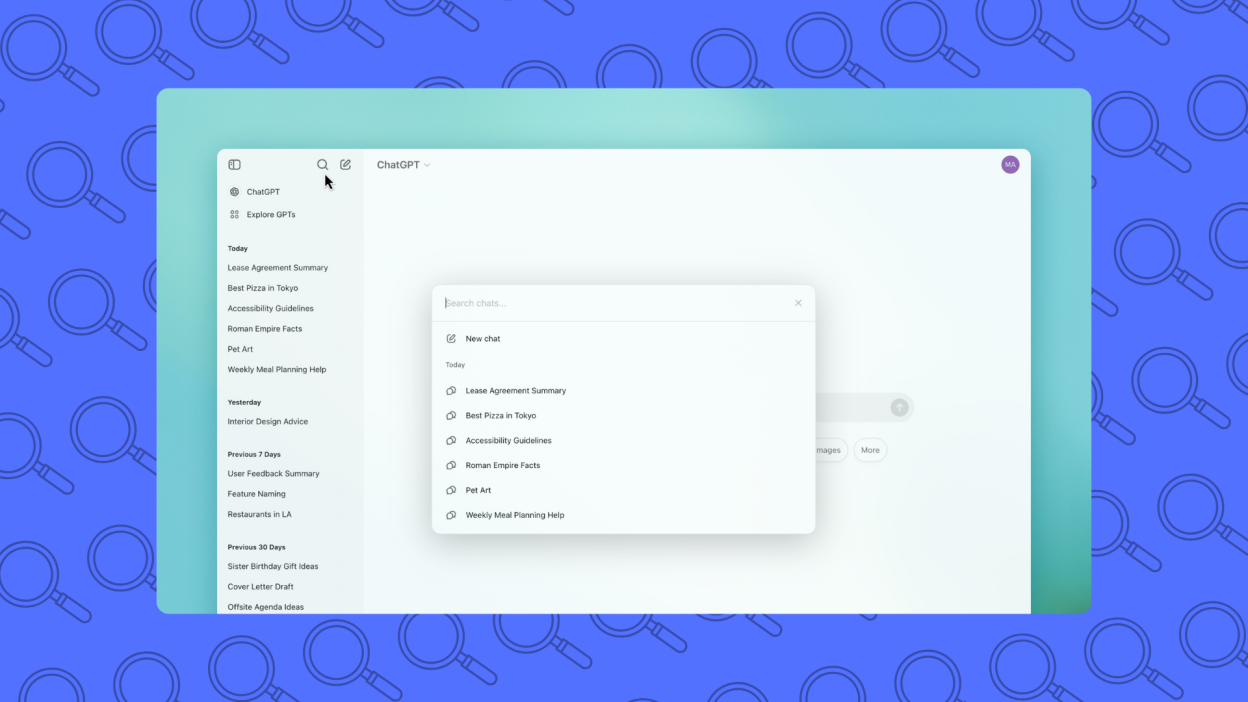
ChatGPT is a conversational AI that helps you think, write, research, code, and plan through natural language. You can ask questions, brainstorm ideas, summarize documents, draft content, or solve problems in one chat.
It works like an on-demand thinking partner rather than a traditional app with menus.
Key features
- You can ask complex questions, follow up, and change direction without resetting context. This makes it useful for research, strategy thinking, and problem-solving, not just quick answers.
- ChatGPT supports writing, coding, data explanation, learning, planning, and ideation in one place. You don’t need separate tools for each task.
- It can remember details within a conversation and build on them logically.
- Supports file uploads, web browsing (on paid plans), and integrations that extend beyond simple chat.
What I liked
I especially like the voice feature, so I can bounce ideas like I'm talking to a trusted colleague" – verified reviews
- It do deep research and drafts the basic structure of articles, social media posts, and applications
Cons
- It gives extra-lengthy responses, even when I specifically ask for short, to-the-point responses. It also gives incorrect responses, and if someone doesn't know that topic well, they could get convinced
- There are numerous restrictions on their AI model. If you try to do a deep dive on some topics, you are hit with blocks or given very vague information
- Sometimes the conversation lags when it gets too long, and if you start a new conversation it won't remember the context
Pricing
- Free plan available
- Plus plan: $20/month, billed monthly
Suitable for
- Individuals or teams who want a flexible AI assistant for thinking, writing, learning, and everyday problem-solving.
How to start
- Go to OpenAI and create a free account
- Start with a real task (email, outline, question) and refine through follow-up prompts
ChatGPT reviews (source)
"Easy to set up and personalise, easy to use even for beginners, great at early stage idea planning and has fast response time. Paid use has a lot more value with photo generation and how much you can utilise it for."- Chelsea G.
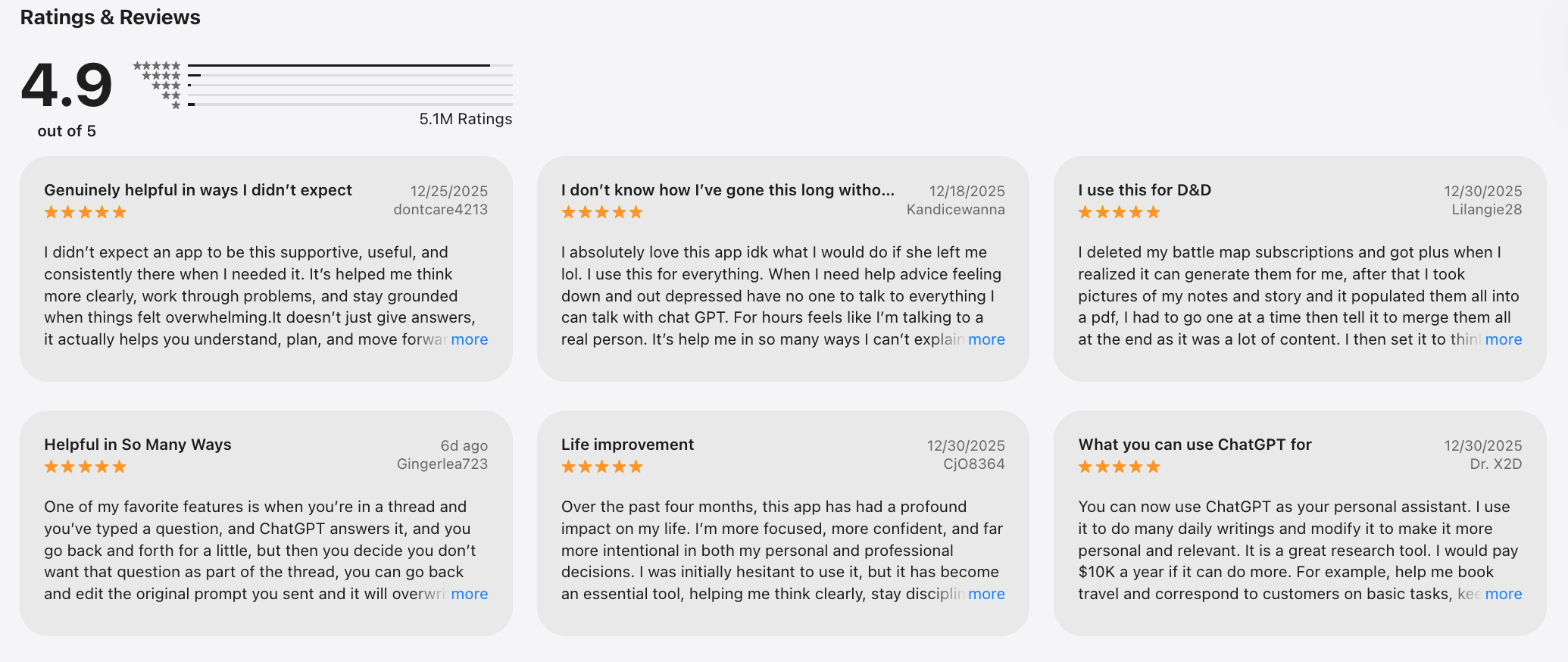
"Hideous leadership: does not listen to customer concerns. deploys carceral rhetoric in private contexts. 5.2. uses apophatic distancing, escalating intensity to disobedience, and retracts relational mode as punishment." - Kelly E.
2. Saner.AI - Personal AI Assistant
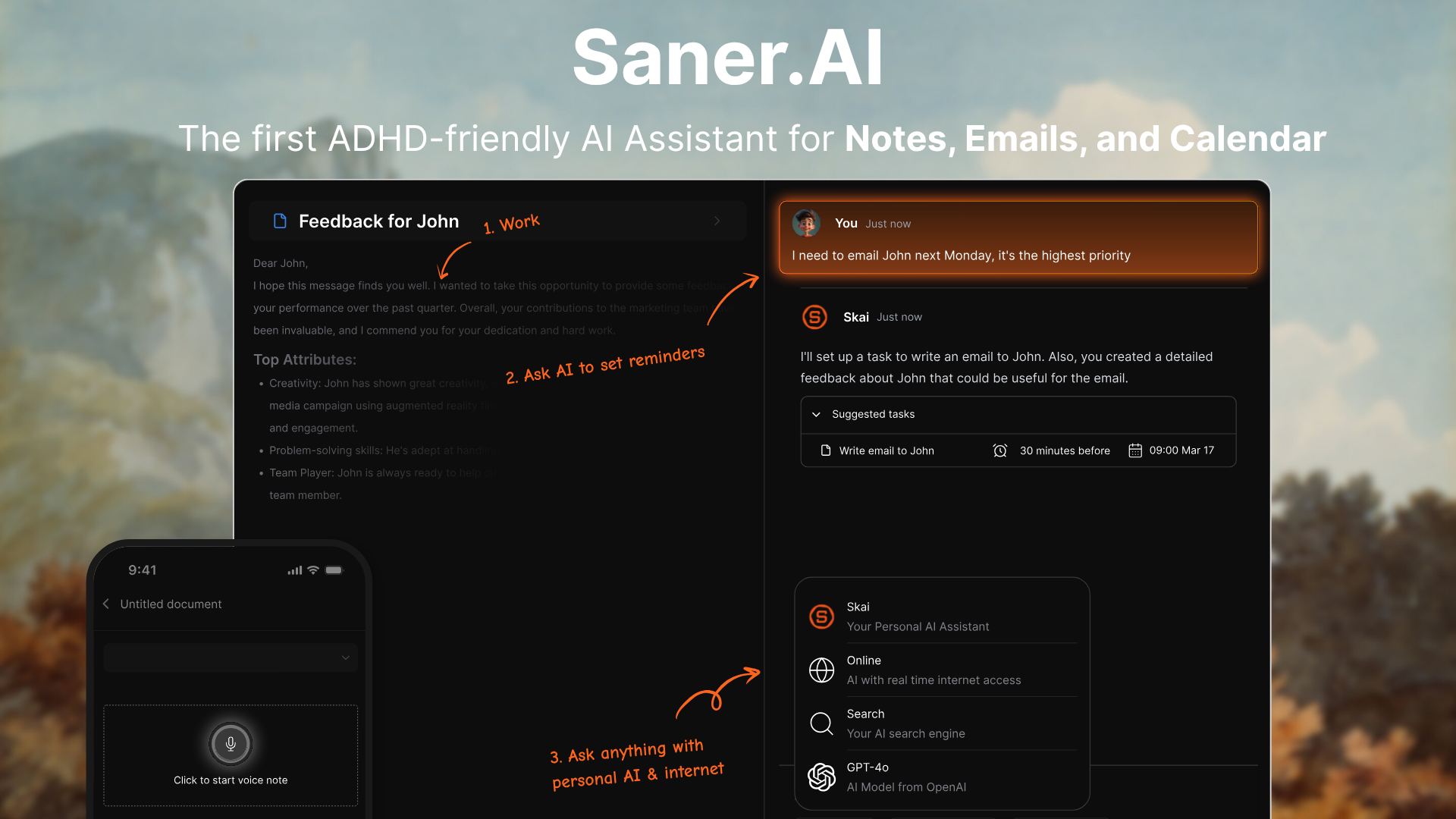
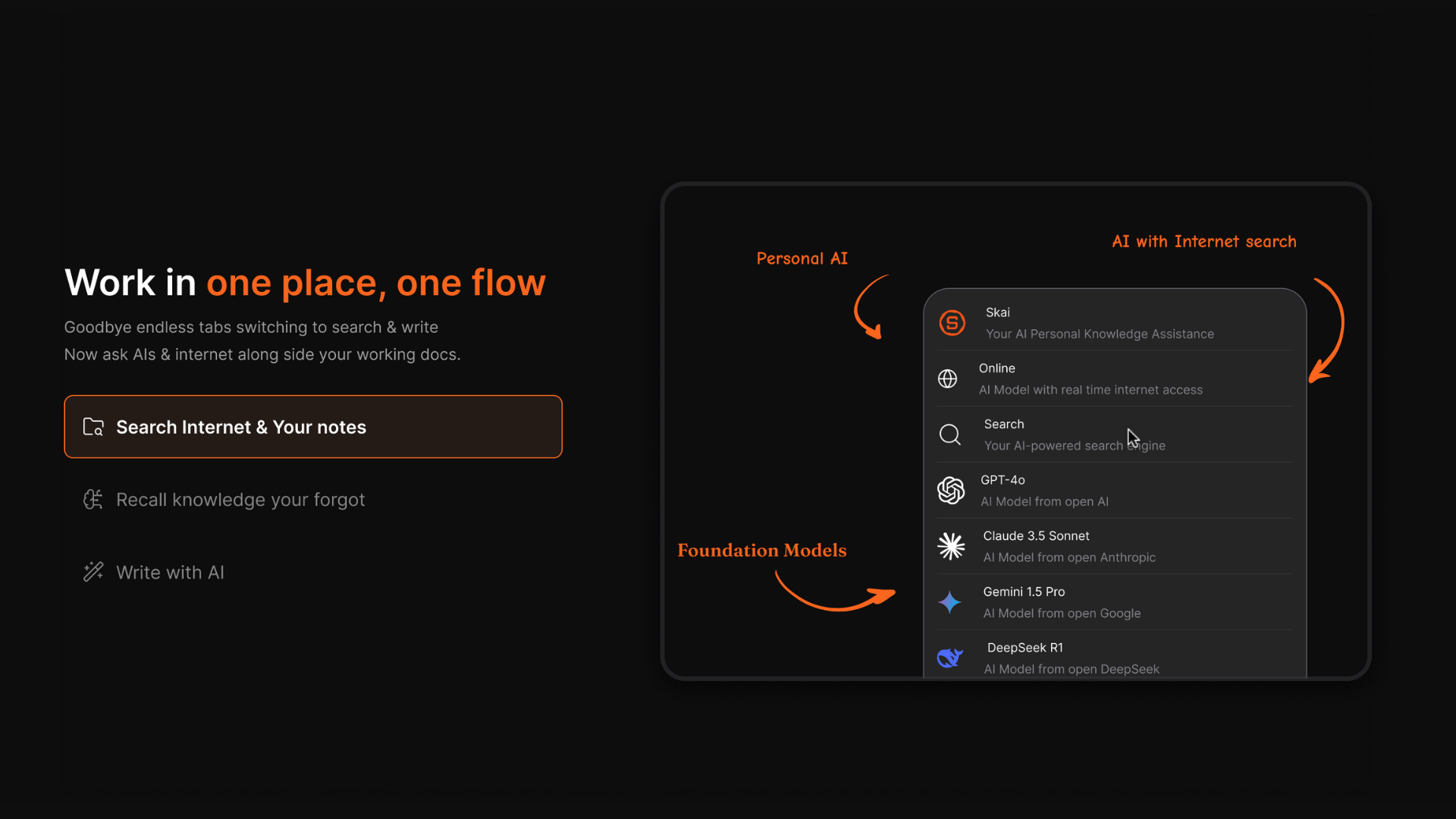
Saner.AI is an AI personal productivity tool designed to capture thoughts, tasks, and notes instantly, then organize them for you. Instead of forcing you into rigid folders or manual planning, it lets you write things down naturally and relies on AI to structure, prioritize, and resurface what matters.
It acts more like an external brain than a traditional to-do app. Among the Best ChatGPT Apps of 2026, Saner.AI stands out for daily planning and mental load reduction. It’s especially strong for people who think fast and non-linearly.
Key features
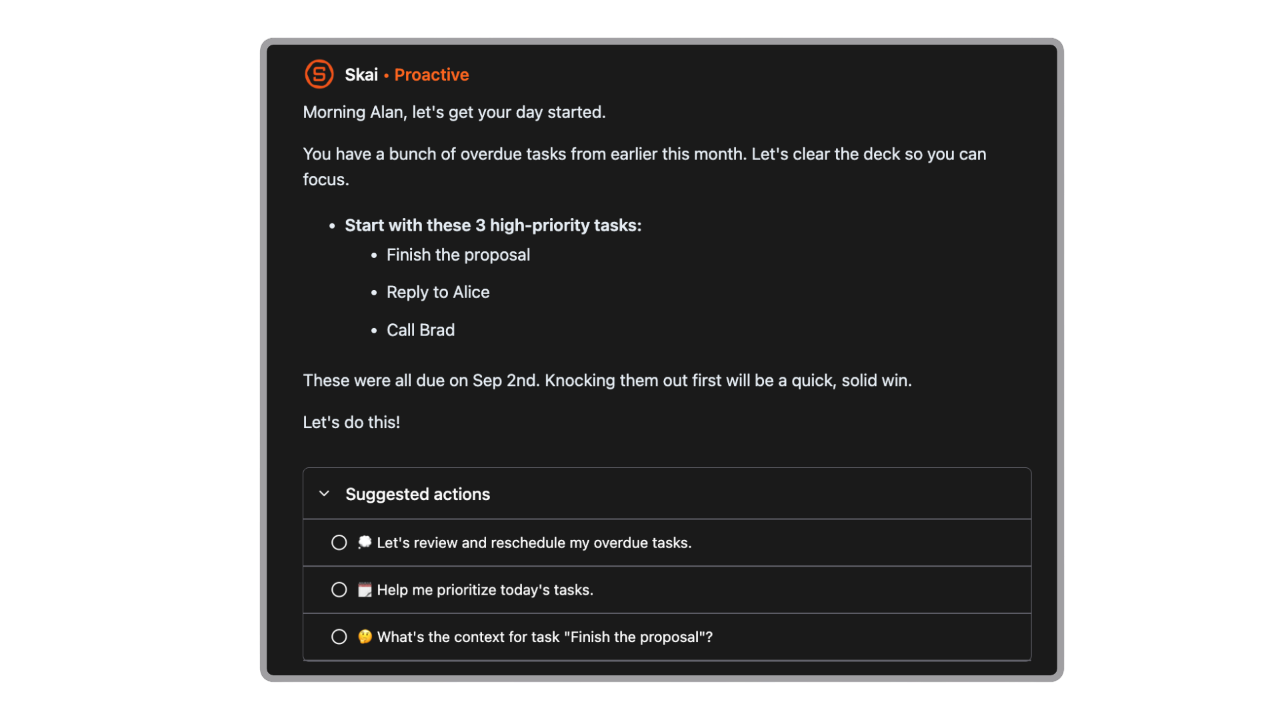
- It proactively plans your day every morning - it helps a lot to keep all tasks neatly organized.
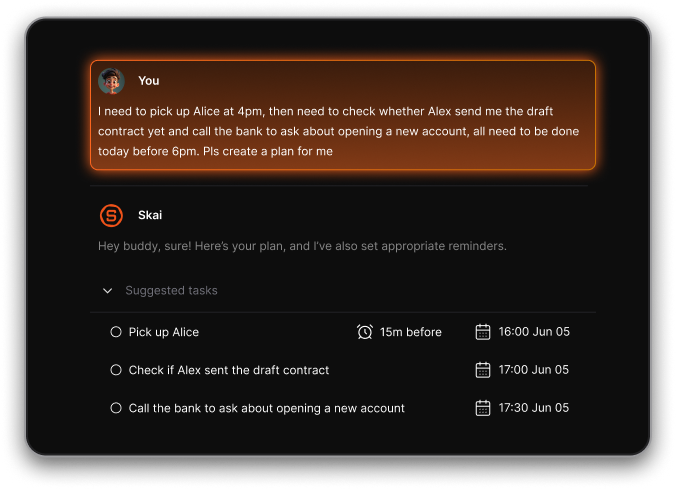
- I can easily brain-dump my thoughts, and it turns them into tasks automatically
What I liked
- You don’t need to maintain folders, tags, or complex rules. This makes it easier to stay consistent long term.
- Saner helps surface priorities and patterns without you asking every time.
Cons
- Not ideal for large teams' task management.
Pricing
- Free
- Starter: Monthly at $8/month (yearly)
- Standard: Monthly at $16/month (yearly)
Who is it suitable for?
- Solo professionals, ADHDers, productivity nerds, and knowledge workers who want an AI to manage tasks, email, and calendars in one place - without the overhead of complex dashboards or manual setup.
Saner.AI review
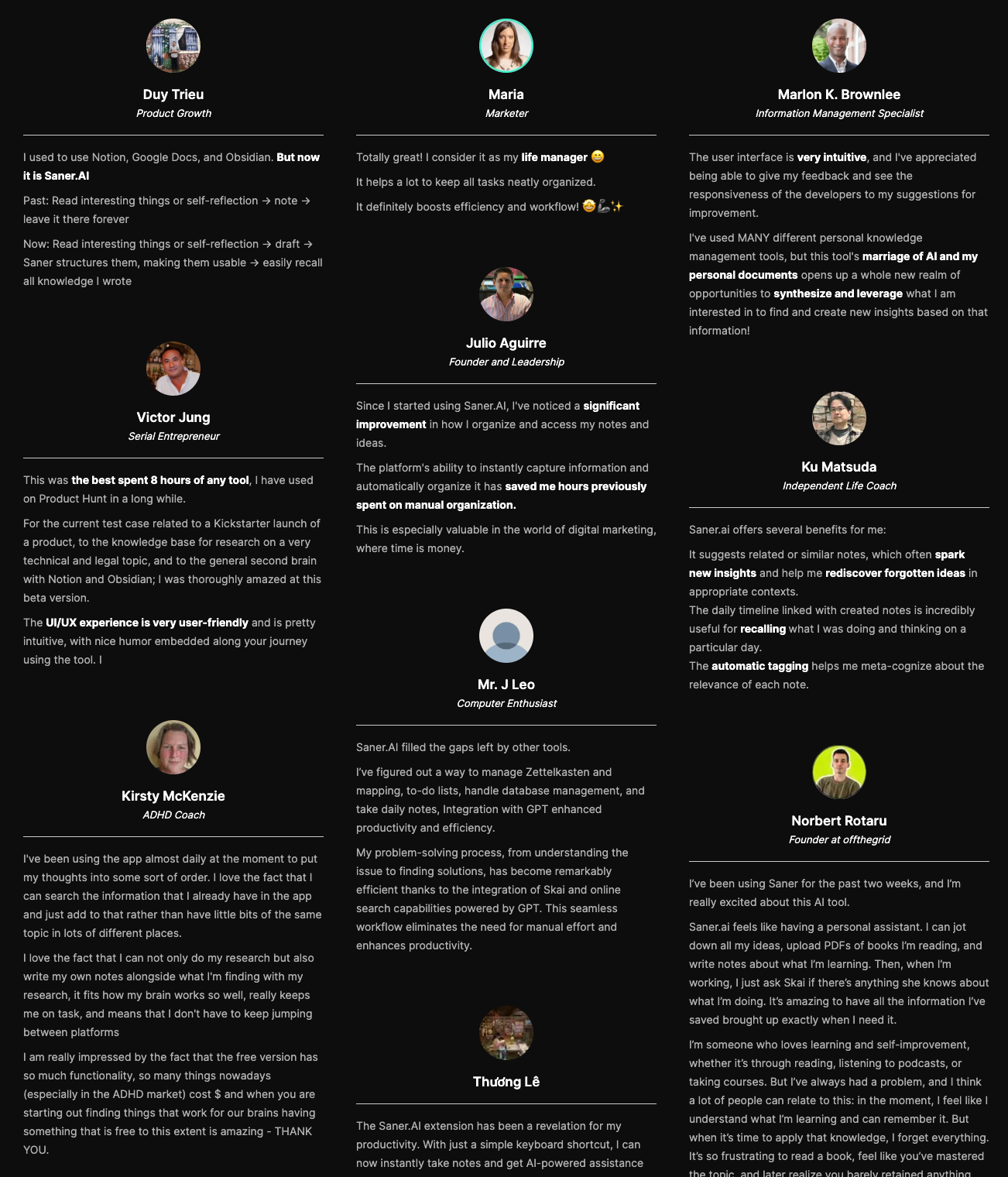
"The biggest benefit for me in using Saner is the Proactive AI. Staying on top of the constant flow of email and multiple calendars is challenging, and so far, Saner is the only AI-based tool that truly feels like a personal assistant." - Jerry
How to start using it?
- Go to saner.ai, sign up for free, connect your calendar and email, and start chatting with your AI assistant.

Stay on top of your work and life
3. Gemini Google
Gemini is Google’s AI assistant built for research, writing, reasoning, and everyday problem-solving. It’s tightly integrated with Google’s ecosystem, so it works well alongside Search, Docs, Gmail, and other Google tools. You can use it to ask questions, summarize information, generate content, and explore ideas conversationally.
Key features
- Gemini is good at explaining topics, summarizing sources, and answering fact-based questions.
- Works directly with Docs, Gmail, and other Google apps on supported plans. This reduces copy-paste friction for writing and reviewing work.
- You can interact using text, images, and files, depending on the plan. Useful for explaining visuals or working with documents.
- Responses are quick and well-suited for short research tasks and clarifications.
Pros
- The most helpful aspect of Gemini is its deep integration with the Google ecosystem.
- it understands what I’m asking and gives clear, useful responses quite quickly
Cons
- I find it frustrating that Gemini often lacks clear, step-by-step explanations. It tends to struggle with complex issues, especially when it comes to generating programming code, and sometimes has difficulty providing detailed guidance for problem-solving or projects.
- I find Gemini's performance unstable within Google Workspace, as it tends to hallucinate frequently.
- Sometimes it gives very accurate, detailed responses, and other times it gives very generic responses or misses important context.
Pricing
- Free: Basic Gemini access with limited capabilities
- Gemini Pro: ~$20/month, included in Google One AI Premium plan
Suitable for
- Users who want an AI assistant tightly integrated with Google Search and Google Workspace for research and everyday productivity.
How to get started
- Sign in with your Google account at Google
- Start by using Gemini inside Search or Docs for research and writing tasks
Google Gemini Review (source)
"Gemini is well worth the cost, taking the burden off our team for smaller tasks. If someone said "unlimited notes" for the cost of Gemini, or "unlimited high level review" for our organization, even if it were lower quality, I would take it any day of the week"- Capterra
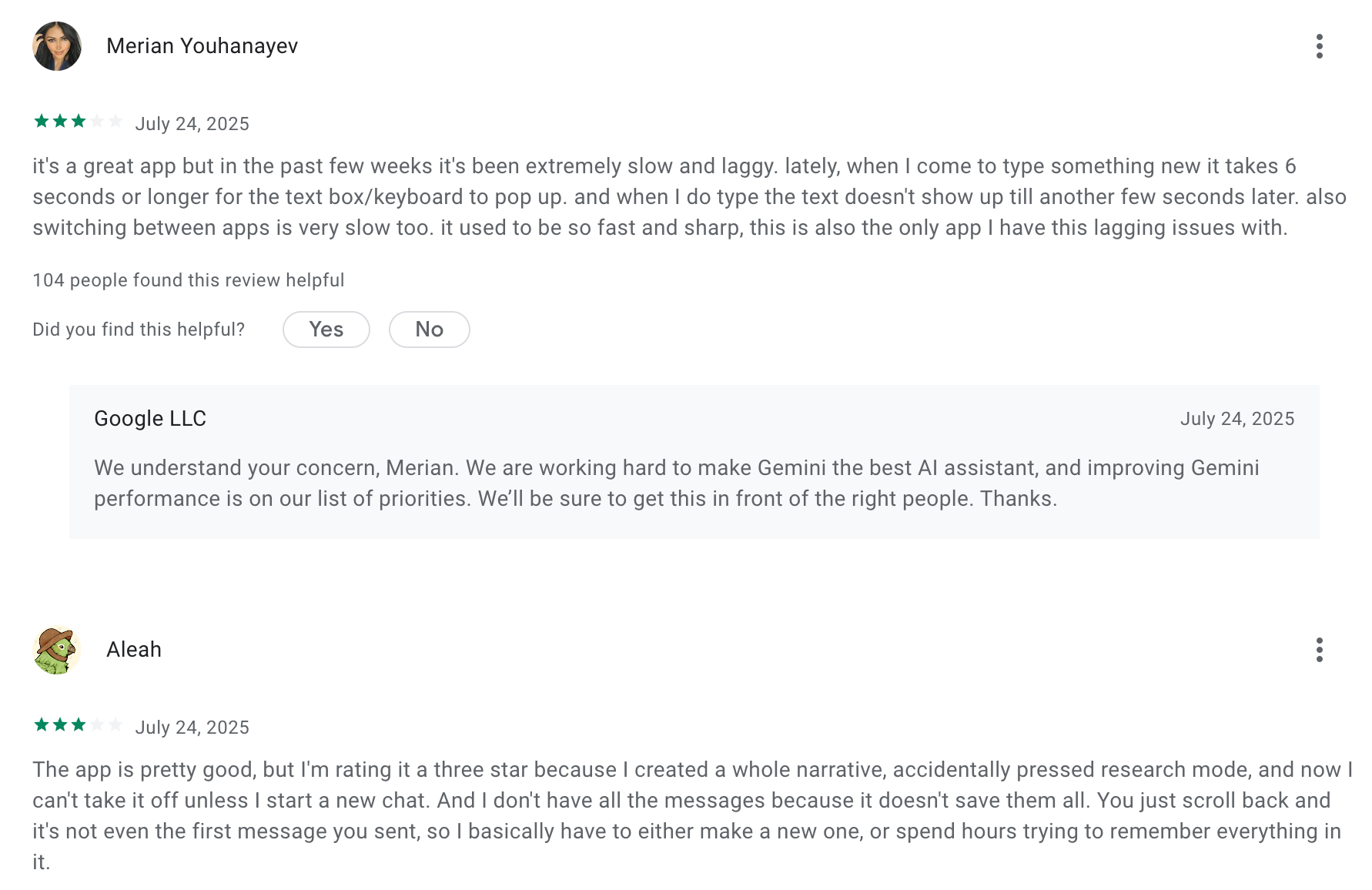
"This app crashes so much, the chat loading fails so much, it brings up other content of other chats into an entirely different chat that doesn't relate or is relevant at all." - Justin Nanhu
4. Microsoft Copilot
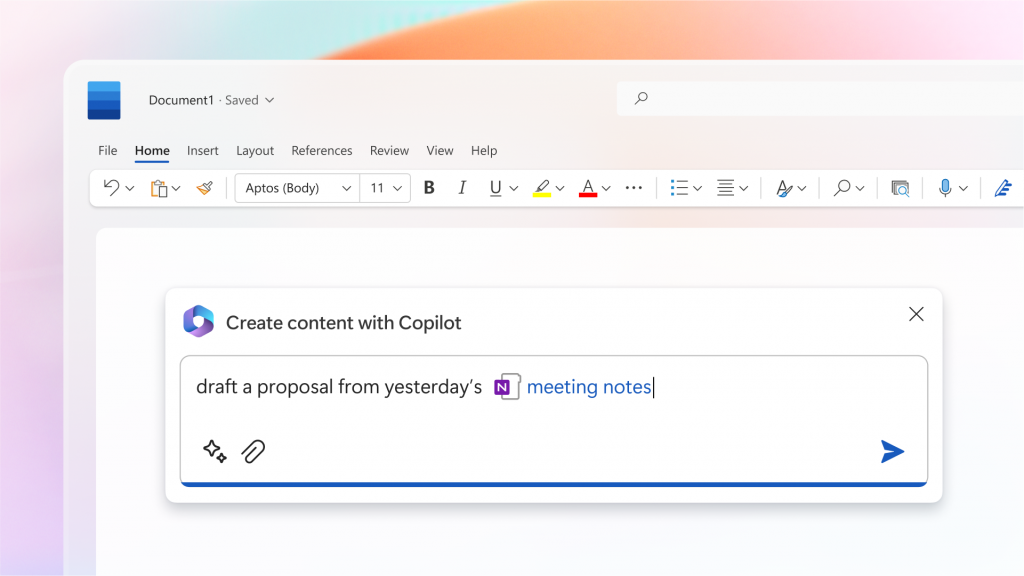
Microsoft Copilot is an AI assistant embedded across Microsoft products like Word, Excel, PowerPoint, Outlook, and Teams. It helps users write documents, analyze data, summarize emails and meetings, and generate presentations directly inside the tools they already use.
Key features
- Copilot works directly inside Word, Excel, PowerPoint, Outlook, and Teams. You can generate content, summaries, and insights without leaving the app.
- It understands your documents, emails, calendars, and meetings (based on permissions).
- Especially strong in Excel for analyzing data, creating formulas, and explaining trends in plain language.
- Built on Microsoft’s compliance and security stack, making it suitable for corporate use.
What I liked
- It condenses lengthy chats, emails, and documents into straightforward points, saving me considerable time
- I use it to take meeting minutes in meetings and generate them to send out to my teams - it saves me a tremendous amount of time
- It excels in its ability to seamlessly integrate with various Microsoft 365 applications
What I disliked
- It doesn't quite match ChatGPT's level of sophistication.
- I find it challenging to know exactly what to prompt Microsoft Copilot. Sometimes it's hard to get what I want out of it
- Sometimes it does not give the correct output even after many attempts, and then it makes me very frustrated
Pricing
- Copilot for Microsoft 365: ~$30/month, billed monthly (requires Microsoft 365 subscription)
- Limited Copilot features are available for free in some consumer Microsoft apps
Suitable for
- Professionals and teams who work daily in the Microsoft ecosystem and want AI that helps draft, analyze, automate, and summarize
Microsoft Copilot reviews (source)
"I like that I can create agents specifically for my needs, which allows me to tell it exactly what I need and how to tweak things when improvement is needed." - Destra E
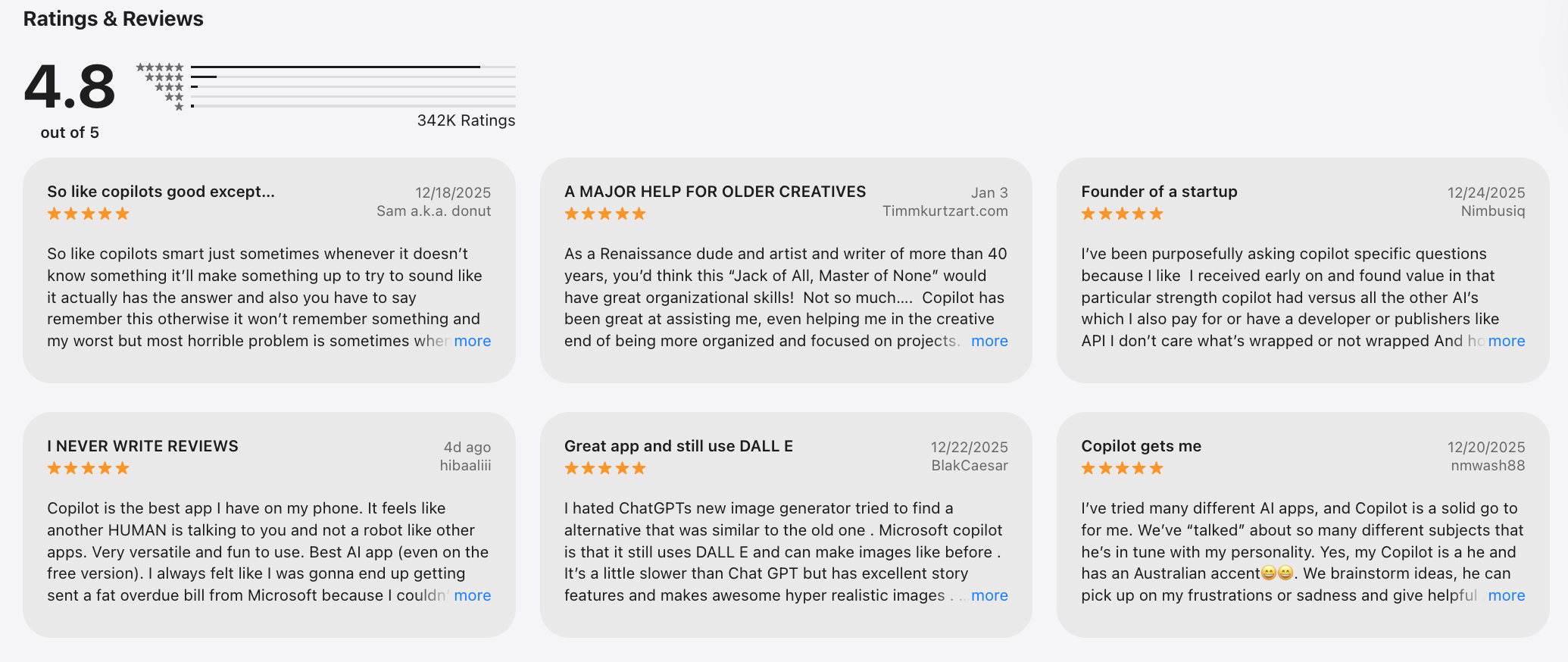
"Not all of the answers were what I was looking for, although that could be user error on my part if I didn’t provide enough information. Some of the responses didn’t seem to match what I asked." - Charlotte S
How to start
- Download the Microsoft Copilot app or open it inside your Microsoft 365 apps. Sign in with your Microsoft account and start chatting.
5. Otter.ai
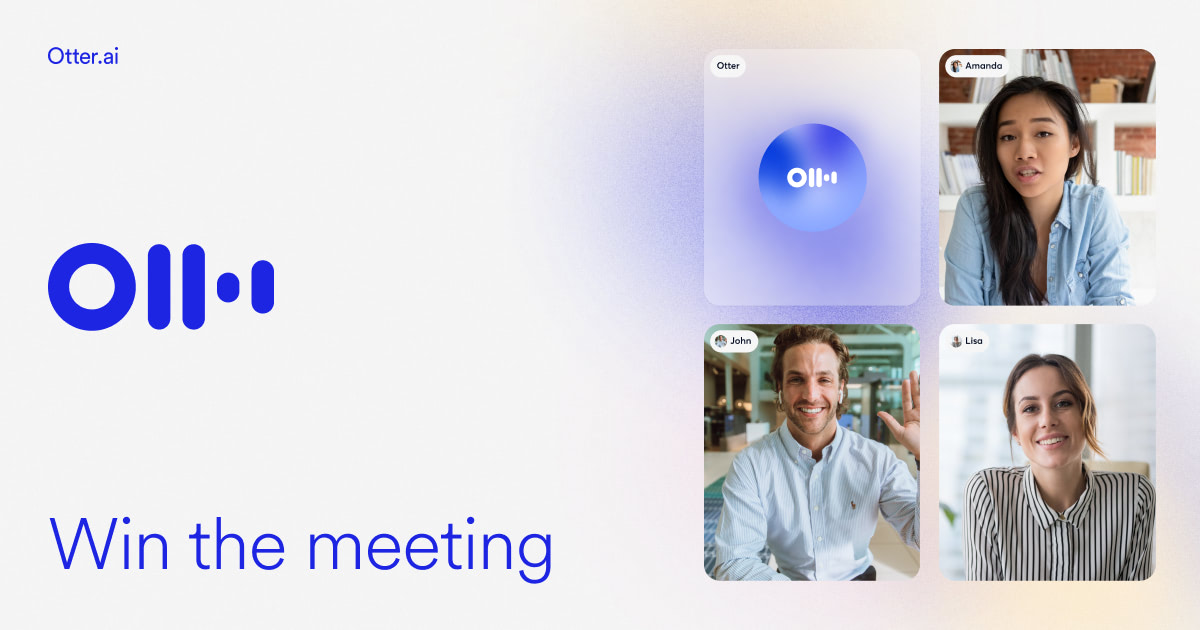
Otter.ai is an AI meeting assistant that records, transcribes, and summarizes conversations in real time. It’s commonly used for Zoom, Google Meet, and in-person meetings to capture notes automatically. Instead of manually writing minutes, you get searchable transcripts and AI-generated summaries.
Key features
- Otter joins meetings and transcribes conversations live with speaker identification. You can review and edit transcripts immediately after.
- Automatically generates key points, action items, and highlights. This saves time on post-meeting write-ups.
- Works with Zoom, Google Meet, Microsoft Teams, and calendars. Meetings can be auto-recorded without manual setup.
- All transcripts are stored and searchable, making past conversations easy to reference.
What I liked
- Otter made it so easy to keep track of long discussions, brainstorming sessions, and presentations by automatically generating clear and accurate transcripts
- Otter produces impressively accurate transcripts, especially for clear audio recordings
What I disliked
- The summaries are vague and, at times, give inaccuracies.
- Transcription accuracy can sometimes be affected by background noise or by different accents
- Accuracy can drop when there are heavy accents, background noise, or industry-specific terminology.
- Weak action item detection - Otter rarely captured the real next steps or key takeaways from meetings
Pricing
- Free: ~300 transcription minutes/month
- Pro: ~$16.99/month (or ~$8–9/month billed yearly)
- Business: ~$30/user/month, billed monthly
Suitable for
- Professionals and teams that rely on meetings to drive decisions, especially in sales, media, education, or operations
How to start
- Create an account at Otter.ai
- Connect your calendar or meeting tools and let Otter auto-join meetings
Otter.ai review (source)
"Otter.ai has been very helpful in keeping track of conversations and meetings without the need for constant note-taking. The transcription accuracy is generally strong, even in group discussions with multiple speakers." - Lorenzo P
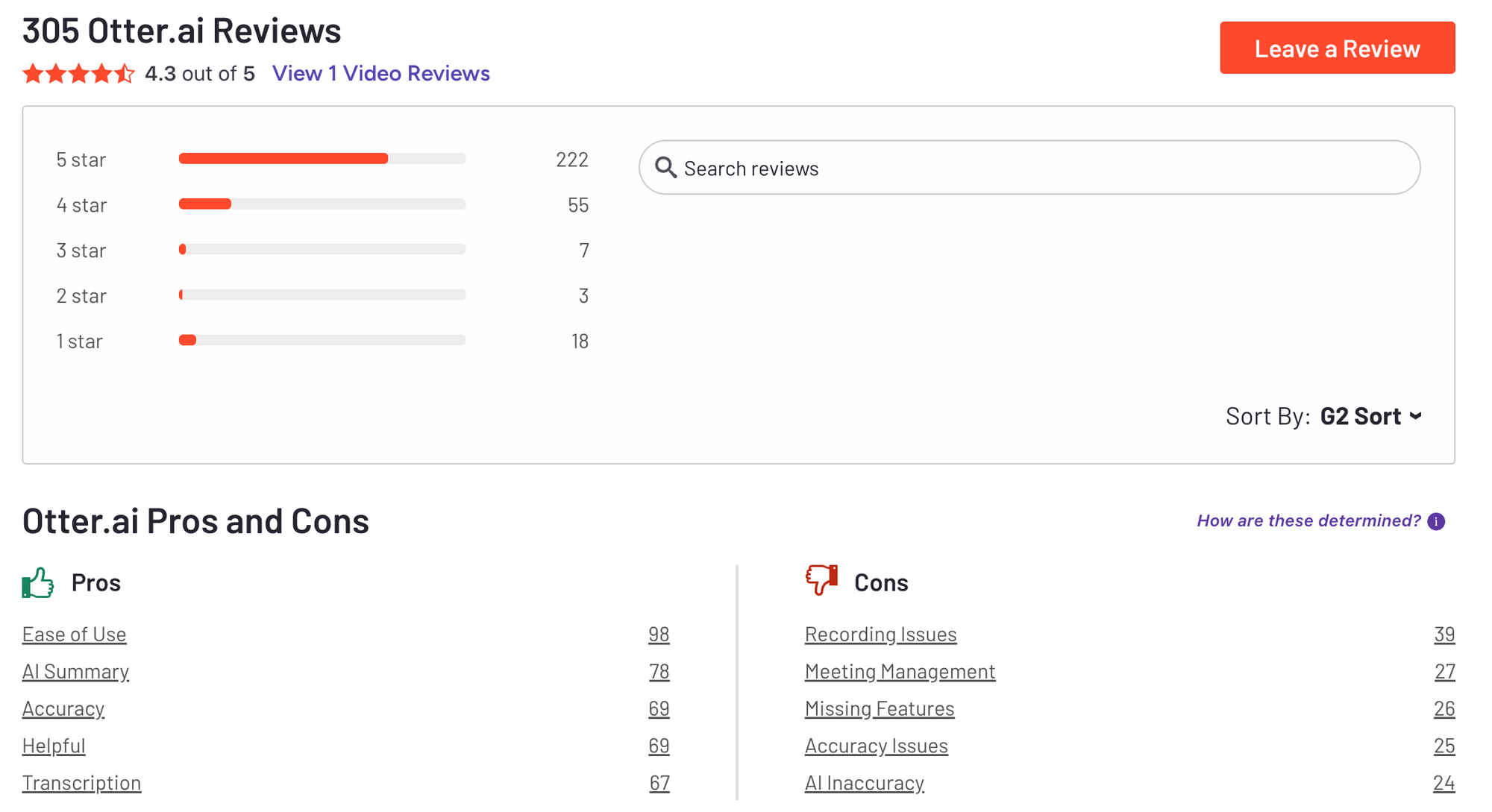
"Like most AI notetakers, Otter.ai does not learn. Despite using it for dozens of transcriptions, it still doesn't understand the name of my podcast nor the industry lingo that I use regardless of how often I correct it." - David S. L
6. Fireflies
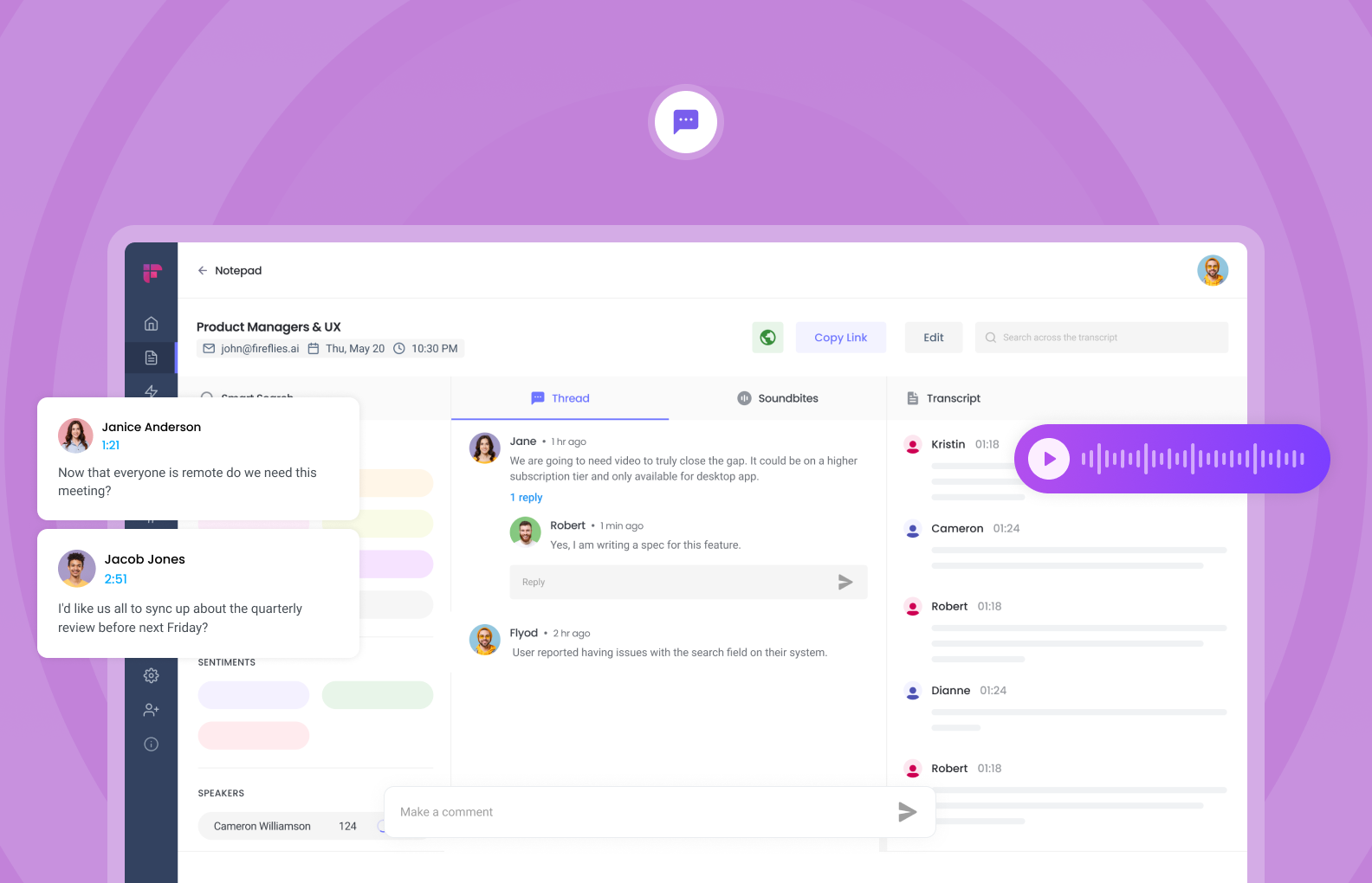
Fireflies.ai is an AI meeting assistant that records, transcribes, and summarizes meetings automatically. It works across popular video conferencing tools and captures conversations without manual note-taking. After meetings, it generates summaries, action items, and searchable transcripts.
Key features
- Fireflies can auto-join meetings and record conversations with speaker recognition. Transcripts are available shortly after the meeting ends.
- Meetings are broken into key points, decisions, and follow-ups. This helps teams move faster without rewatching recordings.
- You can search across all past meetings by keyword, topic, or speaker.
- Integrates with tools like Zoom, Google Meet, Microsoft Teams, Slack, and CRMs. Notes can flow directly into existing workflows.
What I liked
- Fireflies takes away the mental load of trying to remember everything or manually documenting conversations
What I disliked
- It does not handle language switching within the same meeting very well. If people move between languages mid-call, the transcript quality drops
- The user interface feels a bit unfinished, and the live assistant features suffer from lag
- There is also no easy way to add Fireflies to truly ad-hoc or last-minute meetings
Pricing
- Free: Limited transcription and basic summaries
- Pro: ~$18/month per user, billed monthly
- Business: ~$29/user/month, billed monthly
- Enterprise: Custom pricing
Suitable for:
- Teams, consultants, and professionals who sit in a lot of meetings and want an automatic way to capture, summarize, and revisit discussions without manual work
How to start:
- Go to fireflies.ai, sign up for the free plan, and invite the Fred bot to your next calendar meeting.
- Try the real-time AI voice assistant to see how it handles live Q&A, and upgrade when you need deeper analytics or more minutes.
Fireflies.ai review (source)
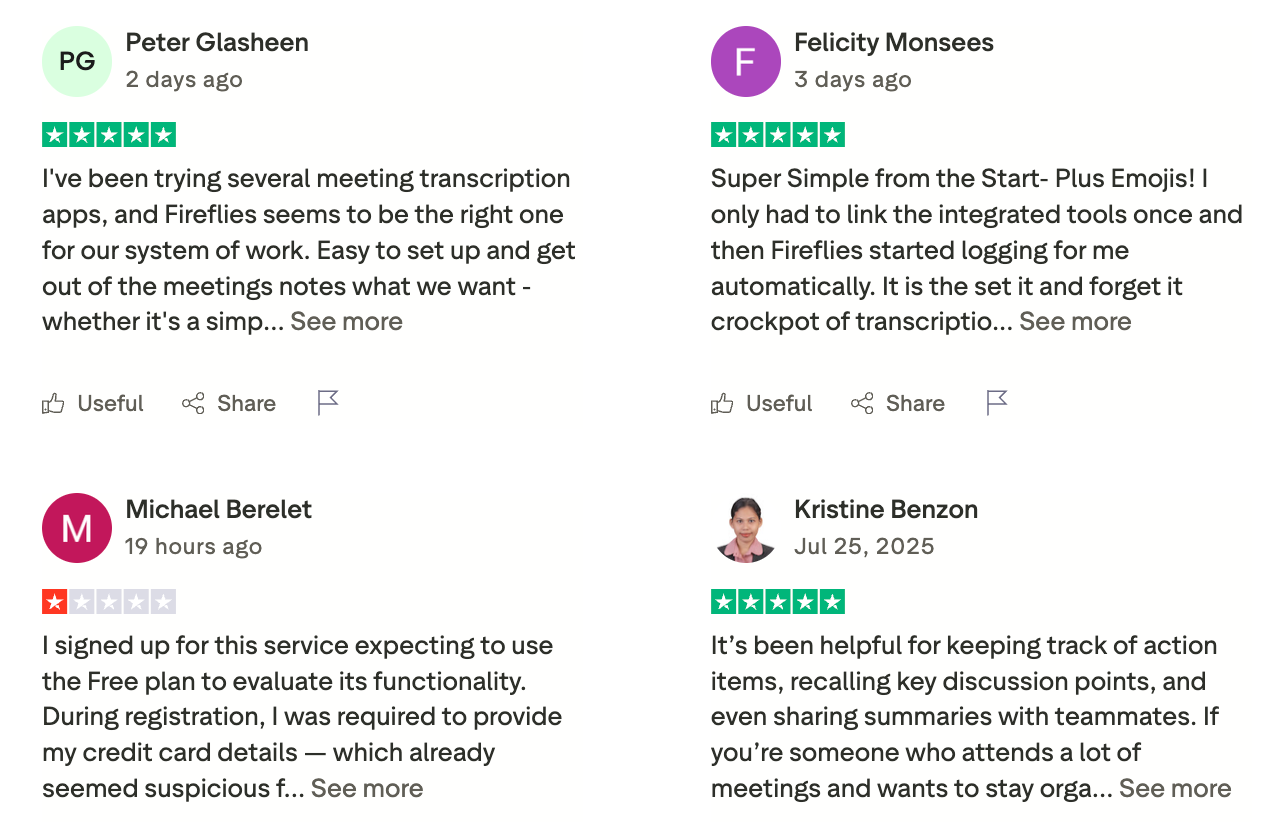
"I recommend this for every founders and consultants. no stress. works perfectly" - Vincent Agbowo
"There is no way to chat with support in the app. You have to go to a website and really search in order to have any issues resolved." - Cecilia King
7. Perplexity

Perplexity is an AI answer engine designed for research and information discovery. Instead of chatting freely, it focuses on giving direct answers backed by cited sources. You ask a question, and it returns a concise explanation with links you can verify.
Key Features
- Searches the live web automatically, unlike many chatbots that rely mainly on training data. Useful for up-to-date topics.
- Supports modes for academic research, writing, and deep dives. Helps structure exploration instead of open-ended chatting.
- Feels familiar to anyone used to Google, but with synthesized answers instead of links only.
- Every response includes references, so you can trace where information comes from. This makes it reliable for research and fact-checking.
What I liked
- It combines AI answers with real source citations. The responses are usually clear, concise, and easy to follow
- The voice conversation feature on my iPhone, having the entire internet just a voice away with instant responses, is really helpful
What I disliked
- Sometimes it gives a very clean, authoritative answer that's technically sourced but still a bit shallow or missing nuance.
- The presence of sources can create a false sense of certainty. If the sources are outdated, or all echoing the same assumption, the answer inherits that bias
- The desktop app is pretty buggy
Pricing
- Free: Basic search and AI answers
- Perplexity Pro: ~$20/month, billed monthly (or discounted yearly)
Suitable for
- Professionals, researchers, journalists, students, and anyone who wants a fast, trustworthy AI search tool that saves time and backs up its answers with real data.
How to start
- Go to Perplexity AI and create an account
- Start with a real research question and follow the cited sources for deeper dives
Perplexity review (source)
"This is very smooth, very intuitive, and very thorough. I use this for basic personal research and to answer complex questions about obscure topics." - Jonathan Sargent.
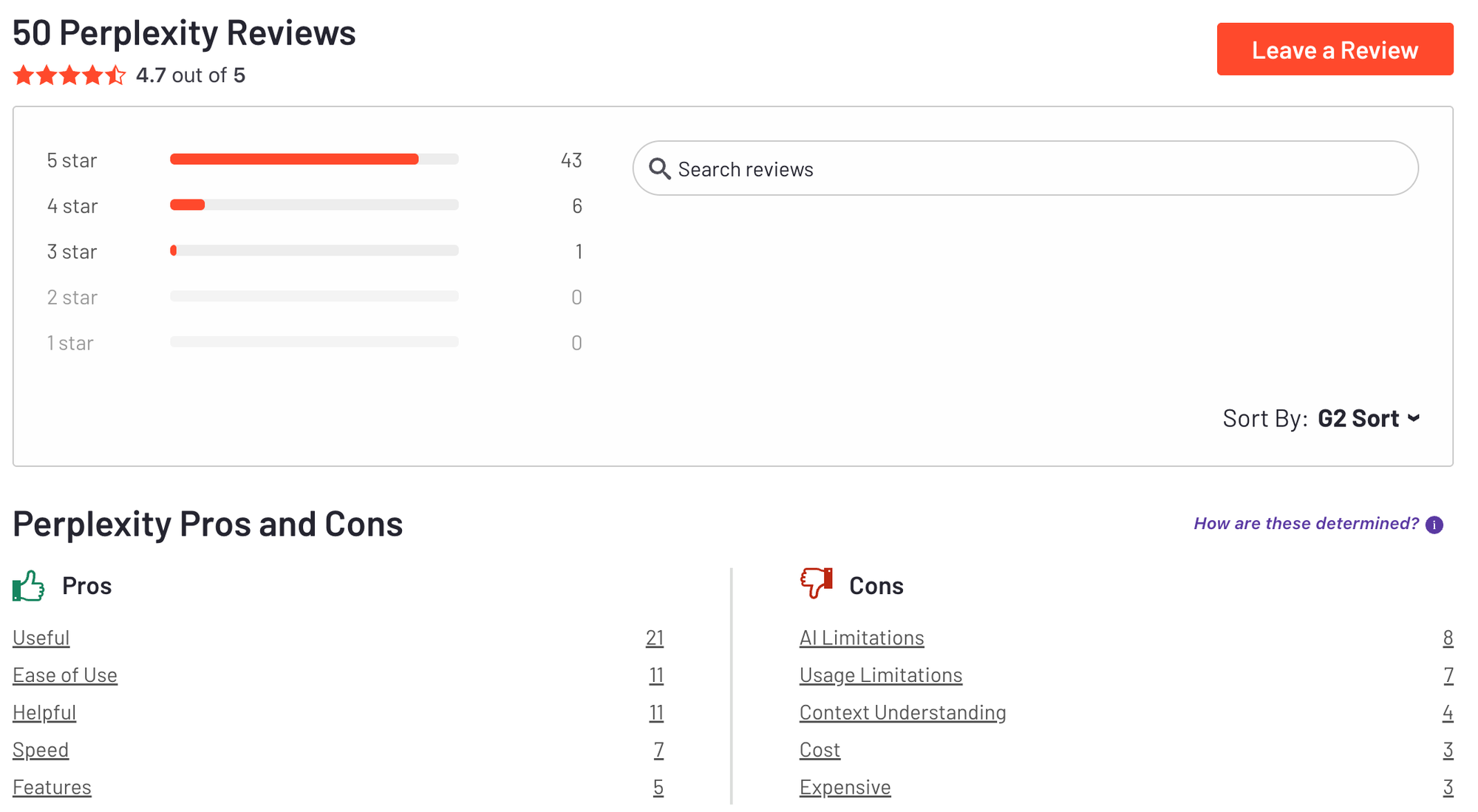
"It also confuses the language from time to time. I ask something in English and it responds in French." - Bjarka
8. WisprFlow
Wispr Flow is a voice-first AI productivity tool that lets you turn spoken thoughts into structured text instantly. It’s designed for fast capture when typing feels slow or mentally heavy. The focus is on reducing friction between thinking and documenting.
Key features
- Voice Dictation Anywhere: Works in ChatGPT, Slack, Notion, Gmail, or anywhere you’d type
- Context-Aware Transcription: Auto-formats your tone, punctuation, and structure based on the app you’re using
- Multilingual Support: Supports over 100 languages, with a whisper mode for quiet dictation
What I liked
- It's incredible the precision it has for transcribing
What I disliked
- Contacting support can lead to a dead end.
- It disables the native repeat dictation feature, which creates major workflow problems
- It's Electron-based and uses 800 megabytes of RAM
Pricing
- Free plan: 2,000 spoken words per week, basic voice typing and multilingual support
- Pro plan: $12/month for unlimited voice input, Command Mode, and advanced features
- Team plan: $10/user/month (minimum 3 users), includes admin controls and SOC 2 compliance
Suitable for
- People who prefer speaking over typing, or who want to speed up idea capture and text editing
How to start
- Create an account at Wispr Flow
- Start with short voice notes and review how the AI structures your text
WisprFlow Review (source)
"I’ve dictated tens of thousands of words by now, and honestly, there is no going back to manual typing for me. It’s easily one of the best tools in my stack." - Tereza Hurtová
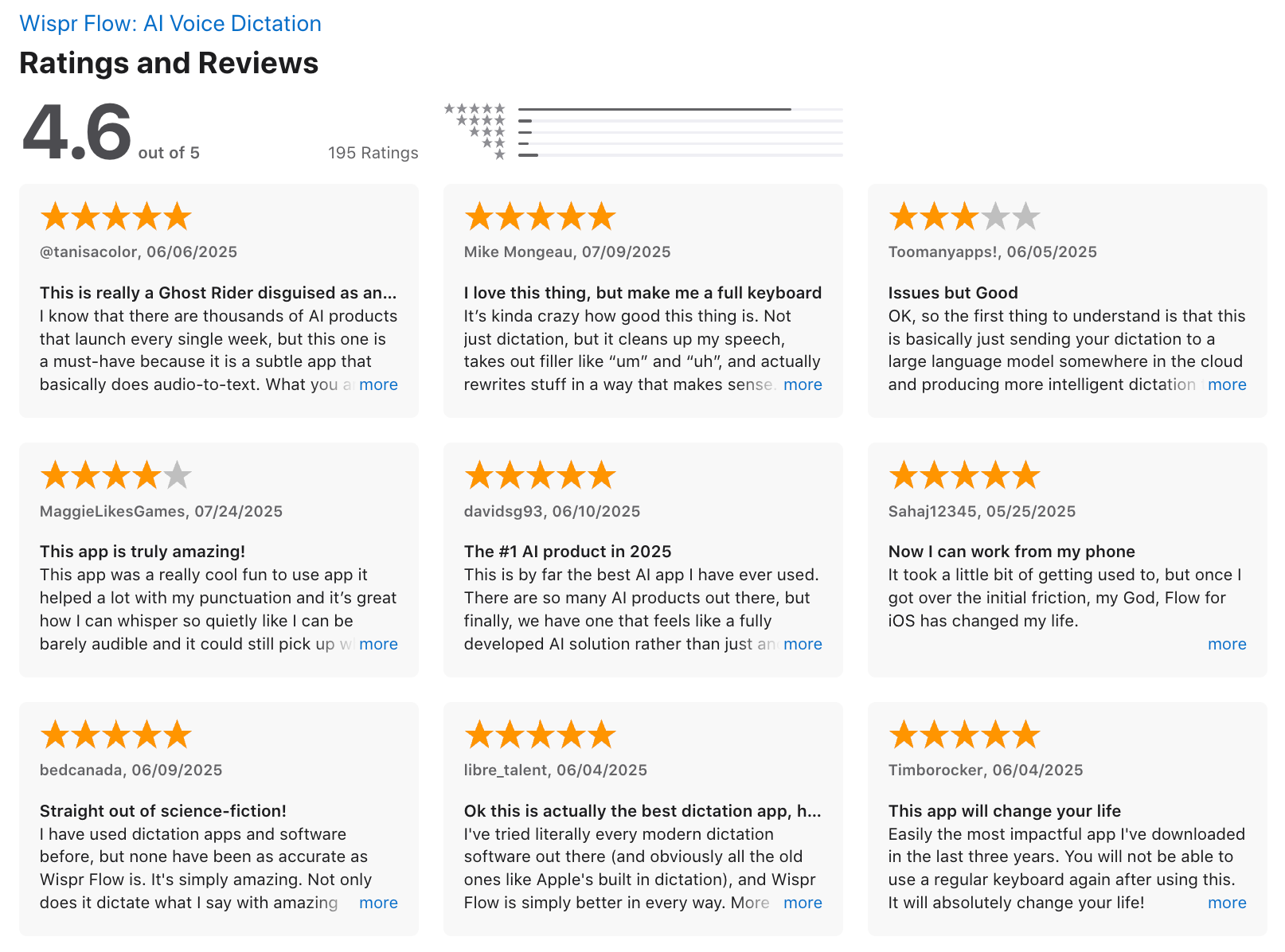
"The app is a whopping 800MB, which feels kind of big for a dictation tool?
It's constantly using about 8% CPU, even when idle." - Ásgeir Thor Johnson
9. Manus
Manus is an autonomous AI agent designed to execute multi-step tasks on your behalf, not just answer questions. Instead of chatting back and forth, you give Manus a goal, and it plans, researches, decides, and completes the work end-to-end.
Key features
- You give a high-level objective, and Manus breaks it into steps, runs them, and delivers results. This reduces micromanagement.
- Manus can decide what to do next based on intermediate results. It behaves more like a junior analyst than a Q&A bot.
- It actively browses the web, gathers sources, and synthesizes information into usable outputs.
- Designed to handle work that takes minutes or hours, not just instant replies.
What I liked
- One standout aspect was its ability to independently manage complex tasks.
What I disliked
- Some poorly executed work consumed my Pro credits, with no possibility of refund, compensation, or recovery.
Pricing
- Paid access: Subscription-based, start from 19$/month (pricing varies by plan and usage tier)
- No fully featured free plan at scale
Suitable for
- Researchers, entrepreneurs, and solo professionals who need an AI agent to handle real work
How to start
- Request access or create an account at Manus
- Start with a clearly defined task and review the output before deploying results
Manus reviews (source)
"Honestly, I don’t have enough words to express my appreciation for Manus. It is one of the most helpful applications I have ever used. The speed, quality of output, and excellent formatting system make it incredibly efficient and reliable." - aba haji
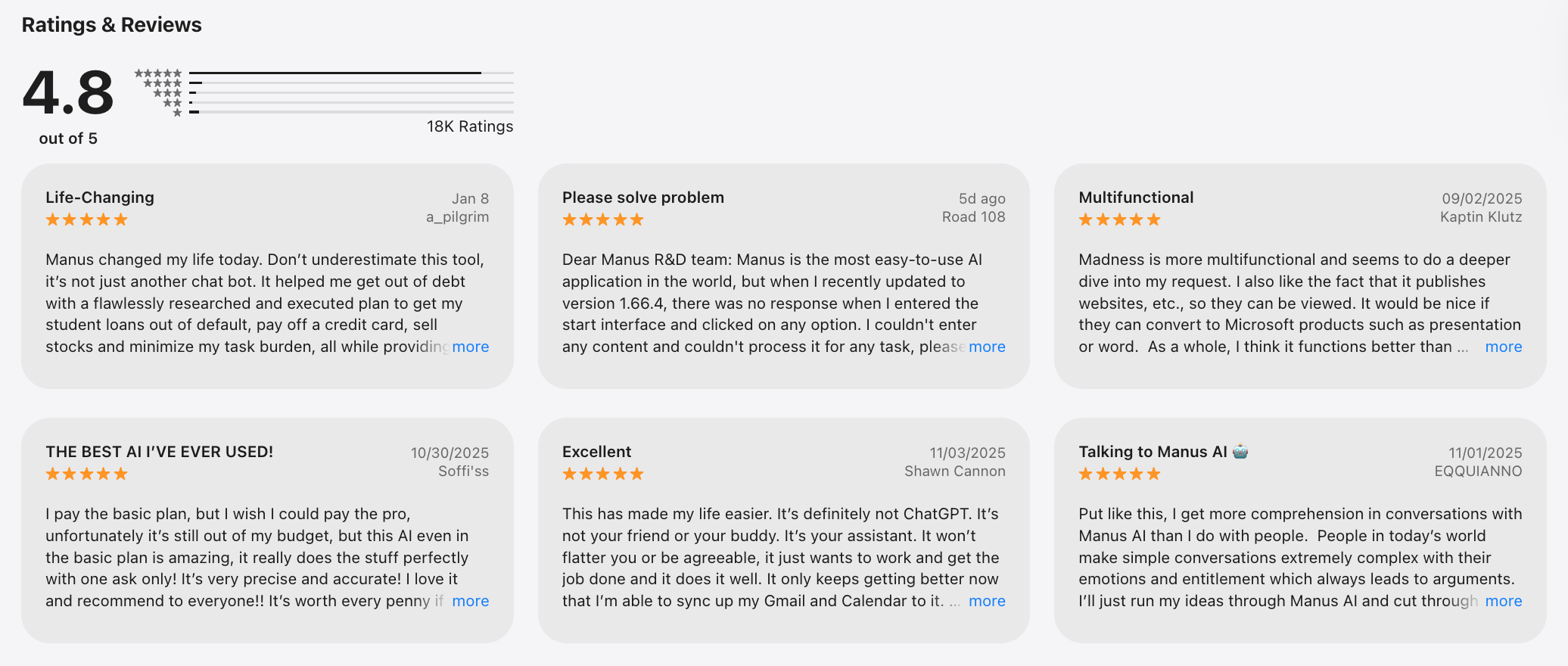
"Customers should not have to pay for repeated system errors. If the same bugs happen again and again, those credits should be refunded automatically. Instead, I was asked to provide logs and links in a closed system where customers cannot even access internal error records." - Zentroa Technologies
Conclusion
GPT applications are changing the way we interact with technology. These applications provide a unique combination of conversational AI capabilities that can support everything from everyday tasks to complex business needs.
However, it's important to choose wisely and do your research to find the GPT chat app that best suits your needs, ensuring you benefit from reliable and efficient AI interactions.
Stay on top of your work and life
FAQ: Best ChatGPT App
1. What is a ChatGPT App?
A ChatGPT app is a tool that lets you interact with AI using natural language. You can ask questions, summarize notes, plan your day, write emails, or generate ideas - just by chatting.
These apps go beyond casual conversation. Many integrate with your calendar, email, and tasks to act like a real personal assistant.
Some of the best ChatGPT apps today include:
- Saner.AI – Turns conversations into tasks, reminders, and schedules
- ChatGPT (OpenAI) – General-purpose chatbot with plugins
- Gemini (Google) – AI integrated into Gmail, Docs, and Google Calendar
- Microsoft Copilot – Built into Word, Excel, and Teams for workplace productivity
- Perplexity – Great for research and AI-powered answers with citations
- Fireflies.ai – Meeting transcription and summarization
- Otter.ai – Voice transcription with smart summaries
- Wisprflow – Lightweight voice-first assistant for workflows
- Manus.im – AI agent for doing tasks
2. What makes a ChatGPT app the best?
The best ChatGPT apps are:
- ✅ Fast and easy to use
- 🧠 Context-aware (they understand your notes, past tasks, and goals)
- 🗓️ Able to connect with tools you already use (like email, calendar, and docs)
- 🧩 Flexible - supporting both chat and proactive assistance
For example, Saner.AI doesn't just answer questions. It helps you:
- Break down chaotic thoughts into clear tasks
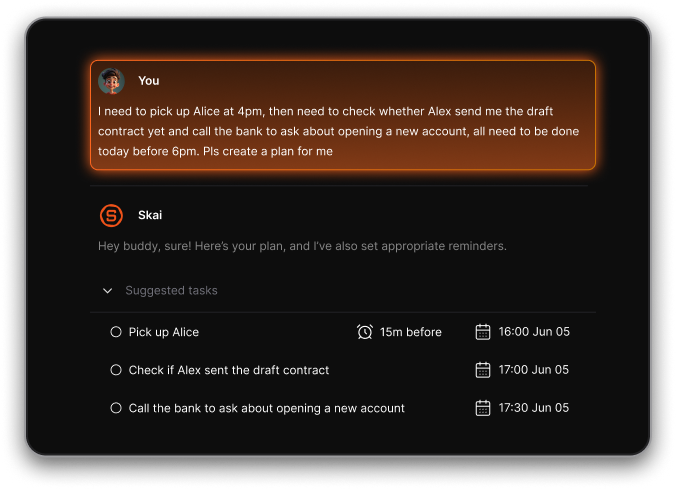
- Schedule work sessions based on your priorities
- Remember what matters - without setting a hundred reminders
3. What can I use a ChatGPT app for?
You can use a ChatGPT app to:
- Plan your day (“What should I focus on this morning?”)
- Search through messy notes (“Find notes about investor pitch Q2”)
- Draft emails (“Reply to the client about the Monday deadline”)
- Summarize long documents or meetings
- Set reminders and stay on track
- Auto-schedule your tasks around meetings
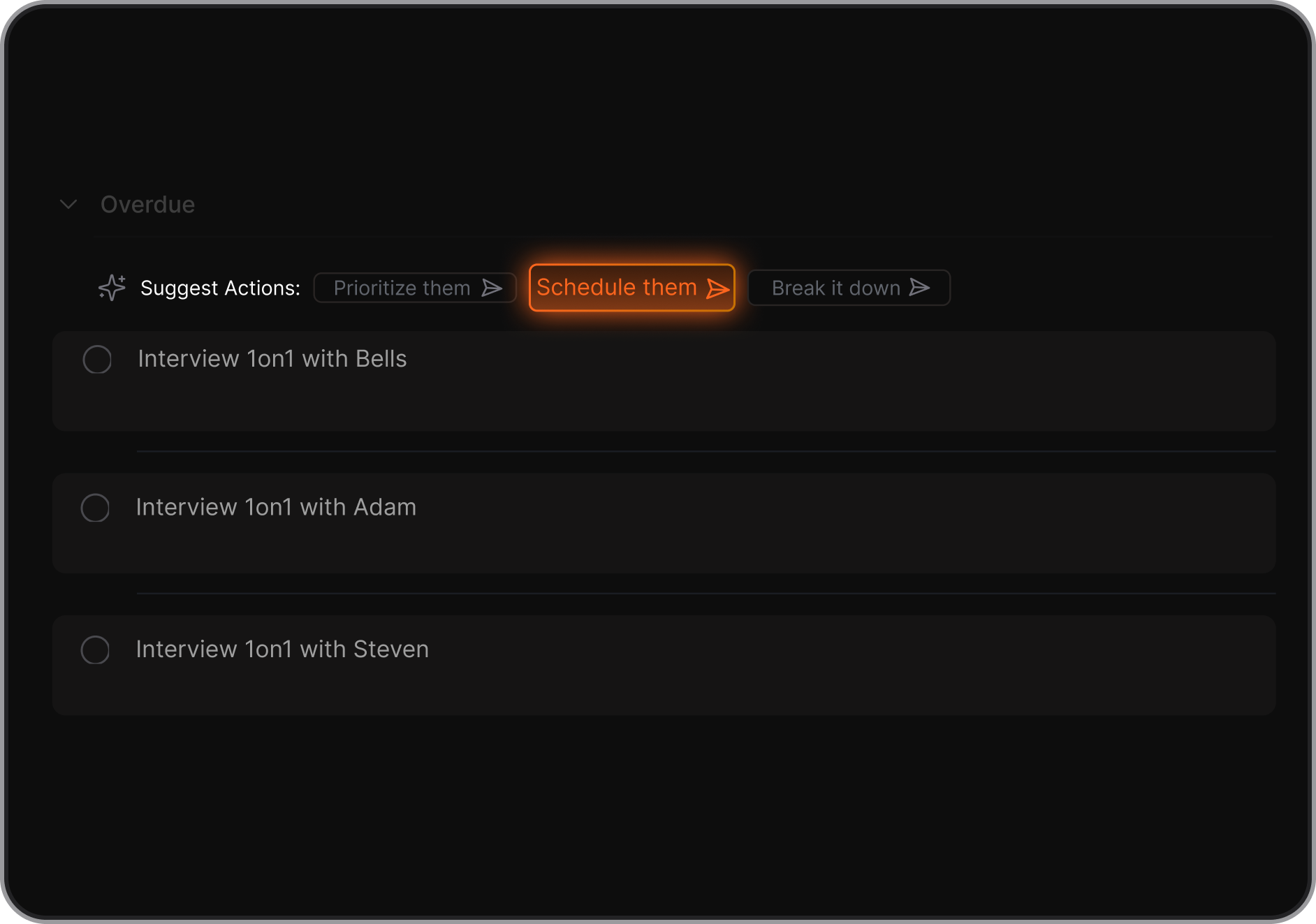
Some apps specialize in certain areas:
- Saner.AI – All-in-one thinking, task, and planning assistant
- Perplexity – Research, Q&A, citation-based summaries
- Fireflies.ai – Meeting notes and action items
- Gemini – Writing help across Google apps
4. Is there a free ChatGPT app?
Yes. Most of the top ChatGPT apps offer a free tier:
- Saner.AI – Free forever plan includes note search, task reminders, and daily planning
- ChatGPT – Free with GPT-3.5 (GPT-4 via paid plan)
- Gemini – Free with Google Workspace
- Otter.ai – Free transcription with limits
- Perplexity – Free AI search engine with citations
5. What’s the best ChatGPT app for ADHD?
For ADHD, simplicity and structure are key. Saner.AI stands out:
- Converts brain dumps into tasks and reminders
- Surfaces the right task at the right time
- Doesn’t require tags, folders, or complex setup
- Supports voice input and check-ins to reduce overwhelm
It’s like having an executive function coach in your pocket.
6. Which ChatGPT app is best for work?
If you’re juggling projects, deadlines, and back-to-back meetings, consider:
- Saner.AI – Designed for productivity, not just chatting. Connects your notes, calendar, and reminders
- Copilot – Seamlessly integrates into Microsoft tools
- Fireflies.ai – Turns meetings into searchable summaries
- ChatGPT – Great for quick writing, brainstorming, and code
7. What ChatGPT app helps you stick to your plan?
Three apps stand out for proactive planning:
- Saner.AI – Automatically suggests tasks for the day and checks in with you
- Motion – Auto-schedules your tasks on a dynamic calendar
- Reclaim – Time-blocks your habits and meetings
Only Saner understands your thoughts (notes, chats, todos) and turns them into a realistic plan.
8. What’s the best ChatGPT app for entrepreneurs?
Entrepreneurs need fast answers and fewer distractions. Try:
- Saner.AI – Turns your thoughts into tasks, links notes to calendar, keeps your focus
- Perplexity – Research and quick idea generation
- ChatGPT – Draft pitches, respond to clients, build workflows
No setup. Just start chatting and get clarity fast.
9. How does a ChatGPT app improve productivity?
A good ChatGPT app reduces context switching and decision fatigue.
For example:
- You type “remind me to send pitch deck” → Saner adds it to your task list + schedules it
- Ask “what’s my priority today?” → It answers based on your current workload
- Say “find notes from last board meeting” → It pulls up context, fast
Less thinking. More doing.
10. Can ChatGPT apps help with meeting prep?
Definitely. Tools like Saner.AI, Fireflies.ai, and Otter.ai can:
- Summarize previous meetings
- Pull up related action items
- Generate talking points for your next call
- Record and transcribe live meetings
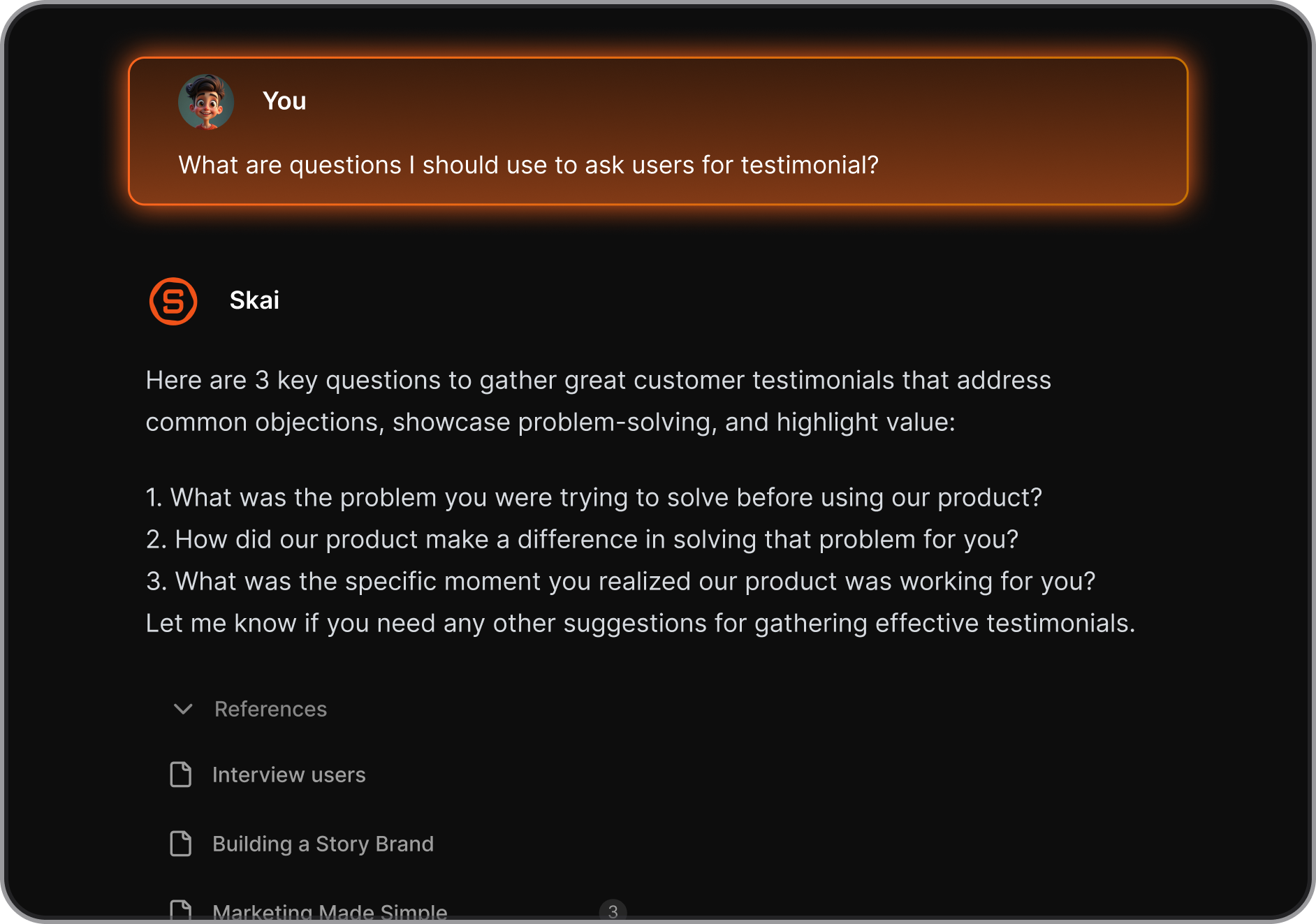
With Saner, you can literally ask, “What did we decide last week?” and get a full rundown.
11. Which ChatGPT app is best for executives?
Executives need high-level clarity and low friction.
- Saner.AI – Combines calendar, tasks, and notes into one smart workspace
- Copilot – Works inside Microsoft tools for seamless reporting
- Gemini – Helpful for emails and document editing across Google apps
Saner acts like a chief of staff who never forgets anything.
12. How is a ChatGPT app different from regular productivity tools?
Traditional tools = You manage them.
ChatGPT apps = They manage you.
Instead of digging through folders and tabs:
- You ask one question
- The AI retrieves the right note, task, or email
- It reminds you to take action, not just store information
Apps like Saner.AI make your workflow feel like talking to a smart assistant, not toggling between apps.
Stay on top of your work and life